"0148f1904a9b0d16"{"slug":"tools-and-plugins","category":{"id":489,"sourceId":489,"taxonomyId":489,"taxonomy":"category","slug":"tools-and-plugins","name":"Tools \u0026 Plugins","parentId":511,"count":338,"hasChildren":true,"href":"/category/tools-and-plugins/","seoTitle":"Free Unreal Engine Tools \u0026 Plugins | 3DCGHUB","seoDescription":"Browse free Tools \u0026 Plugins for Unreal Engine on 3DCGHUB: curated downloads with preview images, compatibility notes and secure download access.","sitemapEnabled":true},"breadcrumbs":[{"id":4225,"sourceId":4225,"taxonomyId":4225,"taxonomy":"category","slug":"asset-library","name":"Asset Library","parentId":null,"count":4403,"hasChildren":true,"href":"/","seoTitle":"Free Game Assets Library | 3DCGHUB","seoDescription":"Browse free Unreal Engine, Unity, Blender assets and game development tutorials on 3DCGHUB with previews, compatibility notes, and secure downloads.","sitemapEnabled":true},{"id":511,"sourceId":511,"taxonomyId":511,"taxonomy":"category","slug":"unreal-engine-2","name":"Unreal Engine","parentId":4225,"count":3941,"hasChildren":true,"href":"/category/unreal-engine-2/","seoTitle":"Free Unreal Engine Assets | 3DCGHUB","seoDescription":"Browse free Unreal Engine resources on 3DCGHUB: curated downloads with preview images, compatibility notes and secure download access.","sitemapEnabled":true},{"id":489,"sourceId":489,"taxonomyId":489,"taxonomy":"category","slug":"tools-and-plugins","name":"Tools \u0026 Plugins","parentId":511,"count":338,"hasChildren":true,"href":"/category/tools-and-plugins/","seoTitle":"Free Unreal Engine Tools \u0026 Plugins | 3DCGHUB","seoDescription":"Browse free Tools \u0026 Plugins for Unreal Engine on 3DCGHUB: curated downloads with preview images, compatibility notes and secure download access.","sitemapEnabled":true}],"children":[{"id":490,"sourceId":490,"taxonomyId":490,"taxonomy":"category","slug":"animations-tools-and-plugins","name":"Animations","parentId":489,"count":13,"hasChildren":false,"href":"/category/animations-tools-and-plugins/","seoTitle":"Free Unreal Engine Tools \u0026 Plugins Animations | 3DCGHUB","seoDescription":"Browse free Animations in Tools \u0026 Plugins for Unreal Engine on 3DCGHUB with preview images and compatibility notes.","sitemapEnabled":true},{"id":491,"sourceId":491,"taxonomyId":491,"taxonomy":"category","slug":"artificial-intelligence-tools-and-plugins","name":"Artificial Intelligence","parentId":489,"count":5,"hasChildren":false,"href":"/category/artificial-intelligence-tools-and-plugins/","seoTitle":"Free Unreal Engine Artificial Intelligence | 3DCGHUB","seoDescription":"Browse free Artificial Intelligence in Tools \u0026 Plugins tools for Unreal Engine on 3DCGHUB with preview images and compatibility notes.","sitemapEnabled":true},{"id":492,"sourceId":492,"taxonomyId":492,"taxonomy":"category","slug":"automations-tools-and-plugins","name":"Automations","parentId":489,"count":9,"hasChildren":false,"href":"/category/automations-tools-and-plugins/","seoTitle":"Free Unreal Engine Tools \u0026 Plugins Automations | 3DCGHUB","seoDescription":"Browse free Automations in Tools \u0026 Plugins tools for Unreal Engine on 3DCGHUB with preview images and compatibility notes.","sitemapEnabled":true},{"id":493,"sourceId":493,"taxonomyId":493,"taxonomy":"category","slug":"dialog-systems-tools-and-plugins","name":"Dialog Systems","parentId":489,"count":4,"hasChildren":false,"href":"/category/dialog-systems-tools-and-plugins/","seoTitle":"Free Unreal Engine Tools \u0026 Plugins Dialog Systems | 3DCGHUB","seoDescription":"Browse free Dialog Systems in Tools \u0026 Plugins tools for Unreal Engine on 3DCGHUB with preview images and compatibility notes.","sitemapEnabled":true},{"id":494,"sourceId":494,"taxonomyId":494,"taxonomy":"category","slug":"engine-tools-tools-and-plugins","name":"Engine Tools","parentId":489,"count":211,"hasChildren":false,"href":"/category/engine-tools-tools-and-plugins/","seoTitle":"Free Unreal Engine Engine Tools | 3DCGHUB","seoDescription":"Browse free Engine Tools in Tools \u0026 Plugins for Unreal Engine on 3DCGHUB with preview images and compatibility notes.","sitemapEnabled":true},{"id":495,"sourceId":495,"taxonomyId":495,"taxonomy":"category","slug":"game-mechanics-tools-and-plugins","name":"Game Mechanics","parentId":489,"count":15,"hasChildren":false,"href":"/category/game-mechanics-tools-and-plugins/","seoTitle":"Free Unreal Engine Tools \u0026 Plugins Game Mechanics | 3DCGHUB","seoDescription":"Browse free Game Mechanics in Tools \u0026 Plugins tools for Unreal Engine on 3DCGHUB with preview images and compatibility notes.","sitemapEnabled":true},{"id":496,"sourceId":496,"taxonomyId":496,"taxonomy":"category","slug":"gameplay-features-tools-and-plugins","name":"Gameplay Features","parentId":489,"count":35,"hasChildren":false,"href":"/category/gameplay-features-tools-and-plugins/","seoTitle":"Free Unreal Engine Tools Gameplay Features | 3DCGHUB","seoDescription":"Browse free Gameplay Features in Tools \u0026 Plugins tools for Unreal Engine on 3DCGHUB with preview images and compatibility notes.","sitemapEnabled":true},{"id":498,"sourceId":498,"taxonomyId":498,"taxonomy":"category","slug":"network-and-multiplayer-tools-and-plugins","name":"Network \u0026 Multiplayer","parentId":489,"count":18,"hasChildren":false,"href":"/category/network-and-multiplayer-tools-and-plugins/","seoTitle":"Free Unreal Engine Network \u0026 Multiplayer | 3DCGHUB","seoDescription":"Browse free Network \u0026 Multiplayer in Tools \u0026 Plugins tools for Unreal Engine on 3DCGHUB with preview images and compatibility notes.","sitemapEnabled":true},{"id":499,"sourceId":499,"taxonomyId":499,"taxonomy":"category","slug":"physics-tools-and-plugins","name":"Physics","parentId":489,"count":4,"hasChildren":false,"href":"/category/physics-tools-and-plugins/","seoTitle":"Free Unreal Engine Tools \u0026 Plugins Physics | 3DCGHUB","seoDescription":"Browse free Physics in Tools \u0026 Plugins tools for Unreal Engine on 3DCGHUB with preview images and compatibility notes.","sitemapEnabled":true},{"id":500,"sourceId":500,"taxonomyId":500,"taxonomy":"category","slug":"procedural-systems-tools-and-plugins","name":"Procedural Systems","parentId":489,"count":24,"hasChildren":false,"href":"/category/procedural-systems-tools-and-plugins/","seoTitle":"Free Unreal Engine Procedural Systems | 3DCGHUB","seoDescription":"Browse free Procedural Systems in Tools \u0026 Plugins tools for Unreal Engine on 3DCGHUB with preview images and compatibility notes.","sitemapEnabled":true}],"items":[{"id":"1001493","slug":"mesh-ops-mesh-operations-plugin","title":"Mesh Ops - Mesh Operations Plugin","category":"Engine Tools","engine":"5.4","assetVersion":"Asset Version: 1.06","engineVersion":"Engine Version: 5.4","tag":"Engine Tools","accent":"blue","visual":"mech","summary":"Explore Mesh Ops for Unreal Engine, featuring over 300 Blueprint nodes, runtime procedural mesh generation, mesh booleans, and decoupled mesh data structures.","platform":"Unreal Engine","indexPolicy":"index","publishedAt":"2026-10-08T12:57:50.878Z","updatedAt":"2026-10-08T12:57:50.878Z","sourceNotes":[],"fileContents":[],"compatibility":["Unreal Engine","Asset Version: 1.06","Engine Version: 5.4"],"featuredImage":{"alt":"Mesh Ops - Mesh Operations Plugin","src":"/wp-content/uploads/published/2026/10/5651ec88feb3-03acd46c-7f60-4653-b597-c698c58d1dc1-c9693dc857.webp"},"hasDownloadLink":true},{"id":"1001488","slug":"octopus-backpack-procedural-tentacles-for-grabbing-throwing-and-movement","title":"Octopus Backpack – Procedural Tentacles for Grabbing, Throwing and Movement","category":"Gameplay Features","engine":"5.4","assetVersion":"Asset Version: 1.0","engineVersion":"Engine Version: 5.4","tag":"Gameplay Features","accent":"blue","visual":"mech","summary":"Add boneless procedural tentacles to Unreal Engine characters for IK-driven grabbing, throwing, and physical static mesh latching mechanics.","platform":"Unreal Engine","indexPolicy":"index","publishedAt":"2026-10-08T09:28:15.308Z","updatedAt":"2026-10-08T09:28:15.308Z","sourceNotes":[],"fileContents":[],"compatibility":["Unreal Engine","Asset Version: 1.0","Engine Version: 5.4"],"featuredImage":{"alt":"Octopus Backpack – Procedural Tentacles for Grabbing, Throwing and Movement","src":"/wp-content/uploads/published/2026/10/1b31ff364b34-d14674a5-b458-4be6-8681-88388ee2906a-ba62b7d57b.webp"},"hasDownloadLink":true},{"id":"1001453","slug":"ryan-picker-page","title":"Ryan Picker Page","category":"Engine Tools","engine":"5.7 - 5.8","assetVersion":"Asset Version: 1.0","engineVersion":"Engine Version: 5.7 - 5.8","tag":"Engine Tools","accent":"blue","visual":"mech","summary":"Build custom Control Rig and Actor picker pages inside Unreal Engine using Ryan Picker Page, featuring 2D sliders, toggles, and JSON sharing.","platform":"Unreal Engine","indexPolicy":"index","publishedAt":"2026-10-08T00:56:30.493Z","updatedAt":"2026-10-08T00:56:30.493Z","sourceNotes":[],"fileContents":[],"compatibility":["Unreal Engine","Asset Version: 1.0","Engine Version: 5.7 - 5.8"],"featuredImage":{"alt":"Ryan Picker Page","src":"/wp-content/uploads/published/2026/10/d53a858298c2-8c81313a-f1c4-4c37-8f35-464d139a0171-dfe44fa5a6.webp"},"hasDownloadLink":true},{"id":"13883","slug":"dynamic-real-water","title":"Dynamic Real Water","category":"Engine Tools","engine":"5.8","assetVersion":"Asset Version: 2.0","engineVersion":"Engine Version: 5.8","tag":"Engine Tools","accent":"blue","visual":"mech","summary":"Enhance your Unreal Engine 5 environments with Dynamic Real Water, a high-performance FFT simulation plugin. It offers realistic wave dynamics, advanced buoyancy physics, and seamless replication for multiplayer projects.","platform":"Unreal Engine","indexPolicy":"noindex","publishedAt":"2026-03-11T10:30:53.000Z","updatedAt":"2026-10-07T10:02:19.555Z","sourceNotes":[],"fileContents":[],"compatibility":["Unreal Engine","Asset Version: 2.0","Engine Version: 5.8"],"featuredImage":{"alt":"Dynamic Real Water","src":"https://3dcghub.com/wp-content/uploads/2026/03/8532c421-bf8f-4903-bbfc-9e94a063892e.webp"},"hasDownloadLink":true},{"id":"1001370","slug":"ultimate-lighting-and-camera-tool-ulct","title":"Ultimate Lighting and Camera Tool ( ULCT )","category":"Engine Tools","engine":"5.5","assetVersion":"Asset Version: 1.2","engineVersion":"Engine Version: 5.5","tag":"Engine Tools","accent":"blue","visual":"mech","summary":"Explore the Ultimate Lighting and Camera Tool for Unreal Engine, featuring fast light spawning, IES profiles, lightmap management, and camera controls.","platform":"Unreal Engine","indexPolicy":"index","publishedAt":"2026-10-04T10:38:22.592Z","updatedAt":"2026-10-04T10:38:22.592Z","sourceNotes":[],"fileContents":[],"compatibility":["Unreal Engine","Asset Version: 1.2","Engine Version: 5.5"],"featuredImage":{"alt":"Ultimate Lighting and Camera Tool ( ULCT )","src":"/wp-content/uploads/published/2026/10/51d1307f17f1-9eeee845-4199-41b6-a2cf-09b76328ed34-ca87139e07.webp"},"hasDownloadLink":true},{"id":"14592","slug":"shadersource-waterfall-tool-2","title":"SHADERSOURCE - Waterfall Tool 2","category":"Engine Tools","engine":"5.2 - 5.7","assetVersion":"Asset Version: 1.0a - 1.0d","engineVersion":"Engine Version: 5.2 - 5.7","tag":"Engine Tools","accent":"blue","visual":"animation","summary":"The SHADERSOURCE - Waterfall Tool 2 introduces a specialized Editor Mode for generating realistic waterfalls through dynamic meshes and spline paths. This tool offers both Simple and Advanced modes to provide full control over fluid paths and VFX generation.","platform":"Unreal Engine","indexPolicy":"noindex","publishedAt":"2026-03-11T18:36:22.000Z","updatedAt":"2026-10-04T08:27:42.401Z","sourceNotes":[],"fileContents":[],"compatibility":["Unreal Engine","Asset Version: 1.0a - 1.0d","Engine Version: 5.2 - 5.7"],"featuredImage":{"alt":"SHADERSOURCE - Waterfall Tool 2","src":"https://3dcghub.com/wp-content/uploads/2026/03/79d82bd8-c7cf-4877-9519-16f36c4a03c4.webp"},"hasDownloadLink":true},{"id":"1000276","slug":"archvis-tools","title":"ArchVis Tools","category":"Engine Tools","engine":"5.4 - 5.7","assetVersion":"Asset Version: 1.6.0 - 1.6.6","engineVersion":"Engine Version: 5.4 - 5.7","tag":"Engine Tools","accent":"blue","visual":"mech","summary":"An Unreal Engine plugin featuring the ArchVisCineCamera for 2-point perspective correction, custom Movie Render Queue passes, and Dataprep operations.","platform":"Unreal Engine","indexPolicy":"index","publishedAt":"2026-07-02T18:05:33.151Z","updatedAt":"2026-10-04T05:02:43.791Z","sourceNotes":[],"fileContents":[],"compatibility":["Unreal Engine","Asset Version: 1.6.0 - 1.6.6","Engine Version: 5.4 - 5.7"],"featuredImage":{"alt":"ArchVis Tools","src":"/wp-content/uploads/published/2026/07/575ae2bd9d17-51fe82c5-872c-4b3c-8a56-5032ba205671-80d2a452df.webp"},"hasDownloadLink":true},{"id":"1001329","slug":"video-player-360-2d-180-360-stereo","title":"Video Player 360 (2D, 180, 360, Stereo)","category":"Engine Tools","engine":"4.21 - 5.2","assetVersion":"Asset Version: 1.0","engineVersion":"Engine Version: 4.21 - 5.2","tag":"Engine Tools","accent":"blue","visual":"mech","summary":"Video Player 360 delivers playback for 2D, 180, and 360 videos with stereo shaders, VR support for Oculus and Vive, and Android device compatibility.","platform":"Unreal Engine","indexPolicy":"index","publishedAt":"2026-10-03T04:19:57.661Z","updatedAt":"2026-10-03T04:19:57.661Z","sourceNotes":[],"fileContents":[],"compatibility":["Unreal Engine","Asset Version: 1.0","Engine Version: 4.21 - 5.2"],"featuredImage":{"alt":"Video Player 360 (2D, 180, 360, Stereo)","src":"/wp-content/uploads/published/2026/10/542d12f9c91a-b632a76b-32b3-42e3-8bdf-7bd7231487c0-9e32fbcdb5.webp"},"hasDownloadLink":true},{"id":"1001328","slug":"simple-footstep-system-pro","title":"Simple Footstep System Pro","category":"Animations","engine":"5.0 - 5.8","assetVersion":"Asset Version: 1.0 - 1.3","engineVersion":"Engine Version: 5.0 - 5.8","tag":"Animations","accent":"blue","visual":"animation","summary":"Simple Footstep System Pro automates footstep line traces and skeletal mesh bone detection without animation notifies or tick-heavy blueprints.","platform":"Unreal Engine","indexPolicy":"index","publishedAt":"2026-10-03T04:13:22.077Z","updatedAt":"2026-10-03T04:13:22.077Z","sourceNotes":[],"fileContents":[],"compatibility":["Unreal Engine","Asset Version: 1.0 - 1.3","Engine Version: 5.0 - 5.8"],"featuredImage":{"alt":"Simple Footstep System Pro","src":"/wp-content/uploads/published/2026/10/769d96a851e6-bdd7df24-968f-4433-adf9-d70e58dc5e60-a517b22341.webp"},"hasDownloadLink":true},{"id":"1001327","slug":"subsystem-configuration-integration","title":"Subsystem Configuration Integration","category":"Engine Tools","engine":"5.1 - 5.8","assetVersion":"Asset Version: 1.3 - 1.4","engineVersion":"Engine Version: 5.1 - 5.8","tag":"Engine Tools","accent":"blue","visual":"mech","summary":"Simplify Steam settings in Unreal Engine with Subsystem Configuration Integration, featuring instant saving, editor access, and Spacewar AppID support.","platform":"Unreal Engine","indexPolicy":"noindex","publishedAt":"2026-10-02T09:57:47.200Z","updatedAt":"2026-10-02T09:57:47.200Z","sourceNotes":[],"fileContents":[],"compatibility":["Unreal Engine","Asset Version: 1.3 - 1.4","Engine Version: 5.1 - 5.8"],"featuredImage":{"alt":"Subsystem Configuration Integration","src":"/wp-content/uploads/published/2026/10/02c4f4ee1a61-2d05158c-28f6-4b57-82a2-f565e5de4708-07ada81efa.webp"},"hasDownloadLink":true},{"id":"1001326","slug":"replicated-tickable-uobjects","title":"Replicated Tickable UObjects","category":"Engine Tools","engine":"5.2 - 5.8","assetVersion":"Asset Version: 1.0.0 - 1.0","engineVersion":"Engine Version: 5.2 - 5.8","tag":"Engine Tools","accent":"blue","visual":"mech","summary":"Implement ticking and networking on UObjects with USKGObject, USKGReplicatedObject, and registered subobject helpers for Blueprint and C++.","platform":"Unreal Engine","indexPolicy":"index","publishedAt":"2026-10-02T09:56:00.531Z","updatedAt":"2026-10-02T09:56:00.531Z","sourceNotes":[],"fileContents":[],"compatibility":["Unreal Engine","Asset Version: 1.0.0 - 1.0","Engine Version: 5.2 - 5.8"],"featuredImage":{"alt":"Replicated Tickable UObjects","src":"/wp-content/uploads/published/2026/10/ba76fc84ce02-30f8480a-bf11-417b-a91f-6751827f7ee4-450ae220f2.webp"},"hasDownloadLink":true},{"id":"1001325","slug":"network-clock","title":"Network Clock","category":"Network \u0026 Multiplayer","engine":"5.2 - 5.4","assetVersion":"Asset Version: 1.0.1","engineVersion":"Engine Version: 5.2 - 5.4","tag":"Network","accent":"blue","visual":"mech","summary":"Network Clock is an open-source Unreal Engine plugin designed to synchronize client and server time, compensating for network latency across multiplayer games.","platform":"Unreal Engine","indexPolicy":"index","publishedAt":"2026-10-02T09:54:03.857Z","updatedAt":"2026-10-02T09:54:03.857Z","sourceNotes":[],"fileContents":[],"compatibility":["Unreal Engine","Asset Version: 1.0.1","Engine Version: 5.2 - 5.4"],"featuredImage":{"alt":"Network Clock","src":"/wp-content/uploads/published/2026/10/1141f81ad01b-8fcc2205-a0ea-4f78-8f41-d5f6170fde51-4c0f489913.webp"},"hasDownloadLink":true},{"id":"1001324","slug":"flipwidget","title":"FlipWidget","category":"Engine Tools","engine":"4.24 - 5.8","assetVersion":"Asset Version: 1.0 - 1.3","engineVersion":"Engine Version: 4.24 - 5.8","tag":"Engine Tools","accent":"blue","visual":"mech","summary":"FlipWidget brings native C++ flipbook animation to UMG, pairing runtime Blueprint nodes and Image widget parity with custom size controls.","platform":"Unreal Engine","indexPolicy":"index","publishedAt":"2026-10-02T09:52:09.334Z","updatedAt":"2026-10-02T09:52:09.334Z","sourceNotes":[],"fileContents":[],"compatibility":["Unreal Engine","Asset Version: 1.0 - 1.3","Engine Version: 4.24 - 5.8"],"featuredImage":{"alt":"FlipWidget","src":"/wp-content/uploads/published/2026/10/65077073d754-56e1e806-c4e0-458d-bd37-040d2fcd3882-1cb4d08f7c.webp"},"hasDownloadLink":true},{"id":"1001323","slug":"custom-details-sections","title":"Custom Details Sections","category":"Engine Tools","engine":"5.2 - 5.4","assetVersion":"Asset Version: 1.0.2","engineVersion":"Engine Version: 5.2 - 5.4","tag":"Engine Tools","accent":"blue","visual":"mech","summary":"Organize Unreal Engine actor details panels with Custom Details Sections, adding filtering buttons across Blueprint and code classes to cut errors.","platform":"Unreal Engine","indexPolicy":"index","publishedAt":"2026-10-02T09:50:11.134Z","updatedAt":"2026-10-02T09:50:11.134Z","sourceNotes":[],"fileContents":[],"compatibility":["Unreal Engine","Asset Version: 1.0.2","Engine Version: 5.2 - 5.4"],"featuredImage":{"alt":"Custom Details Sections","src":"/wp-content/uploads/published/2026/10/fbdd5327640d-e6a32522-b79d-4846-8a5b-2907c26f9eef-255b65c707.webp"},"hasDownloadLink":true},{"id":"1001322","slug":"collision-settings-debugger-2","title":"Collision Settings Debugger","category":"Engine Tools","engine":"5.2 - 5.8","assetVersion":"Asset Version: 1.0","engineVersion":"Engine Version: 5.2 - 5.8","tag":"Engine Tools","accent":"blue","visual":"mech","summary":"Inspect and verify primitive component collision settings in Unreal Engine using a dedicated Gameplay Debugger category and Blueprint query nodes.","platform":"Unreal Engine","indexPolicy":"index","publishedAt":"2026-10-02T09:47:46.569Z","updatedAt":"2026-10-02T09:47:46.569Z","sourceNotes":[],"fileContents":[],"compatibility":["Unreal Engine","Asset Version: 1.0","Engine Version: 5.2 - 5.8"],"featuredImage":{"alt":"Collision Settings Debugger","src":"/wp-content/uploads/published/2026/10/c67f33b2af27-cbdc50fb-4aa1-4656-9759-3b1f00b8d07e-1da0e85a65.webp"},"hasDownloadLink":true},{"id":"1001321","slug":"clipboard-copy-and-paste","title":"Clipboard - Copy and Paste","category":"Engine Tools","engine":"5.2 - 5.8","assetVersion":"Asset Version: 1.0.0","engineVersion":"Engine Version: 5.2 - 5.8","tag":"Engine Tools","accent":"blue","visual":"mech","summary":"Clipboard - Copy and Paste enables direct transfer between engine data types and the OS clipboard, with native support for String, Name, and Text formats.","platform":"Unreal Engine","indexPolicy":"index","publishedAt":"2026-10-02T09:45:44.117Z","updatedAt":"2026-10-02T09:45:44.117Z","sourceNotes":[],"fileContents":[],"compatibility":["Unreal Engine","Asset Version: 1.0.0","Engine Version: 5.2 - 5.8"],"featuredImage":{"alt":"Clipboard - Copy and Paste","src":"/wp-content/uploads/published/2026/10/52247dfc6e90-ec6946c5-760d-4a46-9ed3-866c3a2e44fe-90735e7038.webp"},"hasDownloadLink":true},{"id":"1001320","slug":"clarus-viewer-base","title":"Clarus Viewer Base","category":"Engine Tools","engine":"5.3","assetVersion":"Asset Version: 1.0","engineVersion":"Engine Version: 5.3","tag":"Engine Tools","accent":"blue","visual":"mech","summary":"An Unreal Engine VR cursor template plugin providing desktop-style interaction, multi-state controller events, and OpenXR integration for immersive tools.","platform":"Unreal Engine","indexPolicy":"index","publishedAt":"2026-10-02T09:43:29.741Z","updatedAt":"2026-10-02T09:43:29.741Z","sourceNotes":[],"fileContents":[],"compatibility":["Unreal Engine","Asset Version: 1.0","Engine Version: 5.3"],"featuredImage":{"alt":"Clarus Viewer Base","src":"/wp-content/uploads/published/2026/10/e1036c203ffa-be885b04-3a0b-4a55-b5f7-fc40627788e8-14fba6f564.webp"},"hasDownloadLink":true},{"id":"1001319","slug":"clarus-viewer-asset-support","title":"Clarus Viewer Asset Support","category":"Engine Tools","engine":"5.3","assetVersion":"Asset Version: 1.0","engineVersion":"Engine Version: 5.3","tag":"Engine Tools","accent":"blue","visual":"mech","summary":"Clarus Viewer Asset Support is an Unreal Engine 5 code utility plugin designed to discover classes from project directories and spawn actors dynamically at runt","platform":"Unreal Engine","indexPolicy":"index","publishedAt":"2026-10-02T09:40:18.315Z","updatedAt":"2026-10-02T09:40:18.315Z","sourceNotes":[],"fileContents":[],"compatibility":["Unreal Engine","Asset Version: 1.0","Engine Version: 5.3"],"featuredImage":{"alt":"Clarus Viewer Asset Support","src":"/wp-content/uploads/published/2026/10/a794613ae275-2d0a8e2f-d5dc-4e49-ae26-d4898b8a28f9-0ded70fcc3.webp"},"hasDownloadLink":true},{"id":"1001316","slug":"action-camera-manager-2","title":"Action Camera Manager","category":"Gameplay Features","engine":"5.1 - 5.6","assetVersion":"Asset Version: 2.12 - 2.17","engineVersion":"Engine Version: 5.1 - 5.6","tag":"Gameplay Features","accent":"blue","visual":"mech","summary":"An in-depth look at Action Camera Manager, detailing its 2D, 2D_Fix, and 3D modes, multiplayer server replication, and character component setup.","platform":"Unreal Engine","indexPolicy":"index","publishedAt":"2026-10-02T09:07:50.866Z","updatedAt":"2026-10-02T09:07:50.866Z","sourceNotes":[],"fileContents":[],"compatibility":["Unreal Engine","Asset Version: 2.12 - 2.17","Engine Version: 5.1 - 5.6"],"featuredImage":{"alt":"Action Camera Manager","src":"/wp-content/uploads/published/2026/10/59253223dc30-1b4cbc9a-a2ab-4e3a-adbe-e7eda0fb618d-2380f3f785.webp"},"hasDownloadLink":true},{"id":"1001315","slug":"crowd-simulation-system-pro","title":"Crowd Simulation System Pro","category":"Procedural Systems","engine":"4.26 - 5.8","assetVersion":"Asset Version: 1.1 - 3.1","engineVersion":"Engine Version: 4.26 - 5.8","tag":"Procedural Systems","accent":"blue","visual":"mech","summary":"An Unreal Engine plugin simplifying crowd and pedestrian simulation through splines, behavior trees, blueprints, and World Partition support.","platform":"Unreal Engine","indexPolicy":"index","publishedAt":"2026-10-02T08:13:04.139Z","updatedAt":"2026-10-02T08:13:04.139Z","sourceNotes":[],"fileContents":[],"compatibility":["Unreal Engine","Asset Version: 1.1 - 3.1","Engine Version: 4.26 - 5.8"],"featuredImage":{"alt":"Crowd Simulation System Pro","src":"/wp-content/uploads/published/2026/10/64854778b56b-3fe5bcf9-229b-4a8a-95f1-b1a678635185-9327fd7cd0.webp"},"hasDownloadLink":true},{"id":"1001314","slug":"sentry","title":"Sentry","category":"Engine Tools","engine":"5.1 - 5.4","assetVersion":"Asset Version: 0.15.1 - 1.0.0 - beta.7","engineVersion":"Engine Version: 5.1 - 5.4","tag":"Engine Tools","accent":"blue","visual":"mech","summary":"Explore Sentry, a rigged, animated lowpoly PBR medieval fantasy character available in White, Blue, and Black with Iron King compatibility.","platform":"Unreal Engine","indexPolicy":"index","publishedAt":"2026-10-02T08:12:05.147Z","updatedAt":"2026-10-02T08:12:05.147Z","sourceNotes":[],"fileContents":[],"compatibility":["Unreal Engine","Asset Version: 0.15.1 - 1.0.0 - beta.7","Engine Version: 5.1 - 5.4"],"featuredImage":{"alt":"Sentry","src":"/wp-content/uploads/published/2026/10/564cb6d89d72-761869e0-78dd-4eb0-8785-7d5c79d2c549-c344964932.webp"},"hasDownloadLink":true},{"id":"1001313","slug":"nexxnote-sketch-and-note-for-blueprints","title":"NexxNote | Sketch \u0026 Note for Blueprints","category":"Engine Tools","engine":"5.4 - 5.7","assetVersion":"Asset Version: 1.0","engineVersion":"Engine Version: 5.4 - 5.7","tag":"Engine Tools","accent":"blue","visual":"mech","summary":"NexxNote brings freeform sketching and sticky notes directly into Unreal Engine's Blueprint editor, streamlining logic tracking and visual prototyping.","platform":"Unreal Engine","indexPolicy":"index","publishedAt":"2026-10-02T08:10:30.350Z","updatedAt":"2026-10-02T08:10:30.350Z","sourceNotes":[],"fileContents":[],"compatibility":["Unreal Engine","Asset Version: 1.0","Engine Version: 5.4 - 5.7"],"featuredImage":{"alt":"NexxNote | Sketch \u0026 Note for Blueprints","src":"/wp-content/uploads/published/2026/10/7b40d930f268-9572df08-865b-44d6-b44b-5c9d66b42bb6-f4ebf0ad43.webp"},"hasDownloadLink":true},{"id":"1001312","slug":"lxr-light-detection","title":"LXR - Light Detection","category":"Engine Tools","engine":"4.26 - 5.8","assetVersion":"Asset Version: 1.3.1 - 26 - 2.5.2 - 58","engineVersion":"Engine Version: 4.26 - 5.8","tag":"Engine Tools","accent":"blue","visual":"mech","summary":"Explore LXR for Unreal Engine, featuring direct and indirect light detection, silhouette awareness, volume sensing, and full EQS support for AI perception.","platform":"Unreal Engine","indexPolicy":"index","publishedAt":"2026-10-02T08:09:58.214Z","updatedAt":"2026-10-02T08:09:58.214Z","sourceNotes":[],"fileContents":[],"compatibility":["Unreal Engine","Asset Version: 1.3.1 - 26 - 2.5.2 - 58","Engine Version: 4.26 - 5.8"],"featuredImage":{"alt":"LXR - Light Detection","src":"/wp-content/uploads/published/2026/10/475d7d493195-0deccf1b-a41f-4da7-88e6-7c79d734873a-ba3745fd1b.webp"},"hasDownloadLink":true},{"id":"1001311","slug":"library-generic-indie","title":"LIBRARY - GENERIC - INDIE","category":"Engine Tools","engine":"5.2 - 5.3","assetVersion":"Asset Version: 1.1.2","engineVersion":"Engine Version: 5.2 - 5.3","tag":"Engine Tools","accent":"blue","visual":"mech","summary":"Explore LIBRARY - GENERIC - INDIE, featuring Blueprint and C++ tools, aerodynamics, space-flight dynamics, the MUSL shader compiler, and UE4 bug fixes.","platform":"Unreal Engine","indexPolicy":"index","publishedAt":"2026-10-02T08:09:31.345Z","updatedAt":"2026-10-02T08:09:31.345Z","sourceNotes":[],"fileContents":[],"compatibility":["Unreal Engine","Asset Version: 1.1.2","Engine Version: 5.2 - 5.3"],"featuredImage":{"alt":"LIBRARY - GENERIC - INDIE","src":"/wp-content/uploads/published/2026/10/387ca5d05d5b-238b8413-258b-41d8-85a6-279dfc6855a3-246c7925ef.webp"},"hasDownloadLink":true},{"id":"1001310","slug":"global-search-pro","title":"Global Search Pro","category":"Engine Tools","engine":"5.3 - 5.8","assetVersion":"Asset Version: 2.4.1","engineVersion":"Engine Version: 5.3 - 5.8","tag":"Engine Tools","accent":"blue","visual":"mech","summary":"Global Search Pro brings real-time indexing, fuzzy search, cross-Blueprint navigation, and viewport lookup to large Unreal Engine projects.","platform":"Unreal Engine","indexPolicy":"index","publishedAt":"2026-10-02T08:08:28.344Z","updatedAt":"2026-10-02T08:08:28.344Z","sourceNotes":[],"fileContents":[],"compatibility":["Unreal Engine","Asset Version: 2.4.1","Engine Version: 5.3 - 5.8"],"featuredImage":{"alt":"Global Search Pro","src":"/wp-content/uploads/published/2026/10/fe649cf154e5-e639cae7-1d94-44ec-a3d8-3206b4226742-ff331948da.webp"},"hasDownloadLink":true},{"id":"1001309","slug":"exec-cmd-dtcmd","title":"Exec CMD - DTCmd","category":"Engine Tools","engine":"4.26 - 5.8","assetVersion":"Asset Version: 1.3","engineVersion":"Engine Version: 4.26 - 5.8","tag":"Engine Tools","accent":"blue","visual":"mech","summary":"Run Windows command-line tasks, launch executables via full paths, execute batch scripts, and monitor console output without blocking Blueprint execution.","platform":"Unreal Engine","indexPolicy":"index","publishedAt":"2026-10-02T08:07:36.704Z","updatedAt":"2026-10-02T08:07:36.704Z","sourceNotes":[],"fileContents":[],"compatibility":["Unreal Engine","Asset Version: 1.3","Engine Version: 4.26 - 5.8"],"featuredImage":{"alt":"Exec CMD - DTCmd","src":"/wp-content/uploads/published/2026/10/680a85c7c937-3890e9e9-91ef-4940-a9df-64f25088660f-dd5e2e42ad.webp"},"hasDownloadLink":true},{"id":"1001280","slug":"maze-generator","title":"Maze Generator","category":"Procedural Systems","engine":"4.27 - 5.6","assetVersion":"Asset Version: 1.0","engineVersion":"Engine Version: 4.27 - 5.6","tag":"Procedural Systems","accent":"blue","visual":"mech","summary":"Generate perfect procedural mazes of any size with Maze Generator, featuring multiple algorithms and guaranteed path connectivity without loops.","platform":"Unreal Engine","indexPolicy":"index","publishedAt":"2026-09-30T06:16:46.774Z","updatedAt":"2026-09-30T06:16:46.774Z","sourceNotes":[],"fileContents":[],"compatibility":["Unreal Engine","Asset Version: 1.0","Engine Version: 4.27 - 5.6"],"featuredImage":{"alt":"Maze Generator","src":"/wp-content/uploads/published/2026/09/e60c608e211b-75285b83-2b22-4316-a837-54b19820b8c8-c733fd47ed.webp"},"hasDownloadLink":true},{"id":"1001279","slug":"ai-image-and-text-generator","title":"AI Image and Text Generator","category":"Procedural Systems","engine":"4.27 - 5.5","assetVersion":"Asset Version: 1.4","engineVersion":"Engine Version: 4.27 - 5.5","tag":"Procedural Systems","accent":"blue","visual":"mech","summary":"Integrate OpenAI technology into Unreal Engine with AI Image and Text Generator to produce text completions and save generated images directly to the Content Br","platform":"Unreal Engine","indexPolicy":"index","publishedAt":"2026-09-30T06:14:54.896Z","updatedAt":"2026-09-30T06:14:54.896Z","sourceNotes":[],"fileContents":[],"compatibility":["Unreal Engine","Asset Version: 1.4","Engine Version: 4.27 - 5.5"],"featuredImage":{"alt":"AI Image and Text Generator","src":"/wp-content/uploads/published/2026/09/9a776e22f234-55491afc-6d7b-407e-8169-c7ee2d141085-4cec02e41f.webp"},"hasDownloadLink":true},{"id":"1001278","slug":"netobject","title":"NetObject","category":"Network \u0026 Multiplayer","engine":"5.2 - 5.4","assetVersion":"Asset Version: 1.0","engineVersion":"Engine Version: 5.2 - 5.4","tag":"Network","accent":"blue","visual":"mech","summary":"NetObject brings network replication and RPC support directly to UObjects without requiring dedicated actor spawning in Unreal Engine projects.","platform":"Unreal Engine","indexPolicy":"index","publishedAt":"2026-09-30T06:13:08.529Z","updatedAt":"2026-09-30T06:13:08.529Z","sourceNotes":[],"fileContents":[],"compatibility":["Unreal Engine","Asset Version: 1.0","Engine Version: 5.2 - 5.4"],"featuredImage":{"alt":"NetObject","src":"/wp-content/uploads/published/2026/09/7f3423b35d44-9258d5b5-fe24-4322-8ba6-e6a0de903265-5ee28427f6.webp"},"hasDownloadLink":true},{"id":"1001277","slug":"http-request","title":"Http Request","category":"Network \u0026 Multiplayer","engine":"4.27 - 5.8","assetVersion":"Asset Version: 1.1","engineVersion":"Engine Version: 4.27 - 5.8","tag":"Network","accent":"blue","visual":"mech","summary":"Implement HTTP request sending with GET, POST, PUT, and DELETE methods across JSON, XML, and form-urlencoded content types, compatible with Mqtt Client.","platform":"Unreal Engine","indexPolicy":"index","publishedAt":"2026-09-30T06:10:41.021Z","updatedAt":"2026-09-30T06:10:41.021Z","sourceNotes":[],"fileContents":[],"compatibility":["Unreal Engine","Asset Version: 1.1","Engine Version: 4.27 - 5.8"],"featuredImage":{"alt":"Http Request","src":"/wp-content/uploads/published/2026/09/45d2746b540e-4fbda408-4442-4c3f-8b23-18cb993992e5-cd6e3c4b58.webp"},"hasDownloadLink":true},{"id":"1001276","slug":"http-requests-for-blueprints","title":"HTTP Requests for Blueprints","category":"Network \u0026 Multiplayer","engine":"4.27 - 5.7","assetVersion":"Asset Version: 4.0 - 5.0","engineVersion":"Engine Version: 4.27 - 5.7","tag":"Network","accent":"blue","visual":"mech","summary":"A single-node solution for HTTP requests in Blueprints, supporting REST operations like Post, Patch, Update, and Firebase Blueprint Plugin Library workflows.","platform":"Unreal Engine","indexPolicy":"index","publishedAt":"2026-09-30T06:08:29.849Z","updatedAt":"2026-09-30T06:08:29.849Z","sourceNotes":[],"fileContents":[],"compatibility":["Unreal Engine","Asset Version: 4.0 - 5.0","Engine Version: 4.27 - 5.7"],"featuredImage":{"alt":"HTTP Requests for Blueprints","src":"/wp-content/uploads/published/2026/09/478970c6959b-1b247fe7-cecd-4a38-9746-ea940704ae37-4d097fc191.webp"},"hasDownloadLink":true},{"id":"1001275","slug":"android-win-offline-speech-recognition","title":"Android Win Offline Speech Recognition","category":"Gameplay Features","engine":"4.27 - 5.4","assetVersion":"Asset Version: 1.0","engineVersion":"Engine Version: 4.27 - 5.4","tag":"Gameplay Features","accent":"blue","visual":"mech","summary":"Implement local English and Chinese offline speech recognition across Android ARM64 and Windows platforms for standalone VR headsets and PCs.","platform":"Unreal Engine","indexPolicy":"index","publishedAt":"2026-09-30T06:05:42.538Z","updatedAt":"2026-09-30T06:05:42.538Z","sourceNotes":[],"fileContents":[],"compatibility":["Unreal Engine","Asset Version: 1.0","Engine Version: 4.27 - 5.4"],"featuredImage":{"alt":"Android Win Offline Speech Recognition","src":"/wp-content/uploads/published/2026/09/cc4174845f7b-fd812938-5507-41da-b835-aa34c49b3624-5d4c87968f.webp"},"hasDownloadLink":true},{"id":"1001274","slug":"action-camera-manager","title":"Action Camera Manager","category":"Gameplay Features","engine":"5.1 - 5.6","assetVersion":"Asset Version: 2.12 - 2.17","engineVersion":"Engine Version: 5.1 - 5.6","tag":"Gameplay Features","accent":"blue","visual":"mech","summary":"Action Camera Manager automates dynamic framing across 2D, 2D_Fix, and 3D modes for local battles and networked multiplayer games in Unreal Engine.","platform":"Unreal Engine","indexPolicy":"index","publishedAt":"2026-09-30T06:03:55.393Z","updatedAt":"2026-09-30T06:03:55.393Z","sourceNotes":[],"fileContents":[],"compatibility":["Unreal Engine","Asset Version: 2.12 - 2.17","Engine Version: 5.1 - 5.6"],"featuredImage":{"alt":"Action Camera Manager","src":"/wp-content/uploads/published/2026/09/59253223dc30-1b4cbc9a-a2ab-4e3a-adbe-e7eda0fb618d-e0fec1a5ac.webp"},"hasDownloadLink":true},{"id":"1001273","slug":"clarus-viewer-engine-helpers","title":"Clarus Viewer Engine Helpers","category":"Game Mechanics","engine":"5.3","assetVersion":"Asset Version: 1.0","engineVersion":"Engine Version: 5.3","tag":"Game Mechanics","accent":"blue","visual":"mech","summary":"Examine Clarus Viewer Engine Helpers, an Unreal Engine 5 plugin providing Blueprint and C++ utilities for actor spawning, configs, and server level loading.","platform":"Unreal Engine","indexPolicy":"index","publishedAt":"2026-09-30T06:01:27.282Z","updatedAt":"2026-09-30T06:01:27.282Z","sourceNotes":[],"fileContents":[],"compatibility":["Unreal Engine","Asset Version: 1.0","Engine Version: 5.3"],"featuredImage":{"alt":"Clarus Viewer Engine Helpers","src":"/wp-content/uploads/published/2026/09/68f2cb931307-6c4325b4-495f-4aeb-95fe-350c6a3d6413-e1e5a7a8aa.webp"},"hasDownloadLink":true},{"id":"1001272","slug":"unicode-handler","title":"Unicode Handler","category":"Engine Tools","engine":"5.1 - 5.3","assetVersion":"Asset Version: 1.0","engineVersion":"Engine Version: 5.1 - 5.3","tag":"Engine Tools","accent":"blue","visual":"mech","summary":"Convert Unicode inputs to characters using C++ and DataTables in Unreal Engine with the Unicode Handler plugin and its Unicode Convert node.","platform":"Unreal Engine","indexPolicy":"index","publishedAt":"2026-09-30T05:59:50.499Z","updatedAt":"2026-09-30T05:59:50.499Z","sourceNotes":[],"fileContents":[],"compatibility":["Unreal Engine","Asset Version: 1.0","Engine Version: 5.1 - 5.3"],"featuredImage":{"alt":"Unicode Handler","src":"/wp-content/uploads/published/2026/09/66d86d476b0c-d404f597-222a-45a6-9718-3d6aafa24382-536aed0bb5.webp"},"hasDownloadLink":true},{"id":"1001271","slug":"simple-uobject-solution","title":"Simple UObject Solution","category":"Engine Tools","engine":"5.1 - 5.4","assetVersion":"Asset Version: 1.0","engineVersion":"Engine Version: 5.1 - 5.4","tag":"Engine Tools","accent":"blue","visual":"luts","summary":"Expose and handle replicated subobjects directly within Blueprints using the Simple UObject Solution plugin for multiplayer Unreal Engine projects.","platform":"Unreal Engine","indexPolicy":"index","publishedAt":"2026-09-30T05:57:48.352Z","updatedAt":"2026-09-30T05:57:48.352Z","sourceNotes":[],"fileContents":[],"compatibility":["Unreal Engine","Asset Version: 1.0","Engine Version: 5.1 - 5.4"],"featuredImage":{"alt":"Simple UObject Solution","src":"/wp-content/uploads/published/2026/09/eae647f7239f-805344f5-8964-4752-8ea8-3565fa2bf1ce-5f93ca5802.webp"},"hasDownloadLink":true},{"id":"1001269","slug":"objectdeliverer-tcp-udp-websocket-shared-memory-etc","title":"ObjectDeliverer(TCP/UDP/WebSocket/Shared Memory/etc.)","category":"Engine Tools","engine":"4.20 - 5.8","assetVersion":"Asset Version: 1.3.0 - 1.9.0","engineVersion":"Engine Version: 4.20 - 5.8","tag":"Engine Tools","accent":"blue","visual":"mech","summary":"ObjectDeliverer brings modular networking to Unreal Engine with TCP, UDP, WebSocket, SharedMemory, TLS encryption, and full Blueprint workflow integration.","platform":"Unreal Engine","indexPolicy":"index","publishedAt":"2026-09-30T05:54:14.568Z","updatedAt":"2026-09-30T05:54:14.568Z","sourceNotes":[],"fileContents":[],"compatibility":["Unreal Engine","Asset Version: 1.3.0 - 1.9.0","Engine Version: 4.20 - 5.8"],"featuredImage":{"alt":"ObjectDeliverer(TCP/UDP/WebSocket/Shared Memory/etc.)","src":"/wp-content/uploads/published/2026/09/b4e0b47bf6ab-412bf2da-ef67-4a77-9587-8bed0d586ef6-1a43ce27b2.webp"},"hasDownloadLink":true},{"id":"1001268","slug":"mazen-level-tool","title":"Mazen Level Tool","category":"Engine Tools","engine":"5.1 - 5.4","assetVersion":"Asset Version: 1.0","engineVersion":"Engine Version: 5.1 - 5.4","tag":"Engine Tools","accent":"blue","visual":"mech","summary":"Streamline level outliner workflows with Mazen Level Tool by saving and loading named actor selection sets alongside screenshots and camera transform data.","platform":"Unreal Engine","indexPolicy":"index","publishedAt":"2026-09-30T05:52:49.722Z","updatedAt":"2026-09-30T05:52:49.722Z","sourceNotes":[],"fileContents":[],"compatibility":["Unreal Engine","Asset Version: 1.0","Engine Version: 5.1 - 5.4"],"featuredImage":{"alt":"Mazen Level Tool","src":"/wp-content/uploads/published/2026/09/1ac477737423-3b95d9fd-0dc4-4360-87b9-930c7e6d2b6b-549e2b7037.webp"},"hasDownloadLink":true},{"id":"1001267","slug":"insta-deform-component","title":"Insta Deform Component","category":"Engine Tools","engine":"4.26 - 5.6","assetVersion":"Asset Version: 1.2","engineVersion":"Engine Version: 4.26 - 5.6","tag":"Engine Tools","accent":"blue","visual":"mech","summary":"Add instant, fully replicated visual deformation to vehicles and skeletal meshes in Unreal Engine with fast hit-event setup and stress-tested performance.","platform":"Unreal Engine","indexPolicy":"index","publishedAt":"2026-09-30T05:49:51.218Z","updatedAt":"2026-09-30T05:49:51.218Z","sourceNotes":[],"fileContents":[],"compatibility":["Unreal Engine","Asset Version: 1.2","Engine Version: 4.26 - 5.6"],"featuredImage":{"alt":"Insta Deform Component","src":"/wp-content/uploads/published/2026/09/c662b5d1a286-0d9734bc-bb9e-47eb-a1d4-b828a06d5463-7ed02f8e45.webp"},"hasDownloadLink":true},{"id":"1001266","slug":"editor-interface-size","title":"Editor Interface Size","category":"Engine Tools","engine":"4.27 - 5.4","assetVersion":"Asset Version: 1.0","engineVersion":"Engine Version: 4.27 - 5.4","tag":"Engine Tools","accent":"blue","visual":"mech","summary":"Adjust and scale the editor user interface, text legibility, and workspace layout using the lightweight Editor Interface Size plugin for developers.","platform":"Unreal Engine","indexPolicy":"index","publishedAt":"2026-09-30T05:47:01.584Z","updatedAt":"2026-09-30T05:47:01.584Z","sourceNotes":[],"fileContents":[],"compatibility":["Unreal Engine","Asset Version: 1.0","Engine Version: 4.27 - 5.4"],"featuredImage":{"alt":"Editor Interface Size","src":"/wp-content/uploads/published/2026/09/8064d0610be7-197146b2-ec8d-4d8c-b52f-9d4dfb4edc4d-7239362bd4.webp"},"hasDownloadLink":true},{"id":"1000587","slug":"dlc-in-blueprints","title":"DLC in Blueprints","category":"Engine Tools","engine":"4.25 - 5.7","assetVersion":"Asset Version: 1.0 - 3.2","engineVersion":"Engine Version: 4.25 - 5.7","tag":"Engine Tools","accent":"blue","visual":"mech","summary":"A Blueprint-native node library exposing Steam and Epic Games Store commerce APIs as event-driven nodes for DLC, microtransactions, and content unlocks in Unrea","platform":"Unreal Engine","indexPolicy":"index","publishedAt":"2026-07-17T00:14:24.763Z","updatedAt":"2026-09-30T05:45:19.996Z","sourceNotes":[],"fileContents":[],"compatibility":["Unreal Engine","Asset Version: 1.0 - 3.2","Engine Version: 4.25 - 5.7"],"featuredImage":{"alt":"DLC in Blueprints","src":"/wp-content/uploads/published/2026/07/f29eff68126f-5bc8d78a-e0cb-4c93-8b50-3d38b175418f-e6ec42f6e0.webp"},"hasDownloadLink":true},{"id":"1001265","slug":"collision-settings-debugger","title":"Collision Settings Debugger","category":"Engine Tools","engine":"5.2 - 5.8","assetVersion":"Asset Version: 1.0","engineVersion":"Engine Version: 5.2 - 5.8","tag":"Engine Tools","accent":"blue","visual":"mech","summary":"Inspect primitive component collisions with Collision Settings Debugger, featuring a Gameplay Debugger category and dedicated Blueprint query nodes.","platform":"Unreal Engine","indexPolicy":"index","publishedAt":"2026-09-30T05:43:51.525Z","updatedAt":"2026-09-30T05:43:51.525Z","sourceNotes":[],"fileContents":[],"compatibility":["Unreal Engine","Asset Version: 1.0","Engine Version: 5.2 - 5.8"],"featuredImage":{"alt":"Collision Settings Debugger","src":"/wp-content/uploads/published/2026/09/c67f33b2af27-cbdc50fb-4aa1-4656-9759-3b1f00b8d07e-8d276138cc.webp"},"hasDownloadLink":true},{"id":"1001264","slug":"blueprint-cheat-manager-pro","title":"Blueprint Cheat Manager Pro","category":"Engine Tools","engine":"5.0 - 5.5","assetVersion":"Asset Version: 1.0 - 1.0.3","engineVersion":"Engine Version: 5.0 - 5.5","tag":"Engine Tools","accent":"blue","visual":"mech","summary":"Blueprint Cheat Manager Pro replaces C++ requirements with direct Blueprint console commands in Unreal Engine 4.25 through 4.27 for faster testing.","platform":"Unreal Engine","indexPolicy":"index","publishedAt":"2026-09-30T05:42:15.265Z","updatedAt":"2026-09-30T05:42:15.265Z","sourceNotes":[],"fileContents":[],"compatibility":["Unreal Engine","Asset Version: 1.0 - 1.0.3","Engine Version: 5.0 - 5.5"],"featuredImage":{"alt":"Blueprint Cheat Manager Pro","src":"/wp-content/uploads/published/2026/09/e652aae19521-9278f853-a3a3-4859-8fcf-b3df15837fdb-4de192570c.webp"},"hasDownloadLink":true},{"id":"1001263","slug":"audio-analysis-tools-beat-detection","title":"Audio Analysis Tools (Beat Detection)","category":"Engine Tools","engine":"4.26 - 5.8","assetVersion":"Asset Version: 1.0","engineVersion":"Engine Version: 4.26 - 5.8","tag":"Engine Tools","accent":"blue","visual":"audio","summary":"Run real-time FFT audio analysis, beat tracking, and spectral evaluation across all Unreal Engine platforms with Audio Analysis Tools.","platform":"Unreal Engine","indexPolicy":"index","publishedAt":"2026-09-30T05:40:53.094Z","updatedAt":"2026-09-30T05:40:53.094Z","sourceNotes":[],"fileContents":[],"compatibility":["Unreal Engine","Asset Version: 1.0","Engine Version: 4.26 - 5.8"],"featuredImage":{"alt":"Audio Analysis Tools (Beat Detection)","src":"/wp-content/uploads/published/2026/09/c0fd3709a5eb-9fa60615-c929-4bd5-96ce-ce1efad85174-5b1eb79cba.webp"},"hasDownloadLink":true},{"id":"13695","slug":"assets-cleaner-project-cleaning-tool","title":"Assets Cleaner - Project Cleaning Tool","category":"Engine Tools","engine":"4.23 - 5.8","assetVersion":"Asset Version: 1.07 - 2.85","engineVersion":"Engine version: 4.23 - 5.8","tag":"Engine Tools","accent":"blue","visual":"city","summary":"Assets Cleaner - Project Cleaning Tool is a streamlined utility designed to identify and manage unused assets, ensuring your project remains lean and efficient.","platform":"Unreal Engine","indexPolicy":"index","publishedAt":"2026-03-11T09:40:58.000Z","updatedAt":"2026-09-30T05:39:00.782Z","sourceNotes":[],"fileContents":[],"compatibility":["Unreal Engine","Asset Version: 1.07 - 2.85","Engine version: 4.23 - 5.8"],"featuredImage":{"alt":"Assets Cleaner - Project Cleaning Tool","src":"https://3dcghub.com/wp-content/uploads/2026/03/312b782f-7c4e-4cc7-ad23-d82ce4ea68fd.webp"},"hasDownloadLink":true},{"id":"13682","slug":"ase-importer","title":"Ase Importer","category":"Engine Tools","engine":"5.1,5.3 - 5.5","assetVersion":"Asset Version: 1.0","engineVersion":"Engine version: 5.1,5.3 - 5.5","tag":"Engine Tools","accent":"blue","visual":"character","summary":"The Ase Importer plugin streamlines the process of bringing pixel art into your project. It automatically converts .aseprite files into texture atlases and PaperFlipbooks with a simple drag-and-drop action.","platform":"Unreal Engine","indexPolicy":"noindex","publishedAt":"2026-03-11T09:35:57.000Z","updatedAt":"2026-09-30T05:37:33.311Z","sourceNotes":[],"fileContents":[],"compatibility":["Unreal Engine","Asset Version: 1.0","Engine version: 5.1,5.3 - 5.5"],"featuredImage":{"alt":"Ase Importer","src":"https://3dcghub.com/wp-content/uploads/2026/03/c4b21ae8-3546-46af-9639-02081461927a.webp"},"hasDownloadLink":true},{"id":"1001262","slug":"blueprint-array-helper","title":"[Blueprint] Array Helper","category":"Engine Tools","engine":"4.25 - 5.8","assetVersion":"Asset Version: 2.1 - 7.0","engineVersion":"Engine Version: 4.25 - 5.8","tag":"Engine Tools","accent":"blue","visual":"mech","summary":"Blueprint Array Helper delivers Blueprint functions for array handling, predicate sorting, RegEx matching, math operations, and spatial proximity queries.","platform":"Unreal Engine","indexPolicy":"index","publishedAt":"2026-09-30T05:34:08.385Z","updatedAt":"2026-09-30T05:34:08.385Z","sourceNotes":[],"fileContents":[],"compatibility":["Unreal Engine","Asset Version: 2.1 - 7.0","Engine Version: 4.25 - 5.8"],"featuredImage":{"alt":"[Blueprint] Array Helper","src":"/wp-content/uploads/published/2026/09/daddf320f3ff-792c793b-7370-4acc-8a76-0df91da7fbb8-0a679d7094.webp"},"hasDownloadLink":true},{"id":"1001261","slug":"upfiledialog","title":"UPFileDialog","category":"Dialog Systems","engine":"5.0 - 5.7","assetVersion":"Asset Version: 1.0","engineVersion":"Engine Version: 5.0 - 5.7","tag":"Dialog Systems","accent":"blue","visual":"mech","summary":"UPFileDialog enables file selection box functionality after packaging, supporting folder navigation, save routines, progress, and CryptoppPluginLibrary.","platform":"Unreal Engine","indexPolicy":"index","publishedAt":"2026-09-30T05:30:56.686Z","updatedAt":"2026-09-30T05:30:56.686Z","sourceNotes":[],"fileContents":[],"compatibility":["Unreal Engine","Asset Version: 1.0","Engine Version: 5.0 - 5.7"],"featuredImage":{"alt":"UPFileDialog","src":"/wp-content/uploads/published/2026/09/41274ddf3675-a9df7cf6-e276-4587-86f2-1d41e5b1d306-c1647a0bc3.webp"},"hasDownloadLink":true}],"total":338,"resourceCount":338,"latestUpdatedAt":"2026-11-14T10:16:42.307Z","limit":48,"offset":48}
CategoryUnreal Engine Tools & Plugins resources
Browse free Tools & Plugins for Unreal Engine on 3DCGHUB: curated downloads with preview images, compatibility notes and secure download access.
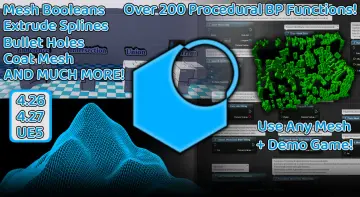 Engine Tools
PublishedOct 8, 2026
Platform:Unreal EngineAsset Version:1.06Engine Version:5.4
Free resource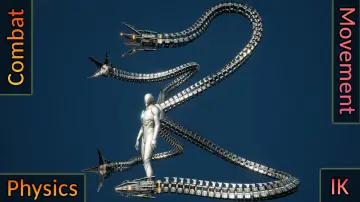 Gameplay Features
PublishedOct 8, 2026
Platform:Unreal EngineAsset Version:1.0Engine Version:5.4
Free resource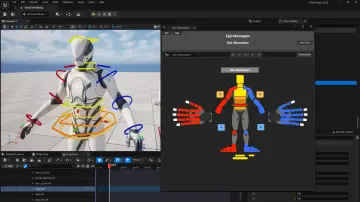 Engine Tools
PublishedOct 8, 2026
Platform:Unreal EngineAsset Version:1.0Engine Version:5.7 - 5.8
Free resource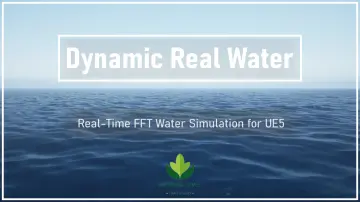 Engine Tools
PublishedMar 11, 2026UpdatedOct 7, 2026
Platform:Unreal EngineAsset Version:2.0Engine Version:5.8
Free resource Engine Tools
PublishedOct 4, 2026
Platform:Unreal EngineAsset Version:1.2Engine Version:5.5
Free resource Engine Tools
PublishedMar 11, 2026UpdatedOct 4, 2026
Platform:Unreal EngineAsset Version:1.0a - 1.0dEngine Version:5.2 - 5.7
Free resource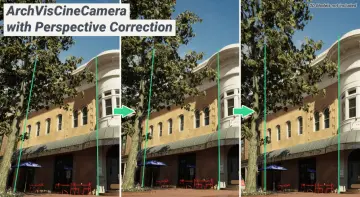 Engine Tools
PublishedJul 2, 2026UpdatedOct 4, 2026
Platform:Unreal EngineAsset Version:1.6.0 - 1.6.6Engine Version:5.4 - 5.7
Free resource Engine Tools
PublishedOct 3, 2026
Platform:Unreal EngineAsset Version:1.0Engine Version:4.21 - 5.2
Free resource Animations
PublishedOct 3, 2026
Platform:Unreal EngineAsset Version:1.0 - 1.3Engine Version:5.0 - 5.8
Free resource Engine Tools
PublishedOct 2, 2026
Platform:Unreal EngineAsset Version:1.3 - 1.4Engine Version:5.1 - 5.8
Free resource Engine Tools
PublishedOct 2, 2026
Platform:Unreal EngineAsset Version:1.0.0 - 1.0Engine Version:5.2 - 5.8
Free resource Network
 & Multiplayer
PublishedOct 2, 2026
Platform:Unreal EngineAsset Version:1.0.1Engine Version:5.2 - 5.4
Free resource Engine Tools
PublishedOct 2, 2026
Platform:Unreal EngineAsset Version:1.0 - 1.3Engine Version:4.24 - 5.8
Free resource Engine Tools
PublishedOct 2, 2026
Platform:Unreal EngineAsset Version:1.0.2Engine Version:5.2 - 5.4
Free resource Engine Tools
PublishedOct 2, 2026
Platform:Unreal EngineAsset Version:1.0Engine Version:5.2 - 5.8
Free resource Engine Tools
PublishedOct 2, 2026
Platform:Unreal EngineAsset Version:1.0.0Engine Version:5.2 - 5.8
Free resource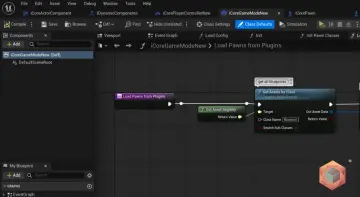 Engine Tools
PublishedOct 2, 2026
Platform:Unreal EngineAsset Version:1.0Engine Version:5.3
Free resource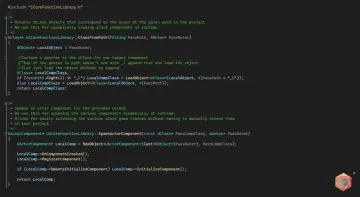 Engine Tools
PublishedOct 2, 2026
Platform:Unreal EngineAsset Version:1.0Engine Version:5.3
Free resource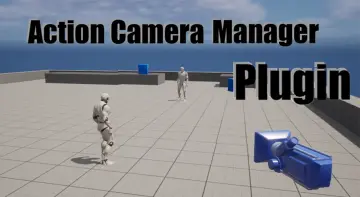 Gameplay Features
PublishedOct 2, 2026
Platform:Unreal EngineAsset Version:2.12 - 2.17Engine Version:5.1 - 5.6
Free resource Procedural Systems
PublishedOct 2, 2026
Platform:Unreal EngineAsset Version:1.1 - 3.1Engine Version:4.26 - 5.8
Free resource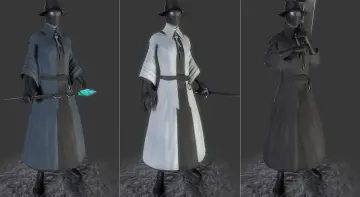 Engine Tools
PublishedOct 2, 2026
Platform:Unreal EngineAsset Version:0.15.1 - 1.0.0 - beta.7Engine Version:5.1 - 5.4
Free resource Engine Tools
PublishedOct 2, 2026
Platform:Unreal EngineAsset Version:1.0Engine Version:5.4 - 5.7
Free resource Engine Tools
PublishedOct 2, 2026
Platform:Unreal EngineAsset Version:1.3.1 - 26 - 2.5.2 - 58Engine Version:4.26 - 5.8
Free resource Engine Tools
PublishedOct 2, 2026
Platform:Unreal EngineAsset Version:1.1.2Engine Version:5.2 - 5.3
Free resource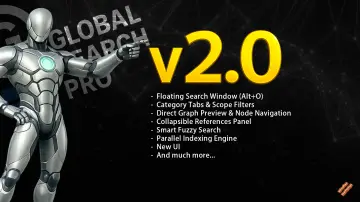 Engine Tools
PublishedOct 2, 2026
Platform:Unreal EngineAsset Version:2.4.1Engine Version:5.3 - 5.8
Free resource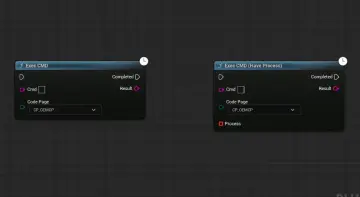 Engine Tools
PublishedOct 2, 2026
Platform:Unreal EngineAsset Version:1.3Engine Version:4.26 - 5.8
Free resource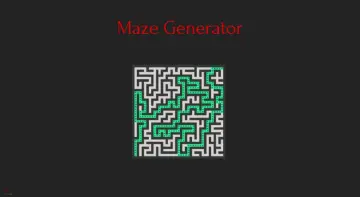 Procedural Systems
PublishedSep 30, 2026
Platform:Unreal EngineAsset Version:1.0Engine Version:4.27 - 5.6
Free resource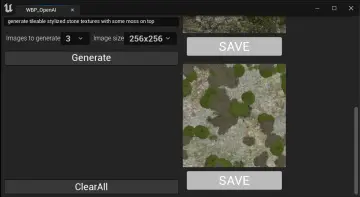 Procedural Systems
PublishedSep 30, 2026
Platform:Unreal EngineAsset Version:1.4Engine Version:4.27 - 5.5
Free resource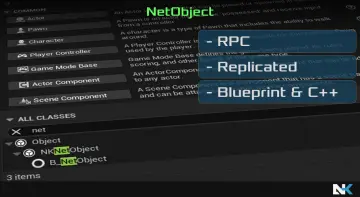 Network
 & Multiplayer
PublishedSep 30, 2026
Platform:Unreal EngineAsset Version:1.0Engine Version:5.2 - 5.4
Free resource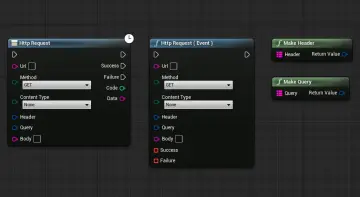 Network
 & Multiplayer
PublishedSep 30, 2026
Platform:Unreal EngineAsset Version:1.1Engine Version:4.27 - 5.8
Free resource Network
 & Multiplayer
PublishedSep 30, 2026
Platform:Unreal EngineAsset Version:4.0 - 5.0Engine Version:4.27 - 5.7
Free resource Gameplay Features
PublishedSep 30, 2026
Platform:Unreal EngineAsset Version:1.0Engine Version:4.27 - 5.4
Free resource Gameplay Features
PublishedSep 30, 2026
Platform:Unreal EngineAsset Version:2.12 - 2.17Engine Version:5.1 - 5.6
Free resource Game Mechanics
PublishedSep 30, 2026
Platform:Unreal EngineAsset Version:1.0Engine Version:5.3
Free resource Engine Tools
PublishedSep 30, 2026
Platform:Unreal EngineAsset Version:1.0Engine Version:5.1 - 5.3
Free resource Engine Tools
PublishedSep 30, 2026
Platform:Unreal EngineAsset Version:1.0Engine Version:5.1 - 5.4
Free resource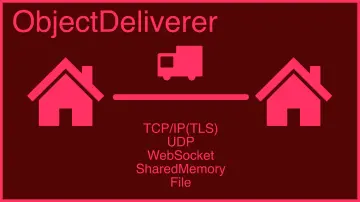 Engine Tools
PublishedSep 30, 2026
Platform:Unreal EngineAsset Version:1.3.0 - 1.9.0Engine Version:4.20 - 5.8
Free resource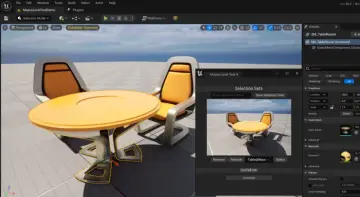 Engine Tools
PublishedSep 30, 2026
Platform:Unreal EngineAsset Version:1.0Engine Version:5.1 - 5.4
Free resource Engine Tools
PublishedSep 30, 2026
Platform:Unreal EngineAsset Version:1.2Engine Version:4.26 - 5.6
Free resource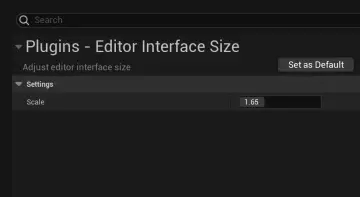 Engine Tools
PublishedSep 30, 2026
Platform:Unreal EngineAsset Version:1.0Engine Version:4.27 - 5.4
Free resource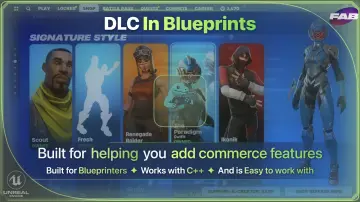 Engine Tools
PublishedJul 17, 2026UpdatedSep 30, 2026
Platform:Unreal EngineAsset Version:1.0 - 3.2Engine Version:4.25 - 5.7
Free resource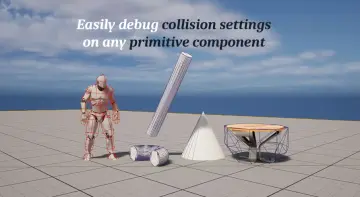 Engine Tools
PublishedSep 30, 2026
Platform:Unreal EngineAsset Version:1.0Engine Version:5.2 - 5.8
Free resource Engine Tools
PublishedSep 30, 2026
Platform:Unreal EngineAsset Version:1.0 - 1.0.3Engine Version:5.0 - 5.5
Free resource Engine Tools
PublishedSep 30, 2026
Platform:Unreal EngineAsset Version:1.0Engine Version:4.26 - 5.8
Free resource Engine Tools
PublishedMar 11, 2026UpdatedSep 30, 2026
Platform:Unreal EngineAsset Version:1.07 - 2.85Engine version:4.23 - 5.8
Free resource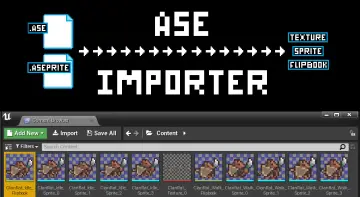 Engine Tools
PublishedMar 11, 2026UpdatedSep 30, 2026
Platform:Unreal EngineAsset Version:1.0Engine version:5.1,5.3 - 5.5
Free resource Engine Tools
PublishedSep 30, 2026
Platform:Unreal EngineAsset Version:2.1 - 7.0Engine Version:4.25 - 5.8
Free resource Dialog Systems
PublishedSep 30, 2026
Platform:Unreal EngineAsset Version:1.0Engine Version:5.0 - 5.7
Free resource