"4481da9c895ef786"{"id":"1001326","slug":"replicated-tickable-uobjects","title":"Replicated Tickable UObjects","category":"Engine Tools","engine":"5.2 - 5.8","assetVersion":"Asset Version: 1.0.0 - 1.0","engineVersion":"Engine Version: 5.2 - 5.8","tag":"Engine Tools","accent":"blue","visual":"mech","summary":"Implement ticking and networking on UObjects with USKGObject, USKGReplicatedObject, and registered subobject helpers for Blueprint and C++.","platform":"Unreal Engine","publishedAt":"2026-10-02T09:56:00.531Z","updatedAt":"2026-10-02T09:56:00.531Z","sourceNotes":[],"fileContents":[],"compatibility":["Unreal Engine","Asset Version: 1.0.0 - 1.0","Engine Version: 5.2 - 5.8"],"featuredImage":{"alt":"Replicated Tickable UObjects","src":"/wp-content/uploads/published/2026/10/ba76fc84ce02-30f8480a-bf11-417b-a91f-6751827f7ee4-450ae220f2.webp"},"hasDownloadLink":true,"downloads":0,"terms":[{"taxonomy":"category","slug":"engine-tools-tools-and-plugins","name":"Engine Tools"}],"galleryImages":[{"src":"/wp-content/uploads/published/2026/10/5ce1d730a8f8-976d7ca0-3996-4494-890c-d10d9546d57d-f5071ae897.webp","alt":"Replicated Tickable UObjects"},{"src":"/wp-content/uploads/published/2026/10/96ded591acac-f059bda5-6521-49b9-9c1d-3ef0e0958b07-b87acc9911.webp","alt":"Replicated Tickable UObjects"},{"src":"/wp-content/uploads/published/2026/10/5ee76f78daf5-518c9b4d-0967-45fc-b02b-1a0202b9313c-e680464639.webp","alt":"Replicated Tickable UObjects"},{"src":"/wp-content/uploads/published/2026/10/d4d4ec6ba934-704c4912-1477-4c67-a993-d855ef9a7fb9-c6d0f43b65.webp","alt":"Replicated Tickable UObjects"}],"accessPanel":{"kind":"resource","title":"Download this resource","eyebrow":"Free Download","message":"Log in or create a free account to start your download.","fileName":"Replicated Tickable UObjects.7z","safetyNote":"Resources are manually reviewed before listing to improve quality and reduce obvious risks.","actionLabel":"Download Free","resourceType":"Resource archive"},"contentHtml":"\u003cp\u003eMultiplayer projects frequently encounter situations where complex gameplay systems require independent logic, continuous updates, and synchronized state across the network without the memory footprint of full actors. In standard workflows, non-actor objects lack native access to per-frame execution loops and automated network subobject management. Replicated Tickable UObjects provides an explicit bridge for these architectural challenges by packaging lightweight object types capable of ticking, processing essential lifecycle events, and synchronizing data over a network connection.\u003c/p\u003e \u003ch2\u003eCore Mechanics of USKGObject and USKGReplicatedObject\u003c/h2\u003e\n\u003cp\u003eAt the center of this package are two base classes: \u003ccode\u003eUSKGObject\u003c/code\u003e And \u003ccode\u003eUSKGReplicatedObject\u003c/code\u003e. Both classes are suited to immediate access in Blueprint, C++, or hybrid development environments. Rather than stripping down gameplay objects to inert data holders, these classes mirror the procedural lifecycle hooks typically associated with actors and components.\u003c/p\u003e \u003cp\u003eInstances created from these classes run native execution events including \u003ccode\u003eTick\u003c/code\u003e, \u003ccode\u003eBeginPlay\u003c/code\u003e, and \u003ccode\u003eOnDestroyed\u003c/code\u003e, alongside several complementary functions. Developers accustomed to building logic within actors or actor components can structure code inside these UObjects without altering standard event-driven paradigms. \u003ccode\u003eUSKGObject\u003c/code\u003e Serves non-networked tasks that still require per-frame evaluation, whereas \u003ccode\u003eUSKGReplicatedObject\u003c/code\u003e Extends that execution model with built-in networking capabilities to replicate state across server-client boundaries.\u003c/p\u003e \u003ch2\u003eSpawning and Managing Lifecycles with Replicated SubObject Helpers\u003c/h2\u003e\n\u003cp\u003eInstantiation follows a model analogous to server-side actor spawning. Logic handling the creation of a replicated UObject must run authoritatively on the server, ensuring that replication states remain consistent across all connected peers. To simplify instantiation and registration, a suite of dedicated helper functions handles object management directly.\u003c/p\u003e \u003cp\u003eFour primary functions define how these objects are brought into existence and tied to network updates:\u003c/p\u003e\n\u003cul\u003e \u003cli\u003e\u003cstrong\u003eCreateAndRegisterReplicatedSubObject\u003c/strong\u003e: Instantiates the target UObject on the server and immediately registers it for network replication in a single operation.\u003c/li\u003e \u003cli\u003e\u003cstrong\u003eCreateReplicatedSubObject\u003c/strong\u003e: Spawns the UObject without initiating immediate replication, allowing developers to configure properties, assign references, or delay network activation until a later point in execution.\u003c/li\u003e \u003cli\u003e\u003cstrong\u003eRegisterReplicatedSubObject\u003c/strong\u003e: Takes an existing, previously created UObject instance and attaches it to its outer owner so network replication can actively commence.\u003c/li\u003e \u003cli\u003e\u003cstrong\u003eUnRegisterReplicatedSubObject\u003c/strong\u003e: Detaches the UObject from its outer owner's active replication list, halting further network updates while preserving the object reference.\u003c/li\u003e\n\u003c/ul\u003e \u003cp\u003eThis operational split between creation and registration gives developers granular control over when network bandwidth is consumed. Systems can allocate objects ahead of time and activate them only during active gameplay phases, or strip them from replication dynamically when synchronization is no longer required.\u003c/p\u003e \u003ch2\u003eOuter Actor Configuration and ReplicateUsingRegisteredSubObjectList\u003c/h2\u003e\n\u003cp\u003eBecause UObjects cannot exist in the world hierarchy independently, they rely on an outer owner to handle their replication channel. This outer container can be either an Actor or an Actor Component. Establishing synchronization requires one explicit configuration step on the owning container.\u003c/p\u003e \u003cp\u003eThe Actor or Component designated as the outer owner must have the property \u003ccode\u003eReplicateUsingRegisteredSubObjectList\u003c/code\u003e Set to true. Once this setting is enabled, the engine's replication system queries the internal registered subobject list on that container, allowing the spawned \u003ccode\u003eUSKGReplicatedObject\u003c/code\u003e Instances to transmit property updates and state changes down to connected clients. If this flag remains unset, subobjects will not synchronize, even if the registration helper functions were successfully executed on the server.\u003c/p\u003e \u003cp\u003eThe workflow for setting up a synchronized instance is straightforward:\u003c/p\u003e\n\u003col\u003e \u003cli\u003eEnable \u003ccode\u003eReplicateUsingRegisteredSubObjectList\u003c/code\u003e On the owning Actor or Component.\u003c/li\u003e \u003cli\u003eExecute \u003ccode\u003eCreateAndRegisterReplicatedSubObject\u003c/code\u003e On the server, assigning the prepared Actor or Component as the outer owner.\u003c/li\u003e \u003cli\u003eAllow the internal \u003ccode\u003eBeginPlay\u003c/code\u003e And \u003ccode\u003eTick\u003c/code\u003e Cycles to process logic across client and server contexts as network state replicates.\u003c/li\u003e \u003cli\u003eCall \u003ccode\u003eUnRegisterReplicatedSubObject\u003c/code\u003e When network synchronization must be halted.\u003c/li\u003e\n\u003c/ol\u003e \u003ch2\u003eFramework Compatibility and Content Verification\u003c/h2\u003e\n\u003cp\u003eTo assist with testing and integration, the package includes an example actor already placed within the content files. Dropping this actor directly into a world scene allows developers to observe the subobject lifecycle in action, validating ticking operations, registration behavior, and server-client updates without writing custom scaffolding first.\u003c/p\u003e \u003cp\u003eFor modular first-person projects, the package is compatible with the FPS First Person Shooter Framework (SKG Shooter Framework V2). Developers building on top of that framework can use \u003ccode\u003eUSKGObject\u003c/code\u003e And \u003ccode\u003eUSKGReplicatedObject\u003c/code\u003e To handle specialized shooter subsystems, subobject data models, or discrete weapon logic that require dedicated ticking routines without inflating the primary character or item actors.\u003c/p\u003e \u003ch2\u003eTarget Developers and Project Roles\u003c/h2\u003e\n\u003cp\u003eThis system is most useful for programmers and technical designers creating multiplayer titles that demand modular, object-oriented data structures with full engine lifecycle support. Teams working in pure Blueprint gain access to native ticking and network registration workflows that typically require custom C++ subobject replication loops. Meanwhile, C++ engineers can utilize the helper methods to maintain clean architecture across complex subobject hierarchies, reducing boilerplate code when managing dynamic gameplay components.\u003c/p\u003e\n\n\u003ch2\u003eExplore Similar Assets\u003c/h2\u003e\n\u003cul\u003e\n\u003cli\u003e\u003ca href=\"https://3dcghub.com/simple-uobject-solution/\" title=\"Simple UObject Solution\"\u003eSimple UObject Solution\u003c/a\u003e\u003c/li\u003e\n\u003cli\u003e\u003ca href=\"https://3dcghub.com/advanced-vehicle-system-replicated-modular-vehicle-physics/\" title=\"Advanced Vehicle System - [Replicated Modular Vehicle Physics]\"\u003eAdvanced Vehicle System - [Replicated Modular Vehicle Physics]\u003c/a\u003e\u003c/li\u003e\n\u003cli\u003e\u003ca href=\"https://3dcghub.com/advanced-phone-system-v3-replicated/\" title=\"Advanced Phone System V3 Replicated\"\u003eAdvanced Phone System V3 Replicated\u003c/a\u003e\u003c/li\u003e\n\u003cli\u003e\u003ca href=\"https://3dcghub.com/replicated-grab-system/\" title=\"Replicated Grab System\"\u003eReplicated Grab System\u003c/a\u003e\u003c/li\u003e\n\u003cli\u003e\u003ca href=\"https://3dcghub.com/basic-locomotion-system-replicated/\" title=\"Basic Locomotion System (REPLICATED)\"\u003eBasic Locomotion System (REPLICATED)\u003c/a\u003e\u003c/li\u003e\n\u003c/ul\u003e","contentTextLength":6065,"navigation":{"current":14,"total":3269,"previous":{"id":"1001327","slug":"subsystem-configuration-integration","title":"Subsystem Configuration Integration","category":"Engine Tools","platform":"Unreal Engine","updatedAt":"2026-10-02T09:57:47.200Z"},"next":{"id":"1001325","slug":"network-clock","title":"Network Clock","category":"Network \u0026 Multiplayer","platform":"Unreal Engine","updatedAt":"2026-10-02T09:54:03.857Z"}},"relatedResources":[{"id":"1001271","slug":"simple-uobject-solution","title":"Simple UObject Solution","category":"Engine Tools","engine":"5.1 - 5.4","assetVersion":"Asset Version: 1.0","engineVersion":"Engine Version: 5.1 - 5.4","tag":"Engine Tools","accent":"blue","visual":"luts","summary":"Expose and handle replicated subobjects directly within Blueprints using the Simple UObject Solution plugin for multiplayer Unreal Engine projects.","platform":"Unreal Engine","publishedAt":"2026-09-30T05:57:48.352Z","updatedAt":"2026-09-30T05:57:48.352Z","sourceNotes":[],"fileContents":[],"compatibility":["Unreal Engine","Asset Version: 1.0","Engine Version: 5.1 - 5.4"],"featuredImage":{"alt":"Simple UObject Solution","src":"/wp-content/uploads/published/2026/09/eae647f7239f-805344f5-8964-4752-8ea8-3565fa2bf1ce-5f93ca5802.webp"},"hasDownloadLink":true,"downloads":0},{"id":"1000781","slug":"advanced-vehicle-system-replicated-modular-vehicle-physics","title":"Advanced Vehicle System - [Replicated Modular Vehicle Physics]","category":"Engine Tools","engine":"4.26 - 5.7","assetVersion":"Asset Version: 1.2.7 - 1.4.5","engineVersion":"Engine Version: 4.26 - 5.7","tag":"Engine Tools","accent":"blue","visual":"mech","summary":"AVS Vehicle Physics bundles modular replicated driving, suspension, engine audio, tire smoke, skid marks, and trailer support into a single drop-in package.","platform":"Unreal Engine","publishedAt":"2026-07-30T10:29:04.441Z","updatedAt":"2026-07-30T10:29:04.441Z","sourceNotes":[],"fileContents":[],"compatibility":["Unreal Engine","Asset Version: 1.2.7 - 1.4.5","Engine Version: 4.26 - 5.7"],"featuredImage":{"alt":"Advanced Vehicle System - [Replicated Modular Vehicle Physics]","src":"/wp-content/uploads/published/2026/07/4b8b08c58b35-110cea5f-1d83-40f0-a17f-c6525039a95d-05124decc3.webp"},"hasDownloadLink":true,"downloads":1},{"id":"1001298","slug":"advanced-phone-system-v3-replicated","title":"Advanced Phone System V3 Replicated","category":"Game Mechanics","engine":"5.1+","assetVersion":"","engineVersion":"Engine Version: 5.1+","tag":"Game Mechanics","accent":"blue","visual":"mech","summary":"Explore the Advanced Phone System V3 Replicated for Unreal Engine, featuring 15 Blueprints, multiplayer sync, NPC dialogue, and in-game smartphone apps.","platform":"Unreal Engine","publishedAt":"2026-10-02T06:00:01.725Z","updatedAt":"2026-10-02T06:00:01.725Z","sourceNotes":[],"fileContents":[],"compatibility":["Unreal Engine","Engine Version: 5.1+"],"featuredImage":{"alt":"Advanced Phone System V3 Replicated","src":"/wp-content/uploads/published/2026/10/085245bcd14e-a13d28d0-643a-4a32-bc84-d79f901d6112-a65bc3e443.webp"},"hasDownloadLink":true,"downloads":0}]}
Engine Tools
Replicated Tickable UObjects
Implement ticking and networking on UObjects with USKGObject, USKGReplicatedObject, and registered subobject helpers for Blueprint and C++.
Multiplayer projects frequently encounter situations where complex gameplay systems require independent logic, continuous updates, and synchronized state across the network without the memory footprint of full actors. In standard workflows, non-actor objects lack native access to per-frame execution loops and automated network subobject management. Replicated Tickable UObjects provides an explicit bridge for these architectural challenges by packaging lightweight object types capable of ticking, processing essential lifecycle events, and synchronizing data over a network connection.
Core Mechanics of USKGObject and USKGReplicatedObject
At the center of this package are two base classes: USKGObject And USKGReplicatedObject. Both classes are suited to immediate access in Blueprint, C++, or hybrid development environments. Rather than stripping down gameplay objects to inert data holders, these classes mirror the procedural lifecycle hooks typically associated with actors and components.
Instances created from these classes run native execution events including Tick, BeginPlay, and OnDestroyed, alongside several complementary functions. Developers accustomed to building logic within actors or actor components can structure code inside these UObjects without altering standard event-driven paradigms. USKGObject Serves non-networked tasks that still require per-frame evaluation, whereas USKGReplicatedObject Extends that execution model with built-in networking capabilities to replicate state across server-client boundaries.
Spawning and Managing Lifecycles with Replicated SubObject Helpers
Instantiation follows a model analogous to server-side actor spawning. Logic handling the creation of a replicated UObject must run authoritatively on the server, ensuring that replication states remain consistent across all connected peers. To simplify instantiation and registration, a suite of dedicated helper functions handles object management directly.
Four primary functions define how these objects are brought into existence and tied to network updates:
CreateAndRegisterReplicatedSubObject: Instantiates the target UObject on the server and immediately registers it for network replication in a single operation.
CreateReplicatedSubObject: Spawns the UObject without initiating immediate replication, allowing developers to configure properties, assign references, or delay network activation until a later point in execution.
RegisterReplicatedSubObject: Takes an existing, previously created UObject instance and attaches it to its outer owner so network replication can actively commence.
UnRegisterReplicatedSubObject: Detaches the UObject from its outer owner's active replication list, halting further network updates while preserving the object reference.
This operational split between creation and registration gives developers granular control over when network bandwidth is consumed. Systems can allocate objects ahead of time and activate them only during active gameplay phases, or strip them from replication dynamically when synchronization is no longer required.
Outer Actor Configuration and ReplicateUsingRegisteredSubObjectList
Because UObjects cannot exist in the world hierarchy independently, they rely on an outer owner to handle their replication channel. This outer container can be either an Actor or an Actor Component. Establishing synchronization requires one explicit configuration step on the owning container.
The Actor or Component designated as the outer owner must have the property ReplicateUsingRegisteredSubObjectList Set to true. Once this setting is enabled, the engine's replication system queries the internal registered subobject list on that container, allowing the spawned USKGReplicatedObject Instances to transmit property updates and state changes down to connected clients. If this flag remains unset, subobjects will not synchronize, even if the registration helper functions were successfully executed on the server.
The workflow for setting up a synchronized instance is straightforward:
Enable ReplicateUsingRegisteredSubObjectList On the owning Actor or Component.
Execute CreateAndRegisterReplicatedSubObject On the server, assigning the prepared Actor or Component as the outer owner.
Allow the internal BeginPlay And Tick Cycles to process logic across client and server contexts as network state replicates.
Call UnRegisterReplicatedSubObject When network synchronization must be halted.
Framework Compatibility and Content Verification
To assist with testing and integration, the package includes an example actor already placed within the content files. Dropping this actor directly into a world scene allows developers to observe the subobject lifecycle in action, validating ticking operations, registration behavior, and server-client updates without writing custom scaffolding first.
For modular first-person projects, the package is compatible with the FPS First Person Shooter Framework (SKG Shooter Framework V2). Developers building on top of that framework can use USKGObject And USKGReplicatedObject To handle specialized shooter subsystems, subobject data models, or discrete weapon logic that require dedicated ticking routines without inflating the primary character or item actors.
Target Developers and Project Roles
This system is most useful for programmers and technical designers creating multiplayer titles that demand modular, object-oriented data structures with full engine lifecycle support. Teams working in pure Blueprint gain access to native ticking and network registration workflows that typically require custom C++ subobject replication loops. Meanwhile, C++ engineers can utilize the helper methods to maintain clean architecture across complex subobject hierarchies, reducing boilerplate code when managing dynamic gameplay components.
 Engine Tools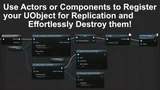
 Engine Tools
![Advanced Vehicle System - [Replicated Modular Vehicle Physics]](/_img/360/wp-content/uploads/published/2026/07/4b8b08c58b35-110cea5f-1d83-40f0-a17f-c6525039a95d-05124decc3.webp) Engine Tools
Engine Tools Game Mechanics