"1f00f67f9253451b"{"id":"1001275","slug":"android-win-offline-speech-recognition","title":"Android Win Offline Speech Recognition","category":"Gameplay Features","engine":"4.27 - 5.4","assetVersion":"Asset Version: 1.0","engineVersion":"Engine Version: 4.27 - 5.4","tag":"Gameplay Features","accent":"blue","visual":"mech","summary":"Implement local English and Chinese offline speech recognition across Android ARM64 and Windows platforms for standalone VR headsets and PCs.","platform":"Unreal Engine","publishedAt":"2026-09-30T06:05:42.538Z","updatedAt":"2026-09-30T06:05:42.538Z","sourceNotes":[],"fileContents":[],"compatibility":["Unreal Engine","Asset Version: 1.0","Engine Version: 4.27 - 5.4"],"featuredImage":{"alt":"Android Win Offline Speech Recognition","src":"/wp-content/uploads/published/2026/09/cc4174845f7b-fd812938-5507-41da-b835-aa34c49b3624-5d4c87968f.webp"},"hasDownloadLink":true,"downloads":0,"terms":[{"taxonomy":"category","slug":"gameplay-features-tools-and-plugins","name":"Gameplay Features"}],"galleryImages":[{"src":"/wp-content/uploads/published/2026/09/f8813523951a-5ea838b1-22ff-4d74-bb7b-0e9e40c4d824-274a294ca1.webp","alt":"Android Win Offline Speech Recognition"},{"src":"/wp-content/uploads/published/2026/09/3a4f6aade3c8-fa6dd924-6b6b-4f3a-b10f-d7c34670e329-059324d218.webp","alt":"Android Win Offline Speech Recognition"},{"src":"/wp-content/uploads/published/2026/09/b2d9d83fc501-32b18455-e756-4c3e-919e-0133becc8564-e6c81294d2.webp","alt":"Android Win Offline Speech Recognition"},{"src":"/wp-content/uploads/published/2026/09/6760d5f82435-2b07f513-6b0d-49a6-8831-6db406d5e239-18cd3acf84.webp","alt":"Android Win Offline Speech Recognition"},{"src":"/wp-content/uploads/published/2026/09/b8f4aefd0479-dd37545a-968d-48ab-abf1-a44aa6b22675-7958de40f9.webp","alt":"Android Win Offline Speech Recognition"},{"src":"/wp-content/uploads/published/2026/09/4157ea565a38-102608c9-b074-4efe-a0e6-e73e0a90c5ef-94b61e7afb.webp","alt":"Android Win Offline Speech Recognition"}],"accessPanel":{"kind":"resource","title":"Download this resource","eyebrow":"Free Download","message":"Log in or create a free account to start your download.","fileName":"Android Win Offline Speech Recognition.7z","safetyNote":"Resources are manually reviewed before listing to improve quality and reduce obvious risks.","actionLabel":"Download Free","resourceType":"Resource archive"},"contentHtml":"\u003ch2\u003eStandalone Voice Interaction for Android ARM64 and Windows Environments\u003c/h2\u003e\n\u003cp\u003eIntegrating speech recognition into virtual reality simulations and interactive desktop experiences often introduces latency and connectivity bottlenecks when bound to remote servers. Android Win Offline Speech Recognition bypasses external network requirements entirely by running its language recognition locally on the client hardware. The system operates directly within the compiled application build, requiring zero connections to third-party cloud APIs, external voice-processing platforms, or background network services. Once packaged, the speech-processing pipeline runs completely on-device.\u003c/p\u003e\n\u003cp\u003eLocal processing ensures that voice-driven interfaces remain functional in isolated network environments, offline show floors, and standalone headset installations. Operating directly on local hardware eliminates round-trip server communication delays, allowing spoken commands to evaluate with immediate responsiveness. By confining the transcription and phrase-matching procedures strictly to the client device, projects eliminate network timeout failures, remote authentication hurdles, and subscription-based cloud infrastructure maintenance.\u003c/p\u003e \u003ch2\u003eDeploying Offline Speech Recognition on Quest and Pico Hardware\u003c/h2\u003e\n\u003cp\u003eWhile originally engineered with specialized optimization for VR headsets, the framework supports both Android ARM64 builds and native Windows deployments. On the mobile architecture side, it targets standalone all-in-one headsets specifically, including the Oculus Quest 1, Oculus Quest 2, Oculus Quest Pro, Pico 3, and Pico 4. Standalone headsets operate under constrained thermal envelopes and mobile computing budgets, where running background web requests or heavy unoptimized software stacks can destabilize frame pacing. The system addresses this by enabling creators to call the plugin directly, package for Android ARM64, and run immediately on the hardware target.\u003c/p\u003e\n\u003cp\u003eTo assist in implementing local voice mechanics for untethered devices, an all-in-one VR project example is included. This reference setup demonstrates how to handle microphone capture, process audio input buffers locally on mobile chipsets, and route the resulting voice data to gameplay elements without requiring tethered PC assistance. The addition of Windows operating system support extends these exact voice routines to standard desktop applications, editor testing sessions, and PC-tethered virtual reality setups, allowing developers to maintain identical voice-driven Blueprint logic across both desktop and mobile target platforms.\u003c/p\u003e \u003ch2\u003eKeyword Matching Algorithms, Chinese to Pinyin, and Voice Breakpoints\u003c/h2\u003e\n\u003cp\u003eAt the center of the system is dual-language processing, handling offline speech recognition for both English and Chinese audio streams. Parsing voice inputs into actionable interactive mechanics relies on a phrase-to-event architecture, which interprets spoken phrases and equates them directly with discrete system events. This pipeline is driven by three foundational processing elements:\u003c/p\u003e\n\u003cul\u003e \u003cli\u003e\u003cstrong\u003eKeyword Matching Command Algorithm:\u003c/strong\u003e Instead of requiring complex natural language processing trees, the plugin scans incoming audio against designated command keywords to trigger targeted gameplay actions.\u003c/li\u003e \u003cli\u003e\u003cstrong\u003eChinese to Pinyin Conversion:\u003c/strong\u003e Spoken Mandarin and localized phonetic structures are mapped via Chinese-to-Pinyin translation logic, allowing accurate acoustic indexing and phrase matching across phonetically diverse pronunciations.\u003c/li\u003e \u003cli\u003e\u003cstrong\u003eAutomatic Voice Breakpoints:\u003c/strong\u003e The engine automatically detects natural pauses and cadences in user speech, determining when an utterance has finished without requiring manual push-to-talk button releases or artificial listening timers.\u003c/li\u003e\n\u003c/ul\u003e\n\u003cp\u003eThe combination of automatic voice breakpoints with keyword evaluation prevents audio buffers from hanging open indefinitely. When a user speaks a command, the system identifies the speech boundaries, processes the acoustic information against the chosen language library, runs the matching algorithm, and dispatches the corresponding event immediately.\u003c/p\u003e \u003ch2\u003eBlueprint Function Integration for Event Execution\u003c/h2\u003e\n\u003cp\u003eHandling speech transcription typically involves managing audio capture threads, language models, and decoding algorithms. This tool compresses those underlying low-level routines into a straightforward visual scripting workflow. Creators can initialize, monitor, and execute the speech recognition pipeline through a few dedicated Blueprint functions. This nodal structure allows technical designers to hook voice logic directly into actor components, user interfaces, or level sequences without writing custom C++ wrappers or platform-specific JNI code for Android targets.\u003c/p\u003e\n\u003cp\u003eBecause the functions expose direct access to the phrase-matching loop, mapping a spoken phrase to an interaction requires minimal setup. An event can be tethered to specific keywords in English or Chinese, firing node executions whenever the matching criteria are met. The streamlined Blueprint surface keeps project graphs clean and allows voice input to be treated similarly to standard gamepad, controller, or keyboard input events.\u003c/p\u003e \u003ch2\u003eBackward Compatibility and Update Continuity\u003c/h2\u003e\n\u003cp\u003eProject maintenance across production cycles often introduces risks when updating third-party plugins, particularly when underlying engine revisions or platform compilation toolchains evolve. The update architecture for this tool is built to maintain full backward compatibility with earlier iterations. Code updates, algorithm refinements—such as the introduction of keyword command matching—and the rollout of platform additions like the Windows build integrate seamlessly without breaking existing project implementations.\u003c/p\u003e\n\u003cp\u003eTeams building ongoing projects can incorporate newer iterations of the plugin to take advantage of expanded feature sets, such as improved voice breakpoints or phonetic conversion routines, without restructuring existing voice event trees or rebuilding custom Blueprint listeners. Existing projects retain their node references, operational parameters, and deployment settings unchanged across version updates.\u003c/p\u003e \u003ch2\u003eSystem Suitability for All-in-One Headsets\u003c/h2\u003e\n\u003cp\u003eThis offline framework is best suited for productions that require hands-free interaction, voice-driven interfaces, or localized accessibility options on mobile VR hardware and Windows workstations. Interactive simulations where users need to issue vocal commands while keeping their hands free—such as tactical drills, medical training scenarios, or immersive environmental navigation—benefit directly from the zero-latency, local execution model.\u003c/p\u003e\n\u003cp\u003eProjects specifically targeting standalone enterprise deployments on Oculus Quest or Pico ecosystems, where secure facilities often forbid continuous external internet connectivity, can rely on the self-contained Android ARM64 architecture. By delivering local English and Chinese recognition through a concise set of Blueprint functions, the package provides an efficient, network-independent path to voice control in real-time software.\u003c/p\u003e\n\n\u003ch2\u003eRelated Resources Worth Checking\u003c/h2\u003e\n\u003cul\u003e\n\u003cli\u003e\u003ca href=\"https://3dcghub.com/speech-generation-system/\" title=\"Speech Generation System\"\u003eSpeech Generation System\u003c/a\u003e\u003c/li\u003e\n\u003cli\u003e\u003ca href=\"https://3dcghub.com/runtime-speech-recognizer-real-time-offline-ai/\" title=\"Runtime Speech Recognizer (Real-Time, Offline, AI)\"\u003eRuntime Speech Recognizer (Real-Time, Offline, AI)\u003c/a\u003e\u003c/li\u003e\n\u003cli\u003e\u003ca href=\"https://3dcghub.com/offline-speech-recognition/\" title=\"Offline Speech Recognition\"\u003eOffline Speech Recognition\u003c/a\u003e\u003c/li\u003e\n\u003cli\u003e\u003ca href=\"https://3dcghub.com/line-of-sight-dynamic-mesh/\" title=\"Line Of Sight. Dynamic mesh.\"\u003eLine Of Sight. Dynamic mesh.\u003c/a\u003e\u003c/li\u003e\n\u003cli\u003e\u003ca href=\"https://3dcghub.com/advanced-flock-system-multithreaded-fish-ai-and-reactive-school-behavior/\" title=\"Advanced Flock System – Multithreaded Fish AI and Reactive School Behavior\"\u003eAdvanced Flock System – Multithreaded Fish AI and Reactive School Behavior\u003c/a\u003e\u003c/li\u003e\n\u003c/ul\u003e","contentTextLength":7310,"navigation":{"current":6,"total":3222,"previous":{"id":"1001276","slug":"http-requests-for-blueprints","title":"HTTP Requests for Blueprints","category":"Network \u0026 Multiplayer","platform":"Unreal Engine","updatedAt":"2026-09-30T06:08:29.849Z"},"next":{"id":"1001274","slug":"action-camera-manager","title":"Action Camera Manager","category":"Gameplay Features","platform":"Unreal Engine","updatedAt":"2026-09-30T06:03:55.393Z"}},"relatedResources":[{"id":"1000343","slug":"speech-generation-system","title":"Speech Generation System","category":"Gameplay Features","engine":"5.7","assetVersion":"Asset Version: 1.1.6","engineVersion":"Engine Version: 5.7","tag":"Gameplay Features","accent":"blue","visual":"mech","summary":"Integrate a local, neural multilanguage text-to-speech system into Unreal Engine. Generate offline, real-time dialogue with 47+ voices and MetaHuman support.","platform":"Unreal Engine","publishedAt":"2026-07-05T08:43:33.310Z","updatedAt":"2026-07-05T08:43:33.310Z","sourceNotes":[],"fileContents":[],"compatibility":["Unreal Engine","Asset Version: 1.1.6","Engine Version: 5.7"],"featuredImage":{"alt":"Speech Generation System","src":"/wp-content/uploads/published/2026/07/f651d70f0697-cfe6d261-5502-4507-837b-0d38dd15e9c8-f98dceaa53.webp"},"hasDownloadLink":true,"downloads":0},{"id":"14519","slug":"runtime-speech-recognizer-real-time-offline-ai","title":"Runtime Speech Recognizer (Real-Time, Offline, AI)","category":"Engine Tools","engine":"4.27 - 5.8","assetVersion":"Asset Version:1.0","engineVersion":"Engine version: 4.27 - 5.8","tag":"Engine Tools","accent":"blue","visual":"city","summary":"Enhance your project with Runtime Speech Recognizer (Real-Time, Offline, AI), a plugin that enables high-performance voice commands and speech-to-text without an internet connection. Powered by OpenAI Whisper, it supports over 95 languages and features GPU...","platform":"Unreal Engine","publishedAt":"2026-03-11T18:21:42.000Z","updatedAt":"2026-09-30T02:57:30.475Z","sourceNotes":[],"fileContents":[],"compatibility":["Unreal Engine","Asset Version:1.0","Engine version: 4.27 - 5.8"],"featuredImage":{"alt":"Runtime Speech Recognizer (Real-Time, Offline, AI)","src":"https://3dcghub.com/wp-content/uploads/2026/03/865b5e7a-61c2-4de8-83da-c2cc3aa6c0a4.webp"},"hasDownloadLink":true,"downloads":1},{"id":"14318","slug":"offline-speech-recognition","title":"Offline Speech Recognition","category":"Engine Tools","engine":"4.26 - 4.27,5.0 - 5.4","assetVersion":"Engine version: 4.26 - 4.27,5.0 - 5.4","engineVersion":"Asset Version:1.1 - 2.0","tag":"Engine Tools","accent":"blue","visual":"mech","summary":"Implement advanced voice recognition in your Unreal Engine projects without relying on cloud services. This tool supports over 15 languages and allows for seamless streaming voice-to-text functionality.","platform":"Unreal Engine","publishedAt":"2026-03-11T17:34:09.000Z","updatedAt":"2026-04-19T15:45:49.000Z","sourceNotes":[],"fileContents":[],"compatibility":["Unreal Engine","Engine version: 4.26 - 4.27,5.0 - 5.4","Asset Version: 1.1 - 2.0"],"featuredImage":{"alt":"Offline Speech Recognition","src":"https://3dcghub.com/wp-content/uploads/2026/03/f9d5de4b-fd3a-4d69-b8ef-ced1b526f3d5.webp"},"hasDownloadLink":true,"downloads":0}]}
Gameplay Features
Android Win Offline Speech Recognition
Implement local English and Chinese offline speech recognition across Android ARM64 and Windows platforms for standalone VR headsets and PCs.
Standalone Voice Interaction for Android ARM64 and Windows Environments
Integrating speech recognition into virtual reality simulations and interactive desktop experiences often introduces latency and connectivity bottlenecks when bound to remote servers. Android Win Offline Speech Recognition bypasses external network requirements entirely by running its language recognition locally on the client hardware. The system operates directly within the compiled application build, requiring zero connections to third-party cloud APIs, external voice-processing platforms, or background network services. Once packaged, the speech-processing pipeline runs completely on-device.
Local processing ensures that voice-driven interfaces remain functional in isolated network environments, offline show floors, and standalone headset installations. Operating directly on local hardware eliminates round-trip server communication delays, allowing spoken commands to evaluate with immediate responsiveness. By confining the transcription and phrase-matching procedures strictly to the client device, projects eliminate network timeout failures, remote authentication hurdles, and subscription-based cloud infrastructure maintenance.
Deploying Offline Speech Recognition on Quest and Pico Hardware
While originally engineered with specialized optimization for VR headsets, the framework supports both Android ARM64 builds and native Windows deployments. On the mobile architecture side, it targets standalone all-in-one headsets specifically, including the Oculus Quest 1, Oculus Quest 2, Oculus Quest Pro, Pico 3, and Pico 4. Standalone headsets operate under constrained thermal envelopes and mobile computing budgets, where running background web requests or heavy unoptimized software stacks can destabilize frame pacing. The system addresses this by enabling creators to call the plugin directly, package for Android ARM64, and run immediately on the hardware target.
To assist in implementing local voice mechanics for untethered devices, an all-in-one VR project example is included. This reference setup demonstrates how to handle microphone capture, process audio input buffers locally on mobile chipsets, and route the resulting voice data to gameplay elements without requiring tethered PC assistance. The addition of Windows operating system support extends these exact voice routines to standard desktop applications, editor testing sessions, and PC-tethered virtual reality setups, allowing developers to maintain identical voice-driven Blueprint logic across both desktop and mobile target platforms.
Keyword Matching Algorithms, Chinese to Pinyin, and Voice Breakpoints
At the center of the system is dual-language processing, handling offline speech recognition for both English and Chinese audio streams. Parsing voice inputs into actionable interactive mechanics relies on a phrase-to-event architecture, which interprets spoken phrases and equates them directly with discrete system events. This pipeline is driven by three foundational processing elements:
Keyword Matching Command Algorithm: Instead of requiring complex natural language processing trees, the plugin scans incoming audio against designated command keywords to trigger targeted gameplay actions.
Chinese to Pinyin Conversion: Spoken Mandarin and localized phonetic structures are mapped via Chinese-to-Pinyin translation logic, allowing accurate acoustic indexing and phrase matching across phonetically diverse pronunciations.
Automatic Voice Breakpoints: The engine automatically detects natural pauses and cadences in user speech, determining when an utterance has finished without requiring manual push-to-talk button releases or artificial listening timers.
The combination of automatic voice breakpoints with keyword evaluation prevents audio buffers from hanging open indefinitely. When a user speaks a command, the system identifies the speech boundaries, processes the acoustic information against the chosen language library, runs the matching algorithm, and dispatches the corresponding event immediately.
Blueprint Function Integration for Event Execution
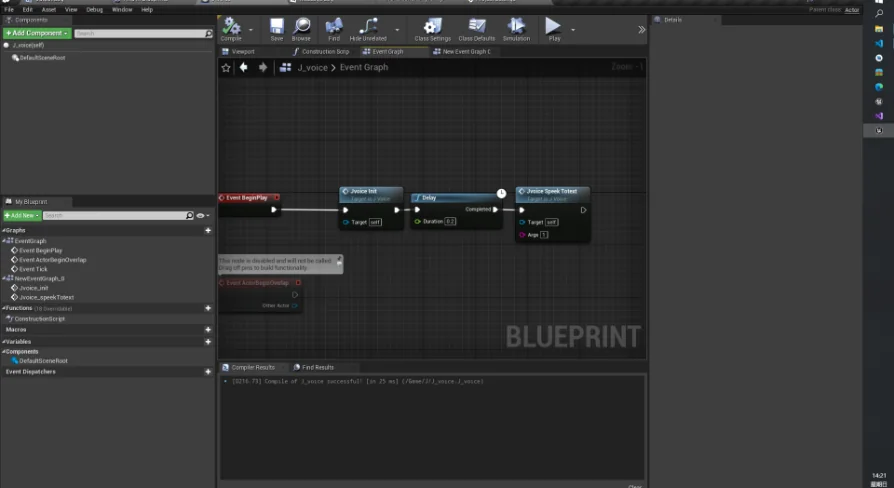
Handling speech transcription typically involves managing audio capture threads, language models, and decoding algorithms. This tool compresses those underlying low-level routines into a straightforward visual scripting workflow. Creators can initialize, monitor, and execute the speech recognition pipeline through a few dedicated Blueprint functions. This nodal structure allows technical designers to hook voice logic directly into actor components, user interfaces, or level sequences without writing custom C++ wrappers or platform-specific JNI code for Android targets.
Because the functions expose direct access to the phrase-matching loop, mapping a spoken phrase to an interaction requires minimal setup. An event can be tethered to specific keywords in English or Chinese, firing node executions whenever the matching criteria are met. The streamlined Blueprint surface keeps project graphs clean and allows voice input to be treated similarly to standard gamepad, controller, or keyboard input events.
Backward Compatibility and Update Continuity
Project maintenance across production cycles often introduces risks when updating third-party plugins, particularly when underlying engine revisions or platform compilation toolchains evolve. The update architecture for this tool is built to maintain full backward compatibility with earlier iterations. Code updates, algorithm refinements—such as the introduction of keyword command matching—and the rollout of platform additions like the Windows build integrate seamlessly without breaking existing project implementations.
Teams building ongoing projects can incorporate newer iterations of the plugin to take advantage of expanded feature sets, such as improved voice breakpoints or phonetic conversion routines, without restructuring existing voice event trees or rebuilding custom Blueprint listeners. Existing projects retain their node references, operational parameters, and deployment settings unchanged across version updates.
System Suitability for All-in-One Headsets
This offline framework is best suited for productions that require hands-free interaction, voice-driven interfaces, or localized accessibility options on mobile VR hardware and Windows workstations. Interactive simulations where users need to issue vocal commands while keeping their hands free—such as tactical drills, medical training scenarios, or immersive environmental navigation—benefit directly from the zero-latency, local execution model.
Projects specifically targeting standalone enterprise deployments on Oculus Quest or Pico ecosystems, where secure facilities often forbid continuous external internet connectivity, can rely on the self-contained Android ARM64 architecture. By delivering local English and Chinese recognition through a concise set of Blueprint functions, the package provides an efficient, network-independent path to voice control in real-time software.
 Gameplay Features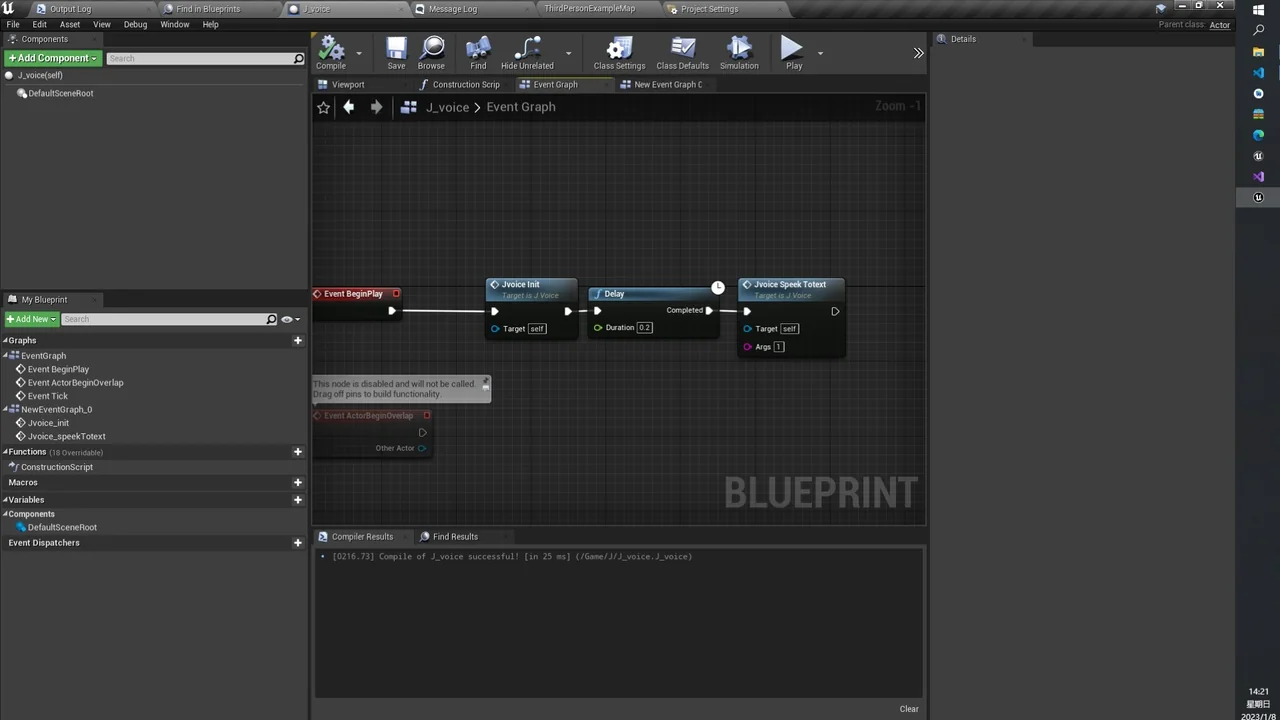
 Gameplay Features
 Engine Tools
 Engine Tools