"1f00f67f9253451b"{"id":"1001274","slug":"action-camera-manager","title":"Action Camera Manager","category":"Gameplay Features","engine":"5.1 - 5.6","assetVersion":"Asset Version: 2.12 - 2.17","engineVersion":"Engine Version: 5.1 - 5.6","tag":"Gameplay Features","accent":"blue","visual":"mech","summary":"Action Camera Manager automates dynamic framing across 2D, 2D_Fix, and 3D modes for local battles and networked multiplayer games in Unreal Engine.","platform":"Unreal Engine","publishedAt":"2026-09-30T06:03:55.393Z","updatedAt":"2026-09-30T06:03:55.393Z","sourceNotes":[],"fileContents":[],"compatibility":["Unreal Engine","Asset Version: 2.12 - 2.17","Engine Version: 5.1 - 5.6"],"featuredImage":{"alt":"Action Camera Manager","src":"/wp-content/uploads/published/2026/09/59253223dc30-1b4cbc9a-a2ab-4e3a-adbe-e7eda0fb618d-e0fec1a5ac.webp"},"hasDownloadLink":true,"downloads":0,"terms":[{"taxonomy":"category","slug":"gameplay-features-tools-and-plugins","name":"Gameplay Features"}],"galleryImages":[{"src":"/wp-content/uploads/published/2026/09/8413fbdee5bf-918a2245-088d-4451-9060-1ee521fa519c-9cdd5c1833.webp","alt":"Action Camera Manager"},{"src":"/wp-content/uploads/published/2026/09/6950280d7ef4-589dccf3-6dd8-4b88-94f7-49360388aa62-9eed90c5ba.webp","alt":"Action Camera Manager"},{"src":"/wp-content/uploads/published/2026/09/ebffd31c4eae-60fa979e-28ad-4420-a8d2-d177f81ff06d-7a8adfe39b.webp","alt":"Action Camera Manager"},{"src":"/wp-content/uploads/published/2026/09/73def09dfe26-5aa791ca-f515-4933-a4cf-ceb60ce9d9cd-de7026c53e.webp","alt":"Action Camera Manager"},{"src":"/wp-content/uploads/published/2026/09/227c878e56d2-510ddcb9-8090-4183-a873-20c50b234784-d64fa5e204.webp","alt":"Action Camera Manager"}],"accessPanel":{"kind":"resource","title":"Download this resource","eyebrow":"Free Download","message":"Log in or create a free account to start your download.","fileName":"Action Camera Manager.7z","safetyNote":"Resources are manually reviewed before listing to improve quality and reduce obvious risks.","actionLabel":"Download Free","resourceType":"Resource archive"},"contentHtml":"\u003ch2\u003eFraming Local Action Battle Games and Shared Arenas\u003c/h2\u003e\n\u003cp\u003eAction battle games rely heavily on camera stability. When two combatants share an arena, manual viewport adjustments pull developers away from core mechanics like combat responsiveness, hitboxes, and input handling. Action Camera Manager addresses this specific challenge. The plugin serves as an automated framing solution for local action battle projects, dynamically adjusting perspective and tracking distance so developers can concentrate entirely on character movement and combat interaction.\u003c/p\u003e\n\u003cp\u003eBy automating distance calculation and angle adjustments through a dedicated camera changer system, the setup ensures that combatants remain visible within the frame. Whether characters are locked in close-quarters skirmishes or spreading apart across the arena, the framing adjusts in real time without requiring manual camera code on individual characters.\u003c/p\u003e \u003ch2\u003eThe Three Operational Modes: 2D_Fix, 2D, and 3D Tracking\u003c/h2\u003e\n\u003cp\u003eCombat games vary dramatically in how they restrict or permit character navigation. Action Camera Manager categorizes these needs into three distinct modes: 2D_Fix, 2D, and 3D.\u003c/p\u003e\n\u003cp\u003eThe 2D_Fix mode targets projects where perspective rotation is locked completely. In this mode, the camera never rotates. Instead, it manages screen space exclusively by adjusting SpringArm Length. The camera tracks side-to-side translation, scaling the spring arm outward as participants separate and pulling it closer as they converge. This makes 2D_Fix an exact match for traditional side-scrolling fighting titles, flat brawlers, and games bound to a strictly linear horizontal track.\u003c/p\u003e\n\u003cp\u003eThe standard 2D mode introduces distance scaling alongside camera rotation. As fighters move, the camera rotates and increases its distance to keep both players inside the active viewport, regardless of their location on the map. However, vertical rotation in this mode is not naturally suited for heavy up-and-down movement. It functions best in projects where movement happens primarily along the left and right axes, while vertical movement remains minor or restrained to small hops and subtle elevation shifts.\u003c/p\u003e\n\u003cp\u003eThe 3D mode stands as the core configuration for fully three-dimensional encounters. While it shares the foundational distance scaling of the standard 2D mode, it handles pitch, yaw, and rotation with complete naturalness when actors move along the vertical axis. In games where characters jump high, fly, drop down platforms, or maneuver freely across all three spatial dimensions, 3D mode recalculates framing continuously to maintain a cohesive angle without jarring rotational snaps.\u003c/p\u003e \u003ch2\u003eComponent Setup with PlayerCameraComponent and ACMCamera\u003c/h2\u003e\n\u003cp\u003eIntegrating tracking logic into custom gameplay frameworks requires clean separation between the pawn, the camera rig, and tracking targets. Action Camera Manager structures this through a modular component architecture rather than hardcoded character references.\u003c/p\u003e\n\u003cp\u003eInstead of forcing developers to register and search for players directly inside a centralized manager script, the plugin provides the PlayerCameraComponent. This ActorComponent attaches directly to any target character blueprint or C++ class. Once added, the camera framework recognizes the character as a valid focus target automatically, streamlining team workflows and dynamic spawning scenarios.\u003c/p\u003e\n\u003cp\u003eThe dedicated camera entity, ACMCamera, inherits directly from AActor rather than APawn. This architectural design eliminates class conflicts with default engine pawn classes while improving overall stability between interacting scene objects. Decoupling the camera from the pawn hierarchy ensures that standard player possession logic remains entirely unhindered by camera tracking duties.\u003c/p\u003e\n\u003cp\u003eThe system also features built-in viewport switching capabilities. Developers can transition the active screen view between a character's existing attached camera and the ACMCamera actor. This switch requires an existing camera component on the character and permits precise travel time definitions, enabling smooth spatial interpolation during cinematic shifts, perspective changes, or match intros.\u003c/p\u003e \u003ch2\u003eNetwork Replication across Listen and Dedicated Servers\u003c/h2\u003e\n\u003cp\u003eWhile local play constitutes the baseline for multi-character brawlers, Action Camera Manager extends its framing system into networked multiplayer environments. The plugin includes native network replication support, allowing consistent target tracking across different network topologies.\u003c/p\u003e\n\u003cp\u003eThe network architecture accommodates both dedicated servers and listen server configurations. Dedicated logic pruning removes unnecessary network operations on listen hosts, preventing performance overhead and bandwidth waste. Furthermore, targeted network updates resolve historical synchronization defects, such as erratic client movement originating from listen servers and unnatural client-side camera jitter during fast multiplayer matches.\u003c/p\u003e\n\u003cp\u003eThese networked improvements ensure that clients receive smooth, predictable viewport updates during remote matches. By synchronizing tracking parameters cleanly across the network, the plugin prevents discrepancies between where an attacking player believes they are on screen and where the remote camera frames them.\u003c/p\u003e \u003ch2\u003eEngine Compatibility and Target Development Teams\u003c/h2\u003e\n\u003cp\u003eAction Camera Manager maintains compatibility across contemporary Unreal Engine releases. It supports Unreal Engine versions 5.1, 5.2, 5.3, 5.4, 5.5, and 5.6. Support for Unreal Engine 5.0 has been discontinued to maintain modern codebase stability and take advantage of subsequent engine improvements. In addition to desktop environments, the plugin supports mobile deployment on the Android platform.\u003c/p\u003e\n\u003cp\u003eIndependent developers and studios building two-player brawlers, party fighters, arena action titles, and dynamic shared-screen platformers stand to benefit the most from this system. By taking care of spring arm scaling, dual-target viewport inclusion, smooth travel transitions, and client-server synchronization, Action Camera Manager allows gameplay engineers to direct their full energy toward responsive combat design.\u003c/p\u003e\n\n\u003ch2\u003eExplore Similar Assets\u003c/h2\u003e\n\u003cul\u003e\n\u003cli\u003e\u003ca href=\"https://3dcghub.com/real-action-camera-pro-record-and-view-gameplay-moments/\" title=\"Real Action Camera PRO – Record and View Gameplay Moments\"\u003eReal Action Camera PRO – Record and View Gameplay Moments\u003c/a\u003e\u003c/li\u003e\n\u003cli\u003e\u003ca href=\"https://3dcghub.com/ultimate-gameplay-camera/\" title=\"Ultimate Gameplay Camera\"\u003eUltimate Gameplay Camera\u003c/a\u003e\u003c/li\u003e\n\u003cli\u003e\u003ca href=\"https://3dcghub.com/advanced-fade-objects-pro-object-fading-with-tags-colors-and-multiplayer/\" title=\"Advanced Fade Objects PRO – Object Fading with Tags, Colors and Multiplayer\"\u003eAdvanced Fade Objects PRO – Object Fading with Tags, Colors and Multiplayer\u003c/a\u003e\u003c/li\u003e\n\u003cli\u003e\u003ca href=\"https://3dcghub.com/bcd-closeup-camera/\" title=\"BCD Closeup Camera\"\u003eBCD Closeup Camera\u003c/a\u003e\u003c/li\u003e\n\u003cli\u003e\u003ca href=\"https://3dcghub.com/black-eye-camera-powerful-procedural-camera-system-for-gameplay-and-cinematics/\" title=\"Black Eye Camera - Powerful Procedural Camera System for Gameplay and Cinematics\"\u003eBlack Eye Camera - Powerful Procedural Camera System for Gameplay and Cinematics\u003c/a\u003e\u003c/li\u003e\n\u003c/ul\u003e","contentTextLength":6423,"navigation":{"current":7,"total":3222,"previous":{"id":"1001275","slug":"android-win-offline-speech-recognition","title":"Android Win Offline Speech Recognition","category":"Gameplay Features","platform":"Unreal Engine","updatedAt":"2026-09-30T06:05:42.538Z"},"next":{"id":"1001273","slug":"clarus-viewer-engine-helpers","title":"Clarus Viewer Engine Helpers","category":"Game Mechanics","platform":"Unreal Engine","updatedAt":"2026-09-30T06:01:27.282Z"}},"relatedResources":[{"id":"15075","slug":"real-action-camera-pro-record-and-view-gameplay-moments","title":"Real Action Camera PRO – Record and View Gameplay Moments","category":"Gameplay Features","engine":"5.6 - 5.7","assetVersion":"Engine version: 5.6 - 5.7","engineVersion":"Asset Version:1.0","tag":"Gameplay Features","accent":"blue","visual":"city","summary":"Real Action Camera PRO – Record and View Gameplay Moments is a powerful Unreal Engine plugin that enables players to capture and save gameplay footage directly within the game environment.","platform":"Unreal Engine","publishedAt":"2026-03-12T07:42:38.000Z","updatedAt":"2026-04-19T15:45:35.000Z","sourceNotes":[],"fileContents":[],"compatibility":["Unreal Engine","Engine version: 5.6 - 5.7","Asset Version: 1.0"],"featuredImage":{"alt":"Real Action Camera PRO – Record and View Gameplay Moments","src":"https://3dcghub.com/wp-content/uploads/2026/03/17520f5b-db0a-4a72-9f2f-53cca4b97855.webp"},"hasDownloadLink":true,"downloads":0},{"id":"15108","slug":"ultimate-gameplay-camera","title":"Ultimate Gameplay Camera","category":"Gameplay Features","engine":"5.3 - 5.5","assetVersion":"Engine version: 5.3 - 5.5","engineVersion":"Asset Version:1.3","tag":"Gameplay Features","accent":"blue","visual":"audio","summary":"The Ultimate Gameplay Camera provides a professional-grade, dynamic third-person camera system for Unreal Engine. It features smooth movement, multiplayer replication, and extensive customization options without requiring C++ knowledge.","platform":"Unreal Engine","publishedAt":"2026-03-12T07:52:43.000Z","updatedAt":"2026-04-19T15:45:35.000Z","sourceNotes":[],"fileContents":[],"compatibility":["Unreal Engine","Engine version: 5.3 - 5.5","Asset Version: 1.3"],"featuredImage":{"alt":"Ultimate Gameplay Camera","src":"https://3dcghub.com/wp-content/uploads/2026/03/89e2406f-10ab-4f8a-97aa-fa74ad5bc513.webp"},"hasDownloadLink":true,"downloads":0},{"id":"14967","slug":"advanced-fade-objects-pro-object-fading-with-tags-colors-and-multiplayer","title":"Advanced Fade Objects PRO – Object Fading with Tags, Colors and Multiplayer","category":"Gameplay Features","engine":"4.26 - 5.8","assetVersion":"Asset Version: 1.1 - 1.4.1","engineVersion":"Engine version: 4.26 - 5.8","tag":"Gameplay Features","accent":"blue","visual":"audio","summary":"Enhance your game's visibility with Advanced Fade Objects PRO. This C++ powered plugin automates object transparency between the camera and character for a smoother player experience.","platform":"Unreal Engine","publishedAt":"2026-03-12T07:09:41.000Z","updatedAt":"2026-07-29T12:55:52.438Z","sourceNotes":[],"fileContents":[],"compatibility":["Unreal Engine","Asset Version: 1.1 - 1.4.1","Engine version: 4.26 - 5.8"],"featuredImage":{"alt":"Advanced Fade Objects PRO – Object Fading with Tags, Colors and Multiplayer","src":"https://3dcghub.com/wp-content/uploads/2026/03/b42cd28c-8fea-4b0f-a37a-48aa5fe8a212.webp"},"hasDownloadLink":true,"downloads":1}]}
Gameplay Features
Action Camera Manager
Action Camera Manager automates dynamic framing across 2D, 2D_Fix, and 3D modes for local battles and networked multiplayer games in Unreal Engine.
Framing Local Action Battle Games and Shared Arenas
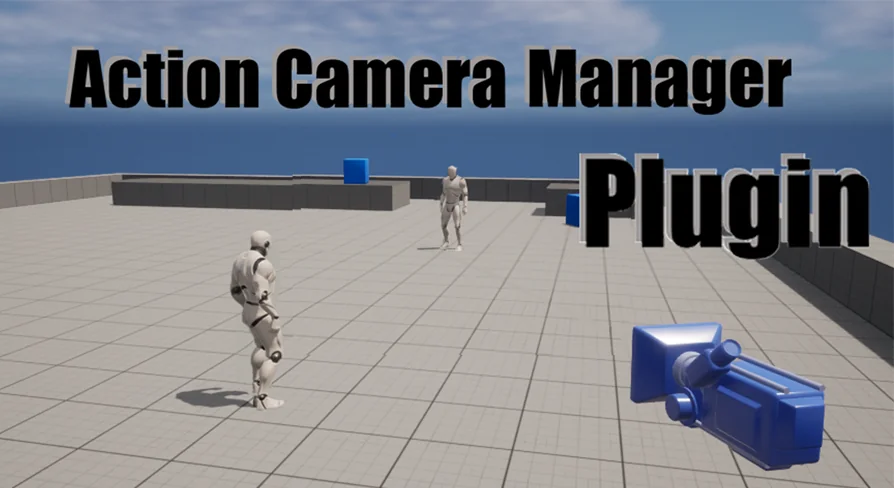
Action battle games rely heavily on camera stability. When two combatants share an arena, manual viewport adjustments pull developers away from core mechanics like combat responsiveness, hitboxes, and input handling. Action Camera Manager addresses this specific challenge. The plugin serves as an automated framing solution for local action battle projects, dynamically adjusting perspective and tracking distance so developers can concentrate entirely on character movement and combat interaction.
By automating distance calculation and angle adjustments through a dedicated camera changer system, the setup ensures that combatants remain visible within the frame. Whether characters are locked in close-quarters skirmishes or spreading apart across the arena, the framing adjusts in real time without requiring manual camera code on individual characters.
The Three Operational Modes: 2D_Fix, 2D, and 3D Tracking
Combat games vary dramatically in how they restrict or permit character navigation. Action Camera Manager categorizes these needs into three distinct modes: 2D_Fix, 2D, and 3D.
The 2D_Fix mode targets projects where perspective rotation is locked completely. In this mode, the camera never rotates. Instead, it manages screen space exclusively by adjusting SpringArm Length. The camera tracks side-to-side translation, scaling the spring arm outward as participants separate and pulling it closer as they converge. This makes 2D_Fix an exact match for traditional side-scrolling fighting titles, flat brawlers, and games bound to a strictly linear horizontal track.
The standard 2D mode introduces distance scaling alongside camera rotation. As fighters move, the camera rotates and increases its distance to keep both players inside the active viewport, regardless of their location on the map. However, vertical rotation in this mode is not naturally suited for heavy up-and-down movement. It functions best in projects where movement happens primarily along the left and right axes, while vertical movement remains minor or restrained to small hops and subtle elevation shifts.
The 3D mode stands as the core configuration for fully three-dimensional encounters. While it shares the foundational distance scaling of the standard 2D mode, it handles pitch, yaw, and rotation with complete naturalness when actors move along the vertical axis. In games where characters jump high, fly, drop down platforms, or maneuver freely across all three spatial dimensions, 3D mode recalculates framing continuously to maintain a cohesive angle without jarring rotational snaps.
Component Setup with PlayerCameraComponent and ACMCamera
Integrating tracking logic into custom gameplay frameworks requires clean separation between the pawn, the camera rig, and tracking targets. Action Camera Manager structures this through a modular component architecture rather than hardcoded character references.
Instead of forcing developers to register and search for players directly inside a centralized manager script, the plugin provides the PlayerCameraComponent. This ActorComponent attaches directly to any target character blueprint or C++ class. Once added, the camera framework recognizes the character as a valid focus target automatically, streamlining team workflows and dynamic spawning scenarios.
The dedicated camera entity, ACMCamera, inherits directly from AActor rather than APawn. This architectural design eliminates class conflicts with default engine pawn classes while improving overall stability between interacting scene objects. Decoupling the camera from the pawn hierarchy ensures that standard player possession logic remains entirely unhindered by camera tracking duties.
The system also features built-in viewport switching capabilities. Developers can transition the active screen view between a character's existing attached camera and the ACMCamera actor. This switch requires an existing camera component on the character and permits precise travel time definitions, enabling smooth spatial interpolation during cinematic shifts, perspective changes, or match intros.
Network Replication across Listen and Dedicated Servers
While local play constitutes the baseline for multi-character brawlers, Action Camera Manager extends its framing system into networked multiplayer environments. The plugin includes native network replication support, allowing consistent target tracking across different network topologies.
The network architecture accommodates both dedicated servers and listen server configurations. Dedicated logic pruning removes unnecessary network operations on listen hosts, preventing performance overhead and bandwidth waste. Furthermore, targeted network updates resolve historical synchronization defects, such as erratic client movement originating from listen servers and unnatural client-side camera jitter during fast multiplayer matches.
These networked improvements ensure that clients receive smooth, predictable viewport updates during remote matches. By synchronizing tracking parameters cleanly across the network, the plugin prevents discrepancies between where an attacking player believes they are on screen and where the remote camera frames them.
Engine Compatibility and Target Development Teams
Action Camera Manager maintains compatibility across contemporary Unreal Engine releases. It supports Unreal Engine versions 5.1, 5.2, 5.3, 5.4, 5.5, and 5.6. Support for Unreal Engine 5.0 has been discontinued to maintain modern codebase stability and take advantage of subsequent engine improvements. In addition to desktop environments, the plugin supports mobile deployment on the Android platform.
Independent developers and studios building two-player brawlers, party fighters, arena action titles, and dynamic shared-screen platformers stand to benefit the most from this system. By taking care of spring arm scaling, dual-target viewport inclusion, smooth travel transitions, and client-server synchronization, Action Camera Manager allows gameplay engineers to direct their full energy toward responsive combat design.
 Gameplay Features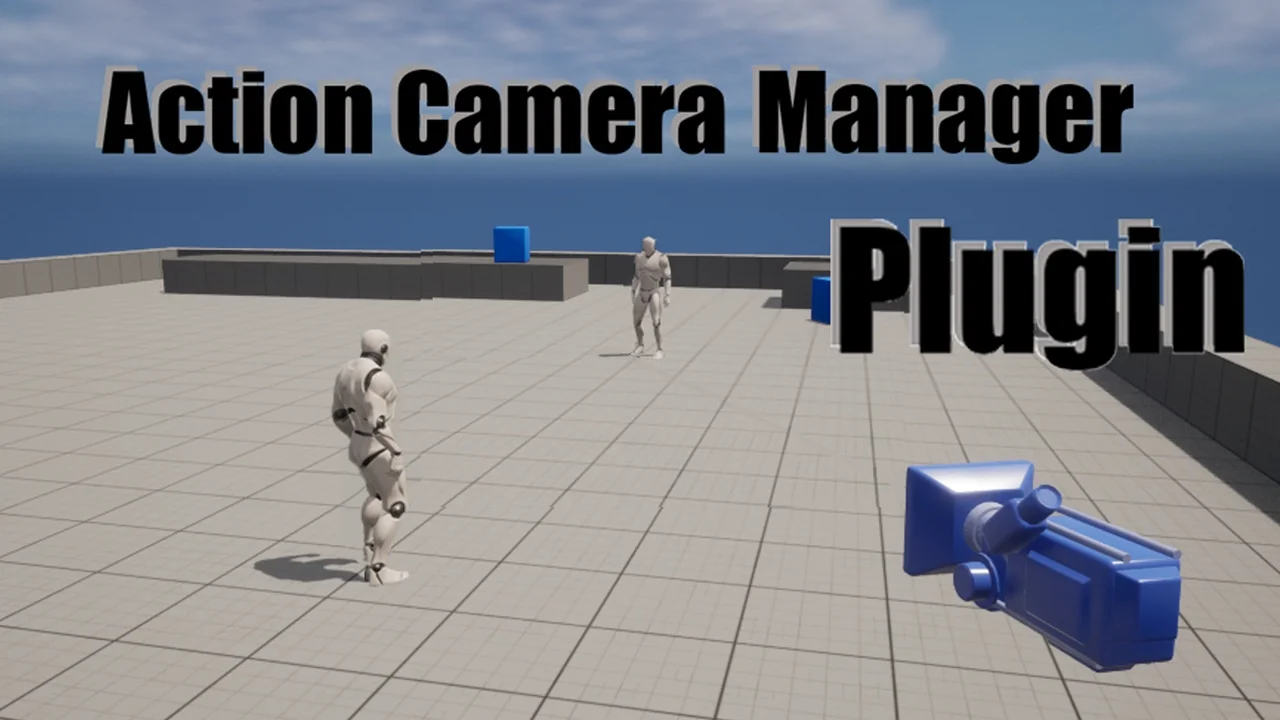
 Gameplay Features
 Gameplay Features
 Gameplay Features