"7066dd76da796369"{"id":"15108","slug":"ultimate-gameplay-camera","title":"Ultimate Gameplay Camera","category":"Gameplay Features","engine":"5.3 - 5.5","assetVersion":"Engine version: 5.3 - 5.5","engineVersion":"Asset Version:1.3","tag":"Gameplay Features","accent":"blue","visual":"audio","summary":"The Ultimate Gameplay Camera provides a professional-grade, dynamic third-person camera system for Unreal Engine. It features smooth movement, multiplayer replication, and extensive customization options without requiring C++ knowledge.","platform":"Unreal Engine","publishedAt":"2026-03-12T07:52:43.000Z","updatedAt":"2026-04-19T15:45:35.000Z","sourceNotes":[],"fileContents":[],"compatibility":["Unreal Engine","Engine version: 5.3 - 5.5","Asset Version: 1.3"],"featuredImage":{"alt":"Ultimate Gameplay Camera","src":"https://3dcghub.com/wp-content/uploads/2026/03/89e2406f-10ab-4f8a-97aa-fa74ad5bc513.webp"},"hasDownloadLink":true,"downloads":2,"terms":[{"taxonomy":"category","slug":"gameplay-features-tools-and-plugins","name":"Gameplay Features"},{"taxonomy":"post_tag","slug":"animation","name":"Animation"},{"taxonomy":"post_tag","slug":"blueprint","name":"Blueprint"},{"taxonomy":"post_tag","slug":"characters","name":"Characters"},{"taxonomy":"post_tag","slug":"game-systems","name":"Game Systems"},{"taxonomy":"post_tag","slug":"multiplayer","name":"Multiplayer"},{"taxonomy":"post_tag","slug":"unreal-engine-5","name":"Unreal Engine 5"}],"galleryImages":[{"src":"https://3dcghub.com/wp-content/uploads/2026/03/048699a1652d_444b4481-488f-42f5-9c79-3c350716a54e.webp","alt":"Ultimate Gameplay Camera"},{"src":"https://3dcghub.com/wp-content/uploads/2026/03/241f2240dc8c_ccc66855-ecd6-46f1-970a-f236580d866c.webp","alt":"Ultimate Gameplay Camera"},{"src":"https://3dcghub.com/wp-content/uploads/2026/03/fb11cb94d2ad_eb4285c7-c926-41bc-bdc9-d335cb393158.webp","alt":"Ultimate Gameplay Camera"},{"src":"https://3dcghub.com/wp-content/uploads/2026/03/215f2ac113b5_3d3d4e88-cb2e-49f6-be60-147100f31147.webp","alt":"Ultimate Gameplay Camera"},{"src":"https://3dcghub.com/wp-content/uploads/2026/03/2c411280d495_90f00557-cad1-484b-be35-43996aa0ad20.webp","alt":"Ultimate Gameplay Camera"},{"src":"https://3dcghub.com/wp-content/uploads/2026/03/dba51f9736c6_bd6b0808-c893-40d7-8529-a2de092f6537.webp","alt":"Ultimate Gameplay Camera"},{"src":"https://3dcghub.com/wp-content/uploads/2026/03/feeee1fe3a8b_04bd1eb6-1d3a-4e80-95ba-a3c17542fc28.webp","alt":"Ultimate Gameplay Camera"},{"src":"https://3dcghub.com/wp-content/uploads/2026/03/98b4114c20ca_6adf6a7e-99ef-4e88-a176-ec8e1906a17b.webp","alt":"Ultimate Gameplay Camera"},{"src":"https://3dcghub.com/wp-content/uploads/2026/03/323d00d75766_9c9f3a87-5e3a-4ef6-8737-e24f35e9cc0e.webp","alt":"Ultimate Gameplay Camera"},{"src":"https://3dcghub.com/wp-content/uploads/2026/03/1c2173911490_d191d0b2-4cbe-45fc-b28c-c0b391995b8a.webp","alt":"Ultimate Gameplay Camera"},{"src":"https://3dcghub.com/wp-content/uploads/2026/03/f77bcd26cee6_c22cf901-b556-46e8-8ae2-02cefc40f615.webp","alt":"Ultimate Gameplay Camera"},{"src":"https://3dcghub.com/wp-content/uploads/2026/03/e467264c0a48_4621ecbd-6098-434c-8a93-1c4c6f057557.webp","alt":"Ultimate Gameplay Camera"},{"src":"https://3dcghub.com/wp-content/uploads/2026/03/050847cf4123_d1ae7e3c-f380-4ab6-ab78-290a634f3aee.webp","alt":"Ultimate Gameplay Camera"}],"accessPanel":{"kind":"resource","title":"Access this resource","eyebrow":"Free Download","message":"Log in or create a free account to start your download.","fileName":"Ultimate Gameplay Camera.7z","safetyNote":"All resources are 100% manually reviewed to eliminate all risks.","actionLabel":"Download Free","resourceType":"Resource archive"},"contentHtml":"\u003ch2\u003eIntroduction to the Ultimate Gameplay Camera\u003c/h2\u003e\n\u003cp\u003eThe Ultimate Gameplay Camera offers a robust solution for developers seeking a professional third-person perspective. Moreover, this system integrates seamlessly into Unreal Engine projects using a plug-and-play approach. The developer designed the tool to be dynamic and non-intrusive. Consequently, it prioritizes player input while maintaining high visual polish. This project allows creators to quickly add AAA-standard camera behaviors to their games.\u003c/p\u003e\n\n\u003ch2\u003eEase of Use and Customization\u003c/h2\u003e\n\u003cp\u003eThe system utilizes a hybrid approach of Blueprints and C++. However, the developer ensures that no C++ knowledge is required for implementation. Most of the logic resides in simple Blueprints, while optimized industry standards define the base C++ classes. Furthermore, the tool is a highly accessible solution. It leverages the native Unreal Camera Modifier system for maximum simplicity.\u003c/p\u003e\n\n\u003cp\u003eCustomization is a core strength of the Ultimate Gameplay Camera. Specifically, users can modify the system in real-time. Developers can choose between data-driven options using data assets or change properties at runtime via functions. Additionally, the camera is fully replicated. Because it operates on the client-side, it works perfectly in multiplayer environments without extra configuration.\u003c/p\u003e\n\n\u003ch2\u003eDynamic Movement and Advanced Features\u003c/h2\u003e\n\u003cp\u003eThe system includes several sophisticated movement modifiers. For instance, the Yaw Movement Follow feature automatically aligns the camera with the character's movement direction. Moreover, the Pitch Follow feature adjusts the camera angle based on slope inclination or falling direction. These features reduce the need for constant manual adjustments by the player. Consequently, the gameplay feels much smoother.\u003c/p\u003e\n\n\u003cp\u003eAngle constraints provide further control over the player's view. Specifically, Yaw Angle Constraints can limit rotation during specific actions like climbing ladders or interacting with NPCs. Pitch Angle Constraints prevent the camera from reaching extreme angles, such as looking directly at the character's feet. Therefore, the framing remains professional and focused at all times.\u003c/p\u003e\n\n\u003ch2\u003eAAA Polish and Technical Tools\u003c/h2\u003e\n\u003cp\u003eTo achieve a high level of polish, the Ultimate Gameplay Camera includes FOV and arm length modifiers. These tools smoothly change the field of view and camera distance based on the pitch angle. Furthermore, developers can set specific arm length and offset ranges for different character states. Consequently, the camera framing adapts when a character is sprinting, crouching, or prone.\u003c/p\u003e\n\n\u003cp\u003eThe system also features a Focus Modifier for camera lock-on mechanics. This tool can highlight points of interest, implement aim-assist, or create hard-lock combat cameras. Additionally, the Animation Camera feature uses the UE Camera Animations Sequencer. This allows developers to create professional-grade finishers and cinematic moments easily. These features add layers of polish seen in top-tier titles.\u003c/p\u003e\n\n\u003ch2\u003eOptimized Collision and Visibility\u003c/h2\u003e\n\u003cp\u003eStandard camera collisions can often feel janky or inconsistent. To solve this, the creator included a Dynamic Spring Arm Component. This custom component provides extra smooth, predictive collision handling. Moreover, the Dithering Modifier ensures the character is always visible. It hides any objects or other characters that obstruct the view between the camera and the player.\u003c/p\u003e\n\n\u003ch2\u003eFinal Take\u003c/h2\u003e\n\u003cp\u003eThe Ultimate Gameplay Camera is a comprehensive tool for any third-person project. It combines ease of use with deep customization options. By using this system, developers can achieve professional camera behavior with minimal effort. Whether for single-player adventures or multiplayer combat, it offers the flexibility needed for modern game development.\u003c/p\u003e\n\n\u003ch2\u003eRelated Resources Worth Checking\u003c/h2\u003e\n\u003cul\u003e\n\u003cli\u003e\u003ca href=\"https://3dcghub.com/extile-plus-ultimate-non-tiling-material-toolkit-for-unreal-engine-environments/\" title=\"EXTILE PLUS -Ultimate Non-Tiling Material Toolkit for Unreal Engine Environments\"\u003eEXTILE PLUS -Ultimate Non-Tiling Material Toolkit for Unreal Engine Environments\u003c/a\u003e\u003c/li\u003e\n\u003cli\u003e\u003ca href=\"https://3dcghub.com/ultimate-template-unrealengine-2d-dialogue-inventory-system-save/\" title=\"ULTIMATE Template UnrealEngine || 2D + Dialogue + Inventory system + Save | |\"\u003eULTIMATE Template UnrealEngine || 2D + Dialogue + Inventory system + Save | |\u003c/a\u003e\u003c/li\u003e\n\u003cli\u003e\u003ca href=\"https://3dcghub.com/zxing-for-unreal/\" title=\"ZXing For Unreal\"\u003eZXing For Unreal\u003c/a\u003e\u003c/li\u003e\n\u003cli\u003e\u003ca href=\"https://3dcghub.com/daz-to-unreal/\" title=\"Daz To Unreal\"\u003eDaz To Unreal\u003c/a\u003e\u003c/li\u003e\n\u003cli\u003e\u003ca href=\"https://3dcghub.com/blueprint-generator-ai-kibibyte-labs-engine-assistant/\" title=\"Blueprint Generator Ai – Kibibyte Labs (Engine Assistant)\"\u003eBlueprint Generator Ai – Kibibyte Labs (Engine Assistant)\u003c/a\u003e\u003c/li\u003e\n\u003c/ul\u003e","contentTextLength":4093,"navigation":{"current":3427,"total":4016,"previous":{"id":"15117","slug":"weapon-shooting-system-pro","title":"Weapon Shooting System Pro","category":"Gameplay Features","platform":"Unreal Engine","updatedAt":"2026-04-19T15:45:35.000Z"},"next":{"id":"15075","slug":"real-action-camera-pro-record-and-view-gameplay-moments","title":"Real Action Camera PRO – Record and View Gameplay Moments","category":"Gameplay Features","platform":"Unreal Engine","updatedAt":"2026-04-19T15:45:35.000Z"}},"relatedResources":[{"id":"14967","slug":"advanced-fade-objects-pro-object-fading-with-tags-colors-and-multiplayer","title":"Advanced Fade Objects PRO – Object Fading with Tags, Colors and Multiplayer","category":"Gameplay Features","engine":"4.26 - 5.8","assetVersion":"Asset Version: 1.1 - 1.4.1","engineVersion":"Engine version: 4.26 - 5.8","tag":"Gameplay Features","accent":"blue","visual":"audio","summary":"Enhance your game's visibility with Advanced Fade Objects PRO. This C++ powered plugin automates object transparency between the camera and character for a smoother player experience.","platform":"Unreal Engine","publishedAt":"2026-03-12T07:09:41.000Z","updatedAt":"2026-07-29T12:55:52.438Z","sourceNotes":[],"fileContents":[],"compatibility":["Unreal Engine","Asset Version: 1.1 - 1.4.1","Engine version: 4.26 - 5.8"],"featuredImage":{"alt":"Advanced Fade Objects PRO – Object Fading with Tags, Colors and Multiplayer","src":"https://3dcghub.com/wp-content/uploads/2026/03/b42cd28c-8fea-4b0f-a37a-48aa5fe8a212.webp"},"hasDownloadLink":true,"downloads":1},{"id":"15012","slug":"flex-partition-optimization-system","title":"Flex Partition - Optimization System","category":"Gameplay Features","engine":"5.5","assetVersion":"Engine version: 5.5","engineVersion":"Asset Version:1.7","tag":"Gameplay Features","accent":"blue","visual":"luts","summary":"Flex Partition - Optimization System offers a sophisticated way to manage runtime and procedural actors using spatial hash grids. It prevents frame spikes through rate-limited streaming while maintaining actor states during activation cycles.","platform":"Unreal Engine","publishedAt":"2026-03-12T07:25:29.000Z","updatedAt":"2026-04-19T15:45:37.000Z","sourceNotes":[],"fileContents":[],"compatibility":["Unreal Engine","Engine version: 5.5","Asset Version: 1.7"],"featuredImage":{"alt":"Flex Partition - Optimization System","src":"https://3dcghub.com/wp-content/uploads/2026/03/df6dfa1a-d220-474e-a529-dd86fc919bf8.webp"},"hasDownloadLink":true,"downloads":0},{"id":"1001316","slug":"action-camera-manager-2","title":"Action Camera Manager","category":"Gameplay Features","engine":"5.1 - 5.6","assetVersion":"Asset Version: 2.12 - 2.17","engineVersion":"Engine Version: 5.1 - 5.6","tag":"Gameplay Features","accent":"blue","visual":"mech","summary":"An in-depth look at Action Camera Manager, detailing its 2D, 2D_Fix, and 3D modes, multiplayer server replication, and character component setup.","platform":"Unreal Engine","publishedAt":"2026-10-02T09:07:50.866Z","updatedAt":"2026-10-02T09:07:50.866Z","sourceNotes":[],"fileContents":[],"compatibility":["Unreal Engine","Asset Version: 2.12 - 2.17","Engine Version: 5.1 - 5.6"],"featuredImage":{"alt":"Action Camera Manager","src":"/wp-content/uploads/published/2026/10/59253223dc30-1b4cbc9a-a2ab-4e3a-adbe-e7eda0fb618d-2380f3f785.webp"},"hasDownloadLink":true,"downloads":0}]}
Gameplay Features
Ultimate Gameplay Camera
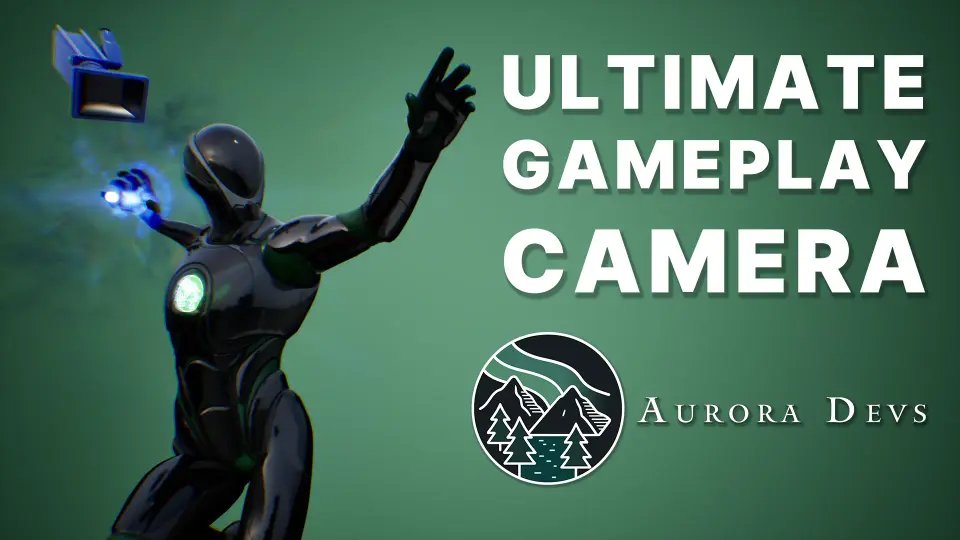
The Ultimate Gameplay Camera provides a professional-grade, dynamic third-person camera system for Unreal Engine. It features smooth movement, multiplayer replication, and extensive customization options without requiring C++ knowledge.
The Ultimate Gameplay Camera offers a robust solution for developers seeking a professional third-person perspective. Moreover, this system integrates seamlessly into Unreal Engine projects using a plug-and-play approach. The developer designed the tool to be dynamic and non-intrusive. Consequently, it prioritizes player input while maintaining high visual polish. This project allows creators to quickly add AAA-standard camera behaviors to their games.
Ease of Use and Customization
The system utilizes a hybrid approach of Blueprints and C++. However, the developer ensures that no C++ knowledge is required for implementation. Most of the logic resides in simple Blueprints, while optimized industry standards define the base C++ classes. Furthermore, the tool is a highly accessible solution. It leverages the native Unreal Camera Modifier system for maximum simplicity.
Customization is a core strength of the Ultimate Gameplay Camera. Specifically, users can modify the system in real-time. Developers can choose between data-driven options using data assets or change properties at runtime via functions. Additionally, the camera is fully replicated. Because it operates on the client-side, it works perfectly in multiplayer environments without extra configuration.
Dynamic Movement and Advanced Features
The system includes several sophisticated movement modifiers. For instance, the Yaw Movement Follow feature automatically aligns the camera with the character's movement direction. Moreover, the Pitch Follow feature adjusts the camera angle based on slope inclination or falling direction. These features reduce the need for constant manual adjustments by the player. Consequently, the gameplay feels much smoother.
Angle constraints provide further control over the player's view. Specifically, Yaw Angle Constraints can limit rotation during specific actions like climbing ladders or interacting with NPCs. Pitch Angle Constraints prevent the camera from reaching extreme angles, such as looking directly at the character's feet. Therefore, the framing remains professional and focused at all times.
AAA Polish and Technical Tools
To achieve a high level of polish, the Ultimate Gameplay Camera includes FOV and arm length modifiers. These tools smoothly change the field of view and camera distance based on the pitch angle. Furthermore, developers can set specific arm length and offset ranges for different character states. Consequently, the camera framing adapts when a character is sprinting, crouching, or prone.
The system also features a Focus Modifier for camera lock-on mechanics. This tool can highlight points of interest, implement aim-assist, or create hard-lock combat cameras. Additionally, the Animation Camera feature uses the UE Camera Animations Sequencer. This allows developers to create professional-grade finishers and cinematic moments easily. These features add layers of polish seen in top-tier titles.
Optimized Collision and Visibility
Standard camera collisions can often feel janky or inconsistent. To solve this, the creator included a Dynamic Spring Arm Component. This custom component provides extra smooth, predictive collision handling. Moreover, the Dithering Modifier ensures the character is always visible. It hides any objects or other characters that obstruct the view between the camera and the player.
Final Take
The Ultimate Gameplay Camera is a comprehensive tool for any third-person project. It combines ease of use with deep customization options. By using this system, developers can achieve professional camera behavior with minimal effort. Whether for single-player adventures or multiplayer combat, it offers the flexibility needed for modern game development.
 Gameplay Features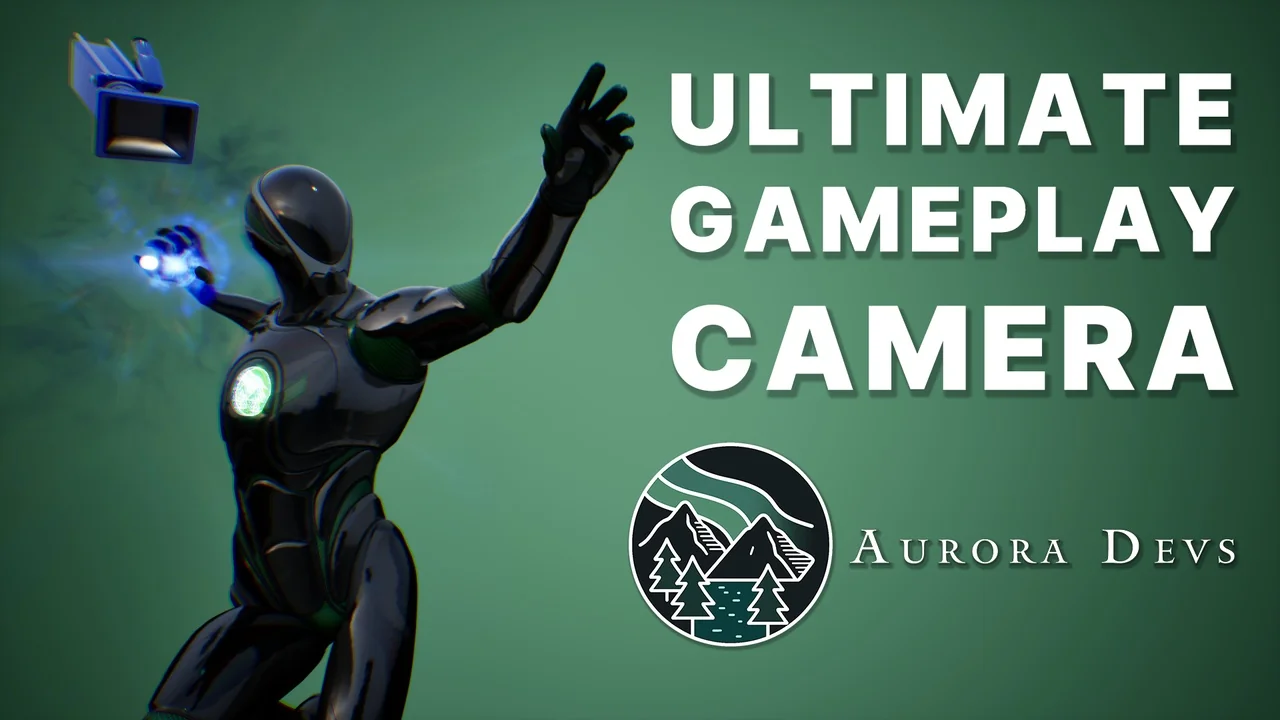
 Gameplay Features
 Gameplay Features
 Gameplay Features