"4481da9c895ef786"{"id":"1001316","slug":"action-camera-manager-2","title":"Action Camera Manager","category":"Gameplay Features","engine":"5.1 - 5.6","assetVersion":"Asset Version: 2.12 - 2.17","engineVersion":"Engine Version: 5.1 - 5.6","tag":"Gameplay Features","accent":"blue","visual":"mech","summary":"An in-depth look at Action Camera Manager, detailing its 2D, 2D_Fix, and 3D modes, multiplayer server replication, and character component setup.","platform":"Unreal Engine","publishedAt":"2026-10-02T09:07:50.866Z","updatedAt":"2026-10-02T09:07:50.866Z","sourceNotes":[],"fileContents":[],"compatibility":["Unreal Engine","Asset Version: 2.12 - 2.17","Engine Version: 5.1 - 5.6"],"featuredImage":{"alt":"Action Camera Manager","src":"/wp-content/uploads/published/2026/10/59253223dc30-1b4cbc9a-a2ab-4e3a-adbe-e7eda0fb618d-2380f3f785.webp"},"hasDownloadLink":true,"downloads":0,"terms":[{"taxonomy":"category","slug":"gameplay-features-tools-and-plugins","name":"Gameplay Features"}],"galleryImages":[{"src":"/wp-content/uploads/published/2026/10/8413fbdee5bf-918a2245-088d-4451-9060-1ee521fa519c-d916de0048.webp","alt":"Action Camera Manager"},{"src":"/wp-content/uploads/published/2026/10/6950280d7ef4-589dccf3-6dd8-4b88-94f7-49360388aa62-7b3880d3f1.webp","alt":"Action Camera Manager"},{"src":"/wp-content/uploads/published/2026/10/ebffd31c4eae-60fa979e-28ad-4420-a8d2-d177f81ff06d-42ef97e286.webp","alt":"Action Camera Manager"},{"src":"/wp-content/uploads/published/2026/10/73def09dfe26-5aa791ca-f515-4933-a4cf-ceb60ce9d9cd-af939d0dca.webp","alt":"Action Camera Manager"},{"src":"/wp-content/uploads/published/2026/10/227c878e56d2-510ddcb9-8090-4183-a873-20c50b234784-0c2249f4c9.webp","alt":"Action Camera Manager"}],"accessPanel":{"kind":"resource","title":"Download this resource","eyebrow":"Free Download","message":"Log in or create a free account to start your download.","fileName":"Action Camera Manager.7z","safetyNote":"Resources are manually reviewed before listing to improve quality and reduce obvious risks.","actionLabel":"Download Free","resourceType":"Resource archive"},"contentHtml":"\u003cp\u003eIn local action battle games, maintaining clear visibility of multiple combatants inside a single viewport presents distinct framing challenges. Characters move independently, sprint across arenas, and jump, requiring a camera system that adjusts framing continuously without demanding manual tracking scripts from the developer. Action Camera Manager addresses these shared-screen scenarios by automating camera operations via an internal camera changer, allowing developers to direct their attention toward character movement and combat mechanics.\u003c/p\u003e \u003ch2\u003eFraming Movement with 2D_Fix, 2D, and 3D Camera Modes\u003c/h2\u003e\n\u003cp\u003eAction Camera Manager divides its tracking behavior into three explicit modes: 2D_Fix, 2D, and 3D. Each mode applies different constraints to camera rotation and spatial distance, matching the spatial freedom of different game genres.\u003c/p\u003e \u003cp\u003eThe 2D_Fix mode enforces strict rotational stability. In this configuration, the camera cannot rotate along any axis. To keep multiple combatants on the screen simultaneously, the system relies strictly on altering the SpringArm Length. Positional movement is restricted to side-to-side tracking along a single plane. This makes 2D_Fix well suited for classic side-scrolling brawlers, linear combat corridors, or traditional martial arts fighting games where background perspective must remain static while characters advance and retreat along a horizontal line.\u003c/p\u003e \u003cp\u003eThe standard 2D mode introduces rotational movement alongside SpringArm distance adjustments. As players spread apart across the play area, the camera extends its distance and reorients its angle to ensure both participants remain framed within the viewport bounds. While this rotation functions smoothly on a horizontal plane, vertical displacement introduces less natural rotational shifts. As a result, the 2D mode is intended for combat projects where characters primarily navigate left and right, with only limited vertical jumping or minor platform hops.\u003c/p\u003e \u003cp\u003eFor gameplay requiring complete spatial freedom, the 3D mode serves as the core tracking option. It operates on principles similar to the standard 2D mode by adjusting distance to encompass combatants, but it resolves the vertical limitations of the 2D implementation. The 3D mode retains smooth, natural rotation when characters jump, drop from ledges, or traverse vertical arenas, making it the appropriate choice for arena brawlers and free-roaming local combat games where movement occurs across horizontal and vertical axes simultaneously.\u003c/p\u003e \u003ch2\u003eViewport Transitions and PlayerCameraComponent Setup\u003c/h2\u003e\n\u003cp\u003eIntegrating tracking logic directly into gameplay code can create clutter within game managers. Early revisions of the system required developers to locate and assign player characters manually from within the camera manager. Starting with Update 1.1, workflow integration shifted to an actor component model using the PlayerCameraComponent.\u003c/p\u003e \u003cp\u003eDevelopers attach the PlayerCameraComponent directly to their character blueprints or classes. By handling registration at the character level, the camera manager identifies combatants automatically upon spawn, removing the need for manual lookup loops or reference arrays in level blueprints. This decouples the camera tracking logic from central game mode scripts and keeps character setup modular.\u003c/p\u003e \u003cp\u003eUpdate 2.1 expanded framing options by adding viewport switching functions. Developers can switch the active viewport between an existing character-attached camera and the ACMCamera actor. Executing this transition requires an active camera component already attached to the character. The function includes a configurable travel time parameter, allowing developers to set exact durations for how quickly the view shifts from individual character perspectives to the shared action camera.\u003c/p\u003e \u003ch2\u003eMultiplayer Synchronization Across Listen and Dedicated Servers\u003c/h2\u003e\n\u003cp\u003eWhile dynamic camera managers are commonly used in local couch multiplayer, network play introduces replication overhead and client-side view inconsistencies. Action Camera Manager features built-in network replication support, which underwent structural refinements across Updates 2.0 and 2.1.\u003c/p\u003e \u003cp\u003eThe network architecture supports both Listen Server and Dedicated Server environments. During early multiplayer iterations, redundant network logic on Listen servers could introduce overhead and cause unnatural camera behavior for non-host clients. Update 2.0 addressed this by removing unnecessary network operations on Listen servers, eliminating client-side camera jitter and resolving issues where client movement appeared abnormal from the host's perspective.\u003c/p\u003e \u003cp\u003eBy handling replication directly, the system maintains consistent framing calculations across all connected clients. Remote players see the arena framed correctly without fighting conflicting positional updates or experiencing view desynchronization during intense multi-character combat encounters.\u003c/p\u003e \u003ch2\u003eEngine Compatibility and the ACMCamera Class Architecture\u003c/h2\u003e\n\u003cp\u003eThe underlying class structure of Action Camera Manager has seen continuous refactoring to preserve engine stability. In Update 2.1, the core camera entity ACMCamera was restructured to inherit directly from AActor rather than APawn. Moving away from APawn reduces unnecessary overhead related to player controller possession and input binding that dynamic shared cameras do not require.\u003c/p\u003e \u003cp\u003eClass naming conflicts with native engine classes were also corrected, and stability between tracked objects was improved to prevent tracking hitches when targets move in erratic paths. Across multiple versions, the plugin has tracked Unreal Engine updates:\u003c/p\u003e\n\u003cul\u003e \u003cli\u003eSupports Unreal Engine versions 5.1, 5.2, 5.3, 5.4, 5.5, and 5.6.\u003c/li\u003e \u003cli\u003eDrops support for Unreal Engine version 5.0 as of Update 2.1.\u003c/li\u003e \u003cli\u003eExpands platform reach with added Android platform support alongside standard desktop targets.\u003c/li\u003e\n\u003c/ul\u003e \u003ch2\u003eProject Types and Teams Positioned to Benefit Most\u003c/h2\u003e\n\u003cp\u003eAction Camera Manager delivers the most value to developers building local multiplayer brawlers, arena fighting games, and cooperative combat titles where multiple characters share a single screen. Crafting custom camera math that balances spring arm expansion, rotation dampening, and boundary clamping requires substantial tuning; using a dedicated manager bypasses that custom math entirely.\u003c/p\u003e \u003cp\u003eTeams building projects that transition between solo character perspectives and shared combat encounters also gain practical utility from the camera switching functions. The ability to smoothly blend between an over-the-shoulder or follow camera and the shared ACMCamera makes it simple to stage dramatic entrances, duel transitions, or shared arena battles without breaking visual continuity.\u003c/p\u003e\n\n\u003ch2\u003eContinue Browsing Similar Packs\u003c/h2\u003e\n\u003cul\u003e\n\u003cli\u003e\u003ca href=\"https://3dcghub.com/action-camera-manager/\" title=\"Action Camera Manager\"\u003eAction Camera Manager\u003c/a\u003e\u003c/li\u003e\n\u003cli\u003e\u003ca href=\"https://3dcghub.com/real-action-camera-pro-record-and-view-gameplay-moments/\" title=\"Real Action Camera PRO – Record and View Gameplay Moments\"\u003eReal Action Camera PRO – Record and View Gameplay Moments\u003c/a\u003e\u003c/li\u003e\n\u003cli\u003e\u003ca href=\"https://3dcghub.com/ultimate-gameplay-camera/\" title=\"Ultimate Gameplay Camera\"\u003eUltimate Gameplay Camera\u003c/a\u003e\u003c/li\u003e\n\u003cli\u003e\u003ca href=\"https://3dcghub.com/advanced-fade-objects-pro-object-fading-with-tags-colors-and-multiplayer/\" title=\"Advanced Fade Objects PRO – Object Fading with Tags, Colors and Multiplayer\"\u003eAdvanced Fade Objects PRO – Object Fading with Tags, Colors and Multiplayer\u003c/a\u003e\u003c/li\u003e\n\u003cli\u003e\u003ca href=\"https://3dcghub.com/advanced-third-person-camera/\" title=\"Advanced Third Person Camera\"\u003eAdvanced Third Person Camera\u003c/a\u003e\u003c/li\u003e\n\u003c/ul\u003e","contentTextLength":6926,"navigation":{"current":22,"total":3269,"previous":{"id":"1001319","slug":"clarus-viewer-asset-support","title":"Clarus Viewer Asset Support","category":"Engine Tools","platform":"Unreal Engine","updatedAt":"2026-10-02T09:40:18.315Z"},"next":{"id":"1001315","slug":"crowd-simulation-system-pro","title":"Crowd Simulation System Pro","category":"Procedural Systems","platform":"Unreal Engine","updatedAt":"2026-10-02T08:13:04.139Z"}},"relatedResources":[{"id":"1001274","slug":"action-camera-manager","title":"Action Camera Manager","category":"Gameplay Features","engine":"5.1 - 5.6","assetVersion":"Asset Version: 2.12 - 2.17","engineVersion":"Engine Version: 5.1 - 5.6","tag":"Gameplay Features","accent":"blue","visual":"mech","summary":"Action Camera Manager automates dynamic framing across 2D, 2D_Fix, and 3D modes for local battles and networked multiplayer games in Unreal Engine.","platform":"Unreal Engine","publishedAt":"2026-09-30T06:03:55.393Z","updatedAt":"2026-09-30T06:03:55.393Z","sourceNotes":[],"fileContents":[],"compatibility":["Unreal Engine","Asset Version: 2.12 - 2.17","Engine Version: 5.1 - 5.6"],"featuredImage":{"alt":"Action Camera Manager","src":"/wp-content/uploads/published/2026/09/59253223dc30-1b4cbc9a-a2ab-4e3a-adbe-e7eda0fb618d-e0fec1a5ac.webp"},"hasDownloadLink":true,"downloads":0},{"id":"15075","slug":"real-action-camera-pro-record-and-view-gameplay-moments","title":"Real Action Camera PRO – Record and View Gameplay Moments","category":"Gameplay Features","engine":"5.6 - 5.7","assetVersion":"Engine version: 5.6 - 5.7","engineVersion":"Asset Version:1.0","tag":"Gameplay Features","accent":"blue","visual":"city","summary":"Real Action Camera PRO – Record and View Gameplay Moments is a powerful Unreal Engine plugin that enables players to capture and save gameplay footage directly within the game environment.","platform":"Unreal Engine","publishedAt":"2026-03-12T07:42:38.000Z","updatedAt":"2026-04-19T15:45:35.000Z","sourceNotes":[],"fileContents":[],"compatibility":["Unreal Engine","Engine version: 5.6 - 5.7","Asset Version: 1.0"],"featuredImage":{"alt":"Real Action Camera PRO – Record and View Gameplay Moments","src":"https://3dcghub.com/wp-content/uploads/2026/03/17520f5b-db0a-4a72-9f2f-53cca4b97855.webp"},"hasDownloadLink":true,"downloads":0},{"id":"15108","slug":"ultimate-gameplay-camera","title":"Ultimate Gameplay Camera","category":"Gameplay Features","engine":"5.3 - 5.5","assetVersion":"Engine version: 5.3 - 5.5","engineVersion":"Asset Version:1.3","tag":"Gameplay Features","accent":"blue","visual":"audio","summary":"The Ultimate Gameplay Camera provides a professional-grade, dynamic third-person camera system for Unreal Engine. It features smooth movement, multiplayer replication, and extensive customization options without requiring C++ knowledge.","platform":"Unreal Engine","publishedAt":"2026-03-12T07:52:43.000Z","updatedAt":"2026-04-19T15:45:35.000Z","sourceNotes":[],"fileContents":[],"compatibility":["Unreal Engine","Engine version: 5.3 - 5.5","Asset Version: 1.3"],"featuredImage":{"alt":"Ultimate Gameplay Camera","src":"https://3dcghub.com/wp-content/uploads/2026/03/89e2406f-10ab-4f8a-97aa-fa74ad5bc513.webp"},"hasDownloadLink":true,"downloads":0}]}
Gameplay Features
Action Camera Manager
An in-depth look at Action Camera Manager, detailing its 2D, 2D_Fix, and 3D modes, multiplayer server replication, and character component setup.
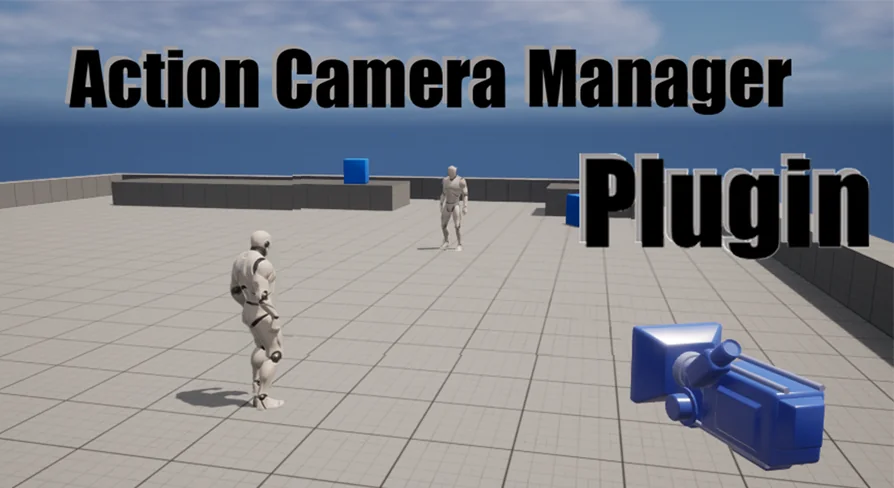
In local action battle games, maintaining clear visibility of multiple combatants inside a single viewport presents distinct framing challenges. Characters move independently, sprint across arenas, and jump, requiring a camera system that adjusts framing continuously without demanding manual tracking scripts from the developer. Action Camera Manager addresses these shared-screen scenarios by automating camera operations via an internal camera changer, allowing developers to direct their attention toward character movement and combat mechanics.
Framing Movement with 2D_Fix, 2D, and 3D Camera Modes
Action Camera Manager divides its tracking behavior into three explicit modes: 2D_Fix, 2D, and 3D. Each mode applies different constraints to camera rotation and spatial distance, matching the spatial freedom of different game genres.
The 2D_Fix mode enforces strict rotational stability. In this configuration, the camera cannot rotate along any axis. To keep multiple combatants on the screen simultaneously, the system relies strictly on altering the SpringArm Length. Positional movement is restricted to side-to-side tracking along a single plane. This makes 2D_Fix well suited for classic side-scrolling brawlers, linear combat corridors, or traditional martial arts fighting games where background perspective must remain static while characters advance and retreat along a horizontal line.
The standard 2D mode introduces rotational movement alongside SpringArm distance adjustments. As players spread apart across the play area, the camera extends its distance and reorients its angle to ensure both participants remain framed within the viewport bounds. While this rotation functions smoothly on a horizontal plane, vertical displacement introduces less natural rotational shifts. As a result, the 2D mode is intended for combat projects where characters primarily navigate left and right, with only limited vertical jumping or minor platform hops.
For gameplay requiring complete spatial freedom, the 3D mode serves as the core tracking option. It operates on principles similar to the standard 2D mode by adjusting distance to encompass combatants, but it resolves the vertical limitations of the 2D implementation. The 3D mode retains smooth, natural rotation when characters jump, drop from ledges, or traverse vertical arenas, making it the appropriate choice for arena brawlers and free-roaming local combat games where movement occurs across horizontal and vertical axes simultaneously.
Viewport Transitions and PlayerCameraComponent Setup
Integrating tracking logic directly into gameplay code can create clutter within game managers. Early revisions of the system required developers to locate and assign player characters manually from within the camera manager. Starting with Update 1.1, workflow integration shifted to an actor component model using the PlayerCameraComponent.
Developers attach the PlayerCameraComponent directly to their character blueprints or classes. By handling registration at the character level, the camera manager identifies combatants automatically upon spawn, removing the need for manual lookup loops or reference arrays in level blueprints. This decouples the camera tracking logic from central game mode scripts and keeps character setup modular.
Update 2.1 expanded framing options by adding viewport switching functions. Developers can switch the active viewport between an existing character-attached camera and the ACMCamera actor. Executing this transition requires an active camera component already attached to the character. The function includes a configurable travel time parameter, allowing developers to set exact durations for how quickly the view shifts from individual character perspectives to the shared action camera.
Multiplayer Synchronization Across Listen and Dedicated Servers
While dynamic camera managers are commonly used in local couch multiplayer, network play introduces replication overhead and client-side view inconsistencies. Action Camera Manager features built-in network replication support, which underwent structural refinements across Updates 2.0 and 2.1.
The network architecture supports both Listen Server and Dedicated Server environments. During early multiplayer iterations, redundant network logic on Listen servers could introduce overhead and cause unnatural camera behavior for non-host clients. Update 2.0 addressed this by removing unnecessary network operations on Listen servers, eliminating client-side camera jitter and resolving issues where client movement appeared abnormal from the host's perspective.
By handling replication directly, the system maintains consistent framing calculations across all connected clients. Remote players see the arena framed correctly without fighting conflicting positional updates or experiencing view desynchronization during intense multi-character combat encounters.
Engine Compatibility and the ACMCamera Class Architecture
The underlying class structure of Action Camera Manager has seen continuous refactoring to preserve engine stability. In Update 2.1, the core camera entity ACMCamera was restructured to inherit directly from AActor rather than APawn. Moving away from APawn reduces unnecessary overhead related to player controller possession and input binding that dynamic shared cameras do not require.
Class naming conflicts with native engine classes were also corrected, and stability between tracked objects was improved to prevent tracking hitches when targets move in erratic paths. Across multiple versions, the plugin has tracked Unreal Engine updates:
Drops support for Unreal Engine version 5.0 as of Update 2.1.
Expands platform reach with added Android platform support alongside standard desktop targets.
Project Types and Teams Positioned to Benefit Most
Action Camera Manager delivers the most value to developers building local multiplayer brawlers, arena fighting games, and cooperative combat titles where multiple characters share a single screen. Crafting custom camera math that balances spring arm expansion, rotation dampening, and boundary clamping requires substantial tuning; using a dedicated manager bypasses that custom math entirely.
Teams building projects that transition between solo character perspectives and shared combat encounters also gain practical utility from the camera switching functions. The ability to smoothly blend between an over-the-shoulder or follow camera and the shared ACMCamera makes it simple to stage dramatic entrances, duel transitions, or shared arena battles without breaking visual continuity.
 Gameplay Features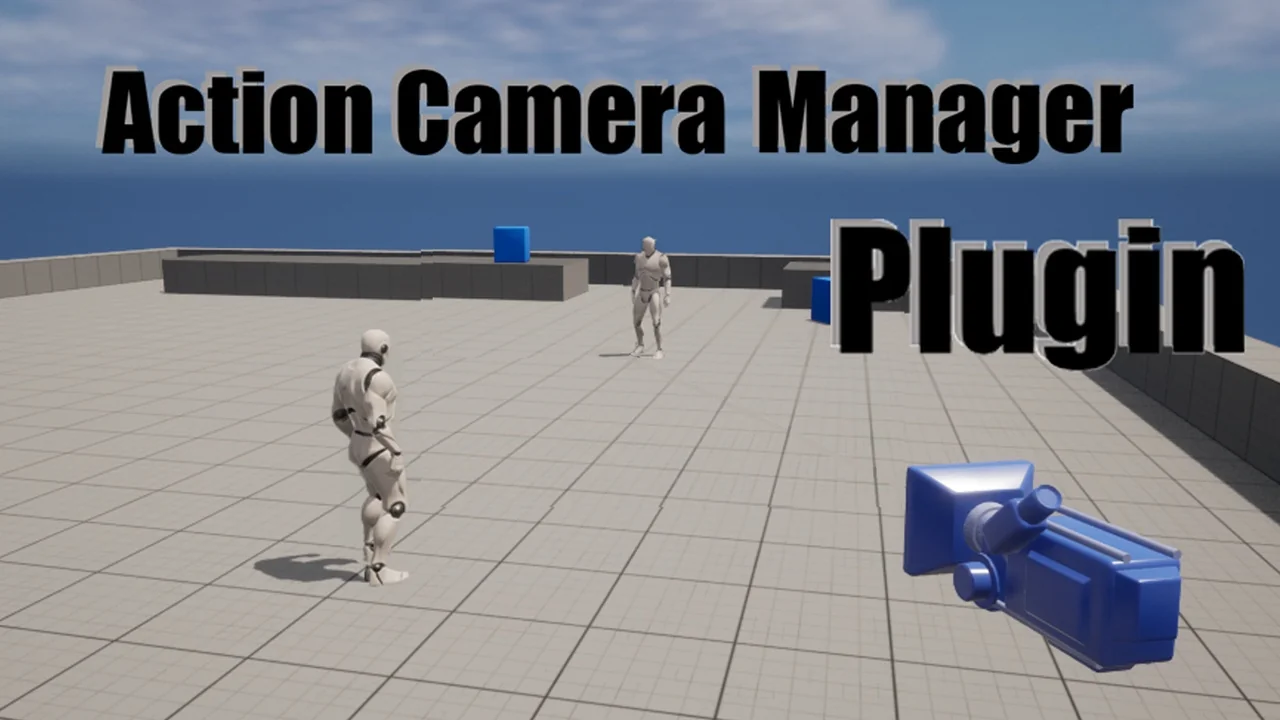
 Gameplay Features
 Gameplay Features
 Gameplay Features