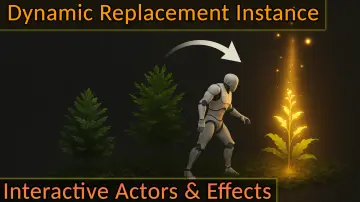
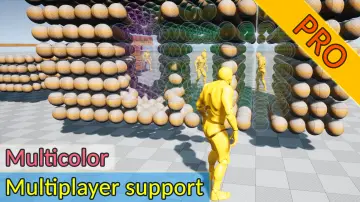
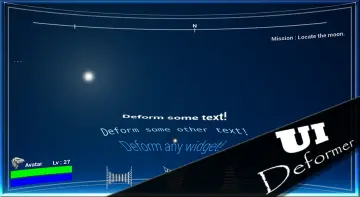
"1f00f67f9253451b"{"slug":"gameplay-features-tools-and-plugins","category":{"id":496,"sourceId":496,"taxonomyId":496,"taxonomy":"category","slug":"gameplay-features-tools-and-plugins","name":"Gameplay Features","parentId":489,"count":31,"hasChildren":false,"href":"/category/gameplay-features-tools-and-plugins/","seoTitle":"Free Unreal Engine Tools Gameplay Features | 3DCGHUB","seoDescription":"Browse free Gameplay Features in Tools \u0026 Plugins tools for Unreal Engine on 3DCGHUB with preview images and compatibility notes.","sitemapEnabled":true},"breadcrumbs":[{"id":4225,"sourceId":4225,"taxonomyId":4225,"taxonomy":"category","slug":"asset-library","name":"Asset Library","parentId":null,"count":3105,"hasChildren":true,"href":"/","seoTitle":"Free Game Assets Library | 3DCGHUB","seoDescription":"Browse free Unreal Engine, Unity, Blender assets and game development tutorials on 3DCGHUB with previews, compatibility notes, and secure downloads.","sitemapEnabled":true},{"id":511,"sourceId":511,"taxonomyId":511,"taxonomy":"category","slug":"unreal-engine-2","name":"Unreal Engine","parentId":4225,"count":2643,"hasChildren":true,"href":"/category/unreal-engine-2/","seoTitle":"Free Unreal Engine Assets | 3DCGHUB","seoDescription":"Browse free Unreal Engine resources on 3DCGHUB: curated downloads with preview images, compatibility notes and secure download access.","sitemapEnabled":true},{"id":489,"sourceId":489,"taxonomyId":489,"taxonomy":"category","slug":"tools-and-plugins","name":"Tools \u0026 Plugins","parentId":511,"count":281,"hasChildren":true,"href":"/category/tools-and-plugins/","seoTitle":"Free Unreal Engine Tools \u0026 Plugins | 3DCGHUB","seoDescription":"Browse free Tools \u0026 Plugins for Unreal Engine on 3DCGHUB: curated downloads with preview images, compatibility notes and secure download access.","sitemapEnabled":true},{"id":496,"sourceId":496,"taxonomyId":496,"taxonomy":"category","slug":"gameplay-features-tools-and-plugins","name":"Gameplay Features","parentId":489,"count":31,"hasChildren":false,"href":"/category/gameplay-features-tools-and-plugins/","seoTitle":"Free Unreal Engine Tools Gameplay Features | 3DCGHUB","seoDescription":"Browse free Gameplay Features in Tools \u0026 Plugins tools for Unreal Engine on 3DCGHUB with preview images and compatibility notes.","sitemapEnabled":true}],"children":[],"items":[{"id":"1001275","slug":"android-win-offline-speech-recognition","title":"Android Win Offline Speech Recognition","category":"Gameplay Features","engine":"4.27 - 5.4","assetVersion":"Asset Version: 1.0","engineVersion":"Engine Version: 4.27 - 5.4","tag":"Gameplay Features","accent":"blue","visual":"mech","summary":"Implement local English and Chinese offline speech recognition across Android ARM64 and Windows platforms for standalone VR headsets and PCs.","platform":"Unreal Engine","publishedAt":"2026-09-30T06:05:42.538Z","updatedAt":"2026-09-30T06:05:42.538Z","sourceNotes":[],"fileContents":[],"compatibility":["Unreal Engine","Asset Version: 1.0","Engine Version: 4.27 - 5.4"],"featuredImage":{"alt":"Android Win Offline Speech Recognition","src":"/wp-content/uploads/published/2026/09/cc4174845f7b-fd812938-5507-41da-b835-aa34c49b3624-5d4c87968f.webp"},"hasDownloadLink":true},{"id":"1001274","slug":"action-camera-manager","title":"Action Camera Manager","category":"Gameplay Features","engine":"5.1 - 5.6","assetVersion":"Asset Version: 2.12 - 2.17","engineVersion":"Engine Version: 5.1 - 5.6","tag":"Gameplay Features","accent":"blue","visual":"mech","summary":"Action Camera Manager automates dynamic framing across 2D, 2D_Fix, and 3D modes for local battles and networked multiplayer games in Unreal Engine.","platform":"Unreal Engine","publishedAt":"2026-09-30T06:03:55.393Z","updatedAt":"2026-09-30T06:03:55.393Z","sourceNotes":[],"fileContents":[],"compatibility":["Unreal Engine","Asset Version: 2.12 - 2.17","Engine Version: 5.1 - 5.6"],"featuredImage":{"alt":"Action Camera Manager","src":"/wp-content/uploads/published/2026/09/59253223dc30-1b4cbc9a-a2ab-4e3a-adbe-e7eda0fb618d-e0fec1a5ac.webp"},"hasDownloadLink":true},{"id":"15042","slug":"line-of-sight-dynamic-mesh","title":"Line Of Sight. Dynamic mesh.","category":"Gameplay Features","engine":"4.26 - 5.8","assetVersion":"Asset Version:1.1 - 1.2","engineVersion":"Engine version: 4.26 - 5.8","tag":"Gameplay Features","accent":"blue","visual":"city","summary":"Enhance your game's visibility mechanics with Line Of Sight. Dynamic mesh., a high-performance C++ component designed for object detection and pseudo-lighting effects in both 2D and 3D environments.","platform":"Unreal Engine","publishedAt":"2026-03-12T07:35:31.000Z","updatedAt":"2026-09-30T04:27:29.697Z","sourceNotes":[],"fileContents":[],"compatibility":["Unreal Engine","Asset Version:1.1 - 1.2","Engine version: 4.26 - 5.8"],"featuredImage":{"alt":"Line Of Sight. Dynamic mesh.","src":"https://3dcghub.com/wp-content/uploads/2026/03/93d0eb38-da16-45d6-8884-d0fb25a29b10.webp"},"hasDownloadLink":true},{"id":"14999","slug":"customizable-interaction-plugin","title":"Customizable Interaction Plugin","category":"Gameplay Features","engine":"5.2 - 5.7","assetVersion":"Asset Version:1.0.1 - 2.0.4","engineVersion":"Engine version: 5.2 - 5.7","tag":"Gameplay Features","accent":"blue","visual":"character","summary":"The Customizable Interaction Plugin is a high-performance C++ tool designed for easy implementation. It features various interaction modes, detection settings, and full network replication.","platform":"Unreal Engine","publishedAt":"2026-03-12T07:22:15.000Z","updatedAt":"2026-09-30T04:21:56.258Z","sourceNotes":[],"fileContents":[],"compatibility":["Unreal Engine","Asset Version:1.0.1 - 2.0.4","Engine version: 5.2 - 5.7"],"featuredImage":{"alt":"Customizable Interaction Plugin","src":"https://3dcghub.com/wp-content/uploads/2026/03/61633308-c75d-4c5d-99bd-54efe2e0d535.webp"},"hasDownloadLink":true},{"id":"14974","slug":"advanced-flock-system-multithreaded-fish-ai-and-reactive-school-behavior","title":"Advanced Flock System – Multithreaded Fish AI and Reactive School Behavior","category":"Gameplay Features","engine":"4.25 - 5.8","assetVersion":"Asset Version:1.3 - 1.3.8","engineVersion":"Engine version: 4.25 - 5.8","tag":"Gameplay Features","accent":"blue","visual":"character","summary":"Create realistic aquatic ecosystems with the Advanced Flock System. This multithreaded tool supports thousands of fish with reactive AI and obstacle avoidance.","platform":"Unreal Engine","publishedAt":"2026-03-12T07:12:35.000Z","updatedAt":"2026-09-30T03:55:08.761Z","sourceNotes":[],"fileContents":[],"compatibility":["Unreal Engine","Asset Version:1.3 - 1.3.8","Engine version: 4.25 - 5.8"],"featuredImage":{"alt":"Advanced Flock System – Multithreaded Fish AI and Reactive School Behavior","src":"https://3dcghub.com/wp-content/uploads/2026/03/9e2ee2df-b190-425e-bfdd-816e1f1cb4f1.webp"},"hasDownloadLink":true},{"id":"1001105","slug":"modular-limb-damage-system","title":"Modular Limb Damage System","category":"Gameplay Features","engine":"5.7","assetVersion":"Asset Version: 1.0","engineVersion":"Engine Version: 5.7","tag":"Gameplay Features","accent":"blue","visual":"mech","summary":"C++-driven Unreal Engine 5 plugin for runtime limb damage with bone-based damage, per-limb health, partial/full destruction, physics-driven detachment, and repl","platform":"Unreal Engine","publishedAt":"2026-09-07T05:41:59.387Z","updatedAt":"2026-09-07T05:41:59.387Z","sourceNotes":[],"fileContents":[],"compatibility":["Unreal Engine","Asset Version: 1.0","Engine Version: 5.7"],"featuredImage":{"alt":"Modular Limb Damage System","src":"/wp-content/uploads/published/2026/09/3f6190758daa-041a1d38-6d71-4125-b85c-f2635d7c5f8e-96e662065b.webp"},"hasDownloadLink":true},{"id":"15016","slug":"flex-pool-actor-pooling-system","title":"Flex Pool - Actor Pooling System","category":"Gameplay Features","engine":"5.7 - 5.8","assetVersion":"Asset Version:1.1.4 - 1.2","engineVersion":"Engine version: 5.7 - 5.8","tag":"Gameplay Features","accent":"blue","visual":"animation","summary":"Flex Pool is a robust actor pooling system designed to enhance game performance by reusing actors during runtime. It reduces CPU overhead and memory allocations for smoother, more scalable gameplay.","platform":"Unreal Engine","publishedAt":"2026-03-12T07:31:34.000Z","updatedAt":"2026-09-05T03:20:14.594Z","sourceNotes":[],"fileContents":[],"compatibility":["Unreal Engine","Asset Version:1.1.4 - 1.2","Engine version: 5.7 - 5.8"],"featuredImage":{"alt":"Flex Pool - Actor Pooling System","src":"https://3dcghub.com/wp-content/uploads/2026/03/32501158-56a5-4676-96eb-6784055dd673.webp"},"hasDownloadLink":true},{"id":"1001085","slug":"event-queue","title":"Event Queue","category":"Gameplay Features","engine":"5.6 - 5.8","assetVersion":"Asset Version: 1.0","engineVersion":"Engine Version: 5.6 - 5.8","tag":"Gameplay Features","accent":"blue","visual":"mech","summary":"Queue, stall, remove, and react to gameplay events without callback chains. Includes C++/Blueprint docs, example projects, and multiple queues in version 1.1.","platform":"Unreal Engine","publishedAt":"2026-09-04T16:43:38.218Z","updatedAt":"2026-09-04T16:43:38.218Z","sourceNotes":[],"fileContents":[],"compatibility":["Unreal Engine","Asset Version: 1.0","Engine Version: 5.6 - 5.8"],"featuredImage":{"alt":"Event Queue","src":"/wp-content/uploads/published/2026/09/15dde46843d9-647cec5f-967f-4ead-806f-bb823d8f9eea-629192322a.webp"},"hasDownloadLink":true},{"id":"1000831","slug":"generic-movement-system-a-powerful-movement-control-and-locomotion-system","title":"Generic Movement System - A powerful movement control and locomotion system","category":"Gameplay Features","engine":"5.6","assetVersion":"Asset Version: 1.4","engineVersion":"Engine Version: 5.6","tag":"Gameplay Features","accent":"blue","visual":"animation","summary":"A modular Unreal Engine movement and locomotion framework utilizing components, Animation Blueprint Templates, and data assets for flexible, network-synchronize","platform":"Unreal Engine","publishedAt":"2026-08-03T12:42:58.679Z","updatedAt":"2026-08-03T12:42:58.679Z","sourceNotes":[],"fileContents":[],"compatibility":["Unreal Engine","Asset Version: 1.4","Engine Version: 5.6"],"featuredImage":{"alt":"Generic Movement System - A powerful movement control and locomotion system","src":"/wp-content/uploads/published/2026/08/ab5b72fb8ee3-ede99ba3-5604-482c-a348-e5623ee74ff9-2698172b92.webp"},"hasDownloadLink":true},{"id":"1000788","slug":"advanced-interact-foliage-replace-instances-with-interactive-actors-and-effects","title":"Advanced Interact Foliage – Replace Instances with Interactive Actors \u0026 Effects","category":"Gameplay Features","engine":"5.7","assetVersion":"Asset Version: 1.0.5","engineVersion":"Engine Version: 5.7","tag":"Gameplay Features","accent":"blue","visual":"mech","summary":"An Unreal Engine plugin that dynamically replaces foliage instances with interactive actors for harvesting, effects, and gameplay, then restores them seamlessly","platform":"Unreal Engine","publishedAt":"2026-07-30T12:27:45.556Z","updatedAt":"2026-07-30T12:27:45.556Z","sourceNotes":[],"fileContents":[],"compatibility":["Unreal Engine","Asset Version: 1.0.5","Engine Version: 5.7"],"featuredImage":{"alt":"Advanced Interact Foliage – Replace Instances with Interactive Actors \u0026 Effects","src":"/wp-content/uploads/published/2026/07/b6df20de3a69-821432a7-35ec-4e42-9126-fe5274ddde78-c0e9dc10c5.webp"},"hasDownloadLink":true},{"id":"1000787","slug":"tempered-glass-destructible-glass-system","title":"Tempered Glass – Destructible Glass System","category":"Gameplay Features","engine":"5.1 - 5.8","assetVersion":"Asset Version: 1.0 - 1.2","engineVersion":"Engine Version: 5.1 - 5.8","tag":"Gameplay Features","accent":"blue","visual":"mech","summary":"Destructible tempered glass system with optimized C++ core, Niagara VFX, network replication, Blender glass generation, and presets for desktop, mobile, and VR","platform":"Unreal Engine","publishedAt":"2026-07-30T12:21:44.631Z","updatedAt":"2026-07-30T12:21:44.631Z","sourceNotes":[],"fileContents":[],"compatibility":["Unreal Engine","Asset Version: 1.0 - 1.2","Engine Version: 5.1 - 5.8"],"featuredImage":{"alt":"Tempered Glass – Destructible Glass System","src":"/wp-content/uploads/published/2026/07/b544efb9c63a-5b03fcc3-2a4f-4193-a572-b973af4304b2-0bc71de65e.webp"},"hasDownloadLink":true},{"id":"14967","slug":"advanced-fade-objects-pro-object-fading-with-tags-colors-and-multiplayer","title":"Advanced Fade Objects PRO – Object Fading with Tags, Colors and Multiplayer","category":"Gameplay Features","engine":"4.26 - 5.8","assetVersion":"Asset Version: 1.1 - 1.4.1","engineVersion":"Engine version: 4.26 - 5.8","tag":"Gameplay Features","accent":"blue","visual":"audio","summary":"Enhance your game's visibility with Advanced Fade Objects PRO. This C++ powered plugin automates object transparency between the camera and character for a smoother player experience.","platform":"Unreal Engine","publishedAt":"2026-03-12T07:09:41.000Z","updatedAt":"2026-07-29T12:55:52.438Z","sourceNotes":[],"fileContents":[],"compatibility":["Unreal Engine","Asset Version: 1.1 - 1.4.1","Engine version: 4.26 - 5.8"],"featuredImage":{"alt":"Advanced Fade Objects PRO – Object Fading with Tags, Colors and Multiplayer","src":"https://3dcghub.com/wp-content/uploads/2026/03/b42cd28c-8fea-4b0f-a37a-48aa5fe8a212.webp"},"hasDownloadLink":true},{"id":"1000757","slug":"ui-deformer","title":"UI Deformer","category":"Gameplay Features","engine":"5.4","assetVersion":"Asset Version: 1.0","engineVersion":"Engine Version: 5.4","tag":"Gameplay Features","accent":"blue","visual":"mech","summary":"Custom UMG Retainer Box plugin that deforms child widgets during gameplay, with a designer-preview toggle introduced in Unreal Engine 5.3.","platform":"Unreal Engine","publishedAt":"2026-07-27T15:31:31.432Z","updatedAt":"2026-07-27T15:31:31.432Z","sourceNotes":[],"fileContents":[],"compatibility":["Unreal Engine","Asset Version: 1.0","Engine Version: 5.4"],"featuredImage":{"alt":"UI Deformer","src":"/wp-content/uploads/published/2026/07/51c744746b3f-cd2c7e8e-bb07-49cc-960f-899e29242b86-c65770a29e.webp"},"hasDownloadLink":true},{"id":"1000697","slug":"tempest-inventory-system","title":"Tempest Inventory System","category":"Gameplay Features","engine":"5.6","assetVersion":"Asset Version: 1.0","engineVersion":"Engine Version: 5.6","tag":"Gameplay Features","accent":"blue","visual":"mech","summary":"Dark Souls-inspired Unreal Engine inventory plugin with dynamic item management, atmospheric UI, loot, equipment, merchant systems, and modular gameplay tags.","platform":"Unreal Engine","publishedAt":"2026-07-23T16:33:58.202Z","updatedAt":"2026-07-23T16:33:58.202Z","sourceNotes":[],"fileContents":[],"compatibility":["Unreal Engine","Asset Version: 1.0","Engine Version: 5.6"],"featuredImage":{"alt":"Tempest Inventory System","src":"/wp-content/uploads/published/2026/07/0f711c1e995e-aca8a686-893b-49b3-9a59-8b9f73f2d5b5-bc8705b511.webp"},"hasDownloadLink":true},{"id":"1000684","slug":"spatial-system","title":"Spatial System","category":"Gameplay Features","engine":"5.6","assetVersion":"Asset Version: 1.3","engineVersion":"Engine Version: 5.6","tag":"Gameplay Features","accent":"blue","visual":"mech","summary":"Unreal Engine plugin for spatial computation, entity management, movement processing, and collision optimization across large-scale game environments.","platform":"Unreal Engine","publishedAt":"2026-07-22T16:46:36.800Z","updatedAt":"2026-07-22T16:46:36.800Z","sourceNotes":[],"fileContents":[],"compatibility":["Unreal Engine","Asset Version: 1.3","Engine Version: 5.6"],"featuredImage":{"alt":"Spatial System","src":"/wp-content/uploads/published/2026/07/ed09bfe937d6-40d8bc1d-58db-45fa-9c70-38397a017d06-fccf883e73.webp"},"hasDownloadLink":true},{"id":"1000679","slug":"significance-optimizer-game-thread-cpu-optimization","title":"Significance Optimizer - Game Thread/CPU Optimization","category":"Gameplay Features","engine":"5.6","assetVersion":"Asset Version: 9.0","engineVersion":"Engine Version: 5.6","tag":"Gameplay Features","accent":"blue","visual":"mech","summary":"A plugin that analyzes actor transforms against the game viewport to assign significance values, reducing tick rates and CPU load while preserving visual fideli","platform":"Unreal Engine","publishedAt":"2026-07-22T15:03:09.945Z","updatedAt":"2026-07-22T15:03:09.945Z","sourceNotes":[],"fileContents":[],"compatibility":["Unreal Engine","Asset Version: 9.0","Engine Version: 5.6"],"featuredImage":{"alt":"Significance Optimizer - Game Thread/CPU Optimization","src":"/wp-content/uploads/published/2026/07/8ab055e18ecd-a3ddd5ee-dbef-4fad-8281-b83e223916c7-fea11d8323.webp"},"hasDownloadLink":true},{"id":"1000460","slug":"gbwflowmove-high-speed-movement-system-multiplayer-ready","title":"GBWFlowMove - High-speed Movement system, Multiplayer Ready!","category":"Gameplay Features","engine":"5.2","assetVersion":"Asset Version: 1.0","engineVersion":"Engine Version: 5.2","tag":"Gameplay Features","accent":"blue","visual":"mech","summary":"A C++ movement framework for Unreal Engine with multiplayer replication, parkour mechanics, climbing, sliding, and extensible blueprint support.","platform":"Unreal Engine","publishedAt":"2026-07-11T04:57:21.385Z","updatedAt":"2026-07-11T04:57:21.385Z","sourceNotes":[],"fileContents":[],"compatibility":["Unreal Engine","Asset Version: 1.0","Engine Version: 5.2"],"featuredImage":{"alt":"GBWFlowMove - High-speed Movement system, Multiplayer Ready!","src":"/wp-content/uploads/published/2026/07/4f5f17a6c2cd-1b507f9b-a941-4800-93c3-ab80dacc2004-1e6289d538.webp"},"hasDownloadLink":true},{"id":"1000343","slug":"speech-generation-system","title":"Speech Generation System","category":"Gameplay Features","engine":"5.7","assetVersion":"Asset Version: 1.1.6","engineVersion":"Engine Version: 5.7","tag":"Gameplay Features","accent":"blue","visual":"mech","summary":"Integrate a local, neural multilanguage text-to-speech system into Unreal Engine. Generate offline, real-time dialogue with 47+ voices and MetaHuman support.","platform":"Unreal Engine","publishedAt":"2026-07-05T08:43:33.310Z","updatedAt":"2026-07-05T08:43:33.310Z","sourceNotes":[],"fileContents":[],"compatibility":["Unreal Engine","Asset Version: 1.1.6","Engine Version: 5.7"],"featuredImage":{"alt":"Speech Generation System","src":"/wp-content/uploads/published/2026/07/f651d70f0697-cfe6d261-5502-4507-837b-0d38dd15e9c8-f98dceaa53.webp"},"hasDownloadLink":true},{"id":"1000292","slug":"flexpath-smooth-navigation","title":"FlexPath – Smooth Navigation","category":"Gameplay Features","engine":"5.5 - 5.7","assetVersion":"Asset Version: 1.4","engineVersion":"Engine Version: 5.5 - 5.7","tag":"Gameplay Features","accent":"blue","visual":"mech","summary":"Enhance Unreal Engine AI movement with FlexPath. Implement corridor-aware path smoothing, dynamic look-ahead rotation, and stable path following via Blueprint a","platform":"Unreal Engine","publishedAt":"2026-07-03T17:29:22.212Z","updatedAt":"2026-07-03T17:29:22.212Z","sourceNotes":[],"fileContents":[],"compatibility":["Unreal Engine","Asset Version: 1.4","Engine Version: 5.5 - 5.7"],"featuredImage":{"alt":"FlexPath – Smooth Navigation","src":"/wp-content/uploads/published/2026/07/7a1e8c39629e-c2db16de-e4d3-4301-b7d0-376bc8b73da5-5b5ffba9f2.webp"},"hasDownloadLink":true},{"id":"15061","slug":"map-system-worldmap-minimap","title":"Map System – WorldMap \u0026 Minimap","category":"Gameplay Features","engine":"Engine Version: 1.3","assetVersion":"Engine version: 5.2 - 5.6","engineVersion":"Engine Version: 1.3","tag":"Gameplay Features","accent":"blue","visual":"mech","summary":"Enhance your project with a fully customizable Map System – WorldMap \u0026 Minimap. This tool offers essential navigation features like pathfinding, indoor navigation, and fog of war for any game genre.","platform":"Unreal Engine","publishedAt":"2026-03-12T07:37:44.000Z","updatedAt":"2026-06-05T13:14:26.831Z","sourceNotes":[],"fileContents":[],"compatibility":["Unreal Engine","Engine version: 5.2 - 5.6","Engine Version: 1.3"],"featuredImage":{"alt":"Map System – WorldMap \u0026 Minimap","src":"https://3dcghub.com/wp-content/uploads/2026/03/d64f7518-f352-4858-bfdf-74f3aab05c49.webp"},"hasDownloadLink":true},{"id":"28457","slug":"advanced-third-person-camera","title":"Advanced Third Person Camera","category":"Gameplay Features","engine":"5.3 - 5.4","assetVersion":"Engine version: 5.3 - 5.4","engineVersion":"Asset Version:1.2.10 - 1.2.11","tag":"Gameplay Features","accent":"blue","visual":"mech","summary":"Third-person gameplay often breaks down when the camera cannot keep up with terrain, tight interiors, or fast character movement. Advanced Third Person Camera focuses on that problem with configurable camera modes, trigger-based switching, collision handlin...","platform":"Unreal Engine","publishedAt":"2026-05-15T16:49:49.000Z","updatedAt":"2026-05-15T16:49:52.000Z","sourceNotes":[],"fileContents":[],"compatibility":["Unreal Engine","Engine version: 5.3 - 5.4","Asset Version: 1.2.10 - 1.2.11"],"featuredImage":{"alt":"Advanced Third Person Camera","src":"https://3dcghub.com/wp-content/uploads/2026/05/8bd06e0f2f37_1e3ea3e5-774b-47e8-a130-b698a8cfa596.webp"},"hasDownloadLink":true},{"id":"14982","slug":"auto-mesh-outline","title":"Auto Mesh Outline","category":"Gameplay Features","engine":"4.27,5.0 - 5.7","assetVersion":"Engine version:4.27,5.0 - 5.7","engineVersion":"Asset Version:1.1","tag":"Gameplay Features","accent":"blue","visual":"character","summary":"Streamline your 3D workflow with Auto Mesh Outline, a tool designed to apply consistent visual outlines via component tags. It features runtime update capabilities and full network support for multi-part character meshes.","platform":"Unreal Engine","publishedAt":"2026-03-12T07:13:53.000Z","updatedAt":"2026-04-25T11:35:59.000Z","sourceNotes":[],"fileContents":[],"compatibility":["Unreal Engine","Engine version: 4.27,5.0 - 5.7"],"featuredImage":{"alt":"Auto Mesh Outline","src":"https://3dcghub.com/wp-content/uploads/2026/03/80591b4e-2023-47e9-8211-58ca4b02a293.webp"},"hasDownloadLink":true},{"id":"15012","slug":"flex-partition-optimization-system","title":"Flex Partition - Optimization System","category":"Gameplay Features","engine":"5.5","assetVersion":"Engine version: 5.5","engineVersion":"Asset Version:1.7","tag":"Gameplay Features","accent":"blue","visual":"luts","summary":"Flex Partition - Optimization System offers a sophisticated way to manage runtime and procedural actors using spatial hash grids. It prevents frame spikes through rate-limited streaming while maintaining actor states during activation cycles.","platform":"Unreal Engine","publishedAt":"2026-03-12T07:25:29.000Z","updatedAt":"2026-04-19T15:45:37.000Z","sourceNotes":[],"fileContents":[],"compatibility":["Unreal Engine","Engine version: 5.5","Asset Version: 1.7"],"featuredImage":{"alt":"Flex Partition - Optimization System","src":"https://3dcghub.com/wp-content/uploads/2026/03/df6dfa1a-d220-474e-a529-dd86fc919bf8.webp"},"hasDownloadLink":true},{"id":"15005","slug":"fire-chat-pro-groups-pms-proximity-and-world-chat-with-adjustable-range","title":"Fire Chat PRO – Groups, PMs, Proximity and World Chat with adjustable range","category":"Gameplay Features","engine":"5.3 - 5.7","assetVersion":"Engine version: 5.3 - 5.7","engineVersion":"Asset Version:1.0 - 1.3","tag":"Gameplay Features","accent":"blue","visual":"animation","summary":"Enhance your multiplayer project with Fire Chat PRO. This system offers unlimited channels, private messaging, and adjustable proximity chat for Unreal Engine developers.","platform":"Unreal Engine","publishedAt":"2026-03-12T07:22:05.000Z","updatedAt":"2026-04-19T15:45:37.000Z","sourceNotes":[],"fileContents":[],"compatibility":["Unreal Engine","Engine version: 5.3 - 5.7","Asset Version: 1.0 - 1.3"],"featuredImage":{"alt":"Fire Chat PRO – Groups, PMs, Proximity and World Chat with adjustable range","src":"https://3dcghub.com/wp-content/uploads/2026/03/8f314fa1-b51f-4e57-aeb3-ffbe08760427.webp"},"hasDownloadLink":true},{"id":"14989","slug":"component-timeline","title":"Component Timeline","category":"Gameplay Features","engine":"5.6","assetVersion":"Engine version:5.6","engineVersion":"Asset Version:1.2","tag":"Gameplay Features","accent":"blue","visual":"audio","summary":"The Component Timeline plugin brings full actor timeline functionality directly into component blueprints. This tool simplifies development with easy-to-use curve editing and event tracks.","platform":"Unreal Engine","publishedAt":"2026-03-12T07:21:42.000Z","updatedAt":"2026-04-19T15:45:37.000Z","sourceNotes":[],"fileContents":[],"compatibility":["Unreal Engine","Engine version: 5.6","Asset Version: 1.2"],"featuredImage":{"alt":"Component Timeline","src":"https://3dcghub.com/wp-content/uploads/2026/03/fcc2f1ab-255e-4ef4-8f73-a5de848e67d7.webp"},"hasDownloadLink":true},{"id":"15027","slug":"instance-damage-system","title":"Instance Damage System","category":"Gameplay Features","engine":"5.3","assetVersion":"Engine version: 5.3","engineVersion":"5.1","tag":"Gameplay Features","accent":"blue","visual":"luts","summary":"The Instance Damage System provides a powerful solution for managing and destroying instanced static meshes in large environments. It features advanced networking, object pooling, and seamless World Partition support.","platform":"Unreal Engine","publishedAt":"2026-03-12T07:31:44.000Z","updatedAt":"2026-04-19T15:45:36.000Z","sourceNotes":[],"fileContents":[],"compatibility":["Unreal Engine","Engine version: 5.3"],"featuredImage":{"alt":"Instance Damage System","src":"https://3dcghub.com/wp-content/uploads/2026/03/8f410e85-6ba6-4752-ac1e-be0e965d9564.webp"},"hasDownloadLink":true},{"id":"15117","slug":"weapon-shooting-system-pro","title":"Weapon Shooting System Pro","category":"Gameplay Features","engine":"5.4 - 5.5","assetVersion":"Engine version: 5.4 - 5.5","engineVersion":"Asset Version:2.0","tag":"Gameplay Features","accent":"blue","visual":"character","summary":"Weapon Shooting System Pro is a high-performance tool for Unreal Engine that simplifies the creation of complex shooting mechanics. It offers developers a single-node design for projectiles, recoil, and AAA-level visual polish.","platform":"Unreal Engine","publishedAt":"2026-03-12T07:53:26.000Z","updatedAt":"2026-04-19T15:45:35.000Z","sourceNotes":[],"fileContents":[],"compatibility":["Unreal Engine","Engine version: 5.4 - 5.5","Asset Version: 2.0"],"featuredImage":{"alt":"Weapon Shooting System Pro","src":"https://3dcghub.com/wp-content/uploads/2026/03/24ed2f98-71ad-4c1c-b30f-2998b68669e6.webp"},"hasDownloadLink":true},{"id":"15108","slug":"ultimate-gameplay-camera","title":"Ultimate Gameplay Camera","category":"Gameplay Features","engine":"5.3 - 5.5","assetVersion":"Engine version: 5.3 - 5.5","engineVersion":"Asset Version:1.3","tag":"Gameplay Features","accent":"blue","visual":"audio","summary":"The Ultimate Gameplay Camera provides a professional-grade, dynamic third-person camera system for Unreal Engine. It features smooth movement, multiplayer replication, and extensive customization options without requiring C++ knowledge.","platform":"Unreal Engine","publishedAt":"2026-03-12T07:52:43.000Z","updatedAt":"2026-04-19T15:45:35.000Z","sourceNotes":[],"fileContents":[],"compatibility":["Unreal Engine","Engine version: 5.3 - 5.5","Asset Version: 1.3"],"featuredImage":{"alt":"Ultimate Gameplay Camera","src":"https://3dcghub.com/wp-content/uploads/2026/03/89e2406f-10ab-4f8a-97aa-fa74ad5bc513.webp"},"hasDownloadLink":true},{"id":"15092","slug":"tile-based-minimap","title":"Tile Based Minimap","category":"Gameplay Features","engine":"5.4 - 5.5","assetVersion":"Engine version: 5.4 - 5.5","engineVersion":"Asset Version:2.1.0 - 2.1.1","tag":"Gameplay Features","accent":"blue","visual":"mech","summary":"The Tile Based Minimap system provides a robust solution for creating tiled in-game maps using pre-rendered level images. It features GPS-style routing, multi-grid support, and full Blueprint extensibility.","platform":"Unreal Engine","publishedAt":"2026-03-12T07:51:23.000Z","updatedAt":"2026-04-19T15:45:35.000Z","sourceNotes":[],"fileContents":[],"compatibility":["Unreal Engine","Engine version: 5.4 - 5.5","Asset Version: 2.1.0 - 2.1.1"],"featuredImage":{"alt":"Tile Based Minimap","src":"https://3dcghub.com/wp-content/uploads/2026/03/768cc7d5-0ca5-439b-b02a-f4807a2c39bd.webp"},"hasDownloadLink":true},{"id":"15075","slug":"real-action-camera-pro-record-and-view-gameplay-moments","title":"Real Action Camera PRO – Record and View Gameplay Moments","category":"Gameplay Features","engine":"5.6 - 5.7","assetVersion":"Engine version: 5.6 - 5.7","engineVersion":"Asset Version:1.0","tag":"Gameplay Features","accent":"blue","visual":"city","summary":"Real Action Camera PRO – Record and View Gameplay Moments is a powerful Unreal Engine plugin that enables players to capture and save gameplay footage directly within the game environment.","platform":"Unreal Engine","publishedAt":"2026-03-12T07:42:38.000Z","updatedAt":"2026-04-19T15:45:35.000Z","sourceNotes":[],"fileContents":[],"compatibility":["Unreal Engine","Engine version: 5.6 - 5.7","Asset Version: 1.0"],"featuredImage":{"alt":"Real Action Camera PRO – Record and View Gameplay Moments","src":"https://3dcghub.com/wp-content/uploads/2026/03/17520f5b-db0a-4a72-9f2f-53cca4b97855.webp"},"hasDownloadLink":true},{"id":"15069","slug":"path-follow","title":"Path Follow","category":"Gameplay Features","engine":"5.6 - 5.7","assetVersion":"Engine version: 5.6 - 5.7","engineVersion":"Asset Version:1.1","tag":"Gameplay Features","accent":"blue","visual":"luts","summary":"Path Follow provides developers with complete control over actor movement along spline paths in Unreal Engine 4. This versatile tool supports event triggers, runtime speed adjustments, and seamless VR and mobile integration.","platform":"Unreal Engine","publishedAt":"2026-03-12T07:42:28.000Z","updatedAt":"2026-04-19T15:45:35.000Z","sourceNotes":[],"fileContents":[],"compatibility":["Unreal Engine","Engine version: 5.6 - 5.7","Asset Version: 1.1"],"featuredImage":{"alt":"Path Follow","src":"https://3dcghub.com/wp-content/uploads/2026/03/9185d0b2-142e-484c-83cc-afe1bd97960a.webp"},"hasDownloadLink":true}],"total":31,"limit":48,"offset":0}
Category
Tools & Plugins Gameplay Features resources
Browse free Gameplay Features in Tools & Plugins tools for Unreal Engine on 3DCGHUB with preview images and compatibility notes.
 Gameplay Features
 Gameplay Features
 Gameplay Features
 Gameplay Features
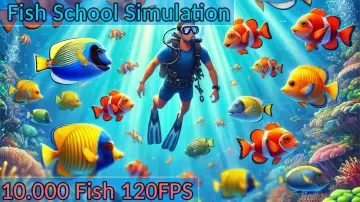 Gameplay Features
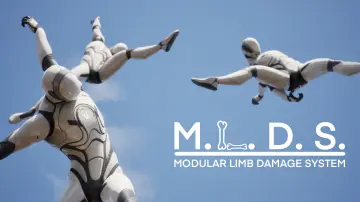 Gameplay Features
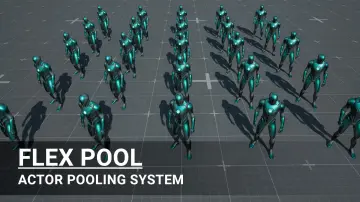 Gameplay Features
 Gameplay Features
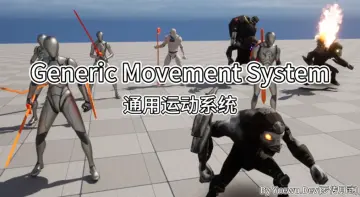 Gameplay Features
 Gameplay Features
 Gameplay Features
 Gameplay Features
 Gameplay Features
 Gameplay Features
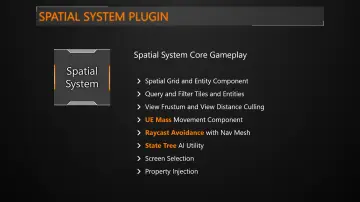 Gameplay Features
 Gameplay Features
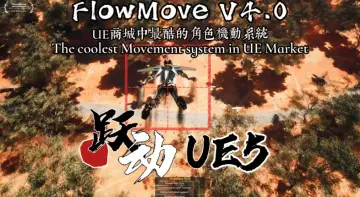 Gameplay Features
 Gameplay Features
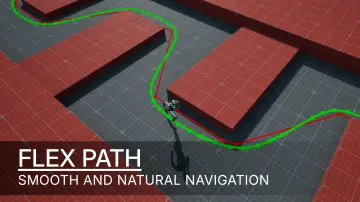 Gameplay Features
 Gameplay Features
 Gameplay Features
 Gameplay Features
 Gameplay Features
 Gameplay Features
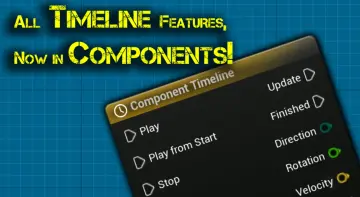 Gameplay Features
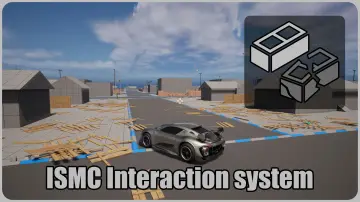 Gameplay Features
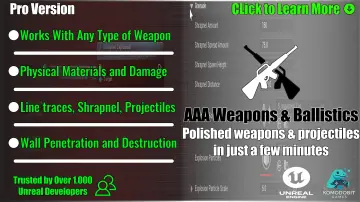 Gameplay Features
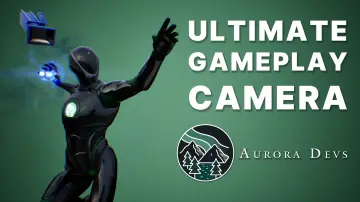 Gameplay Features
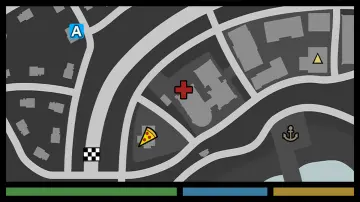 Gameplay Features
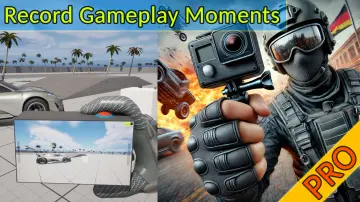 Gameplay Features
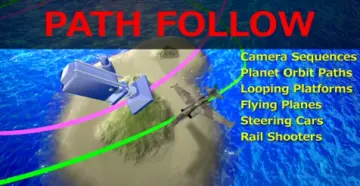 Gameplay Features