"7066dd76da796369"{"id":"14982","slug":"auto-mesh-outline","title":"Auto Mesh Outline","category":"Gameplay Features","engine":"4.27,5.0 - 5.7","assetVersion":"Engine version:4.27,5.0 - 5.7","engineVersion":"Asset Version:1.1","tag":"Gameplay Features","accent":"blue","visual":"character","summary":"Streamline your 3D workflow with Auto Mesh Outline, a tool designed to apply consistent visual outlines via component tags. It features runtime update capabilities and full network support for multi-part character meshes.","platform":"Unreal Engine","publishedAt":"2026-03-12T07:13:53.000Z","updatedAt":"2026-04-25T11:35:59.000Z","sourceNotes":[],"fileContents":[],"compatibility":["Unreal Engine","Engine version: 4.27,5.0 - 5.7"],"featuredImage":{"alt":"Auto Mesh Outline","src":"https://3dcghub.com/wp-content/uploads/2026/03/80591b4e-2023-47e9-8211-58ca4b02a293.webp"},"hasDownloadLink":true,"downloads":0,"terms":[{"taxonomy":"category","slug":"gameplay-features-tools-and-plugins","name":"Gameplay Features"},{"taxonomy":"post_tag","slug":"auto-mesh-outline","name":"Auto Mesh Outline"},{"taxonomy":"post_tag","slug":"characters","name":"Characters"},{"taxonomy":"post_tag","slug":"game-systems","name":"Game Systems"},{"taxonomy":"post_tag","slug":"multi-part-character-mesh","name":"Multi-part Character Mesh"},{"taxonomy":"post_tag","slug":"tools","name":"Tools"},{"taxonomy":"post_tag","slug":"vfx","name":"VFX"}],"galleryImages":[{"src":"https://3dcghub.com/wp-content/uploads/2026/03/b49b01d22a71_d3228044-ac1b-40aa-8537-cdfa992e6950.webp","alt":"Auto Mesh Outline"},{"src":"https://3dcghub.com/wp-content/uploads/2026/03/189e5e4051df_ec0cb940-2ae2-4823-afce-59de20950191.webp","alt":"Auto Mesh Outline"},{"src":"https://3dcghub.com/wp-content/uploads/2026/03/7964e91c2067_3539d33e-0163-438f-9bf0-14ed09c4284a.webp","alt":"Auto Mesh Outline"},{"src":"https://3dcghub.com/wp-content/uploads/2026/03/90c2ba1cdcd8_046e8fe4-e9ba-44a7-8004-d44bfbb5d4b7.webp","alt":"Auto Mesh Outline"},{"src":"https://3dcghub.com/wp-content/uploads/2026/03/55293050d629_0c4dc6d3-a43a-4feb-a140-40ee9eeabd02.webp","alt":"Auto Mesh Outline"}],"accessPanel":{"kind":"resource","title":"Access this resource","eyebrow":"Free Download","message":"Log in or create a free account to start your download.","fileName":"Auto Mesh Outline 4.27 - 5.7;V1.1.7z","safetyNote":"All resources are 100% manually reviewed to eliminate all risks.","actionLabel":"Download Free","resourceType":"Resource archive"},"contentHtml":"\u003ch2\u003eSimplified Outlining for 3D Assets\u003c/h2\u003e\n\u003cp\u003eAuto Mesh Outline provides a streamlined solution for developers looking to implement visual outlines on their 3D models. By utilizing component tags, this tool automates the process of applying various outline styles to meshes. This approach simplifies the workflow for artists and programmers alike. Consequently, users can achieve consistent visual results without manual application for every object.\u003c/p\u003e\n\n\u003ch2\u003eEfficient Outline Management via Tags\u003c/h2\u003e\n\u003cp\u003eThe core functionality of the Auto Mesh Outline system revolves around its tag-based architecture. You can automatically add different types of outlines simply by assigning specific component tags. This method allows for rapid iteration across diverse assets. Moreover, it ensures that the outlining process remains organized within complex project hierarchies. Therefore, managing visual styles becomes a more efficient task.\u003c/p\u003e\n\n\u003ch2\u003eSupport for Multi-Part Character Meshes\u003c/h2\u003e\n\u003cp\u003eThis tool is particularly useful for multi-part character mesh outlines. Characters in modern games often consist of several independent components. Auto Mesh Outline handles these parts effectively to create a unified look. Additionally, the system is designed to handle changes that occur during active gameplay.\u003c/p\u003e\n\n\u003ch3\u003eDynamic Runtime Updates\u003c/h3\u003e\n\u003cp\u003eWhen mesh parts change at runtime, maintaining the visual outline is essential. The developer included a specific \"update outline\" function to address this need. By calling this function, the system automatically applies the outline to the mesh. However, users should note that the tool does not support changing component tags during runtime. Therefore, tags should be established before the application begins its execution.\u003c/p\u003e\n\n\u003ch2\u003eNetwork Compatibility and Customization\u003c/h2\u003e\n\u003cp\u003eFor developers working on multiplayer projects, Auto Mesh Outline supports network environments. This ensures that visual outlines function correctly across different client instances. Furthermore, users can easily change the outline properties to match their specific aesthetic requirements. This flexibility allows for a high degree of visual customization. Consequently, the tool adapts well to various art styles and project needs.\u003c/p\u003e\n\n\u003ch3\u003eVersion 1.1 and Dissolve Samples\u003c/h3\u003e\n\u003cp\u003eThe creator has continued to improve the tool with the release of Version 1.1. This update introduces a dissolve sample to the package. This addition provides a practical example of how the outline system can be integrated with other effects. It serves as a useful reference for developers looking to expand their visual toolkit.\u003c/p\u003e\n\n\u003ch2\u003eFinal Take\u003c/h2\u003e\n\u003cp\u003eAuto Mesh Outline offers a robust set of features for managing mesh visuals. From its tag-based application to its runtime update function, it provides a professional solution for 3D outlining. With network support and customizable properties, it remains a versatile choice for complex character meshes and dynamic environments.\u003c/p\u003e\n\n\u003ch2\u003eContinue Browsing Similar Packs\u003c/h2\u003e\n\u003cul\u003e\n\u003cli\u003e\u003ca href=\"https://3dcghub.com/sci-fi-characters-pack-vol-2/\" title=\"Sci-Fi Characters (Pack) Vol.2\"\u003eSci-Fi Characters (Pack) Vol.2\u003c/a\u003e\u003c/li\u003e\n\u003cli\u003e\u003ca href=\"https://3dcghub.com/1950s-characters-bundle-1950s-characters-bundle-1950-character-gangster-3d/\" title=\"1950s Characters Bundle ( 1950s Characters Bundle 1950 Character Gangster 3D )\"\u003e1950s Characters Bundle ( 1950s Characters Bundle 1950 Character Gangster 3D )\u003c/a\u003e\u003c/li\u003e\n\u003cli\u003e\u003ca href=\"https://3dcghub.com/character-rigged-npc-character-rigged-npc-rig-characters-animated-3d/\" title=\"Character / Rigged / NPC ( Character Rigged NPC Rig Characters Animated 3D )\"\u003eCharacter / Rigged / NPC ( Character Rigged NPC Rig Characters Animated 3D )\u003c/a\u003e\u003c/li\u003e\n\u003cli\u003e\u003ca href=\"https://3dcghub.com/advanced-flock-system-multithreaded-fish-ai-and-reactive-school-behavior/\" title=\"Advanced Flock System – Multithreaded Fish AI and Reactive School Behavior\"\u003eAdvanced Flock System – Multithreaded Fish AI and Reactive School Behavior\u003c/a\u003e\u003c/li\u003e\n\u003cli\u003e\u003ca href=\"https://3dcghub.com/npc-eyes-sight-system-pro-accurate-npc-vision-with-light-shadow-body-points/\" title=\"NPC Eyes Sight System PRO – Accurate NPC Vision with Light, Shadow, Body Points\"\u003eNPC Eyes Sight System PRO – Accurate NPC Vision with Light, Shadow, Body Points\u003c/a\u003e\u003c/li\u003e\n\u003c/ul\u003e\n\n\u003ch2\u003eAsset Gallery\u003c/h2\u003e","contentTextLength":3296,"navigation":{"current":2259,"total":4016,"previous":{"id":"27457","slug":"cartoon-street","title":"Cartoon Street","category":"Streets \u0026 Construction","platform":"Unreal Engine","updatedAt":"2026-04-26T05:41:39.000Z"},"next":{"id":"27431","slug":"battle-of-drones-multiplayer","title":"Battle of Drones Multiplayer","category":"Shooter","platform":"Unreal Engine","updatedAt":"2026-04-25T10:58:13.000Z"}},"relatedResources":[{"id":"15012","slug":"flex-partition-optimization-system","title":"Flex Partition - Optimization System","category":"Gameplay Features","engine":"5.5","assetVersion":"Engine version: 5.5","engineVersion":"Asset Version:1.7","tag":"Gameplay Features","accent":"blue","visual":"luts","summary":"Flex Partition - Optimization System offers a sophisticated way to manage runtime and procedural actors using spatial hash grids. It prevents frame spikes through rate-limited streaming while maintaining actor states during activation cycles.","platform":"Unreal Engine","publishedAt":"2026-03-12T07:25:29.000Z","updatedAt":"2026-04-19T15:45:37.000Z","sourceNotes":[],"fileContents":[],"compatibility":["Unreal Engine","Engine version: 5.5","Asset Version: 1.7"],"featuredImage":{"alt":"Flex Partition - Optimization System","src":"https://3dcghub.com/wp-content/uploads/2026/03/df6dfa1a-d220-474e-a529-dd86fc919bf8.webp"},"hasDownloadLink":true,"downloads":0},{"id":"14967","slug":"advanced-fade-objects-pro-object-fading-with-tags-colors-and-multiplayer","title":"Advanced Fade Objects PRO – Object Fading with Tags, Colors and Multiplayer","category":"Gameplay Features","engine":"4.26 - 5.8","assetVersion":"Asset Version: 1.1 - 1.4.1","engineVersion":"Engine version: 4.26 - 5.8","tag":"Gameplay Features","accent":"blue","visual":"audio","summary":"Enhance your game's visibility with Advanced Fade Objects PRO. This C++ powered plugin automates object transparency between the camera and character for a smoother player experience.","platform":"Unreal Engine","publishedAt":"2026-03-12T07:09:41.000Z","updatedAt":"2026-07-29T12:55:52.438Z","sourceNotes":[],"fileContents":[],"compatibility":["Unreal Engine","Asset Version: 1.1 - 1.4.1","Engine version: 4.26 - 5.8"],"featuredImage":{"alt":"Advanced Fade Objects PRO – Object Fading with Tags, Colors and Multiplayer","src":"https://3dcghub.com/wp-content/uploads/2026/03/b42cd28c-8fea-4b0f-a37a-48aa5fe8a212.webp"},"hasDownloadLink":true,"downloads":1},{"id":"15042","slug":"line-of-sight-dynamic-mesh","title":"Line Of Sight. Dynamic mesh.","category":"Gameplay Features","engine":"4.26 - 5.8","assetVersion":"Asset Version:1.1 - 1.2","engineVersion":"Engine version: 4.26 - 5.8","tag":"Gameplay Features","accent":"blue","visual":"city","summary":"Enhance your game's visibility mechanics with Line Of Sight. Dynamic mesh., a high-performance C++ component designed for object detection and pseudo-lighting effects in both 2D and 3D environments.","platform":"Unreal Engine","publishedAt":"2026-03-12T07:35:31.000Z","updatedAt":"2026-09-30T04:27:29.697Z","sourceNotes":[],"fileContents":[],"compatibility":["Unreal Engine","Asset Version:1.1 - 1.2","Engine version: 4.26 - 5.8"],"featuredImage":{"alt":"Line Of Sight. Dynamic mesh.","src":"https://3dcghub.com/wp-content/uploads/2026/03/93d0eb38-da16-45d6-8884-d0fb25a29b10.webp"},"hasDownloadLink":true,"downloads":1}]}
Gameplay Features
Auto Mesh Outline
Streamline your 3D workflow with Auto Mesh Outline, a tool designed to apply consistent visual outlines via component tags. It features runtime update capabilities and full network support for multi-part character meshes.
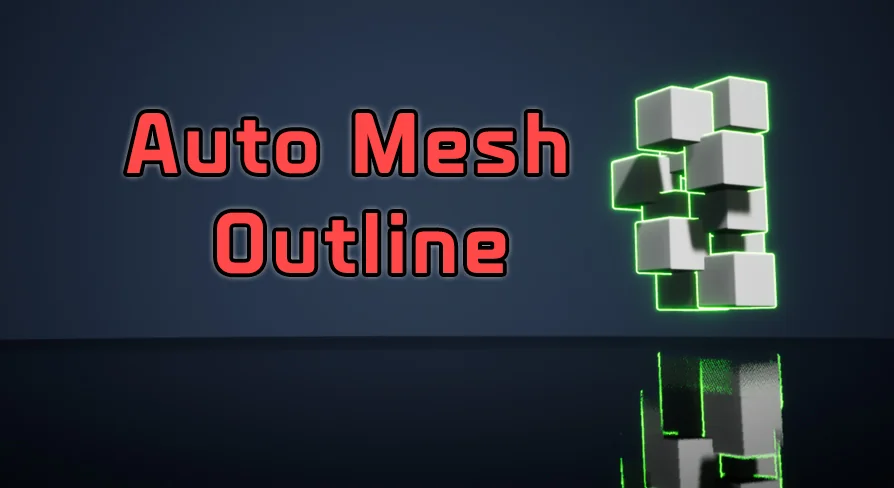
Auto Mesh Outline provides a streamlined solution for developers looking to implement visual outlines on their 3D models. By utilizing component tags, this tool automates the process of applying various outline styles to meshes. This approach simplifies the workflow for artists and programmers alike. Consequently, users can achieve consistent visual results without manual application for every object.
Efficient Outline Management via Tags
The core functionality of the Auto Mesh Outline system revolves around its tag-based architecture. You can automatically add different types of outlines simply by assigning specific component tags. This method allows for rapid iteration across diverse assets. Moreover, it ensures that the outlining process remains organized within complex project hierarchies. Therefore, managing visual styles becomes a more efficient task.
Support for Multi-Part Character Meshes
This tool is particularly useful for multi-part character mesh outlines. Characters in modern games often consist of several independent components. Auto Mesh Outline handles these parts effectively to create a unified look. Additionally, the system is designed to handle changes that occur during active gameplay.
Dynamic Runtime Updates
When mesh parts change at runtime, maintaining the visual outline is essential. The developer included a specific "update outline" function to address this need. By calling this function, the system automatically applies the outline to the mesh. However, users should note that the tool does not support changing component tags during runtime. Therefore, tags should be established before the application begins its execution.
Network Compatibility and Customization
For developers working on multiplayer projects, Auto Mesh Outline supports network environments. This ensures that visual outlines function correctly across different client instances. Furthermore, users can easily change the outline properties to match their specific aesthetic requirements. This flexibility allows for a high degree of visual customization. Consequently, the tool adapts well to various art styles and project needs.
Version 1.1 and Dissolve Samples
The creator has continued to improve the tool with the release of Version 1.1. This update introduces a dissolve sample to the package. This addition provides a practical example of how the outline system can be integrated with other effects. It serves as a useful reference for developers looking to expand their visual toolkit.
Final Take
Auto Mesh Outline offers a robust set of features for managing mesh visuals. From its tag-based application to its runtime update function, it provides a professional solution for 3D outlining. With network support and customizable properties, it remains a versatile choice for complex character meshes and dynamic environments.
 Gameplay Features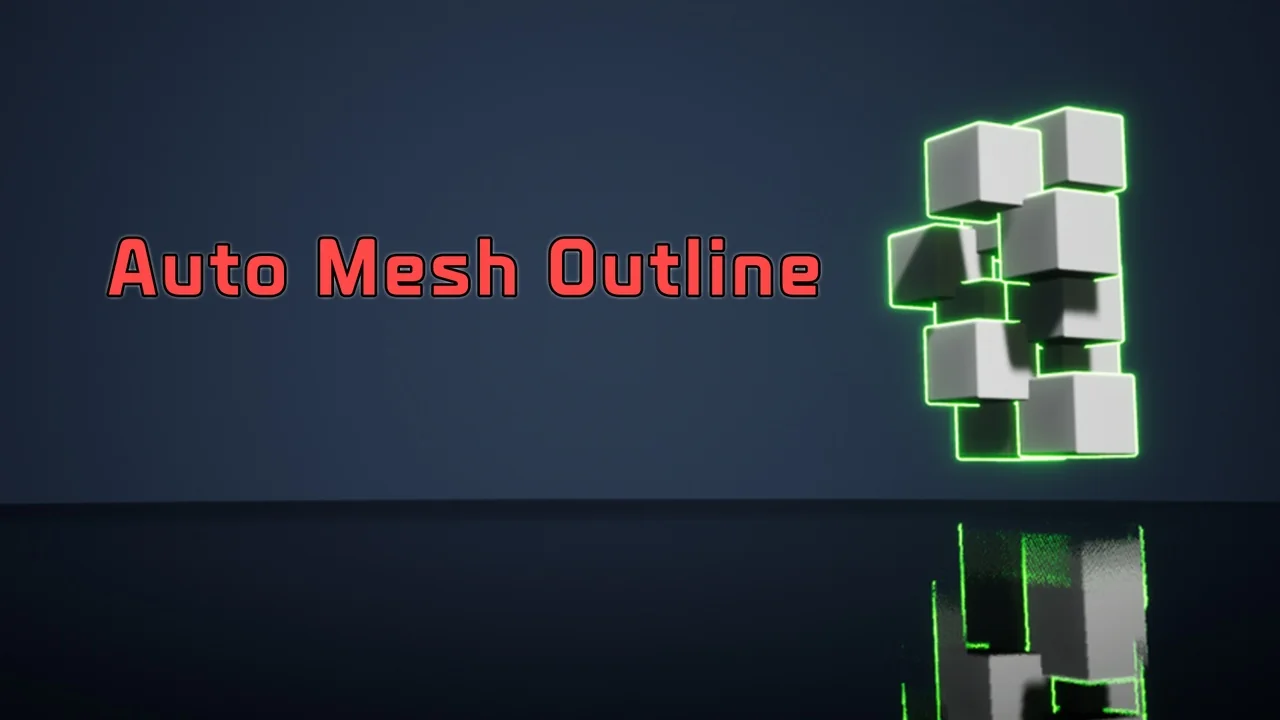
 Gameplay Features
 Gameplay Features
 Gameplay Features