"c68a05d5e51405b3"{"id":"1000697","slug":"tempest-inventory-system","title":"Tempest Inventory System","category":"Gameplay Features","engine":"5.6","assetVersion":"Asset Version: 1.0","engineVersion":"Engine Version: 5.6","tag":"Gameplay Features","accent":"blue","visual":"mech","summary":"Dark Souls-inspired Unreal Engine inventory plugin with dynamic item management, atmospheric UI, loot, equipment, merchant systems, and modular gameplay tags.","platform":"Unreal Engine","publishedAt":"2026-07-23T16:33:58.202Z","updatedAt":"2026-07-23T16:33:58.202Z","sourceNotes":[],"fileContents":[],"compatibility":["Unreal Engine","Asset Version: 1.0","Engine Version: 5.6"],"featuredImage":{"alt":"Tempest Inventory System","src":"/wp-content/uploads/published/2026/07/0f711c1e995e-aca8a686-893b-49b3-9a59-8b9f73f2d5b5-bc8705b511.webp"},"hasDownloadLink":true,"downloads":0,"terms":[{"taxonomy":"category","slug":"gameplay-features-tools-and-plugins","name":"Gameplay Features"}],"galleryImages":[{"src":"/wp-content/uploads/published/2026/07/53b09761b259-7e49c133-e330-4ac4-aba2-d6e99131b562-2199121830.webp","alt":"Tempest Inventory System"},{"src":"/wp-content/uploads/published/2026/07/86fe8ccec5cc-9924cfe7-5ce7-4be7-9ab0-b8967c8ac005-1abab5be78.webp","alt":"Tempest Inventory System"},{"src":"/wp-content/uploads/published/2026/07/b0d440486e00-30cd5333-1b1a-47d6-80f3-ca3f221e6b92-49e280655d.webp","alt":"Tempest Inventory System"},{"src":"/wp-content/uploads/published/2026/07/fd2f186895fc-b28e4e39-196a-40e0-979c-615830c4dcbd-4e89411f6d.webp","alt":"Tempest Inventory System"},{"src":"/wp-content/uploads/published/2026/07/4fc741c9751d-824a621e-fd1b-43c6-9c1d-f006a094d97f-af19ea51b1.webp","alt":"Tempest Inventory System"},{"src":"/wp-content/uploads/published/2026/07/0ff2f00a128d-be13c951-0700-4df1-b529-b9f53f77c4a7-daa43ee890.webp","alt":"Tempest Inventory System"},{"src":"/wp-content/uploads/published/2026/07/8a1ad1fcb457-bcec69ff-267b-4929-a7d1-a47dfc59bd65-2a8a05d3d6.webp","alt":"Tempest Inventory System"},{"src":"/wp-content/uploads/published/2026/07/92de51199ac0-f3b194d7-1cf8-460c-bf2f-2ad2b79b54b2-07706cbf68.webp","alt":"Tempest Inventory System"},{"src":"/wp-content/uploads/published/2026/07/e3f1adbe4a54-5ef10ff6-0700-4412-bb3c-9cd2a759696a-2baa8b3582.webp","alt":"Tempest Inventory System"},{"src":"/wp-content/uploads/published/2026/07/871c96f24b81-5079f824-7f46-4ce4-ba9b-24879760eafc-4f4ae00b84.webp","alt":"Tempest Inventory System"}],"accessPanel":{"kind":"resource","title":"Download this resource","eyebrow":"Free Download","message":"Log in or create a free account to start your download.","fileName":"5.6.7z","safetyNote":"Resources are manually reviewed before listing to improve quality and reduce obvious risks.","actionLabel":"Download Free","resourceType":"Resource archive"},"contentHtml":"\u003ch2\u003ePlugging Into Unreal Engine RPG Projects\u003c/h2\u003e\n\u003cp\u003eDrop-in integration forms the starting point for the Tempest Inventory System. The plugin slots directly into Unreal Engine projects, meaning developers can bypass months of bespoke UI and item-management engineering that typically stalls pre-production. Runtime dependencies are kept internal, so the plugin does not require hunting through external marketplaces to find complementary systems before the inventory actually responds to input. Gameplay tags reveal the underlying architecture: \u003cstrong\u003eWidget, System, Action, Slot, Modular, Gameplay, Merchant, Soul, Equipment, Menu, RPG, Loot, Inventory, Pickup\u003c/strong\u003e. Grouping those tags tells a functional story—widgets handle display, modular slots manage the grid, actions drive equipping and looting, and merchant interactions sit alongside the pickup pipeline.\u003c/p\u003e\n\n\n\u003ch3\u003eHow Developers Wire the UI\u003c/h3\u003e\n\u003cp\u003eIntegrating the toolset starts with examining the example project and playable demo that ship alongside the plugin. Both references demonstrate how the widgets bind to slot data. Advanced implementers can pre-configure inventory blueprints in the level editor, then link actor pickups directly into the dynamic inventory architecture. The plugin handles much of the pipeline automatically. Item acquisition, equipment slot checks, and merchant transaction flows are routed through scripted modular actions. Developers can arrange their pickups across a level, define the corresponding equipment parameters within the plugin's data tables, and let the slot logic govern whether an item is auto-equipped or held as standard inventory. External documentation is provided separately to guide that process.\u003c/p\u003e\n\n\u003ch2\u003eAtmospheric UI Design for Souls-like RPGs\u003c/h2\u003e\n\u003cp\u003eTempest Inventory System captures a dark, immersive aesthetic directly inspired by Demon's Souls, Dark Souls, and Elden Ring. The interface architecture relies heavily on tonal contrast and slimmer widget edges, producing menus that feel oppressive and considered rather than clean. Item icons sit in deep negative weight, allowing art direction in the surrounding world to bleed naturally into the inventory display. This design approach prevents the pause-menu effect from breaking immersion.\u003c/p\u003e\n\n\n\u003cp\u003eDevelopers building mysterious or brooding RPG worlds can lean on that visual identity. The atmospheric interface actively complements the brooding backdrop. The intent extends beyond simply opening a menu; the goal is to ensure a player's gaze remains anchored in the dark, forbidding tone even when they are managing backpack contents, sorting weapons, or selecting consumable items to heal before an encounter.\u003c/p\u003e\n\n\u003ch3\u003eWhat Ships and What Developers Supply\u003c/h3\u003e\n\u003cp\u003eOnly the UI elements carry over into the package. Art assets—meaning the 3D models, textures, and rendering materials representing the items themselves—are not included. Developers must supply their own visual representations for weapons, armor, consumables, and quest items. The distinct separation actually simplifies the art pipeline. Teams attach their own art assets to predefined modular slot nodes, snapping and scaling custom meshes to fit the generated layout. Because the list of slots, equipment categories, and merchant transaction flows are already structured via the dynamic inventory architecture, a developer's workflow narrows to importing a mesh, binding it to a slot element, and testing the equipped weapon or item setup straight away.\u003c/p\u003e\n\n\n\u003ch2\u003eItem Weight and Progression Gameplay\u003c/h2\u003e\n\u003cp\u003eThe plugin is not a flat visual shell. Tempest Inventory System focuses heavily on dynamic item management, delivering meaningful interactions that enhance gameplay. A core focus of the toolset is intuitive item management, combined with deep and dynamic inventory interactions. Players feel the weight and progression of every item they acquire. The architecture tracks acquisitions in a way that can tie into broader progression loops, letting developers implement equip-load rules affecting stamina or dodging, encumbrance mechanics, item degeneration, or simply restricting usable items based on hidden narrative flags.\u003c/p\u003e\n\n\n\u003ch2\u003eMerchant, Equipment, and Loot Workflows in Tempest Inventory System\u003c/h2\u003e\n\u003cp\u003eThe modular gameplay/tag inventory framework proves useful when structuring in-game economies and combat. Specific slots govern equipment usage, allowing developers to pre-determine how weapon durability degrades or enchantments trigger. The Merchant tag governs how trading flows execute, tying item costs and availability into the dynamic slot constraints. Loot and Pickup interfaces define the behavior of dropped items, letting designers script exactly how the world reacts when enemies fall or when a boss arena reveals a powerful relic. These systems are designed to work in tandem. Item progression flows organically from item discovery to inventory management and finally into combat or merchant interactions.\u003c/p\u003e\n\n\n\u003ch3\u003eConnecting with Tempest Combat Framework\u003c/h3\u003e\n\n\u003cp\u003eCompatibility extends to the Tempest Combat Framework - V2.0 Action Combat System. This integration target gives action-RPG developers a practical pathway for synchronizing equipped gear with melee combat behavior. A developer can configure the inventory's Weapon slots to feed parameters directly into attack animations, damage calculation data, and stamina consumption rules. When the player equips a heavy weapon dragged from the widget panel, the combat framework can receive the transmitted slot data and alter the speed and feedback of dodge rolls accordingly.\u003c/p\u003e\n\n\u003ch2\u003eSupport Resources and Production Readiness\u003c/h2\u003e\n\u003cp\u003eTempest Inventory System ships with an ecosystem of reference materials. Developers gain access to a playable demo, an example project, external documentation, and Discord support channels. The playable demo showcases expected behavior and visual ergonomics before any integration work begins. The example project serves as a learning tool, offering developers a sandbox to study modular slot configurations and widget structures. Those resources reduce the learning curve considerably. If a developer hits a snag during implementation, the substance of the support channels and written documentation angles directly toward troubleshooting inventory logic. With its clear cross-compatibility, explicit art asset handling, and supporting demo material, the plugin arrives in a production-ready state for developers aiming to build deep, immersive role-playing games with a demanding Souls-like atmosphere.\u003c/p\u003e\n\n\u003ch2\u003eRelated Resources Worth Checking\u003c/h2\u003e\n\u003cul\u003e\n\u003cli\u003e\u003ca href=\"https://3dcghub.com/customizable-interaction-plugin/\" title=\"Customizable Interaction Plugin\"\u003eCustomizable Interaction Plugin\u003c/a\u003e\u003c/li\u003e\n\u003cli\u003e\u003ca href=\"https://3dcghub.com/tile-based-minimap/\" title=\"Tile Based Minimap\"\u003eTile Based Minimap\u003c/a\u003e\u003c/li\u003e\n\u003cli\u003e\u003ca href=\"https://3dcghub.com/path-follow/\" title=\"Path Follow\"\u003ePath Follow\u003c/a\u003e\u003c/li\u003e\n\u003cli\u003e\u003ca href=\"https://3dcghub.com/map-system-worldmap-minimap/\" title=\"Map System – WorldMap \u0026amp; Minimap\"\u003eMap System – WorldMap \u0026amp; Minimap\u003c/a\u003e\u003c/li\u003e\n\u003cli\u003e\u003ca href=\"https://3dcghub.com/advanced-fade-objects-pro-object-fading-with-tags-colors-and-multiplayer/\" title=\"Advanced Fade Objects PRO – Object Fading with Tags, Colors and Multiplayer\"\u003eAdvanced Fade Objects PRO – Object Fading with Tags, Colors and Multiplayer\u003c/a\u003e\u003c/li\u003e\n\u003c/ul\u003e","contentTextLength":6629,"navigation":{"current":1307,"total":3860,"previous":{"id":"1000341","slug":"smart-shooting-npc-and-player-projectile-target-prediction-and-ballistic-system","title":"Smart Shooting - NPC \u0026 Player Projectile Target Prediction \u0026 Ballistic System","category":"Game Mechanics","platform":"Unreal Engine","updatedAt":"2026-07-23T16:54:01.327Z"},"next":{"id":"1000696","slug":"unreal-engine-5-gameplay-ability-system-gas-crash-course","title":"Unreal Engine 5 Gameplay Ability System (GAS) Crash Course","category":"Unreal Engine","platform":"Unreal Engine","updatedAt":"2026-07-23T15:15:12.089Z"}},"relatedResources":[{"id":"15092","slug":"tile-based-minimap","title":"Tile Based Minimap","category":"Gameplay Features","engine":"5.3 - 5.5","assetVersion":"Asset Version: 1.2.2 - 2.1.1","engineVersion":"Engine Version: 5.3 - 5.5","tag":"Gameplay Features","accent":"blue","visual":"mech","summary":"The Tile Based Minimap system provides a robust solution for creating tiled in-game maps using pre-rendered level images. It features GPS-style routing, multi-grid support, and full Blueprint extensibility.","platform":"Unreal Engine","publishedAt":"2026-03-12T07:51:23.000Z","updatedAt":"2026-10-08T12:57:55.645Z","sourceNotes":[],"fileContents":[],"compatibility":["Unreal Engine","Asset Version: 1.2.2 - 2.1.1","Engine Version: 5.3 - 5.5"],"featuredImage":{"alt":"Tile Based Minimap","src":"https://3dcghub.com/wp-content/uploads/2026/03/768cc7d5-0ca5-439b-b02a-f4807a2c39bd.webp"},"hasDownloadLink":true,"downloads":4},{"id":"14999","slug":"customizable-interaction-plugin","title":"Customizable Interaction Plugin","category":"Gameplay Features","engine":"5.2 - 5.7","assetVersion":"Asset Version:1.0.1 - 2.0.4","engineVersion":"Engine version: 5.2 - 5.7","tag":"Gameplay Features","accent":"blue","visual":"character","summary":"The Customizable Interaction Plugin is a high-performance C++ tool designed for easy implementation. It features various interaction modes, detection settings, and full network replication.","platform":"Unreal Engine","publishedAt":"2026-03-12T07:22:15.000Z","updatedAt":"2026-09-30T04:21:56.258Z","sourceNotes":[],"fileContents":[],"compatibility":["Unreal Engine","Asset Version:1.0.1 - 2.0.4","Engine version: 5.2 - 5.7"],"featuredImage":{"alt":"Customizable Interaction Plugin","src":"https://3dcghub.com/wp-content/uploads/2026/03/61633308-c75d-4c5d-99bd-54efe2e0d535.webp"},"hasDownloadLink":true,"downloads":3},{"id":"1001785","slug":"advance-interactive-story","title":"Advance Interactive Story","category":"Gameplay Features","engine":"5.4 - 5.5","assetVersion":"Asset Version: 3.2","engineVersion":"Engine Version: 5.4 - 5.5","tag":"Gameplay Features","accent":"blue","visual":"mech","summary":"Explore Advance Interactive Story, featuring a custom graph editor, Level Sequencer QTE tracks, diverse interaction archetypes, and dynamic UI widgets.","platform":"Unreal Engine","publishedAt":"2026-10-21T07:39:02.745Z","updatedAt":"2026-10-21T07:39:02.745Z","sourceNotes":[],"fileContents":[],"compatibility":["Unreal Engine","Asset Version: 3.2","Engine Version: 5.4 - 5.5"],"featuredImage":{"alt":"Advance Interactive Story","src":"/wp-content/uploads/published/2026/10/3645516ec547-921aee0c-cce1-4fa4-939a-ae846687693b-e9e31d80cf.webp"},"hasDownloadLink":true,"downloads":0}]}
Gameplay Features
Tempest Inventory System
Dark Souls-inspired Unreal Engine inventory plugin with dynamic item management, atmospheric UI, loot, equipment, merchant systems, and modular gameplay tags.
Drop-in integration forms the starting point for the Tempest Inventory System. The plugin slots directly into Unreal Engine projects, meaning developers can bypass months of bespoke UI and item-management engineering that typically stalls pre-production. Runtime dependencies are kept internal, so the plugin does not require hunting through external marketplaces to find complementary systems before the inventory actually responds to input. Gameplay tags reveal the underlying architecture: Widget, System, Action, Slot, Modular, Gameplay, Merchant, Soul, Equipment, Menu, RPG, Loot, Inventory, Pickup. Grouping those tags tells a functional story—widgets handle display, modular slots manage the grid, actions drive equipping and looting, and merchant interactions sit alongside the pickup pipeline.
How Developers Wire the UI
Integrating the toolset starts with examining the example project and playable demo that ship alongside the plugin. Both references demonstrate how the widgets bind to slot data. Advanced implementers can pre-configure inventory blueprints in the level editor, then link actor pickups directly into the dynamic inventory architecture. The plugin handles much of the pipeline automatically. Item acquisition, equipment slot checks, and merchant transaction flows are routed through scripted modular actions. Developers can arrange their pickups across a level, define the corresponding equipment parameters within the plugin's data tables, and let the slot logic govern whether an item is auto-equipped or held as standard inventory. External documentation is provided separately to guide that process.
Atmospheric UI Design for Souls-like RPGs
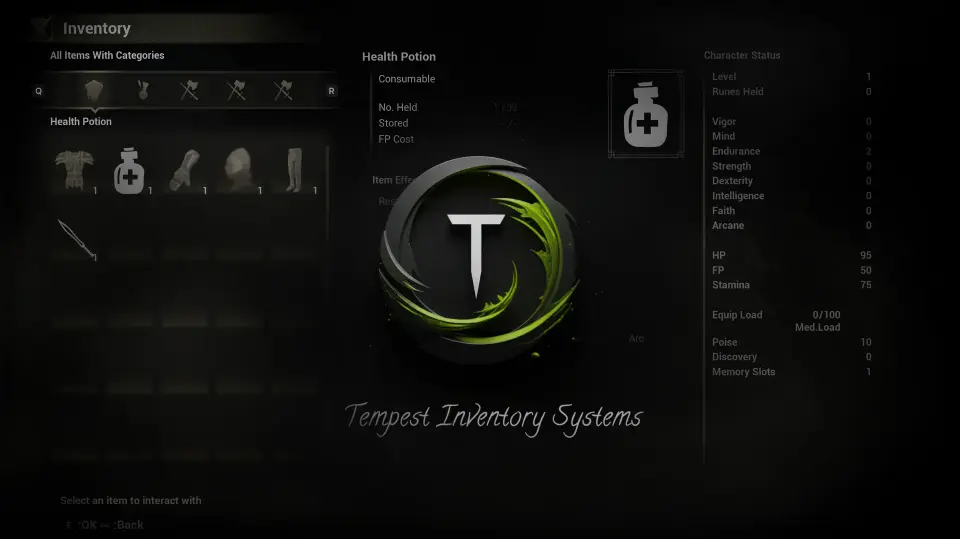
Tempest Inventory System captures a dark, immersive aesthetic directly inspired by Demon's Souls, Dark Souls, and Elden Ring. The interface architecture relies heavily on tonal contrast and slimmer widget edges, producing menus that feel oppressive and considered rather than clean. Item icons sit in deep negative weight, allowing art direction in the surrounding world to bleed naturally into the inventory display. This design approach prevents the pause-menu effect from breaking immersion.
Developers building mysterious or brooding RPG worlds can lean on that visual identity. The atmospheric interface actively complements the brooding backdrop. The intent extends beyond simply opening a menu; the goal is to ensure a player's gaze remains anchored in the dark, forbidding tone even when they are managing backpack contents, sorting weapons, or selecting consumable items to heal before an encounter.
What Ships and What Developers Supply
Only the UI elements carry over into the package. Art assets—meaning the 3D models, textures, and rendering materials representing the items themselves—are not included. Developers must supply their own visual representations for weapons, armor, consumables, and quest items. The distinct separation actually simplifies the art pipeline. Teams attach their own art assets to predefined modular slot nodes, snapping and scaling custom meshes to fit the generated layout. Because the list of slots, equipment categories, and merchant transaction flows are already structured via the dynamic inventory architecture, a developer's workflow narrows to importing a mesh, binding it to a slot element, and testing the equipped weapon or item setup straight away.
Item Weight and Progression Gameplay
The plugin is not a flat visual shell. Tempest Inventory System focuses heavily on dynamic item management, delivering meaningful interactions that enhance gameplay. A core focus of the toolset is intuitive item management, combined with deep and dynamic inventory interactions. Players feel the weight and progression of every item they acquire. The architecture tracks acquisitions in a way that can tie into broader progression loops, letting developers implement equip-load rules affecting stamina or dodging, encumbrance mechanics, item degeneration, or simply restricting usable items based on hidden narrative flags.
Merchant, Equipment, and Loot Workflows in Tempest Inventory System
The modular gameplay/tag inventory framework proves useful when structuring in-game economies and combat. Specific slots govern equipment usage, allowing developers to pre-determine how weapon durability degrades or enchantments trigger. The Merchant tag governs how trading flows execute, tying item costs and availability into the dynamic slot constraints. Loot and Pickup interfaces define the behavior of dropped items, letting designers script exactly how the world reacts when enemies fall or when a boss arena reveals a powerful relic. These systems are designed to work in tandem. Item progression flows organically from item discovery to inventory management and finally into combat or merchant interactions.
Connecting with Tempest Combat Framework
Compatibility extends to the Tempest Combat Framework - V2.0 Action Combat System. This integration target gives action-RPG developers a practical pathway for synchronizing equipped gear with melee combat behavior. A developer can configure the inventory's Weapon slots to feed parameters directly into attack animations, damage calculation data, and stamina consumption rules. When the player equips a heavy weapon dragged from the widget panel, the combat framework can receive the transmitted slot data and alter the speed and feedback of dodge rolls accordingly.
Support Resources and Production Readiness
Tempest Inventory System ships with an ecosystem of reference materials. Developers gain access to a playable demo, an example project, external documentation, and Discord support channels. The playable demo showcases expected behavior and visual ergonomics before any integration work begins. The example project serves as a learning tool, offering developers a sandbox to study modular slot configurations and widget structures. Those resources reduce the learning curve considerably. If a developer hits a snag during implementation, the substance of the support channels and written documentation angles directly toward troubleshooting inventory logic. With its clear cross-compatibility, explicit art asset handling, and supporting demo material, the plugin arrives in a production-ready state for developers aiming to build deep, immersive role-playing games with a demanding Souls-like atmosphere.
 Gameplay Features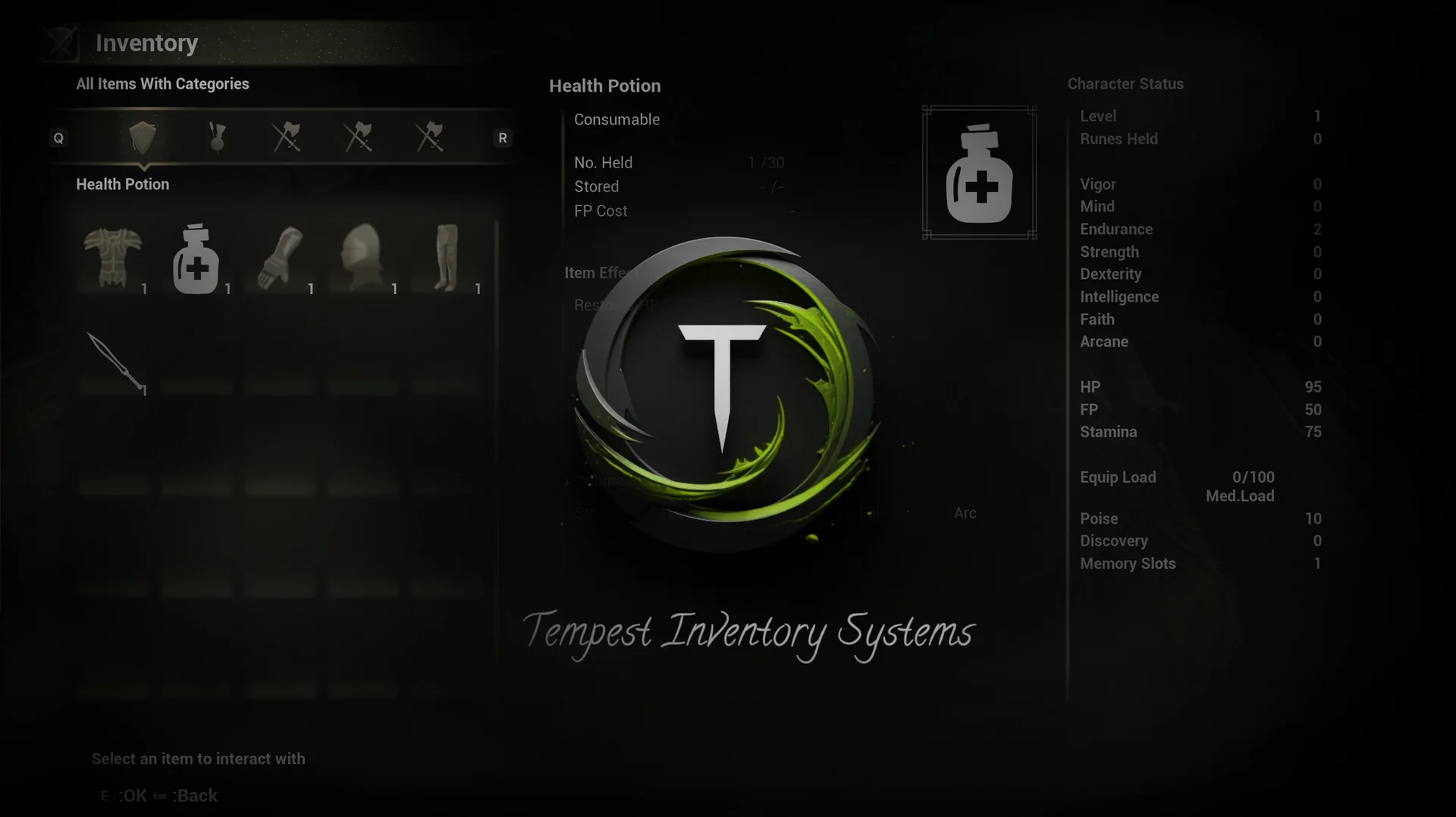
 Gameplay Features
 Gameplay Features
 Gameplay Features