"6f9bd6df1f44a86f"{"id":"1000831","slug":"generic-movement-system-a-powerful-movement-control-and-locomotion-system","title":"Generic Movement System - A powerful movement control and locomotion system","category":"Gameplay Features","engine":"5.6","assetVersion":"Asset Version: 1.4","engineVersion":"Engine Version: 5.6","tag":"Gameplay Features","accent":"blue","visual":"animation","summary":"A modular Unreal Engine movement and locomotion framework utilizing components, Animation Blueprint Templates, and data assets for flexible, network-synchronize","platform":"Unreal Engine","indexPolicy":"index","publishedAt":"2026-08-03T12:42:58.679Z","updatedAt":"2026-08-03T12:42:58.679Z","sourceNotes":[],"fileContents":[],"compatibility":["Unreal Engine","Asset Version: 1.4","Engine Version: 5.6"],"featuredImage":{"alt":"Generic Movement System - A powerful movement control and locomotion system","src":"/wp-content/uploads/published/2026/08/ab5b72fb8ee3-ede99ba3-5604-482c-a348-e5623ee74ff9-2698172b92.webp"},"hasDownloadLink":true,"downloads":5,"terms":[{"taxonomy":"category","slug":"gameplay-features-tools-and-plugins","name":"Gameplay Features"}],"galleryImages":[{"src":"/wp-content/uploads/published/2026/08/991f70877721-babd88a7-24a0-49da-8392-a4b28f316bfb-ac472c5b8d.webp","alt":"Generic Movement System - A powerful movement control and locomotion system"},{"src":"/wp-content/uploads/published/2026/08/73a7278a698a-db1e5aee-b0ef-4efb-a75e-9cabdd8ab18c-7d72fb6192.webp","alt":"Generic Movement System - A powerful movement control and locomotion system"},{"src":"/wp-content/uploads/published/2026/08/e8773ee8c459-1226dab9-0a6b-4af4-b807-a6a7ea50570d-a99247f026.webp","alt":"Generic Movement System - A powerful movement control and locomotion system"},{"src":"/wp-content/uploads/published/2026/08/4446972de238-c2814e6e-e28f-4394-b7eb-5a49498c106f-85fe2716ca.webp","alt":"Generic Movement System - A powerful movement control and locomotion system"},{"src":"/wp-content/uploads/published/2026/08/13f29df01edb-e53ff0f4-2598-41ea-9b3b-5462f37fd928-11e5196973.webp","alt":"Generic Movement System - A powerful movement control and locomotion system"},{"src":"/wp-content/uploads/published/2026/08/f9130ccc501f-e7d24468-9540-4c36-aac5-71c44789dd26-60bbb287f2.webp","alt":"Generic Movement System - A powerful movement control and locomotion system"},{"src":"/wp-content/uploads/published/2026/08/59bbd6dde3e4-39226b6e-29fb-4fd1-91e3-653974ce2d27-933beba12f.webp","alt":"Generic Movement System - A powerful movement control and locomotion system"},{"src":"/wp-content/uploads/published/2026/08/bfcc215903a5-c2e59ed1-b572-4d1e-a0d7-2919c00a2025-15c53f96ea.webp","alt":"Generic Movement System - A powerful movement control and locomotion system"},{"src":"/wp-content/uploads/published/2026/08/5145cc481221-b8bfb996-c9a5-4a29-b15e-18c24386c731-52c3a4b225.webp","alt":"Generic Movement System - A powerful movement control and locomotion system"},{"src":"/wp-content/uploads/published/2026/08/8f5611d5c593-65eb4ea2-b1d6-4d64-ad6e-c7fdf76c8df3-7e66c74d51.webp","alt":"Generic Movement System - A powerful movement control and locomotion system"}],"accessPanel":{"kind":"resource","title":"Download this resource","eyebrow":"Free Download","message":"Log in or create a free account to start your download.","fileName":"Generic Movement System - A powerful movement control and locomotion system.7z","safetyNote":"Resources are manually reviewed before listing to improve quality and reduce obvious risks.","actionLabel":"Download Free","resourceType":"Resource archive"},"contentHtml":"\u003cp\u003eBuilding a character controller that naturally adapts to varying terrains, combat states, and multiplayer environments requires a structure that does not become tangled in a monolithic Blueprint. The \u003cem\u003eGeneric Movement System (GMS)\u003c/em\u003e addresses this by operating as a 2-part framework: a Movement Control System and an Animation System. By leveraging built-in Unreal Engine functionality, the framework provides a modular, extensible approach to locomotion that serves to accelerate project development and demonstrate best practices for character mechanics.\u003c/p\u003e\n\n\u003ch2\u003eNon-Intrusive Movement Control Architecture\u003c/h2\u003e\n\u003cp\u003eAt the core of GMS is its movement control logic, which is fully encapsulated within a single Actor Component. This design choice directly impacts how a project is set up. Developers can integrate the system into their projects without modifying an existing character's parent class or current movement component. Setup involves adding just 1 component and 1 Animation Blueprint, making the integration process straightforward and non-destructive to established character bases.\u003c/p\u003e\n\n\u003cp\u003eOnce integrated, the system provides a rich set of movement and rotation controls. Developers can define different speeds, accelerations, and decelerations across various movement states. The rotation control is equally granular, offering orientation modes that include velocity-based, input-based, view-based, and a dedicated \u003ccode\u003eTurningCircle\u003c/code\u003e mode. Interacting with these mechanics is handled through a simple API. Based on the specific logic of a game, developers can switch between movement definitions, movement sets, movement states, rotation modes, and overlay modes to generate diverse and tailored character control scenarios.\u003c/p\u003e\n\n\u003ch2\u003eData-Driven Animation via Blueprint Templates and Layer Interfaces\u003c/h2\u003e\n\u003cp\u003eThe locomotion half of GMS is built using Animation Blueprint Template (\u003ccode\u003eABPT\u003c/code\u003e) and Animation Layer Interface (\u003ccode\u003eALI\u003c/code\u003e) technologies. This structure provides a framework for animating characters that aims to eliminate the need for complex Animation Blueprint node setups. Instead of hard-wiring animation logic, most animation assets are configured using data-driven methods through Data Assets. Advanced users can still utilize this structure to expand complex animation systems.\u003c/p\u003e\n\n\u003cp\u003eBecause the system uses Animation Blueprint Templates, it achieves high adaptability across different rig types. It is compatible with any skeleton, including quadrupeds. The flexible data configuration structure allows developers to directly use third-party animation packs from the Marketplace. When a new character animation pack is introduced, it simply becomes a new Data Asset within the system. For animations that do not exist in an animation pack, GMS includes an overlaying system to create them.\u003c/p\u003e\n\n\u003cp\u003eExtensibility is handled through the Animation Layer Interface, which allows developers to customize animation layers and their settings. These customizations can be implemented using Blueprint or C++ and support seamless runtime replacement.\u003c/p\u003e\n\n\u003ch2\u003eLayered and Pose-Based Animation Overlays\u003c/h2\u003e\n\u003cp\u003eGMS implements 2 specific types of overlay systems. The first is a Stacked, or Layered, Animation Overlay System. This allows the system to play different animations simultaneously across multiple body parts. Playback can be selectively triggered based on the activation state of animation nodes, and the system can perform \u003ccode\u003eGameplayTags\u003c/code\u003e queries specific to the Actor to drive dynamic and varied animation effects. Within GMS, this stacked system operates as one implementation of the \u003ccode\u003eOverlayLayer\u003c/code\u003e.\u003c/p\u003e\n\n\u003cp\u003eThe second is a Pose-based Animation Overlay System. This system functions similarly to the Advanced Locomotion System (ALS) layering system but is designed to be more independent, intuitive, and user-friendly. Like the stacked overlay system, it also serves as an implementation of the \u003ccode\u003eGMS OverlayLayer\u003c/code\u003e.\u003c/p\u003e\n\n\u003ch2\u003ePerformance, UE5 Motion Features, and Audio-Visual Context\u003c/h2\u003e\n\u003cp\u003eUnder the hood, GMS aims to minimize CPU consumption by leveraging C++ and animation multithreading. A developer does not need to know C++ to use the system, but the framework supports extension through both Blueprint and C++ for those who need deeper customization.\u003c/p\u003e\n\n\u003cp\u003eThe system fully utilizes Unreal Engine 5's Distance Matching, Orientation Warping, and Stride Warping systems to produce smooth movement effects. Beyond movement itself, GMS manages context-driven audio and visuals. It can play different VFX and SFX dynamically depending on the Physical Material surface being interacted with. This context is determined using \u003ccode\u003eGameplayTags\u003c/code\u003e. The system automates footstep VFX and SFX setup without requiring a large number of hard asset references to be embedded directly within animation sequences.\u003c/p\u003e\n\n\u003ch2\u003eMultiplayer, GAS Compatibility, and External Integrations\u003c/h2\u003e\n\u003cp\u003eAll features within GMS support network synchronization for multiplayer gameplay, with continuous optimization planned for this aspect of the framework. The system is also intentionally designed to be friendly toward the Gameplay Ability System (GAS). It prefers the use of \u003ccode\u003eGameplayTags\u003c/code\u003e over enums and integrates well with projects already utilizing GAS, as GAS can provide the necessary \u003ccode\u003eGameplayTags\u003c/code\u003e directly to the movement system. The developer notes that a combat system based on GAS works perfectly with GMS.\u003c/p\u003e\n\n\u003cp\u003eFor external integration, an experimental Motion Matching integration is available. GMS also contains pre-built animation integration for \u003ccode\u003espace.bar.anim\u003c/code\u003e. If a developer owns these specific animation packs, they can import them directly into the system, where movement definitions are already configured. This is a code plugin, meaning the code itself is the primary distribution method, and users must be verified post-purchase to access provided content assets and Git repository access.\u003c/p\u003e\n\n\u003ch2\u003eFramework Expectations and Project Fit\u003c/h2\u003e\n\u003cp\u003eGMS is a robust framework designed to support future development plans easily. It centralizes all movement control and animation settings into Data Assets, and developers can dynamically swap both movement control logic and animation assets during runtime through simple API calls.\u003c/p\u003e\n\n\u003cp\u003eThe system is not intended for absolute beginners. Effective use requires a basic understanding of \u003ccode\u003eGameplayTags\u003c/code\u003e and Blueprints. The system comes with extensive documentation and video tutorials to assist with implementation. As an actively maintained project, the developer notes that documentation, tutorials, and sample content will be continually updated, which may result in price adjustments over time. Implementing GMS is best suited for developers who have outgrown basic character movement components and need a modular, tag-driven framework that can handle multiplayer replication and complex state-switching without rewriting an existing character hierarchy.\u003c/p\u003e\n\n\u003ch2\u003eExplore Similar Assets\u003c/h2\u003e\n\u003cul\u003e\n\u003cli\u003e\u003ca href=\"https://3dcghub.com/path-follow/\" rel=\"noopener noreferrer\"\u003ePath Follow\u003c/a\u003e\u003c/li\u003e\n\u003cli\u003e\u003ca href=\"https://3dcghub.com/gbwflowmove-high-speed-movement-system-multiplayer-ready/\" rel=\"noopener noreferrer\"\u003eGBWFlowMove - High-speed Movement system, Multiplayer Ready!\u003c/a\u003e\u003c/li\u003e\n\u003cli\u003e\u003ca href=\"https://3dcghub.com/ultimate-gameplay-camera/\" rel=\"noopener noreferrer\"\u003eUltimate Gameplay Camera\u003c/a\u003e\u003c/li\u003e\n\u003cli\u003e\u003ca href=\"https://3dcghub.com/instance-damage-system/\" rel=\"noopener noreferrer\"\u003eInstance Damage System\u003c/a\u003e\u003c/li\u003e\n\u003cli\u003e\u003ca href=\"https://3dcghub.com/advanced-riding-locomotion-system-riding-system/\" rel=\"noopener noreferrer\"\u003eAdvanced Riding Locomotion System (Riding System)\u003c/a\u003e\u003c/li\u003e\n\u003c/ul\u003e","contentTextLength":6958,"navigation":{"current":1532,"total":4218,"previous":{"id":"1000832","slug":"get-away-system","title":"Get Away System","category":"Gameplay Features","platform":"Unreal Engine","updatedAt":"2026-08-03T12:46:53.642Z"},"next":{"id":"1000830","slug":"functional-fps-equipment","title":"Functional FPS Equipment","category":"Gameplay Features","platform":"Unreal Engine","updatedAt":"2026-08-03T12:13:42.864Z"}},"relatedResources":[{"id":"15069","slug":"path-follow","title":"Path Follow","category":"Gameplay Features","engine":"5.6 - 5.7","assetVersion":"Engine version: 5.6 - 5.7","engineVersion":"Asset Version:1.1","tag":"Gameplay Features","accent":"blue","visual":"luts","summary":"Path Follow provides developers with complete control over actor movement along spline paths in Unreal Engine 4. This versatile tool supports event triggers, runtime speed adjustments, and seamless VR and mobile integration.","platform":"Unreal Engine","indexPolicy":"index","publishedAt":"2026-03-12T07:42:28.000Z","updatedAt":"2026-04-19T15:45:35.000Z","sourceNotes":[],"fileContents":[],"compatibility":["Unreal Engine","Engine version: 5.6 - 5.7","Asset Version: 1.1"],"featuredImage":{"alt":"Path Follow","src":"https://3dcghub.com/wp-content/uploads/2026/03/9185d0b2-142e-484c-83cc-afe1bd97960a.webp"},"hasDownloadLink":true,"downloads":1},{"id":"1000460","slug":"gbwflowmove-high-speed-movement-system-multiplayer-ready","title":"GBWFlowMove - High-speed Movement system, Multiplayer Ready!","category":"Gameplay Features","engine":"5.2","assetVersion":"Asset Version: 1.0","engineVersion":"Engine Version: 5.2","tag":"Gameplay Features","accent":"blue","visual":"mech","summary":"A C++ movement framework for Unreal Engine with multiplayer replication, parkour mechanics, climbing, sliding, and extensible blueprint support.","platform":"Unreal Engine","indexPolicy":"index","publishedAt":"2026-07-11T04:57:21.385Z","updatedAt":"2026-07-11T04:57:21.385Z","sourceNotes":[],"fileContents":[],"compatibility":["Unreal Engine","Asset Version: 1.0","Engine Version: 5.2"],"featuredImage":{"alt":"GBWFlowMove - High-speed Movement system, Multiplayer Ready!","src":"/wp-content/uploads/published/2026/07/4f5f17a6c2cd-1b507f9b-a941-4800-93c3-ab80dacc2004-1e6289d538.webp"},"hasDownloadLink":true,"downloads":0},{"id":"1001068","slug":"smart-locomotion","title":"Smart Locomotion","category":"Animations","engine":"5.2+","assetVersion":"","engineVersion":"Engine Version: 5.2+","tag":"Animations","accent":"blue","visual":"animation","summary":"Smart Locomotion is a multiplayer-ready movement template with FPS/TPS cameras, parkour, swimming, ladders, combat stances, Foot IK, and high-quality animations","platform":"Unreal Engine","indexPolicy":"index","publishedAt":"2026-09-03T16:46:08.418Z","updatedAt":"2026-09-03T16:46:08.418Z","sourceNotes":[],"fileContents":[],"compatibility":["Unreal Engine","Engine Version: 5.2+"],"featuredImage":{"alt":"Smart Locomotion","src":"/wp-content/uploads/published/2026/09/e88f36f8a02e-55b74ceb-8f2a-4af4-9e60-b34718f52e90-b86c5e3d03.webp"},"hasDownloadLink":true,"downloads":1}]}
Gameplay Features
Generic Movement System - A powerful movement control and locomotion system
A modular Unreal Engine movement and locomotion framework utilizing components, Animation Blueprint Templates, and data assets for flexible, network-synchronize
Building a character controller that naturally adapts to varying terrains, combat states, and multiplayer environments requires a structure that does not become tangled in a monolithic Blueprint. The Generic Movement System (GMS) addresses this by operating as a 2-part framework: a Movement Control System and an Animation System. By leveraging built-in Unreal Engine functionality, the framework provides a modular, extensible approach to locomotion that serves to accelerate project development and demonstrate best practices for character mechanics.
Non-Intrusive Movement Control Architecture
At the core of GMS is its movement control logic, which is fully encapsulated within a single Actor Component. This design choice directly impacts how a project is set up. Developers can integrate the system into their projects without modifying an existing character's parent class or current movement component. Setup involves adding just 1 component and 1 Animation Blueprint, making the integration process straightforward and non-destructive to established character bases.
Once integrated, the system provides a rich set of movement and rotation controls. Developers can define different speeds, accelerations, and decelerations across various movement states. The rotation control is equally granular, offering orientation modes that include velocity-based, input-based, view-based, and a dedicated TurningCircle mode. Interacting with these mechanics is handled through a simple API. Based on the specific logic of a game, developers can switch between movement definitions, movement sets, movement states, rotation modes, and overlay modes to generate diverse and tailored character control scenarios.
Data-Driven Animation via Blueprint Templates and Layer Interfaces
The locomotion half of GMS is built using Animation Blueprint Template (ABPT) and Animation Layer Interface (ALI) technologies. This structure provides a framework for animating characters that aims to eliminate the need for complex Animation Blueprint node setups. Instead of hard-wiring animation logic, most animation assets are configured using data-driven methods through Data Assets. Advanced users can still utilize this structure to expand complex animation systems.
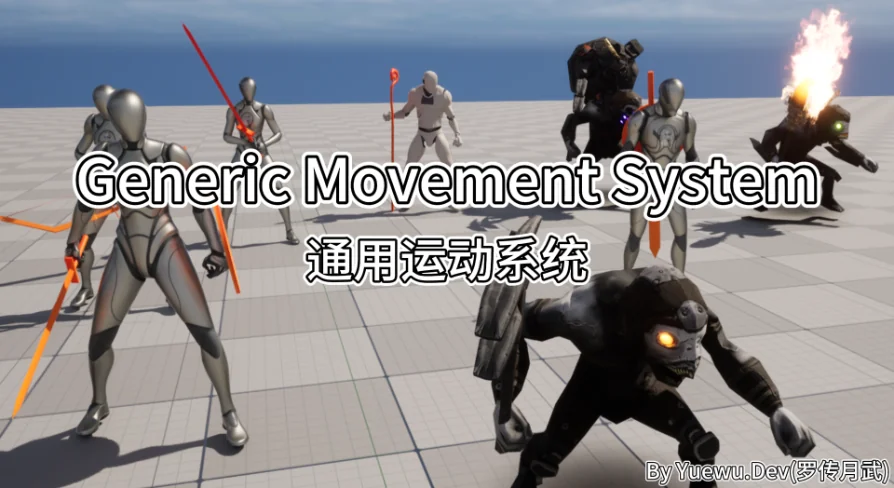
Because the system uses Animation Blueprint Templates, it achieves high adaptability across different rig types. It is compatible with any skeleton, including quadrupeds. The flexible data configuration structure allows developers to directly use third-party animation packs from the Marketplace. When a new character animation pack is introduced, it simply becomes a new Data Asset within the system. For animations that do not exist in an animation pack, GMS includes an overlaying system to create them.
Extensibility is handled through the Animation Layer Interface, which allows developers to customize animation layers and their settings. These customizations can be implemented using Blueprint or C++ and support seamless runtime replacement.
Layered and Pose-Based Animation Overlays
GMS implements 2 specific types of overlay systems. The first is a Stacked, or Layered, Animation Overlay System. This allows the system to play different animations simultaneously across multiple body parts. Playback can be selectively triggered based on the activation state of animation nodes, and the system can perform GameplayTags queries specific to the Actor to drive dynamic and varied animation effects. Within GMS, this stacked system operates as one implementation of the OverlayLayer.
The second is a Pose-based Animation Overlay System. This system functions similarly to the Advanced Locomotion System (ALS) layering system but is designed to be more independent, intuitive, and user-friendly. Like the stacked overlay system, it also serves as an implementation of the GMS OverlayLayer.
Performance, UE5 Motion Features, and Audio-Visual Context
Under the hood, GMS aims to minimize CPU consumption by leveraging C++ and animation multithreading. A developer does not need to know C++ to use the system, but the framework supports extension through both Blueprint and C++ for those who need deeper customization.
The system fully utilizes Unreal Engine 5's Distance Matching, Orientation Warping, and Stride Warping systems to produce smooth movement effects. Beyond movement itself, GMS manages context-driven audio and visuals. It can play different VFX and SFX dynamically depending on the Physical Material surface being interacted with. This context is determined using GameplayTags. The system automates footstep VFX and SFX setup without requiring a large number of hard asset references to be embedded directly within animation sequences.
Multiplayer, GAS Compatibility, and External Integrations
All features within GMS support network synchronization for multiplayer gameplay, with continuous optimization planned for this aspect of the framework. The system is also intentionally designed to be friendly toward the Gameplay Ability System (GAS). It prefers the use of GameplayTags over enums and integrates well with projects already utilizing GAS, as GAS can provide the necessary GameplayTags directly to the movement system. The developer notes that a combat system based on GAS works perfectly with GMS.
For external integration, an experimental Motion Matching integration is available. GMS also contains pre-built animation integration for space.bar.anim. If a developer owns these specific animation packs, they can import them directly into the system, where movement definitions are already configured. This is a code plugin, meaning the code itself is the primary distribution method, and users must be verified post-purchase to access provided content assets and Git repository access.
Framework Expectations and Project Fit
GMS is a robust framework designed to support future development plans easily. It centralizes all movement control and animation settings into Data Assets, and developers can dynamically swap both movement control logic and animation assets during runtime through simple API calls.
The system is not intended for absolute beginners. Effective use requires a basic understanding of GameplayTags and Blueprints. The system comes with extensive documentation and video tutorials to assist with implementation. As an actively maintained project, the developer notes that documentation, tutorials, and sample content will be continually updated, which may result in price adjustments over time. Implementing GMS is best suited for developers who have outgrown basic character movement components and need a modular, tag-driven framework that can handle multiplayer replication and complex state-switching without rewriting an existing character hierarchy.
 Gameplay Features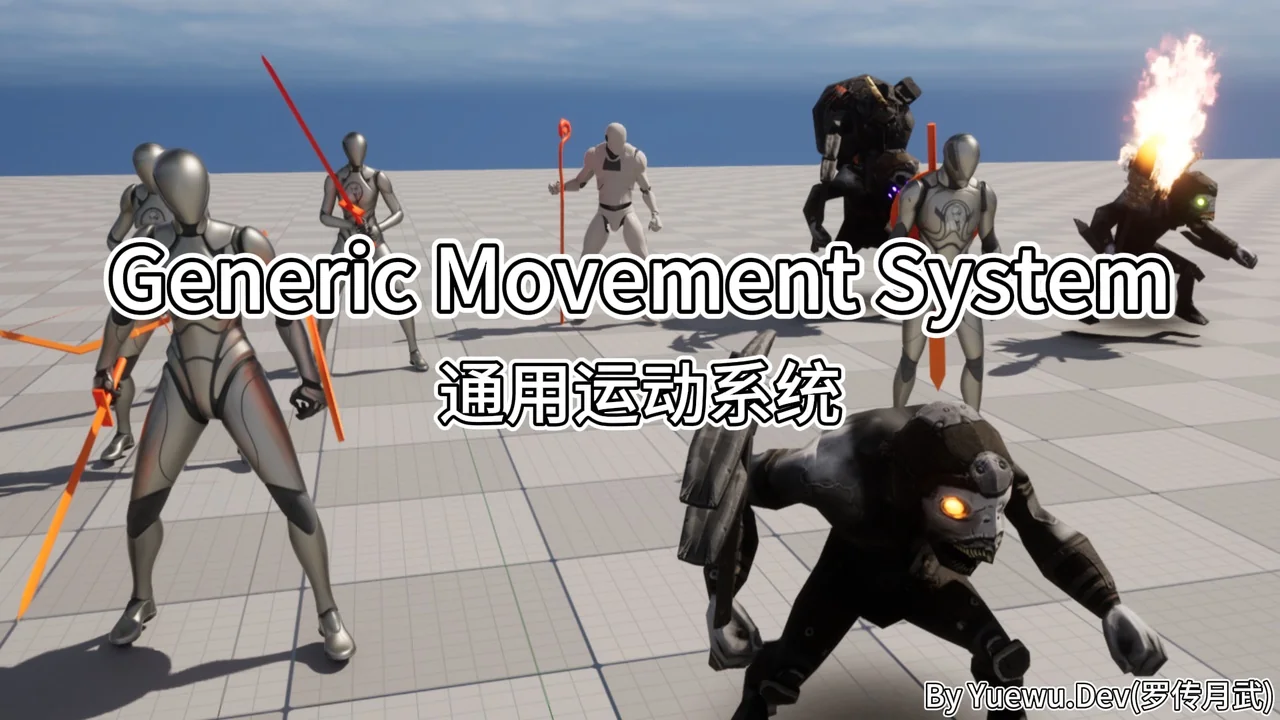
 Gameplay Features
 Gameplay Features
 Animations