"6f9bd6df1f44a86f"{"id":"1000832","slug":"get-away-system","title":"Get Away System","category":"Gameplay Features","engine":"5.5+","assetVersion":"","engineVersion":"Engine Version: 5.5+","tag":"Gameplay Features","accent":"blue","visual":"mech","summary":"Blueprint-based escape ability component for Unreal Engine. Fully customizable dash mechanic with placeholder animations, built entirely in Blueprints for quick","platform":"Unreal Engine","indexPolicy":"index","publishedAt":"2026-08-03T12:46:53.642Z","updatedAt":"2026-08-03T12:46:53.642Z","sourceNotes":[],"fileContents":[],"compatibility":["Unreal Engine","Engine Version: 5.5+"],"featuredImage":{"alt":"Get Away System","src":"/wp-content/uploads/published/2026/08/9c82047dd0b2-60671276-f89b-4f99-8f22-059914dab44c-646d0a5631.webp"},"hasDownloadLink":true,"downloads":0,"terms":[{"taxonomy":"category","slug":"gameplay-features","name":"Gameplay Features"}],"galleryImages":[{"src":"/wp-content/uploads/published/2026/08/5d974e4ac6ed-dc73a93f-3918-407d-8a7d-b593b2674d1e-804e1c049b.webp","alt":"Get Away System"},{"src":"/wp-content/uploads/published/2026/08/882f6f15654f-87e679fe-581f-4a25-b866-f568f49c79c7-673eaa2c6c.webp","alt":"Get Away System"},{"src":"/wp-content/uploads/published/2026/08/dbfb8a5a8bb0-82aed815-fa9d-44bd-a981-0063af0ddc8f-e57d76cc26.webp","alt":"Get Away System"},{"src":"/wp-content/uploads/published/2026/08/09ba93c0ef37-9290a62c-f618-4628-883d-cf989828f85a-a8729bab87.webp","alt":"Get Away System"},{"src":"/wp-content/uploads/published/2026/08/0a444a8221f4-0b86dfa0-519a-4408-b996-eb8bc7adb992-9fa81b7136.webp","alt":"Get Away System"}],"accessPanel":{"kind":"resource","title":"Download this resource","eyebrow":"Free Download","message":"Log in or create a free account to start your download.","fileName":"GetAwaySystem.7z","safetyNote":"Resources are manually reviewed before listing to improve quality and reduce obvious risks.","actionLabel":"Download Free","resourceType":"Resource archive"},"contentHtml":"\u003cp\u003eThe \u003cem\u003eGet Away System\u003c/em\u003e centers on a single Actor Component designed to inject an escape ability into an Unreal Engine project. The entire system is written 100% in Blueprints, which means no C++ knowledge is required to read, modify, or extend the logic. The component handles the core behavior of a getaway or dash action, giving a character a quick burst of movement that can be used to evade threats or reposition during combat and traversal scenarios.\u003c/p\u003e\n\n\u003cp\u003eAt its heart, this is a mechanics-driven asset. The developer built it to solve a specific gameplay problem: how to add a reliable escape ability without hand-coding the underlying math and state transitions from scratch. Because the implementation lives entirely in Blueprints, every variable, timeline, and Event Graph node is exposed and editable directly in the editor.\u003c/p\u003e\n\n\u003ch2\u003eBlueprint Architecture of the Get Away System Component\u003c/h2\u003e\n\u003cp\u003eThe choice to write the system 100% in Blueprints has practical consequences for anyone integrating it. There is no need to compile source code or deal with project-level build configurations. The logic can be inspected node by node, making it straightforward to trace how the escape ability triggers, executes, and resolves. Developers who prefer visual scripting can drop the component into an existing character Blueprint and wire it into their input system without leaving the editor environment.\u003c/p\u003e\n\n\u003cp\u003eThis architecture also means the component is inherently customizable. Every parameter that governs the escape behavior—whether that involves dash distance, cooldown timing, movement speed during the burst, or activation conditions—is exposed as a Blueprint variable that can be adjusted in the Details Panel. The system's tag list reinforces this orientation: \u003cem\u003eCustomizable\u003c/em\u003e appears as a primary descriptor, alongside \u003cem\u003eDash\u003c/em\u003e, \u003cem\u003eRealistic\u003c/em\u003e, \u003cem\u003eAbility\u003c/em\u003e, and \u003cem\u003eBlueprint\u003c/em\u003e. These tags signal that the component is built to be tuned rather than consumed as a fixed black box.\u003c/p\u003e\n\n\u003ch3\u003eDash Behavior and Ability Integration\u003c/h3\u003e\n\u003cp\u003eThe escape ability itself functions as a dash mechanic. When activated, the component propels the character out of their current position, creating the kind of quick displacement that players associate with evasion or burst movement. The \u003cem\u003eDash\u003c/em\u003e and \u003cem\u003eAbility\u003c/em\u003e tags confirm that the system is categorized as a gameplay ability rather than a simple movement modifier. It is structured to be slotted into a character's kit as a distinct action with its own logic.\u003c/p\u003e\n\n\u003cp\u003eThe \u003cem\u003eRealistic\u003c/em\u003e tag suggests the dash is tuned to feel grounded rather than cartoonish or exaggerated. This orientation makes the component suitable for projects that lean toward believable character movement, where escape abilities should feel like a burst of physical effort rather than a teleport. The system provides the mechanical framework; the exact feel can be dialed in through the exposed Blueprint variables.\u003c/p\u003e\n\n\u003ch2\u003ePlaceholder Animations and Their Intended Role\u003c/h2\u003e\n\u003cp\u003eThe package includes a set of animations, but the developer is explicit about their purpose: they exist to demonstrate how the system works, not to serve as final assets in a shipped game. These animations show the connection points between the component's Blueprint logic and a character's Animation Graph. They illustrate when and how an animation should trigger during the escape ability, giving developers a working reference rather than a blank setup.\u003c/p\u003e\n\n\u003cp\u003eTo get meaningful results from the system, the developer recommends replacing the included demo animations with custom ones. This is a common pattern in mechanic-focused Blueprint packs: the logic is the product, and the visual assets are scaffolding. Anyone building a serious project will already have their own character rigs and animation sets. The placeholder animations simply prove that the component fires correctly and the timing relationships between Blueprint events and Animation Montages are properly configured.\u003c/p\u003e\n\n\u003ch3\u003eBringing Your Own Animation Set\u003c/h3\u003e\n\u003cp\u003eSwapping in custom animations is where the system's Blueprint-based design pays off. Because the component is fully exposed, developers can see exactly which animation references are being called and where they slot into the escape ability's sequence. The integration points are visible in the Event Graph, making it possible to retarget the animation calls to project-specific Montages without guessing at hidden internal logic. This transparency reduces the friction that often comes with plugging a pre-built mechanic into an existing character pipeline.\u003c/p\u003e\n\n\u003ch2\u003eWhere the Escape Ability Component Fits\u003c/h2\u003e\n\u003cp\u003eThe \u003cem\u003eGet Away System\u003c/em\u003e is built for any Unreal Engine project that needs a quick, repeatable escape or dash mechanic. This covers a broad range of scenarios: action games where a character needs an evasion roll or burst dash, adventure titles where a getaway move helps players escape ambushes, or even horror games where a sudden sprint-dash is the only tool for breaking line of sight with a pursuer. The component's modular nature means it can be attached to a player character, an AI-controlled enemy that needs a retreat option, or any Actor that benefits from sudden positional displacement.\u003c/p\u003e\n\n\u003cp\u003eBecause the system is tagged as \u003cem\u003eCustomizable\u003c/em\u003e and written entirely in Blueprints, it accommodates projects of varying complexity. A small team can integrate it as-is with minor parameter tweaks. A larger team can use it as a foundation, extending the Blueprint logic to tie the escape ability into a broader Gameplay Ability System (GAS), add stamina costs, implement cooldown modifiers, or gate activation behind specific game states.\u003c/p\u003e\n\n\u003ch2\u003eWho Gets the Most Out of This System\u003c/h2\u003e\n\u003cp\u003eDevelopers working in Blueprints who want a functional escape ability without building one from the ground up will find the most direct value here. The component is set up to handle the mechanical demands of a dash-based getaway: activation, movement, and resolution. The included demo animations provide a working baseline so the system can be tested immediately, while the fully exposed Blueprint graph makes it clear where custom animations and tuned parameters belong.\u003c/p\u003e\n\n\u003cp\u003eThe system is best understood as a ready-to-extend mechanic rather than a finished, plug-and-play gameplay feature with polished visuals. It provides the structural logic for an escape ability and leaves the visual identity to the developer's own animation pipeline. For any project that already has character animations and needs a reliable Blueprint component to drive a dash or getaway action, this system handles that responsibility directly.\u003c/p\u003e\n\n\u003ch2\u003eRelated Resources Worth Checking\u003c/h2\u003e\n\u003cul\u003e\n\u003cli\u003e\u003ca href=\"https://3dcghub.com/advanced-fuel-system-multiplayer-vehicle-addon/\" rel=\"noopener noreferrer\"\u003eAdvanced Fuel System: Multiplayer Vehicle Addon\u003c/a\u003e\u003c/li\u003e\n\u003cli\u003e\u003ca href=\"https://3dcghub.com/dismemberment-kit-v2/\" rel=\"noopener noreferrer\"\u003eDismemberment Kit V2\u003c/a\u003e\u003c/li\u003e\n\u003cli\u003e\u003ca href=\"https://3dcghub.com/project-sunrise-interaction-dialogue-quest-system/\" rel=\"noopener noreferrer\"\u003eProject Sunrise - Interaction, Dialogue \u0026amp; Quest System\u003c/a\u003e\u003c/li\u003e\n\u003cli\u003e\u003ca href=\"https://3dcghub.com/gasp-basic-template-for-fps-with-spatial-inventory/\" rel=\"noopener noreferrer\"\u003eGASP: Basic Template for FPS with Spatial Inventory\u003c/a\u003e\u003c/li\u003e\n\u003cli\u003e\u003ca href=\"https://3dcghub.com/dynamic-parkour-trace-system/\" rel=\"noopener noreferrer\"\u003eDynamic Parkour Trace System\u003c/a\u003e\u003c/li\u003e\n\u003c/ul\u003e","contentTextLength":6747,"navigation":{"current":1531,"total":4218,"previous":{"id":"1000833","slug":"glass-mirrors-windows","title":"Glass Mirrors Windows","category":"Buildings \u0026 Architecture","platform":"Unreal Engine","updatedAt":"2026-08-03T13:08:49.613Z"},"next":{"id":"1000831","slug":"generic-movement-system-a-powerful-movement-control-and-locomotion-system","title":"Generic Movement System - A powerful movement control and locomotion system","category":"Gameplay Features","platform":"Unreal Engine","updatedAt":"2026-08-03T12:42:58.679Z"}},"relatedResources":[{"id":"1000048","slug":"customizable-bodycam-component","title":"Customizable Bodycam Component","category":"Gameplay Features","engine":"5.1+","assetVersion":"","engineVersion":"Engine Version: 5.1+","tag":"Gameplay Features","accent":"blue","visual":"mech","summary":"A Blueprint-driven camera component designed to deliver photorealistic, character-mirrored motion, exposed material parameters, and customizable VHS effects.","platform":"Unreal Engine","indexPolicy":"index","publishedAt":"2026-05-22T11:03:34.875Z","updatedAt":"2026-10-24T07:39:32.861Z","sourceNotes":[],"fileContents":[],"compatibility":["Unreal Engine","Engine Version: 5.1+"],"featuredImage":{"alt":"Customizable Bodycam Component","src":"/wp-content/uploads/published/2026/05/a8f60f9cccc0-8a5f4ac1-11c7-49f2-9fb6-a21c09403ba4-65699f7637.webp"},"hasDownloadLink":true,"downloads":5},{"id":"15092","slug":"tile-based-minimap","title":"Tile Based Minimap","category":"Gameplay Features","engine":"5.3 - 5.5","assetVersion":"Asset Version: 1.2.2 - 2.1.1","engineVersion":"Engine Version: 5.3 - 5.5","tag":"Gameplay Features","accent":"blue","visual":"mech","summary":"The Tile Based Minimap system provides a robust solution for creating tiled in-game maps using pre-rendered level images. It features GPS-style routing, multi-grid support, and full Blueprint extensibility.","platform":"Unreal Engine","indexPolicy":"noindex","publishedAt":"2026-03-12T07:51:23.000Z","updatedAt":"2026-10-08T12:57:55.645Z","sourceNotes":[],"fileContents":[],"compatibility":["Unreal Engine","Asset Version: 1.2.2 - 2.1.1","Engine Version: 5.3 - 5.5"],"featuredImage":{"alt":"Tile Based Minimap","src":"https://3dcghub.com/wp-content/uploads/2026/03/768cc7d5-0ca5-439b-b02a-f4807a2c39bd.webp"},"hasDownloadLink":true,"downloads":5},{"id":"1001475","slug":"ultimate-hit-reaction-system","title":"Ultimate Hit Reaction System","category":"Gameplay Features","engine":"5.6+","assetVersion":"","engineVersion":"Engine Version: 5.6+","tag":"Gameplay Features","accent":"blue","visual":"mech","summary":"A deep dive into the Ultimate Hit Reaction System for Unreal Engine, covering its 168 mocap animations, Chooser Tables, Motion Warping, and IK integration.","platform":"Unreal Engine","indexPolicy":"index","publishedAt":"2026-10-08T08:28:50.048Z","updatedAt":"2026-10-08T08:28:50.048Z","sourceNotes":[],"fileContents":[],"compatibility":["Unreal Engine","Engine Version: 5.6+"],"featuredImage":{"alt":"Ultimate Hit Reaction System","src":"/wp-content/uploads/published/2026/10/8833d5e34c3d-c4d6cc46-3a57-4651-a1d2-e8585976b5ea-a14898b9cd.webp"},"hasDownloadLink":true,"downloads":3}]}
Gameplay Features
Get Away System
Blueprint-based escape ability component for Unreal Engine. Fully customizable dash mechanic with placeholder animations, built entirely in Blueprints for quick
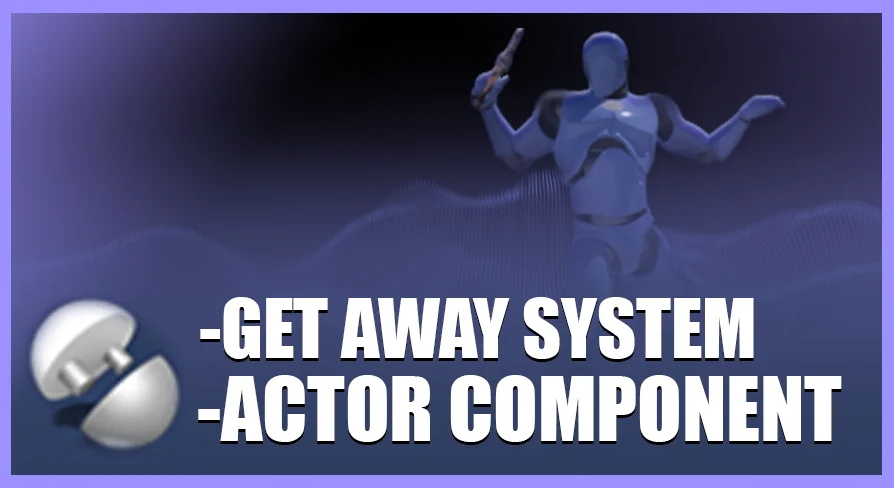
The Get Away System centers on a single Actor Component designed to inject an escape ability into an Unreal Engine project. The entire system is written 100% in Blueprints, which means no C++ knowledge is required to read, modify, or extend the logic. The component handles the core behavior of a getaway or dash action, giving a character a quick burst of movement that can be used to evade threats or reposition during combat and traversal scenarios.
At its heart, this is a mechanics-driven asset. The developer built it to solve a specific gameplay problem: how to add a reliable escape ability without hand-coding the underlying math and state transitions from scratch. Because the implementation lives entirely in Blueprints, every variable, timeline, and Event Graph node is exposed and editable directly in the editor.
Blueprint Architecture of the Get Away System Component
The choice to write the system 100% in Blueprints has practical consequences for anyone integrating it. There is no need to compile source code or deal with project-level build configurations. The logic can be inspected node by node, making it straightforward to trace how the escape ability triggers, executes, and resolves. Developers who prefer visual scripting can drop the component into an existing character Blueprint and wire it into their input system without leaving the editor environment.
This architecture also means the component is inherently customizable. Every parameter that governs the escape behavior—whether that involves dash distance, cooldown timing, movement speed during the burst, or activation conditions—is exposed as a Blueprint variable that can be adjusted in the Details Panel. The system's tag list reinforces this orientation: Customizable appears as a primary descriptor, alongside Dash, Realistic, Ability, and Blueprint. These tags signal that the component is built to be tuned rather than consumed as a fixed black box.
Dash Behavior and Ability Integration
The escape ability itself functions as a dash mechanic. When activated, the component propels the character out of their current position, creating the kind of quick displacement that players associate with evasion or burst movement. The Dash and Ability tags confirm that the system is categorized as a gameplay ability rather than a simple movement modifier. It is structured to be slotted into a character's kit as a distinct action with its own logic.
The Realistic tag suggests the dash is tuned to feel grounded rather than cartoonish or exaggerated. This orientation makes the component suitable for projects that lean toward believable character movement, where escape abilities should feel like a burst of physical effort rather than a teleport. The system provides the mechanical framework; the exact feel can be dialed in through the exposed Blueprint variables.
Placeholder Animations and Their Intended Role
The package includes a set of animations, but the developer is explicit about their purpose: they exist to demonstrate how the system works, not to serve as final assets in a shipped game. These animations show the connection points between the component's Blueprint logic and a character's Animation Graph. They illustrate when and how an animation should trigger during the escape ability, giving developers a working reference rather than a blank setup.
To get meaningful results from the system, the developer recommends replacing the included demo animations with custom ones. This is a common pattern in mechanic-focused Blueprint packs: the logic is the product, and the visual assets are scaffolding. Anyone building a serious project will already have their own character rigs and animation sets. The placeholder animations simply prove that the component fires correctly and the timing relationships between Blueprint events and Animation Montages are properly configured.
Bringing Your Own Animation Set
Swapping in custom animations is where the system's Blueprint-based design pays off. Because the component is fully exposed, developers can see exactly which animation references are being called and where they slot into the escape ability's sequence. The integration points are visible in the Event Graph, making it possible to retarget the animation calls to project-specific Montages without guessing at hidden internal logic. This transparency reduces the friction that often comes with plugging a pre-built mechanic into an existing character pipeline.
Where the Escape Ability Component Fits
The Get Away System is built for any Unreal Engine project that needs a quick, repeatable escape or dash mechanic. This covers a broad range of scenarios: action games where a character needs an evasion roll or burst dash, adventure titles where a getaway move helps players escape ambushes, or even horror games where a sudden sprint-dash is the only tool for breaking line of sight with a pursuer. The component's modular nature means it can be attached to a player character, an AI-controlled enemy that needs a retreat option, or any Actor that benefits from sudden positional displacement.
Because the system is tagged as Customizable and written entirely in Blueprints, it accommodates projects of varying complexity. A small team can integrate it as-is with minor parameter tweaks. A larger team can use it as a foundation, extending the Blueprint logic to tie the escape ability into a broader Gameplay Ability System (GAS), add stamina costs, implement cooldown modifiers, or gate activation behind specific game states.
Who Gets the Most Out of This System
Developers working in Blueprints who want a functional escape ability without building one from the ground up will find the most direct value here. The component is set up to handle the mechanical demands of a dash-based getaway: activation, movement, and resolution. The included demo animations provide a working baseline so the system can be tested immediately, while the fully exposed Blueprint graph makes it clear where custom animations and tuned parameters belong.
The system is best understood as a ready-to-extend mechanic rather than a finished, plug-and-play gameplay feature with polished visuals. It provides the structural logic for an escape ability and leaves the visual identity to the developer's own animation pipeline. For any project that already has character animations and needs a reliable Blueprint component to drive a dash or getaway action, this system handles that responsibility directly.
 Gameplay Features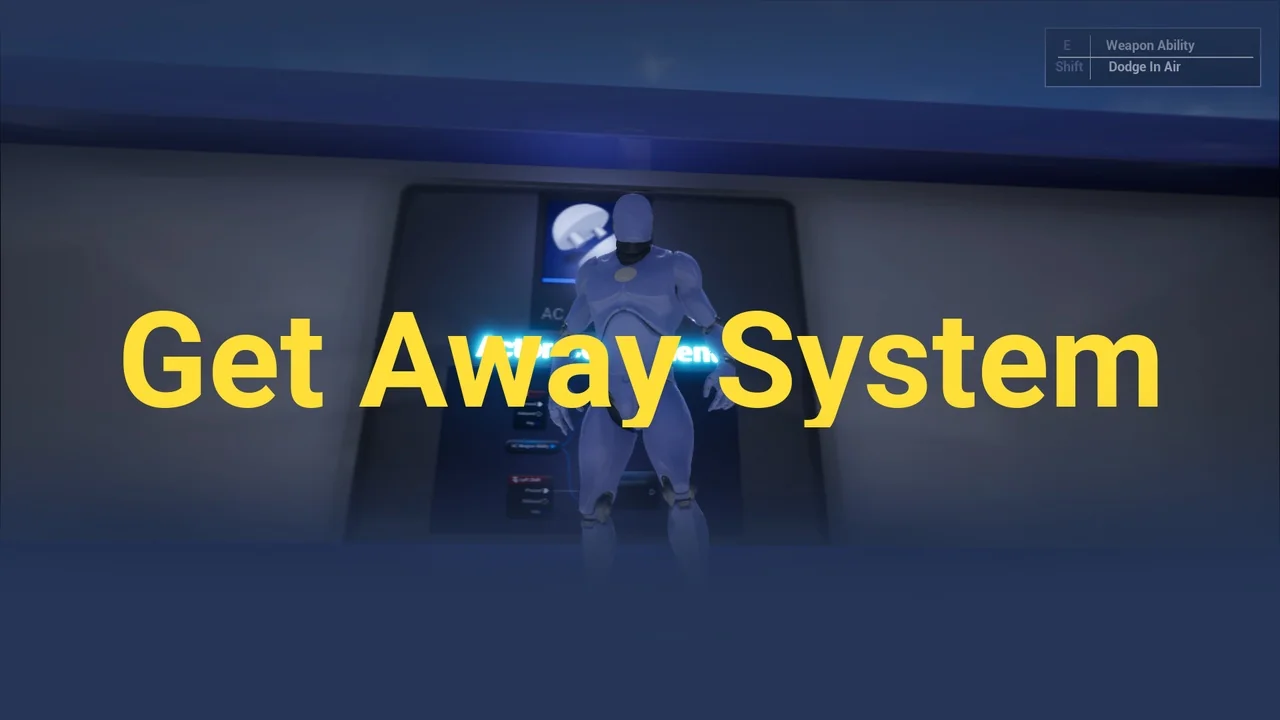
 Gameplay Features
 Gameplay Features
 Gameplay Features