"1f00f67f9253451b"{"id":"14989","slug":"component-timeline","title":"Component Timeline","category":"Gameplay Features","engine":"5.6","assetVersion":"Engine version:5.6","engineVersion":"Asset Version:1.2","tag":"Gameplay Features","accent":"blue","visual":"audio","summary":"The Component Timeline plugin brings full actor timeline functionality directly into component blueprints. This tool simplifies development with easy-to-use curve editing and event tracks.","platform":"Unreal Engine","publishedAt":"2026-03-12T07:21:42.000Z","updatedAt":"2026-04-19T15:45:37.000Z","sourceNotes":[],"fileContents":[],"compatibility":["Unreal Engine","Engine version: 5.6","Asset Version: 1.2"],"featuredImage":{"alt":"Component Timeline","src":"https://3dcghub.com/wp-content/uploads/2026/03/fcc2f1ab-255e-4ef4-8f73-a5de848e67d7.webp"},"hasDownloadLink":true,"downloads":0,"terms":[{"taxonomy":"category","slug":"gameplay-features-tools-and-plugins","name":"Gameplay Features"},{"taxonomy":"post_tag","slug":"blueprint","name":"Blueprint"},{"taxonomy":"post_tag","slug":"blueprint-component","name":"Blueprint Component"},{"taxonomy":"post_tag","slug":"component-timeline","name":"Component Timeline"},{"taxonomy":"post_tag","slug":"plugins","name":"Plugins"},{"taxonomy":"post_tag","slug":"tools","name":"Tools"},{"taxonomy":"post_tag","slug":"unreal-engine-5","name":"Unreal Engine 5"}],"galleryImages":[{"src":"https://3dcghub.com/wp-content/uploads/2026/03/bbb848c46301_c0fabd4b-9ccc-4014-ab43-35e8bc16935c.webp","alt":"Component Timeline"},{"src":"https://3dcghub.com/wp-content/uploads/2026/03/d6e5aa963497_981d0778-5190-4160-bd2b-95ed9ae770d0.webp","alt":"Component Timeline"},{"src":"https://3dcghub.com/wp-content/uploads/2026/03/f71631bf4c56_1542053e-da92-4451-9167-83a1e5d5be1b.webp","alt":"Component Timeline"},{"src":"https://3dcghub.com/wp-content/uploads/2026/03/e841136d8971_9650d742-2940-4e82-8ee1-83c814ca1648.webp","alt":"Component Timeline"}],"accessPanel":{"kind":"resource","title":"Access this resource","eyebrow":"Free Download","message":"Log in or create a free account to start your download.","fileName":"Component Timeline 5.6;V1.2.7z","safetyNote":"All resources are 100% manually reviewed to eliminate all risks.","actionLabel":"Download Free","resourceType":"Resource archive"},"contentHtml":"\u003ch2\u003eComprehensive Timeline Features for Components\u003c/h2\u003e\n\u003cp\u003eComponent Timeline is a specialized plugin designed to bring the full power of the Timeline node into component blueprints. Traditionally, these features were primarily accessible within actor blueprints. However, this tool bridges that gap by providing 100% of the functionality developers expect from the standard actor blueprint system.\u003c/p\u003e\n\n\u003cp\u003eThe creator has focused on making the plugin as intuitive as possible. Consequently, it is easy to set up and use within any project. By placing timeline nodes directly in component blueprints, developers can maintain a cleaner and more organized workflow. This convenience is a significant advantage for those building complex, modular systems.\u003c/p\u003e\n\n\u003ch2\u003eKey Functionalities and Tools\u003c/h2\u003e\n\u003cp\u003eThe Component Timeline offers a robust set of features that mirror the native actor experience. These tools are essential for creating dynamic movements and time-based logic. Therefore, users do not have to sacrifice any control when moving their logic into components.\u003c/p\u003e\n\n\u003cul\u003e\n \u003cli\u003e\u003cstrong\u003eCurve Editing:\u003c/strong\u003e Users can edit curves directly to define precise values over time.\u003c/li\u003e\n \u003cli\u003e\u003cstrong\u003eEvent Tracks:\u003c/strong\u003e The plugin supports event tracks to trigger specific actions at precise moments.\u003c/li\u003e\n \u003cli\u003e\u003cstrong\u003eLooping Options:\u003c/strong\u003e Integrated looping settings allow for continuous animations or repeating logic.\u003c/li\u003e\n\u003c/ul\u003e\n\n\u003cp\u003eBecause these features are identical to the original actor nodes, the learning curve is minimal. Most developers will find the interface familiar and immediately productive. Moreover, the ease of integration makes it a versatile choice for various development needs.\u003c/p\u003e\n\n\u003ch2\u003eStreamlined Development and Convenience\u003c/h2\u003e\n\u003cp\u003eOne of the primary benefits of the Component Timeline is the added convenience it brings to the blueprint editor. By allowing timeline nodes to reside within components, it promotes better encapsulation of logic. This means that individual components can handle their own time-based transitions independently.\u003c/p\u003e\n\n\u003cp\u003eOn top of that, this independence simplifies the process of reusing components across different actors. Since the timeline logic is contained within the component itself, you can move it between different parts of your project with ease. This portability makes the plugin an essential tool for any developer looking to optimize their architectural design.\u003c/p\u003e\n\n\u003ch2\u003eAdvanced Integration and Experimental Support\u003c/h2\u003e\n\u003cp\u003eThe developer has also looked toward the future of blueprint flexibility. While the core focus is on component blueprints, there is experimental support for other blueprint types as well. Users interested in these advanced applications should consult the provided documentation for technical details.\u003c/p\u003e\n\n\u003cp\u003eFor teams considering it, the Component Timeline plugin is a powerful utility for anyone working within the blueprint system. It provides a familiar set of tools in a more flexible environment. Whether you are managing simple loops or complex event-driven animations, this plugin ensures your workflow remains efficient and organized.\u003c/p\u003e\n\n\u003ch2\u003eExplore Similar Assets\u003c/h2\u003e\n\u003cul\u003e\n\u003cli\u003e\u003ca href=\"https://3dcghub.com/stylized-winter-forest/\" title=\"Stylized Winter Forest\"\u003eStylized Winter Forest\u003c/a\u003e\u003c/li\u003e\n\u003cli\u003e\u003ca href=\"https://3dcghub.com/skinned-decal-component/\" title=\"Skinned Decal Component\"\u003eSkinned Decal Component\u003c/a\u003e\u003c/li\u003e\n\u003cli\u003e\u003ca href=\"https://3dcghub.com/planetarium-planet-blueprint/\" title=\"Planetarium Planet Blueprint\"\u003ePlanetarium Planet Blueprint\u003c/a\u003e\u003c/li\u003e\n\u003cli\u003e\u003ca href=\"https://3dcghub.com/riding-system-in-blueprints-multiplayer/\" title=\"Riding System in Blueprints (Multiplayer)\"\u003eRiding System in Blueprints (Multiplayer)\u003c/a\u003e\u003c/li\u003e\n\u003cli\u003e\u003ca href=\"https://3dcghub.com/modular-gameplay-blueprint-systems/\" title=\"Modular Gameplay Blueprint Systems\"\u003eModular Gameplay Blueprint Systems\u003c/a\u003e\u003c/li\u003e\n\u003c/ul\u003e","contentTextLength":3171,"navigation":{"current":2625,"total":3222,"previous":{"id":"15005","slug":"fire-chat-pro-groups-pms-proximity-and-world-chat-with-adjustable-range","title":"Fire Chat PRO – Groups, PMs, Proximity and World Chat with adjustable range","category":"Gameplay Features","platform":"Unreal Engine","updatedAt":"2026-04-19T15:45:37.000Z"},"next":{"id":"15027","slug":"instance-damage-system","title":"Instance Damage System","category":"Gameplay Features","platform":"Unreal Engine","updatedAt":"2026-04-19T15:45:36.000Z"}},"relatedResources":[{"id":"15042","slug":"line-of-sight-dynamic-mesh","title":"Line Of Sight. Dynamic mesh.","category":"Gameplay Features","engine":"4.26 - 5.8","assetVersion":"Asset Version:1.1 - 1.2","engineVersion":"Engine version: 4.26 - 5.8","tag":"Gameplay Features","accent":"blue","visual":"city","summary":"Enhance your game's visibility mechanics with Line Of Sight. Dynamic mesh., a high-performance C++ component designed for object detection and pseudo-lighting effects in both 2D and 3D environments.","platform":"Unreal Engine","publishedAt":"2026-03-12T07:35:31.000Z","updatedAt":"2026-09-30T04:27:29.697Z","sourceNotes":[],"fileContents":[],"compatibility":["Unreal Engine","Asset Version:1.1 - 1.2","Engine version: 4.26 - 5.8"],"featuredImage":{"alt":"Line Of Sight. Dynamic mesh.","src":"https://3dcghub.com/wp-content/uploads/2026/03/93d0eb38-da16-45d6-8884-d0fb25a29b10.webp"},"hasDownloadLink":true,"downloads":0},{"id":"15016","slug":"flex-pool-actor-pooling-system","title":"Flex Pool - Actor Pooling System","category":"Gameplay Features","engine":"5.7 - 5.8","assetVersion":"Asset Version:1.1.4 - 1.2","engineVersion":"Engine version: 5.7 - 5.8","tag":"Gameplay Features","accent":"blue","visual":"animation","summary":"Flex Pool is a robust actor pooling system designed to enhance game performance by reusing actors during runtime. It reduces CPU overhead and memory allocations for smoother, more scalable gameplay.","platform":"Unreal Engine","publishedAt":"2026-03-12T07:31:34.000Z","updatedAt":"2026-09-05T03:20:14.594Z","sourceNotes":[],"fileContents":[],"compatibility":["Unreal Engine","Asset Version:1.1.4 - 1.2","Engine version: 5.7 - 5.8"],"featuredImage":{"alt":"Flex Pool - Actor Pooling System","src":"https://3dcghub.com/wp-content/uploads/2026/03/32501158-56a5-4676-96eb-6784055dd673.webp"},"hasDownloadLink":true,"downloads":0},{"id":"15069","slug":"path-follow","title":"Path Follow","category":"Gameplay Features","engine":"5.6 - 5.7","assetVersion":"Engine version: 5.6 - 5.7","engineVersion":"Asset Version:1.1","tag":"Gameplay Features","accent":"blue","visual":"luts","summary":"Path Follow provides developers with complete control over actor movement along spline paths in Unreal Engine 4. This versatile tool supports event triggers, runtime speed adjustments, and seamless VR and mobile integration.","platform":"Unreal Engine","publishedAt":"2026-03-12T07:42:28.000Z","updatedAt":"2026-04-19T15:45:35.000Z","sourceNotes":[],"fileContents":[],"compatibility":["Unreal Engine","Engine version: 5.6 - 5.7","Asset Version: 1.1"],"featuredImage":{"alt":"Path Follow","src":"https://3dcghub.com/wp-content/uploads/2026/03/9185d0b2-142e-484c-83cc-afe1bd97960a.webp"},"hasDownloadLink":true,"downloads":1}]}
Gameplay Features
Component Timeline
The Component Timeline plugin brings full actor timeline functionality directly into component blueprints. This tool simplifies development with easy-to-use curve editing and event tracks.
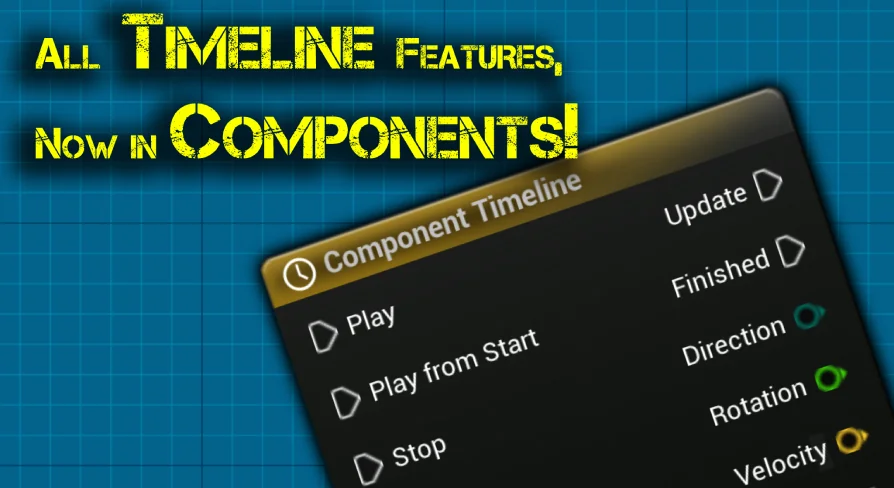
Component Timeline is a specialized plugin designed to bring the full power of the Timeline node into component blueprints. Traditionally, these features were primarily accessible within actor blueprints. However, this tool bridges that gap by providing 100% of the functionality developers expect from the standard actor blueprint system.
The creator has focused on making the plugin as intuitive as possible. Consequently, it is easy to set up and use within any project. By placing timeline nodes directly in component blueprints, developers can maintain a cleaner and more organized workflow. This convenience is a significant advantage for those building complex, modular systems.
Key Functionalities and Tools
The Component Timeline offers a robust set of features that mirror the native actor experience. These tools are essential for creating dynamic movements and time-based logic. Therefore, users do not have to sacrifice any control when moving their logic into components.
Curve Editing: Users can edit curves directly to define precise values over time.
Event Tracks: The plugin supports event tracks to trigger specific actions at precise moments.
Looping Options: Integrated looping settings allow for continuous animations or repeating logic.
Because these features are identical to the original actor nodes, the learning curve is minimal. Most developers will find the interface familiar and immediately productive. Moreover, the ease of integration makes it a versatile choice for various development needs.
Streamlined Development and Convenience
One of the primary benefits of the Component Timeline is the added convenience it brings to the blueprint editor. By allowing timeline nodes to reside within components, it promotes better encapsulation of logic. This means that individual components can handle their own time-based transitions independently.
On top of that, this independence simplifies the process of reusing components across different actors. Since the timeline logic is contained within the component itself, you can move it between different parts of your project with ease. This portability makes the plugin an essential tool for any developer looking to optimize their architectural design.
Advanced Integration and Experimental Support
The developer has also looked toward the future of blueprint flexibility. While the core focus is on component blueprints, there is experimental support for other blueprint types as well. Users interested in these advanced applications should consult the provided documentation for technical details.
For teams considering it, the Component Timeline plugin is a powerful utility for anyone working within the blueprint system. It provides a familiar set of tools in a more flexible environment. Whether you are managing simple loops or complex event-driven animations, this plugin ensures your workflow remains efficient and organized.
 Gameplay Features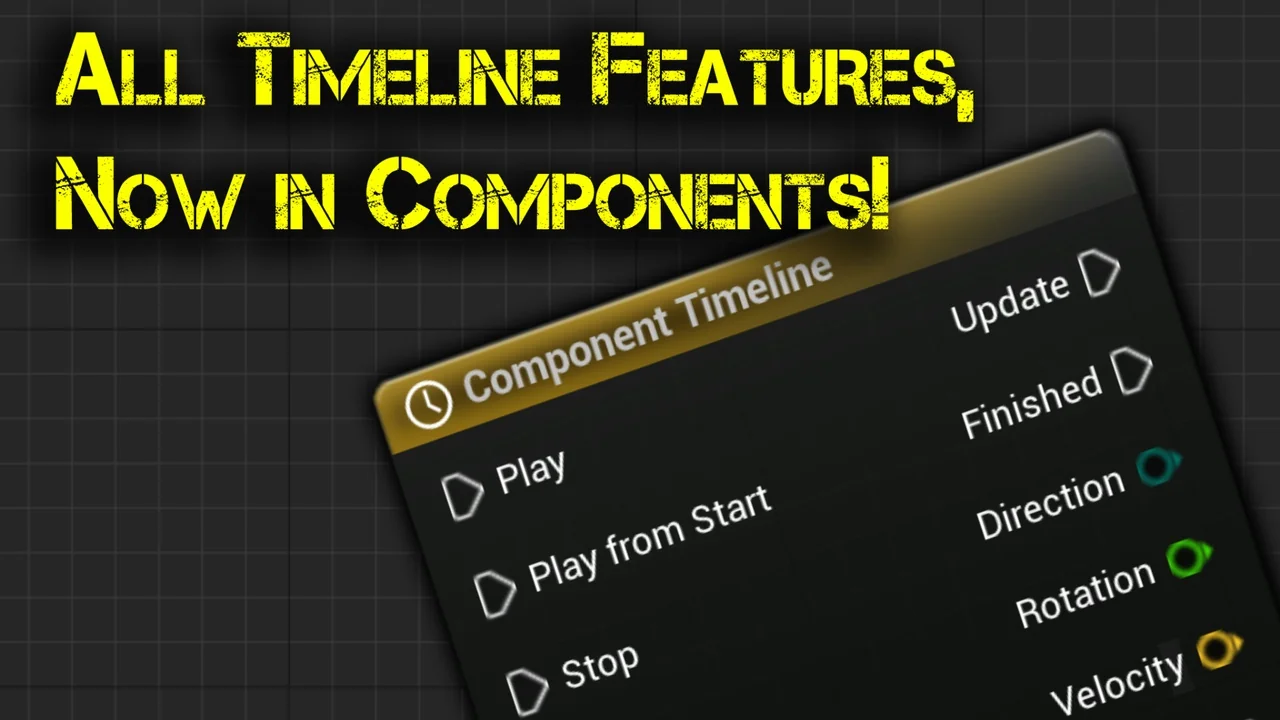
 Gameplay Features
 Gameplay Features
 Gameplay Features