"c68a05d5e51405b3"{"id":"24974","slug":"tick-optimization-toolkit","title":"Tick Optimization Toolkit","category":"Engine Tools","engine":"5.4,5.6","assetVersion":"Engine version: 5.4,5.6","engineVersion":"Asset Version:1.4.2 - 1.4.5","tag":"Engine Tools","accent":"blue","visual":"audio","summary":"Tick Optimization Toolkit reduces the cost of ticking in actors, components, and timelines by adjusting frequency or disabling updates through distance and visibility. It keeps the workflow in Blueprints, with C++ support available and multiplayer features...","platform":"Unreal Engine","publishedAt":"2026-04-17T15:42:20.000Z","updatedAt":"2026-04-20T06:12:34.000Z","sourceNotes":[],"fileContents":[],"compatibility":["Unreal Engine","Engine version: 5.4,5.6","Asset Version: 1.4.2 - 1.4.5"],"featuredImage":{"alt":"Tick Optimization Toolkit","src":"https://3dcghub.com/wp-content/uploads/2026/04/4cc7de927306_2a609578-563a-4cd8-88f7-0d22fce14eb2.webp"},"hasDownloadLink":true,"downloads":0,"terms":[{"taxonomy":"category","slug":"engine-tools-tools-and-plugins","name":"Engine Tools"},{"taxonomy":"post_tag","slug":"plugins","name":"Plugins"},{"taxonomy":"post_tag","slug":"tools","name":"Tools"},{"taxonomy":"post_tag","slug":"unreal-engine-5","name":"Unreal Engine 5"}],"galleryImages":[{"src":"https://3dcghub.com/wp-content/uploads/2026/04/b6d6886dd649_3f6084bf-313e-466e-b912-d18dcd6f1ec5.webp","alt":"Tick Optimization Toolkit"},{"src":"https://3dcghub.com/wp-content/uploads/2026/04/564a42223b75_5ae1afc2-1325-471b-92e4-d9e4f27728ed.webp","alt":"Tick Optimization Toolkit"},{"src":"https://3dcghub.com/wp-content/uploads/2026/04/f281ec67c59a_eb3806f5-ca04-4a47-b3ff-363bf9e26233.webp","alt":"Tick Optimization Toolkit"},{"src":"https://3dcghub.com/wp-content/uploads/2026/04/acf69d867838_42b89069-081c-42ba-83e4-b20bbedd2998.webp","alt":"Tick Optimization Toolkit"},{"src":"https://3dcghub.com/wp-content/uploads/2026/04/a9b76895219c_80164f0c-e7ec-49cb-add8-620364b8d374.webp","alt":"Tick Optimization Toolkit"},{"src":"https://3dcghub.com/wp-content/uploads/2026/04/c85ce2a29fe2_084fa1e5-e2c8-475d-85b6-5605dc35515e.webp","alt":"Tick Optimization Toolkit"},{"src":"https://3dcghub.com/wp-content/uploads/2026/04/2a607d3be13c_f47e83cb-0809-4a4a-93c9-c4e19d4175fc.webp","alt":"Tick Optimization Toolkit"},{"src":"https://3dcghub.com/wp-content/uploads/2026/04/7305db2e0ed8_dfeb8ef2-683e-4382-98d6-72ae2ac0d02e.webp","alt":"Tick Optimization Toolkit"}],"accessPanel":{"kind":"resource","title":"Access this resource","eyebrow":"Free Download","message":"Log in or create a free account to start your download.","fileName":"Tick Optimization Toolkit.7z","safetyNote":"All resources are 100% manually reviewed to eliminate all risks.","actionLabel":"Download Free","resourceType":"Resource archive"},"contentHtml":"\u003ch2\u003eWhen lots of actors need to stay in memory\u003c/h2\u003e\n\u003cp\u003eScenes with many active actors can lose time on the game thread even when most of those actors do not need to update every frame. Tick Optimization Toolkit addresses that kind of setup by reducing tick frequency or disabling ticks through distance and visibility. That makes it useful for projects where actors can stay loaded instead of being spawned and despawned just to control performance.\u003c/p\u003e\n\u003cp\u003eThe workflow also avoids the extra layer of triggers and volumes that can clutter a level in the editor. Instead of building around those systems, the toolkit keeps the focus on the actors themselves and the way they update.\u003c/p\u003e\n\u003cp\u003eEverything is exposed through Blueprints, so the setup does not depend on C++ knowledge. C++ is available as well, but the core workflow stays accessible from Blueprints.\u003c/p\u003e \u003ch2\u003eWhat gets optimized inside an actor\u003c/h2\u003e\n\u003cp\u003eThe toolkit does not stop at the actor level. It covers everything that ticks within an actor: components, timelines, and the actor itself. That makes it a practical fit for characters, world objects, and other runtime systems that need updates without needing every instance to tick at full rate.\u003c/p\u003e\n\u003cp\u003eIt is also meant to scale to large numbers of actors. The available example shows it handling thousands of actors, and the listed cases include both AI characters and environment actors. A single method can be applied across different kinds of gameplay objects, whether they are pawns, controllers, projectiles, moving actors, or stationary actors.\u003c/p\u003e\n\u003cp\u003eTicks are spread evenly between frames, which helps avoid piling too much work into a single frame. That detail matters when many actors are sharing the same optimization system and the goal is to keep the workload balanced.\u003c/p\u003e \u003ch2\u003eBlueprint access and preset-based setup\u003c/h2\u003e\n\u003cp\u003eThe toolkit is built around Blueprint access, and its components are blueprintable so they can be turned into configuration presets. That makes it easier to reuse the same optimization setup across multiple actors without recreating the logic each time.\u003c/p\u003e\n\u003cp\u003eAll the features are accessible from Blueprints and C++, and animation update rate optimizations are also exposed to Blueprints. That gives the setup room to cover both general tick management and the related animation update controls without forcing the workflow into a separate toolchain.\u003c/p\u003e\n\u003cp\u003eIt can also be dropped into an existing project. Nothing in the setup requires a fresh project structure or a level built specifically around the toolkit. The emphasis stays on integrating it into work that is already in progress.\u003c/p\u003e \u003ch2\u003eMultiplayer and platform scaling\u003c/h2\u003e\n\u003cp\u003eSupport for multiplayer is included, covering local play as well as online setups with either listen servers or dedicated servers. That makes the toolkit relevant for projects that need the same tick management rules to function across different network arrangements.\u003c/p\u003e\n\u003cp\u003eIt also supports scaling across multiple platforms and devices. The toolkit is presented as something that can adapt to different deployment targets while keeping the same core tick optimization approach in place.\u003c/p\u003e\n\u003cp\u003eThat combination of multiplayer support and platform scaling makes it more than a single-purpose performance switch. It can sit inside a project that needs consistent behavior across play modes and hardware ranges.\u003c/p\u003e \u003ch2\u003eExample results and learning material\u003c/h2\u003e\n\u003cp\u003eThe example numbers give a concrete picture of what the toolkit is meant to change. One case shows 1024 AI Characters moving from 9 FPS at 108 ms to 55 FPS at 18 ms. Another shows 4096 Environment Actors moving from 20 FPS at 48 ms to 80-220 FPS at 4 ms, with that last result noted as GPU bound.\u003c/p\u003e\n\u003cp\u003eThere are also video tutorials covering plugin basics, AI character optimization, and scaling plus presets. For people who prefer a more traditional format, documentation is also available. An example project is included for 4.27 and later, along with a win64 executable for testing and exploration.\u003c/p\u003e\n\u003cp\u003eTick Optimization Toolkit is a practical fit for projects that need a direct way to manage update cost across many active actors, especially when the work needs to stay inside Blueprints and still support multiplayer, presets, and broad actor types. It suits developers who want a clear tick-management workflow without turning the level into a maze of triggers, volumes, and manual spawn logic.\u003c/p\u003e\n\n\u003ch2\u003eContinue Browsing Similar Packs\u003c/h2\u003e\n\u003cul\u003e\n\u003cli\u003e\u003ca href=\"https://3dcghub.com/advanced-unreal-engine-5-multiplayer-gameplay-programming/\" title=\"Advanced Unreal Engine 5 Multiplayer Gameplay Programming\"\u003eAdvanced Unreal Engine 5 Multiplayer Gameplay Programming\u003c/a\u003e\u003c/li\u003e\n\u003cli\u003e\u003ca href=\"https://3dcghub.com/niagara-beginners-to-advanced-in-unreal-engine-5/\" title=\"Niagara Beginners to advanced in Unreal Engine 5\"\u003eNiagara Beginners to advanced in Unreal Engine 5\u003c/a\u003e\u003c/li\u003e\n\u003cli\u003e\u003ca href=\"https://3dcghub.com/create-zelda-like-skills-with-c-in-unreal-engine-5-2/\" title=\"Create Zelda-like skills with C++ in unreal engine 5\"\u003eCreate Zelda-like skills with C++ in unreal engine 5\u003c/a\u003e\u003c/li\u003e\n\u003cli\u003e\u003ca href=\"https://3dcghub.com/main-menus-beginner-class-unreal-engine-5/\" title=\"Main Menus Beginner Class – Unreal Engine 5\"\u003eMain Menus Beginner Class – Unreal Engine 5\u003c/a\u003e\u003c/li\u003e\n\u003cli\u003e\u003ca href=\"https://3dcghub.com/create-zelda-like-skills-with-c-in-unreal-engine-5/\" title=\"Create Zelda-like skills with C++ in unreal engine 5\"\u003eCreate Zelda-like skills with C++ in unreal engine 5\u003c/a\u003e\u003c/li\u003e\n\u003c/ul\u003e","contentTextLength":4646,"navigation":{"current":2212,"total":3860,"previous":{"id":"24988","slug":"tornado-generator-niagara-fluids","title":"Tornado Generator - Niagara Fluids","category":"Smoke","platform":"Unreal Engine","updatedAt":"2026-04-20T06:12:34.000Z"},"next":{"id":"25093","slug":"mixed-magic-3-spell-vfx-pack","title":"Mixed Magic 3 - Spell VFX Pack","category":"Spells \u0026 Combat","platform":"Unreal Engine","updatedAt":"2026-04-20T06:12:33.000Z"}},"relatedResources":[{"id":"13695","slug":"assets-cleaner-project-cleaning-tool","title":"Assets Cleaner - Project Cleaning Tool","category":"Engine Tools","engine":"4.23 - 5.8","assetVersion":"Asset Version: 1.07 - 2.85","engineVersion":"Engine version: 4.23 - 5.8","tag":"Engine Tools","accent":"blue","visual":"city","summary":"Assets Cleaner - Project Cleaning Tool is a streamlined utility designed to identify and manage unused assets, ensuring your project remains lean and efficient.","platform":"Unreal Engine","publishedAt":"2026-03-11T09:40:58.000Z","updatedAt":"2026-09-30T05:39:00.782Z","sourceNotes":[],"fileContents":[],"compatibility":["Unreal Engine","Asset Version: 1.07 - 2.85","Engine version: 4.23 - 5.8"],"featuredImage":{"alt":"Assets Cleaner - Project Cleaning Tool","src":"https://3dcghub.com/wp-content/uploads/2026/03/312b782f-7c4e-4cc7-ad23-d82ce4ea68fd.webp"},"hasDownloadLink":true,"downloads":1},{"id":"14293","slug":"npc-optimizator-automatic-optimize-npc-for-you-game","title":"NPC Optimizator - automatic optimize NPC for you game","category":"Engine Tools","engine":"4.25 - 5.7","assetVersion":"Version: 1.5.7 - 1.6.6","engineVersion":"Engine version: 4.25 - 5.7","tag":"Engine Tools","accent":"blue","visual":"luts","summary":"Boost your game's performance with NPC Optimizator, a flexible plugin designed to handle large numbers of NPCs automatically. Learn how to balance quality and speed using customizable optimization components.","platform":"Unreal Engine","publishedAt":"2026-03-11T17:23:11.000Z","updatedAt":"2026-09-29T09:33:30.254Z","sourceNotes":[],"fileContents":[],"compatibility":["Unreal Engine","Version: 1.5.7 - 1.6.6","Engine version: 4.25 - 5.7"],"featuredImage":{"alt":"NPC Optimizator - automatic optimize NPC for you game","src":"https://3dcghub.com/wp-content/uploads/2026/03/c3aeaac7-93f3-4396-abb7-320b16f85363.webp"},"hasDownloadLink":true,"downloads":0},{"id":"13723","slug":"auto-settings","title":"Auto Settings","category":"Engine Tools","engine":"5.6","assetVersion":"Engine version: 5.6","engineVersion":"Asset Version:1.31.0","tag":"Engine Tools","accent":"blue","visual":"character","summary":"Auto Settings is a highly configurable toolkit for Unreal Engine designed to streamline the creation of game options and input binding menus without code.","platform":"Unreal Engine","publishedAt":"2026-03-11T09:48:29.000Z","updatedAt":"2026-04-19T15:46:23.000Z","sourceNotes":[],"fileContents":[],"compatibility":["Unreal Engine","Engine version: 5.6","Asset Version: 1.31.0"],"featuredImage":{"alt":"Auto Settings","src":"https://3dcghub.com/wp-content/uploads/2026/03/25a4d182-718a-444e-823a-6b7e680c21f2.webp"},"hasDownloadLink":true,"downloads":0}]}
Engine Tools
Tick Optimization Toolkit
Tick Optimization Toolkit reduces the cost of ticking in actors, components, and timelines by adjusting frequency or disabling updates through distance and visibility. It keeps the workflow in Blueprints, with C++ support available and multiplayer features...
Scenes with many active actors can lose time on the game thread even when most of those actors do not need to update every frame. Tick Optimization Toolkit addresses that kind of setup by reducing tick frequency or disabling ticks through distance and visibility. That makes it useful for projects where actors can stay loaded instead of being spawned and despawned just to control performance.
The workflow also avoids the extra layer of triggers and volumes that can clutter a level in the editor. Instead of building around those systems, the toolkit keeps the focus on the actors themselves and the way they update.
Everything is exposed through Blueprints, so the setup does not depend on C++ knowledge. C++ is available as well, but the core workflow stays accessible from Blueprints.
What gets optimized inside an actor
The toolkit does not stop at the actor level. It covers everything that ticks within an actor: components, timelines, and the actor itself. That makes it a practical fit for characters, world objects, and other runtime systems that need updates without needing every instance to tick at full rate.
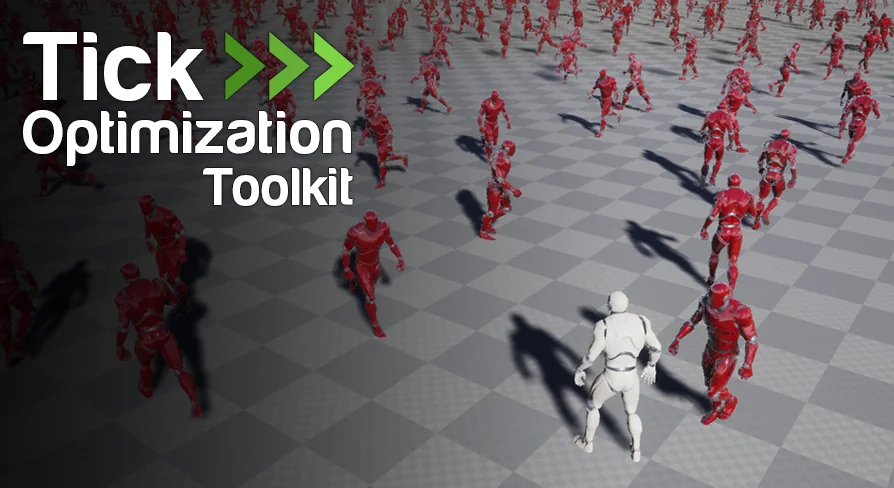
It is also meant to scale to large numbers of actors. The available example shows it handling thousands of actors, and the listed cases include both AI characters and environment actors. A single method can be applied across different kinds of gameplay objects, whether they are pawns, controllers, projectiles, moving actors, or stationary actors.
Ticks are spread evenly between frames, which helps avoid piling too much work into a single frame. That detail matters when many actors are sharing the same optimization system and the goal is to keep the workload balanced.
Blueprint access and preset-based setup
The toolkit is built around Blueprint access, and its components are blueprintable so they can be turned into configuration presets. That makes it easier to reuse the same optimization setup across multiple actors without recreating the logic each time.
All the features are accessible from Blueprints and C++, and animation update rate optimizations are also exposed to Blueprints. That gives the setup room to cover both general tick management and the related animation update controls without forcing the workflow into a separate toolchain.
It can also be dropped into an existing project. Nothing in the setup requires a fresh project structure or a level built specifically around the toolkit. The emphasis stays on integrating it into work that is already in progress.
Multiplayer and platform scaling
Support for multiplayer is included, covering local play as well as online setups with either listen servers or dedicated servers. That makes the toolkit relevant for projects that need the same tick management rules to function across different network arrangements.
It also supports scaling across multiple platforms and devices. The toolkit is presented as something that can adapt to different deployment targets while keeping the same core tick optimization approach in place.
That combination of multiplayer support and platform scaling makes it more than a single-purpose performance switch. It can sit inside a project that needs consistent behavior across play modes and hardware ranges.
Example results and learning material
The example numbers give a concrete picture of what the toolkit is meant to change. One case shows 1024 AI Characters moving from 9 FPS at 108 ms to 55 FPS at 18 ms. Another shows 4096 Environment Actors moving from 20 FPS at 48 ms to 80-220 FPS at 4 ms, with that last result noted as GPU bound.
There are also video tutorials covering plugin basics, AI character optimization, and scaling plus presets. For people who prefer a more traditional format, documentation is also available. An example project is included for 4.27 and later, along with a win64 executable for testing and exploration.
Tick Optimization Toolkit is a practical fit for projects that need a direct way to manage update cost across many active actors, especially when the work needs to stay inside Blueprints and still support multiplayer, presets, and broad actor types. It suits developers who want a clear tick-management workflow without turning the level into a maze of triggers, volumes, and manual spawn logic.
 Engine Tools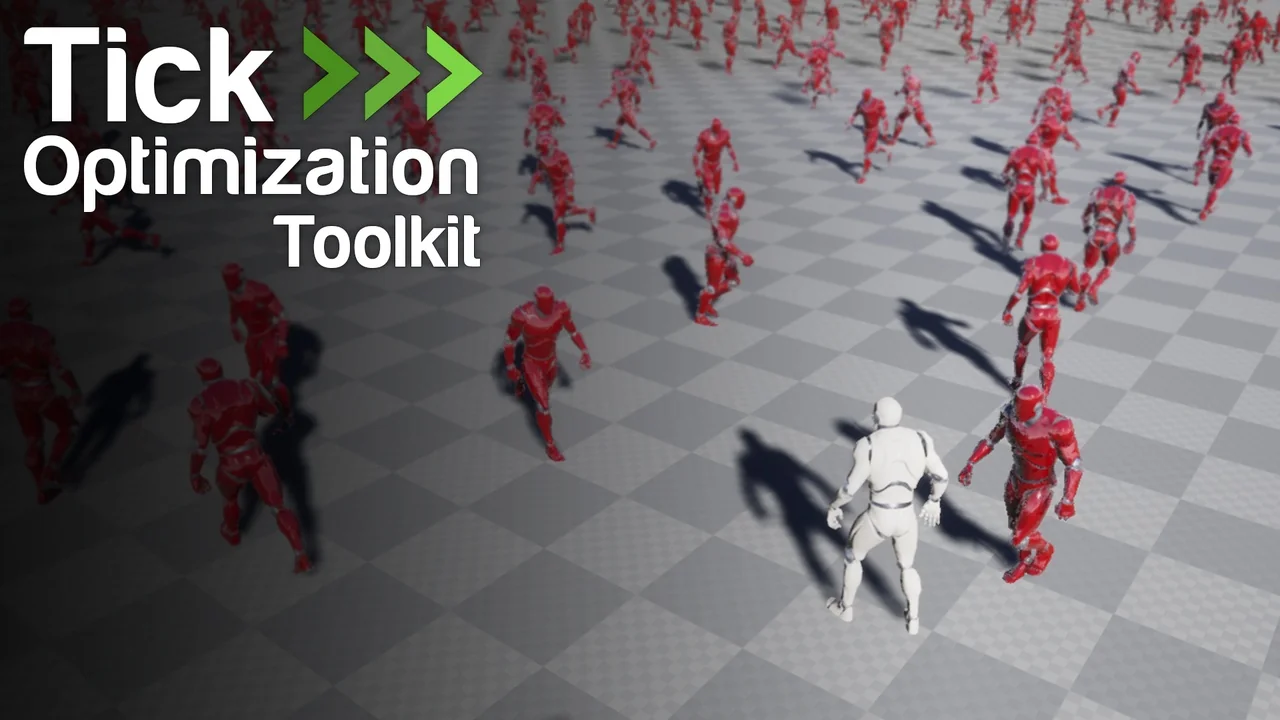
 Engine Tools
 Engine Tools
 Engine Tools