"4481da9c895ef786"{"id":"1001320","slug":"clarus-viewer-base","title":"Clarus Viewer Base","category":"Engine Tools","engine":"5.3","assetVersion":"Asset Version: 1.0","engineVersion":"Engine Version: 5.3","tag":"Engine Tools","accent":"blue","visual":"mech","summary":"An Unreal Engine VR cursor template plugin providing desktop-style interaction, multi-state controller events, and OpenXR integration for immersive tools.","platform":"Unreal Engine","publishedAt":"2026-10-02T09:43:29.741Z","updatedAt":"2026-10-02T09:43:29.741Z","sourceNotes":[],"fileContents":[],"compatibility":["Unreal Engine","Asset Version: 1.0","Engine Version: 5.3"],"featuredImage":{"alt":"Clarus Viewer Base","src":"/wp-content/uploads/published/2026/10/e1036c203ffa-be885b04-3a0b-4a55-b5f7-fc40627788e8-14fba6f564.webp"},"hasDownloadLink":true,"downloads":0,"terms":[{"taxonomy":"category","slug":"engine-tools-tools-and-plugins","name":"Engine Tools"}],"galleryImages":[{"src":"/wp-content/uploads/published/2026/10/db9c1dc8f1ff-3f800769-ded6-47e1-afed-fb4f668753dd-11e08f3447.webp","alt":"Clarus Viewer Base"},{"src":"/wp-content/uploads/published/2026/10/68aa9902f049-a878cdd2-4ed1-40a6-a9d5-b5e1f1f01457-e7881b3cac.webp","alt":"Clarus Viewer Base"},{"src":"/wp-content/uploads/published/2026/10/1e31475e18b1-e9b06331-fba7-40cf-92f9-41fc34c21020-3e236ba57d.webp","alt":"Clarus Viewer Base"},{"src":"/wp-content/uploads/published/2026/10/f6933906fc55-c602f747-787e-4fd3-a08e-72321a59ce38-7173a85014.webp","alt":"Clarus Viewer Base"}],"accessPanel":{"kind":"resource","title":"Download this resource","eyebrow":"Free Download","message":"Log in or create a free account to start your download.","fileName":"Clarus Viewer Base.7z","safetyNote":"Resources are manually reviewed before listing to improve quality and reduce obvious risks.","actionLabel":"Download Free","resourceType":"Resource archive"},"contentHtml":"\u003ch2\u003eTranslating Desktop Cursor Paradigms into Virtual Reality\u003c/h2\u003e\u003cp\u003eDesktop operating systems rely heavily on a pointer interface to navigate layered interfaces, select contextual utilities, and manipulate files or viewport elements. Translating that familiarity into an immersive environment presents unique spatial challenges. Clarus Viewer Base approaches this by implementing a VR cursor template directly inside Unreal Engine, recreating the predictability of standard desktop navigation within three-dimensional virtual reality setups.\u003c/p\u003e\u003cp\u003eRather than forcing users to rely on abstract gesture schemes or awkward physics collisions, the plugin establishes a dedicated spatial cursor. This cursor acts as the primary contact point between the user's hand hardware and the interactive actors positioned throughout the scene. By functioning similarly to a desktop operating system cursor, it provides an intuitive bridge for selecting items, triggering commands, and manipulating spatial components without requiring custom spatial interface rewrites.\u003c/p\u003e\u003ch2\u003eVR Controller Input States and Event Handling\u003c/h2\u003e\u003cp\u003eInput in virtual reality requires distinct separation between brief taps, sustained contact, and directional movements. Clarus Viewer Base handles this through built-in support for multiple discrete controller actions mapped directly to the individual buttons of a VR controller. Each physical button represented within the system evaluates and fires three distinct interaction states:\u003c/p\u003e\u003cul\u003e\u003cli\u003e\u003cstrong\u003ePress:\u003c/strong\u003e Executes an immediate action upon downward button actuation, operating like a conventional mouse click to trigger selections or toggle target states.\u003c/li\u003e\u003cli\u003e\u003cstrong\u003eLong Press:\u003c/strong\u003e Registers when a button is held down over an extended duration, allowing systems to differentiate intentional holds from accidental taps for secondary actions or confirmations.\u003c/li\u003e\u003cli\u003e\u003cstrong\u003ePress and Drag:\u003c/strong\u003e Captures simultaneous engagement and movement, enabling real-time translations, continuous parameter adjustments, or the dragging of spatial objects through virtual space.\u003c/li\u003e\u003c/ul\u003e\u003cp\u003eBy breaking controller input into press, long press, and press-and-drag events, the template eliminates the need to construct bespoke input-checking logic for basic manipulation. Every represented button on the VR controller is tied directly into this tripartite event pattern, maintaining uniform interaction fidelity regardless of which hand or control surface the user engages.\u003c/p\u003e\u003ch2\u003eTool Selection Paths and Clarus Viewer Ecosystem States\u003c/h2\u003e\u003cp\u003eInteracting with a 3D scene extends beyond simply clicking objects; users frequently need to switch operational modes, access utility palettes, and swap between distinct manipulation tasks. Clarus Viewer Base integrates directly with the broader family of Clarus Viewer plugins to accommodate these multi-tier operations.\u003c/p\u003e\u003cp\u003eThe VR cursor can target other interactive actors and interface elements to choose from a suite of tools. This workflow relies on predefined paths and states established across the wider suite. When a user navigates to an interface element or an interactable actor, the cursor transitions through these operational states, determining whether the active pointer is selecting an item, engaging a tool mode, or passing control parameters downstream. Because these pathways are structured around predefined states, the system maintains predictable routing between the raw button events received from the controller and the broader application logic handling the user's toolset.\u003c/p\u003e\u003ch2\u003ePlugin Dependencies and Technical Requirements\u003c/h2\u003e\u003cp\u003eClarus Viewer Base operates as part of a modular framework and relies on specific built-in and external Unreal Engine plugins to manage device tracking, core utilities, and collaborative network layers. To function correctly inside a project, the following dependencies must be enabled:\u003c/p\u003e\u003cul\u003e\u003cli\u003e\u003cstrong\u003eOpenXR:\u003c/strong\u003e Utilizes Unreal Engine's built-in OpenXR plugin to maintain cross-platform standard compliance for virtual reality input mapping, spatial tracking, and runtime device communication.\u003c/li\u003e\u003cli\u003e\u003cstrong\u003eClarus Viewer Asset Support:\u003c/strong\u003e Supplies supporting framework assets and configurations necessary for the base cursor to register and handle assets cleanly.\u003c/li\u003e\u003cli\u003e\u003cstrong\u003eClarus Viewer Engine Helpers:\u003c/strong\u003e Implements shared lower-level helper logic and system functions required across the Clarus Viewer architecture.\u003c/li\u003e\u003cli\u003e\u003cstrong\u003eAdvancedSessionsPlugin:\u003c/strong\u003e Integrates session handling capabilities developed by Mordentral, enabling multiplayer-ready architectures, session management, and extended online interface integration.\u003c/li\u003e\u003c/ul\u003e\u003cp\u003eBy delegating device-level abstraction to OpenXR and session mechanics to the AdvancedSessionsPlugin, Clarus Viewer Base remains focused specifically on input event firing, spatial cursor behavior, and tool routing.\u003c/p\u003e\u003ch2\u003eBlueprint Architecture and In-Node Documentation\u003c/h2\u003e\u003cp\u003eDevelopment workflows in Unreal Engine often slow down when template systems lack clear logic flow indicators. Clarus Viewer Base addresses this by providing native documentation directly within its Blueprint networks. Instead of isolating setup instructions into disconnected manuals, the logic is annotated with Blueprint comments across the node graphs.\u003c/p\u003e\u003cp\u003eThese embedded comments explain the functional flow of input signals, tracking updates, and state changes directly where the logic resides. Developers customizing button mapping, adding unique behaviors to the press-and-drag triggers, or adjusting the interaction ranges of the VR cursor can trace the data pathways visually within the engine editor. This architecture simplifies the process of integrating the cursor template into pre-existing VR player pawns or broader multi-tool immersive applications.\u003c/p\u003e\n\n\u003ch2\u003eExplore Similar Assets\u003c/h2\u003e\n\u003cul\u003e\n\u003cli\u003e\u003ca href=\"https://3dcghub.com/clarus-viewer-asset-support/\" title=\"Clarus Viewer Asset Support\"\u003eClarus Viewer Asset Support\u003c/a\u003e\u003c/li\u003e\n\u003cli\u003e\u003ca href=\"https://3dcghub.com/clarus-viewer-engine-helpers/\" title=\"Clarus Viewer Engine Helpers\"\u003eClarus Viewer Engine Helpers\u003c/a\u003e\u003c/li\u003e\n\u003cli\u003e\u003ca href=\"https://3dcghub.com/pdf-viewer/\" title=\"PDF Viewer\"\u003ePDF Viewer\u003c/a\u003e\u003c/li\u003e\n\u003cli\u003e\u003ca href=\"https://3dcghub.com/log-viewer/\" title=\"Log Viewer\"\u003eLog Viewer\u003c/a\u003e\u003c/li\u003e\n\u003cli\u003e\u003ca href=\"https://3dcghub.com/modular-sci-fi-base-indoor-outdoor-moon-theme/\" title=\"Modular Sci-Fi Base - Indoor Outdoor - Moon Theme\"\u003eModular Sci-Fi Base - Indoor Outdoor - Moon Theme\u003c/a\u003e\u003c/li\u003e\n\u003c/ul\u003e","contentTextLength":5736,"navigation":{"current":20,"total":3269,"previous":{"id":"1001321","slug":"clipboard-copy-and-paste","title":"Clipboard - Copy and Paste","category":"Engine Tools","platform":"Unreal Engine","updatedAt":"2026-10-02T09:45:44.117Z"},"next":{"id":"1001319","slug":"clarus-viewer-asset-support","title":"Clarus Viewer Asset Support","category":"Engine Tools","platform":"Unreal Engine","updatedAt":"2026-10-02T09:40:18.315Z"}},"relatedResources":[{"id":"1001319","slug":"clarus-viewer-asset-support","title":"Clarus Viewer Asset Support","category":"Engine Tools","engine":"5.3","assetVersion":"Asset Version: 1.0","engineVersion":"Engine Version: 5.3","tag":"Engine Tools","accent":"blue","visual":"mech","summary":"Clarus Viewer Asset Support is an Unreal Engine 5 code utility plugin designed to discover classes from project directories and spawn actors dynamically at runt","platform":"Unreal Engine","publishedAt":"2026-10-02T09:40:18.315Z","updatedAt":"2026-10-02T09:40:18.315Z","sourceNotes":[],"fileContents":[],"compatibility":["Unreal Engine","Asset Version: 1.0","Engine Version: 5.3"],"featuredImage":{"alt":"Clarus Viewer Asset Support","src":"/wp-content/uploads/published/2026/10/a794613ae275-2d0a8e2f-d5dc-4e49-ae26-d4898b8a28f9-0ded70fcc3.webp"},"hasDownloadLink":true,"downloads":0},{"id":"1001273","slug":"clarus-viewer-engine-helpers","title":"Clarus Viewer Engine Helpers","category":"Game Mechanics","engine":"5.3","assetVersion":"Asset Version: 1.0","engineVersion":"Engine Version: 5.3","tag":"Game Mechanics","accent":"blue","visual":"mech","summary":"Examine Clarus Viewer Engine Helpers, an Unreal Engine 5 plugin providing Blueprint and C++ utilities for actor spawning, configs, and server level loading.","platform":"Unreal Engine","publishedAt":"2026-09-30T06:01:27.282Z","updatedAt":"2026-09-30T06:01:27.282Z","sourceNotes":[],"fileContents":[],"compatibility":["Unreal Engine","Asset Version: 1.0","Engine Version: 5.3"],"featuredImage":{"alt":"Clarus Viewer Engine Helpers","src":"/wp-content/uploads/published/2026/09/68f2cb931307-6c4325b4-495f-4aeb-95fe-350c6a3d6413-e1e5a7a8aa.webp"},"hasDownloadLink":true,"downloads":0},{"id":"14345","slug":"pdf-viewer","title":"PDF Viewer","category":"Engine Tools","engine":"5.0 - 5.3","assetVersion":"Engine version: 5.0 - 5.3","engineVersion":"5.0","tag":"Engine Tools","accent":"blue","visual":"mech","summary":"Integrate high-quality PDF documents into your Unreal Engine projects with ease. This plugin supports multiple platforms and offers both Blueprint and C++ compatibility for seamless workflow integration.","platform":"Unreal Engine","publishedAt":"2026-03-11T17:44:03.000Z","updatedAt":"2026-04-19T15:45:48.000Z","sourceNotes":[],"fileContents":[],"compatibility":["Unreal Engine","Engine version: 5.0 - 5.3"],"featuredImage":{"alt":"PDF Viewer","src":"https://3dcghub.com/wp-content/uploads/2026/03/089b9684-3e82-4832-b142-372a0d91ddd0.webp"},"hasDownloadLink":true,"downloads":0}]}
Engine Tools
Clarus Viewer Base
An Unreal Engine VR cursor template plugin providing desktop-style interaction, multi-state controller events, and OpenXR integration for immersive tools.
Translating Desktop Cursor Paradigms into Virtual Reality
Desktop operating systems rely heavily on a pointer interface to navigate layered interfaces, select contextual utilities, and manipulate files or viewport elements. Translating that familiarity into an immersive environment presents unique spatial challenges. Clarus Viewer Base approaches this by implementing a VR cursor template directly inside Unreal Engine, recreating the predictability of standard desktop navigation within three-dimensional virtual reality setups.
Rather than forcing users to rely on abstract gesture schemes or awkward physics collisions, the plugin establishes a dedicated spatial cursor. This cursor acts as the primary contact point between the user's hand hardware and the interactive actors positioned throughout the scene. By functioning similarly to a desktop operating system cursor, it provides an intuitive bridge for selecting items, triggering commands, and manipulating spatial components without requiring custom spatial interface rewrites.
VR Controller Input States and Event Handling
Input in virtual reality requires distinct separation between brief taps, sustained contact, and directional movements. Clarus Viewer Base handles this through built-in support for multiple discrete controller actions mapped directly to the individual buttons of a VR controller. Each physical button represented within the system evaluates and fires three distinct interaction states:
Press: Executes an immediate action upon downward button actuation, operating like a conventional mouse click to trigger selections or toggle target states.
Long Press: Registers when a button is held down over an extended duration, allowing systems to differentiate intentional holds from accidental taps for secondary actions or confirmations.
Press and Drag: Captures simultaneous engagement and movement, enabling real-time translations, continuous parameter adjustments, or the dragging of spatial objects through virtual space.
By breaking controller input into press, long press, and press-and-drag events, the template eliminates the need to construct bespoke input-checking logic for basic manipulation. Every represented button on the VR controller is tied directly into this tripartite event pattern, maintaining uniform interaction fidelity regardless of which hand or control surface the user engages.
Tool Selection Paths and Clarus Viewer Ecosystem States
Interacting with a 3D scene extends beyond simply clicking objects; users frequently need to switch operational modes, access utility palettes, and swap between distinct manipulation tasks. Clarus Viewer Base integrates directly with the broader family of Clarus Viewer plugins to accommodate these multi-tier operations.
The VR cursor can target other interactive actors and interface elements to choose from a suite of tools. This workflow relies on predefined paths and states established across the wider suite. When a user navigates to an interface element or an interactable actor, the cursor transitions through these operational states, determining whether the active pointer is selecting an item, engaging a tool mode, or passing control parameters downstream. Because these pathways are structured around predefined states, the system maintains predictable routing between the raw button events received from the controller and the broader application logic handling the user's toolset.
Plugin Dependencies and Technical Requirements
Clarus Viewer Base operates as part of a modular framework and relies on specific built-in and external Unreal Engine plugins to manage device tracking, core utilities, and collaborative network layers. To function correctly inside a project, the following dependencies must be enabled:
OpenXR: Utilizes Unreal Engine's built-in OpenXR plugin to maintain cross-platform standard compliance for virtual reality input mapping, spatial tracking, and runtime device communication.
Clarus Viewer Asset Support: Supplies supporting framework assets and configurations necessary for the base cursor to register and handle assets cleanly.
Clarus Viewer Engine Helpers: Implements shared lower-level helper logic and system functions required across the Clarus Viewer architecture.
AdvancedSessionsPlugin: Integrates session handling capabilities developed by Mordentral, enabling multiplayer-ready architectures, session management, and extended online interface integration.
By delegating device-level abstraction to OpenXR and session mechanics to the AdvancedSessionsPlugin, Clarus Viewer Base remains focused specifically on input event firing, spatial cursor behavior, and tool routing.
Blueprint Architecture and In-Node Documentation
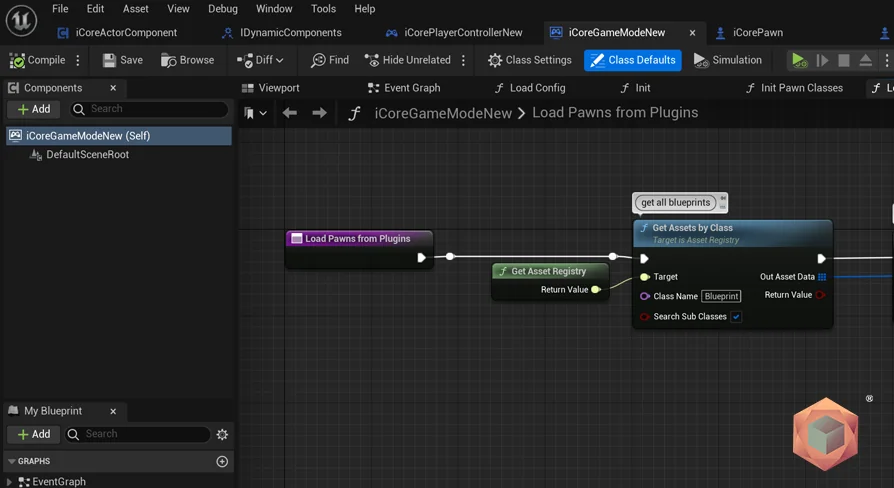
Development workflows in Unreal Engine often slow down when template systems lack clear logic flow indicators. Clarus Viewer Base addresses this by providing native documentation directly within its Blueprint networks. Instead of isolating setup instructions into disconnected manuals, the logic is annotated with Blueprint comments across the node graphs.
These embedded comments explain the functional flow of input signals, tracking updates, and state changes directly where the logic resides. Developers customizing button mapping, adding unique behaviors to the press-and-drag triggers, or adjusting the interaction ranges of the VR cursor can trace the data pathways visually within the engine editor. This architecture simplifies the process of integrating the cursor template into pre-existing VR player pawns or broader multi-tool immersive applications.
 Engine Tools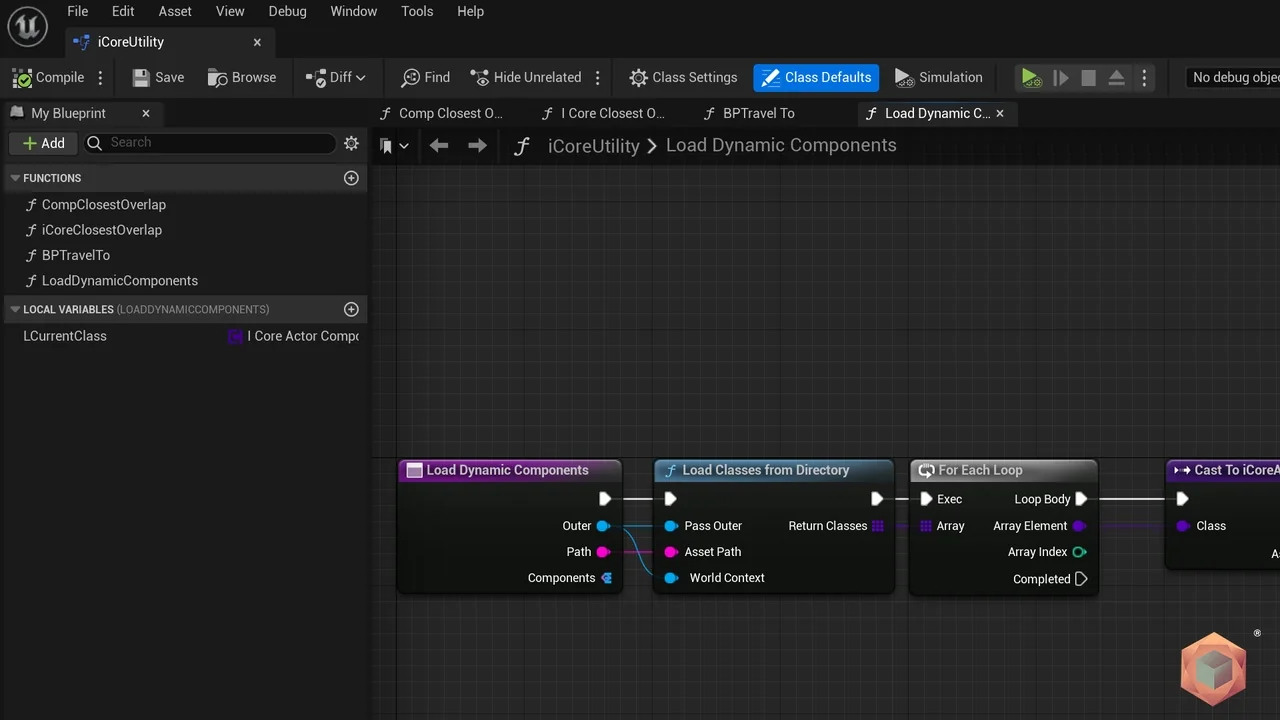
 Engine Tools
 Game Mechanics
 Engine Tools