"4481da9c895ef786"{"id":"1001328","slug":"simple-footstep-system-pro","title":"Simple Footstep System Pro","category":"Animations","engine":"5.0 - 5.8","assetVersion":"Asset Version: 1.0 - 1.3","engineVersion":"Engine Version: 5.0 - 5.8","tag":"Animations","accent":"blue","visual":"animation","summary":"Simple Footstep System Pro automates footstep line traces and skeletal mesh bone detection without animation notifies or tick-heavy blueprints.","platform":"Unreal Engine","publishedAt":"2026-10-03T04:13:22.077Z","updatedAt":"2026-10-03T04:13:22.077Z","sourceNotes":[],"fileContents":[],"compatibility":["Unreal Engine","Asset Version: 1.0 - 1.3","Engine Version: 5.0 - 5.8"],"featuredImage":{"alt":"Simple Footstep System Pro","src":"/wp-content/uploads/published/2026/10/769d96a851e6-bdd7df24-968f-4433-adf9-d70e58dc5e60-a517b22341.webp"},"hasDownloadLink":true,"downloads":1,"terms":[{"taxonomy":"category","slug":"animations-tools-and-plugins","name":"Animations"}],"galleryImages":[{"src":"/wp-content/uploads/published/2026/10/552b337bf833-c389143e-58a3-44e2-a8aa-a9c0f141584d-86afcebebc.webp","alt":"Simple Footstep System Pro"},{"src":"/wp-content/uploads/published/2026/10/460a9cf700a1-8a43fd58-1fb9-4748-a01f-e45073fe09d9-88106dbbe3.webp","alt":"Simple Footstep System Pro"}],"accessPanel":{"kind":"resource","title":"Download this resource","eyebrow":"Free Download","message":"Log in or create a free account to start your download.","fileName":"Ultimate Footstep Interaction System Pro.7z","safetyNote":"Resources are manually reviewed before listing to improve quality and reduce obvious risks.","actionLabel":"Download Free","resourceType":"Resource archive"},"contentHtml":"\u003cp\u003eSimple Footstep System Pro centers on a single modular component capable of identifying skeletal mesh bones and executing movement-driven line traces straight from a character's feet. Instead of depending on animation notifies placed across hundreds of individual sequences or running tick-heavy calculation loops in animation blueprints, the tool handles trace logic through an automated, isolated workflow. Footstep logic connects directly into existing physical materials to trigger environmental surface responses without requiring tedious manual asset calibration.\u003c/p\u003e \u003ch2\u003eSingle-Component Architecture and Skeletal Mesh Detection\u003c/h2\u003e\n\u003cp\u003eTraditional character setups demand manual maintenance across every walk, jog, sprint, pivot, and landing sequence. An animator or technical designer typically opens each animation asset to place notify markers precisely where the foot strikes the ground. When working across dozens of character variations or retargeted animation libraries, this approach turns into an enormous production bottleneck. Any timing alteration in the animation curve or replacement of an animation file requires finding and re-placing those notifies by hand.\u003c/p\u003e \u003cp\u003eSimple Footstep System Pro replaces that notify-heavy pipeline through automatic skeletal mesh bone recognition. Once the component is attached to an actor and pointed at the target character mesh, it automatically discovers the relevant foot bones and establishes trace reference points immediately. Developers do not need to configure custom sockets on every new skeleton or sync timing events inside animation sequences. Footstep generation shifts entirely to the component level, freeing animation files from gameplay and audio trigger dependencies.\u003c/p\u003e \u003ch2\u003eMovement-Based Foot Tracing Without Event Tick Overhead\u003c/h2\u003e\n\u003cp\u003eA common programmatic alternative to animation notifies involves running continuous line traces directly from the animation blueprint or actor tick. While this eliminates the need to edit individual animation sequences, running line traces on tick creates a heavy performance tax. Every frame spent calculating vector math and querying scene geometry across multiple characters chips away at the project frame budget, quickly turning footstep detection into an optimization hazard.\u003c/p\u003e \u003cp\u003eThis system avoids blueprint event ticking altogether by tying line traces strictly to actual character movement. The component monitors movement states and dispatches downward line traces from the feet only when motion warrants it. When the character comes to a halt, tracing stops instantly. By cutting out continuous frame-by-frame updates inside the animation blueprint, character blueprints maintain clean update cycles while delivering dependable ground detection.\u003c/p\u003e \u003ch2\u003ePhysical Material Driven Surface Responses and Visuals\u003c/h2\u003e\n\u003cp\u003eAccurate footstep mechanics depend entirely on the environment beneath the character's feet. Simple Footstep System Pro queries surface physical materials directly whenever a foot trace reports a hit. Because the component reads standard physical materials natively, developers can leverage existing world geometry, landscape layers, and physics assets without introducing custom collision channels or proprietary tag structures.\u003c/p\u003e \u003cp\u003eOnce a physical material is detected, the trace returns hit data that drives project-specific audio, environmental decals, footprint marks, and Niagara visual effects. Whether a character transitions from cobblestone to deep mud or crosses metallic walkways, the surface interaction logic queries the material directly at the exact point of contact. This direct pipeline keeps setup simple: map out the intended response for each physical material, and the system executes the corresponding sound or visual print dynamically upon contact.\u003c/p\u003e \u003ch2\u003eHandling Large Character Rosters and Crowd Simulation System Pro\u003c/h2\u003e\n\u003cp\u003eScaling a game project frequently exposes flaws in character-level systems. A footstep setup that functions smoothly for a lone protagonist often stumbles when duplicated across dozens of non-player characters, enemy squads, or ambient wanderers. Systems with heavy per-frame overhead quickly saturate the game thread when multiple entities occupy the same screen space.\u003c/p\u003e \u003cp\u003eBecause Simple Footstep System Pro does not carry tick-based blueprint weight or notify overhead, it scales smoothly from isolated gameplay prototypes up to rosters featuring over a hundred active characters. The lightweight trace structure allows background actors and complex character classes to execute ground checks reliably. The tool also maintains compatibility with Crowd Simulation System Pro, allowing large groups of traversing agents to generate grounded footsteps and environmental interaction without dragging down runtime performance.\u003c/p\u003e \u003ch2\u003eMaintenance Across Expanding Animation Libraries\u003c/h2\u003e\n\u003cp\u003eGame production schedules rarely remain static; character rosters grow, combat maneuvers evolve, and animation assets are continuously swapped or retargeted. When systems rely on notifies scattered through an animation tree, team members spend valuable hours troubleshooting missing footsteps, misaligned notify timings, or broken notifications following an animation update. That friction can slow down iteration across an entire team.\u003c/p\u003e \u003cp\u003eConsolidating all footstep functionality into a single drop-in component insulates the production pipeline from animation-level shifts. Technical artists can swap meshes, test new locomotion sets, or integrate alternative skeletons without revisiting footstep logic. By combining automatic bone tracking, movement-based ground queries, and direct physical material reading, Simple Footstep System Pro delivers a self-contained solution built to handle characters of any scale without ongoing asset maintenance.\u003c/p\u003e\n\n\u003ch2\u003eContinue Browsing Similar Packs\u003c/h2\u003e\n\u003cul\u003e\n\u003cli\u003e\u003ca href=\"https://3dcghub.com/virtual-animation-tools-v6/\" title=\"Virtual Animation Tools V6\"\u003eVirtual Animation Tools V6\u003c/a\u003e\u003c/li\u003e\n\u003cli\u003e\u003ca href=\"https://3dcghub.com/niagara-footstep-vfx-footstep-vfx-footstep-particles/\" title=\"Niagara Footstep VFX (Footstep VFX, Footstep Particles)\"\u003eNiagara Footstep VFX (Footstep VFX, Footstep Particles)\u003c/a\u003e\u003c/li\u003e\n\u003cli\u003e\u003ca href=\"https://3dcghub.com/simple-uobject-solution/\" title=\"Simple UObject Solution\"\u003eSimple UObject Solution\u003c/a\u003e\u003c/li\u003e\n\u003cli\u003e\u003ca href=\"https://3dcghub.com/simple-tree-generator/\" title=\"Simple Tree Generator\"\u003eSimple Tree Generator\u003c/a\u003e\u003c/li\u003e\n\u003cli\u003e\u003ca href=\"https://3dcghub.com/simple-procedural-walk/\" title=\"Simple Procedural Walk\"\u003eSimple Procedural Walk\u003c/a\u003e\u003c/li\u003e\n\u003c/ul\u003e","contentTextLength":5920,"navigation":{"current":12,"total":3269,"previous":{"id":"1001329","slug":"video-player-360-2d-180-360-stereo","title":"Video Player 360 (2D, 180, 360, Stereo)","category":"Engine Tools","platform":"Unreal Engine","updatedAt":"2026-10-03T04:19:57.661Z"},"next":{"id":"1001327","slug":"subsystem-configuration-integration","title":"Subsystem Configuration Integration","category":"Engine Tools","platform":"Unreal Engine","updatedAt":"2026-10-02T09:57:47.200Z"}},"relatedResources":[{"id":"13523","slug":"virtual-animation-tools-v6","title":"Virtual Animation Tools V6","category":"Animations","engine":"5.5 - 5.6","assetVersion":"Engine version: 5.5 - 5.6","engineVersion":"Asset Version:6.5.0","tag":"Animations","accent":"blue","visual":"animation","summary":"Virtual Animation Tools V6 is a powerful utility designed to eliminate repetitive manual configurations in large animation datasets. It offers advanced bone management, automatic footstep notifies, and seamless motion data conversion.","platform":"Unreal Engine","publishedAt":"2026-03-10T17:29:07.000Z","updatedAt":"2026-04-19T15:46:26.000Z","sourceNotes":[],"fileContents":[],"compatibility":["Unreal Engine","Engine version: 5.5 - 5.6","Asset Version: 6.5.0"],"featuredImage":{"alt":"Virtual Animation Tools V6","src":"https://3dcghub.com/wp-content/uploads/2026/03/edd72256-8c33-4840-92ac-abdb69fc6afe.webp"},"hasDownloadLink":true,"downloads":0},{"id":"1001195","slug":"niagara-footstep-vfx-footstep-vfx-footstep-particles","title":"Niagara Footstep VFX (Footstep VFX, Footstep Particles)","category":"Variety","engine":"5.0+","assetVersion":"","engineVersion":"Engine Version: 5.0+","tag":"Variety","accent":"blue","visual":"mech","summary":"Implement responsive ground interaction with 15 optimized Niagara footstep particle systems covering dirt, water, snow, metal, and special abilities.","platform":"Unreal Engine","publishedAt":"2026-09-17T07:42:04.849Z","updatedAt":"2026-09-17T07:42:04.849Z","sourceNotes":[],"fileContents":[],"compatibility":["Unreal Engine","Engine Version: 5.0+"],"featuredImage":{"alt":"Niagara Footstep VFX (Footstep VFX, Footstep Particles)","src":"/wp-content/uploads/published/2026/09/cd2caddaa96d-421d258f-b206-4f4a-85f2-c3b5948ca0d8-d39872cc78.webp"},"hasDownloadLink":true,"downloads":2},{"id":"1001271","slug":"simple-uobject-solution","title":"Simple UObject Solution","category":"Engine Tools","engine":"5.1 - 5.4","assetVersion":"Asset Version: 1.0","engineVersion":"Engine Version: 5.1 - 5.4","tag":"Engine Tools","accent":"blue","visual":"luts","summary":"Expose and handle replicated subobjects directly within Blueprints using the Simple UObject Solution plugin for multiplayer Unreal Engine projects.","platform":"Unreal Engine","publishedAt":"2026-09-30T05:57:48.352Z","updatedAt":"2026-09-30T05:57:48.352Z","sourceNotes":[],"fileContents":[],"compatibility":["Unreal Engine","Asset Version: 1.0","Engine Version: 5.1 - 5.4"],"featuredImage":{"alt":"Simple UObject Solution","src":"/wp-content/uploads/published/2026/09/eae647f7239f-805344f5-8964-4752-8ea8-3565fa2bf1ce-5f93ca5802.webp"},"hasDownloadLink":true,"downloads":0}]}
Animations
Simple Footstep System Pro
Simple Footstep System Pro automates footstep line traces and skeletal mesh bone detection without animation notifies or tick-heavy blueprints.
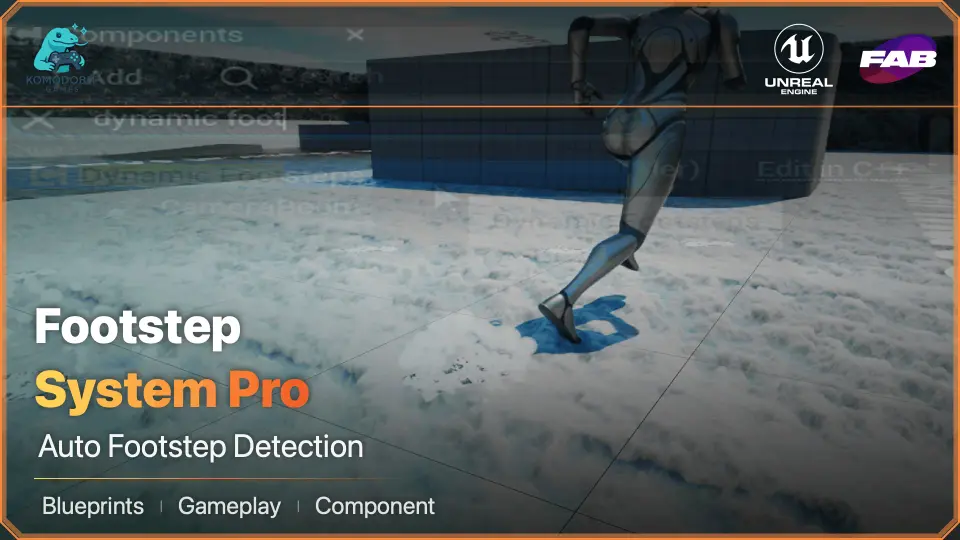
Simple Footstep System Pro centers on a single modular component capable of identifying skeletal mesh bones and executing movement-driven line traces straight from a character's feet. Instead of depending on animation notifies placed across hundreds of individual sequences or running tick-heavy calculation loops in animation blueprints, the tool handles trace logic through an automated, isolated workflow. Footstep logic connects directly into existing physical materials to trigger environmental surface responses without requiring tedious manual asset calibration.
Single-Component Architecture and Skeletal Mesh Detection
Traditional character setups demand manual maintenance across every walk, jog, sprint, pivot, and landing sequence. An animator or technical designer typically opens each animation asset to place notify markers precisely where the foot strikes the ground. When working across dozens of character variations or retargeted animation libraries, this approach turns into an enormous production bottleneck. Any timing alteration in the animation curve or replacement of an animation file requires finding and re-placing those notifies by hand.
Simple Footstep System Pro replaces that notify-heavy pipeline through automatic skeletal mesh bone recognition. Once the component is attached to an actor and pointed at the target character mesh, it automatically discovers the relevant foot bones and establishes trace reference points immediately. Developers do not need to configure custom sockets on every new skeleton or sync timing events inside animation sequences. Footstep generation shifts entirely to the component level, freeing animation files from gameplay and audio trigger dependencies.
Movement-Based Foot Tracing Without Event Tick Overhead
A common programmatic alternative to animation notifies involves running continuous line traces directly from the animation blueprint or actor tick. While this eliminates the need to edit individual animation sequences, running line traces on tick creates a heavy performance tax. Every frame spent calculating vector math and querying scene geometry across multiple characters chips away at the project frame budget, quickly turning footstep detection into an optimization hazard.
This system avoids blueprint event ticking altogether by tying line traces strictly to actual character movement. The component monitors movement states and dispatches downward line traces from the feet only when motion warrants it. When the character comes to a halt, tracing stops instantly. By cutting out continuous frame-by-frame updates inside the animation blueprint, character blueprints maintain clean update cycles while delivering dependable ground detection.
Physical Material Driven Surface Responses and Visuals
Accurate footstep mechanics depend entirely on the environment beneath the character's feet. Simple Footstep System Pro queries surface physical materials directly whenever a foot trace reports a hit. Because the component reads standard physical materials natively, developers can leverage existing world geometry, landscape layers, and physics assets without introducing custom collision channels or proprietary tag structures.
Once a physical material is detected, the trace returns hit data that drives project-specific audio, environmental decals, footprint marks, and Niagara visual effects. Whether a character transitions from cobblestone to deep mud or crosses metallic walkways, the surface interaction logic queries the material directly at the exact point of contact. This direct pipeline keeps setup simple: map out the intended response for each physical material, and the system executes the corresponding sound or visual print dynamically upon contact.
Handling Large Character Rosters and Crowd Simulation System Pro
Scaling a game project frequently exposes flaws in character-level systems. A footstep setup that functions smoothly for a lone protagonist often stumbles when duplicated across dozens of non-player characters, enemy squads, or ambient wanderers. Systems with heavy per-frame overhead quickly saturate the game thread when multiple entities occupy the same screen space.
Because Simple Footstep System Pro does not carry tick-based blueprint weight or notify overhead, it scales smoothly from isolated gameplay prototypes up to rosters featuring over a hundred active characters. The lightweight trace structure allows background actors and complex character classes to execute ground checks reliably. The tool also maintains compatibility with Crowd Simulation System Pro, allowing large groups of traversing agents to generate grounded footsteps and environmental interaction without dragging down runtime performance.
Maintenance Across Expanding Animation Libraries
Game production schedules rarely remain static; character rosters grow, combat maneuvers evolve, and animation assets are continuously swapped or retargeted. When systems rely on notifies scattered through an animation tree, team members spend valuable hours troubleshooting missing footsteps, misaligned notify timings, or broken notifications following an animation update. That friction can slow down iteration across an entire team.
Consolidating all footstep functionality into a single drop-in component insulates the production pipeline from animation-level shifts. Technical artists can swap meshes, test new locomotion sets, or integrate alternative skeletons without revisiting footstep logic. By combining automatic bone tracking, movement-based ground queries, and direct physical material reading, Simple Footstep System Pro delivers a self-contained solution built to handle characters of any scale without ongoing asset maintenance.
 Animations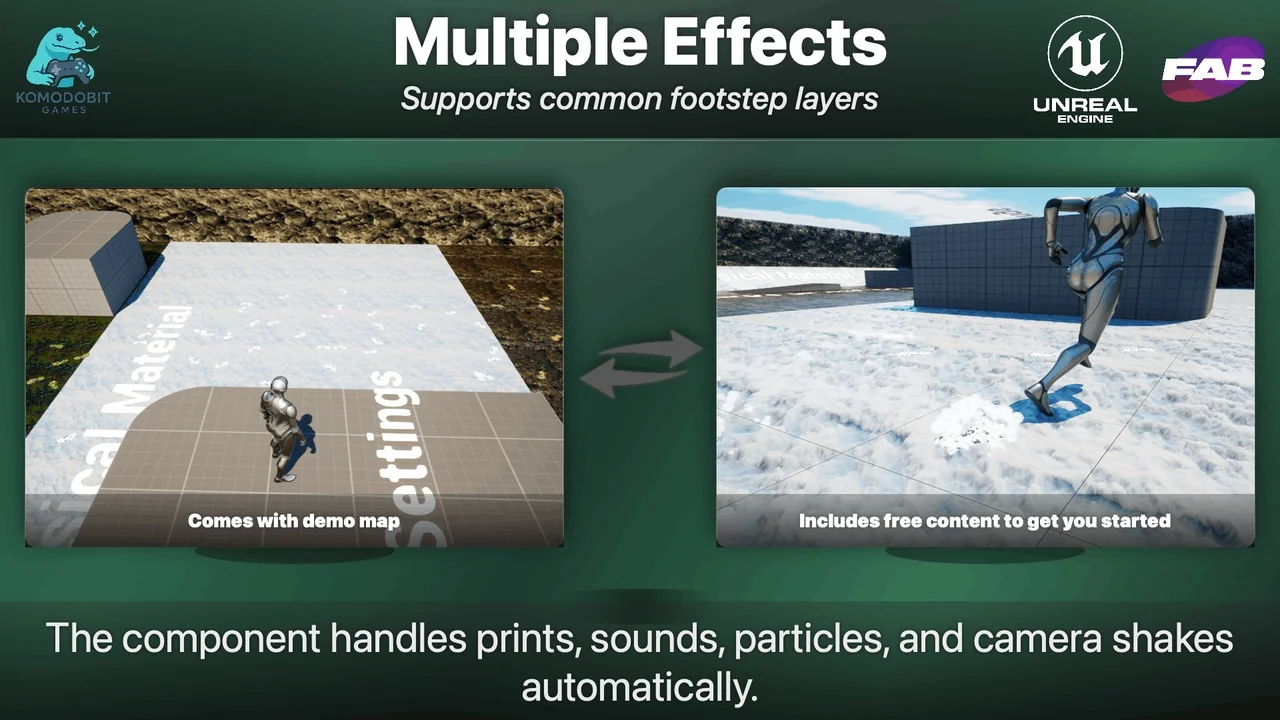
 Animations
 Variety
 Engine Tools