"4481da9c895ef786"{"id":"1001310","slug":"global-search-pro","title":"Global Search Pro","category":"Engine Tools","engine":"5.3 - 5.8","assetVersion":"Asset Version: 2.4.1","engineVersion":"Engine Version: 5.3 - 5.8","tag":"Engine Tools","accent":"blue","visual":"mech","summary":"Global Search Pro brings real-time indexing, fuzzy search, cross-Blueprint navigation, and viewport lookup to large Unreal Engine projects.","platform":"Unreal Engine","publishedAt":"2026-10-02T08:08:28.344Z","updatedAt":"2026-10-02T08:08:28.344Z","sourceNotes":[],"fileContents":[],"compatibility":["Unreal Engine","Asset Version: 2.4.1","Engine Version: 5.3 - 5.8"],"featuredImage":{"alt":"Global Search Pro","src":"/wp-content/uploads/published/2026/10/fe649cf154e5-e639cae7-1d94-44ec-a3d8-3206b4226742-ff331948da.webp"},"hasDownloadLink":true,"downloads":0,"terms":[{"taxonomy":"category","slug":"engine-tools-tools-and-plugins","name":"Engine Tools"}],"galleryImages":[{"src":"/wp-content/uploads/published/2026/10/cd0ac9bb525c-c01ef7cd-b87c-497a-a22f-e88ef95521b4-b5e6825bb0.webp","alt":"Global Search Pro"},{"src":"/wp-content/uploads/published/2026/10/bbf835139385-7b9c342a-5009-4aab-809c-bd63741e82f5-2f56d8a96d.webp","alt":"Global Search Pro"},{"src":"/wp-content/uploads/published/2026/10/2f1f6127067e-639a41e7-0941-4cd0-966c-7843befd8a0e-ea569a7b10.webp","alt":"Global Search Pro"},{"src":"/wp-content/uploads/published/2026/10/23a9c142c14c-afc776c2-09f9-4a52-b6ca-b0a3a4aa7318-ee02b3fe28.webp","alt":"Global Search Pro"},{"src":"/wp-content/uploads/published/2026/10/d10e1a394126-17393624-7df2-479f-b492-6237c39b8745-3b1493bd94.webp","alt":"Global Search Pro"},{"src":"/wp-content/uploads/published/2026/10/c6f0a45dbc4f-dd300781-4b18-4e31-9dfb-106aa29b5812-eaec5224e4.webp","alt":"Global Search Pro"},{"src":"/wp-content/uploads/published/2026/10/0f5e3faf80f5-255d87e3-d0aa-41bf-a002-521f8e7c725f-6eeefaac50.webp","alt":"Global Search Pro"},{"src":"/wp-content/uploads/published/2026/10/490a39a99dbc-53b08caa-e506-441e-8734-9000c49efa8c-7fd4b7265b.webp","alt":"Global Search Pro"}],"accessPanel":{"kind":"resource","title":"Download this resource","eyebrow":"Free Download","message":"Log in or create a free account to start your download.","fileName":"Global Search Pro.7z","safetyNote":"Resources are manually reviewed before listing to improve quality and reduce obvious risks.","actionLabel":"Download Free","resourceType":"Resource archive"},"contentHtml":"\u003ch2\u003eFinding Scene Elements and Logic Instantly in the Viewport\u003c/h2\u003e\u003cp\u003eWorking in sprawling Unreal Engine scenes often means constantly shifting focus away from the active viewport or open stage to dig through folders, inspect outliners, or manually trace references. Global Search Pro provides an editor-integrated search layer that stays active regardless of which window has focus. Pressing Alt+O opens a floating search window directly over the viewport or active canvas, letting developers locate actors, assets, and project data on demand without disrupting their current task.\u003c/p\u003e\u003cp\u003eFor workspaces where floating panels are less desirable, the system includes an optional static search bar integrated into the top toolbars. This integration extends across the primary Level Editor, the Blueprint Editor, the Widget Editor, and the Animation Blueprint Editor. Each editor instance operates its own dedicated search widget to prevent text overlap between open windows, while releasing UI resources cleanly when dropdown menus close.\u003c/p\u003e\u003ch2\u003eCross-Blueprint Navigation and Live Graph Previews\u003c/h2\u003e\u003cp\u003eLocating logic inside intricate Blueprint hierarchies is often more challenging than finding static files on disk. Global Search Pro indexes the internal contents of Blueprints, covering variables, functions, custom events, macros, and graph comments. Instead of simply opening a Blueprint asset at its default view, the tool performs direct cross-Blueprint navigation, allowing developers to jump straight into specific nodes inside functions implemented in other Blueprints.\u003c/p\u003e\u003cp\u003eA live graph preview accompanies the search results, showing the immediate node context before making the jump. When working across modular systems where gameplay logic relies on interfaces, inherited classes, or interconnected actor components, developers can inspect implementation details instantly. Selecting a result transports the camera directly to the relevant node or symbol in the target graph, bypassing the friction of manual panning and zooming across massive node networks.\u003c/p\u003e\u003ch2\u003eSmart Fuzzy Search Across Asset Scopes and Gameplay Tags\u003c/h2\u003e\u003cp\u003eQueries in Global Search Pro are driven by a smart fuzzy search engine powered by n-grams. The matching system is tolerant of typos, returning accurate results even when query text contains misspellings or partial phrases across more than 100 supported asset types. Results appear in approximately 100 milliseconds, using asynchronous processing to ensure that text input in the search bar remains responsive and free from typing stutter.\u003c/p\u003e\u003cp\u003eTo keep massive result sets manageable, the interface provides category tabs and scope filters. Queries can be restricted or expanded across specific data domains:\u003c/p\u003e\u003cul\u003e\u003cli\u003e\u003cstrong\u003eAssets:\u003c/strong\u003e Project-wide asset tracking covering content directory files.\u003c/li\u003e\u003cli\u003e\u003cstrong\u003eSymbols:\u003c/strong\u003e Direct indexing of variables, functions, macros, and events.\u003c/li\u003e\u003cli\u003e\u003cstrong\u003eActors:\u003c/strong\u003e Active scene instances, supporting filters by Actor Tags and Gameplay Tags.\u003c/li\u003e\u003cli\u003e\u003cstrong\u003eComments:\u003c/strong\u003e Text contained in Blueprint graph comment boxes for locating architectural notes.\u003c/li\u003e\u003cli\u003e\u003cstrong\u003eProject, Engine, and Plugins:\u003c/strong\u003e Scopes that isolate custom project files or reach deep into engine and external plugin content.\u003c/li\u003e\u003c/ul\u003e\u003cp\u003eListings automatically omit internal engine asset tags to maintain clean, readable query outputs.\u003c/p\u003e\u003ch2\u003eTracking Dependencies with the Collapsible References Panel\u003c/h2\u003e\u003cp\u003eInspecting how an asset connects to the rest of a project is critical during refactoring, level staging, and logic optimization. Global Search Pro incorporates an automatic reference detection system that retrieves and displays references for every selected result. These connections appear in a collapsible references panel, providing an immediate overview of dependencies without forcing developers to launch separate inspection windows.\u003c/p\u003e\u003cp\u003eThe reference loading pipeline relies on an asynchronous, batch-based system designed to prevent editor freezes when inspecting heavily interconnected assets. Built-in context previews allow users to preview the exact reference environment and jump straight to where that reference lives. Whether auditing actor placements or checking which blueprints reference a specific data structure, the panel maintains fluid navigation across complex asset webs.\u003c/p\u003e\u003ch2\u003eMulti-Threaded Parallel Indexing and Cache Architecture\u003c/h2\u003e\u003cp\u003eBehind the search interface runs a multi-threaded parallel indexing engine optimized for demanding production environments. The engine implements a hybrid indexing approach: Blueprints undergo deep indexing to capture their full internal symbol graphs and comments, while non-Blueprint assets use lightweight metadata-only indexing to conserve memory. Automatic reindexing triggers in real time via Asset Registry notifications as assets are created, saved, or modified.\u003c/p\u003e\u003cp\u003ePerformance remains stable during active development through built-in throttling and PIE-aware indexing, ensuring the background engine does not compete for resources while running Play In Editor sessions. Multi-threaded worker threads compile the project data into a disk-based cache. Rebuilt from the ground up to achieve an approximate 95% reduction in data footprint, this cache enables near-instant indexing after the initial run. The indexing architecture scales comfortably to massive repositories, maintaining steady editor framerates and memory stability in projects containing more than 45,000 Blueprints.\u003c/p\u003e\u003ch2\u003eConfigurable Search Settings and Editor Placement\u003c/h2\u003e\u003cp\u003eGlobal Search Pro centralizes its settings under the primary project configuration interface at \u003ccode\u003eEdit → Project Settings → Plugins → Global Search Pro\u003c/code\u003e. From this panel, teams can customize where the static search bar appears, enabling or disabling its presence in the standard Level Editor, Blueprint Editor, Widget Editor, or Animation Blueprint Editor depending on individual pipeline preferences.\u003c/p\u003e\u003cp\u003eThe settings panel also provides access to a manual re-indexing button, allowing users to rebuild the disk cache immediately if local file modifications or version-control merges create data conflicts. With responsive memory cleanup that prevents resource buildup during long sessions and virtualization that smoothly handles high-volume search queries, the plugin serves as a persistent, high-speed navigational backbone for both solo creators and large production teams.\u003c/p\u003e\n\n\u003ch2\u003eExplore Similar Assets\u003c/h2\u003e\n\u003cul\u003e\n\u003cli\u003e\u003ca href=\"https://3dcghub.com/world-spawner-global-spawning-system/\" title=\"World Spawner - Global Spawning System\"\u003eWorld Spawner - Global Spawning System\u003c/a\u003e\u003c/li\u003e\n\u003cli\u003e\u003ca href=\"https://3dcghub.com/imperfecter-post-process-toolkit/\" title=\"IMPERFECTER - Post Process Toolkit\"\u003eIMPERFECTER - Post Process Toolkit\u003c/a\u003e\u003c/li\u003e\n\u003cli\u003e\u003ca href=\"https://3dcghub.com/global-world-optimization-framework-pro-max-high-performance-for-large-worlds/\" title=\"Global World Optimization Framework PRO MAX - High Performance for Large Worlds\"\u003eGlobal World Optimization Framework PRO MAX - High Performance for Large Worlds\u003c/a\u003e\u003c/li\u003e\n\u003cli\u003e\u003ca href=\"https://3dcghub.com/prismatiscape-interaction-plugin/\" title=\"Prismatiscape Interaction Plugin\"\u003ePrismatiscape Interaction Plugin\u003c/a\u003e\u003c/li\u003e\n\u003cli\u003e\u003ca href=\"https://3dcghub.com/gravity-scatter-tool/\" title=\"Gravity Scatter Tool\"\u003eGravity Scatter Tool\u003c/a\u003e\u003c/li\u003e\n\u003c/ul\u003e","contentTextLength":6485,"navigation":{"current":28,"total":3269,"previous":{"id":"1001311","slug":"library-generic-indie","title":"LIBRARY - GENERIC - INDIE","category":"Engine Tools","platform":"Unreal Engine","updatedAt":"2026-10-02T08:09:31.345Z"},"next":{"id":"1001309","slug":"exec-cmd-dtcmd","title":"Exec CMD - DTCmd","category":"Engine Tools","platform":"Unreal Engine","updatedAt":"2026-10-02T08:07:36.704Z"}},"relatedResources":[{"id":"27726","slug":"world-spawner-global-spawning-system","title":"World Spawner - Global Spawning System","category":"Engine Tools","engine":"5.2","assetVersion":"Engine version: 5.2","engineVersion":"Asset Version:1.2","tag":"Engine Tools","accent":"blue","visual":"character","summary":"World Spawner centers on three connected systems: fast population, optimization, and path and waypoint control. It targets projects that need large-scale spawning of NPCs, loot, and items while keeping movement, persistence, and performance management in th...","platform":"Unreal Engine","publishedAt":"2026-04-28T16:02:07.000Z","updatedAt":"2026-04-28T16:02:08.000Z","sourceNotes":[],"fileContents":[],"compatibility":["Unreal Engine","Engine version: 5.2","Asset Version: 1.2"],"featuredImage":{"alt":"World Spawner - Global Spawning System","src":"https://3dcghub.com/wp-content/uploads/2026/04/3d28a92bdd03_7520a099-82c4-46c0-93bf-585380c35f1e.webp"},"hasDownloadLink":true,"downloads":0},{"id":"1000303","slug":"imperfecter-post-process-toolkit","title":"IMPERFECTER - Post Process Toolkit","category":"Engine Tools","engine":"5.6","assetVersion":"Asset Version: 1.3.1","engineVersion":"Engine Version: 5.6","tag":"Engine Tools","accent":"blue","visual":"mech","summary":"A modular Unreal Engine code plugin utilizing Global Shaders to simulate real-time camera imperfections like VHS compression, halation, and lens dirt.","platform":"Unreal Engine","publishedAt":"2026-07-04T07:55:29.048Z","updatedAt":"2026-07-04T07:55:29.048Z","sourceNotes":[],"fileContents":[],"compatibility":["Unreal Engine","Asset Version: 1.3.1","Engine Version: 5.6"],"featuredImage":{"alt":"IMPERFECTER - Post Process Toolkit","src":"/wp-content/uploads/published/2026/07/0d2ea1f72b31-548936e7-47a6-4b6f-b471-caf92dc97f20-a26d1363a2.webp"},"hasDownloadLink":true,"downloads":0},{"id":"15266","slug":"global-world-optimization-framework-pro-max-high-performance-for-large-worlds","title":"Global World Optimization Framework PRO MAX - High Performance for Large Worlds","category":"Procedural Systems","engine":"1.0.5 - 1.3","assetVersion":"Engine version: 5.3,5.6","engineVersion":"Asset Version:1.0.5 - 1.3","tag":"Procedural Systems","accent":"blue","visual":"animation","summary":"Manage thousands of actors and millions of objects with the Global World Optimization Framework PRO MAX. This system ensures high FPS and persistent world states for large-scale projects.","platform":"Unreal Engine","publishedAt":"2026-03-12T08:27:50.000Z","updatedAt":"2026-07-11T05:24:34.488Z","sourceNotes":[],"fileContents":[],"compatibility":["Unreal Engine","Engine version: 5.3,5.6","Asset Version:1.0.5 - 1.3"],"featuredImage":{"alt":"Global World Optimization Framework PRO MAX - High Performance for Large Worlds","src":"https://3dcghub.com/wp-content/uploads/2026/03/e6a4ffeb-2e66-4d5c-a559-94a10f521a84.webp"},"hasDownloadLink":true,"downloads":0}]}
Engine Tools
Global Search Pro
Global Search Pro brings real-time indexing, fuzzy search, cross-Blueprint navigation, and viewport lookup to large Unreal Engine projects.
Finding Scene Elements and Logic Instantly in the Viewport
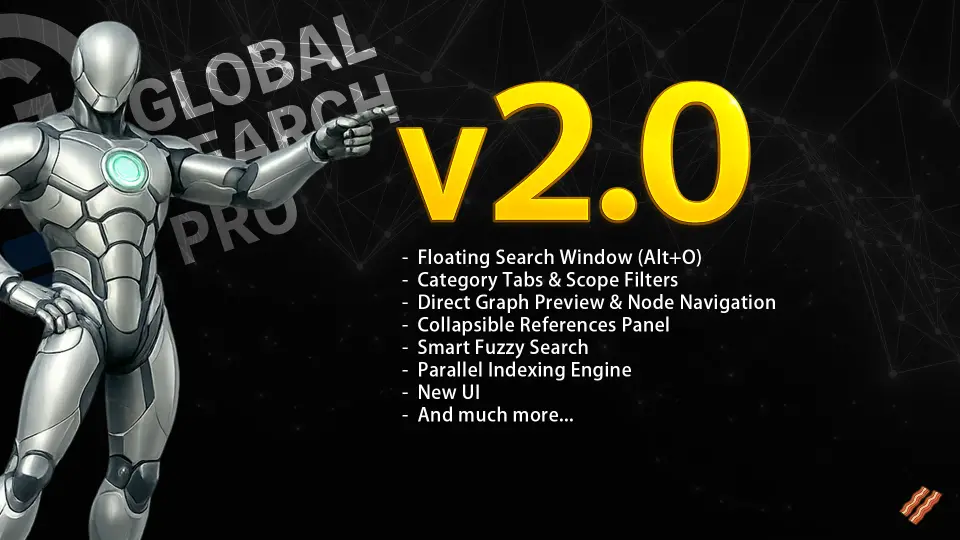
Working in sprawling Unreal Engine scenes often means constantly shifting focus away from the active viewport or open stage to dig through folders, inspect outliners, or manually trace references. Global Search Pro provides an editor-integrated search layer that stays active regardless of which window has focus. Pressing Alt+O opens a floating search window directly over the viewport or active canvas, letting developers locate actors, assets, and project data on demand without disrupting their current task.
For workspaces where floating panels are less desirable, the system includes an optional static search bar integrated into the top toolbars. This integration extends across the primary Level Editor, the Blueprint Editor, the Widget Editor, and the Animation Blueprint Editor. Each editor instance operates its own dedicated search widget to prevent text overlap between open windows, while releasing UI resources cleanly when dropdown menus close.
Cross-Blueprint Navigation and Live Graph Previews
Locating logic inside intricate Blueprint hierarchies is often more challenging than finding static files on disk. Global Search Pro indexes the internal contents of Blueprints, covering variables, functions, custom events, macros, and graph comments. Instead of simply opening a Blueprint asset at its default view, the tool performs direct cross-Blueprint navigation, allowing developers to jump straight into specific nodes inside functions implemented in other Blueprints.
A live graph preview accompanies the search results, showing the immediate node context before making the jump. When working across modular systems where gameplay logic relies on interfaces, inherited classes, or interconnected actor components, developers can inspect implementation details instantly. Selecting a result transports the camera directly to the relevant node or symbol in the target graph, bypassing the friction of manual panning and zooming across massive node networks.
Smart Fuzzy Search Across Asset Scopes and Gameplay Tags
Queries in Global Search Pro are driven by a smart fuzzy search engine powered by n-grams. The matching system is tolerant of typos, returning accurate results even when query text contains misspellings or partial phrases across more than 100 supported asset types. Results appear in approximately 100 milliseconds, using asynchronous processing to ensure that text input in the search bar remains responsive and free from typing stutter.
To keep massive result sets manageable, the interface provides category tabs and scope filters. Queries can be restricted or expanded across specific data domains:
Tracking Dependencies with the Collapsible References Panel
Inspecting how an asset connects to the rest of a project is critical during refactoring, level staging, and logic optimization. Global Search Pro incorporates an automatic reference detection system that retrieves and displays references for every selected result. These connections appear in a collapsible references panel, providing an immediate overview of dependencies without forcing developers to launch separate inspection windows.
The reference loading pipeline relies on an asynchronous, batch-based system designed to prevent editor freezes when inspecting heavily interconnected assets. Built-in context previews allow users to preview the exact reference environment and jump straight to where that reference lives. Whether auditing actor placements or checking which blueprints reference a specific data structure, the panel maintains fluid navigation across complex asset webs.
Multi-Threaded Parallel Indexing and Cache Architecture
Behind the search interface runs a multi-threaded parallel indexing engine optimized for demanding production environments. The engine implements a hybrid indexing approach: Blueprints undergo deep indexing to capture their full internal symbol graphs and comments, while non-Blueprint assets use lightweight metadata-only indexing to conserve memory. Automatic reindexing triggers in real time via Asset Registry notifications as assets are created, saved, or modified.
Performance remains stable during active development through built-in throttling and PIE-aware indexing, ensuring the background engine does not compete for resources while running Play In Editor sessions. Multi-threaded worker threads compile the project data into a disk-based cache. Rebuilt from the ground up to achieve an approximate 95% reduction in data footprint, this cache enables near-instant indexing after the initial run. The indexing architecture scales comfortably to massive repositories, maintaining steady editor framerates and memory stability in projects containing more than 45,000 Blueprints.
Configurable Search Settings and Editor Placement
Global Search Pro centralizes its settings under the primary project configuration interface at Edit → Project Settings → Plugins → Global Search Pro. From this panel, teams can customize where the static search bar appears, enabling or disabling its presence in the standard Level Editor, Blueprint Editor, Widget Editor, or Animation Blueprint Editor depending on individual pipeline preferences.
The settings panel also provides access to a manual re-indexing button, allowing users to rebuild the disk cache immediately if local file modifications or version-control merges create data conflicts. With responsive memory cleanup that prevents resource buildup during long sessions and virtualization that smoothly handles high-volume search queries, the plugin serves as a persistent, high-speed navigational backbone for both solo creators and large production teams.
 Engine Tools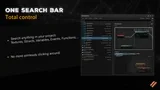
 Engine Tools
 Engine Tools
 Procedural Systems