"0341a2901a4ae9aa"{"id":"14365","slug":"prismatiscape-interaction-plugin","title":"Prismatiscape Interaction Plugin","category":"Engine Tools","engine":"Engine Version: 1.02.7 - 1.04.1","assetVersion":"Engine version: 5.3 - 5.5","engineVersion":"Engine Version: 1.02.7 - 1.04.1","tag":"Engine Tools","accent":"blue","visual":"character","summary":"The Prismatiscape Interaction Plugin provides a robust global shader interaction system for Unreal Engine 5.3+. It utilizes NiagaraGrid2D and Runtime Virtual Textures to create performant wind, water, and foliage simulations.","platform":"Unreal Engine","publishedAt":"2026-03-11T17:47:22.000Z","updatedAt":"2026-06-05T16:50:19.620Z","sourceNotes":[],"fileContents":[],"compatibility":["Unreal Engine","Engine version: 5.3 - 5.5","Engine Version: 1.02.7 - 1.04.1"],"featuredImage":{"alt":"Prismatiscape Interaction Plugin","src":"https://3dcghub.com/wp-content/uploads/2026/03/44b145e2-909c-4c4e-bf70-1a1fd135c999.webp"},"hasDownloadLink":true,"downloads":5,"terms":[{"taxonomy":"category","slug":"engine-tools-tools-and-plugins","name":"Engine Tools"},{"taxonomy":"post_tag","slug":"game-systems","name":"Game Systems"},{"taxonomy":"post_tag","slug":"materials","name":"Materials"},{"taxonomy":"post_tag","slug":"plugins","name":"Plugins"},{"taxonomy":"post_tag","slug":"textures","name":"Textures"},{"taxonomy":"post_tag","slug":"unreal-engine-5","name":"Unreal Engine 5"},{"taxonomy":"post_tag","slug":"vfx","name":"VFX"}],"galleryImages":[{"src":"https://3dcghub.com/wp-content/uploads/2026/03/4513e5baefb4_c79e712b-b9ba-4ac5-89bd-d509fa56b38d.webp","alt":"Prismatiscape Interaction Plugin"},{"src":"https://3dcghub.com/wp-content/uploads/2026/03/ad65ea9f2b6a_8772b014-23bd-425e-a17b-6351a9004f89.webp","alt":"Prismatiscape Interaction Plugin"},{"src":"https://3dcghub.com/wp-content/uploads/2026/03/ae7d51b4257e_c80ce8ca-b449-4617-bd1c-80b38cc9208d.webp","alt":"Prismatiscape Interaction Plugin"},{"src":"https://3dcghub.com/wp-content/uploads/2026/03/d5cf6fccc21e_851e0bef-4374-40da-a544-f46e54fef8cb.webp","alt":"Prismatiscape Interaction Plugin"},{"src":"https://3dcghub.com/wp-content/uploads/2026/03/fb0e40bec70b_89c6ec5b-cced-437d-97ae-b0fbd6a0a663.webp","alt":"Prismatiscape Interaction Plugin"},{"src":"https://3dcghub.com/wp-content/uploads/2026/03/b8dd783215f6_bd9480ad-1d19-4fa1-b215-5001b93e0987.webp","alt":"Prismatiscape Interaction Plugin"},{"src":"https://3dcghub.com/wp-content/uploads/2026/03/55153e0babfe_18a608c9-9fab-44e6-a94c-dbf4c2b39d1a.webp","alt":"Prismatiscape Interaction Plugin"},{"src":"https://3dcghub.com/wp-content/uploads/2026/03/e25a4d0540ab_5e9466f2-53c5-4155-bab5-3a9bbf0afcdf.webp","alt":"Prismatiscape Interaction Plugin"}],"accessPanel":{"kind":"resource","title":"Access this resource","eyebrow":"Free Download","message":"Log in or create a free account to start your download.","fileName":"Prismatiscape Interaction Plugin.7z","safetyNote":"Resources are manually reviewed before listing to improve quality and reduce obvious risks.","actionLabel":"Download Free","resourceType":"Resource archive"},"contentHtml":"\u003ch2\u003eAdvanced Shader Interactions for Indie Developers\u003c/h2\u003e\n\u003cp\u003eThe \u003cstrong\u003ePrismatiscape Interaction Plugin\u003c/strong\u003e is a locally-bound global shader interaction system specifically designed for Unreal Engine 5.3+. This tool was created for indie developers who want to elevate the visual quality of their projects. By leveraging modern engine features, it allows for high-quality interactions without sacrificing performance.\u003c/p\u003e\n\n\u003cp\u003eThe system utilizes the power of NiagaraGrid2D and Runtime Virtual Textures (RVT) to drive its effects. Consequently, users can achieve realistic environmental reactions across various surfaces. Therefore, it serves as a comprehensive solution for creators looking to add physical depth to their game worlds.\u003c/p\u003e\n\n\u003ch2\u003eKey Features and Simulation Capabilities\u003c/h2\u003e\n\u003cp\u003eThe developer has included several performant simulation types within the plugin. These features ensure that the environment feels alive and reactive to player movement. The main simulation categories include:\u003c/p\u003e\n\u003cul\u003e\n \u003cli\u003e\u003cstrong\u003eWind Simulations:\u003c/strong\u003e Create dynamic air movement that affects the scene.\u003c/li\u003e\n \u003cli\u003e\u003cstrong\u003eWater and Surface Interactions:\u003c/strong\u003e Realistic ripples and surface displacements.\u003c/li\u003e\n \u003cli\u003e\u003cstrong\u003eFoliage Simulations:\u003c/strong\u003e Interactive plants that react to external forces.\u003c/li\u003e\n \u003cli\u003e\u003cstrong\u003eAutomatic Drawing:\u003c/strong\u003e Drag-and-drop components make implementation seamless.\u003c/li\u003e\n\u003c/ul\u003e\n\u003cp\u003eBeyond that, the package includes a custom Pivot-Painting script. This script is easy to use and specifically designed for creating interactive foliage assets quickly. Because of these tools, developers can focus more on design and less on complex technical setups.\u003c/p\u003e\n\n\u003ch2\u003eSetup and Technical Requirements\u003c/h2\u003e\n\u003cp\u003eTo use the \u003cstrong\u003ePrismatiscape Interaction Plugin\u003c/strong\u003e, you must ensure your project is properly configured. First, you must navigate to Project Settings and ensure that \"Enable Virtual Texturing\" is ticked. This step is essential for the Runtime Virtual Texture features to function correctly.\u003c/p\u003e\n\n\u003cp\u003eIn addition, users should be aware of a specific engine behavior during the initial setup. If you encounter a \"Warning CreateExport\" message upon the first project start-up, you should close the project immediately. You must not save any plugin Blueprints during this time. However, the errors will be permanently fixed once you reopen the project.\u003c/p\u003e\n\n\u003ch2\u003eWorkflow Best Practices\u003c/h2\u003e\n\u003cp\u003eMaintaining your project during updates is straightforward if you follow the developer's guidelines. Any changes made directly inside the \u003cstrong\u003ePrismatiscape Interaction Plugin\u003c/strong\u003e folder will be lost when updating to a new version. Therefore, it is highly recommended to create Child Classes for any assets you wish to override.\u003c/p\u003e\n\n\u003cp\u003eAlternatively, you can override variables directly in the Component Instances when they are added to your Actors. This approach ensures your custom settings remain intact throughout the development cycle. By following these practices, you can fully utilize the plugin's capabilities while maintaining a clean and update-ready project structure.\u003c/p\u003e\n\n\u003ch2\u003eClosing Notes\u003c/h2\u003e\n\u003cp\u003eThe \u003cstrong\u003ePrismatiscape Interaction Plugin\u003c/strong\u003e offers a powerful and efficient way to handle global shader interactions in Unreal Engine 5.3+. Through the use of Niagara and RVT technologies, it provides indie developers with professional-grade simulation tools. Whether you are creating dense forests or reactive water bodies, this plugin simplifies the process of building immersive environments.\u003c/p\u003e\n\n\u003ch2\u003eMore From The Same Workflow\u003c/h2\u003e\n\u003cul\u003e\n\u003cli\u003e\u003ca href=\"https://3dcghub.com/extile-plus-ultimate-non-tiling-material-toolkit-for-unreal-engine-environments/\" title=\"EXTILE PLUS -Ultimate Non-Tiling Material Toolkit for Unreal Engine Environments\"\u003eEXTILE PLUS -Ultimate Non-Tiling Material Toolkit for Unreal Engine Environments\u003c/a\u003e\u003c/li\u003e\n\u003cli\u003e\u003ca href=\"https://3dcghub.com/ultimate-template-unrealengine-2d-dialogue-inventory-system-save/\" title=\"ULTIMATE Template UnrealEngine || 2D + Dialogue + Inventory system + Save | |\"\u003eULTIMATE Template UnrealEngine || 2D + Dialogue + Inventory system + Save | |\u003c/a\u003e\u003c/li\u003e\n\u003cli\u003e\u003ca href=\"https://3dcghub.com/daz-to-unreal/\" title=\"Daz To Unreal\"\u003eDaz To Unreal\u003c/a\u003e\u003c/li\u003e\n\u003cli\u003e\u003ca href=\"https://3dcghub.com/blueprint-generator-ai-kibibyte-labs-engine-assistant/\" title=\"Blueprint Generator Ai – Kibibyte Labs (Engine Assistant)\"\u003eBlueprint Generator Ai – Kibibyte Labs (Engine Assistant)\u003c/a\u003e\u003c/li\u003e\n\u003cli\u003e\u003ca href=\"https://3dcghub.com/sci-fi-environment-engine-room/\" title=\"Sci-fi Environment Engine Room\"\u003eSci-fi Environment Engine Room\u003c/a\u003e\u003c/li\u003e\n\u003c/ul\u003e","contentTextLength":3597,"navigation":{"current":2079,"total":4017,"previous":{"id":"1000087","slug":"ramen-restaurant-environment-ramen-restaurant-ramen-inter-or-exterior-cafe","title":"Ramen Restaurant Environment ( Ramen Restaurant Ramen Interıor Exterior Cafe )","category":"Streets \u0026 Construction","platform":"Unreal Engine","updatedAt":"2026-06-05T17:02:16.923Z"},"next":{"id":"1000086","slug":"ork-rogue","title":"Ork Rogue","category":"Creatures \u0026 Monsters","platform":"Unreal Engine","updatedAt":"2026-06-05T16:40:06.485Z"}},"relatedResources":[{"id":"14724","slug":"uiws-unified-interactive-water-system","title":"UIWS - Unified Interactive Water System","category":"Engine Tools","engine":"4.25 - 4.27,5.0 - 5.7","assetVersion":"Engine version: 4.25 - 4.27,5.0 - 5.7","engineVersion":"Asset Version:1.11 - 1.18","tag":"Engine Tools","accent":"blue","visual":"character","summary":"Enhance your Unreal Engine 4 projects with UIWS - Unified Interactive Water System. This powerful plugin offers real-time fluid interaction, caustic reflections, and easy setup for beautiful, dynamic water bodies.","platform":"Unreal Engine","publishedAt":"2026-03-11T19:07:27.000Z","updatedAt":"2026-04-19T15:45:41.000Z","sourceNotes":[],"fileContents":[],"compatibility":["Unreal Engine","Engine version: 4.25 - 4.27,5.0 - 5.7","Asset Version: 1.11 - 1.18"],"featuredImage":{"alt":"UIWS - Unified Interactive Water System","src":"https://3dcghub.com/wp-content/uploads/2026/03/89d02958-c237-4e09-b3ae-50ccff59c316.webp"},"hasDownloadLink":true,"downloads":1},{"id":"14707","slug":"uipf-unified-interactive-physical-foliage","title":"UIPF - Unified Interactive Physical Foliage","category":"Engine Tools","engine":"5.3","assetVersion":"Engine version: 5.3","engineVersion":"4.20","tag":"Engine Tools","accent":"blue","visual":"audio","summary":"UIPF - Unified Interactive Physical Foliage provides a high-performance solution for adding realistic interaction to game environments, from swaying grass to bendy plants.","platform":"Unreal Engine","publishedAt":"2026-03-11T19:07:09.000Z","updatedAt":"2026-04-19T15:45:41.000Z","sourceNotes":[],"fileContents":[],"compatibility":["Unreal Engine","Engine version: 5.3"],"featuredImage":{"alt":"UIPF - Unified Interactive Physical Foliage","src":"https://3dcghub.com/wp-content/uploads/2026/03/416e817c-b004-49bf-9a26-9c0ef3ecf7f6.webp"},"hasDownloadLink":true,"downloads":2},{"id":"13806","slug":"clouds-lighting-system","title":"Clouds Lighting System","category":"Engine Tools","engine":"4.26 - 5.8","assetVersion":"Asset Version: 0.3.3.1","engineVersion":"Engine version: 4.26 - 5.8","tag":"Engine Tools","accent":"blue","visual":"animation","summary":"The Clouds Lighting System is a specialized tool designed to add realistic illumination to 2D clouds, volumetric clouds, and various particle systems like smoke and fog.","platform":"Unreal Engine","publishedAt":"2026-03-11T10:07:32.000Z","updatedAt":"2026-09-29T08:34:46.190Z","sourceNotes":[],"fileContents":[],"compatibility":["Unreal Engine","Asset Version: 0.3.3.1","Engine version: 4.26 - 5.8"],"featuredImage":{"alt":"Clouds Lighting System","src":"https://3dcghub.com/wp-content/uploads/2026/03/5915be78-e14d-4e90-8a8e-9eff04991bc6.webp"},"hasDownloadLink":true,"downloads":1}]}
Engine Tools
Prismatiscape Interaction Plugin
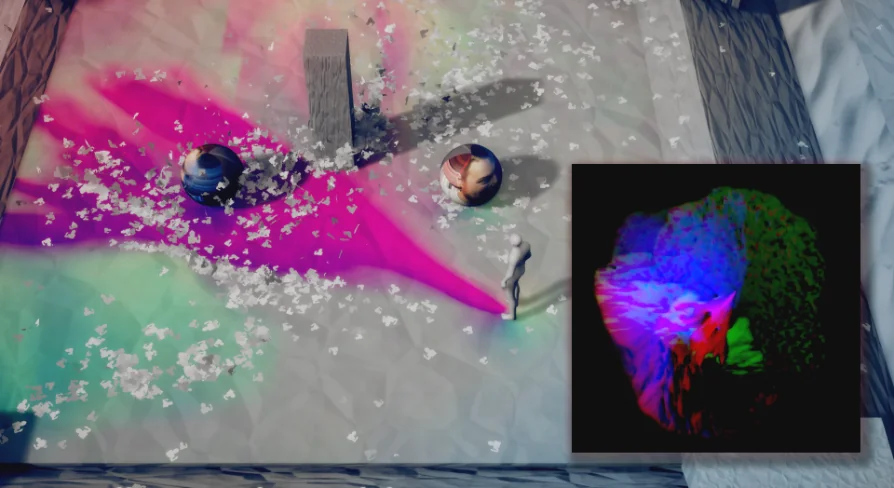
The Prismatiscape Interaction Plugin provides a robust global shader interaction system for Unreal Engine 5.3+. It utilizes NiagaraGrid2D and Runtime Virtual Textures to create performant wind, water, and foliage simulations.
Category:Unreal Engine,Engine ToolsPlatform: Unreal EngineEngine version: 5.3 - 5.5Engine Version: 1.02.7 - 1.04.1Published: Mar 11, 2026Updated: Jun 5, 2026
Engine Tools
Resource overview
Advanced Shader Interactions for Indie Developers
The Prismatiscape Interaction Plugin is a locally-bound global shader interaction system specifically designed for Unreal Engine 5.3+. This tool was created for indie developers who want to elevate the visual quality of their projects. By leveraging modern engine features, it allows for high-quality interactions without sacrificing performance.
The system utilizes the power of NiagaraGrid2D and Runtime Virtual Textures (RVT) to drive its effects. Consequently, users can achieve realistic environmental reactions across various surfaces. Therefore, it serves as a comprehensive solution for creators looking to add physical depth to their game worlds.
Key Features and Simulation Capabilities
The developer has included several performant simulation types within the plugin. These features ensure that the environment feels alive and reactive to player movement. The main simulation categories include:
Wind Simulations: Create dynamic air movement that affects the scene.
Water and Surface Interactions: Realistic ripples and surface displacements.
Foliage Simulations: Interactive plants that react to external forces.
Automatic Drawing: Drag-and-drop components make implementation seamless.
Beyond that, the package includes a custom Pivot-Painting script. This script is easy to use and specifically designed for creating interactive foliage assets quickly. Because of these tools, developers can focus more on design and less on complex technical setups.
Setup and Technical Requirements
To use the Prismatiscape Interaction Plugin, you must ensure your project is properly configured. First, you must navigate to Project Settings and ensure that "Enable Virtual Texturing" is ticked. This step is essential for the Runtime Virtual Texture features to function correctly.
In addition, users should be aware of a specific engine behavior during the initial setup. If you encounter a "Warning CreateExport" message upon the first project start-up, you should close the project immediately. You must not save any plugin Blueprints during this time. However, the errors will be permanently fixed once you reopen the project.
Workflow Best Practices
Maintaining your project during updates is straightforward if you follow the developer's guidelines. Any changes made directly inside the Prismatiscape Interaction Plugin folder will be lost when updating to a new version. Therefore, it is highly recommended to create Child Classes for any assets you wish to override.
Alternatively, you can override variables directly in the Component Instances when they are added to your Actors. This approach ensures your custom settings remain intact throughout the development cycle. By following these practices, you can fully utilize the plugin's capabilities while maintaining a clean and update-ready project structure.
Closing Notes
The Prismatiscape Interaction Plugin offers a powerful and efficient way to handle global shader interactions in Unreal Engine 5.3+. Through the use of Niagara and RVT technologies, it provides indie developers with professional-grade simulation tools. Whether you are creating dense forests or reactive water bodies, this plugin simplifies the process of building immersive environments.
 Engine Tools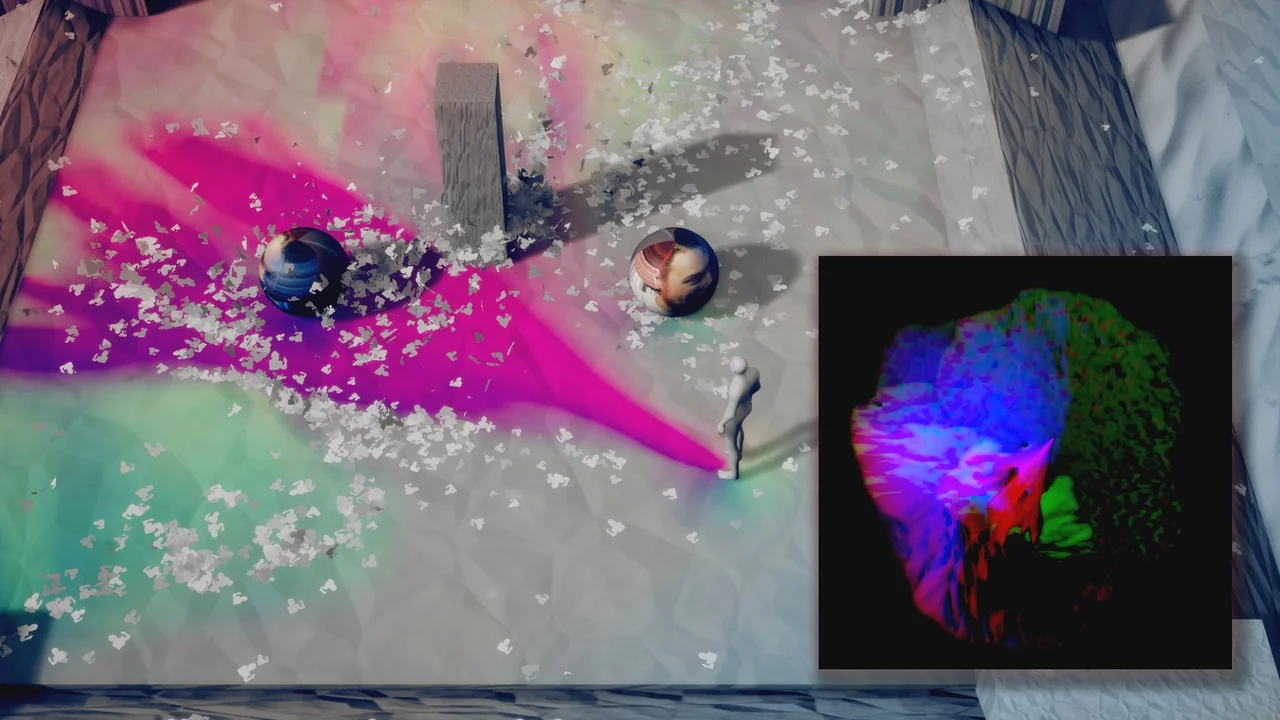
 Engine Tools
 Engine Tools
 Engine Tools