"a338a1d501976271"{"id":"1000303","slug":"imperfecter-post-process-toolkit","title":"IMPERFECTER - Post Process Toolkit","category":"Engine Tools","engine":"5.6","assetVersion":"Asset Version: 1.3.1","engineVersion":"Engine Version: 5.6","tag":"Engine Tools","accent":"blue","visual":"mech","summary":"A modular Unreal Engine code plugin utilizing Global Shaders to simulate real-time camera imperfections like VHS compression, halation, and lens dirt.","platform":"Unreal Engine","publishedAt":"2026-07-04T07:55:29.048Z","updatedAt":"2026-07-04T07:55:29.048Z","sourceNotes":[],"fileContents":[],"compatibility":["Unreal Engine","Asset Version: 1.3.1","Engine Version: 5.6"],"featuredImage":{"alt":"IMPERFECTER - Post Process Toolkit","src":"/wp-content/uploads/published/2026/07/0d2ea1f72b31-548936e7-47a6-4b6f-b471-caf92dc97f20-a26d1363a2.webp"},"hasDownloadLink":true,"downloads":0,"terms":[{"taxonomy":"category","slug":"engine-tools-tools-and-plugins","name":"Engine Tools"}],"galleryImages":[{"src":"/wp-content/uploads/published/2026/07/1301c8372627-a627b822-7ea9-435d-84c8-e8d0ffe2c120-0de61edde8.webp","alt":"IMPERFECTER - Post Process Toolkit"},{"src":"/wp-content/uploads/published/2026/07/b71d867d8226-32b38f30-43f6-4378-9bec-a8b9ec6d8484-d22418ec27.webp","alt":"IMPERFECTER - Post Process Toolkit"},{"src":"/wp-content/uploads/published/2026/07/7d617b0f8bdf-c0bc01c9-5c67-4c1c-91fe-cbbd35533943-0ac02e52f8.webp","alt":"IMPERFECTER - Post Process Toolkit"},{"src":"/wp-content/uploads/published/2026/07/a417f46d365e-63a11d5f-de09-4ae8-ba23-c40d2a7283fc-79e73ec550.webp","alt":"IMPERFECTER - Post Process Toolkit"},{"src":"/wp-content/uploads/published/2026/07/afb2ef4eb9b4-d340fb3a-ebf7-40d0-98af-3c78a24b97fc-9effc3adf6.webp","alt":"IMPERFECTER - Post Process Toolkit"},{"src":"/wp-content/uploads/published/2026/07/38d78cebacd4-3233d450-0e63-4c94-8681-160dfaf2cf0c-40d0f1a894.webp","alt":"IMPERFECTER - Post Process Toolkit"},{"src":"/wp-content/uploads/published/2026/07/d42d64aaaafc-fb2fa76c-a7f2-4e43-b88b-9daf1ea8891b-afa9282652.webp","alt":"IMPERFECTER - Post Process Toolkit"},{"src":"/wp-content/uploads/published/2026/07/f45a70cbac39-1d3ade7f-d947-48ca-b401-7099a8fe4405-3649da56fd.webp","alt":"IMPERFECTER - Post Process Toolkit"},{"src":"/wp-content/uploads/published/2026/07/b9873e9e1a65-a6fa7ee4-308d-4b17-93b5-5acef4fb368d-51d65f51a1.webp","alt":"IMPERFECTER - Post Process Toolkit"},{"src":"/wp-content/uploads/published/2026/07/d8c5055f6b94-89d8293c-2ab1-4ced-a6e0-71a8674ca6ee-406ceed595.webp","alt":"IMPERFECTER - Post Process Toolkit"}],"accessPanel":{"kind":"resource","title":"Download this resource","eyebrow":"Free Download","message":"Log in or create a free account to start your download.","fileName":"Plugins.7z","safetyNote":"Resources are manually reviewed before listing to improve quality and reduce obvious risks.","actionLabel":"Download Free","resourceType":"Resource archive"},"contentHtml":"\u003ch2\u003eBypassing Standard Post-Process Material Limits\u003c/h2\u003e\n\u003cp\u003eAchieving convincing camera imperfections in Unreal Engine often hits a wall when relying solely on standard post-process materials. Complex effects that stack heavily can become difficult to manage or technically unfeasible within the default material graph, especially when trying to build multi-pass visual degradation.\u003c/p\u003e\n\u003cp\u003eIMPERFECTER - Post Process Toolkit bypasses this bottleneck by utilizing Global Shaders that are inserted directly into the Unreal Engine rendering pipeline. This core technical difference allows developers to achieve complex, multi-pass post-process effects that normally would not be possible with regular post-process materials alone. The workflow mirrors the familiar process of using Post Process Volumes, keeping integration straightforward for environment artists and technical directors. To apply the visual changes, developers place a specific level actor, the \"Imperfecter Instance,\" directly into the environment. From there, the effects can be configured and stacked. This standalone architecture means every effect operates independently. They can be freely reordered, turned on or off, and even applied multiple times within the exact same effect stack to compound specific visual artifacts.\u003c/p\u003e\n\u003ch2\u003eConstructing Bodycam and Found-Footage Aesthetics\u003c/h2\u003e\n\u003cp\u003eProjects aiming for a bodycam, digicam, or VHS horror style require specific digital degradation. The toolkit provides dedicated modules to replicate the exact flaws of low-quality digital recording and transmission, adding that critical layer of realism to modern found-footage projects.\u003c/p\u003e\n\u003cp\u003eOne of the standout methods for achieving this is the Compression Artifacts module. It simulates low-bitrate video degradation in real-time by applying DCT quantization alongside a deblocking filter, creating the blocky, lossy look of heavily compressed digital video. This pairs directly with the Interlacing effect, which generates horizontal scanline-based alternation between the previous and current frames to simulate older broadcast or recording hardware. To further mimic cheap camera hardware, the Lens Distortion module applies screen warping using either a gradient or a polynomial distortion model. To ensure the distorted image retains its intended visual fidelity where needed, the module supports Bicubic filtering for quality preservation, preventing the warped edges from becoming unnecessarily pixelated or jagged.\u003c/p\u003e\n\u003ch2\u003eSimulating Analog Film and Physical Lens Defects\u003c/h2\u003e\n\u003cp\u003eFor projects leaning toward traditional cinematic realism or retro analog film styles, the toolkit includes effects that replicate physical camera lenses and celluloid film damage. These modules help break up the clean, perfect renders typical of real-time game engines.\u003c/p\u003e\n\u003cp\u003eAnalog imperfections start with the Halation module, which simulates the distinct spreading of light—or bloom—that occurs in the bright areas of physical analog film. Physical wear and tear can be added using the Film Damage effect, which introduces animated, texture-based imperfections like dust, dirt, and scratches to the screen. To simulate the physical camera lens itself, the Lens Dirt effect generates blurry bokeh imperfections and light irregularities reacting to the environment. This includes an advanced dirt mask with an independent threshold for precise control over how light interacts with the lens grime. Additionally, the Chromatic Aberration module allows developers to introduce lateral and longitudinal lens fringing, with controls separated per color channel to fine-tune the exact color bleeding on the edges of the frame.\u003c/p\u003e\n\u003ch2\u003eFine-Tuning the Visual Stack and Managing Presets\u003c/h2\u003e\n\u003cp\u003eOrganizing a complex stack of visual degradation requires an interface built for the task, especially when balancing multiple passes of noise and blurring. The plugin introduces a custom In-Editor window tab specifically designed to make managing these modular effects convenient without digging through complex nested menus.\u003c/p\u003e\n\u003cp\u003eBecause the effects are entirely modular, a developer could apply a layer of procedurally-generated Noise Grain, follow it with a texture-based digital noise, and then soften the entire image. The Soften module utilizes a fast-to-render Gaussian-like blur implementation to reduce harsh digital edges. Conversely, if the image needs more bite, the Sharpen module applies an unsharp mask method featuring two different sharpening styles. To unify the final image, the Overlay module can blend a customizable gradient or texture over the screen using various blend modes. Once a specific look is dialed in, the exact configuration of the effects can be saved and loaded later using preset asset files, allowing a consistent visual identity to be shared across different levels or projects.\u003c/p\u003e\n\u003ch2\u003eModifying Effects at Runtime via the Imperfecter Subsystem\u003c/h2\u003e\n\u003cp\u003eBeyond static level actors, camera imperfections often need to react dynamically to gameplay events, such as taking damage, entering new areas, or changing camera perspectives.\u003c/p\u003e\n\u003cp\u003eTo handle these real-time adjustments, the plugin utilizes the Imperfecter Subsystem. This subsystem allows developers to change any of the effect properties at runtime. Whether ramping up compression artifacts during a horror sequence, increasing lens distortion when running, or triggering film damage during specific narrative beats, the subsystem provides the necessary hooks for gameplay integration. This runtime control ensures the camera effects remain an active part of the project's visual rendering pipeline rather than just a static filter applied over the camera, completing the toolkit's approach to real-time image manipulation.\u003c/p\u003e\n\n\u003ch2\u003eExplore Similar Assets\u003c/h2\u003e\n\u003cul\u003e\n\u003cli\u003e\u003ca href=\"https://3dcghub.com/post-process-pro-pack/\" title=\"Post Process Pro Pack\"\u003ePost Process Pro Pack\u003c/a\u003e\u003c/li\u003e\n\u003cli\u003e\u003ca href=\"https://3dcghub.com/post-process-hand-draw-outline/\" title=\"Post Process Hand Draw Outline\"\u003ePost Process Hand Draw Outline\u003c/a\u003e\u003c/li\u003e\n\u003cli\u003e\u003ca href=\"https://3dcghub.com/fog-of-war-material/\" title=\"Fog Of War Material\"\u003eFog Of War Material\u003c/a\u003e\u003c/li\u003e\n\u003cli\u003e\u003ca href=\"https://3dcghub.com/ascii-post-process-material/\" title=\"ASCII Post Process Material\"\u003eASCII Post Process Material\u003c/a\u003e\u003c/li\u003e\n\u003cli\u003e\u003ca href=\"https://3dcghub.com/shadersource-procedural-water-foliage-tool/\" title=\"SHADERSOURCE - Procedural Water Foliage Tool\"\u003eSHADERSOURCE - Procedural Water Foliage Tool\u003c/a\u003e\u003c/li\u003e\n\u003c/ul\u003e","contentTextLength":5828,"navigation":{"current":1173,"total":3338,"previous":{"id":"1000304","slug":"interact-sandbox","title":"Interact Sandbox","category":"Game Mechanics","platform":"Unreal Engine","updatedAt":"2026-07-04T08:54:18.742Z"},"next":{"id":"1000302","slug":"hydra","title":"Hydra","category":"Characters \u0026 Creatures","platform":"Unreal Engine","updatedAt":"2026-07-04T07:49:48.204Z"}},"relatedResources":[{"id":"1000867","slug":"post-process-shader-scan-effect","title":"Post Process Shader - Scan Effect","category":"Shaders","engine":"5.0+","assetVersion":"","engineVersion":"Engine Version: 5.0+","tag":"Shaders","accent":"blue","visual":"mech","summary":"A UE5 post-process shader that creates glowing scan outlines on object edges and surfaces, with full color, thickness, and glow control. Works in any lighting.","platform":"Unreal Engine","publishedAt":"2026-08-05T06:50:02.101Z","updatedAt":"2026-08-05T06:50:02.101Z","sourceNotes":[],"fileContents":[],"compatibility":["Unreal Engine","Engine Version: 5.0+"],"featuredImage":{"alt":"Post Process Shader - Scan Effect","src":"/wp-content/uploads/published/2026/08/9d1030c573cf-ea53a9c9-7dac-4928-b85c-12f5e688203a-4ac07b0456.webp"},"hasDownloadLink":true,"downloads":1},{"id":"1001000","slug":"lens-and-film-post-process","title":"Lens and Film Post Process","category":"Shaders","engine":"5.1+","assetVersion":"","engineVersion":"Engine Version: 5.1+","tag":"Shaders","accent":"blue","visual":"mech","summary":"Customizable post-processing effect for blur, lens distortion, chromatic aberration, film grain, light leaks, and more. Includes disk blur types and cinematic r","platform":"Unreal Engine","publishedAt":"2026-08-20T09:55:15.932Z","updatedAt":"2026-08-20T09:55:15.932Z","sourceNotes":[],"fileContents":[],"compatibility":["Unreal Engine","Engine Version: 5.1+"],"featuredImage":{"alt":"Lens and Film Post Process","src":"/wp-content/uploads/published/2026/08/9f516287e615-b76a2f41-7419-402c-9096-7d1b7d173679-78137b7b8c.webp"},"hasDownloadLink":true,"downloads":0},{"id":"1000868","slug":"post-process-shader-world-effect","title":"Post Process Shader - World Effect","category":"Shaders","engine":"5.0+","assetVersion":"","engineVersion":"Engine Version: 5.0+","tag":"Shaders","accent":"blue","visual":"mech","summary":"A post-processing shader for Unreal Engine 5 that creates atmospheric and eerie visuals—fog, glow, distortion, color filters—with fully adjustable parameters an","platform":"Unreal Engine","publishedAt":"2026-08-05T06:52:48.407Z","updatedAt":"2026-08-05T06:52:48.407Z","sourceNotes":[],"fileContents":[],"compatibility":["Unreal Engine","Engine Version: 5.0+"],"featuredImage":{"alt":"Post Process Shader - World Effect","src":"/wp-content/uploads/published/2026/08/74d3c34c609f-04e864c3-4d40-4a94-a958-896d7bdc2d3a-f95815c78c.webp"},"hasDownloadLink":true,"downloads":0}]}
Engine Tools
IMPERFECTER - Post Process Toolkit
A modular Unreal Engine code plugin utilizing Global Shaders to simulate real-time camera imperfections like VHS compression, halation, and lens dirt.
Achieving convincing camera imperfections in Unreal Engine often hits a wall when relying solely on standard post-process materials. Complex effects that stack heavily can become difficult to manage or technically unfeasible within the default material graph, especially when trying to build multi-pass visual degradation.
IMPERFECTER - Post Process Toolkit bypasses this bottleneck by utilizing Global Shaders that are inserted directly into the Unreal Engine rendering pipeline. This core technical difference allows developers to achieve complex, multi-pass post-process effects that normally would not be possible with regular post-process materials alone. The workflow mirrors the familiar process of using Post Process Volumes, keeping integration straightforward for environment artists and technical directors. To apply the visual changes, developers place a specific level actor, the "Imperfecter Instance," directly into the environment. From there, the effects can be configured and stacked. This standalone architecture means every effect operates independently. They can be freely reordered, turned on or off, and even applied multiple times within the exact same effect stack to compound specific visual artifacts.
Constructing Bodycam and Found-Footage Aesthetics
Projects aiming for a bodycam, digicam, or VHS horror style require specific digital degradation. The toolkit provides dedicated modules to replicate the exact flaws of low-quality digital recording and transmission, adding that critical layer of realism to modern found-footage projects.
One of the standout methods for achieving this is the Compression Artifacts module. It simulates low-bitrate video degradation in real-time by applying DCT quantization alongside a deblocking filter, creating the blocky, lossy look of heavily compressed digital video. This pairs directly with the Interlacing effect, which generates horizontal scanline-based alternation between the previous and current frames to simulate older broadcast or recording hardware. To further mimic cheap camera hardware, the Lens Distortion module applies screen warping using either a gradient or a polynomial distortion model. To ensure the distorted image retains its intended visual fidelity where needed, the module supports Bicubic filtering for quality preservation, preventing the warped edges from becoming unnecessarily pixelated or jagged.
Simulating Analog Film and Physical Lens Defects
For projects leaning toward traditional cinematic realism or retro analog film styles, the toolkit includes effects that replicate physical camera lenses and celluloid film damage. These modules help break up the clean, perfect renders typical of real-time game engines.
Analog imperfections start with the Halation module, which simulates the distinct spreading of light—or bloom—that occurs in the bright areas of physical analog film. Physical wear and tear can be added using the Film Damage effect, which introduces animated, texture-based imperfections like dust, dirt, and scratches to the screen. To simulate the physical camera lens itself, the Lens Dirt effect generates blurry bokeh imperfections and light irregularities reacting to the environment. This includes an advanced dirt mask with an independent threshold for precise control over how light interacts with the lens grime. Additionally, the Chromatic Aberration module allows developers to introduce lateral and longitudinal lens fringing, with controls separated per color channel to fine-tune the exact color bleeding on the edges of the frame.
Fine-Tuning the Visual Stack and Managing Presets
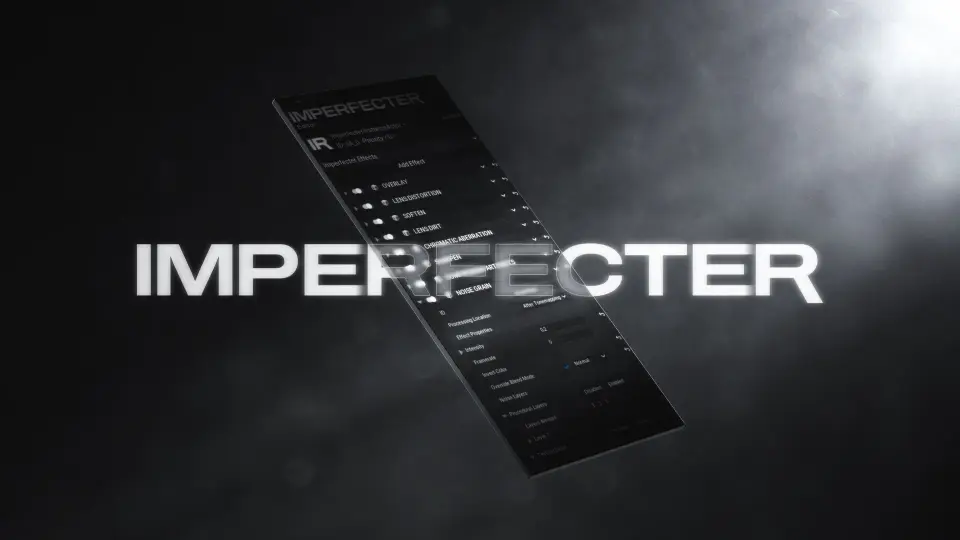
Organizing a complex stack of visual degradation requires an interface built for the task, especially when balancing multiple passes of noise and blurring. The plugin introduces a custom In-Editor window tab specifically designed to make managing these modular effects convenient without digging through complex nested menus.
Because the effects are entirely modular, a developer could apply a layer of procedurally-generated Noise Grain, follow it with a texture-based digital noise, and then soften the entire image. The Soften module utilizes a fast-to-render Gaussian-like blur implementation to reduce harsh digital edges. Conversely, if the image needs more bite, the Sharpen module applies an unsharp mask method featuring two different sharpening styles. To unify the final image, the Overlay module can blend a customizable gradient or texture over the screen using various blend modes. Once a specific look is dialed in, the exact configuration of the effects can be saved and loaded later using preset asset files, allowing a consistent visual identity to be shared across different levels or projects.
Modifying Effects at Runtime via the Imperfecter Subsystem
Beyond static level actors, camera imperfections often need to react dynamically to gameplay events, such as taking damage, entering new areas, or changing camera perspectives.
To handle these real-time adjustments, the plugin utilizes the Imperfecter Subsystem. This subsystem allows developers to change any of the effect properties at runtime. Whether ramping up compression artifacts during a horror sequence, increasing lens distortion when running, or triggering film damage during specific narrative beats, the subsystem provides the necessary hooks for gameplay integration. This runtime control ensures the camera effects remain an active part of the project's visual rendering pipeline rather than just a static filter applied over the camera, completing the toolkit's approach to real-time image manipulation.
 Engine Tools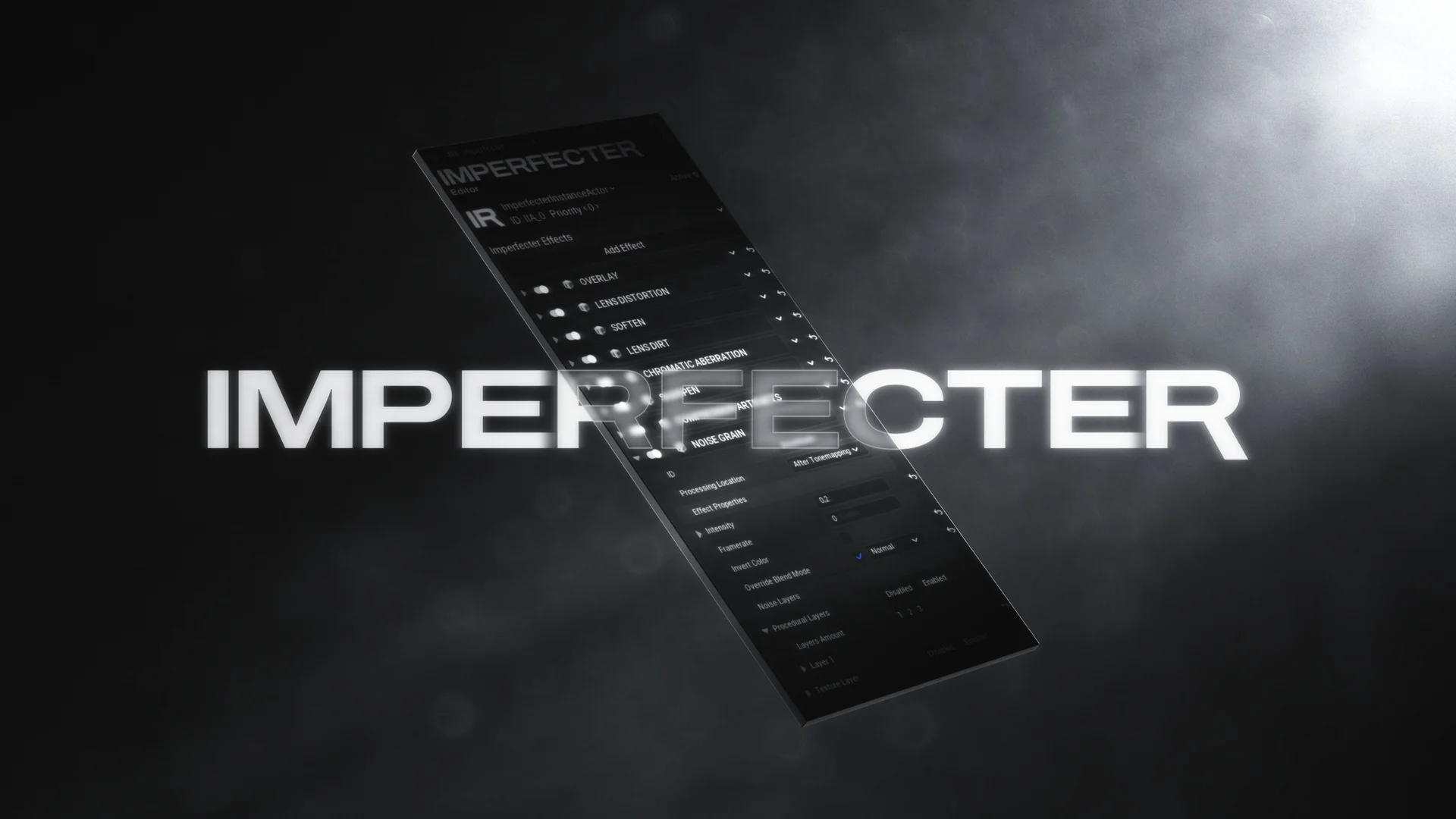
 Shaders
 Shaders
 Shaders