"1f00f67f9253451b"{"id":"1001267","slug":"insta-deform-component","title":"Insta Deform Component","category":"Engine Tools","engine":"4.26 - 5.6","assetVersion":"Asset Version: 1.2","engineVersion":"Engine Version: 4.26 - 5.6","tag":"Engine Tools","accent":"blue","visual":"mech","summary":"Add instant, fully replicated visual deformation to vehicles and skeletal meshes in Unreal Engine with fast hit-event setup and stress-tested performance.","platform":"Unreal Engine","publishedAt":"2026-09-30T05:49:51.218Z","updatedAt":"2026-09-30T05:49:51.218Z","sourceNotes":[],"fileContents":[],"compatibility":["Unreal Engine","Asset Version: 1.2","Engine Version: 4.26 - 5.6"],"featuredImage":{"alt":"Insta Deform Component","src":"/wp-content/uploads/published/2026/09/c662b5d1a286-0d9734bc-bb9e-47eb-a1d4-b828a06d5463-7ed02f8e45.webp"},"hasDownloadLink":true,"downloads":0,"terms":[{"taxonomy":"category","slug":"engine-tools-tools-and-plugins","name":"Engine Tools"}],"galleryImages":[{"src":"/wp-content/uploads/published/2026/09/87354cf3788a-5fda6e53-cff6-45b0-896b-69af288181f1-3f93f974b4.webp","alt":"Insta Deform Component"},{"src":"/wp-content/uploads/published/2026/09/605f48fb7759-8394b31b-f352-4240-84a4-c5f309e608e1-a8e7f30ef2.webp","alt":"Insta Deform Component"},{"src":"/wp-content/uploads/published/2026/09/e8da1a6f1f9a-839d762e-f5b1-403b-bce6-711509fd3f2c-6b20d77375.webp","alt":"Insta Deform Component"},{"src":"/wp-content/uploads/published/2026/09/948f65ba8362-2b72236e-f996-4dd5-894f-81ee8508832a-bdfbbce868.webp","alt":"Insta Deform Component"},{"src":"/wp-content/uploads/published/2026/09/53d0b01caef8-a97d71c2-78b6-485b-b4b5-e557db604e2f-5ac380fa92.webp","alt":"Insta Deform Component"}],"accessPanel":{"kind":"resource","title":"Download this resource","eyebrow":"Free Download","message":"Log in or create a free account to start your download.","fileName":"Insta Deform Component.7z","safetyNote":"Resources are manually reviewed before listing to improve quality and reduce obvious risks.","actionLabel":"Download Free","resourceType":"Resource archive"},"contentHtml":"\u003cp\u003eHigh-impact vehicle crashes, demolition derbies, and collision-heavy game worlds demand convincing structural damage to ground player interactions in real physics. Traditionally, achieving believable impact deformation requires technical artists to author layers of bespoke morph targets or blend shapes across dozens of vehicle components, from quarter panels and bumpers to hoods and doors. Insta Deform Component alters this workflow by calculating dynamic visual deformation on the fly when physics collisions take place, removing the bottleneck of manual asset preparation.\u003c/p\u003e \u003ch2\u003eRapid Setup on Hit Events with Insta Deform Component\u003c/h2\u003e\n\u003cp\u003eIntegrating deformation mechanics into an existing vehicle pawn or physics-driven actor can be done in moments rather than requiring days of custom blueprint wiring. Implementing the system centers on attaching the Insta Deform Component directly to the target actor hierarchy. From there, physics handling hinges on the hit generation settings of the mesh components.\u003c/p\u003e\n\u003cp\u003eSetting Generate Hit Events to true on both the component and its associated physics asset establishes the foundation for impact detection. When two physics-enabled bodies collide with sufficient force, the component intercepts the collision data to reshape the surrounding geometry. This direct dependency on standard physics collision events avoids complicated custom trace channels or redundant script monitors. As a result, artists and vehicle programmers can convert an entire garage of static vehicle models into reactive, crash-ready rigs with consistent setup steps across every vehicle class.\u003c/p\u003e \u003ch2\u003eSkeletal Mesh Support Across Vehicles, Props, and Characters\u003c/h2\u003e\n\u003cp\u003eWhile dynamic damage is most frequently associated with automotive titles, the underlying architecture of Insta Deform Component operates across skeletal meshes of any configuration. The component applies its visual vertex manipulations directly to skeletal geometry, enabling teams to use the exact same deformation setup across passenger cars, heavy haulers, interactive roadside barriers, industrial machinery, and dynamic props.\u003c/p\u003e\n\u003cp\u003eSkeletal meshes serve as the core foundation for production deployments. Even non-vehicular scene items, such as mechanical constructs or characters subjected to severe blunt impacts, can leverage the component as long as they are rigged with a skeletal mesh and an active physics asset. Shifting deformation processing away from pre-baked morph targets yields massive labor savings. Manually sculpting damaged variations for every vehicle body style, paint variation, and accessory tier across an entire project can drain weeks of technical art bandwidth. Automating this through algorithmic visual deformation liberates 3D modeling teams to focus on core asset creation rather than sculpting crushed fenders and crushed grilles.\u003c/p\u003e \u003ch2\u003eStatic Mesh Support and Production Target Constraints\u003c/h2\u003e\n\u003cp\u003eFor projects evaluating static meshes instead of rigged skeletal structures, Insta Deform Component includes experimental static mesh support. However, this functionality is currently restricted to editor data contexts. Because static mesh deformation relies on editor data structures in its current state, it is strictly intended for rapid prototyping and in-editor evaluation rather than packaged runtime builds.\u003c/p\u003e\n\u003cp\u003eDevelopment teams targeting packaged shipping builds should focus their pipelines on skeletal mesh assets. Using skeletal mesh vehicles ensures that geometry, physics assets, and deformation logic function reliably within compiled game executables. Expanded support designed to bring static mesh deformation into shipping builds remains on the development roadmap for future updates.\u003c/p\u003e \u003ch2\u003eMultiplayer Synchronization and Replicated Deformations\u003c/h2\u003e\n\u003cp\u003eNetworked racing games and multiplayer combat arenas require visual damage to reflect identical states for every participant on the track. If a player collides head-on with a retaining wall or trades paint with an opponent, discordant cosmetic damage ruins the visual coherence of the match. Insta Deform Component addresses this by supporting full network replication out of the box.\u003c/p\u003e\n\u003cp\u003eDeformation events synchronize across all connected clients in a multiplayer session. When a local impact triggers a mesh crumple, the resulting deformation state propagates across the network so that spectators, competitors, and the driver witness the exact same mechanical denting. This integrated multiplayer replication eliminates the requirement for engineers to hand-craft remote procedure calls (RPCs), replicate custom transform arrays, or manually interpolate vertex offsets between server and clients.\u003c/p\u003e \u003ch2\u003eRendering APIs and Layered Visuals with Skinned Decal Component\u003c/h2\u003e\n\u003cp\u003eVisual crumpling represents one half of a complete damage pipeline; surface abrasion, paint scraping, and chipped metalwork form the other. In stress testing scenarios, Insta Deform Component has demonstrated robust operational stability when paired alongside Skinned Decal Component. Large-scale performance tests featuring up to 30 active, colliding vehicles running both systems simultaneously at 4K resolution illustrate that dynamic mesh warping and complex surface decals can coexist without crippling rendering performance.\u003c/p\u003e\n\u003cp\u003eOn the platform and API level, version 1.0 of the component is optimized around DirectX, which is explicitly recommended to achieve the highest rendering stability. While projects running under Vulkan can execute the component, Vulkan support remains experimental at this stage. Stable, fully tuned Vulkan operation is planned for integration in an upcoming release.\u003c/p\u003e\n\u003cp\u003eDevelopers should also maintain a clear technical distinction between visual mesh deformation and collision shape deformation. Insta Deform Component is engineered to manipulate the visual geometry of the mesh. Physical collision shape deformations—which alter the actual underlying physics hulls and collision volumes to match crumpled bodywork—are currently under development for Unreal Engine 5 as a separate add-on module. For teams deploying the system today, the component operates strictly as a visual deformation solution.\u003c/p\u003e \u003ch2\u003eIdeal Project Fit and Pipeline Application\u003c/h2\u003e\n\u003cp\u003eInsta Deform Component is best suited for racing game developers, vehicular combat creators, and technical designers seeking a rapid, scalable destruction mechanic without the overhead of manual sculpting pipelines. By relying on straightforward hit event triggers, broad skeletal mesh compatibility, and seamless multiplayer synchronization, it offers small and mid-sized production teams a practical pathway to dynamic visual damage.\u003c/p\u003e\n\n\u003ch2\u003eExplore Similar Assets\u003c/h2\u003e\n\u003cul\u003e\n\u003cli\u003e\u003ca href=\"https://3dcghub.com/skinned-decal-component/\" title=\"Skinned Decal Component\"\u003eSkinned Decal Component\u003c/a\u003e\u003c/li\u003e\n\u003cli\u003e\u003ca href=\"https://3dcghub.com/npc-optimizator-automatic-optimize-npc-for-you-game/\" title=\"NPC Optimizator - automatic optimize NPC for you game\"\u003eNPC Optimizator - automatic optimize NPC for you game\u003c/a\u003e\u003c/li\u003e\n\u003cli\u003e\u003ca href=\"https://3dcghub.com/udp-socket-server-and-client/\" title=\"UDP Socket Server And Client\"\u003eUDP Socket Server And Client\u003c/a\u003e\u003c/li\u003e\n\u003cli\u003e\u003ca href=\"https://3dcghub.com/advanced-vehicle-system-replicated-modular-vehicle-physics/\" title=\"Advanced Vehicle System - [Replicated Modular Vehicle Physics]\"\u003eAdvanced Vehicle System - [Replicated Modular Vehicle Physics]\u003c/a\u003e\u003c/li\u003e\n\u003cli\u003e\u003ca href=\"https://3dcghub.com/multiworld/\" title=\"MultiWorld\"\u003eMultiWorld\u003c/a\u003e\u003c/li\u003e\n\u003c/ul\u003e","contentTextLength":6810,"navigation":{"current":14,"total":3222,"previous":{"id":"1001268","slug":"mazen-level-tool","title":"Mazen Level Tool","category":"Engine Tools","platform":"Unreal Engine","updatedAt":"2026-09-30T05:52:49.722Z"},"next":{"id":"1001266","slug":"editor-interface-size","title":"Editor Interface Size","category":"Engine Tools","platform":"Unreal Engine","updatedAt":"2026-09-30T05:47:01.584Z"}},"relatedResources":[{"id":"14623","slug":"skinned-decal-component","title":"Skinned Decal Component","category":"Engine Tools","engine":"2.3 - 3.0","assetVersion":"Engine version: 4.26 - 5.6","engineVersion":"Asset Version:2.3 - 3.0","tag":"Engine Tools","accent":"blue","visual":"character","summary":"Enhance your character rendering with the Skinned Decal Component, a lightweight tool designed to project decals that deform perfectly with skeletal meshes and morph targets.","platform":"Unreal Engine","publishedAt":"2026-03-11T18:41:59.000Z","updatedAt":"2026-06-20T04:53:55.480Z","sourceNotes":[],"fileContents":[],"compatibility":["Unreal Engine","Engine version: 4.26 - 5.6","Asset Version:2.3 - 3.0"],"featuredImage":{"alt":"Skinned Decal Component","src":"https://3dcghub.com/wp-content/uploads/2026/03/fb675630-276b-4dc3-85a6-b52b12e7aaad.webp"},"hasDownloadLink":true,"downloads":1},{"id":"14293","slug":"npc-optimizator-automatic-optimize-npc-for-you-game","title":"NPC Optimizator - automatic optimize NPC for you game","category":"Engine Tools","engine":"4.25 - 5.7","assetVersion":"Version: 1.5.7 - 1.6.6","engineVersion":"Engine version: 4.25 - 5.7","tag":"Engine Tools","accent":"blue","visual":"luts","summary":"Boost your game's performance with NPC Optimizator, a flexible plugin designed to handle large numbers of NPCs automatically. Learn how to balance quality and speed using customizable optimization components.","platform":"Unreal Engine","publishedAt":"2026-03-11T17:23:11.000Z","updatedAt":"2026-09-29T09:33:30.254Z","sourceNotes":[],"fileContents":[],"compatibility":["Unreal Engine","Version: 1.5.7 - 1.6.6","Engine version: 4.25 - 5.7"],"featuredImage":{"alt":"NPC Optimizator - automatic optimize NPC for you game","src":"https://3dcghub.com/wp-content/uploads/2026/03/c3aeaac7-93f3-4396-abb7-320b16f85363.webp"},"hasDownloadLink":true,"downloads":0},{"id":"14695","slug":"udp-socket-server-and-client","title":"UDP Socket Server And Client","category":"Engine Tools","engine":"4.26 - 5.8","assetVersion":"Asset Version:1.1 - 2.0","engineVersion":"Engine version: 4.26 - 5.8","tag":"Engine Tools","accent":"blue","visual":"city","summary":"UDP Socket Server And Client is an Unreal Engine plugin for Blueprint-facing UDP data communication, combining server and client components for sending and receiving messages.","platform":"Unreal Engine","publishedAt":"2026-03-11T19:00:59.000Z","updatedAt":"2026-09-30T03:08:35.970Z","sourceNotes":[],"fileContents":[],"compatibility":["Unreal Engine","Asset Version:1.1 - 2.0","Engine version: 4.26 - 5.8"],"featuredImage":{"alt":"UDP Socket Server And Client","src":"https://3dcghub.com/wp-content/uploads/2026/03/476d920b-e32b-4bbc-b437-2a91aca5e181.webp"},"hasDownloadLink":true,"downloads":1}]}
Engine Tools
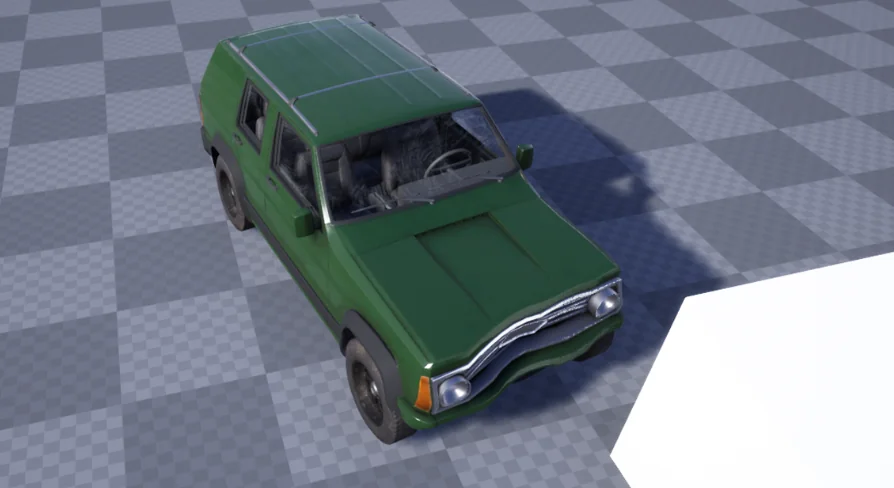
Insta Deform Component
Add instant, fully replicated visual deformation to vehicles and skeletal meshes in Unreal Engine with fast hit-event setup and stress-tested performance.
High-impact vehicle crashes, demolition derbies, and collision-heavy game worlds demand convincing structural damage to ground player interactions in real physics. Traditionally, achieving believable impact deformation requires technical artists to author layers of bespoke morph targets or blend shapes across dozens of vehicle components, from quarter panels and bumpers to hoods and doors. Insta Deform Component alters this workflow by calculating dynamic visual deformation on the fly when physics collisions take place, removing the bottleneck of manual asset preparation.
Rapid Setup on Hit Events with Insta Deform Component
Integrating deformation mechanics into an existing vehicle pawn or physics-driven actor can be done in moments rather than requiring days of custom blueprint wiring. Implementing the system centers on attaching the Insta Deform Component directly to the target actor hierarchy. From there, physics handling hinges on the hit generation settings of the mesh components.
Setting Generate Hit Events to true on both the component and its associated physics asset establishes the foundation for impact detection. When two physics-enabled bodies collide with sufficient force, the component intercepts the collision data to reshape the surrounding geometry. This direct dependency on standard physics collision events avoids complicated custom trace channels or redundant script monitors. As a result, artists and vehicle programmers can convert an entire garage of static vehicle models into reactive, crash-ready rigs with consistent setup steps across every vehicle class.
Skeletal Mesh Support Across Vehicles, Props, and Characters
While dynamic damage is most frequently associated with automotive titles, the underlying architecture of Insta Deform Component operates across skeletal meshes of any configuration. The component applies its visual vertex manipulations directly to skeletal geometry, enabling teams to use the exact same deformation setup across passenger cars, heavy haulers, interactive roadside barriers, industrial machinery, and dynamic props.
Skeletal meshes serve as the core foundation for production deployments. Even non-vehicular scene items, such as mechanical constructs or characters subjected to severe blunt impacts, can leverage the component as long as they are rigged with a skeletal mesh and an active physics asset. Shifting deformation processing away from pre-baked morph targets yields massive labor savings. Manually sculpting damaged variations for every vehicle body style, paint variation, and accessory tier across an entire project can drain weeks of technical art bandwidth. Automating this through algorithmic visual deformation liberates 3D modeling teams to focus on core asset creation rather than sculpting crushed fenders and crushed grilles.
Static Mesh Support and Production Target Constraints
For projects evaluating static meshes instead of rigged skeletal structures, Insta Deform Component includes experimental static mesh support. However, this functionality is currently restricted to editor data contexts. Because static mesh deformation relies on editor data structures in its current state, it is strictly intended for rapid prototyping and in-editor evaluation rather than packaged runtime builds.
Development teams targeting packaged shipping builds should focus their pipelines on skeletal mesh assets. Using skeletal mesh vehicles ensures that geometry, physics assets, and deformation logic function reliably within compiled game executables. Expanded support designed to bring static mesh deformation into shipping builds remains on the development roadmap for future updates.
Multiplayer Synchronization and Replicated Deformations
Networked racing games and multiplayer combat arenas require visual damage to reflect identical states for every participant on the track. If a player collides head-on with a retaining wall or trades paint with an opponent, discordant cosmetic damage ruins the visual coherence of the match. Insta Deform Component addresses this by supporting full network replication out of the box.
Deformation events synchronize across all connected clients in a multiplayer session. When a local impact triggers a mesh crumple, the resulting deformation state propagates across the network so that spectators, competitors, and the driver witness the exact same mechanical denting. This integrated multiplayer replication eliminates the requirement for engineers to hand-craft remote procedure calls (RPCs), replicate custom transform arrays, or manually interpolate vertex offsets between server and clients.
Rendering APIs and Layered Visuals with Skinned Decal Component
Visual crumpling represents one half of a complete damage pipeline; surface abrasion, paint scraping, and chipped metalwork form the other. In stress testing scenarios, Insta Deform Component has demonstrated robust operational stability when paired alongside Skinned Decal Component. Large-scale performance tests featuring up to 30 active, colliding vehicles running both systems simultaneously at 4K resolution illustrate that dynamic mesh warping and complex surface decals can coexist without crippling rendering performance.
On the platform and API level, version 1.0 of the component is optimized around DirectX, which is explicitly recommended to achieve the highest rendering stability. While projects running under Vulkan can execute the component, Vulkan support remains experimental at this stage. Stable, fully tuned Vulkan operation is planned for integration in an upcoming release.
Developers should also maintain a clear technical distinction between visual mesh deformation and collision shape deformation. Insta Deform Component is engineered to manipulate the visual geometry of the mesh. Physical collision shape deformations—which alter the actual underlying physics hulls and collision volumes to match crumpled bodywork—are currently under development for Unreal Engine 5 as a separate add-on module. For teams deploying the system today, the component operates strictly as a visual deformation solution.
Ideal Project Fit and Pipeline Application
Insta Deform Component is best suited for racing game developers, vehicular combat creators, and technical designers seeking a rapid, scalable destruction mechanic without the overhead of manual sculpting pipelines. By relying on straightforward hit event triggers, broad skeletal mesh compatibility, and seamless multiplayer synchronization, it offers small and mid-sized production teams a practical pathway to dynamic visual damage.
 Engine Tools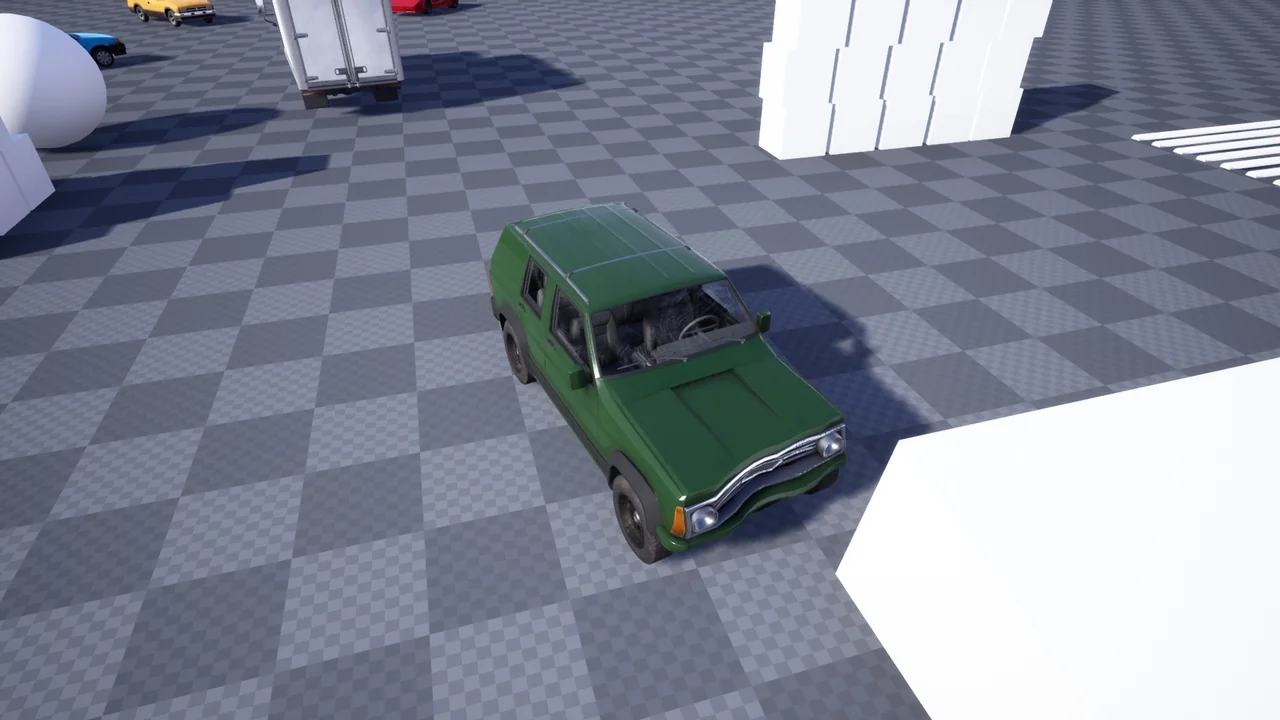
 Engine Tools
 Engine Tools
 Engine Tools