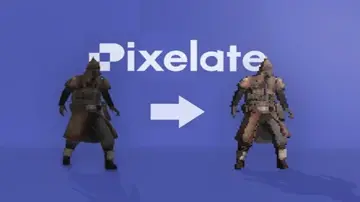
"4481da9c895ef786"{"slug":"unity-2","category":{"id":514,"sourceId":514,"taxonomyId":514,"taxonomy":"category","slug":"unity-2","name":"Unity","parentId":4225,"count":453,"hasChildren":true,"href":"/category/unity-2/","seoTitle":"Free Unity Assets | 3DCGHUB","seoDescription":"Browse free Unity resources on 3DCGHUB: curated downloads with preview images, compatibility notes and secure download access.","sitemapEnabled":true},"breadcrumbs":[{"id":4225,"sourceId":4225,"taxonomyId":4225,"taxonomy":"category","slug":"asset-library","name":"Asset Library","parentId":null,"count":3152,"hasChildren":true,"href":"/","seoTitle":"Free Game Assets Library | 3DCGHUB","seoDescription":"Browse free Unreal Engine, Unity, Blender assets and game development tutorials on 3DCGHUB with previews, compatibility notes, and secure downloads.","sitemapEnabled":true},{"id":514,"sourceId":514,"taxonomyId":514,"taxonomy":"category","slug":"unity-2","name":"Unity","parentId":4225,"count":453,"hasChildren":true,"href":"/category/unity-2/","seoTitle":"Free Unity Assets | 3DCGHUB","seoDescription":"Browse free Unity resources on 3DCGHUB: curated downloads with preview images, compatibility notes and secure download access.","sitemapEnabled":true}],"children":[{"id":523,"sourceId":523,"taxonomyId":523,"taxonomy":"category","slug":"2d","name":"2D","parentId":514,"count":1,"hasChildren":true,"href":"/category/2d/","seoTitle":"Free Unity 2D | 3DCGHUB","seoDescription":"Browse free 2D assets for Unity on 3DCGHUB: curated downloads with preview images, compatibility notes and secure download access.","sitemapEnabled":true},{"id":515,"sourceId":515,"taxonomyId":515,"taxonomy":"category","slug":"3d-unity-2","name":"3D","parentId":514,"count":162,"hasChildren":true,"href":"/category/3d-unity-2/","seoTitle":"Free Unity 3D Assets | 3DCGHUB","seoDescription":"Browse free 3D assets for Unity on 3DCGHUB: curated downloads with preview images, compatibility notes and secure download access.","sitemapEnabled":true},{"id":565,"sourceId":565,"taxonomyId":565,"taxonomy":"category","slug":"add-ons","name":"Add-Ons","parentId":514,"count":2,"hasChildren":false,"href":"/category/add-ons/","seoTitle":"Free Unity Add-Ons | 3DCGHUB","seoDescription":"Browse free Add-Ons assets for Unity on 3DCGHUB: curated downloads with preview images, compatibility notes and secure download access.","sitemapEnabled":true},{"id":529,"sourceId":529,"taxonomyId":529,"taxonomy":"category","slug":"audio-unity-2","name":"Audio","parentId":514,"count":1,"hasChildren":true,"href":"/category/audio-unity-2/","seoTitle":"Free Unity Audio | 3DCGHUB","seoDescription":"Browse free Audio for Unity on 3DCGHUB: curated downloads with preview images, compatibility notes and secure download access.","sitemapEnabled":true},{"id":557,"sourceId":557,"taxonomyId":557,"taxonomy":"category","slug":"templates","name":"Templates","parentId":514,"count":36,"hasChildren":true,"href":"/category/templates/","seoTitle":"Free Unity Templates | 3DCGHUB","seoDescription":"Browse free Unity project templates on 3DCGHUB. Starter kits with previews, compatibility notes, and secure download access.","sitemapEnabled":true},{"id":533,"sourceId":533,"taxonomyId":533,"taxonomy":"category","slug":"tools-unity-2","name":"Tools","parentId":514,"count":0,"hasChildren":true,"href":"/category/tools-unity-2/","sitemapEnabled":true},{"id":554,"sourceId":554,"taxonomyId":554,"taxonomy":"category","slug":"vfx-unity-2","name":"VFX","parentId":514,"count":4,"hasChildren":true,"href":"/category/vfx-unity-2/","seoTitle":"Free Unity VFX | 3DCGHUB","seoDescription":"Browse free VFX for Unity on 3DCGHUB: curated downloads with preview images, compatibility notes and secure download access.","sitemapEnabled":true}],"items":[{"id":"23047","slug":"auto-fence-wall-builder","title":"Auto Fence \u0026 Wall Builder","category":"Level Design","engine":"Original Unity version: 2018.4.36","assetVersion":"Original Unity version: 2018.4.36","engineVersion":"Asset Version:4.0.1","tag":"Level Design","accent":"cyan","visual":"mech","summary":"Auto Fence \u0026 Wall Builder provides a specialized environment design workflow within Unity, allowing for the rapid deployment of fences and walls that adapt dynamically to terrain and user-defined parameters.","platform":"Unity","publishedAt":"2026-04-08T15:57:54.000Z","updatedAt":"2026-04-19T15:36:54.000Z","sourceNotes":[],"fileContents":[],"compatibility":["Unity","Original Unity version: 2018.4.36","Asset Version: 4.0.1"],"featuredImage":{"alt":"Auto Fence \u0026 Wall Builder","src":"https://3dcghub.com/wp-content/uploads/2026/04/7a172f0b4ab4_476166a4-2fc0-464a-973d-af68509480dc_1280x720_stretch.webp"},"hasDownloadLink":true},{"id":"23100","slug":"prefab-world-builder","title":"Prefab World Builder","category":"Level Design","engine":"Original Unity version: 2021.3.45","assetVersion":"Original Unity version: 2021.3.45","engineVersion":"Asset Version:4.7","tag":"Level Design","accent":"cyan","visual":"city","summary":"Prefab World Builder provides a comprehensive suite of editor-only tools designed to accelerate level design through physics-based placement, modular grid logic, and specialized brush systems.","platform":"Unity","publishedAt":"2026-04-08T16:12:51.000Z","updatedAt":"2026-04-19T15:36:53.000Z","sourceNotes":[],"fileContents":[],"compatibility":["Unity","Original Unity version: 2021.3.45","Asset Version: 4.7"],"featuredImage":{"alt":"Prefab World Builder","src":"https://3dcghub.com/wp-content/uploads/2026/04/847351c6dd61_4092fd06-49b3-4cb5-b7f4-98a6fc879b53_1280x720_stretch.webp"},"hasDownloadLink":true},{"id":"23087","slug":"particle-dynamic-magic-2-decal-spline-ai-particles-dynamics","title":"Particle Dynamic Magic 2: Decal, Spline, AI Particles \u0026 dynamics","category":"Level Design","engine":"Original Unity version: 4.3.4","assetVersion":"Original Unity version: 4.3.4","engineVersion":"Asset Version:2.5.3","tag":"Level Design","accent":"cyan","visual":"luts","summary":"Particle Dynamic Magic 2 offers a comprehensive system for controlling particles and game objects in Unity through splines, environmental sensing AI, and dynamic decals.","platform":"Unity","publishedAt":"2026-04-08T16:09:12.000Z","updatedAt":"2026-04-19T15:36:53.000Z","sourceNotes":[],"fileContents":[],"compatibility":["Unity","Original Unity version: 4.3.4","Asset Version: 2.5.3"],"featuredImage":{"alt":"Particle Dynamic Magic 2: Decal, Spline, AI Particles \u0026 dynamics","src":"https://3dcghub.com/wp-content/uploads/2026/04/093988d650ed_c115d4a1-63f2-4188-bd46-00cd62d501eb_1280x720_stretch.webp"},"hasDownloadLink":true},{"id":"23139","slug":"broccoli-tree-creator","title":"Broccoli Tree Creator","category":"Modeling","engine":"Original Unity version: 2021.3.45","assetVersion":"Original Unity version: 2021.3.45","engineVersion":"Asset Version:1.10.8 - 1.10.9","tag":"Modeling","accent":"cyan","visual":"animation","summary":"Broccoli Tree Creator offers a procedural approach to building vegetation in Unity, allowing developers to manipulate everything from trunk curvature to sprout alignment through a node-based interface.","platform":"Unity","publishedAt":"2026-04-08T16:17:51.000Z","updatedAt":"2026-04-19T15:36:52.000Z","sourceNotes":[],"fileContents":[],"compatibility":["Unity","Original Unity version: 2021.3.45","Asset Version: 1.10.8 - 1.10.9"],"featuredImage":{"alt":"Broccoli Tree Creator","src":"https://3dcghub.com/wp-content/uploads/2026/04/b7d54815e9f4_1f3ee035-80bf-4a79-b160-74e75897be34_1280x720_stretch.webp"},"hasDownloadLink":true},{"id":"23126","slug":"i2-localization","title":"I2 Localization","category":"Localization","engine":"Original Unity version: 2019.4.0","assetVersion":"Original Unity version: 2019.4.0","engineVersion":"Asset Version:2.8.22","tag":"Localization","accent":"cyan","visual":"character","summary":"I2 Localization provides a comprehensive framework for managing multilingual assets in Unity, supporting everything from automated Google translations to live spreadsheet synchronization. This system handles complex linguistic requirements like pluralizatio...","platform":"Unity","publishedAt":"2026-04-08T16:15:05.000Z","updatedAt":"2026-04-19T15:36:52.000Z","sourceNotes":[],"fileContents":[],"compatibility":["Unity","Original Unity version: 2019.4.0","Asset Version: 2.8.22"],"featuredImage":{"alt":"I2 Localization","src":"https://3dcghub.com/wp-content/uploads/2026/04/4977712fcb20_ecdeea1d-7eeb-482a-b2c6-80264f0ed8ab_1280x720_stretch.webp"},"hasDownloadLink":true},{"id":"23113","slug":"road-constructor","title":"Road Constructor","category":"Level Design","engine":"Original Unity version: 2022.3.31","assetVersion":"Original Unity version: 2022.3.31","engineVersion":"Asset Version:1.5.4","tag":"Level Design","accent":"cyan","visual":"audio","summary":"Road Constructor is a procedural generation tool designed for Unity 2022 LTS that handles road placement, intersection movement, and terrain modification. It includes a library of 461 assets for building rural, local, and highway environments.","platform":"Unity","publishedAt":"2026-04-08T16:13:02.000Z","updatedAt":"2026-04-19T15:36:52.000Z","sourceNotes":[],"fileContents":[],"compatibility":["Unity","Original Unity version: 2022.3.31","Asset Version: 1.5.4"],"featuredImage":{"alt":"Road Constructor","src":"https://3dcghub.com/wp-content/uploads/2026/04/90ed763146d6_bb961dc5-9b2a-45b3-b05c-6ff00bbe30d7_1280x720_stretch.webp"},"hasDownloadLink":true},{"id":"23155","slug":"dynamic-mesh-cutter","title":"Dynamic Mesh Cutter","category":"Modeling","engine":"Original Unity version: 2020.3.33","assetVersion":"Original Unity version: 2020.3.33","engineVersion":"Asset Version:1.2.6","tag":"Modeling","accent":"cyan","visual":"mech","summary":"Dynamic Mesh Cutter provides a high-performance algorithm for splitting meshes at runtime via plane intersection, offering specific support for skinned meshes and ragdoll systems.","platform":"Unity","publishedAt":"2026-04-08T16:26:55.000Z","updatedAt":"2026-04-19T15:36:51.000Z","sourceNotes":[],"fileContents":[],"compatibility":["Unity","Original Unity version: 2020.3.33","Asset Version: 1.2.6"],"featuredImage":{"alt":"Dynamic Mesh Cutter","src":"https://3dcghub.com/wp-content/uploads/2026/04/f6b77f6f765a_22d1dac9-2265-4174-ab84-6cdce0e5a378_1280x720_stretch.webp"},"hasDownloadLink":true},{"id":"23148","slug":"convert-vertex-color-to-texture","title":"Convert Vertex Color To Texture","category":"Modeling","engine":"Original Unity version: 2019.4.0","assetVersion":"Original Unity version: 2019.4.0","engineVersion":"Asset Version:2025.2","tag":"Modeling","accent":"cyan","visual":"luts","summary":"This utility bridges the gap between vertex-based data and texture maps, offering both editor-time batch processing and real-time conversion through a dedicated extension method for the Unity Mesh class.","platform":"Unity","publishedAt":"2026-04-08T16:26:46.000Z","updatedAt":"2026-04-19T15:36:51.000Z","sourceNotes":[],"fileContents":[],"compatibility":["Unity","Original Unity version: 2019.4.0","Asset Version: 2025.2"],"featuredImage":{"alt":"Convert Vertex Color To Texture","src":"https://3dcghub.com/wp-content/uploads/2026/04/1a118c2a5dce_8ee094f3-4af6-4ba8-8da8-2c3729aec677_1280x720_stretch.webp"},"hasDownloadLink":true},{"id":"23182","slug":"runtime-editor","title":"Runtime Editor","category":"Modeling","engine":"Original Unity version: 2022.3.62","assetVersion":"Original Unity version: 2022.3.62","engineVersion":"Asset Version:4.5.1","tag":"Modeling","accent":"cyan","visual":"luts","summary":"Runtime Editor provides the necessary scripts and prefabs to construct complex scene editors and modeling applications directly within a running Unity project. It bridges the gap between development and runtime by offering familiar gizmos, transform handles...","platform":"Unity","publishedAt":"2026-04-08T16:32:28.000Z","updatedAt":"2026-04-19T15:36:50.000Z","sourceNotes":[],"fileContents":[],"compatibility":["Unity","Original Unity version: 2022.3.62","Asset Version: 4.5.1"],"featuredImage":{"alt":"Runtime Editor","src":"https://3dcghub.com/wp-content/uploads/2026/04/3c56a00517ee_02722b48-e584-4496-89c1-ec0a52e13680_1280x720_stretch.webp"},"hasDownloadLink":true},{"id":"23170","slug":"runtime-asset-database","title":"Runtime Asset Database","category":"Modeling","engine":"Original Unity version: 2021.3.45","assetVersion":"Original Unity version: 2021.3.45","engineVersion":"Asset Version:1.5.1","tag":"Modeling","accent":"cyan","visual":"animation","summary":"The Runtime Asset Database replicates the core prefab and asset management concepts of the Unity Editor within a live application. It provides developers with a robust API for runtime save/load systems, supporting addressables and external importers.","platform":"Unity","publishedAt":"2026-04-08T16:29:43.000Z","updatedAt":"2026-04-19T15:36:50.000Z","sourceNotes":[],"fileContents":[],"compatibility":["Unity","Original Unity version: 2021.3.45","Asset Version: 1.5.1"],"featuredImage":{"alt":"Runtime Asset Database","src":"https://3dcghub.com/wp-content/uploads/2026/04/79635060c431_4f04c992-b4fb-41d6-b77b-8039f1361a30_1280x720_stretch.webp"},"hasDownloadLink":true},{"id":"23164","slug":"mesh-baker","title":"Mesh Baker","category":"Modeling","engine":"Original Unity version: 2019.4.0","assetVersion":"Original Unity version: 2019.4.0","engineVersion":"Asset Version:3.39.0","tag":"Modeling","accent":"cyan","visual":"character","summary":"Mesh Baker is a performance optimization toolkit designed to reduce batches by combining meshes and materials. It offers a flexible, non-destructive workflow for managing complex scenes and character customization.","platform":"Unity","publishedAt":"2026-04-08T16:29:29.000Z","updatedAt":"2026-04-19T15:36:50.000Z","sourceNotes":[],"fileContents":[],"compatibility":["Unity","Original Unity version: 2019.4.0","Asset Version: 3.39.0"],"featuredImage":{"alt":"Mesh Baker","src":"https://3dcghub.com/wp-content/uploads/2026/04/daf098bcaf10_29daaf93-494f-4a68-a1e7-21b1b2521bec_1280x720_stretch.webp"},"hasDownloadLink":true},{"id":"23208","slug":"blood-damage-effect","title":"Blood-Damage Effect","category":"Particles \u0026 Effects","engine":"Original Unity version: 5.0.0","assetVersion":"Original Unity version: 5.0.0","engineVersion":"Asset Version:1.1","tag":"Particles","accent":"cyan","visual":"audio","summary":"This tool renders dynamic blood splatter onto the screen as a visual health indicator, utilizing shaders and normal maps to simulate realistic light refraction and drying effects.","platform":"Unity","publishedAt":"2026-04-08T16:39:01.000Z","updatedAt":"2026-04-19T15:36:49.000Z","sourceNotes":[],"fileContents":[],"compatibility":["Unity","Original Unity version: 5.0.0","Asset Version: 1.1"],"featuredImage":{"alt":"Blood-Damage Effect","src":"https://3dcghub.com/wp-content/uploads/2026/04/4959311d7e10_d99e0d45-1444-4fff-b5ee-2c8664268f89_1280x720_stretch.webp"},"hasDownloadLink":true},{"id":"23198","slug":"paint-in-3d","title":"Paint in 3D","category":"Painting","engine":"Original Unity version: 2021.3.0","assetVersion":"Original Unity version: 2021.3.0","engineVersion":"Asset Version:4.1.6","tag":"Painting","accent":"cyan","visual":"mech","summary":"Paint in 3D provides a specialized texture painting workflow for Unity, utilizing GPU acceleration to bypass the performance limitations of standard decal systems.","platform":"Unity","publishedAt":"2026-04-08T16:36:19.000Z","updatedAt":"2026-04-19T15:36:49.000Z","sourceNotes":[],"fileContents":[],"compatibility":["Unity","Original Unity version: 2021.3.0","Asset Version: 4.1.6"],"featuredImage":{"alt":"Paint in 3D","src":"https://3dcghub.com/wp-content/uploads/2026/04/f2dd7ae8e26d_fe940a2a-e4f0-488a-a33e-5d91c6e4c9d4_1280x720_stretch.webp"},"hasDownloadLink":true},{"id":"23185","slug":"runtime-level-design-legacy","title":"Runtime Level Design (Legacy)","category":"Modeling","engine":"Original Unity version: 2019.4.15","assetVersion":"Original Unity version: 2019.4.15","engineVersion":"Asset Version:2.3.4","tag":"Modeling","accent":"cyan","visual":"city","summary":"A scripting system and API designed to facilitate the creation of runtime level editors and modding tools within Unity-based applications.","platform":"Unity","publishedAt":"2026-04-08T16:32:41.000Z","updatedAt":"2026-04-19T15:36:49.000Z","sourceNotes":[],"fileContents":[],"compatibility":["Unity","Original Unity version: 2019.4.15","Asset Version: 2.3.4"],"featuredImage":{"alt":"Runtime Level Design (Legacy)","src":"https://3dcghub.com/wp-content/uploads/2026/04/b10f0228a7af_94a47a21-91b5-46bd-a3d4-14e6d3deceb3_1280x720_stretch.webp"},"hasDownloadLink":true},{"id":"23250","slug":"ethereal-urp-2021-volumetric-lighting-fog","title":"Ethereal URP 2021 - Volumetric Lighting \u0026 Fog","category":"Particles \u0026 Effects","engine":"Original Unity version: 2019.4.22","assetVersion":"Original Unity version: 2019.4.22","engineVersion":"Asset Version:1.7.0b","tag":"Particles","accent":"cyan","visual":"luts","summary":"Ethereal URP 2021 focuses on atmosphere: fog, volumetric lighting, and the look of illuminated particles suspended in the air. It also includes extra demos, Atrium and Forest scenes, and a bonus URP foliage shader with wind and subsurface scattering.","platform":"Unity","publishedAt":"2026-04-09T16:06:05.000Z","updatedAt":"2026-04-19T15:36:48.000Z","sourceNotes":[],"fileContents":[],"compatibility":["Unity","Original Unity version: 2019.4.22","Asset Version: 1.7.0b"],"featuredImage":{"alt":"Ethereal URP 2021 - Volumetric Lighting \u0026 Fog","src":"https://3dcghub.com/wp-content/uploads/2026/04/ce7bbed84197_c2124dbb-d237-443a-bb2d-1bcb7d8a3368_1280x720_stretch.webp"},"hasDownloadLink":true},{"id":"23237","slug":"crest-water-5-shallow-water","title":"Crest Water 5 - Shallow Water","category":"Particles \u0026 Effects","engine":"Original Unity version: 2022.3.62","assetVersion":"Original Unity version: 2022.3.62","engineVersion":"Asset Version:1.3.1","tag":"Particles","accent":"cyan","visual":"animation","summary":"Crest Water 5 - Shallow Water adds simulation-driven shallow water for shorelines and streams inside Crest 5. It gives artists a way to shape coastal edges, river channels, and other transition zones with static or camera-following shoreline behavior and an...","platform":"Unity","publishedAt":"2026-04-09T15:56:31.000Z","updatedAt":"2026-04-19T15:36:48.000Z","sourceNotes":[],"fileContents":[],"compatibility":["Unity","Original Unity version: 2022.3.62","Asset Version: 1.3.1"],"featuredImage":{"alt":"Crest Water 5 - Shallow Water","src":"https://3dcghub.com/wp-content/uploads/2026/04/d38076e02d44_6686ebed-098f-40ed-bea0-0be1704337bb_1280x720_stretch.webp"},"hasDownloadLink":true},{"id":"23232","slug":"crest-water-4-urp-ocean-rivers-lakes","title":"Crest Water 4 URP (Ocean, Rivers \u0026 Lakes)","category":"Particles \u0026 Effects","engine":"Original Unity version: 2020.3.49","assetVersion":"Original Unity version: 2020.3.49","engineVersion":"Asset Version:4.21.2","tag":"Particles","accent":"cyan","visual":"character","summary":"Crest Water 4 URP starts with a compact setup path: water surface, underwater, and waves. From there, it expands into wave authoring, shoreline control, underwater treatment, and interaction systems that fit oceans, rivers, lakes, and large-world scenes.","platform":"Unity","publishedAt":"2026-04-09T15:56:19.000Z","updatedAt":"2026-04-19T15:36:48.000Z","sourceNotes":[],"fileContents":[],"compatibility":["Unity","Original Unity version: 2020.3.49","Asset Version: 4.21.2"],"featuredImage":{"alt":"Crest Water 4 URP (Ocean, Rivers \u0026 Lakes)","src":"https://3dcghub.com/wp-content/uploads/2026/04/0bbed9a77cb0_2b640420-1fed-4a76-a54e-e86b9693c2bb_1280x720_stretch.webp"},"hasDownloadLink":true},{"id":"23220","slug":"boing-kit-dynamic-bouncy-bones-grass-and-more","title":"Boing Kit: Dynamic Bouncy Bones, Grass, and More","category":"Particles \u0026 Effects","engine":"Original Unity version: 2019.4.15","assetVersion":"Original Unity version: 2019.4.15","engineVersion":"Asset Version:1.2.43","tag":"Particles","accent":"cyan","visual":"audio","summary":"Boing Kit provides a technical framework for adding bouncy, reactive movement to characters and environments within Unity. This toolset features specialized logic for bone chains, rotational constraints, and optimized reactor fields across major render pipe...","platform":"Unity","publishedAt":"2026-04-09T15:20:00.000Z","updatedAt":"2026-04-19T15:36:48.000Z","sourceNotes":[],"fileContents":[],"compatibility":["Unity","Original Unity version: 2019.4.15","Asset Version: 1.2.43"],"featuredImage":{"alt":"Boing Kit: Dynamic Bouncy Bones, Grass, and More","src":"https://3dcghub.com/wp-content/uploads/2026/04/193563bda3aa_e446bee3-32e4-4108-8ed5-669131516416_1280x720_stretch.webp"},"hasDownloadLink":true},{"id":"23279","slug":"glamor-advanced-image-effects","title":"GLAMOR Advanced Image Effects","category":"Particles \u0026 Effects","engine":"Original Unity version: 2022.3.18","assetVersion":"Original Unity version: 2022.3.18","engineVersion":"Asset Version:1.6a","tag":"Particles","accent":"cyan","visual":"mech","summary":"GLAMOR brings layer-selective screen-space effects into URP and combines them with a large library of advanced image-enhancing effects. It is set up for LTS-focused Unity workflows, with clear boundaries around supported versions and platforms.","platform":"Unity","publishedAt":"2026-04-09T16:28:09.000Z","updatedAt":"2026-04-19T15:36:47.000Z","sourceNotes":[],"fileContents":[],"compatibility":["Unity","Original Unity version: 2022.3.18","Asset Version: 1.6a"],"featuredImage":{"alt":"GLAMOR Advanced Image Effects","src":"https://3dcghub.com/wp-content/uploads/2026/04/6bdac97b4739_f5b81fbd-7583-4862-b0b6-2fa082fb7636_1280x720_stretch.webp"},"hasDownloadLink":true},{"id":"23276","slug":"feel","title":"Feel","category":"Particles \u0026 Effects","engine":"Original Unity version: 2019.4.3","assetVersion":"Original Unity version: 2019.4.3","engineVersion":"Asset Version:5.2","tag":"Particles","accent":"cyan","visual":"city","summary":"Feel gathers a large set of feedbacks and springs for moments that need motion, response, and extra punch. It reaches across camera work, UI, text, shaders, sounds, physics, and haptics through a single workflow.","platform":"Unity","publishedAt":"2026-04-09T16:28:21.000Z","updatedAt":"2026-04-19T15:36:47.000Z","sourceNotes":[],"fileContents":[],"compatibility":["Unity","Original Unity version: 2019.4.3","Asset Version: 5.2"],"featuredImage":{"alt":"Feel","src":"https://3dcghub.com/wp-content/uploads/2026/04/7ebb1dbba7d2_173c8845-1063-44dc-aa55-65738aa93cce_1280x720_stretch.webp"},"hasDownloadLink":true},{"id":"23263","slug":"expanse-volumetric-skies-clouds-and-atmospheres-in-hdrp","title":"Expanse - Volumetric Skies, Clouds, and Atmospheres in HDRP","category":"Particles \u0026 Effects","engine":"Original Unity version: 2020.1.17","assetVersion":"Original Unity version: 2020.1.17","engineVersion":"Asset Version:1.7.0b","tag":"Particles","accent":"cyan","visual":"luts","summary":"Expanse is a volumetric sky tool for HDRP that helps shape skies, clouds, and fog banks directly in the editor. It combines physically based rendering, realtime adjustment, and animated weather controls for scenes that need changing atmospheres.","platform":"Unity","publishedAt":"2026-04-09T16:08:06.000Z","updatedAt":"2026-04-19T15:36:47.000Z","sourceNotes":[],"fileContents":[],"compatibility":["Unity","Original Unity version: 2020.1.17","Asset Version: 1.7.0b"],"featuredImage":{"alt":"Expanse - Volumetric Skies, Clouds, and Atmospheres in HDRP","src":"https://3dcghub.com/wp-content/uploads/2026/04/af7ee660ab60_117677bb-0c45-4601-8791-43191c7fc291_1280x720_stretch.webp"},"hasDownloadLink":true},{"id":"23289","slug":"impact-cfx-collision-effects-system","title":"Impact CFX - Collision Effects System","category":"Particles \u0026 Effects","engine":"Original Unity version: 2021.3.45","assetVersion":"Original Unity version: 2021.3.45","engineVersion":"Asset Version:1.5.4","tag":"Particles","accent":"cyan","visual":"animation","summary":"Impact CFX ties collision events to audio, particles, and decals in Unity scenes where surfaces, materials, and physics motion all matter. It also extends into footsteps and weapon impacts, while keeping performance in view with Jobs and Burst.","platform":"Unity","publishedAt":"2026-04-09T16:33:27.000Z","updatedAt":"2026-04-19T15:35:31.000Z","sourceNotes":[],"fileContents":[],"compatibility":["Unity","Original Unity version: 2021.3.45","Asset Version: 1.5.4"],"featuredImage":{"alt":"Impact CFX - Collision Effects System","src":"https://3dcghub.com/wp-content/uploads/2026/04/024561169d4f_0c48c6e2-5d14-424f-bfe6-037e5561b72f_1280x720_stretch.webp"},"hasDownloadLink":true},{"id":"23332","slug":"magic-mirror-pro-recursive-edition","title":"Magic Mirror Pro - Recursive Edition","category":"Particles \u0026 Effects","engine":"Original Unity version: 2018.4.36","assetVersion":"Original Unity version: 2018.4.36","engineVersion":"Asset Version:1.0.5","tag":"Particles","accent":"cyan","visual":"character","summary":"Magic Mirror Pro - Recursive Edition brings recursive reflections into Unity with support for mirror surfaces, a fix for recursive water reflections, and shadow rendering across recursion layers. It also includes tuning options for performance and layer con...","platform":"Unity","publishedAt":"2026-04-09T16:42:15.000Z","updatedAt":"2026-04-19T15:35:30.000Z","sourceNotes":[],"fileContents":[],"compatibility":["Unity","Original Unity version: 2018.4.36","Asset Version: 1.0.5"],"featuredImage":{"alt":"Magic Mirror Pro - Recursive Edition","src":"https://3dcghub.com/wp-content/uploads/2026/04/b07d38d4e685_ad753928-db93-4c48-b292-3aef98ed77a4_1280x720_stretch.webp"},"hasDownloadLink":true},{"id":"23327","slug":"lumina-gi-hdrp-real-time-voxel-global-illumination","title":"LUMINA GI HDRP: Real-Time Voxel Global Illumination","category":"Particles \u0026 Effects","engine":"Original Unity version: 2021.3.6","assetVersion":"Original Unity version: 2021.3.6","engineVersion":"Asset Version:2.1.1","tag":"Particles","accent":"cyan","visual":"audio","summary":"LUMINA GI HDRP brings voxel-based real-time global illumination into HDRP with a setup path that stays focused on scene lighting rather than screen-space tricks. It uses sun and mesh-shaped light sources, stays locally stable in motion, and comes with clear...","platform":"Unity","publishedAt":"2026-04-09T16:40:38.000Z","updatedAt":"2026-04-19T15:35:30.000Z","sourceNotes":[],"fileContents":[],"compatibility":["Unity","Original Unity version: 2021.3.6","Asset Version: 2.1.1"],"featuredImage":{"alt":"LUMINA GI HDRP: Real-Time Voxel Global Illumination","src":"https://3dcghub.com/wp-content/uploads/2026/04/725a6c6d7435_0d760a2d-5e05-472e-afd5-65cb3658c235_1280x720_stretch.webp"},"hasDownloadLink":true},{"id":"23314","slug":"kws-water-system-hdrp-rendering","title":"KWS Water System (HDRP Rendering)","category":"Particles \u0026 Effects","engine":"Original Unity version: 2021.3.33","assetVersion":"Original Unity version: 2021.3.33","engineVersion":"Asset Version:1.5.9c","tag":"Particles","accent":"cyan","visual":"mech","summary":"KWS Water System (HDRP Rendering) is a module-based water component for PC and console projects. It covers large water surfaces, rivers, pools, underwater scenes, and shoreline interaction with HDRP-specific rendering.","platform":"Unity","publishedAt":"2026-04-09T16:38:17.000Z","updatedAt":"2026-04-19T15:35:30.000Z","sourceNotes":[],"fileContents":[],"compatibility":["Unity","Original Unity version: 2021.3.33","Asset Version: 1.5.9c"],"featuredImage":{"alt":"KWS Water System (HDRP Rendering)","src":"https://3dcghub.com/wp-content/uploads/2026/04/dd39527d95d8_f02ec359-66ad-4827-9123-9f44b6b0c75d_1280x720_stretch.webp"},"hasDownloadLink":true},{"id":"23302","slug":"ivy-studio-procedural-vine-generation","title":"Ivy Studio - Procedural vine generation","category":"Particles \u0026 Effects","engine":"Original Unity version: 2019.4.22","assetVersion":"Original Unity version: 2019.4.22","engineVersion":"Asset Version:1.1.5","tag":"Particles","accent":"cyan","visual":"city","summary":"Ivy Studio generates ivy and climbing plants from scene colliders, letting vegetation grow, spread, and adapt in editor or at runtime. It also includes deterministic regrowth, runtime optimization, and controls for performance-focused scenes.","platform":"Unity","publishedAt":"2026-04-09T16:36:05.000Z","updatedAt":"2026-04-19T15:35:30.000Z","sourceNotes":[],"fileContents":[],"compatibility":["Unity","Original Unity version: 2019.4.22","Asset Version: 1.1.5"],"featuredImage":{"alt":"Ivy Studio - Procedural vine generation","src":"https://3dcghub.com/wp-content/uploads/2026/04/71218b76f564_730d570b-4d57-4921-9252-b86bc3e27d82_1280x720_stretch.webp"},"hasDownloadLink":true},{"id":"23352","slug":"portal-effect-hdrp","title":"Portal Effect: HDRP","category":"Particles \u0026 Effects","engine":"Original Unity version: 2019.3.6","assetVersion":"Original Unity version: 2019.3.6","engineVersion":"Asset Version:1.1","tag":"Particles","accent":"cyan","visual":"luts","summary":"Portal Effect: HDRP focuses on portals players can see and walk through, with the sense that space itself has been warped. It includes open, idle, and close VFX states, seamless camera transition, and rigidbody velocity preservation for HDRP projects.","platform":"Unity","publishedAt":"2026-04-09T16:47:34.000Z","updatedAt":"2026-04-19T15:35:29.000Z","sourceNotes":[],"fileContents":[],"compatibility":["Unity","Original Unity version: 2019.3.6","Asset Version: 1.1"],"featuredImage":{"alt":"Portal Effect: HDRP","src":"https://3dcghub.com/wp-content/uploads/2026/04/678b07441c16_eaabcc67-6f49-424c-bc22-33e15018885a_1280x720_stretch.webp"},"hasDownloadLink":true},{"id":"23345","slug":"mudbun-volumetric-vfx-modeling","title":"MudBun: Volumetric VFX \u0026 Modeling","category":"Particles \u0026 Effects","engine":"Original Unity version: 2019.4.15","assetVersion":"Original Unity version: 2019.4.15","engineVersion":"Asset Version:1.6.52","tag":"Particles","accent":"cyan","visual":"animation","summary":"MudBun focuses on localized volumetric effects that need real-time mesh generation, surface distortion, and flexible shaping. It also reaches into volumetric modeling, with meshing modes, auto-rigging, and export options that fit into Unity workflows.","platform":"Unity","publishedAt":"2026-04-09T16:44:14.000Z","updatedAt":"2026-04-19T15:35:29.000Z","sourceNotes":[],"fileContents":[],"compatibility":["Unity","Original Unity version: 2019.4.15","Asset Version: 1.6.52"],"featuredImage":{"alt":"MudBun: Volumetric VFX \u0026 Modeling","src":"https://3dcghub.com/wp-content/uploads/2026/04/2854ec81944f_9c045921-5f8b-4126-aa34-cdef8b35be29_1280x720_stretch.webp"},"hasDownloadLink":true},{"id":"23389","slug":"arcade-vehicle-physics","title":"Arcade Vehicle Physics","category":"Physics","engine":"Original Unity version: 2020.3.12","assetVersion":"Original Unity version: 2020.3.12","engineVersion":"Asset Version:1.4","tag":"Physics","accent":"cyan","visual":"character","summary":"Arcade Vehicle Physics focuses on quick, drivable vehicle setup for arcade racing, car combat, and arena-style games. It uses a body-and-wheels workflow, includes camera behavior through Cinemachine, and keeps movement logic open for project-specific changes.","platform":"Unity","publishedAt":"2026-04-09T16:57:37.000Z","updatedAt":"2026-04-19T15:35:28.000Z","sourceNotes":[],"fileContents":[],"compatibility":["Unity","Original Unity version: 2020.3.12","Asset Version: 1.4"],"featuredImage":{"alt":"Arcade Vehicle Physics","src":"https://3dcghub.com/wp-content/uploads/2026/04/e3bbf714c3a4_5ce8864d-d46d-4138-a915-13dff6f18543_1280x720_stretch.webp"},"hasDownloadLink":true},{"id":"23384","slug":"volumetric-shadows-for-particles","title":"Volumetric Shadows for Particles","category":"Particles \u0026 Effects","engine":"Original Unity version: 5.5.0","assetVersion":"Original Unity version: 5.5.0","engineVersion":"Asset Version:1.5","tag":"Particles","accent":"cyan","visual":"audio","summary":"Volumetric Shadows for Particles combines slice-based particle rendering with a volumetric shadow map for smoke, steam, dust, and fire. It gives a Unity workflow for shaping particle shadows with light type, slice count, and surface shading controls.","platform":"Unity","publishedAt":"2026-04-09T16:55:01.000Z","updatedAt":"2026-04-19T15:35:28.000Z","sourceNotes":[],"fileContents":[],"compatibility":["Unity","Original Unity version: 5.5.0","Asset Version: 1.5"],"featuredImage":{"alt":"Volumetric Shadows for Particles","src":"https://3dcghub.com/wp-content/uploads/2026/04/90d65ab79c7d_94c1bf3a-d050-4242-8500-940d754f38e1_1280x720_stretch.webp"},"hasDownloadLink":true},{"id":"23378","slug":"sky-master-ultimate-volumetric-skies-clouds-weather","title":"Sky Master ULTIMATE: Volumetric Skies, Clouds \u0026 Weather","category":"Particles \u0026 Effects","engine":"Original Unity version: 5.1.1","assetVersion":"Original Unity version: 5.1.1","engineVersion":"Asset Version:5.7.4c","tag":"Particles","accent":"cyan","visual":"mech","summary":"Sky Master ULTIMATE is a Unity weather system that brings dynamic sky, volumetric clouds, lighting, GI, and ocean modules into one setup. It centers on Sky Manager control for day-night cycles and weather transitions, with pipeline-specific versions availab...","platform":"Unity","publishedAt":"2026-04-09T16:53:15.000Z","updatedAt":"2026-04-19T15:35:28.000Z","sourceNotes":[],"fileContents":[],"compatibility":["Unity","Original Unity version: 5.1.1","Asset Version: 5.7.4c"],"featuredImage":{"alt":"Sky Master ULTIMATE: Volumetric Skies, Clouds \u0026 Weather","src":"https://3dcghub.com/wp-content/uploads/2026/04/212e5fbd0120_1cd29ed2-f74d-48bb-8f3d-f7128799f355_1280x720_stretch.webp"},"hasDownloadLink":true},{"id":"23365","slug":"see-through-shader","title":"See-through Shader","category":"Particles \u0026 Effects","engine":"Original Unity version: 2021.3.45","assetVersion":"Original Unity version: 2021.3.45","engineVersion":"Asset Version:1.8.6","tag":"Particles","accent":"cyan","visual":"city","summary":"The See-through Shader keeps playable characters visible even when they move behind walls, structures, or other meshes. It works without modifying the mesh and comes with tools that make the effect quick to set up in a project.","platform":"Unity","publishedAt":"2026-04-09T16:48:23.000Z","updatedAt":"2026-04-19T15:35:28.000Z","sourceNotes":[],"fileContents":[],"compatibility":["Unity","Original Unity version: 2021.3.45","Asset Version: 1.8.6"],"featuredImage":{"alt":"See-through Shader","src":"https://3dcghub.com/wp-content/uploads/2026/04/84b3e554d99e_4c3b4d7f-1c87-4855-b7d6-f6a2d3ca7f88_1280x720_stretch.webp"},"hasDownloadLink":true},{"id":"23426","slug":"easy-collider-editor","title":"Easy Collider Editor","category":"Physics","engine":"Original Unity version: 2019.4.25","assetVersion":"Original Unity version: 2019.4.25","engineVersion":"Asset Version:6.18.3","tag":"Physics","accent":"cyan","visual":"luts","summary":"Easy Collider Editor speeds up collider placement in Unity by letting you select mesh vertices, preview the result, and create common collider shapes with a shortcut. It also reaches into VHACD-based convex hull generation and skinned mesh bone colliders wh...","platform":"Unity","publishedAt":"2026-04-09T17:12:53.000Z","updatedAt":"2026-04-19T15:35:27.000Z","sourceNotes":[],"fileContents":[],"compatibility":["Unity","Original Unity version: 2019.4.25","Asset Version: 6.18.3"],"featuredImage":{"alt":"Easy Collider Editor","src":"https://3dcghub.com/wp-content/uploads/2026/04/52fa4ef76589_5a4460df-f082-4c4a-bb6d-c35794fee210_1280x720_stretch.webp"},"hasDownloadLink":true},{"id":"23402","slug":"dynamic-water-physics-2","title":"Dynamic Water Physics 2","category":"Physics","engine":"Original Unity version: 6000.0.40","assetVersion":"Original Unity version: 6000.0.40","engineVersion":"Asset Version:2.19","tag":"Physics","accent":"cyan","visual":"animation","summary":"Dynamic Water Physics 2 simulates buoyancy and hydrodynamics from mesh data, so objects of any shape or size can react to water above or below the surface. It also includes ship and submarine controls, multiplayer support, and integration with several water...","platform":"Unity","publishedAt":"2026-04-09T17:12:42.000Z","updatedAt":"2026-04-19T15:35:27.000Z","sourceNotes":[],"fileContents":[],"compatibility":["Unity","Original Unity version: 6000.0.40","Asset Version: 2.19"],"featuredImage":{"alt":"Dynamic Water Physics 2","src":"https://3dcghub.com/wp-content/uploads/2026/04/2ac563dda735_8b3979b6-a239-417a-987b-9d7669fa86f6_1280x720_stretch.webp"},"hasDownloadLink":true},{"id":"23437","slug":"magica-cloth-2","title":"Magica Cloth 2","category":"Physics","engine":"Original Unity version: 2021.3.20","assetVersion":"Original Unity version: 2021.3.20","engineVersion":"Asset Version:2.16.0","tag":"Physics","accent":"cyan","visual":"character","summary":"Magica Cloth 2 brings cloth simulation to Unity DOTS and works with both Transform and Mesh setups. It avoids special shaders, supports runtime builds, and adds collision tools such as edge collision, backstop, and self-collision.","platform":"Unity","publishedAt":"2026-04-09T17:22:18.000Z","updatedAt":"2026-04-19T15:35:26.000Z","sourceNotes":[],"fileContents":[],"compatibility":["Unity","Original Unity version: 2021.3.20","Asset Version: 2.16.0"],"featuredImage":{"alt":"Magica Cloth 2","src":"https://3dcghub.com/wp-content/uploads/2026/04/53741a7ca553_377342f0-a154-407a-913a-48e0c9777e08_1280x720_stretch.webp"},"hasDownloadLink":true},{"id":"23430","slug":"hurricane-vr-physics-interaction-toolkit","title":"Hurricane VR - Physics Interaction Toolkit","category":"Physics","engine":"Original Unity version: 2019.4.1","assetVersion":"Original Unity version: 2019.4.1","engineVersion":"Asset Version:2.9.1","tag":"Physics","accent":"cyan","visual":"audio","summary":"HurricaneVR is a Unity VR interaction framework centered on physics hands, responsive grabbing, and object collisions. It also covers player movement, sockets, weapons, and sample interactables for projects that need a physical VR loop.","platform":"Unity","publishedAt":"2026-04-09T17:22:04.000Z","updatedAt":"2026-04-19T15:35:26.000Z","sourceNotes":[],"fileContents":[],"compatibility":["Unity","Original Unity version: 2019.4.1","Asset Version: 2.9.1"],"featuredImage":{"alt":"Hurricane VR - Physics Interaction Toolkit","src":"https://3dcghub.com/wp-content/uploads/2026/04/de5223ff03b1_b9dd83aa-837c-4855-a440-d6a6902ebe16_1280x720_stretch.webp"},"hasDownloadLink":true},{"id":"23415","slug":"easy-character-movement-2","title":"Easy Character Movement 2","category":"Physics","engine":"Original Unity version: 2021.3.45","assetVersion":"Original Unity version: 2021.3.45","engineVersion":"Asset Version:1.4.2","tag":"Physics","accent":"cyan","visual":"character","summary":"Easy Character Movement 2 centers on a CharacterMovement component that replaces Unityâs built-in Character Controller with a more flexible kinematic workflow. It also adds movement modes, grounding tools, platform handling, and options for custom gravity...","platform":"Unity","publishedAt":"2026-04-09T17:13:01.000Z","updatedAt":"2026-04-19T15:35:26.000Z","sourceNotes":[],"fileContents":[],"compatibility":["Unity","Original Unity version: 2021.3.45","Asset Version: 1.4.2"],"featuredImage":{"alt":"Easy Character Movement 2","src":"https://3dcghub.com/wp-content/uploads/2026/04/0ea8c048c175_40bb8f05-455a-46df-b201-ce0a6950be63_1280x720_stretch.webp"},"hasDownloadLink":true},{"id":"23475","slug":"projectile-toolkit-3","title":"Projectile Toolkit 3","category":"Physics","engine":"Original Unity version: 6000.0.34","assetVersion":"Original Unity version: 6000.0.34","engineVersion":"Asset Version:3.0","tag":"Physics","accent":"cyan","visual":"city","summary":"Projectile Toolkit 3 brings projectile launch, trajectory prediction, and projectile aerodynamics into one Unity physics package. Version 3.1 adds an Aero Projectile Launcher template, frame-rate-independent predictor animation, and updated docs.","platform":"Unity","publishedAt":"2026-04-09T17:33:49.000Z","updatedAt":"2026-04-19T15:35:25.000Z","sourceNotes":[],"fileContents":[],"compatibility":["Unity","Original Unity version: 6000.0.34","Asset Version: 3.0"],"featuredImage":{"alt":"Projectile Toolkit 3","src":"https://3dcghub.com/wp-content/uploads/2026/04/88bf7dfb5ab0_c3c433be-3749-4a04-8dc9-4b94e8fa7d29_1280x720_stretch.webp"},"hasDownloadLink":true},{"id":"23463","slug":"obi-rope","title":"Obi Rope","category":"Physics","engine":"Original Unity version: 2021.3.4","assetVersion":"Original Unity version: 2021.3.4","engineVersion":"Asset Version:7.0.4","tag":"Physics","accent":"cyan","visual":"luts","summary":"Obi Rope brings rope, rod, and bone-driven motion into a single Unity workflow. It combines particle-based simulation with spline editing, runtime changes, and collision handling across the scene.","platform":"Unity","publishedAt":"2026-04-09T17:29:24.000Z","updatedAt":"2026-04-19T15:35:25.000Z","sourceNotes":[],"fileContents":[],"compatibility":["Unity","Original Unity version: 2021.3.4","Asset Version: 7.0.4"],"featuredImage":{"alt":"Obi Rope","src":"https://3dcghub.com/wp-content/uploads/2026/04/f05dc02eb4ed_86bbe084-97b0-41ec-a77f-fafe275ca866_1280x720_stretch.webp"},"hasDownloadLink":true},{"id":"23454","slug":"nwh-vehicle-physics-2","title":"NWH Vehicle Physics 2","category":"Physics","engine":"Original Unity version: 2022.3.20","assetVersion":"Original Unity version: 2022.3.20","engineVersion":"Asset Version:13.5","tag":"Physics","accent":"cyan","visual":"animation","summary":"NWH Vehicle Physics 2 focuses on getting drivable vehicles into Unity quickly, then keeps them editable through modular parts and runtime control. It adds surface detection, vehicle switching, multiplayer support, and the full C# source code.","platform":"Unity","publishedAt":"2026-04-09T17:29:13.000Z","updatedAt":"2026-04-19T15:35:25.000Z","sourceNotes":[],"fileContents":[],"compatibility":["Unity","Original Unity version: 2022.3.20","Asset Version: 13.5"],"featuredImage":{"alt":"NWH Vehicle Physics 2","src":"https://3dcghub.com/wp-content/uploads/2026/04/aca45ab345c2_70f6980b-2041-4da8-91b4-d1e95b31d6c1_1280x720_stretch.webp"},"hasDownloadLink":true},{"id":"23478","slug":"ragdoll-animator-2","title":"Ragdoll Animator 2","category":"Physics","engine":"Original Unity version: 2021.3.34","assetVersion":"Original Unity version: 2021.3.34","engineVersion":"Asset Version:1.0.4.0.4","tag":"Physics","accent":"cyan","visual":"character","summary":"Ragdoll Animator 2 sets up humanoid ragdolls in a few clicks and extends to animals and other creature models with automatic assistance and scene gizmos. It works through rigidbody and joint physics, adds Extra Features and Equipables APIs, and includes uti...","platform":"Unity","publishedAt":"2026-04-09T17:42:09.000Z","updatedAt":"2026-04-19T15:35:24.000Z","sourceNotes":[],"fileContents":[],"compatibility":["Unity","Original Unity version: 2021.3.34","Asset Version: 1.0.4.0.4"],"featuredImage":{"alt":"Ragdoll Animator 2","src":"https://3dcghub.com/wp-content/uploads/2026/04/a5a86fd752a0_ef4b5cb3-9bd7-4015-b065-5dc6f8c79f77_1280x720_stretch.webp"},"hasDownloadLink":true},{"id":"23511","slug":"wavemaker-2","title":"WaveMaker 2","category":"Physics","engine":"Original Unity version: 2019.4.34","assetVersion":"Original Unity version: 2019.4.34","engineVersion":"Asset Version:2.3","tag":"Physics","accent":"cyan","visual":"audio","summary":"WaveMaker 2 turns a procedurally created rectangular mesh into a real-time wave surface that runs on the CPU. It reacts to rigidbodies, supports two-way interaction, and works with any material that already functions on a normal mesh.","platform":"Unity","publishedAt":"2026-04-09T17:50:06.000Z","updatedAt":"2026-04-19T15:35:23.000Z","sourceNotes":[],"fileContents":[],"compatibility":["Unity","Original Unity version: 2019.4.34","Asset Version: 2.3"],"featuredImage":{"alt":"WaveMaker 2","src":"https://3dcghub.com/wp-content/uploads/2026/04/284db9716601_9b261ccc-ecb4-44d7-8146-12763700ea0e_1280x720_stretch.webp"},"hasDownloadLink":true},{"id":"23504","slug":"toolkit-for-unity-physics-2026","title":"Toolkit for Unity Physics 2026","category":"Physics","engine":"Original Unity version: 6000.0.59","assetVersion":"Original Unity version: 6000.0.59","engineVersion":"Asset Version:4.0.0","tag":"Physics","accent":"cyan","visual":"mech","summary":"Toolkit for Unity Physics 2026 brings together physics-based systems that plug into Unityâs built-in Physics behaviours. It focuses on projectile control, buoyancy, ropes, force effects, and softbody-like behaviour, with APIs, structs, and scripts meant t...","platform":"Unity","publishedAt":"2026-04-09T17:49:35.000Z","updatedAt":"2026-04-19T15:35:23.000Z","sourceNotes":[],"fileContents":[],"compatibility":["Unity","Original Unity version: 6000.0.59","Asset Version: 4.0.0"],"featuredImage":{"alt":"Toolkit for Unity Physics 2026","src":"https://3dcghub.com/wp-content/uploads/2026/04/df343032ce3d_79616528-337f-4786-b053-f513e366a42e_1280x720_stretch.webp"},"hasDownloadLink":true},{"id":"23495","slug":"silantro-flight-simulator-toolkit","title":"Silantro Flight Simulator Toolkit","category":"Physics","engine":"Original Unity version: 2019.3.0","assetVersion":"Original Unity version: 2019.3.0","engineVersion":"Asset Version:3.5.15","tag":"Physics","accent":"cyan","visual":"city","summary":"Silantro Flight Simulator Toolkit is a Unity package for setting up and simulating fixed-wing aircraft with detailed aerodynamics, engine models, cockpit instruments, and input support. It also includes sample scenes that show manual, mobile, stabilized, an...","platform":"Unity","publishedAt":"2026-04-09T17:42:33.000Z","updatedAt":"2026-04-19T15:35:23.000Z","sourceNotes":[],"fileContents":[],"compatibility":["Unity","Original Unity version: 2019.3.0","Asset Version: 3.5.15"],"featuredImage":{"alt":"Silantro Flight Simulator Toolkit","src":"https://3dcghub.com/wp-content/uploads/2026/04/40950f9dc369_c00f37d3-2929-4ee4-a088-72108b308b42_1280x720_stretch.webp"},"hasDownloadLink":true},{"id":"23484","slug":"realistic-mesh-deformation","title":"Realistic Mesh Deformation","category":"Physics","engine":"Original Unity version: 2021.3.2","assetVersion":"Original Unity version: 2021.3.2","engineVersion":"Asset Version:1.1","tag":"Physics","accent":"cyan","visual":"luts","summary":"Realistic Mesh Deformation handles collision-driven changes on meshes that need to react in real time. It can target selected meshes or all meshes on a game object, with settings that stay adjustable through script and API support.","platform":"Unity","publishedAt":"2026-04-09T17:42:25.000Z","updatedAt":"2026-04-19T15:35:23.000Z","sourceNotes":[],"fileContents":[],"compatibility":["Unity","Original Unity version: 2021.3.2","Asset Version: 1.1"],"featuredImage":{"alt":"Realistic Mesh Deformation","src":"https://3dcghub.com/wp-content/uploads/2026/04/8ba226af8f84_b3ae51dc-ab3c-4e4a-bafe-43ec698dc2d6_1280x720_stretch.webp"},"hasDownloadLink":true},{"id":"23575","slug":"flora-renderer-6","title":"Flora Renderer 6","category":"Terrain","engine":"Original Unity version: 6000.3.10","assetVersion":"Original Unity version: 6000.3.10","engineVersion":"Asset Version:6.3.13","tag":"Terrain","accent":"cyan","visual":"animation","summary":"Flora Renderer 6 handles dense foliage and instanced meshes in Unity 6.0 with BRG-based rendering, runtime control, and editor integration. It reads terrain tree and detail data directly from terrain components, supports Scene view editing, and keeps change...","platform":"Unity","publishedAt":"2026-04-10T16:29:54.000Z","updatedAt":"2026-04-19T15:35:22.000Z","sourceNotes":[],"fileContents":[],"compatibility":["Unity","Original Unity version: 6000.3.10","Asset Version: 6.3.13"],"featuredImage":{"alt":"Flora Renderer 6","src":"https://3dcghub.com/wp-content/uploads/2026/04/6ca3d2a710cd_ab0ec4d9-2bd3-4834-9433-480598d3dd6f_1280x720_stretch.webp"},"hasDownloadLink":true},{"id":"23551","slug":"digger-terrain-caves-and-overhangs","title":"Digger – Terrain Caves and Overhangs","category":"Terrain","engine":"Original Unity version: 6000.0.71","assetVersion":"Original Unity version: 6000.0.71","engineVersion":"Asset Version:6.4","tag":"Terrain","accent":"cyan","visual":"character","summary":"Digger adds voxel-like sculpting to the Unity editor so caves, tunnels, and overhangs can be shaped directly on standard terrains. It keeps Unityâs terrain system in place while generating the extra geometry only where it is needed.","platform":"Unity","publishedAt":"2026-04-10T16:29:32.000Z","updatedAt":"2026-04-19T15:35:22.000Z","sourceNotes":[],"fileContents":[],"compatibility":["Unity","Original Unity version: 6000.0.71","Asset Version: 6.4"],"featuredImage":{"alt":"Digger – Terrain Caves and Overhangs","src":"https://3dcghub.com/wp-content/uploads/2026/04/5059503fac34_547d5c66-f33e-4bf7-ae7a-d4bfef630e78_1280x720_stretch.webp"},"hasDownloadLink":true},{"id":"23528","slug":"pixelate-pixel-art-converter","title":"Pixelate - Pixel art converter","category":"Sprite Management","engine":"Original Unity version: 2022.3.45","assetVersion":"Original Unity version: 2022.3.45","engineVersion":"Asset Version:1.05","tag":"Sprite Management","accent":"cyan","visual":"audio","summary":"Pixelate turns 3D animation into pixel art sprite sheets, giving Unity teams a way to keep the look of pixel art without drawing every frame by hand. It adds direct control over sprite size, animation frame rate, previewing, and lighting response inside the...","platform":"Unity","publishedAt":"2026-04-10T16:14:47.000Z","updatedAt":"2026-04-19T15:35:22.000Z","sourceNotes":[],"fileContents":[],"compatibility":["Unity","Original Unity version: 2022.3.45","Asset Version: 1.05"],"featuredImage":{"alt":"Pixelate - Pixel art converter","src":"https://3dcghub.com/wp-content/uploads/2026/04/1fec65a2fde1_a9718803-50f4-4acd-8b97-1bbb65ec8d56_1280x720_stretch.webp"},"hasDownloadLink":true}],"total":453,"limit":48,"offset":336}
Category
Unity resources
Browse free Unity resources on 3DCGHUB: curated downloads with preview images, compatibility notes and secure download access.
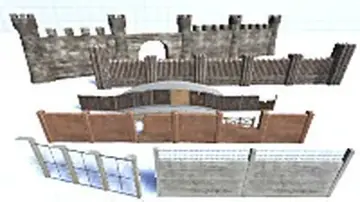 Level Design
 Level Design
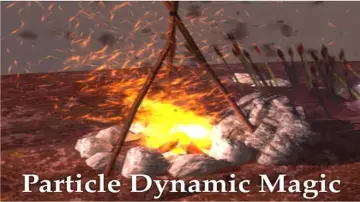 Level Design
 Modeling
 Localization
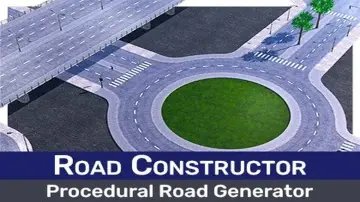 Level Design
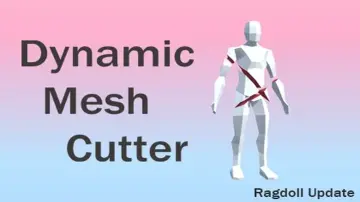 Modeling
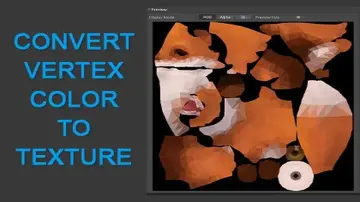 Modeling
 Modeling
 Modeling
 Modeling
 Particles
 Painting
 Modeling
 Particles
 Particles
 Particles
 Particles
 Particles
 Particles
 Particles
 Particles
 Particles
 Particles
 Particles
 Particles
 Particles
 Particles
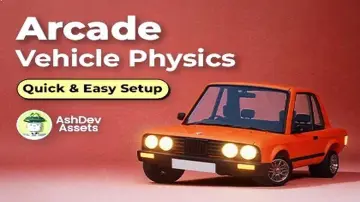 Physics
 Particles
 Particles
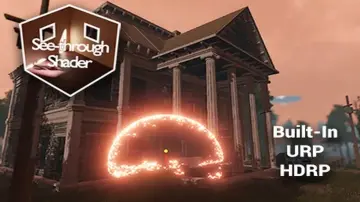 Particles
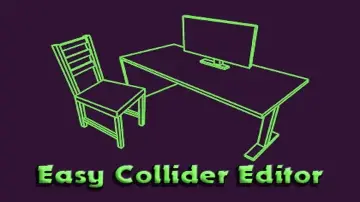 Physics
 Physics
 Physics
 Physics
 Physics
 Physics
 Physics
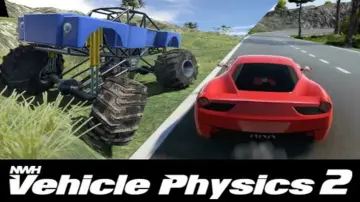 Physics
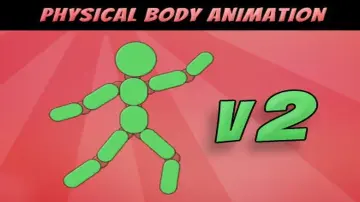 Physics
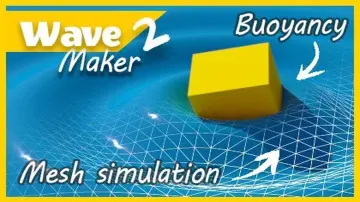 Physics
 Physics
 Physics
 Physics
 Terrain
 Terrain
 Sprite Management