"7e6fc58c410f2894"{"id":"23389","slug":"arcade-vehicle-physics","title":"Arcade Vehicle Physics","category":"Physics","engine":"Original Unity version: 2020.3.12","assetVersion":"Original Unity version: 2020.3.12","engineVersion":"Asset Version:1.4","tag":"Physics","accent":"cyan","visual":"character","summary":"Arcade Vehicle Physics focuses on quick, drivable vehicle setup for arcade racing, car combat, and arena-style games. It uses a body-and-wheels workflow, includes camera behavior through Cinemachine, and keeps movement logic open for project-specific changes.","platform":"Unity","publishedAt":"2026-04-09T16:57:37.000Z","updatedAt":"2026-04-19T15:35:28.000Z","sourceNotes":[],"fileContents":[],"compatibility":["Unity","Original Unity version: 2020.3.12","Asset Version: 1.4"],"featuredImage":{"alt":"Arcade Vehicle Physics","src":"https://3dcghub.com/wp-content/uploads/2026/04/e3bbf714c3a4_5ce8864d-d46d-4138-a915-13dff6f18543_1280x720_stretch.webp"},"hasDownloadLink":true,"downloads":2,"terms":[{"taxonomy":"category","slug":"physics-tools-unity-2","name":"Physics"},{"taxonomy":"post_tag","slug":"characters","name":"Characters"},{"taxonomy":"post_tag","slug":"unity","name":"Unity"},{"taxonomy":"post_tag","slug":"vehicles","name":"Vehicles"}],"galleryImages":[{"src":"https://3dcghub.com/wp-content/uploads/2026/04/f17db3da21d6_89d2182b-5f5b-4684-ba10-14c012e9d36d_scaled.webp","alt":"Arcade Vehicle Physics"},{"src":"https://3dcghub.com/wp-content/uploads/2026/04/d894d9582de3_68821614-3abc-4834-b533-a4a5bbbcf1eb_scaled.webp","alt":"Arcade Vehicle Physics"}],"accessPanel":{"kind":"resource","title":"Access this resource","eyebrow":"Free Download","message":"Log in or create a free account to start your download.","fileName":"Arcade Vehicle Physics v1.4 (30 Dec 2024).7z","safetyNote":"All resources are 100% manually reviewed to eliminate all risks.","actionLabel":"Download Free","resourceType":"Resource archive"},"contentHtml":"\u003ch2\u003eArcade driving for races, combats, and arena stages\u003c/h2\u003e\n\u003cp\u003eArcade racing grids, car combat arenas, and collectible-heavy action spaces need vehicles that respond quickly without turning setup into a long task. Arcade Vehicle Physics keeps that problem narrow and practical. It is presented as an easy-to-use arcade-style vehicle physics tool, with the central promise that drivable vehicles can be created in under a minute.\u003c/p\u003e\n\u003cp\u003eThe setup path is direct: reference the vehicle body and wheels, click two buttons, and the arcade vehicle is ready to move. That matters for projects where the driving model needs to feel immediate rather than simulation-heavy. The package is aimed at arcade-based vehicle games, including car combats, races, and action-packed arena scenes with collectibles and projectiles.\u003c/p\u003e\n\u003cp\u003eBecause the workflow starts from the main parts of the vehicle instead of a large controller chain, it stays approachable for quick prototypes and for games that need a fast response loop. The emphasis is on getting a drivable result in place first, then shaping the behavior to match the project.\u003c/p\u003e \u003ch2\u003eWhat the setup actually centers on\u003c/h2\u003e\n\u003cp\u003eThe package keeps the integration flow simple and direct. It is plug and play, and that approach is specifically connected to mobile platforms. For projects that need arcade handling without a heavy setup burden, that is the clearest signal in the package: the system is intended to get into a scene quickly and start moving.\u003c/p\u003e\n\u003cp\u003eThe base movement logic is already prepared, but it is not treated as a closed system. It can be extended with features tailored to a particular game, which gives it room to support different arcade vehicle styles. That flexibility is useful when the project needs a familiar driving feel but still has its own rules for speed, handling, or combat behavior.\u003c/p\u003e\n\u003cp\u003eIt also stands out as a learning resource. The code is noted as well documented, so it is not only a working tool but also something that can be studied and adapted. For newer developers, that makes the package easier to understand. For experienced developers, it provides a readable base that can be adjusted without starting from nothing.\u003c/p\u003e\n\u003cul\u003e\n\u003cli\u003ePlug and play integration\u003c/li\u003e\n\u003cli\u003eMobile-oriented workflow\u003c/li\u003e\n\u003cli\u003eBase movement logic ready for extension\u003c/li\u003e\n\u003cli\u003eWell-documented code that can also serve as a learning resource\u003c/li\u003e\n\u003cli\u003ePractical fit for car combats, races, and arcade vehicle games\u003c/li\u003e\n\u003c/ul\u003e\n\u003cp\u003eThe package also points to a community angle through Discord support, which suggests a place to ask questions and discuss implementation details with the creator and other users.\u003c/p\u003e \u003ch2\u003eCamera and control notes that shape the experience\u003c/h2\u003e\n\u003cp\u003eCamera behavior uses the Cinemachine package, which is called out as something that can be downloaded from the package manager. That makes the camera workflow part of the setup rather than an afterthought. For a vehicle controller, that matters because the camera has to stay readable while the vehicle moves through turns, combat spaces, or collectible routes.\u003c/p\u003e\n\u003cp\u003eThe latest release notes add new input system support and Cinemachine v3 support. Those updates keep the package aligned with current Unity tooling around input and camera behavior. They also reinforce the packageâs arcade focus, where responsiveness and clear framing are often more important than a complex simulation stack.\u003c/p\u003e\n\u003cp\u003eThere is one additional dependency noted for the \u003cstrong\u003e4 Toon City Cars\u003c/strong\u003e Pack, so that content sits alongside this controller in the overall workflow. The package does not present itself as a closed vehicle library on its own; instead, it connects to that additional pack as part of the setup.\u003c/p\u003e\n\u003cp\u003eThat combination makes the package especially straightforward for scenes where the vehicle controller, the camera, and the vehicle content need to work together without a lot of separate system building.\u003c/p\u003e \u003ch2\u003eVersion, size, and compatibility at a glance\u003c/h2\u003e\n\u003cp\u003eArcade Vehicle Physics is listed as a Unity package in the Physics category path \u003cem\u003eTools/physics\u003c/em\u003e. The technical details place it at version 1.5, with a latest release date of Mar 23, 2026 and a first publication date of Feb 15, 2022. The original Unity version is 2020.3.12.\u003c/p\u003e\n\u003cp\u003eA few more details help define the package more concretely:\u003c/p\u003e\n\u003cul\u003e\n\u003cli\u003eFile size: 12.1 MB\u003c/li\u003e\n\u003cli\u003eAsset count: 55\u003c/li\u003e\n\u003cli\u003ePackage type: unitypackage\u003c/li\u003e\n\u003cli\u003eLicense entitlement: SEAT\u003c/li\u003e\n\u003cli\u003eSupported Unity versions: 2020.3.12 and 6000.0.23\u003c/li\u003e\n\u003cli\u003eRender pipeline compatibility: Built-in, HDRP, URP, and Custom SRP for both 2020.3.12f1 and 6000.0.23f1\u003c/li\u003e\n\u003c/ul\u003e\n\u003cp\u003eThe tag set also reflects the intended use case: vehicle physics, race, vehicle controller, car controller, arcade, Car, Vehicle, and lowpoly. Those tags match the packageâs place in arcade driving projects more than in simulation-focused vehicle systems.\u003c/p\u003e\n\u003cp\u003eFor a project that needs quick setup, arcade handling, and a controller that can be extended without a lot of groundwork, this package fits best when the vehicle is meant to be playable early. It is a practical choice for car combat scenes, racing tracks, and action-heavy arena layouts where the vehicle needs to feel ready almost immediately.\u003c/p\u003e\n\n\u003ch2\u003eRelated Resources Worth Checking\u003c/h2\u003e\n\u003cul\u003e\n\u003cli\u003e\u003ca href=\"https://3dcghub.com/opencv-for-unity/\" title=\"OpenCV for Unity\"\u003eOpenCV for Unity\u003c/a\u003e\u003c/li\u003e\n\u003cli\u003e\u003ca href=\"https://3dcghub.com/exporter-for-unreal-to-for-unity-2026/\" title=\"Exporter for Unreal to/for Unity 2026\"\u003eExporter for Unreal to/for Unity 2026\u003c/a\u003e\u003c/li\u003e\n\u003cli\u003e\u003ca href=\"https://3dcghub.com/dialogue-system-for-unity/\" title=\"Dialogue System for Unity\"\u003eDialogue System for Unity\u003c/a\u003e\u003c/li\u003e\n\u003cli\u003e\u003ca href=\"https://3dcghub.com/ambient-sounds-interactive-soundscapes-for-unity-6/\" title=\"Ambient Sounds – Interactive Soundscapes for Unity 6\"\u003eAmbient Sounds – Interactive Soundscapes for Unity 6\u003c/a\u003e\u003c/li\u003e\n\u003cli\u003e\u003ca href=\"https://3dcghub.com/pegasus-flythroughs-for-unity-6/\" title=\"Pegasus – Flythroughs for Unity 6\"\u003ePegasus – Flythroughs for Unity 6\u003c/a\u003e\u003c/li\u003e\n\u003c/ul\u003e","contentTextLength":5246,"navigation":{"current":3525,"total":3618,"previous":{"id":"23345","slug":"mudbun-volumetric-vfx-modeling","title":"MudBun: Volumetric VFX \u0026 Modeling","category":"Particles \u0026 Effects","platform":"Unity","updatedAt":"2026-04-19T15:35:29.000Z"},"next":{"id":"23384","slug":"volumetric-shadows-for-particles","title":"Volumetric Shadows for Particles","category":"Particles \u0026 Effects","platform":"Unity","updatedAt":"2026-04-19T15:35:28.000Z"}},"relatedResources":[{"id":"23454","slug":"nwh-vehicle-physics-2","title":"NWH Vehicle Physics 2","category":"Physics","engine":"Original Unity version: 2022.3.20","assetVersion":"Original Unity version: 2022.3.20","engineVersion":"Asset Version:13.5","tag":"Physics","accent":"cyan","visual":"animation","summary":"NWH Vehicle Physics 2 focuses on getting drivable vehicles into Unity quickly, then keeps them editable through modular parts and runtime control. It adds surface detection, vehicle switching, multiplayer support, and the full C# source code.","platform":"Unity","publishedAt":"2026-04-09T17:29:13.000Z","updatedAt":"2026-04-19T15:35:25.000Z","sourceNotes":[],"fileContents":[],"compatibility":["Unity","Original Unity version: 2022.3.20","Asset Version: 13.5"],"featuredImage":{"alt":"NWH Vehicle Physics 2","src":"https://3dcghub.com/wp-content/uploads/2026/04/aca45ab345c2_70f6980b-2041-4da8-91b4-d1e95b31d6c1_1280x720_stretch.webp"},"hasDownloadLink":true,"downloads":2},{"id":"23495","slug":"silantro-flight-simulator-toolkit","title":"Silantro Flight Simulator Toolkit","category":"Physics","engine":"Original Unity version: 2019.3.0","assetVersion":"Original Unity version: 2019.3.0","engineVersion":"Asset Version:3.5.15","tag":"Physics","accent":"cyan","visual":"city","summary":"Silantro Flight Simulator Toolkit is a Unity package for setting up and simulating fixed-wing aircraft with detailed aerodynamics, engine models, cockpit instruments, and input support. It also includes sample scenes that show manual, mobile, stabilized, an...","platform":"Unity","publishedAt":"2026-04-09T17:42:33.000Z","updatedAt":"2026-04-19T15:35:23.000Z","sourceNotes":[],"fileContents":[],"compatibility":["Unity","Original Unity version: 2019.3.0","Asset Version: 3.5.15"],"featuredImage":{"alt":"Silantro Flight Simulator Toolkit","src":"https://3dcghub.com/wp-content/uploads/2026/04/40950f9dc369_c00f37d3-2929-4ee4-a088-72108b308b42_1280x720_stretch.webp"},"hasDownloadLink":true,"downloads":1},{"id":"23484","slug":"realistic-mesh-deformation","title":"Realistic Mesh Deformation","category":"Physics","engine":"Original Unity version: 2021.3.2","assetVersion":"Original Unity version: 2021.3.2","engineVersion":"Asset Version:1.1","tag":"Physics","accent":"cyan","visual":"luts","summary":"Realistic Mesh Deformation handles collision-driven changes on meshes that need to react in real time. It can target selected meshes or all meshes on a game object, with settings that stay adjustable through script and API support.","platform":"Unity","publishedAt":"2026-04-09T17:42:25.000Z","updatedAt":"2026-04-19T15:35:23.000Z","sourceNotes":[],"fileContents":[],"compatibility":["Unity","Original Unity version: 2021.3.2","Asset Version: 1.1"],"featuredImage":{"alt":"Realistic Mesh Deformation","src":"https://3dcghub.com/wp-content/uploads/2026/04/8ba226af8f84_b3ae51dc-ab3c-4e4a-bafe-43ec698dc2d6_1280x720_stretch.webp"},"hasDownloadLink":true,"downloads":0}]}
Physics
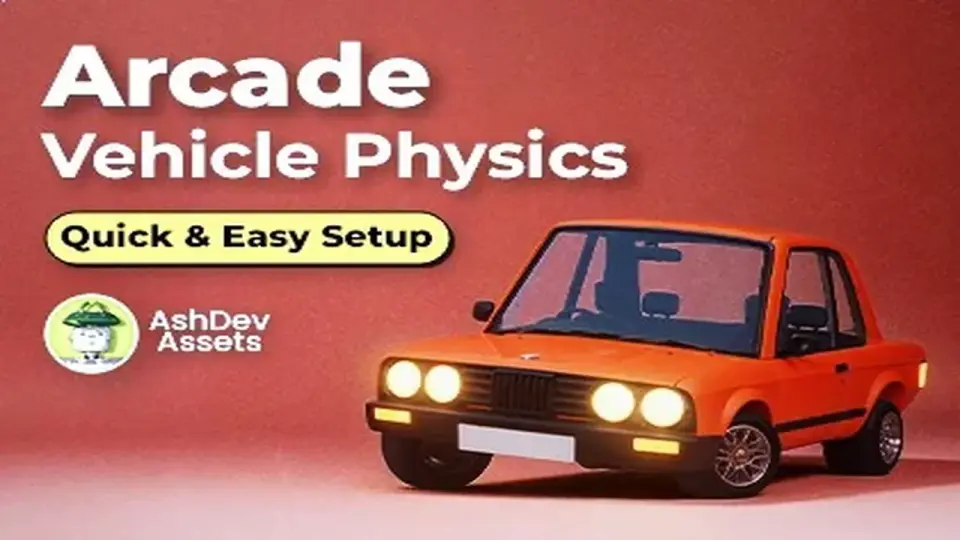
Arcade Vehicle Physics
Arcade Vehicle Physics focuses on quick, drivable vehicle setup for arcade racing, car combat, and arena-style games. It uses a body-and-wheels workflow, includes camera behavior through Cinemachine, and keeps movement logic open for project-specific changes.
Arcade driving for races, combats, and arena stages
Arcade racing grids, car combat arenas, and collectible-heavy action spaces need vehicles that respond quickly without turning setup into a long task. Arcade Vehicle Physics keeps that problem narrow and practical. It is presented as an easy-to-use arcade-style vehicle physics tool, with the central promise that drivable vehicles can be created in under a minute.
The setup path is direct: reference the vehicle body and wheels, click two buttons, and the arcade vehicle is ready to move. That matters for projects where the driving model needs to feel immediate rather than simulation-heavy. The package is aimed at arcade-based vehicle games, including car combats, races, and action-packed arena scenes with collectibles and projectiles.
Because the workflow starts from the main parts of the vehicle instead of a large controller chain, it stays approachable for quick prototypes and for games that need a fast response loop. The emphasis is on getting a drivable result in place first, then shaping the behavior to match the project.
What the setup actually centers on
The package keeps the integration flow simple and direct. It is plug and play, and that approach is specifically connected to mobile platforms. For projects that need arcade handling without a heavy setup burden, that is the clearest signal in the package: the system is intended to get into a scene quickly and start moving.
The base movement logic is already prepared, but it is not treated as a closed system. It can be extended with features tailored to a particular game, which gives it room to support different arcade vehicle styles. That flexibility is useful when the project needs a familiar driving feel but still has its own rules for speed, handling, or combat behavior.
It also stands out as a learning resource. The code is noted as well documented, so it is not only a working tool but also something that can be studied and adapted. For newer developers, that makes the package easier to understand. For experienced developers, it provides a readable base that can be adjusted without starting from nothing.
Plug and play integration
Mobile-oriented workflow
Base movement logic ready for extension
Well-documented code that can also serve as a learning resource
Practical fit for car combats, races, and arcade vehicle games
The package also points to a community angle through Discord support, which suggests a place to ask questions and discuss implementation details with the creator and other users.
Camera and control notes that shape the experience
Camera behavior uses the Cinemachine package, which is called out as something that can be downloaded from the package manager. That makes the camera workflow part of the setup rather than an afterthought. For a vehicle controller, that matters because the camera has to stay readable while the vehicle moves through turns, combat spaces, or collectible routes.
The latest release notes add new input system support and Cinemachine v3 support. Those updates keep the package aligned with current Unity tooling around input and camera behavior. They also reinforce the packageâs arcade focus, where responsiveness and clear framing are often more important than a complex simulation stack.
There is one additional dependency noted for the 4 Toon City Cars Pack, so that content sits alongside this controller in the overall workflow. The package does not present itself as a closed vehicle library on its own; instead, it connects to that additional pack as part of the setup.
That combination makes the package especially straightforward for scenes where the vehicle controller, the camera, and the vehicle content need to work together without a lot of separate system building.
Version, size, and compatibility at a glance
Arcade Vehicle Physics is listed as a Unity package in the Physics category path Tools/physics. The technical details place it at version 1.5, with a latest release date of Mar 23, 2026 and a first publication date of Feb 15, 2022. The original Unity version is 2020.3.12.
A few more details help define the package more concretely:
File size: 12.1 MB
Asset count: 55
Package type: unitypackage
License entitlement: SEAT
Supported Unity versions: 2020.3.12 and 6000.0.23
Render pipeline compatibility: Built-in, HDRP, URP, and Custom SRP for both 2020.3.12f1 and 6000.0.23f1
The tag set also reflects the intended use case: vehicle physics, race, vehicle controller, car controller, arcade, Car, Vehicle, and lowpoly. Those tags match the packageâs place in arcade driving projects more than in simulation-focused vehicle systems.
For a project that needs quick setup, arcade handling, and a controller that can be extended without a lot of groundwork, this package fits best when the vehicle is meant to be playable early. It is a practical choice for car combat scenes, racing tracks, and action-heavy arena layouts where the vehicle needs to feel ready almost immediately.
 Physics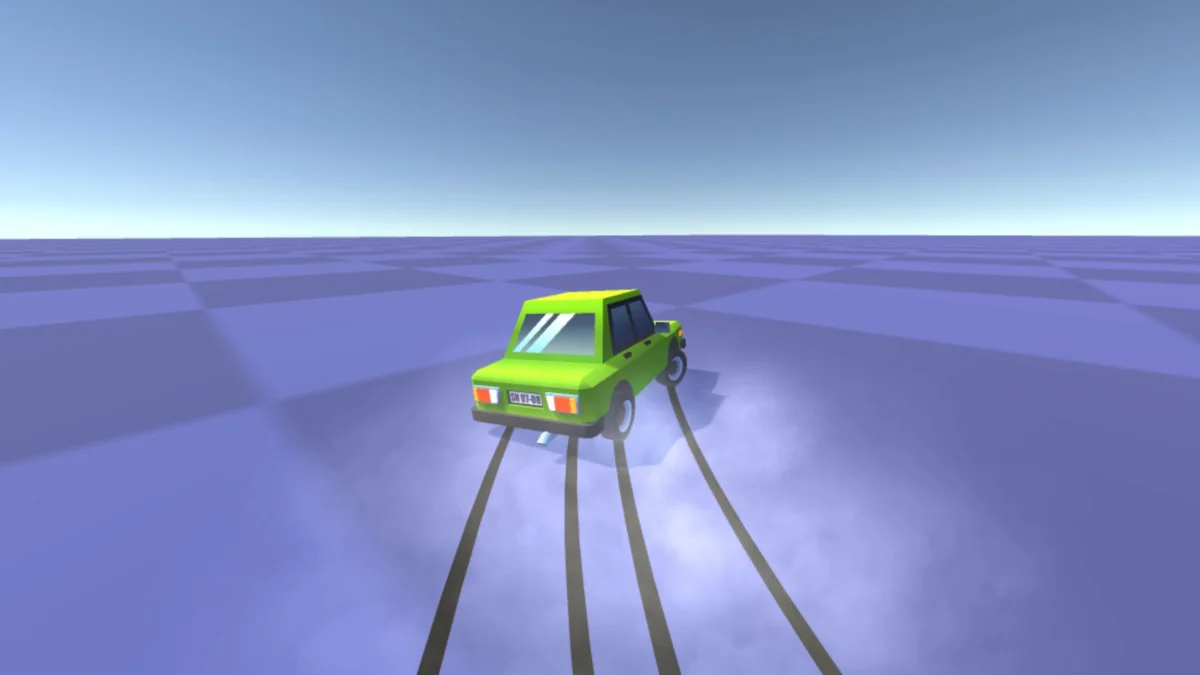
 Physics
 Physics
 Physics