"1062d43bc714d570"{"id":"22499","slug":"pegasus-flythroughs-for-unity-6","title":"Pegasus - Flythroughs for Unity 6","category":"Animation","engine":"Original Unity version: 5.1.0","assetVersion":"Original Unity version: 5.1.0","engineVersion":"Asset Version:2.5.5","tag":"Animation","accent":"cyan","visual":"animation","summary":"Pegasus is a path-based driver and animation controller system for Unity 3D designed to move cameras, characters, and vehicles through complex environments. It offers specialized tools for squad formations and navigation without traditional navmesh requirem...","platform":"Unity","publishedAt":"2026-04-06T13:03:03.000Z","updatedAt":"2026-04-19T15:37:15.000Z","sourceNotes":[],"fileContents":[],"compatibility":["Unity","Original Unity version: 5.1.0","Asset Version: 2.5.5"],"featuredImage":{"alt":"Pegasus - Flythroughs for Unity 6","src":"https://3dcghub.com/wp-content/uploads/2026/04/973ef22eb9cf_0e07f253-443e-453b-a84d-b09051c34d33_1280x720_stretch.webp"},"hasDownloadLink":true,"downloads":0,"terms":[{"taxonomy":"category","slug":"animation","name":"Animation"},{"taxonomy":"post_tag","slug":"animation","name":"Animation"},{"taxonomy":"post_tag","slug":"characters","name":"Characters"},{"taxonomy":"post_tag","slug":"unity","name":"Unity"}],"galleryImages":[{"src":"https://3dcghub.com/wp-content/uploads/2026/04/9eeb35b7bbfd_b146dafb-67b6-464c-ae37-e7704344dd45_scaled.webp","alt":"Pegasus - Flythroughs for Unity 6"},{"src":"https://3dcghub.com/wp-content/uploads/2026/04/dcf21024b529_d7558624-0514-475d-9927-52b8defebd28_scaled.webp","alt":"Pegasus - Flythroughs for Unity 6"}],"accessPanel":{"kind":"resource","title":"Access this resource","eyebrow":"Free Download","message":"Log in or create a free account to start your download.","fileName":"Pegasus - Flythroughs for Unity 6 v2.5.5.7z","safetyNote":"All resources are 100% manually reviewed to eliminate all risks.","actionLabel":"Download Free","resourceType":"Resource archive"},"contentHtml":"\u003ch2\u003ePath-Based Movement and Animation Control\u003c/h2\u003e\u003cp\u003ePegasus functions as a dedicated path-based driver and animation controller system for Unity 3D, specifically updated for Unity 6. The core workflow revolves around defining trajectories that objects follow, allowing for the automation of complex movements without manual keyframing of every frame. While it is frequently used for camera flythroughs and cinematic cutscenes, the system is designed to drive a wide range of entities, including animals, vehicles, humans, and non-player characters (NPCs).\u003c/p\u003e\u003ch2\u003eManaging Groups and Formations\u003c/h2\u003e\u003cp\u003eThe character controller system within Pegasus extends beyond individual object movement. It supports group dynamics, allowing creators to drive squads of soldiers, flocks of birds, or herds of deer through a scene. This formation support ensures that multiple entities maintain their relative positions while following the designated path. This functionality is applicable to various scales and types of movement, from a group of tanks navigating a battlefield to localized wildlife movement, making it a versatile tool for populating environments with life.\u003c/p\u003e\u003ch2\u003eTraversal and Local Avoidance\u003c/h2\u003e\u003cp\u003eA significant feature of the Pegasus system is its local avoidance capability. This system enables characters and objects to traverse a scene and react to obstacles without the strict requirement of a navmesh. By bypassing traditional navigation meshes, the developer can implement movement in environments where navmesh generation might be impractical or unnecessary. This contributes to the goal of rapid set dressing, allowing for the population of a scene with moving elements in a short timeframe.\u003c/p\u003e\u003ch2\u003eIntegration with Worldbuilding Ecosystems\u003c/h2\u003e\u003cp\u003ePegasus is positioned as part of a broader suite of tools by the developer, Procedural Worlds, which focuses on accelerating the creation of performant environments. It is integrated into workflows involving the Storm world-building system, which handles render acceleration and non-destructive procedural biomes. Within this ecosystem, Pegasus serves as the kinetic component, providing the movement for the static worlds created by terrain and environment tools like Gaia Pro VS. This integration allows for a unified workflow where terrain generation, water placement, lighting, and object animation are handled through a compatible set of professional tools.\u003c/p\u003e\u003ch2\u003eVersatile Implementation Across Scopes\u003c/h2\u003e\u003cp\u003eWhether the project requires simple camera paths for a prototype or complex NPC behaviors for a final release, the system scales to meet different production needs. It supports the animation of characters as they follow paths, ensuring that walking or running cycles can be synchronized with their progression through the environment. This makes it a practical solution for developers who need to implement everything from simple flyovers to dense, moving crowds of monsters or soldiers within their Unity 6 projects.\u003c/p\u003e\n\n\u003ch2\u003eExplore Similar Assets\u003c/h2\u003e\n\u003cul\u003e\n\u003cli\u003e\u003ca href=\"https://3dcghub.com/motion-matching-for-unity/\" title=\"Motion Matching for Unity\"\u003eMotion Matching for Unity\u003c/a\u003e\u003c/li\u003e\n\u003cli\u003e\u003ca href=\"https://3dcghub.com/mesh-animator-animate-massive-crowds/\" title=\"Mesh Animator – Animate massive crowds\"\u003eMesh Animator – Animate massive crowds\u003c/a\u003e\u003c/li\u003e\n\u003cli\u003e\u003ca href=\"https://3dcghub.com/magic-animation-blend/\" title=\"Magic Animation Blend\"\u003eMagic Animation Blend\u003c/a\u003e\u003c/li\u003e\n\u003cli\u003e\u003ca href=\"https://3dcghub.com/legs-animator/\" title=\"Legs Animator\"\u003eLegs Animator\u003c/a\u003e\u003c/li\u003e\n\u003cli\u003e\u003ca href=\"https://3dcghub.com/learned-motion-matching/\" title=\"Learned Motion Matching\"\u003eLearned Motion Matching\u003c/a\u003e\u003c/li\u003e\n\u003c/ul\u003e","contentTextLength":3113,"navigation":{"current":3199,"total":3379,"previous":{"id":"22508","slug":"retarget-pro","title":"Retarget Pro","category":"Animation","platform":"Unity","updatedAt":"2026-04-19T15:37:15.000Z"},"next":{"id":"22494","slug":"motion-path-animation-editor","title":"Motion Path Animation Editor","category":"Animation","platform":"Unity","updatedAt":"2026-04-19T15:37:15.000Z"}},"relatedResources":[{"id":"22396","slug":"animal-controller-malbers-character-controller","title":"Animal Controller (Malbers Character Controller)","category":"Animation","engine":"Original Unity version: 6000.0.60","assetVersion":"Original Unity version: 6000.0.60","engineVersion":"Asset Version:1.4.9","tag":"Animation","accent":"cyan","visual":"animation","summary":"The Animal Controller provides a Scriptable Architecture-based framework for managing complex creature and humanoid animations through a modular system of States, Modes, and Stances.","platform":"Unity","publishedAt":"2026-04-06T07:54:58.000Z","updatedAt":"2026-04-19T15:37:19.000Z","sourceNotes":[],"fileContents":[],"compatibility":["Unity","Original Unity version: 6000.0.60","Asset Version: 1.4.9"],"featuredImage":{"alt":"Animal Controller (Malbers Character Controller)","src":"https://3dcghub.com/wp-content/uploads/2026/04/9001adc47215_8c6aec9e-c57b-4c1c-99ae-59225a97e348_1280x720_stretch.webp"},"hasDownloadLink":true,"downloads":0},{"id":"22444","slug":"learned-motion-matching","title":"Learned Motion Matching","category":"Animation","engine":"Original Unity version: 2021.3.30","assetVersion":"Original Unity version: 2021.3.30","engineVersion":"Asset Version:1.0","tag":"Animation","accent":"cyan","visual":"animation","summary":"Learned Motion Matching implements deep learning techniques to create fluid humanoid movement without the abrupt changes common in traditional state machines. It integrates waypoint navigation and specialized IK for hand interactions within a one-click setup.","platform":"Unity","publishedAt":"2026-04-06T12:52:33.000Z","updatedAt":"2026-04-19T15:37:17.000Z","sourceNotes":[],"fileContents":[],"compatibility":["Unity","Original Unity version: 2021.3.30","Asset Version: 1.0"],"featuredImage":{"alt":"Learned Motion Matching","src":"https://3dcghub.com/wp-content/uploads/2026/04/564d6a4d735f_5738afb6-84c4-484b-a954-b6fd5602b4df_1280x720_stretch.webp"},"hasDownloadLink":true,"downloads":1},{"id":"22457","slug":"legs-animator","title":"Legs Animator","category":"Animation","engine":"Original Unity version: 2021.3.34","assetVersion":"Original Unity version: 2021.3.34","engineVersion":"Asset Version:1.0.3","tag":"Animation","accent":"cyan","visual":"animation","summary":"Legs Animator provides a suite of features to solve common leg animation issues, from terrain alignment to foot sliding. This plugin supports diverse rigs including humanoids, animals, and complex multi-legged creatures.","platform":"Unity","publishedAt":"2026-04-06T12:52:44.000Z","updatedAt":"2026-04-19T15:37:17.000Z","sourceNotes":[],"fileContents":[],"compatibility":["Unity","Original Unity version: 2021.3.34","Asset Version: 1.0.3"],"featuredImage":{"alt":"Legs Animator","src":"https://3dcghub.com/wp-content/uploads/2026/04/81713a6ddb5d_e1758efe-ceac-406d-a6cf-58eb6f49130d_1280x720_stretch.webp"},"hasDownloadLink":true,"downloads":4}]}
Animation
Pegasus - Flythroughs for Unity 6
Pegasus is a path-based driver and animation controller system for Unity 3D designed to move cameras, characters, and vehicles through complex environments. It offers specialized tools for squad formations and navigation without traditional navmesh requirem...
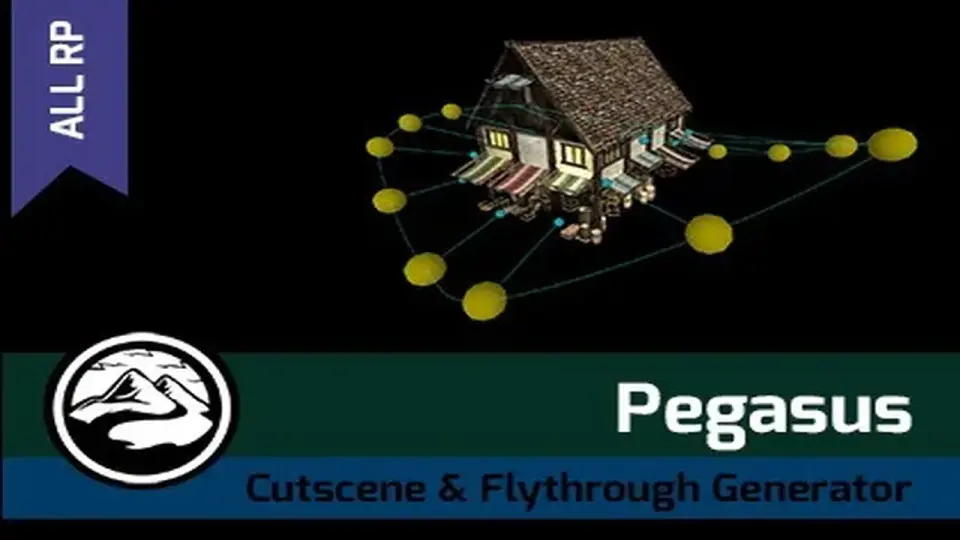
Pegasus functions as a dedicated path-based driver and animation controller system for Unity 3D, specifically updated for Unity 6. The core workflow revolves around defining trajectories that objects follow, allowing for the automation of complex movements without manual keyframing of every frame. While it is frequently used for camera flythroughs and cinematic cutscenes, the system is designed to drive a wide range of entities, including animals, vehicles, humans, and non-player characters (NPCs).
Managing Groups and Formations
The character controller system within Pegasus extends beyond individual object movement. It supports group dynamics, allowing creators to drive squads of soldiers, flocks of birds, or herds of deer through a scene. This formation support ensures that multiple entities maintain their relative positions while following the designated path. This functionality is applicable to various scales and types of movement, from a group of tanks navigating a battlefield to localized wildlife movement, making it a versatile tool for populating environments with life.
Traversal and Local Avoidance
A significant feature of the Pegasus system is its local avoidance capability. This system enables characters and objects to traverse a scene and react to obstacles without the strict requirement of a navmesh. By bypassing traditional navigation meshes, the developer can implement movement in environments where navmesh generation might be impractical or unnecessary. This contributes to the goal of rapid set dressing, allowing for the population of a scene with moving elements in a short timeframe.
Integration with Worldbuilding Ecosystems
Pegasus is positioned as part of a broader suite of tools by the developer, Procedural Worlds, which focuses on accelerating the creation of performant environments. It is integrated into workflows involving the Storm world-building system, which handles render acceleration and non-destructive procedural biomes. Within this ecosystem, Pegasus serves as the kinetic component, providing the movement for the static worlds created by terrain and environment tools like Gaia Pro VS. This integration allows for a unified workflow where terrain generation, water placement, lighting, and object animation are handled through a compatible set of professional tools.
Versatile Implementation Across Scopes
Whether the project requires simple camera paths for a prototype or complex NPC behaviors for a final release, the system scales to meet different production needs. It supports the animation of characters as they follow paths, ensuring that walking or running cycles can be synchronized with their progression through the environment. This makes it a practical solution for developers who need to implement everything from simple flyovers to dense, moving crowds of monsters or soldiers within their Unity 6 projects.
 Animation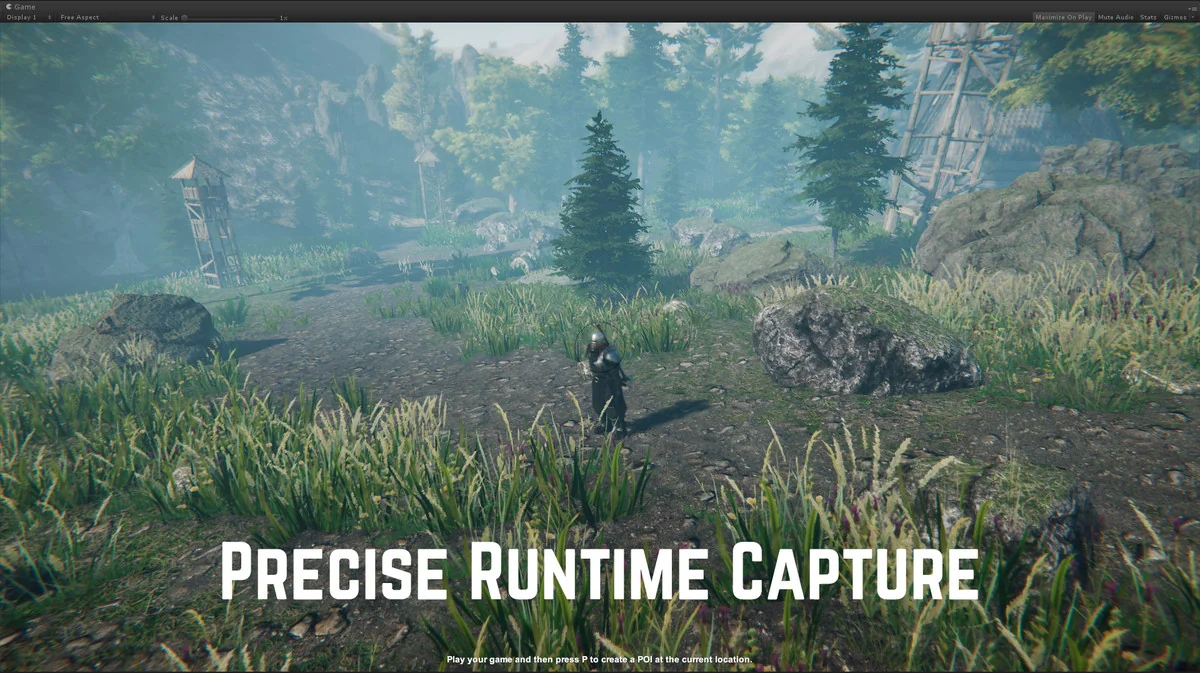
 Animation
 Animation
 Animation