"26aaab8a5d5ed4fc"{"id":"22508","slug":"retarget-pro","title":"Retarget Pro","category":"Animation","engine":"Original Unity version: 6000.0.58","assetVersion":"Original Unity version: 6000.0.58","engineVersion":"Asset Version:3.3.1","tag":"Animation","accent":"cyan","visual":"animation","summary":"Retarget Pro provides a workflow for sharing animations between Generic skeletons in Unity, overcoming the standard limitations of the Humanoid system while adding support for animals and weapons.","platform":"Unity","publishedAt":"2026-04-06T13:03:59.000Z","updatedAt":"2026-04-19T15:37:15.000Z","sourceNotes":[],"fileContents":[],"compatibility":["Unity","Original Unity version: 6000.0.58","Asset Version: 3.3.1"],"featuredImage":{"alt":"Retarget Pro","src":"https://3dcghub.com/wp-content/uploads/2026/04/d2436a61e6ea_75158895-6e35-4dc8-9b8b-7a8594b337df_1280x720_stretch.webp"},"hasDownloadLink":true,"downloads":4,"terms":[{"taxonomy":"category","slug":"animation","name":"Animation"},{"taxonomy":"post_tag","slug":"animation","name":"Animation"},{"taxonomy":"post_tag","slug":"game-systems","name":"Game Systems"},{"taxonomy":"post_tag","slug":"unity","name":"Unity"}],"galleryImages":[{"src":"https://3dcghub.com/wp-content/uploads/2026/04/0d0232ae029e_427bc8a5-1f2e-4406-b5f8-eb40cc3d0ba1_scaled.webp","alt":"Retarget Pro"},{"src":"https://3dcghub.com/wp-content/uploads/2026/04/e7be4c0d4637_179c5fd7-7653-4dc6-8456-9401ed64c3cf_scaled.webp","alt":"Retarget Pro"},{"src":"https://3dcghub.com/wp-content/uploads/2026/04/c8654250afa9_a00b978f-d154-4429-994f-8b04e1f83b88_scaled.webp","alt":"Retarget Pro"},{"src":"https://3dcghub.com/wp-content/uploads/2026/04/11165345f25b_048297ac-0374-4c43-b5fb-5b5d65783b43_scaled.webp","alt":"Retarget Pro"},{"src":"https://3dcghub.com/wp-content/uploads/2026/04/d5bdf3070336_8bdd7e7d-7ae8-4884-909b-3601f7661f3f_scaled.webp","alt":"Retarget Pro"},{"src":"https://3dcghub.com/wp-content/uploads/2026/04/849d1af231e1_a3599a49-5254-478e-9f98-2c1126bdaed4_scaled.webp","alt":"Retarget Pro"}],"accessPanel":{"kind":"resource","title":"Access this resource","eyebrow":"Free Download","message":"Log in or create a free account to start your download.","fileName":"Retarget Pro v3.3.1.7z","safetyNote":"All resources are 100% manually reviewed to eliminate all risks.","actionLabel":"Download Free","resourceType":"Resource archive"},"contentHtml":"\u003ch2\u003eEnabling Animation Sharing for Generic Rigs\u003c/h2\u003e\nIn standard Unity workflows, sharing animations between Generic characters is typically restricted. Retarget Pro was developed specifically to bridge this gap, allowing developers to transfer motion data between models that do not use the Humanoid rig system. This capability extends to a diverse variety of character types, ranging from four-legged animals like cats to standard tactical soldiers. By focusing on Generic skeletons, the tool provides a pathway for animation reuse that bypasses the architectural constraints of Unity's default animation handling.\n\u003ch2\u003ePrecision for First-Person and Weapon Systems\u003c/h2\u003e\nThe tool is particularly suited for high-fidelity first-person games where alignment is critical. Precision is a primary focus, especially for complex interactions such as first-person reloading sequences. Because the system works with weapon skeletons as well as character skeletons, it ensures that the relationship between the hands and the equipment remains consistent during the retargeting process. This level of accuracy helps maintain the visual integrity of mechanical animations that might otherwise break when moved between different skeletal structures.\n\u003ch2\u003eBaking and Automation Workflows\u003c/h2\u003e\nThe developer has structured the tool around a straightforward three-step workflow: creating a retargeting profile, adjusting specific settings to match the target rig, and baking the animation. For projects with significant amounts of data, the system supports automation features. Users can process entire animator controllers or multiple animation clips simultaneously, significantly reducing the manual effort required to convert large animation libraries for new characters. For Generic animations, this baking process occurs directly within the Unity Editor.\n\u003ch2\u003eTechnical Performance and Rig Compatibility\u003c/h2\u003e\nRetarget Pro addresses several common issues found in the standard Humanoid system, such as feet sliding or skewed finger rotations. By avoiding the limitations of Humanoids, it produces cleaner motion for specialized rigs. Technically, the plugin is optimized using the Animation Jobs System to ensure efficient performance during runtime.\n\nWhile Generic rigs are the primary focus with full baking support, the tool also offers runtime retargeting for Humanoid characters. The package is compatible with the Built-in, HDRP, and URP render pipelines. Recent updates to the tool have introduced a Copy Bone utility and an updated animation library to further refine the skeletal alignment process.\n\u003ch2\u003ePractical Implementation and Use Cases\u003c/h2\u003e\nThis tool is most beneficial for developers working on projects that depart from standard bipedal movement. Because it handles animals and weapons with the same logic as characters, it serves as a unified solution for complex mechanical or quadrupedal animation needs. Developers looking to avoid the technical debt of the Humanoid system or those requiring precise procedural-style alignment in Generic rigs will find the profile-based baking system a significant utility for their animation pipeline.\n\n\u003ch2\u003eMore From The Same Workflow\u003c/h2\u003e\n\u003cul\u003e\n \t\u003cli\u003e\u003ca title=\"Pegasus – Flythroughs for Unity 6\" href=\"https://3dcghub.com/pegasus-flythroughs-for-unity-6/\"\u003ePegasus – Flythroughs for Unity 6\u003c/a\u003e\u003c/li\u003e\n \t\u003cli\u003e\u003ca title=\"Motion Matching for Unity\" href=\"https://3dcghub.com/motion-matching-for-unity/\"\u003eMotion Matching for Unity\u003c/a\u003e\u003c/li\u003e\n \t\u003cli\u003e\u003ca title=\"Motion Path Animation Editor\" href=\"https://3dcghub.com/motion-path-animation-editor/\"\u003eMotion Path Animation Editor\u003c/a\u003e\u003c/li\u003e\n \t\u003cli\u003e\u003ca title=\"Mesh Animator – Animate massive crowds\" href=\"https://3dcghub.com/mesh-animator-animate-massive-crowds/\"\u003eMesh Animator – Animate massive crowds\u003c/a\u003e\u003c/li\u003e\n \t\u003cli\u003e\u003ca title=\"Magic Animation Blend\" href=\"https://3dcghub.com/magic-animation-blend/\"\u003eMagic Animation Blend\u003c/a\u003e\u003c/li\u003e\n\u003c/ul\u003e","contentTextLength":3316,"navigation":{"current":3219,"total":3400,"previous":{"id":"22469","slug":"magic-animation-blend","title":"Magic Animation Blend","category":"Animation","platform":"Unity","updatedAt":"2026-04-19T15:37:16.000Z"},"next":{"id":"22499","slug":"pegasus-flythroughs-for-unity-6","title":"Pegasus - Flythroughs for Unity 6","category":"Animation","platform":"Unity","updatedAt":"2026-04-19T15:37:15.000Z"}},"relatedResources":[{"id":"22522","slug":"simple-waypoint-system","title":"Simple Waypoint System","category":"Animation","engine":"Original Unity version: 2020.3.0","assetVersion":"Original Unity version: 2020.3.0","engineVersion":"Asset Version:5.5.3","tag":"Animation","accent":"cyan","visual":"animation","summary":"Simple Waypoint System provides a workflow for creating paths directly within the Unity editor, allowing game objects and characters to follow linear, curved, or bezier trajectories using built-in movement scripts.","platform":"Unity","publishedAt":"2026-04-06T13:06:24.000Z","updatedAt":"2026-04-19T15:37:14.000Z","sourceNotes":[],"fileContents":[],"compatibility":["Unity","Original Unity version: 2020.3.0","Asset Version: 5.5.3"],"featuredImage":{"alt":"Simple Waypoint System","src":"https://3dcghub.com/wp-content/uploads/2026/04/a93f9e3a5d6b_07f38191-3df8-48e0-b6c8-4678bcc8ddaa_1280x720_stretch.webp"},"hasDownloadLink":true,"downloads":0},{"id":"22488","slug":"motion-matching-for-unity","title":"Motion Matching for Unity","category":"Animation","engine":"Original Unity version: 2021.3.45","assetVersion":"Original Unity version: 2021.3.45","engineVersion":"Asset Version:2.3.0","tag":"Animation","accent":"cyan","visual":"animation","summary":"Motion Matching for Unity (MxM) offers an alternative to traditional Mecanim workflows, utilizing trajectory data and pose comparison to achieve fluid character movement without explicit state transitions.","platform":"Unity","publishedAt":"2026-04-06T13:00:17.000Z","updatedAt":"2026-04-19T15:37:15.000Z","sourceNotes":[],"fileContents":[],"compatibility":["Unity","Original Unity version: 2021.3.45","Asset Version: 2.3.0"],"featuredImage":{"alt":"Motion Matching for Unity","src":"https://3dcghub.com/wp-content/uploads/2026/04/abac1886567b_42d4f789-03fa-45e6-87e9-bf2ddbfb7071_1280x720_stretch.webp"},"hasDownloadLink":true,"downloads":0},{"id":"22396","slug":"animal-controller-malbers-character-controller","title":"Animal Controller (Malbers Character Controller)","category":"Animation","engine":"Original Unity version: 6000.0.60","assetVersion":"Original Unity version: 6000.0.60","engineVersion":"Asset Version:1.4.9","tag":"Animation","accent":"cyan","visual":"animation","summary":"The Animal Controller provides a Scriptable Architecture-based framework for managing complex creature and humanoid animations through a modular system of States, Modes, and Stances.","platform":"Unity","publishedAt":"2026-04-06T07:54:58.000Z","updatedAt":"2026-04-19T15:37:19.000Z","sourceNotes":[],"fileContents":[],"compatibility":["Unity","Original Unity version: 6000.0.60","Asset Version: 1.4.9"],"featuredImage":{"alt":"Animal Controller (Malbers Character Controller)","src":"https://3dcghub.com/wp-content/uploads/2026/04/9001adc47215_8c6aec9e-c57b-4c1c-99ae-59225a97e348_1280x720_stretch.webp"},"hasDownloadLink":true,"downloads":0}]}
Animation
Retarget Pro
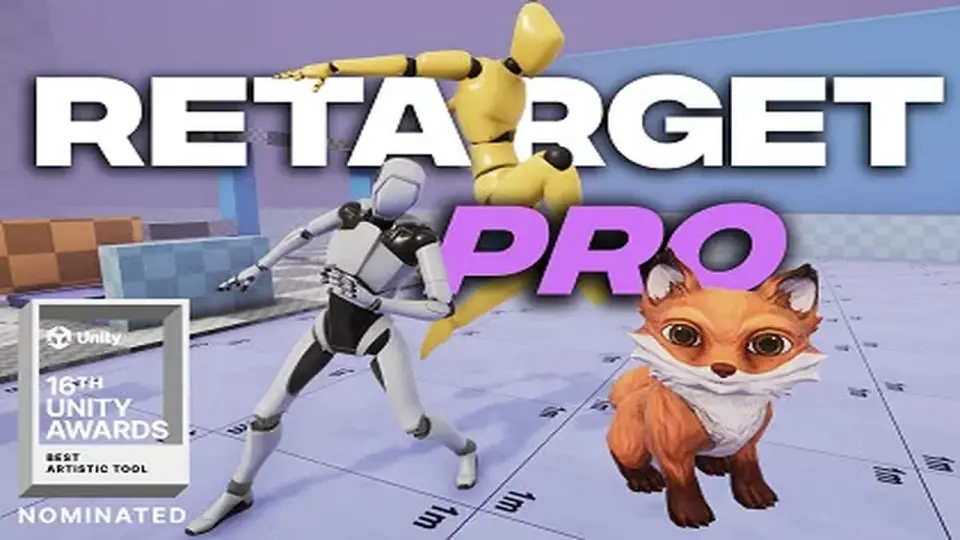
Retarget Pro provides a workflow for sharing animations between Generic skeletons in Unity, overcoming the standard limitations of the Humanoid system while adding support for animals and weapons.
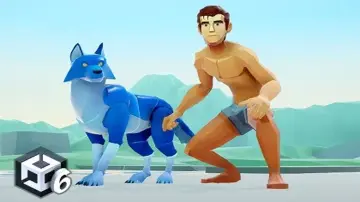
In standard Unity workflows, sharing animations between Generic characters is typically restricted. Retarget Pro was developed specifically to bridge this gap, allowing developers to transfer motion data between models that do not use the Humanoid rig system. This capability extends to a diverse variety of character types, ranging from four-legged animals like cats to standard tactical soldiers. By focusing on Generic skeletons, the tool provides a pathway for animation reuse that bypasses the architectural constraints of Unity's default animation handling.
Precision for First-Person and Weapon Systems
The tool is particularly suited for high-fidelity first-person games where alignment is critical. Precision is a primary focus, especially for complex interactions such as first-person reloading sequences. Because the system works with weapon skeletons as well as character skeletons, it ensures that the relationship between the hands and the equipment remains consistent during the retargeting process. This level of accuracy helps maintain the visual integrity of mechanical animations that might otherwise break when moved between different skeletal structures.
Baking and Automation Workflows
The developer has structured the tool around a straightforward three-step workflow: creating a retargeting profile, adjusting specific settings to match the target rig, and baking the animation. For projects with significant amounts of data, the system supports automation features. Users can process entire animator controllers or multiple animation clips simultaneously, significantly reducing the manual effort required to convert large animation libraries for new characters. For Generic animations, this baking process occurs directly within the Unity Editor.
Technical Performance and Rig Compatibility
Retarget Pro addresses several common issues found in the standard Humanoid system, such as feet sliding or skewed finger rotations. By avoiding the limitations of Humanoids, it produces cleaner motion for specialized rigs. Technically, the plugin is optimized using the Animation Jobs System to ensure efficient performance during runtime.
While Generic rigs are the primary focus with full baking support, the tool also offers runtime retargeting for Humanoid characters. The package is compatible with the Built-in, HDRP, and URP render pipelines. Recent updates to the tool have introduced a Copy Bone utility and an updated animation library to further refine the skeletal alignment process.
Practical Implementation and Use Cases
This tool is most beneficial for developers working on projects that depart from standard bipedal movement. Because it handles animals and weapons with the same logic as characters, it serves as a unified solution for complex mechanical or quadrupedal animation needs. Developers looking to avoid the technical debt of the Humanoid system or those requiring precise procedural-style alignment in Generic rigs will find the profile-based baking system a significant utility for their animation pipeline.
 Animation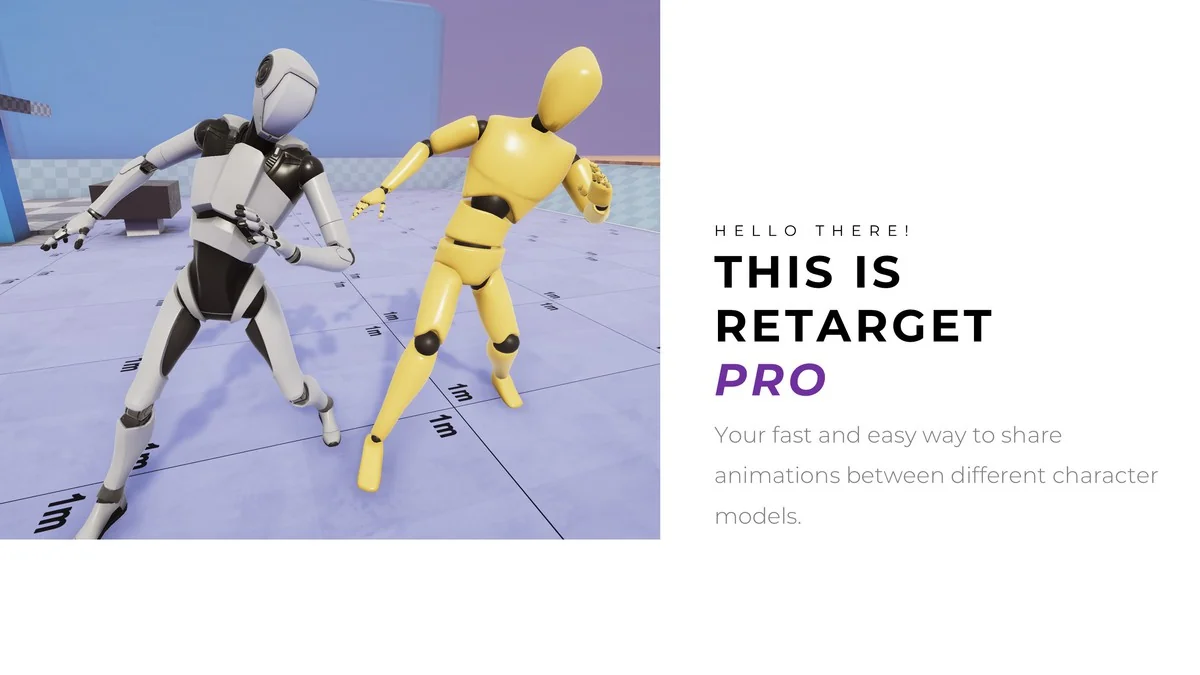
 Animation
 Animation
 Animation