"db867bbc47e6c7d0"{"id":"22396","slug":"animal-controller-malbers-character-controller","title":"Animal Controller (Malbers Character Controller)","category":"Animation","engine":"Original Unity version: 6000.0.60","assetVersion":"Original Unity version: 6000.0.60","engineVersion":"Asset Version:1.4.9","tag":"Animation","accent":"cyan","visual":"animation","summary":"The Animal Controller provides a Scriptable Architecture-based framework for managing complex creature and humanoid animations through a modular system of States, Modes, and Stances.","platform":"Unity","publishedAt":"2026-04-06T07:54:58.000Z","updatedAt":"2026-04-19T15:37:19.000Z","sourceNotes":[],"fileContents":[],"compatibility":["Unity","Original Unity version: 6000.0.60","Asset Version: 1.4.9"],"featuredImage":{"alt":"Animal Controller (Malbers Character Controller)","src":"https://3dcghub.com/wp-content/uploads/2026/04/9001adc47215_8c6aec9e-c57b-4c1c-99ae-59225a97e348_1280x720_stretch.webp"},"hasDownloadLink":true,"downloads":0,"terms":[{"taxonomy":"category","slug":"animation","name":"Animation"},{"taxonomy":"post_tag","slug":"animation","name":"Animation"},{"taxonomy":"post_tag","slug":"characters","name":"Characters"},{"taxonomy":"post_tag","slug":"unity","name":"Unity"}],"galleryImages":[{"src":"https://3dcghub.com/wp-content/uploads/2026/04/06a57dd33e58_41201364-b1b4-4d61-a32d-f20411225e35_scaled.webp","alt":"Animal Controller (Malbers Character Controller)"},{"src":"https://3dcghub.com/wp-content/uploads/2026/04/78ea4c83a3d0_1968fea1-eef6-4ba8-9b25-079388e9ed06_scaled.webp","alt":"Animal Controller (Malbers Character Controller)"},{"src":"https://3dcghub.com/wp-content/uploads/2026/04/cc06d5e55c00_8f14809f-2456-48b3-ac37-5f99f43b502d_scaled.webp","alt":"Animal Controller (Malbers Character Controller)"},{"src":"https://3dcghub.com/wp-content/uploads/2026/04/1edee3433d97_6add3985-1dc4-4cbb-8cfb-0122758169db_scaled.webp","alt":"Animal Controller (Malbers Character Controller)"},{"src":"https://3dcghub.com/wp-content/uploads/2026/04/646f5fe40d86_0bc7732b-dc51-4f2e-8aa1-7d22d2dd3b00_scaled.webp","alt":"Animal Controller (Malbers Character Controller)"},{"src":"https://3dcghub.com/wp-content/uploads/2026/04/9f33b42a267d_3fe0ae01-d097-4235-a672-02201519684b_scaled.webp","alt":"Animal Controller (Malbers Character Controller)"},{"src":"https://3dcghub.com/wp-content/uploads/2026/04/61498e817be4_62356e2e-619c-4cba-9b1f-8f8d2b052519_scaled.webp","alt":"Animal Controller (Malbers Character Controller)"},{"src":"https://3dcghub.com/wp-content/uploads/2026/04/ddd39821501f_dbaa30d4-c03d-4cbb-b280-7e36926b20fe_scaled.webp","alt":"Animal Controller (Malbers Character Controller)"},{"src":"https://3dcghub.com/wp-content/uploads/2026/04/b21faeaefa87_6cc5ce37-ee5c-4612-a85e-1b799b4c223c_scaled.webp","alt":"Animal Controller (Malbers Character Controller)"},{"src":"https://3dcghub.com/wp-content/uploads/2026/04/7ee940010146_1bbf013e-1691-44ca-aa20-a209f0cd2974_scaled.webp","alt":"Animal Controller (Malbers Character Controller)"}],"accessPanel":{"kind":"resource","title":"Access this resource","eyebrow":"Free Download","message":"Log in or create a free account to start your download.","fileName":"Animal Controller (Malbers Character Controller) v1.4.9 (25 Apr 2025).7z","safetyNote":"All resources are 100% manually reviewed to eliminate all risks.","actionLabel":"Download Free","resourceType":"Resource archive"},"contentHtml":"\u003ch2\u003eAnimation Management through Scriptable Architecture\u003c/h2\u003e\n\u003cp\u003eThe Animal Controller (AC) is an animation framework designed to handle the complex locomotion and action needs of creatures and humanoid characters within Unity. Rather than acting as a rigid, hard-coded solution, it is built on a Scriptable Architecture that allows developers to add or remove modular features based on the specific requirements of a character. This approach supports both root-motion and in-place animation styles, making it adaptable to different movement philosophies and project scales.\u003c/p\u003e\n\u003cp\u003eThe system is designed to function as a foundation for any asset in the Unity Asset Store, though it is natively the base controller for the developer's broader ecosystem of character tools. The framework is intended to eliminate the need for custom coding for standard character behaviors, providing over 100 internal tools to manage various gameplay situations.\u003c/p\u003e\n\n\u003ch2\u003eThe Triad of States, Modes, and Stances\u003c/h2\u003e\n\u003cp\u003eThe core logic of the Animal Controller is organized into three distinct categories that dictate how a character moves and interacts with the environment. Understanding these categories is essential for configuring character behavior without logic conflicts.\u003c/p\u003e\n\u003cul\u003e\n \u003cli\u003e\u003cstrong\u003eStates:\u003c/strong\u003e These represent the primary logic of the character and are mutually exclusive. A character cannot occupy two states at once. Examples include Locomotion, Idle, Jump, Fall, Fly, Swim, Climb, Glide, and Death. Because you cannot swim and fly simultaneously, the state system ensures that only one set of movement logic is active at any given time.\u003c/li\u003e\n \u003cli\u003e\u003cstrong\u003eModes:\u003c/strong\u003e These are animations that can trigger regardless of the current state. They allow for actions like attacking or emotes to play while the character is running, flying, or swimming. This additive layer handles combat hits, secondary attacks, and environmental interactions without interrupting the underlying movement logic.\u003c/li\u003e\n \u003cli\u003e\u003cstrong\u003eStances:\u003c/strong\u003e These act as modifiers to the existing states. A stance changes the aesthetic or technical execution of an animation. For instance, a character might have a standard walk, but a \"wounded\" or \"crouched\" stance will modify that walk to reflect the character's status without needing a completely separate state logic.\u003c/li\u003e\n\u003c/ul\u003e\n\n\u003ch2\u003eExtensibility and Modular Addons\u003c/h2\u003e\n\u003cp\u003eWhile the core framework handles movement and basic interaction, the system is built to be expanded via specific modules. These addons allow for specialized gameplay mechanics to be plugged into the controller. Available extensions include systems for inventory management, fishing, and multiplayer support via Fishnet. For projects requiring verticality, developers can integrate advanced climbing, wall jumping, sliding, and pole climbing mechanics. Other physical interactions like pushing and pulling objects, rope hook mechanics, and balance systems are also supported through this modular approach. For those utilizing AI, the framework includes specific integration for Behaviour Designer.\u003c/p\u003e\n\n\u003ch2\u003eTechnical Requirements and Setup\u003c/h2\u003e\n\u003cp\u003eThe Animal Controller is compatible with Unity 6 and requires specific package dependencies to function correctly. Depending on the version of Unity being used, it utilizes either Cinemachine 2 (for Unity 2022) or Cinemachine 3 (for Unity 6). Additionally, the framework relies on the Unity Input System for handling character controls. When upgrading the asset, the developer recommends backing up projects and removing the common folder to ensure a clean reimport if script errors occur.\u003c/p\u003e\n\n\u003cp\u003eBy compartmentalizing movement into exclusive states and overlaying them with modes and stances, the framework provides a structured way to build complex characters that remain easy to customize and expand throughout development.\u003c/p\u003e\n\n\u003ch2\u003eMore From The Same Workflow\u003c/h2\u003e\n\u003cul\u003e\n\u003cli\u003e\u003ca href=\"https://3dcghub.com/hand-finger-tracking-windows/\" title=\"Hand \u0026amp;amp; Finger Tracking [Windows]\"\u003eHand \u0026amp; Finger Tracking [Windows]\u003c/a\u003e\u003c/li\u003e\n\u003cli\u003e\u003ca href=\"https://3dcghub.com/tanks-multiplayer-netcode-photon/\" title=\"Tanks Multiplayer (Netcode, Photon)\"\u003eTanks Multiplayer (Netcode, Photon)\u003c/a\u003e\u003c/li\u003e\n\u003cli\u003e\u003ca href=\"https://3dcghub.com/sliding-puzzle-game-template/\" title=\"Sliding Puzzle Game Template\"\u003eSliding Puzzle Game Template\u003c/a\u003e\u003c/li\u003e\n\u003cli\u003e\u003ca href=\"https://3dcghub.com/universal-fighting-engine-2-pro/\" title=\"Universal Fighting Engine 2 (PRO)\"\u003eUniversal Fighting Engine 2 (PRO)\u003c/a\u003e\u003c/li\u003e\n\u003cli\u003e\u003ca href=\"https://3dcghub.com/turn-based-strategy-framework/\" title=\"Turn Based Strategy Framework\"\u003eTurn Based Strategy Framework\u003c/a\u003e\u003c/li\u003e\n\u003c/ul\u003e","contentTextLength":3950,"navigation":{"current":3255,"total":3444,"previous":{"id":"22409","slug":"animancer-pro-v8","title":"Animancer Pro v8","category":"Animation","platform":"Unity","updatedAt":"2026-04-19T15:37:19.000Z"},"next":{"id":"22429","slug":"geppetto-ai-powered-lip-sync-animation","title":"Geppetto - AI-Powered Lip Sync Animation","category":"Animation","platform":"Unity","updatedAt":"2026-04-19T15:37:18.000Z"}},"relatedResources":[{"id":"18613","slug":"horse-animset-pro-riding-system","title":"Horse Animset Pro (Riding System)","category":"Animals","engine":"Original Unity version: 6000.0.60","assetVersion":"Original Unity version: 6000.0.60","engineVersion":"Asset Version:4.4.8","tag":"Animals","accent":"cyan","visual":"character","summary":"Horse Animset Pro (Riding System) provides a complete animation framework for Unity, enabling characters to mount and ride any creature. With over 100 AAA-quality animations and a modular scriptable architecture, it is a top-tier solution for game developers.","platform":"Unity","publishedAt":"2026-03-19T16:12:04.000Z","updatedAt":"2026-04-19T15:43:02.000Z","sourceNotes":[],"fileContents":[],"compatibility":["Unity","Original Unity version: 6000.0.60","Asset Version: 4.4.8"],"featuredImage":{"alt":"Horse Animset Pro (Riding System)","src":"https://3dcghub.com/wp-content/uploads/2026/03/81918db4634d_d6bb58d9-edbc-4ca1-bffa-3cbb85eeec58_1280x720_stretch.webp"},"hasDownloadLink":true,"downloads":7},{"id":"22798","slug":"third-person-controller-humanoid-basics","title":"Third Person Controller - Humanoid Basics","category":"Game Toolkits","engine":"Original Unity version: 6000.3.1","assetVersion":"Original Unity version: 6000.3.1","engineVersion":"Asset Version:3.0.1","tag":"Game Toolkits","accent":"cyan","visual":"city","summary":"Humanoid Basics provides a kinematic framework for third-person games, featuring a one-click character setup and a custom AI system that avoids standard NavMesh Agents.","platform":"Unity","publishedAt":"2026-04-06T14:06:36.000Z","updatedAt":"2026-04-19T15:37:01.000Z","sourceNotes":[],"fileContents":[],"compatibility":["Unity","Original Unity version: 6000.3.1","Asset Version: 3.0.1"],"featuredImage":{"alt":"Third Person Controller - Humanoid Basics","src":"https://3dcghub.com/wp-content/uploads/2026/04/f4f5f87e0270_dd15ae0f-79dd-48e0-8b0c-611985ab2852_1280x720_stretch.webp"},"hasDownloadLink":true,"downloads":2},{"id":"18645","slug":"realistic-boars","title":"Realistic Boars","category":"Animals","engine":"Original Unity version: 6000.0.58","assetVersion":"Original Unity version: 6000.0.58","engineVersion":"Asset Version:4.0","tag":"Animals","accent":"cyan","visual":"character","summary":"Enhance your game environments with Realistic Boars, a comprehensive asset pack featuring detailed wildboar models with over 70 animations. This package includes both poly art and realistic versions with advanced fur simulation.","platform":"Unity","publishedAt":"2026-03-19T16:16:36.000Z","updatedAt":"2026-04-19T15:43:01.000Z","sourceNotes":[],"fileContents":[],"compatibility":["Unity","Original Unity version: 6000.0.58","Asset Version: 4.0"],"featuredImage":{"alt":"Realistic Boars","src":"https://3dcghub.com/wp-content/uploads/2026/03/479203f912ac_b4ac1eb1-ccab-4b96-8380-b905df2949cd_1280x720_stretch.webp"},"hasDownloadLink":true,"downloads":0}]}
Animation
Animal Controller (Malbers Character Controller)
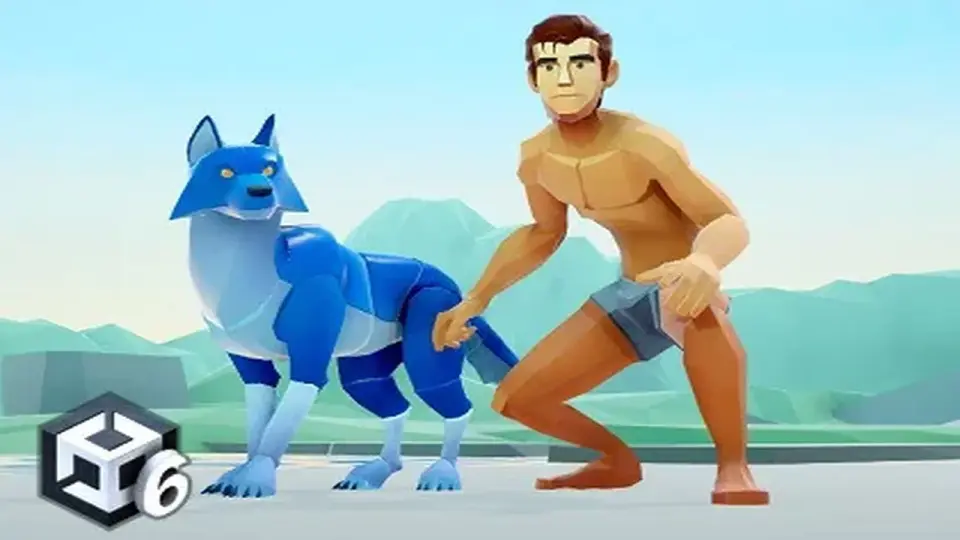
The Animal Controller provides a Scriptable Architecture-based framework for managing complex creature and humanoid animations through a modular system of States, Modes, and Stances.
Animation Management through Scriptable Architecture
The Animal Controller (AC) is an animation framework designed to handle the complex locomotion and action needs of creatures and humanoid characters within Unity. Rather than acting as a rigid, hard-coded solution, it is built on a Scriptable Architecture that allows developers to add or remove modular features based on the specific requirements of a character. This approach supports both root-motion and in-place animation styles, making it adaptable to different movement philosophies and project scales.
The system is designed to function as a foundation for any asset in the Unity Asset Store, though it is natively the base controller for the developer's broader ecosystem of character tools. The framework is intended to eliminate the need for custom coding for standard character behaviors, providing over 100 internal tools to manage various gameplay situations.
The Triad of States, Modes, and Stances
The core logic of the Animal Controller is organized into three distinct categories that dictate how a character moves and interacts with the environment. Understanding these categories is essential for configuring character behavior without logic conflicts.
States: These represent the primary logic of the character and are mutually exclusive. A character cannot occupy two states at once. Examples include Locomotion, Idle, Jump, Fall, Fly, Swim, Climb, Glide, and Death. Because you cannot swim and fly simultaneously, the state system ensures that only one set of movement logic is active at any given time.
Modes: These are animations that can trigger regardless of the current state. They allow for actions like attacking or emotes to play while the character is running, flying, or swimming. This additive layer handles combat hits, secondary attacks, and environmental interactions without interrupting the underlying movement logic.
Stances: These act as modifiers to the existing states. A stance changes the aesthetic or technical execution of an animation. For instance, a character might have a standard walk, but a "wounded" or "crouched" stance will modify that walk to reflect the character's status without needing a completely separate state logic.
Extensibility and Modular Addons
While the core framework handles movement and basic interaction, the system is built to be expanded via specific modules. These addons allow for specialized gameplay mechanics to be plugged into the controller. Available extensions include systems for inventory management, fishing, and multiplayer support via Fishnet. For projects requiring verticality, developers can integrate advanced climbing, wall jumping, sliding, and pole climbing mechanics. Other physical interactions like pushing and pulling objects, rope hook mechanics, and balance systems are also supported through this modular approach. For those utilizing AI, the framework includes specific integration for Behaviour Designer.
Technical Requirements and Setup
The Animal Controller is compatible with Unity 6 and requires specific package dependencies to function correctly. Depending on the version of Unity being used, it utilizes either Cinemachine 2 (for Unity 2022) or Cinemachine 3 (for Unity 6). Additionally, the framework relies on the Unity Input System for handling character controls. When upgrading the asset, the developer recommends backing up projects and removing the common folder to ensure a clean reimport if script errors occur.
By compartmentalizing movement into exclusive states and overlaying them with modes and stances, the framework provides a structured way to build complex characters that remain easy to customize and expand throughout development.
 Animation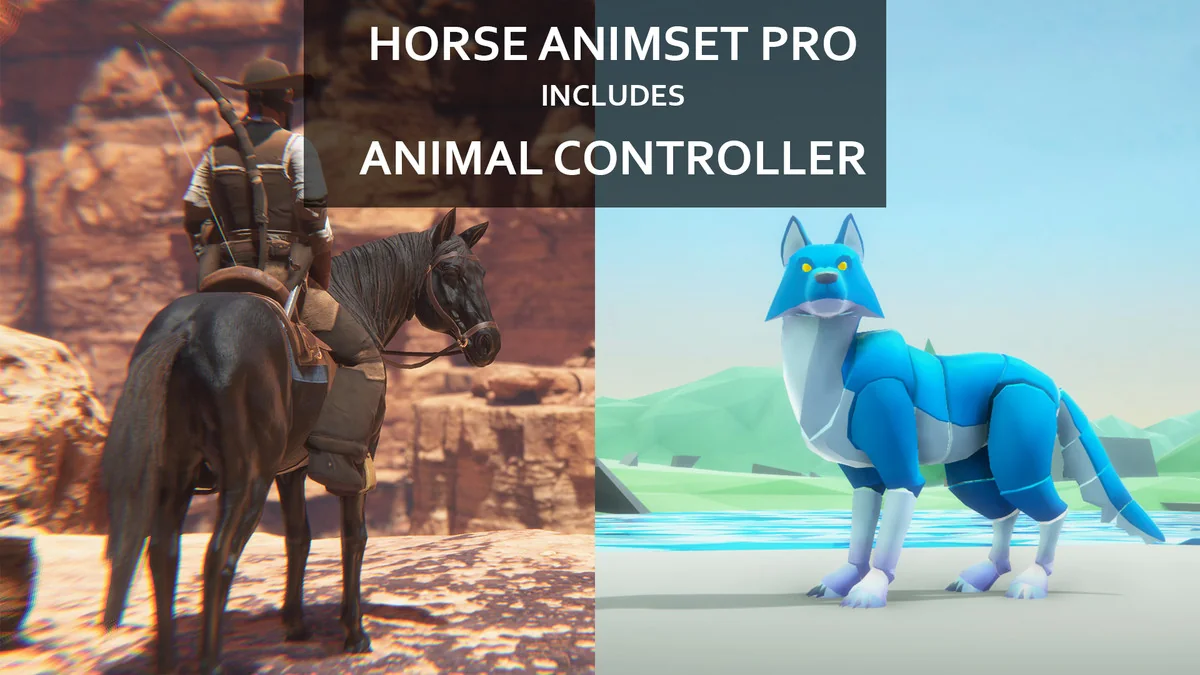
 Animals
 Game Toolkits
 Animals