"26aaab8a5d5ed4fc"{"id":"22798","slug":"third-person-controller-humanoid-basics","title":"Third Person Controller - Humanoid Basics","category":"Game Toolkits","engine":"Original Unity version: 6000.3.1","assetVersion":"Original Unity version: 6000.3.1","engineVersion":"Asset Version:3.0.1","tag":"Game Toolkits","accent":"cyan","visual":"city","summary":"Humanoid Basics provides a kinematic framework for third-person games, featuring a one-click character setup and a custom AI system that avoids standard NavMesh Agents.","platform":"Unity","publishedAt":"2026-04-06T14:06:36.000Z","updatedAt":"2026-04-19T15:37:01.000Z","sourceNotes":[],"fileContents":[],"compatibility":["Unity","Original Unity version: 6000.3.1","Asset Version: 3.0.1"],"featuredImage":{"alt":"Third Person Controller - Humanoid Basics","src":"https://3dcghub.com/wp-content/uploads/2026/04/f4f5f87e0270_dd15ae0f-79dd-48e0-8b0c-611985ab2852_1280x720_stretch.webp"},"hasDownloadLink":true,"downloads":1,"terms":[{"taxonomy":"category","slug":"game-toolkits","name":"Game Toolkits"},{"taxonomy":"post_tag","slug":"animation","name":"Animation"},{"taxonomy":"post_tag","slug":"characters","name":"Characters"},{"taxonomy":"post_tag","slug":"unity","name":"Unity"}],"galleryImages":[{"src":"https://3dcghub.com/wp-content/uploads/2026/04/b9ee2e56e619_b89c7846-5cc2-428f-9686-d49ed5a7627e_scaled.webp","alt":"Third Person Controller - Humanoid Basics"},{"src":"https://3dcghub.com/wp-content/uploads/2026/04/5e3f4bd5e31f_3ca44579-017f-4686-b5bc-3461b5fb365d_scaled.webp","alt":"Third Person Controller - Humanoid Basics"},{"src":"https://3dcghub.com/wp-content/uploads/2026/04/666ba11dbf46_026cd437-5554-4b30-a1af-2f1533644b05_scaled.webp","alt":"Third Person Controller - Humanoid Basics"},{"src":"https://3dcghub.com/wp-content/uploads/2026/04/82cd73ed5211_08876767-57f4-4b74-8ae9-f930372f8400_scaled.webp","alt":"Third Person Controller - Humanoid Basics"},{"src":"https://3dcghub.com/wp-content/uploads/2026/04/532a856f23af_152c73a2-c7db-4307-93dd-739caff1069d_scaled.webp","alt":"Third Person Controller - Humanoid Basics"},{"src":"https://3dcghub.com/wp-content/uploads/2026/04/c6aa66fd1e45_49af7c5e-7d78-4a30-bf24-9d2d0ac4d562_scaled.webp","alt":"Third Person Controller - Humanoid Basics"},{"src":"https://3dcghub.com/wp-content/uploads/2026/04/9da5178928ba_6a5d3ad6-a38f-4bdc-8fbe-6fe76870af0f_scaled.webp","alt":"Third Person Controller - Humanoid Basics"}],"accessPanel":{"kind":"resource","title":"Access this resource","eyebrow":"Free Download","message":"Log in or create a free account to start your download.","fileName":"Third Person Controller - Humanoid Basics v3.0.1.7z","safetyNote":"All resources are 100% manually reviewed to eliminate all risks.","actionLabel":"Download Free","resourceType":"Resource archive"},"contentHtml":"\u003ch2\u003eKinematic Movement and Character Framework\u003c/h2\u003e\n\u003cp\u003eHumanoid Basics is a framework designed for the development of third-person games in Unity. At its core, the system utilizes a kinematic character controller intended to provide smooth movement and camera behavior. Originally modeled after the style of controllers found in GTA III, the package emphasizes a straightforward setup process, allowing users to configure both player characters and NPCs with a one-click setup tool.\u003c/p\u003e\n\n\u003cp\u003eThe movement set includes standard locomotion such as walking, running, crouching, and jumping, alongside more specialized actions. Characters can climb and swim, providing versatility for environmental interaction. The camera system includes built-in collision detection to prevent it from clipping through geometry, maintaining a consistent third-person perspective during gameplay.\u003c/p\u003e\n\n\u003ch2\u003eCombat Systems and Weapon Integration\u003c/h2\u003e\n\u003cp\u003eThe package includes a collection of six weapon prefabs and a dedicated shooting system. Combat mechanics are supported by specific aiming features, such as the ability to lean while aiming and the option to switch camera sides for better visibility. Melee combat has been refined to ensure that players can reliably damage AI entities within the scene.\u003c/p\u003e\n\n\u003cp\u003eTo handle character defeat or physical impacts, the framework features an automatic ragdoll system. This system is designed to handle various humanoid configurations, including fixes for instances where a humanoid model might lack toe bones, ensuring the physical simulation remains stable across different character rigs.\u003c/p\u003e\n\n\u003ch2\u003eCustom Humanoid AI and Pathfinding\u003c/h2\u003e\n\u003cp\u003eThe AI system in Humanoid Basics is built to mirror the abilities of the player character. Humanoid NPCs can utilize the same locomotion set, including climbing and swimming, and are capable of jumping when necessary. Unlike standard Unity implementations that rely on NavMesh Agents, this framework uses a custom implementation for its A* pathfinding, utilizing NavMesh Obstacles instead.\u003c/p\u003e\n\n\u003cp\u003eCombat capabilities for AI include the ability to engage in shooting mechanics against players or other NPCs. The AI is also programmed to interact with the environment by picking up weapons from the floor and replenishing their ammunition. These behaviors are designed to function \"out of the box\" with default values provided for NPC setups.\u003c/p\u003e\n\n\u003ch2\u003eTechnical Updates for Unity 6\u003c/h2\u003e\n\u003cp\u003eThe framework has been updated to support Unity 6 (6000.3.1f1) and integrates the new Unity Input System. This update brings default support for game controllers and addresses previous performance issues such as jitter and animation inconsistencies. The codebase has been optimized for improved ragdoll performance and general efficiency.\u003c/p\u003e\n\n\u003cp\u003eThe package is compatible across major rendering pipelines, including the Built-in Render Pipeline, Universal Render Pipeline (URP), and High Definition Render Pipeline (HDRP). It also includes a template with necessary animations and custom editors to streamline the development workflow. Recent updates indicate the framework is being prepared for future integration with dedicated vehicle systems.\u003c/p\u003e\n\n\u003cp\u003eHumanoid Basics is best suited for developers who require a kinematic alternative to physics-based controllers and who want an AI system that avoids the limitations of standard NavMesh Agents while maintaining parity with player movement abilities.\u003c/p\u003e\n\n\u003ch2\u003eExplore Similar Assets\u003c/h2\u003e\n\u003cul\u003e\n\u003cli\u003e\u003ca href=\"https://3dcghub.com/dialogue-system-for-unity/\" title=\"Dialogue System for Unity\"\u003eDialogue System for Unity\u003c/a\u003e\u003c/li\u003e\n\u003cli\u003e\u003ca href=\"https://3dcghub.com/ambient-sounds-interactive-soundscapes-for-unity-6/\" title=\"Ambient Sounds – Interactive Soundscapes for Unity 6\"\u003eAmbient Sounds – Interactive Soundscapes for Unity 6\u003c/a\u003e\u003c/li\u003e\n\u003cli\u003e\u003ca href=\"https://3dcghub.com/pegasus-flythroughs-for-unity-6/\" title=\"Pegasus – Flythroughs for Unity 6\"\u003ePegasus – Flythroughs for Unity 6\u003c/a\u003e\u003c/li\u003e\n\u003cli\u003e\u003ca href=\"https://3dcghub.com/motion-matching-for-unity/\" title=\"Motion Matching for Unity\"\u003eMotion Matching for Unity\u003c/a\u003e\u003c/li\u003e\n\u003cli\u003e\u003ca href=\"https://3dcghub.com/quest-machine/\" title=\"Quest Machine\"\u003eQuest Machine\u003c/a\u003e\u003c/li\u003e\n\u003c/ul\u003e","contentTextLength":3570,"navigation":{"current":3256,"total":3400,"previous":{"id":"22811","slug":"ultimate-crafting-system","title":"Ultimate Crafting System","category":"Game Toolkits","platform":"Unity","updatedAt":"2026-04-19T15:37:01.000Z"},"next":{"id":"22863","slug":"ams-ui-soft-mask","title":"AMS UI Soft Mask","category":"GUI","platform":"Unity","updatedAt":"2026-04-19T15:37:00.000Z"}},"relatedResources":[{"id":"22769","slug":"neofps-fps-controller-template-toolkit","title":"NeoFPS: FPS Controller, Template \u0026 Toolkit","category":"Game Toolkits","engine":"Original Unity version: 2021.3.45","assetVersion":"Original Unity version: 2021.3.45","engineVersion":"Asset Version:1.1.31","tag":"Game Toolkits","accent":"cyan","visual":"animation","summary":"NeoFPS provides a deep suite of systems for crafting polished first-person shooters in Unity, moving beyond simple character controllers into full-game architecture.","platform":"Unity","publishedAt":"2026-04-06T14:00:03.000Z","updatedAt":"2026-04-19T15:37:02.000Z","sourceNotes":[],"fileContents":[],"compatibility":["Unity","Original Unity version: 2021.3.45","Asset Version: 1.1.31"],"featuredImage":{"alt":"NeoFPS: FPS Controller, Template \u0026 Toolkit","src":"https://3dcghub.com/wp-content/uploads/2026/04/3c30f06b9cd8_e180bb30-c961-4bbf-b987-4d93fe068f54_1280x720_stretch.webp"},"hasDownloadLink":true,"downloads":0},{"id":"22396","slug":"animal-controller-malbers-character-controller","title":"Animal Controller (Malbers Character Controller)","category":"Animation","engine":"Original Unity version: 6000.0.60","assetVersion":"Original Unity version: 6000.0.60","engineVersion":"Asset Version:1.4.9","tag":"Animation","accent":"cyan","visual":"animation","summary":"The Animal Controller provides a Scriptable Architecture-based framework for managing complex creature and humanoid animations through a modular system of States, Modes, and Stances.","platform":"Unity","publishedAt":"2026-04-06T07:54:58.000Z","updatedAt":"2026-04-19T15:37:19.000Z","sourceNotes":[],"fileContents":[],"compatibility":["Unity","Original Unity version: 6000.0.60","Asset Version: 1.4.9"],"featuredImage":{"alt":"Animal Controller (Malbers Character Controller)","src":"https://3dcghub.com/wp-content/uploads/2026/04/9001adc47215_8c6aec9e-c57b-4c1c-99ae-59225a97e348_1280x720_stretch.webp"},"hasDownloadLink":true,"downloads":0},{"id":"22209","slug":"game-kit-controller-shooter-melee-adventure-fps-tps-creator-3d-2-5d","title":"Game Kit Controller - Shooter Melee Adventure FPS TPS Creator 3D + 2.5D","category":"Systems","engine":"Original Unity version: 2019.4.41","assetVersion":"Original Unity version: 2019.4.41","engineVersion":"Asset Version:3.77d","tag":"Systems","accent":"cyan","visual":"city","summary":"Game Kit Controller (GKC) serves as a comprehensive engine solution for Unity, supporting first-person, third-person, and 2.5D perspectives. It integrates physics-based movement, vehicle systems, and advanced traversal mechanics to streamline the production...","platform":"Unity","publishedAt":"2026-04-06T07:18:54.000Z","updatedAt":"2026-04-19T15:42:08.000Z","sourceNotes":[],"fileContents":[],"compatibility":["Unity","Original Unity version: 2019.4.41","Asset Version: 3.77d"],"featuredImage":{"alt":"Game Kit Controller - Shooter Melee Adventure FPS TPS Creator 3D + 2.5D","src":"https://3dcghub.com/wp-content/uploads/2026/04/49a50c819664_8e113599-70ad-43a6-a6f7-00660a017816_1280x720_stretch.webp"},"hasDownloadLink":true,"downloads":1}]}
Game Toolkits
Third Person Controller - Humanoid Basics
Humanoid Basics provides a kinematic framework for third-person games, featuring a one-click character setup and a custom AI system that avoids standard NavMesh Agents.
Humanoid Basics is a framework designed for the development of third-person games in Unity. At its core, the system utilizes a kinematic character controller intended to provide smooth movement and camera behavior. Originally modeled after the style of controllers found in GTA III, the package emphasizes a straightforward setup process, allowing users to configure both player characters and NPCs with a one-click setup tool.
The movement set includes standard locomotion such as walking, running, crouching, and jumping, alongside more specialized actions. Characters can climb and swim, providing versatility for environmental interaction. The camera system includes built-in collision detection to prevent it from clipping through geometry, maintaining a consistent third-person perspective during gameplay.
Combat Systems and Weapon Integration
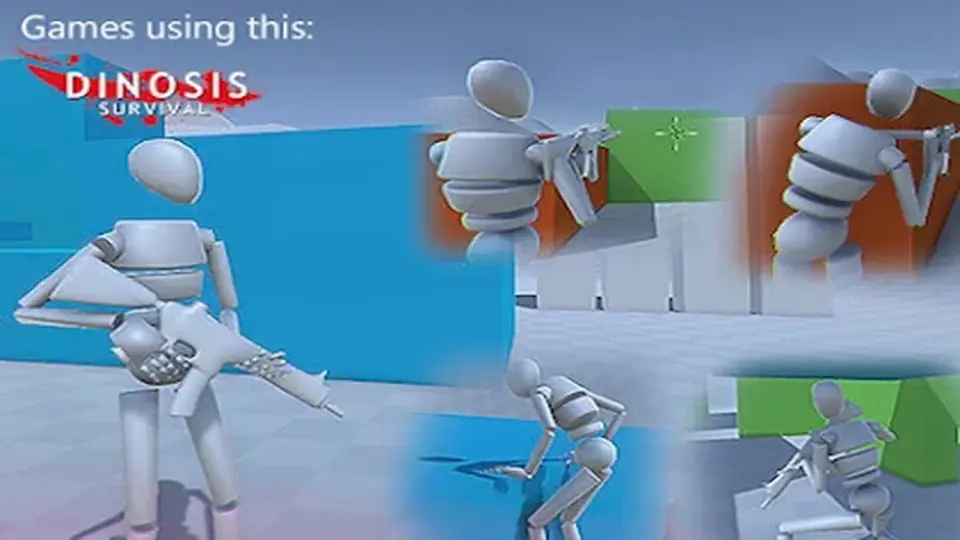
The package includes a collection of six weapon prefabs and a dedicated shooting system. Combat mechanics are supported by specific aiming features, such as the ability to lean while aiming and the option to switch camera sides for better visibility. Melee combat has been refined to ensure that players can reliably damage AI entities within the scene.
To handle character defeat or physical impacts, the framework features an automatic ragdoll system. This system is designed to handle various humanoid configurations, including fixes for instances where a humanoid model might lack toe bones, ensuring the physical simulation remains stable across different character rigs.
Custom Humanoid AI and Pathfinding
The AI system in Humanoid Basics is built to mirror the abilities of the player character. Humanoid NPCs can utilize the same locomotion set, including climbing and swimming, and are capable of jumping when necessary. Unlike standard Unity implementations that rely on NavMesh Agents, this framework uses a custom implementation for its A* pathfinding, utilizing NavMesh Obstacles instead.
Combat capabilities for AI include the ability to engage in shooting mechanics against players or other NPCs. The AI is also programmed to interact with the environment by picking up weapons from the floor and replenishing their ammunition. These behaviors are designed to function "out of the box" with default values provided for NPC setups.
Technical Updates for Unity 6
The framework has been updated to support Unity 6 (6000.3.1f1) and integrates the new Unity Input System. This update brings default support for game controllers and addresses previous performance issues such as jitter and animation inconsistencies. The codebase has been optimized for improved ragdoll performance and general efficiency.
The package is compatible across major rendering pipelines, including the Built-in Render Pipeline, Universal Render Pipeline (URP), and High Definition Render Pipeline (HDRP). It also includes a template with necessary animations and custom editors to streamline the development workflow. Recent updates indicate the framework is being prepared for future integration with dedicated vehicle systems.
Humanoid Basics is best suited for developers who require a kinematic alternative to physics-based controllers and who want an AI system that avoids the limitations of standard NavMesh Agents while maintaining parity with player movement abilities.
 Game Toolkits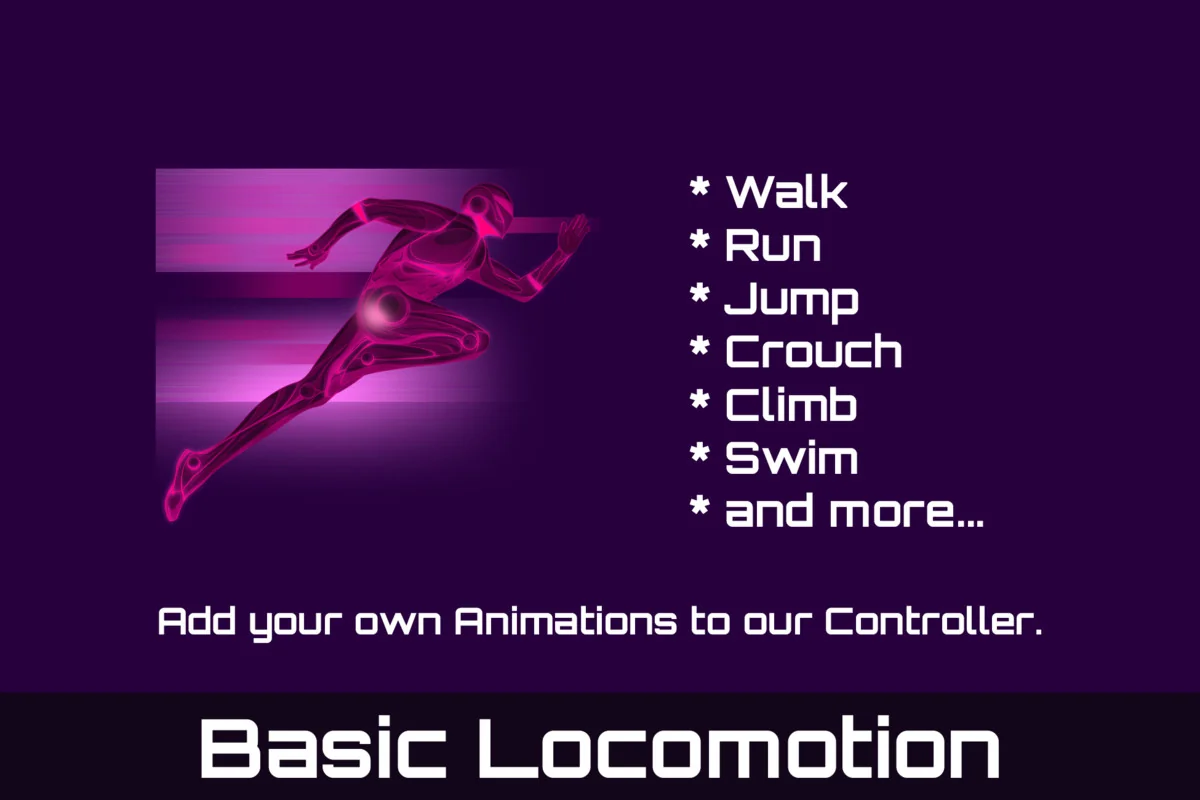
 Game Toolkits
 Animation
 Systems