"26aaab8a5d5ed4fc"{"id":"22366","slug":"sliding-puzzle-game-template","title":"Sliding Puzzle Game Template","category":"Tutorials","engine":"Original Unity version: 2020.3.15","assetVersion":"Original Unity version: 2020.3.15","engineVersion":"Asset Version:4.0.1","tag":"Tutorials","accent":"cyan","visual":"luts","summary":"This template provides the complete logic and game flow required to integrate sliding puzzles into Unity projects. It features a customizable level selection system and supports unique sprite assets for puzzle imagery.","platform":"Unity","publishedAt":"2026-04-06T07:48:11.000Z","updatedAt":"2026-04-19T15:37:21.000Z","sourceNotes":[],"fileContents":[],"compatibility":["Unity","Original Unity version: 2020.3.15","Asset Version: 4.0.1"],"featuredImage":{"alt":"Sliding Puzzle Game Template","src":"https://3dcghub.com/wp-content/uploads/2026/04/81ab1abbc390_9c7e25be-53a5-4175-9a07-75ee3f056996_1280x720_stretch.webp"},"hasDownloadLink":true,"downloads":0,"terms":[{"taxonomy":"category","slug":"tutorials","name":"Tutorials"},{"taxonomy":"post_tag","slug":"game-systems","name":"Game Systems"},{"taxonomy":"post_tag","slug":"templates","name":"Templates"},{"taxonomy":"post_tag","slug":"unity","name":"Unity"}],"galleryImages":[{"src":"https://3dcghub.com/wp-content/uploads/2026/04/0effdd64ab49_7b700c14-7813-47ae-a532-0a8e546be839_scaled.webp","alt":"Sliding Puzzle Game Template"},{"src":"https://3dcghub.com/wp-content/uploads/2026/04/b545893a7625_a4e680fd-6406-4718-bf4b-6860f2d04467_scaled.webp","alt":"Sliding Puzzle Game Template"},{"src":"https://3dcghub.com/wp-content/uploads/2026/04/275262c166f6_0b00de40-3cfb-48fe-bf2e-613224164449_scaled.webp","alt":"Sliding Puzzle Game Template"},{"src":"https://3dcghub.com/wp-content/uploads/2026/04/7f9fc1afd71f_efe38b15-f8ad-41bd-91ea-0e93c369c120_scaled.webp","alt":"Sliding Puzzle Game Template"},{"src":"https://3dcghub.com/wp-content/uploads/2026/04/fc2a69e21e71_47ab7d0a-54ea-4af6-bd61-74cca997875c_scaled.webp","alt":"Sliding Puzzle Game Template"},{"src":"https://3dcghub.com/wp-content/uploads/2026/04/784b8fb3913a_6c54f438-2611-4a55-88e8-040186ba972f_scaled.webp","alt":"Sliding Puzzle Game Template"}],"accessPanel":{"kind":"resource","title":"Access this resource","eyebrow":"Free Download","message":"Log in or create a free account to start your download.","fileName":"Sliding Puzzle Game Template v4.0.1.7z","safetyNote":"All resources are 100% manually reviewed to eliminate all risks.","actionLabel":"Download Free","resourceType":"Resource archive"},"contentHtml":"\u003ch2\u003eMechanics and Instructional Flexibility\u003c/h2\u003e\n\u003cp\u003eThe Sliding Puzzle Game Template is designed as a foundational logic set for developers looking to integrate classic sliding grid mechanics into their projects. While the framework is built with educational applications in mind—specifically for children to learn through play—the underlying structure is agnostic to genre. The creator has developed the template to be easily transformed, allowing it to function as a standalone minigame within a larger adventure title or as a primary mechanic for a dedicated puzzle application.\u003c/p\u003e\n\n\u003cp\u003eThe core logic handles the movement of tiles and the verification of completion, providing the necessary game flow out of the box. By utilizing this framework, developers can bypass the initial math and state-management setup required for grid-based sliding interactions and focus instead on the specific aesthetic or instructional goals of their project.\u003c/p\u003e\n\n\u003ch2\u003eWorkflow Customization via ScriptableObjects\u003c/h2\u003e\n\u003cp\u003eTo streamline the creation of content, the template utilizes ScriptableObjects for level management. This approach allows for a non-destructive way to define difficulty settings and puzzle parameters on a per-level basis. Within these objects, developers can adjust the complexity of the grid to suit different audiences, ranging from simple layouts for casual play or children to more complex configurations for experienced players.\u003c/p\u003e\n\n\u003cp\u003eVisual customization is handled through a straightforward sprite-swapping system. Any sprite within a Unity project can be assigned as the source image for a puzzle level. The system automatically handles the division of the image into the necessary segments, allowing artists to quickly iterate on the visual variety of the puzzles without needing to manually slice assets or rewrite the rendering logic.\u003c/p\u003e\n\n\u003ch2\u003eIntegrated Level Selection and Persistence\u003c/h2\u003e\n\u003cp\u003eBeyond the individual puzzle mechanics, the template includes a comprehensive level selection environment. This system is designed to handle the logistical side of game progression, including automatic pagination for projects that feature a large volume of levels. The interface is built to be usable and familiar, providing clear entry points for players to engage with the content.\u003c/p\u003e\n\n\u003cp\u003eProgression tracking is integrated into the system, ensuring that player advancement is persistent across different gaming sessions. This includes support for score calculation and a visual three-star rating system, which provides a metric for performance and encourages replayability. These features are managed automatically by the template, reducing the overhead required to implement save data and status visualization.\u003c/p\u003e\n\n\u003ch2\u003eOptimization for Mobile and Web Platforms\u003c/h2\u003e\n\u003cp\u003eThe template has been tested and optimized for performance across several specific platforms, including iOS, Android, and WebGL. This optimization ensures that the puzzle logic and the user interface remain responsive regardless of the input method or hardware constraints. The included demo scene provides a practical example of how these systems are implemented, showcasing the UI controls and the general flow of a completed puzzle loop.\u003c/p\u003e\n\n\u003cp\u003eFor developers working within the Unity ecosystem, this template offers a modular way to add interactive puzzle elements. Whether the goal is to create an e-learning tool or a challenging logic game, the combination of ScriptableObject-driven difficulty and flexible sprite support provides a standardized pipeline for puzzle creation.\u003c/p\u003e\n\n\u003ch2\u003eExplore Similar Assets\u003c/h2\u003e\n\u003cul\u003e\n\u003cli\u003e\u003ca href=\"https://3dcghub.com/modular-gameplay-blueprint-systems/\" title=\"Modular Gameplay Blueprint Systems\"\u003eModular Gameplay Blueprint Systems\u003c/a\u003e\u003c/li\u003e\n\u003cli\u003e\u003ca href=\"https://3dcghub.com/game-kit-controller-shooter-melee-adventure-fps-tps-creator-3d-2-5d/\" title=\"Game Kit Controller – Shooter Melee Adventure FPS TPS Creator 3D + 2.5D\"\u003eGame Kit Controller – Shooter Melee Adventure FPS TPS Creator 3D + 2.5D\u003c/a\u003e\u003c/li\u003e\n\u003cli\u003e\u003ca href=\"https://3dcghub.com/real-estate-tycoon-city-sim-game-kit/\" title=\"Real Estate Tycoon! City Sim Game Kit\"\u003eReal Estate Tycoon! City Sim Game Kit\u003c/a\u003e\u003c/li\u003e\n\u003cli\u003e\u003ca href=\"https://3dcghub.com/pizza-bar-environment-by-gamertose/\" title=\"Pizza Bar Environment by Gamertose\"\u003ePizza Bar Environment by Gamertose\u003c/a\u003e\u003c/li\u003e\n\u003cli\u003e\u003ca href=\"https://3dcghub.com/universal-car-games-ui-pack/\" title=\"Universal Car Games UI Pack\"\u003eUniversal Car Games UI Pack\u003c/a\u003e\u003c/li\u003e\n\u003c/ul\u003e","contentTextLength":3745,"navigation":{"current":3203,"total":3400,"previous":{"id":"22374","slug":"tanks-multiplayer-netcode-photon","title":"Tanks Multiplayer (Netcode, Photon)","category":"Tutorials","platform":"Unity","updatedAt":"2026-04-19T15:37:21.000Z"},"next":{"id":"22357","slug":"universal-fighting-engine-2-pro","title":"Universal Fighting Engine 2 (PRO)","category":"Systems","platform":"Unity","updatedAt":"2026-04-19T15:37:21.000Z"}},"relatedResources":[{"id":"22164","slug":"first-person-narrative-adventures-complete-puzzle-engine","title":"First person narrative adventures + complete puzzle engine","category":"Systems","engine":"Original Unity version: 2021.3.30","assetVersion":"Original Unity version: 2021.3.30","engineVersion":"Asset Version:1.1.2","tag":"Systems","accent":"cyan","visual":"character","summary":"This specialized engine provides a robust foundation for building exploration-focused narrative games in Unity, utilizing a JSON-based save system and a modular clue-and-hint framework.","platform":"Unity","publishedAt":"2026-03-31T15:26:19.000Z","updatedAt":"2026-04-19T15:42:08.000Z","sourceNotes":[],"fileContents":[],"compatibility":["Unity","Original Unity version: 2021.3.30","Asset Version: 1.1.2"],"featuredImage":{"alt":"First person narrative adventures + complete puzzle engine","src":"https://3dcghub.com/wp-content/uploads/2026/03/e8287bab4201_feb9378f-7623-44c4-bad4-7594ea48a9b1_1280x720_stretch.webp"},"hasDownloadLink":true,"downloads":2},{"id":"24541","slug":"make-a-match-three-puzzle-game-in-unity","title":"Make a Match-Three Puzzle Game in Unity","category":"Unity","engine":"Video language: English","assetVersion":"Video language: English","engineVersion":"File content: video + supporting files + English subtitles","tag":"Unity","accent":"cyan","visual":"audio","summary":"Make a Match-Three Puzzle Game in Unity is a 16h 9m intermediate course focused on building a tile-based 2D puzzle game from scratch. It suits Unity developers who already know basic C# scripting and want a structured path from core mechanics to mobile-read...","platform":"Unity","publishedAt":"2026-04-15T09:58:27.000Z","updatedAt":"2026-04-20T06:12:46.000Z","sourceNotes":[],"fileContents":[],"compatibility":["Unity","Video language: English","File content: video + supporting files + English subtitles"],"featuredImage":{"alt":"Make a Match-Three Puzzle Game in Unity","src":"https://3dcghub.com/wp-content/uploads/2026/04/884cab9427a1_942002_8051.webp"},"hasDownloadLink":true,"downloads":1},{"id":"1000850","slug":"mini-game-pack-sliding-puzzle","title":"Mini-Game Pack - Sliding Puzzle","category":"Game Mechanics","engine":"4.26+,5.0+","assetVersion":"","engineVersion":"Engine Version: 4.26+,5.0+","tag":"Game Mechanics","accent":"blue","visual":"mech","summary":"Blueprint-based sliding puzzle mini-game with smooth block animation, touchscreen support, and adjustable size, sound, speed, image, and feedback.","platform":"Unreal Engine","publishedAt":"2026-08-04T16:34:39.726Z","updatedAt":"2026-08-04T16:34:39.726Z","sourceNotes":[],"fileContents":[],"compatibility":["Unreal Engine","Engine Version: 4.26+,5.0+"],"featuredImage":{"alt":"Mini-Game Pack - Sliding Puzzle","src":"/wp-content/uploads/published/2026/08/b3463e6ed062-eb69d649-2e0d-4ab6-8753-bb9349cd4e2e-7864a6114d.webp"},"hasDownloadLink":true,"downloads":0}]}
Tutorials
Sliding Puzzle Game Template
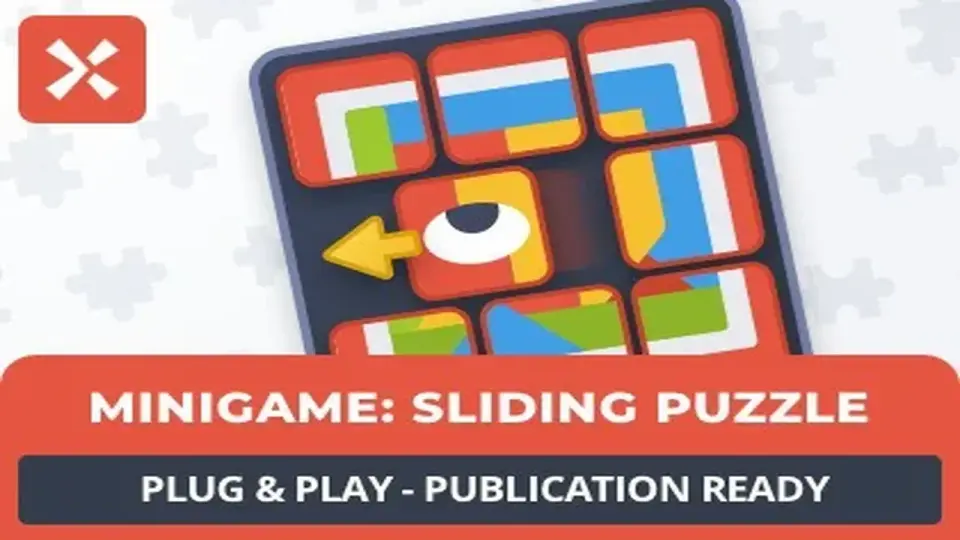
This template provides the complete logic and game flow required to integrate sliding puzzles into Unity projects. It features a customizable level selection system and supports unique sprite assets for puzzle imagery.
The Sliding Puzzle Game Template is designed as a foundational logic set for developers looking to integrate classic sliding grid mechanics into their projects. While the framework is built with educational applications in mind—specifically for children to learn through play—the underlying structure is agnostic to genre. The creator has developed the template to be easily transformed, allowing it to function as a standalone minigame within a larger adventure title or as a primary mechanic for a dedicated puzzle application.
The core logic handles the movement of tiles and the verification of completion, providing the necessary game flow out of the box. By utilizing this framework, developers can bypass the initial math and state-management setup required for grid-based sliding interactions and focus instead on the specific aesthetic or instructional goals of their project.
Workflow Customization via ScriptableObjects
To streamline the creation of content, the template utilizes ScriptableObjects for level management. This approach allows for a non-destructive way to define difficulty settings and puzzle parameters on a per-level basis. Within these objects, developers can adjust the complexity of the grid to suit different audiences, ranging from simple layouts for casual play or children to more complex configurations for experienced players.
Visual customization is handled through a straightforward sprite-swapping system. Any sprite within a Unity project can be assigned as the source image for a puzzle level. The system automatically handles the division of the image into the necessary segments, allowing artists to quickly iterate on the visual variety of the puzzles without needing to manually slice assets or rewrite the rendering logic.
Integrated Level Selection and Persistence
Beyond the individual puzzle mechanics, the template includes a comprehensive level selection environment. This system is designed to handle the logistical side of game progression, including automatic pagination for projects that feature a large volume of levels. The interface is built to be usable and familiar, providing clear entry points for players to engage with the content.
Progression tracking is integrated into the system, ensuring that player advancement is persistent across different gaming sessions. This includes support for score calculation and a visual three-star rating system, which provides a metric for performance and encourages replayability. These features are managed automatically by the template, reducing the overhead required to implement save data and status visualization.
Optimization for Mobile and Web Platforms
The template has been tested and optimized for performance across several specific platforms, including iOS, Android, and WebGL. This optimization ensures that the puzzle logic and the user interface remain responsive regardless of the input method or hardware constraints. The included demo scene provides a practical example of how these systems are implemented, showcasing the UI controls and the general flow of a completed puzzle loop.
For developers working within the Unity ecosystem, this template offers a modular way to add interactive puzzle elements. Whether the goal is to create an e-learning tool or a challenging logic game, the combination of ScriptableObject-driven difficulty and flexible sprite support provides a standardized pipeline for puzzle creation.
 Tutorials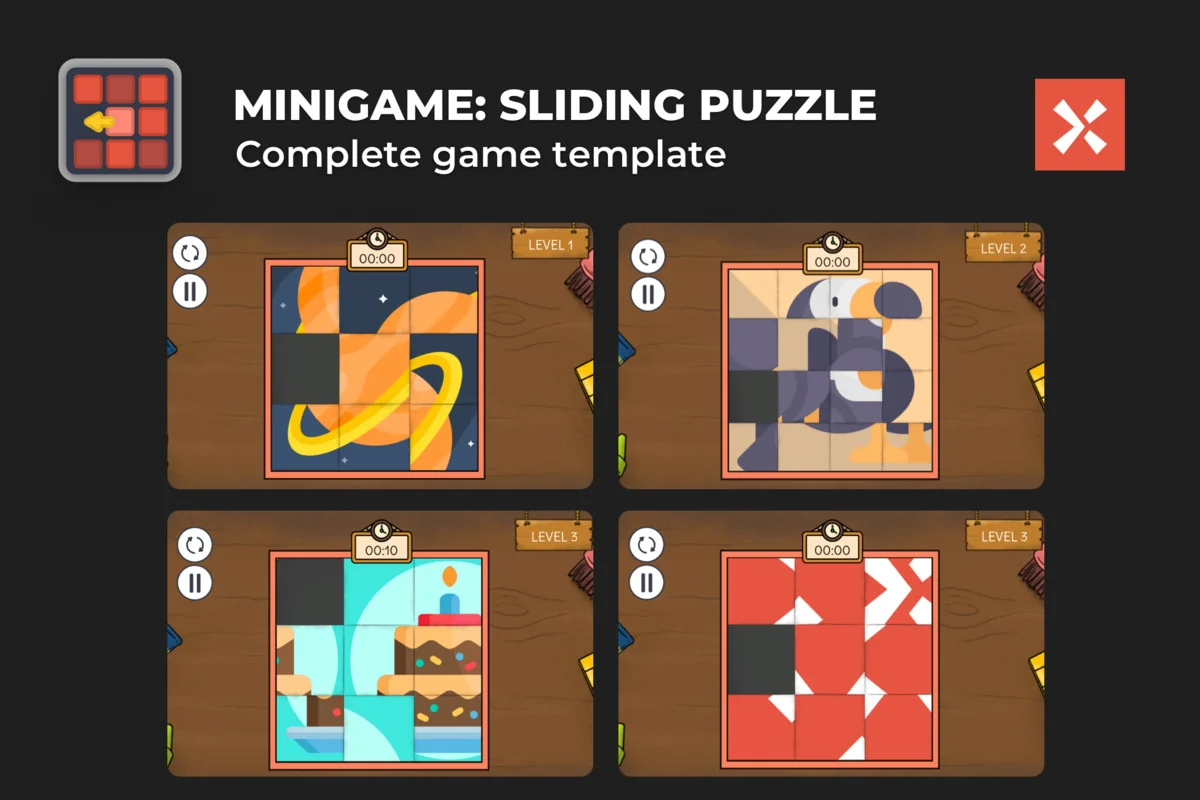
 Systems
 Unity
Unity Game Mechanics