"26aaab8a5d5ed4fc"{"id":"22444","slug":"learned-motion-matching","title":"Learned Motion Matching","category":"Animation","engine":"Original Unity version: 2021.3.30","assetVersion":"Original Unity version: 2021.3.30","engineVersion":"Asset Version:1.0","tag":"Animation","accent":"cyan","visual":"animation","summary":"Learned Motion Matching implements deep learning techniques to create fluid humanoid movement without the abrupt changes common in traditional state machines. It integrates waypoint navigation and specialized IK for hand interactions within a one-click setup.","platform":"Unity","publishedAt":"2026-04-06T12:52:33.000Z","updatedAt":"2026-04-19T15:37:17.000Z","sourceNotes":[],"fileContents":[],"compatibility":["Unity","Original Unity version: 2021.3.30","Asset Version: 1.0"],"featuredImage":{"alt":"Learned Motion Matching","src":"https://3dcghub.com/wp-content/uploads/2026/04/564d6a4d735f_5738afb6-84c4-484b-a954-b6fd5602b4df_1280x720_stretch.webp"},"hasDownloadLink":true,"downloads":1,"terms":[{"taxonomy":"category","slug":"animation","name":"Animation"},{"taxonomy":"post_tag","slug":"animation","name":"Animation"},{"taxonomy":"post_tag","slug":"characters","name":"Characters"},{"taxonomy":"post_tag","slug":"unity","name":"Unity"}],"galleryImages":[{"src":"https://3dcghub.com/wp-content/uploads/2026/04/32599be0c6b3_713e2f52-5447-4259-983b-b617d1ec1550_scaled.webp","alt":"Learned Motion Matching"},{"src":"https://3dcghub.com/wp-content/uploads/2026/04/ee2207759bd5_b2a83b2a-0c64-4775-8dc6-086c516b45d5_scaled.webp","alt":"Learned Motion Matching"},{"src":"https://3dcghub.com/wp-content/uploads/2026/04/8ce5da004ec2_6037e8ca-ada5-44e7-b87e-bae07c36ec19_scaled.webp","alt":"Learned Motion Matching"},{"src":"https://3dcghub.com/wp-content/uploads/2026/04/23a73b777292_8aea4c13-f1e8-4fcd-a3c5-48888c3b158e_scaled.webp","alt":"Learned Motion Matching"},{"src":"https://3dcghub.com/wp-content/uploads/2026/04/d618d881c5c7_4eb89e64-beb3-4819-b284-f8deb012f668_scaled.webp","alt":"Learned Motion Matching"},{"src":"https://3dcghub.com/wp-content/uploads/2026/04/2cb52ea06497_c9bd73f5-2afc-4ea0-bef3-970adb0a11a2_scaled.webp","alt":"Learned Motion Matching"}],"accessPanel":{"kind":"resource","title":"Access this resource","eyebrow":"Free Download","message":"Log in or create a free account to start your download.","fileName":"Learned Motion Matching v1.0.7z","safetyNote":"All resources are 100% manually reviewed to eliminate all risks.","actionLabel":"Download Free","resourceType":"Resource archive"},"contentHtml":"\u003ch2\u003eDeep Learning Integration for Locomotion\u003c/h2\u003e\n\nLearned Motion Matching is an animation tool for Unity designed to generate realistic and smooth transitions for basic humanoid locomotion. At its core, the package utilizes deep learning techniques to determine the most appropriate animations for a character at any given moment. This approach is based on the SIGGRAPH technical paper titled \"Taming diffusion probabilistic models for character control,\" published in 2024. By implementing these research-driven methods, the system aims to provide a higher level of fluid movement than traditional animation workflows.\n\nThe system relies on a customizable kNN (k-Nearest Neighbors) classifier. This classifier allows developers to find a specific balance between fast, responsive character transitions and highly realistic movements. Because the system calculates motion dynamically, it avoids common issues found in standard State Machine animations, such as abrupt changes or lack of physical weight during movement shifts. The result is a motion profile characterized by natural weight-shifting and the elimination of foot sliding.\n\n\u003ch2\u003eWaypoint Navigation and Path Precision\u003c/h2\u003e\n\nFor characters that need to navigate specific environments, the tool includes an advanced Distance Matching system. This feature is powered by a Greedy Algorithm, allowing characters to follow custom-defined paths with high precision. This is particularly useful for NPCs or cinematic sequences where a character must move along a specific trajectory while maintaining natural animation states.\n\nDevelopers can loop waypoints or adjust the character's speed dynamically. This control over speed ensures that the character interacts with the environment appropriately, whether they are walking slowly through a tight space or moving quickly across an open area. The waypoint system is designed to integrate directly with the locomotion engine to ensure that speed changes do not break the realism of the animation.\n\n\u003ch2\u003eUpper Body Customization and IK Interactions\u003c/h2\u003e\n\nBeyond basic leg movement, the package provides tools for upper body customization, specifically focusing on hand and finger interactions. Using Inverse Kinematics (IK), the tool enables characters to grasp, hold, or manipulate objects in the world with realistic hand poses. \n\nThese interactions are highly adjustable. Developers can customize hand weights and fine-tune finger movements to create complex gestures. This allows for a more interactive character that doesn't just move through a scene but actively engages with its surroundings. The IK system works in tandem with the locomotion data to ensure that reaching for an object does not disrupt the character's balance or walking cycle.\n\n\u003ch2\u003eTechnical Requirements and Setup\u003c/h2\u003e\n\nThe package is built for a one-click setup process, making it accessible for any humanoid character model. However, there are specific technical dependencies that must be met for the system to function. It requires both the Animation Rigging package and the Sentis package to be installed via the Unity Package Manager. \n\nA critical technical note for integration is the versioning of Sentis. This tool requires Sentis version 1.3, which is an older version of the package. It was originally developed for Unity version 2021.3.30 and is compatible with the Built-in, HDRP, and URP render pipelines. The total package includes 25 assets and maintains a small footprint of approximately 20.1 MB.\n\n\u003ch2\u003eSpecific Use Cases and Locomotion Constraints\u003c/h2\u003e\n\nWhile the tool provides a high degree of realism for standard movement, it is focused exclusively on basic human locomotion. This includes walking, running, and turning. It does not currently support advanced physical maneuvers such as jumping, vaulting, or climbing. \n\nAdditionally, the package does not include specialized or stylized motions. If a project requires a character to exhibit specific traits, such as limping, skipping, or unique combat stances, external animation data must be provided by the developer. The tool is best suited for projects requiring high-fidelity standard movement and precise path-following for humanoid actors.\n\n\u003ch2\u003eContinue Browsing Similar Packs\u003c/h2\u003e\n\u003cul\u003e\n\u003cli\u003e\u003ca href=\"https://3dcghub.com/geppetto-ai-powered-lip-sync-animation/\" title=\"Geppetto – AI-Powered Lip Sync Animation\"\u003eGeppetto – AI-Powered Lip Sync Animation\u003c/a\u003e\u003c/li\u003e\n\u003cli\u003e\u003ca href=\"https://3dcghub.com/fps-animation-framework/\" title=\"FPS Animation Framework\"\u003eFPS Animation Framework\u003c/a\u003e\u003c/li\u003e\n\u003cli\u003e\u003ca href=\"https://3dcghub.com/bones-stimulator/\" title=\"Bones Stimulator\"\u003eBones Stimulator\u003c/a\u003e\u003c/li\u003e\n\u003cli\u003e\u003ca href=\"https://3dcghub.com/bones-assistant/\" title=\"Bones Assistant\"\u003eBones Assistant\u003c/a\u003e\u003c/li\u003e\n\u003cli\u003e\u003ca href=\"https://3dcghub.com/animancer-pro-v8/\" title=\"Animancer Pro v8\"\u003eAnimancer Pro v8\u003c/a\u003e\u003c/li\u003e\n\u003c/ul\u003e","contentTextLength":4316,"navigation":{"current":3215,"total":3400,"previous":{"id":"22457","slug":"legs-animator","title":"Legs Animator","category":"Animation","platform":"Unity","updatedAt":"2026-04-19T15:37:17.000Z"},"next":{"id":"22434","slug":"leaning-animator","title":"Leaning Animator","category":"Animation","platform":"Unity","updatedAt":"2026-04-19T15:37:17.000Z"}},"relatedResources":[{"id":"22488","slug":"motion-matching-for-unity","title":"Motion Matching for Unity","category":"Animation","engine":"Original Unity version: 2021.3.45","assetVersion":"Original Unity version: 2021.3.45","engineVersion":"Asset Version:2.3.0","tag":"Animation","accent":"cyan","visual":"animation","summary":"Motion Matching for Unity (MxM) offers an alternative to traditional Mecanim workflows, utilizing trajectory data and pose comparison to achieve fluid character movement without explicit state transitions.","platform":"Unity","publishedAt":"2026-04-06T13:00:17.000Z","updatedAt":"2026-04-19T15:37:15.000Z","sourceNotes":[],"fileContents":[],"compatibility":["Unity","Original Unity version: 2021.3.45","Asset Version: 2.3.0"],"featuredImage":{"alt":"Motion Matching for Unity","src":"https://3dcghub.com/wp-content/uploads/2026/04/abac1886567b_42d4f789-03fa-45e6-87e9-bf2ddbfb7071_1280x720_stretch.webp"},"hasDownloadLink":true,"downloads":0},{"id":"22420","slug":"bones-stimulator","title":"Bones Stimulator","category":"Animation","engine":"Original Unity version: 2019.4.40","assetVersion":"Original Unity version: 2019.4.40","engineVersion":"Asset Version:2.0.0","tag":"Animation","accent":"cyan","visual":"animation","summary":"Bones Stimulator provides a procedural layer for 3D character animations, using custom physics math to add secondary motion and muscle-like behavior without the need for rigidbodies.","platform":"Unity","publishedAt":"2026-04-06T07:57:50.000Z","updatedAt":"2026-04-19T15:37:19.000Z","sourceNotes":[],"fileContents":[],"compatibility":["Unity","Original Unity version: 2019.4.40","Asset Version: 2.0.0"],"featuredImage":{"alt":"Bones Stimulator","src":"https://3dcghub.com/wp-content/uploads/2026/04/69f1133d0fa6_f5da764b-f799-48a0-a7c2-f3a87029fac9_1280x720_stretch.webp"},"hasDownloadLink":true,"downloads":1},{"id":"22494","slug":"motion-path-animation-editor","title":"Motion Path Animation Editor","category":"Animation","engine":"Original Unity version: 2020.3.38","assetVersion":"Original Unity version: 2020.3.38","engineVersion":"Asset Version:2.2.1","tag":"Animation","accent":"cyan","visual":"animation","summary":"Motion Path Animation Editor transforms active animation clips into visual paths within the Unity Scene view, allowing for direct manipulation of position-based keyframes using handles.","platform":"Unity","publishedAt":"2026-04-06T13:02:47.000Z","updatedAt":"2026-04-19T15:37:15.000Z","sourceNotes":[],"fileContents":[],"compatibility":["Unity","Original Unity version: 2020.3.38","Asset Version: 2.2.1"],"featuredImage":{"alt":"Motion Path Animation Editor","src":"https://3dcghub.com/wp-content/uploads/2026/04/f8f9ab643723_e8a1b640-5961-4f89-b2c2-865c101f16be_1280x720_stretch.webp"},"hasDownloadLink":true,"downloads":0}]}
Animation
Learned Motion Matching
Learned Motion Matching implements deep learning techniques to create fluid humanoid movement without the abrupt changes common in traditional state machines. It integrates waypoint navigation and specialized IK for hand interactions within a one-click setup.
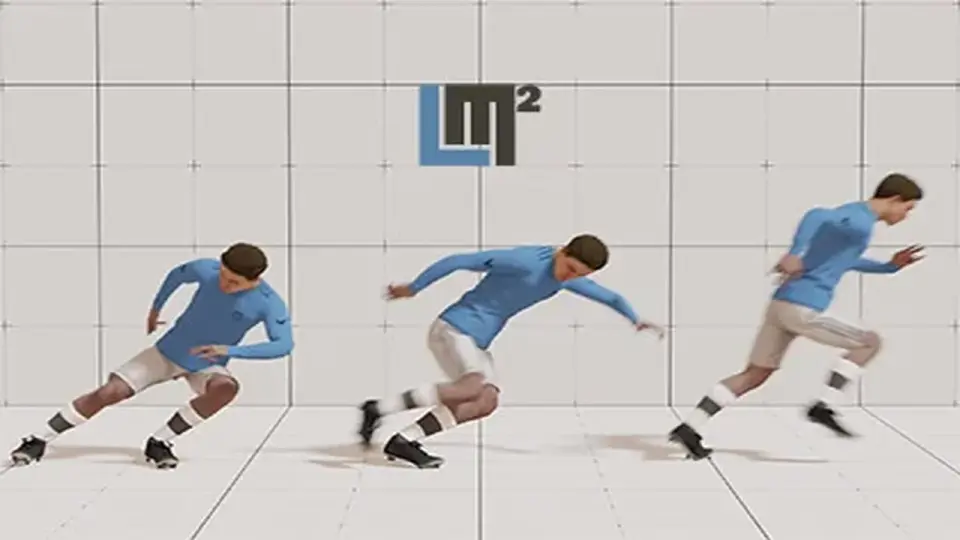
Learned Motion Matching is an animation tool for Unity designed to generate realistic and smooth transitions for basic humanoid locomotion. At its core, the package utilizes deep learning techniques to determine the most appropriate animations for a character at any given moment. This approach is based on the SIGGRAPH technical paper titled "Taming diffusion probabilistic models for character control," published in 2024. By implementing these research-driven methods, the system aims to provide a higher level of fluid movement than traditional animation workflows.
The system relies on a customizable kNN (k-Nearest Neighbors) classifier. This classifier allows developers to find a specific balance between fast, responsive character transitions and highly realistic movements. Because the system calculates motion dynamically, it avoids common issues found in standard State Machine animations, such as abrupt changes or lack of physical weight during movement shifts. The result is a motion profile characterized by natural weight-shifting and the elimination of foot sliding.
Waypoint Navigation and Path Precision
For characters that need to navigate specific environments, the tool includes an advanced Distance Matching system. This feature is powered by a Greedy Algorithm, allowing characters to follow custom-defined paths with high precision. This is particularly useful for NPCs or cinematic sequences where a character must move along a specific trajectory while maintaining natural animation states.
Developers can loop waypoints or adjust the character's speed dynamically. This control over speed ensures that the character interacts with the environment appropriately, whether they are walking slowly through a tight space or moving quickly across an open area. The waypoint system is designed to integrate directly with the locomotion engine to ensure that speed changes do not break the realism of the animation.
Upper Body Customization and IK Interactions
Beyond basic leg movement, the package provides tools for upper body customization, specifically focusing on hand and finger interactions. Using Inverse Kinematics (IK), the tool enables characters to grasp, hold, or manipulate objects in the world with realistic hand poses.
These interactions are highly adjustable. Developers can customize hand weights and fine-tune finger movements to create complex gestures. This allows for a more interactive character that doesn't just move through a scene but actively engages with its surroundings. The IK system works in tandem with the locomotion data to ensure that reaching for an object does not disrupt the character's balance or walking cycle.
Technical Requirements and Setup
The package is built for a one-click setup process, making it accessible for any humanoid character model. However, there are specific technical dependencies that must be met for the system to function. It requires both the Animation Rigging package and the Sentis package to be installed via the Unity Package Manager.
A critical technical note for integration is the versioning of Sentis. This tool requires Sentis version 1.3, which is an older version of the package. It was originally developed for Unity version 2021.3.30 and is compatible with the Built-in, HDRP, and URP render pipelines. The total package includes 25 assets and maintains a small footprint of approximately 20.1 MB.
Specific Use Cases and Locomotion Constraints
While the tool provides a high degree of realism for standard movement, it is focused exclusively on basic human locomotion. This includes walking, running, and turning. It does not currently support advanced physical maneuvers such as jumping, vaulting, or climbing.
Additionally, the package does not include specialized or stylized motions. If a project requires a character to exhibit specific traits, such as limping, skipping, or unique combat stances, external animation data must be provided by the developer. The tool is best suited for projects requiring high-fidelity standard movement and precise path-following for humanoid actors.
 Animation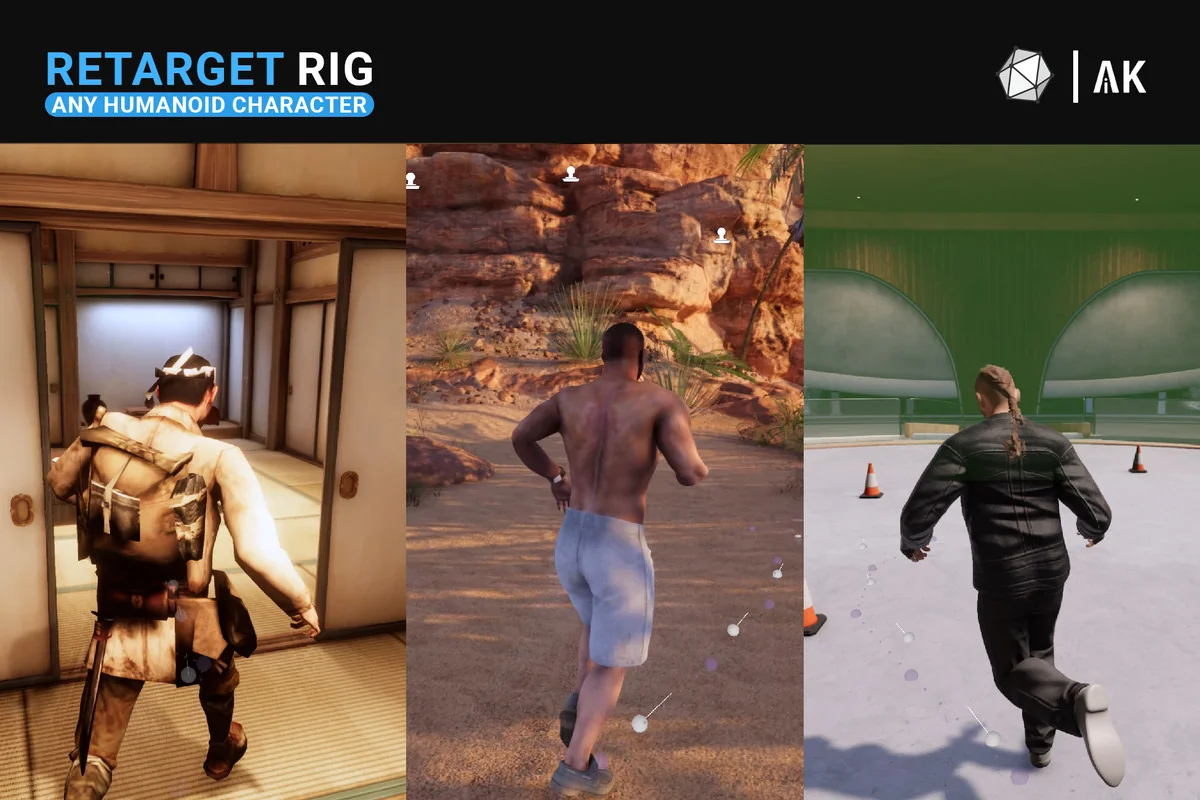
 Animation
 Animation
 Animation