"26aaab8a5d5ed4fc"{"id":"22420","slug":"bones-stimulator","title":"Bones Stimulator","category":"Animation","engine":"Original Unity version: 2019.4.40","assetVersion":"Original Unity version: 2019.4.40","engineVersion":"Asset Version:2.0.0","tag":"Animation","accent":"cyan","visual":"animation","summary":"Bones Stimulator provides a procedural layer for 3D character animations, using custom physics math to add secondary motion and muscle-like behavior without the need for rigidbodies.","platform":"Unity","publishedAt":"2026-04-06T07:57:50.000Z","updatedAt":"2026-04-19T15:37:19.000Z","sourceNotes":[],"fileContents":[],"compatibility":["Unity","Original Unity version: 2019.4.40","Asset Version: 2.0.0"],"featuredImage":{"alt":"Bones Stimulator","src":"https://3dcghub.com/wp-content/uploads/2026/04/69f1133d0fa6_f5da764b-f799-48a0-a7c2-f3a87029fac9_1280x720_stretch.webp"},"hasDownloadLink":true,"downloads":1,"terms":[{"taxonomy":"category","slug":"animation","name":"Animation"},{"taxonomy":"post_tag","slug":"animation","name":"Animation"},{"taxonomy":"post_tag","slug":"characters","name":"Characters"},{"taxonomy":"post_tag","slug":"unity","name":"Unity"}],"galleryImages":[{"src":"https://3dcghub.com/wp-content/uploads/2026/04/8ddfa6af8f8a_5281430c-6e21-4180-9539-4521cc473ec8_scaled.webp","alt":"Bones Stimulator"},{"src":"https://3dcghub.com/wp-content/uploads/2026/04/9242792b269c_8cfa3818-eb3d-4734-85f2-c75449eb5e7c_scaled.webp","alt":"Bones Stimulator"}],"accessPanel":{"kind":"resource","title":"Access this resource","eyebrow":"Free Download","message":"Log in or create a free account to start your download.","fileName":"Bones Stimulator v2.0.0 (31 Dec 2024).7z","safetyNote":"All resources are 100% manually reviewed to eliminate all risks.","actionLabel":"Download Free","resourceType":"Resource archive"},"contentHtml":"\u003ch2\u003eProcedural Additive Motion for Character Rigging\u003c/h2\u003e\n\u003cp\u003eBones Stimulator is a dedicated component for Unity designed to layer procedural motion on top of existing keyframed animations. The tool functions by adding secondary rotation, position, and scale movement to specific bones within a 3D model's hierarchy. This additive approach is intended to improve the overall feeling of character movement or to introduce entirely new motion to specific body elements for creatures and humanoids. By simulating muscle-like behaviors, the tool helps animations appear more natural by reacting dynamically to the primary animation data.\u003c/p\u003e\n\u003cp\u003eThe system operates using custom physics math rather than relying on the standard Unity physics engine's rigidbodies. This distinction allows for a more controlled and lightweight implementation, as it avoids the overhead associated with standard physics calculations while still providing reactive, physics-based movement. The developer can apply the component to any bone in a character rig, selecting specific bones to stimulate and adjusting parameters in real-time during playmode to achieve a specific visual result.\u003c/p\u003e\n\n\u003ch2\u003eEvolution of the Muscle System and Collision Offsets\u003c/h2\u003e\n\u003cp\u003eWith the release of version 2.0, the tool introduced a significant feature set centered around \"Muscles.\" This functionality allows for more organic movement patterns that mimic the way flesh and muscle react to skeletal shifts. Included within this update is a collision offset feature specifically for the Muscle system, providing a layer of interaction that prevents simulated elements from clipping or behaving unnaturally when they come into contact with other parts of the mesh.\u003c/p\u003e\n\u003cp\u003eTo address technical edge cases, such as jittering that may occur on certain models or specific animation types, the tool includes an \"Ensure Rotation\" toggle. This is particularly useful when utilizing Rotation Based Muscles, as it stabilizes the bone orientation and ensures a smooth transition between the procedural data and the underlying keyframes. All of these features are contained within a single component, managed through an intuitive graphical user interface designed to streamline the rigging process.\u003c/p\u003e\n\n\u003ch2\u003eAxis-Specific Control and Experimental Features\u003c/h2\u003e\n\u003cp\u003eRecent technical updates have expanded the level of granular control available for bone stimulation. The tool now includes experimental features for blending and limiting rotation on a per-axis basis. This allows for the freezing of specific rotation axes, ensuring that procedural movement only occurs in directions that are anatomically or mechanically appropriate for the character. For example, a developer can limit a bone to only swing on the X-axis while maintaining procedural stimulation, preventing unwanted twisting or side-to-side swaying.\u003c/p\u003e\n\u003cp\u003eThese axis-specific controls are vital for complex rigs where certain joints have restricted ranges of motion. By utilizing the Blend Rotation Per axis feature, the developer can fine-tune how much influence the procedural system has over each individual coordinate, allowing for a mix of rigid keyframed data and fluid procedural motion.\u003c/p\u003e\n\n\u003ch2\u003ePerformance Monitoring and Self-Optimization\u003c/h2\u003e\n\u003cp\u003eBones Stimulator is built with performance efficiency as a priority. The component includes built-in self-optimization features to ensure that adding procedural motion does not heavily impact the project's frame rate. To help developers monitor this impact, a debug GUI is available during playmode to provide real-time performance measurements. This transparency allows for immediate adjustments to the stimulation settings if a specific bone or group of bones is consuming more resources than expected.\u003c/p\u003e\n\u003cp\u003eFor projects involving a high number of objects, the tool provides a specialized component designed to stimulate multiple objects simultaneously in a more optimal manner. This is particularly useful for crowd scenes or complex environmental elements where many individual bones require additive motion. To assist with project organization, the tool adds unique icons to the Unity hierarchy window, making it easy to identify which GameObjects have the stimulator components attached. The component menus are also organized under a specific category in the \"Add Component\" menu for quicker access during the development process.\u003c/p\u003e\n\n\u003ch2\u003eWorkflow Integration and Pipeline Compatibility\u003c/h2\u003e\n\u003cp\u003eThe tool is designed to be pipeline-agnostic, supporting all Scriptable Render Pipelines (SRPs). This includes the Built-In renderer, LWRP, URP, and HDRP, as well as Custom Render Pipelines. Because the system is focused on bone transforms and physics math rather than shader logic, it does not require specific materials to function, though demo examples may require standard material conversion depending on the pipeline being used. The package structure is organized to remain in sync with other animation tools from the same creator, requiring a clean directory setup when updating between major versions to maintain project stability.\u003c/p\u003e\n\u003cp\u003eWhen integrating the tool into a production workflow, the primary step involves adding the component to a bone, selecting the target bones for stimulation, and then refining the motion parameters. The ability to test these changes in playmode and see immediate results allows for rapid iteration without the need to re-export animations from external 3D modeling software.\u003c/p\u003e\n\n\u003ch2\u003eExplore Similar Assets\u003c/h2\u003e\n\u003cul\u003e\n\u003cli\u003e\u003ca href=\"https://3dcghub.com/bones-assistant/\" title=\"Bones Assistant\"\u003eBones Assistant\u003c/a\u003e\u003c/li\u003e\n\u003cli\u003e\u003ca href=\"https://3dcghub.com/animancer-pro-v8/\" title=\"Animancer Pro v8\"\u003eAnimancer Pro v8\u003c/a\u003e\u003c/li\u003e\n\u003cli\u003e\u003ca href=\"https://3dcghub.com/animal-controller-malbers-character-controller/\" title=\"Animal Controller (Malbers Character Controller)\"\u003eAnimal Controller (Malbers Character Controller)\u003c/a\u003e\u003c/li\u003e\n\u003cli\u003e\u003ca href=\"https://3dcghub.com/hand-finger-tracking-windows/\" title=\"Hand \u0026amp;amp; Finger Tracking [Windows]\"\u003eHand \u0026amp; Finger Tracking [Windows]\u003c/a\u003e\u003c/li\u003e\n\u003cli\u003e\u003ca href=\"https://3dcghub.com/tanks-multiplayer-netcode-photon/\" title=\"Tanks Multiplayer (Netcode, Photon)\"\u003eTanks Multiplayer (Netcode, Photon)\u003c/a\u003e\u003c/li\u003e\n\u003c/ul\u003e","contentTextLength":5588,"navigation":{"current":3207,"total":3400,"previous":{"id":"22383","slug":"hand-finger-tracking-windows","title":"Hand \u0026 Finger Tracking [Windows]","category":"AI-ML Integration","platform":"Unity","updatedAt":"2026-04-19T15:37:20.000Z"},"next":{"id":"22415","slug":"bones-assistant","title":"Bones Assistant","category":"Animation","platform":"Unity","updatedAt":"2026-04-19T15:37:19.000Z"}},"relatedResources":[{"id":"22415","slug":"bones-assistant","title":"Bones Assistant","category":"Animation","engine":"Original Unity version: 2021.3.14","assetVersion":"Original Unity version: 2021.3.14","engineVersion":"Asset Version:1.1.2","tag":"Animation","accent":"cyan","visual":"animation","summary":"Bones Assistant provides a streamlined workflow for character rigging and animation within Unity, featuring a bone viewer, a dedicated animation helper, and a mesh generator for real-time skeletal visualization.","platform":"Unity","publishedAt":"2026-04-06T07:56:32.000Z","updatedAt":"2026-04-19T15:37:19.000Z","sourceNotes":[],"fileContents":[],"compatibility":["Unity","Original Unity version: 2021.3.14","Asset Version: 1.1.2"],"featuredImage":{"alt":"Bones Assistant","src":"https://3dcghub.com/wp-content/uploads/2026/04/cb4148d5841d_45fea9ac-84ae-4f67-8606-375e7cfa9db8_1280x720_stretch.webp"},"hasDownloadLink":true,"downloads":0},{"id":"22528","slug":"spinal-animator","title":"Spinal Animator","category":"Animation","engine":"Original Unity version: 2019.4.40","assetVersion":"Original Unity version: 2019.4.40","engineVersion":"Asset Version:2.0.2","tag":"Animation","accent":"cyan","visual":"animation","summary":"Spinal Animator offers a procedural solution for animating creature and animal spine chains in Unity. It automates bone rotation based on movement and terrain slopes while blending with existing keyframed animations.","platform":"Unity","publishedAt":"2026-04-06T13:07:09.000Z","updatedAt":"2026-04-19T15:37:14.000Z","sourceNotes":[],"fileContents":[],"compatibility":["Unity","Original Unity version: 2019.4.40","Asset Version: 2.0.2"],"featuredImage":{"alt":"Spinal Animator","src":"https://3dcghub.com/wp-content/uploads/2026/04/966ae660af8d_71b2db82-143b-4035-a5bc-6bbe6176361a_1280x720_stretch.webp"},"hasDownloadLink":true,"downloads":0},{"id":"22462","slug":"look-animator","title":"Look Animator","category":"Animation","engine":"Original Unity version: 2021.3.34","assetVersion":"Original Unity version: 2021.3.34","engineVersion":"Asset Version:2.0.1","tag":"Animation","accent":"cyan","visual":"animation","summary":"Look Animator is a component designed to procedurally animate head, neck, and spine bones, allowing characters to realistically track objects or positions in real-time.","platform":"Unity","publishedAt":"2026-04-06T12:52:52.000Z","updatedAt":"2026-04-19T15:37:17.000Z","sourceNotes":[],"fileContents":[],"compatibility":["Unity","Original Unity version: 2021.3.34","Asset Version: 2.0.1"],"featuredImage":{"alt":"Look Animator","src":"https://3dcghub.com/wp-content/uploads/2026/04/247a0d519922_9a48060d-9100-4239-877f-626830496ae7_1280x720_stretch.webp"},"hasDownloadLink":true,"downloads":0}]}
Animation
Bones Stimulator
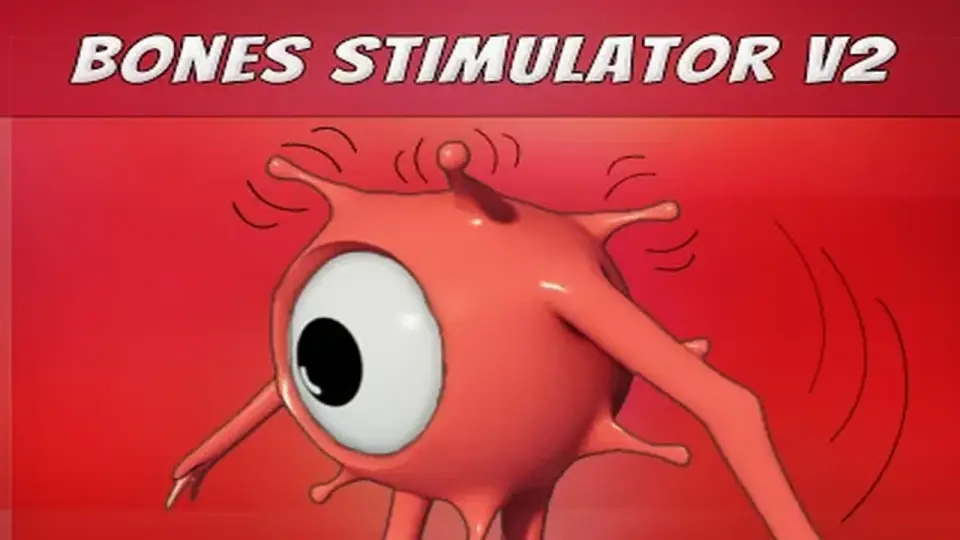
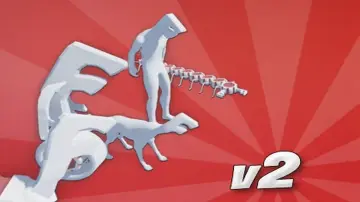
Bones Stimulator provides a procedural layer for 3D character animations, using custom physics math to add secondary motion and muscle-like behavior without the need for rigidbodies.
Bones Stimulator is a dedicated component for Unity designed to layer procedural motion on top of existing keyframed animations. The tool functions by adding secondary rotation, position, and scale movement to specific bones within a 3D model's hierarchy. This additive approach is intended to improve the overall feeling of character movement or to introduce entirely new motion to specific body elements for creatures and humanoids. By simulating muscle-like behaviors, the tool helps animations appear more natural by reacting dynamically to the primary animation data.
The system operates using custom physics math rather than relying on the standard Unity physics engine's rigidbodies. This distinction allows for a more controlled and lightweight implementation, as it avoids the overhead associated with standard physics calculations while still providing reactive, physics-based movement. The developer can apply the component to any bone in a character rig, selecting specific bones to stimulate and adjusting parameters in real-time during playmode to achieve a specific visual result.
Evolution of the Muscle System and Collision Offsets
With the release of version 2.0, the tool introduced a significant feature set centered around "Muscles." This functionality allows for more organic movement patterns that mimic the way flesh and muscle react to skeletal shifts. Included within this update is a collision offset feature specifically for the Muscle system, providing a layer of interaction that prevents simulated elements from clipping or behaving unnaturally when they come into contact with other parts of the mesh.
To address technical edge cases, such as jittering that may occur on certain models or specific animation types, the tool includes an "Ensure Rotation" toggle. This is particularly useful when utilizing Rotation Based Muscles, as it stabilizes the bone orientation and ensures a smooth transition between the procedural data and the underlying keyframes. All of these features are contained within a single component, managed through an intuitive graphical user interface designed to streamline the rigging process.
Axis-Specific Control and Experimental Features
Recent technical updates have expanded the level of granular control available for bone stimulation. The tool now includes experimental features for blending and limiting rotation on a per-axis basis. This allows for the freezing of specific rotation axes, ensuring that procedural movement only occurs in directions that are anatomically or mechanically appropriate for the character. For example, a developer can limit a bone to only swing on the X-axis while maintaining procedural stimulation, preventing unwanted twisting or side-to-side swaying.
These axis-specific controls are vital for complex rigs where certain joints have restricted ranges of motion. By utilizing the Blend Rotation Per axis feature, the developer can fine-tune how much influence the procedural system has over each individual coordinate, allowing for a mix of rigid keyframed data and fluid procedural motion.
Performance Monitoring and Self-Optimization
Bones Stimulator is built with performance efficiency as a priority. The component includes built-in self-optimization features to ensure that adding procedural motion does not heavily impact the project's frame rate. To help developers monitor this impact, a debug GUI is available during playmode to provide real-time performance measurements. This transparency allows for immediate adjustments to the stimulation settings if a specific bone or group of bones is consuming more resources than expected.
For projects involving a high number of objects, the tool provides a specialized component designed to stimulate multiple objects simultaneously in a more optimal manner. This is particularly useful for crowd scenes or complex environmental elements where many individual bones require additive motion. To assist with project organization, the tool adds unique icons to the Unity hierarchy window, making it easy to identify which GameObjects have the stimulator components attached. The component menus are also organized under a specific category in the "Add Component" menu for quicker access during the development process.
Workflow Integration and Pipeline Compatibility
The tool is designed to be pipeline-agnostic, supporting all Scriptable Render Pipelines (SRPs). This includes the Built-In renderer, LWRP, URP, and HDRP, as well as Custom Render Pipelines. Because the system is focused on bone transforms and physics math rather than shader logic, it does not require specific materials to function, though demo examples may require standard material conversion depending on the pipeline being used. The package structure is organized to remain in sync with other animation tools from the same creator, requiring a clean directory setup when updating between major versions to maintain project stability.
When integrating the tool into a production workflow, the primary step involves adding the component to a bone, selecting the target bones for stimulation, and then refining the motion parameters. The ability to test these changes in playmode and see immediate results allows for rapid iteration without the need to re-export animations from external 3D modeling software.
 Animation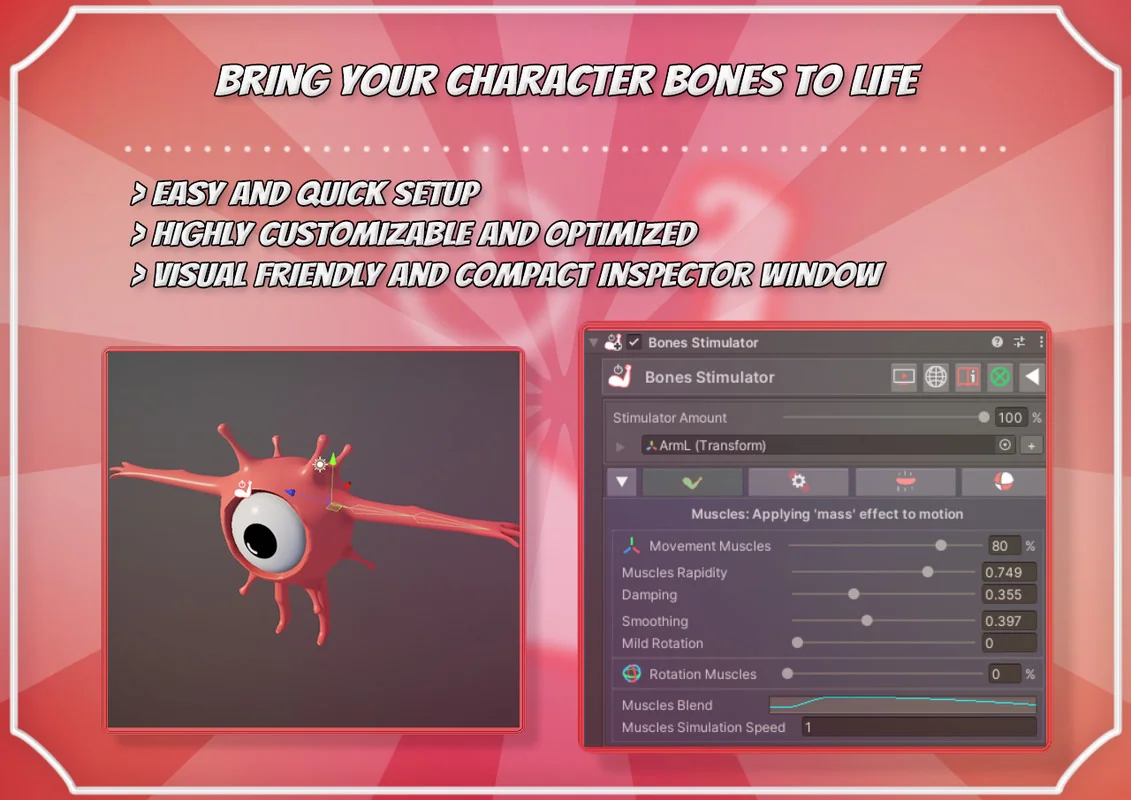
 Animation
 Animation
 Animation