"7e6fc58c410f2894"{"id":"23060","slug":"bakery-gpu-lightmapper","title":"Bakery - GPU Lightmapper","category":"Level Design","engine":"Original Unity version: 2018.4.0","assetVersion":"Original Unity version: 2018.4.0","engineVersion":"Asset Version:1.9501","tag":"Level Design","accent":"cyan","visual":"audio","summary":"Designed as a high-performance alternative to Enlighten and Progressive, Bakery utilizes GPU ray-tracing to produce physically correct baked lighting for Unity projects.","platform":"Unity","publishedAt":"2026-04-08T15:58:10.000Z","updatedAt":"2026-04-19T15:36:54.000Z","sourceNotes":[],"fileContents":[],"compatibility":["Unity","Original Unity version: 2018.4.0","Asset Version: 1.9501"],"featuredImage":{"alt":"Bakery - GPU Lightmapper","src":"https://3dcghub.com/wp-content/uploads/2026/04/0f1a4e2df268_5c53345b-8e25-47c7-8a9d-654769582e06_1280x720_stretch.webp"},"hasDownloadLink":true,"downloads":1,"terms":[{"taxonomy":"category","slug":"level-design","name":"Level Design"},{"taxonomy":"post_tag","slug":"environment","name":"Environment"},{"taxonomy":"post_tag","slug":"tools","name":"Tools"},{"taxonomy":"post_tag","slug":"unity","name":"Unity"}],"galleryImages":[{"src":"https://3dcghub.com/wp-content/uploads/2026/04/aaa1006505ba_7a46726d-c728-4394-b279-e09674867b0e_scaled.webp","alt":"Bakery - GPU Lightmapper"},{"src":"https://3dcghub.com/wp-content/uploads/2026/04/2f574676dfdd_751a4971-4309-41ed-a031-cf43381d56d6_scaled.webp","alt":"Bakery - GPU Lightmapper"},{"src":"https://3dcghub.com/wp-content/uploads/2026/04/a4f500d5209b_93e6925d-f837-4beb-83e3-cd60cd85a2e9_scaled.webp","alt":"Bakery - GPU Lightmapper"},{"src":"https://3dcghub.com/wp-content/uploads/2026/04/63d259919db2_826a83f7-fc71-4520-8f71-ae7798f876a5_scaled.webp","alt":"Bakery - GPU Lightmapper"},{"src":"https://3dcghub.com/wp-content/uploads/2026/04/84c31f764da4_eb45a809-be70-46da-a962-d99eb96570e1_scaled.webp","alt":"Bakery - GPU Lightmapper"},{"src":"https://3dcghub.com/wp-content/uploads/2026/04/6a5cbc186f20_71c6cae3-738e-4160-86c9-c026523af342_scaled.webp","alt":"Bakery - GPU Lightmapper"},{"src":"https://3dcghub.com/wp-content/uploads/2026/04/a90773c3ff6e_9e4eb093-99e6-4ed6-94bf-b9b907b4ae8f_scaled.webp","alt":"Bakery - GPU Lightmapper"},{"src":"https://3dcghub.com/wp-content/uploads/2026/04/7c8ac282df3f_9c333dbd-e7fe-4bdd-a02f-a5bd55c30791_scaled.webp","alt":"Bakery - GPU Lightmapper"},{"src":"https://3dcghub.com/wp-content/uploads/2026/04/e3dc72c29643_8a8ba01b-296f-4206-9e02-092518b4356e_scaled.webp","alt":"Bakery - GPU Lightmapper"},{"src":"https://3dcghub.com/wp-content/uploads/2026/04/ae9643ee1772_f9c3adbb-4810-475e-950e-9545ec37863c_scaled.webp","alt":"Bakery - GPU Lightmapper"}],"accessPanel":{"kind":"resource","title":"Access this resource","eyebrow":"Free Download","message":"Log in or create a free account to start your download.","fileName":"Bakery - GPU Lightmapper;2018.4.0 or higher;V1.9501.7z","safetyNote":"All resources are 100% manually reviewed to eliminate all risks.","actionLabel":"Download Free","resourceType":"Resource archive"},"contentHtml":"\u003ch2\u003eHigh-Performance GPU Ray-Tracing\u003c/h2\u003e\n\u003cp\u003eBakery is a production-ready lightmapping tool designed for Unity, functioning as a dedicated alternative to the standard Enlighten and Progressive lightmappers. By utilizing the GPU for ray-tracing, it significantly accelerates the baking process. While the tool can take advantage of specialized RTX hardware to improve performance, it is compatible with any modern Nvidia GPU from the 6xx series or newer. The system is built for 64-bit Windows environments (version 7 or higher) and does not support AMD cards or macOS for the baking process. Once baked, the resulting lightmaps are compatible across all platforms.\u003c/p\u003e\n\u003cp\u003eThe developer has verified compatibility across a wide range of Unity versions, from 5.6 to 6000.2.5f, including support for the Universal Render Pipeline (URP) and High Definition Render Pipeline (HDRP). For projects using versions earlier than 2019.4, users can download the package in a 2019.4 environment and manually copy the assets into their earlier project to bypass store restrictions.\u003c/p\u003e\n\u003ch2\u003ePhysically Correct Lighting and AI Denoising\u003c/h2\u003e\n\u003cp\u003eOne of the core strengths of the system is its focus on accuracy. All lighting results are compared against the Mitsuba offline renderer to ensure physically correct baked lighting. To maintain clean results without excessive bake times, it incorporates the Nvidia AI Denoiser. This deep-learning-powered feature removes noise from the lightmaps, which is particularly useful when dealing with complex global illumination or soft shadows.\u003c/p\u003e\n\u003cp\u003eThe tool addresses several common technical issues found in automated lightmapping, such as light leaks and visible UV seams. It supports global illumination with custom shaders and can handle sky lighting via HDRI or flat color. For more specialized lighting needs, the system supports IES lights and emissive textured meshes, alongside standard directional, point, and spot light sources.\u003c/p\u003e\n\u003ch2\u003eDirectional Baking and Shadowmask Support\u003c/h2\u003e\n\u003cp\u003eBakery provides a high degree of control over how light data is stored. It can produce complete lightmaps, indirect-only lightmaps, or a mix of both on a per-light basis. For developers requiring advanced surface detail, it offers four directional baking modes to handle bump and specular data:\u003c/p\u003e\n\u003cul\u003e\n\u003cli\u003eDominant direction: Compatible with the majority of standard shaders.\u003c/li\u003e\n\u003cli\u003eRadiosity Normal Mapping.\u003c/li\u003e\n\u003cli\u003ePer-pixel spherical harmonics.\u003c/li\u003e\n\u003cli\u003eDirect baking of normal maps into the diffuse data.\u003c/li\u003e\n\u003c/ul\u003e\n\u003cp\u003eIn addition to standard lightmaps, the package supports shadowmasks, light probes, and the baking of 3D textures. It includes an automatic atlas packing system to streamline the organization of lightmap textures.\u003c/p\u003e\n\u003ch2\u003eIntegration and Scene Management\u003c/h2\u003e\n\u003cp\u003eThe system is designed to fit into complex production workflows, supporting Mesh Renderers, Skinned Meshes, and Terrains. It fully supports Level of Detail (LOD) groups and baked prefabs. Recent updates have introduced an option to prevent specific lightmapped prefabs from being baked themselves while still allowing them to contribute lighting and shadows to the rest of the scene. Technical refinements in the latest version include faster L2 light probe de-ringing and a hotfix for compatibility with Nvidia driver versions 590 and newer.\u003c/p\u003e\n\u003cp\u003eFor artists who require immediate feedback, a real-time ray-traced preview can be installed as an additional component. This allows for rapid iteration before committing to a full bake. The effectiveness of this workflow is demonstrated by its use in several high-profile titles, including Call of Duty Mobile, Totally Accurate Battle Simulator, and Dead and Buried II.\u003c/p\u003e\n\u003ch2\u003eTechnical Requirements and Practical Application\u003c/h2\u003e\n\u003cp\u003eThe package consists of approximately 780 assets and requires a 485.4 MB footprint. When setting up a scene, the system recognizes material properties including albedo, emissive, and opacity. This ensures that transparency and light emission are factored accurately into the global illumination solve. Because it operates outside the standard Unity lightmapping window, users should refer to the developer's documentation and FAQ forum for specific configuration steps regarding complex geometry and custom shaders.\u003c/p\u003e\n\n\u003ch2\u003eRelated Resources Worth Checking\u003c/h2\u003e\n\u003cul\u003e\n\u003cli\u003e\u003ca href=\"https://3dcghub.com/opencv-for-unity/\" title=\"OpenCV for Unity\"\u003eOpenCV for Unity\u003c/a\u003e\u003c/li\u003e\n\u003cli\u003e\u003ca href=\"https://3dcghub.com/exporter-for-unreal-to-for-unity-2026/\" title=\"Exporter for Unreal to/for Unity 2026\"\u003eExporter for Unreal to/for Unity 2026\u003c/a\u003e\u003c/li\u003e\n\u003cli\u003e\u003ca href=\"https://3dcghub.com/dialogue-system-for-unity/\" title=\"Dialogue System for Unity\"\u003eDialogue System for Unity\u003c/a\u003e\u003c/li\u003e\n\u003cli\u003e\u003ca href=\"https://3dcghub.com/ambient-sounds-interactive-soundscapes-for-unity-6/\" title=\"Ambient Sounds – Interactive Soundscapes for Unity 6\"\u003eAmbient Sounds – Interactive Soundscapes for Unity 6\u003c/a\u003e\u003c/li\u003e\n\u003cli\u003e\u003ca href=\"https://3dcghub.com/pegasus-flythroughs-for-unity-6/\" title=\"Pegasus – Flythroughs for Unity 6\"\u003ePegasus – Flythroughs for Unity 6\u003c/a\u003e\u003c/li\u003e\n\u003c/ul\u003e","contentTextLength":4402,"navigation":{"current":3497,"total":3618,"previous":{"id":"23069","slug":"decalery","title":"Decalery","category":"Level Design","platform":"Unity","updatedAt":"2026-04-19T15:36:54.000Z"},"next":{"id":"23047","slug":"auto-fence-wall-builder","title":"Auto Fence \u0026 Wall Builder","category":"Level Design","platform":"Unity","updatedAt":"2026-04-19T15:36:54.000Z"}},"relatedResources":[{"id":"23047","slug":"auto-fence-wall-builder","title":"Auto Fence \u0026 Wall Builder","category":"Level Design","engine":"Original Unity version: 2018.4.36","assetVersion":"Original Unity version: 2018.4.36","engineVersion":"Asset Version:4.0.1","tag":"Level Design","accent":"cyan","visual":"mech","summary":"Auto Fence \u0026 Wall Builder provides a specialized environment design workflow within Unity, allowing for the rapid deployment of fences and walls that adapt dynamically to terrain and user-defined parameters.","platform":"Unity","publishedAt":"2026-04-08T15:57:54.000Z","updatedAt":"2026-04-19T15:36:54.000Z","sourceNotes":[],"fileContents":[],"compatibility":["Unity","Original Unity version: 2018.4.36","Asset Version: 4.0.1"],"featuredImage":{"alt":"Auto Fence \u0026 Wall Builder","src":"https://3dcghub.com/wp-content/uploads/2026/04/7a172f0b4ab4_476166a4-2fc0-464a-973d-af68509480dc_1280x720_stretch.webp"},"hasDownloadLink":true,"downloads":0},{"id":"23100","slug":"prefab-world-builder","title":"Prefab World Builder","category":"Level Design","engine":"Original Unity version: 2021.3.45","assetVersion":"Original Unity version: 2021.3.45","engineVersion":"Asset Version:4.7","tag":"Level Design","accent":"cyan","visual":"city","summary":"Prefab World Builder provides a comprehensive suite of editor-only tools designed to accelerate level design through physics-based placement, modular grid logic, and specialized brush systems.","platform":"Unity","publishedAt":"2026-04-08T16:12:51.000Z","updatedAt":"2026-04-19T15:36:53.000Z","sourceNotes":[],"fileContents":[],"compatibility":["Unity","Original Unity version: 2021.3.45","Asset Version: 4.7"],"featuredImage":{"alt":"Prefab World Builder","src":"https://3dcghub.com/wp-content/uploads/2026/04/847351c6dd61_4092fd06-49b3-4cb5-b7f4-98a6fc879b53_1280x720_stretch.webp"},"hasDownloadLink":true,"downloads":1},{"id":"23113","slug":"road-constructor","title":"Road Constructor","category":"Level Design","engine":"Original Unity version: 2022.3.31","assetVersion":"Original Unity version: 2022.3.31","engineVersion":"Asset Version:1.5.4","tag":"Level Design","accent":"cyan","visual":"audio","summary":"Road Constructor is a procedural generation tool designed for Unity 2022 LTS that handles road placement, intersection movement, and terrain modification. It includes a library of 461 assets for building rural, local, and highway environments.","platform":"Unity","publishedAt":"2026-04-08T16:13:02.000Z","updatedAt":"2026-04-19T15:36:52.000Z","sourceNotes":[],"fileContents":[],"compatibility":["Unity","Original Unity version: 2022.3.31","Asset Version: 1.5.4"],"featuredImage":{"alt":"Road Constructor","src":"https://3dcghub.com/wp-content/uploads/2026/04/90ed763146d6_bb961dc5-9b2a-45b3-b05c-6ff00bbe30d7_1280x720_stretch.webp"},"hasDownloadLink":true,"downloads":1}]}
Level Design
Bakery - GPU Lightmapper
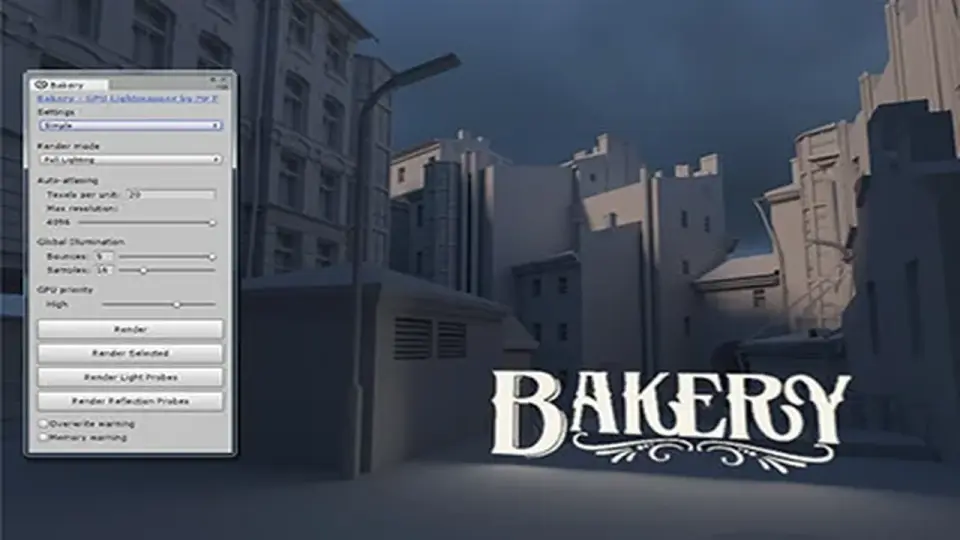
Designed as a high-performance alternative to Enlighten and Progressive, Bakery utilizes GPU ray-tracing to produce physically correct baked lighting for Unity projects.
Bakery is a production-ready lightmapping tool designed for Unity, functioning as a dedicated alternative to the standard Enlighten and Progressive lightmappers. By utilizing the GPU for ray-tracing, it significantly accelerates the baking process. While the tool can take advantage of specialized RTX hardware to improve performance, it is compatible with any modern Nvidia GPU from the 6xx series or newer. The system is built for 64-bit Windows environments (version 7 or higher) and does not support AMD cards or macOS for the baking process. Once baked, the resulting lightmaps are compatible across all platforms.
The developer has verified compatibility across a wide range of Unity versions, from 5.6 to 6000.2.5f, including support for the Universal Render Pipeline (URP) and High Definition Render Pipeline (HDRP). For projects using versions earlier than 2019.4, users can download the package in a 2019.4 environment and manually copy the assets into their earlier project to bypass store restrictions.
Physically Correct Lighting and AI Denoising
One of the core strengths of the system is its focus on accuracy. All lighting results are compared against the Mitsuba offline renderer to ensure physically correct baked lighting. To maintain clean results without excessive bake times, it incorporates the Nvidia AI Denoiser. This deep-learning-powered feature removes noise from the lightmaps, which is particularly useful when dealing with complex global illumination or soft shadows.
The tool addresses several common technical issues found in automated lightmapping, such as light leaks and visible UV seams. It supports global illumination with custom shaders and can handle sky lighting via HDRI or flat color. For more specialized lighting needs, the system supports IES lights and emissive textured meshes, alongside standard directional, point, and spot light sources.
Directional Baking and Shadowmask Support
Bakery provides a high degree of control over how light data is stored. It can produce complete lightmaps, indirect-only lightmaps, or a mix of both on a per-light basis. For developers requiring advanced surface detail, it offers four directional baking modes to handle bump and specular data:
Dominant direction: Compatible with the majority of standard shaders.
Radiosity Normal Mapping.
Per-pixel spherical harmonics.
Direct baking of normal maps into the diffuse data.
In addition to standard lightmaps, the package supports shadowmasks, light probes, and the baking of 3D textures. It includes an automatic atlas packing system to streamline the organization of lightmap textures.
Integration and Scene Management
The system is designed to fit into complex production workflows, supporting Mesh Renderers, Skinned Meshes, and Terrains. It fully supports Level of Detail (LOD) groups and baked prefabs. Recent updates have introduced an option to prevent specific lightmapped prefabs from being baked themselves while still allowing them to contribute lighting and shadows to the rest of the scene. Technical refinements in the latest version include faster L2 light probe de-ringing and a hotfix for compatibility with Nvidia driver versions 590 and newer.
For artists who require immediate feedback, a real-time ray-traced preview can be installed as an additional component. This allows for rapid iteration before committing to a full bake. The effectiveness of this workflow is demonstrated by its use in several high-profile titles, including Call of Duty Mobile, Totally Accurate Battle Simulator, and Dead and Buried II.
Technical Requirements and Practical Application
The package consists of approximately 780 assets and requires a 485.4 MB footprint. When setting up a scene, the system recognizes material properties including albedo, emissive, and opacity. This ensures that transparency and light emission are factored accurately into the global illumination solve. Because it operates outside the standard Unity lightmapping window, users should refer to the developer's documentation and FAQ forum for specific configuration steps regarding complex geometry and custom shaders.
 Level Design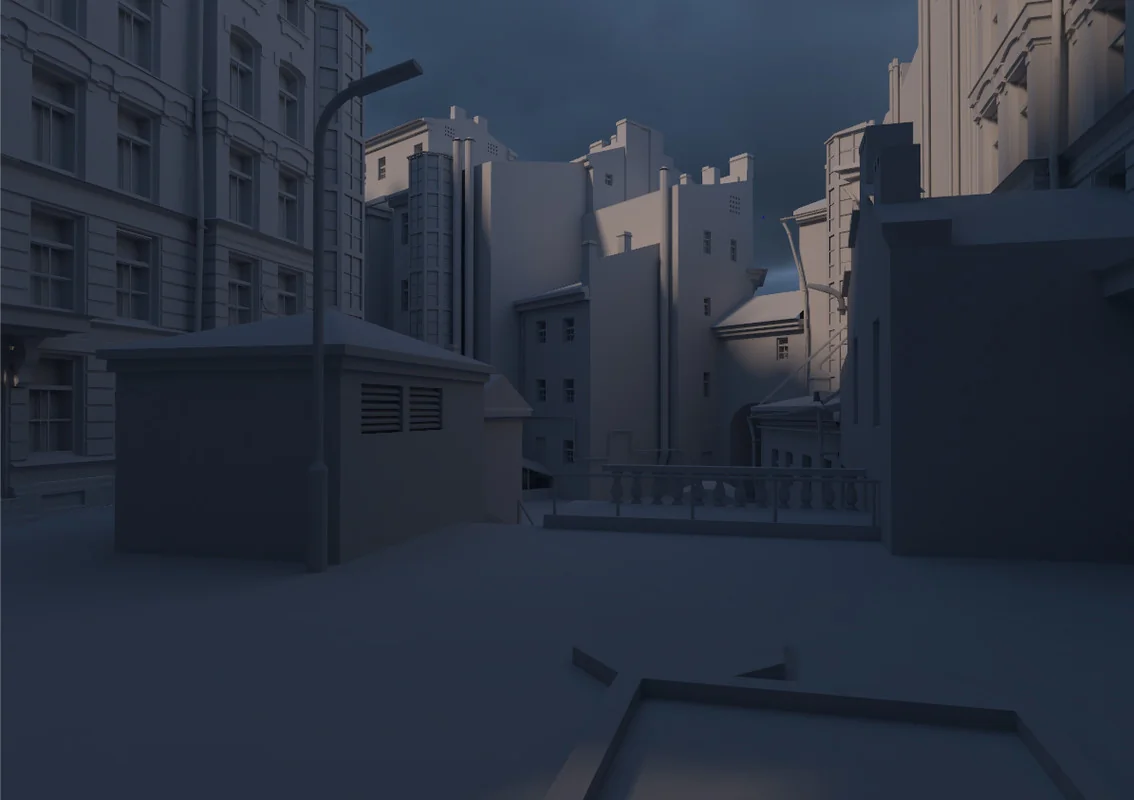
 Level Design
 Level Design
 Level Design