"7e6fc58c410f2894"{"id":"23237","slug":"crest-water-5-shallow-water","title":"Crest Water 5 - Shallow Water","category":"Particles \u0026 Effects","engine":"Original Unity version: 2022.3.62","assetVersion":"Original Unity version: 2022.3.62","engineVersion":"Asset Version:1.3.1","tag":"Particles","accent":"cyan","visual":"animation","summary":"Crest Water 5 - Shallow Water adds simulation-driven shallow water for shorelines and streams inside Crest 5. It gives artists a way to shape coastal edges, river channels, and other transition zones with static or camera-following shoreline behavior and an...","platform":"Unity","publishedAt":"2026-04-09T15:56:31.000Z","updatedAt":"2026-04-19T15:36:48.000Z","sourceNotes":[],"fileContents":[],"compatibility":["Unity","Original Unity version: 2022.3.62","Asset Version: 1.3.1"],"featuredImage":{"alt":"Crest Water 5 - Shallow Water","src":"https://3dcghub.com/wp-content/uploads/2026/04/d38076e02d44_6686ebed-098f-40ed-bea0-0be1704337bb_1280x720_stretch.webp"},"hasDownloadLink":true,"downloads":5,"terms":[{"taxonomy":"category","slug":"particles-and-effects","name":"Particles \u0026 Effects"},{"taxonomy":"post_tag","slug":"environment","name":"Environment"},{"taxonomy":"post_tag","slug":"unity","name":"Unity"},{"taxonomy":"post_tag","slug":"vfx","name":"VFX"}],"galleryImages":[{"src":"https://3dcghub.com/wp-content/uploads/2026/04/ee2e17d0935c_83c5317b-d172-4b3b-9510-252f13ece0e5_scaled.webp","alt":"Crest Water 5 - Shallow Water"},{"src":"https://3dcghub.com/wp-content/uploads/2026/04/b9787ff51740_711b359e-5119-4f9f-ad4c-cafc92b3ffab_scaled.webp","alt":"Crest Water 5 - Shallow Water"}],"accessPanel":{"kind":"resource","title":"Access this resource","eyebrow":"Free Download","message":"Log in or create a free account to start your download.","fileName":"Crest Water 5 - Shallow Water v1.3.1.7z","safetyNote":"All resources are 100% manually reviewed to eliminate all risks.","actionLabel":"Download Free","resourceType":"Resource archive"},"contentHtml":"\u003ch2\u003eShallow water where terrain meets motion\u003c/h2\u003e\n\u003cp\u003eCrest Water 5 - Shallow Water brings a simulation layer to the places where water stops reading as a broad surface and starts collecting around edges, banks, and channels. It is aimed at shorelines and streams, so it fits scenes that need a shallow transition rather than a uniform water plane. For artists, that means the waterline can carry more local motion and feel tied to the terrain. For developers, it offers another way to shape coastal and river scenes inside Crest 5 without changing the overall water system.\u003c/p\u003e\n\u003cp\u003eCrest 5 already has wave attenuation, just as Crest 4 did, so this package is not the only way to handle shallow water. It serves as an alternative for projects that want the simulation approach and the next-generation features that come with it. That makes it useful when the edge of the water is part of the shotâs identity instead of just a boundary between land and sea.\u003c/p\u003e \u003ch2\u003eShorelines can stay fixed or follow the camera\u003c/h2\u003e\n\u003cp\u003eThe shoreline simulation can be static or camera-following. That small choice changes how a scene can be staged. A fixed shoreline works when the environment itself should hold the attention, while a camera-following setup keeps the shallow region aligned with the view as it moves. Both approaches keep the focus on the transition between land and water, which is often where a scene gains its sense of movement.\u003c/p\u003e\n\u003cp\u003eStreams use a separate simulation path. Their final output can be baked to a texture, which is a practical option when a stream needs to preserve its shape without continually running the full simulation at display time. Since this is still a simulation, the final result depends on the water sources and the terrain or geometry feeding into it. The scene setup is part of the look, so the solver responds to what is present rather than replacing it.\u003c/p\u003e\n\u003cp\u003eIn practice, that gives the resource a very specific creative range. It can help a coastline feel active as it meets the land, and it can give a stream a more responsive edge as it moves through the environment. The simulation is not limited to one type of water feature; it supports shallow water generally, with shorelines and streams as the clearest applications.\u003c/p\u003e \u003ch2\u003eSupport material that keeps the setup readable\u003c/h2\u003e\n\u003cp\u003eSample scenes, documentation, tooltips, and validation are included. That combination matters because simulation-heavy water work is easier to shape when the scene explains itself. Documentation gives the structure, tooltips help clarify inputs while working, and validation adds a layer of feedback when the setup needs checking. Sample scenes provide reference points for how the shoreline and stream simulations can be assembled in a real project.\u003c/p\u003e\n\u003cp\u003eThe package is not required for shallow water in Crest 5, so it sits alongside Crestâs built-in wave attenuation rather than replacing it. That makes the choice more specific: use the simulation package when the project needs shoreline and stream behavior that can be driven and adjusted as part of the scene, or rely on Crest 5âs existing shallow-water behavior when that is enough. The two approaches are related, but they do not serve exactly the same purpose.\u003c/p\u003e\n\u003cp\u003eBeing an alternative approach also makes the package a good match for scenes where the water edge needs to be art-directed. A static shoreline can lock into the environment, a camera-following shoreline can stay framed around the action, and stream output can be turned into a texture when the final look should be preserved in a lighter-weight form. Those options give the creator room to choose the most suitable path for the shot or level.\u003c/p\u003e \u003ch2\u003ePipeline notes, limits, and current build details\u003c/h2\u003e\n\u003cp\u003eBaking is editor only. That limitation is straightforward, but important, because it places the baked stream workflow in the authoring stage rather than runtime. If a project depends on baked output, the texture step needs to be part of the editing pipeline. The package also requires Crest 5 and must meet the same requirements, so it belongs inside an already compatible Crest setup.\u003c/p\u003e\n\u003cp\u003eCurrent technical details list version 1.4.2, with the latest release date of Mar 31, 2026 and first publication on Jun 24, 2024. The original Unity version is 2022.3.62. File size is 272.6 MB, the asset count is 82, and the package type is unitypackage. Compatibility is listed for Built-in, HDRP, and URP at 2022.3.62f3.\u003c/p\u003e\n\u003cp\u003eThe release history notes WebGPU support, additive flow, a fix for a one-frame delay in flow when the simulation moves, foam fixes when multiple simulations are present, fixes for mixed shoreline and river simulations, and fixes for multiple simulations with different settings. An optimization pass also removed a redundant texture sample, and sealed classes were added where appropriate. Those notes point to an update path that has focused on simulation behavior and cleanup rather than changing the core idea of the package.\u003c/p\u003e\n\u003cp\u003eFor shoreline shots, river edges, coastal transitions, and other shallow-water scenes, the package fits best when the terrain or geometry can be set up carefully and when an editor-side bake step for streams is acceptable.\u003c/p\u003e\u003c/p\u003e\n\n\u003ch2\u003eContinue Browsing Similar Packs\u003c/h2\u003e\n\u003cul\u003e\n\u003cli\u003e\u003ca href=\"https://3dcghub.com/opencv-for-unity/\" title=\"OpenCV for Unity\"\u003eOpenCV for Unity\u003c/a\u003e\u003c/li\u003e\n\u003cli\u003e\u003ca href=\"https://3dcghub.com/exporter-for-unreal-to-for-unity-2026/\" title=\"Exporter for Unreal to/for Unity 2026\"\u003eExporter for Unreal to/for Unity 2026\u003c/a\u003e\u003c/li\u003e\n\u003cli\u003e\u003ca href=\"https://3dcghub.com/dialogue-system-for-unity/\" title=\"Dialogue System for Unity\"\u003eDialogue System for Unity\u003c/a\u003e\u003c/li\u003e\n\u003cli\u003e\u003ca href=\"https://3dcghub.com/ambient-sounds-interactive-soundscapes-for-unity-6/\" title=\"Ambient Sounds – Interactive Soundscapes for Unity 6\"\u003eAmbient Sounds – Interactive Soundscapes for Unity 6\u003c/a\u003e\u003c/li\u003e\n\u003cli\u003e\u003ca href=\"https://3dcghub.com/pegasus-flythroughs-for-unity-6/\" title=\"Pegasus – Flythroughs for Unity 6\"\u003ePegasus – Flythroughs for Unity 6\u003c/a\u003e\u003c/li\u003e\n\u003c/ul\u003e","contentTextLength":5371,"navigation":{"current":3513,"total":3618,"previous":{"id":"23250","slug":"ethereal-urp-2021-volumetric-lighting-fog","title":"Ethereal URP 2021 - Volumetric Lighting \u0026 Fog","category":"Particles \u0026 Effects","platform":"Unity","updatedAt":"2026-04-19T15:36:48.000Z"},"next":{"id":"23232","slug":"crest-water-4-urp-ocean-rivers-lakes","title":"Crest Water 4 URP (Ocean, Rivers \u0026 Lakes)","category":"Particles \u0026 Effects","platform":"Unity","updatedAt":"2026-04-19T15:36:48.000Z"}},"relatedResources":[{"id":"23232","slug":"crest-water-4-urp-ocean-rivers-lakes","title":"Crest Water 4 URP (Ocean, Rivers \u0026 Lakes)","category":"Particles \u0026 Effects","engine":"Original Unity version: 2020.3.49","assetVersion":"Original Unity version: 2020.3.49","engineVersion":"Asset Version:4.21.2","tag":"Particles","accent":"cyan","visual":"character","summary":"Crest Water 4 URP starts with a compact setup path: water surface, underwater, and waves. From there, it expands into wave authoring, shoreline control, underwater treatment, and interaction systems that fit oceans, rivers, lakes, and large-world scenes.","platform":"Unity","publishedAt":"2026-04-09T15:56:19.000Z","updatedAt":"2026-04-19T15:36:48.000Z","sourceNotes":[],"fileContents":[],"compatibility":["Unity","Original Unity version: 2020.3.49","Asset Version: 4.21.2"],"featuredImage":{"alt":"Crest Water 4 URP (Ocean, Rivers \u0026 Lakes)","src":"https://3dcghub.com/wp-content/uploads/2026/04/0bbed9a77cb0_2b640420-1fed-4a76-a54e-e86b9693c2bb_1280x720_stretch.webp"},"hasDownloadLink":true,"downloads":3},{"id":"23332","slug":"magic-mirror-pro-recursive-edition","title":"Magic Mirror Pro - Recursive Edition","category":"Particles \u0026 Effects","engine":"Original Unity version: 2018.4.36","assetVersion":"Original Unity version: 2018.4.36","engineVersion":"Asset Version:1.0.5","tag":"Particles","accent":"cyan","visual":"character","summary":"Magic Mirror Pro - Recursive Edition brings recursive reflections into Unity with support for mirror surfaces, a fix for recursive water reflections, and shadow rendering across recursion layers. It also includes tuning options for performance and layer con...","platform":"Unity","publishedAt":"2026-04-09T16:42:15.000Z","updatedAt":"2026-04-19T15:35:30.000Z","sourceNotes":[],"fileContents":[],"compatibility":["Unity","Original Unity version: 2018.4.36","Asset Version: 1.0.5"],"featuredImage":{"alt":"Magic Mirror Pro - Recursive Edition","src":"https://3dcghub.com/wp-content/uploads/2026/04/b07d38d4e685_ad753928-db93-4c48-b292-3aef98ed77a4_1280x720_stretch.webp"},"hasDownloadLink":true,"downloads":1},{"id":"24390","slug":"stylized-water-2","title":"Stylized Water 2","category":"Shaders","engine":"Original Unity version: 2021.3.16","assetVersion":"Original Unity version: 2021.3.16","engineVersion":"Asset Version:1.7.0","tag":"Shaders","accent":"cyan","visual":"mech","summary":"Stylized Water 2 focuses on artistic control instead of strict physical simulation, giving Unity projects a flexible water setup with deep, shallow, and horizon color controls, foam options, and layered wave motion. It also keeps the workflow practical with...","platform":"Unity","publishedAt":"2026-04-14T11:40:39.000Z","updatedAt":"2026-04-20T06:12:49.000Z","sourceNotes":[],"fileContents":[],"compatibility":["Unity","Original Unity version: 2021.3.16","Asset Version: 1.7.0"],"featuredImage":{"alt":"Stylized Water 2","src":"https://3dcghub.com/wp-content/uploads/2026/04/7023b4a55d3a_62e96f7d-5061-4e32-bbd3-f4f89e0fd5cb_1280x720_stretch.webp"},"hasDownloadLink":true,"downloads":1}]}
Particles
Crest Water 5 - Shallow Water
Crest Water 5 - Shallow Water adds simulation-driven shallow water for shorelines and streams inside Crest 5. It gives artists a way to shape coastal edges, river channels, and other transition zones with static or camera-following shoreline behavior and an...
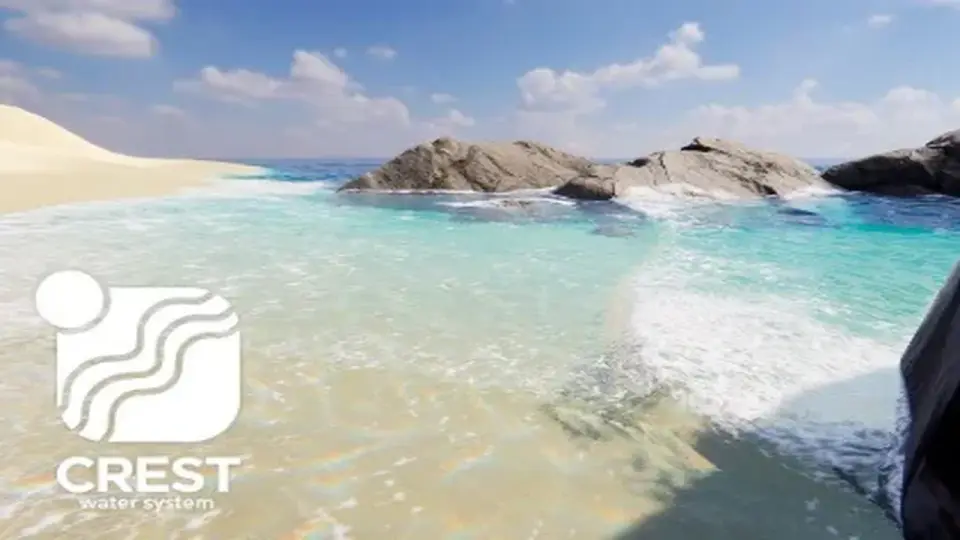
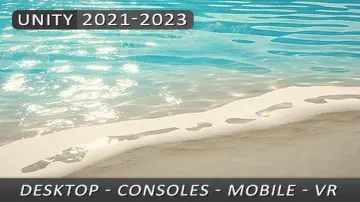
Crest Water 5 - Shallow Water brings a simulation layer to the places where water stops reading as a broad surface and starts collecting around edges, banks, and channels. It is aimed at shorelines and streams, so it fits scenes that need a shallow transition rather than a uniform water plane. For artists, that means the waterline can carry more local motion and feel tied to the terrain. For developers, it offers another way to shape coastal and river scenes inside Crest 5 without changing the overall water system.
Crest 5 already has wave attenuation, just as Crest 4 did, so this package is not the only way to handle shallow water. It serves as an alternative for projects that want the simulation approach and the next-generation features that come with it. That makes it useful when the edge of the water is part of the shotâs identity instead of just a boundary between land and sea.
Shorelines can stay fixed or follow the camera
The shoreline simulation can be static or camera-following. That small choice changes how a scene can be staged. A fixed shoreline works when the environment itself should hold the attention, while a camera-following setup keeps the shallow region aligned with the view as it moves. Both approaches keep the focus on the transition between land and water, which is often where a scene gains its sense of movement.
Streams use a separate simulation path. Their final output can be baked to a texture, which is a practical option when a stream needs to preserve its shape without continually running the full simulation at display time. Since this is still a simulation, the final result depends on the water sources and the terrain or geometry feeding into it. The scene setup is part of the look, so the solver responds to what is present rather than replacing it.
In practice, that gives the resource a very specific creative range. It can help a coastline feel active as it meets the land, and it can give a stream a more responsive edge as it moves through the environment. The simulation is not limited to one type of water feature; it supports shallow water generally, with shorelines and streams as the clearest applications.
Support material that keeps the setup readable
Sample scenes, documentation, tooltips, and validation are included. That combination matters because simulation-heavy water work is easier to shape when the scene explains itself. Documentation gives the structure, tooltips help clarify inputs while working, and validation adds a layer of feedback when the setup needs checking. Sample scenes provide reference points for how the shoreline and stream simulations can be assembled in a real project.
The package is not required for shallow water in Crest 5, so it sits alongside Crestâs built-in wave attenuation rather than replacing it. That makes the choice more specific: use the simulation package when the project needs shoreline and stream behavior that can be driven and adjusted as part of the scene, or rely on Crest 5âs existing shallow-water behavior when that is enough. The two approaches are related, but they do not serve exactly the same purpose.
Being an alternative approach also makes the package a good match for scenes where the water edge needs to be art-directed. A static shoreline can lock into the environment, a camera-following shoreline can stay framed around the action, and stream output can be turned into a texture when the final look should be preserved in a lighter-weight form. Those options give the creator room to choose the most suitable path for the shot or level.
Pipeline notes, limits, and current build details
Baking is editor only. That limitation is straightforward, but important, because it places the baked stream workflow in the authoring stage rather than runtime. If a project depends on baked output, the texture step needs to be part of the editing pipeline. The package also requires Crest 5 and must meet the same requirements, so it belongs inside an already compatible Crest setup.
Current technical details list version 1.4.2, with the latest release date of Mar 31, 2026 and first publication on Jun 24, 2024. The original Unity version is 2022.3.62. File size is 272.6 MB, the asset count is 82, and the package type is unitypackage. Compatibility is listed for Built-in, HDRP, and URP at 2022.3.62f3.
The release history notes WebGPU support, additive flow, a fix for a one-frame delay in flow when the simulation moves, foam fixes when multiple simulations are present, fixes for mixed shoreline and river simulations, and fixes for multiple simulations with different settings. An optimization pass also removed a redundant texture sample, and sealed classes were added where appropriate. Those notes point to an update path that has focused on simulation behavior and cleanup rather than changing the core idea of the package.
For shoreline shots, river edges, coastal transitions, and other shallow-water scenes, the package fits best when the terrain or geometry can be set up carefully and when an editor-side bake step for streams is acceptable.
 Particles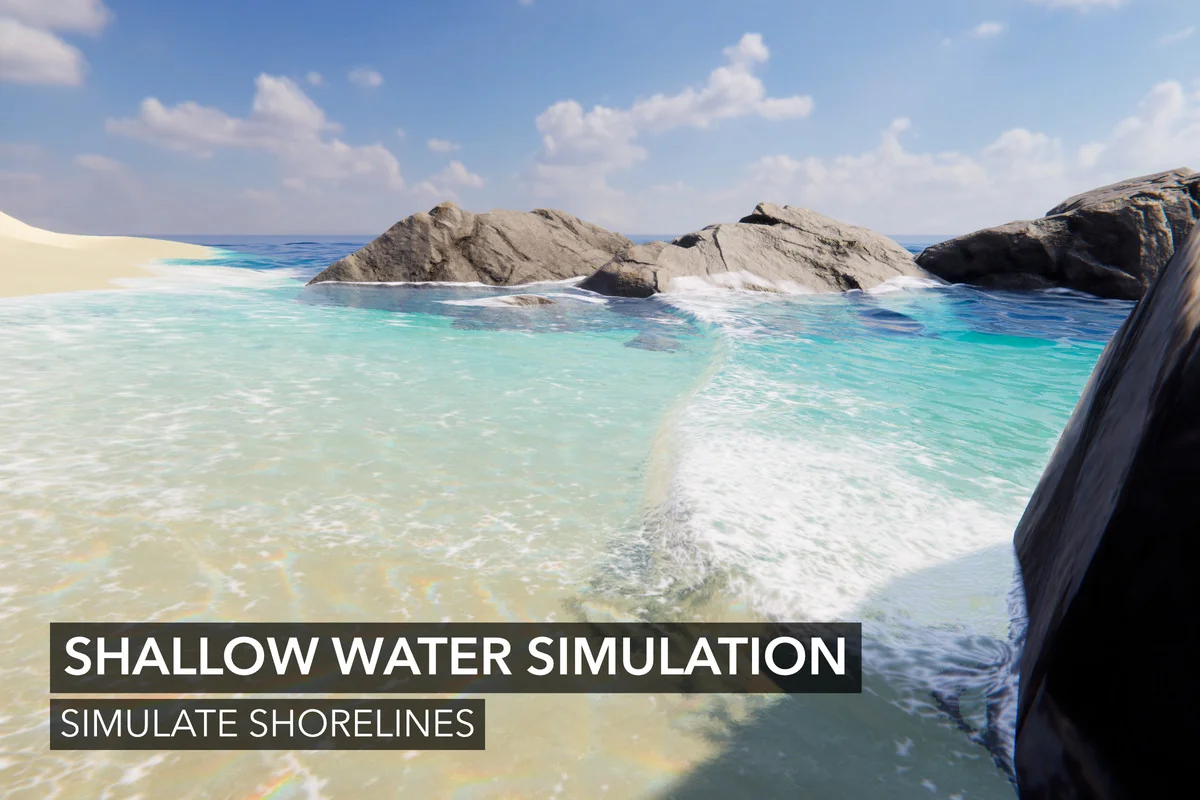
 Particles
 Particles
 Shaders