"f813c18d2170b1f6"{"id":"24390","slug":"stylized-water-2","title":"Stylized Water 2","category":"Shaders","engine":"Original Unity version: 2021.3.16","assetVersion":"Original Unity version: 2021.3.16","engineVersion":"Asset Version:1.7.0","tag":"Shaders","accent":"cyan","visual":"mech","summary":"Stylized Water 2 focuses on artistic control instead of strict physical simulation, giving Unity projects a flexible water setup with deep, shallow, and horizon color controls, foam options, and layered wave motion. It also keeps the workflow practical with...","platform":"Unity","publishedAt":"2026-04-14T11:40:39.000Z","updatedAt":"2026-04-20T06:12:49.000Z","sourceNotes":[],"fileContents":[],"compatibility":["Unity","Original Unity version: 2021.3.16","Asset Version: 1.7.0"],"featuredImage":{"alt":"Stylized Water 2","src":"https://3dcghub.com/wp-content/uploads/2026/04/7023b4a55d3a_62e96f7d-5061-4e32-bbd3-f4f89e0fd5cb_1280x720_stretch.webp"},"hasDownloadLink":true,"downloads":1,"terms":[{"taxonomy":"category","slug":"shaders-vfx-unity-2","name":"Shaders"},{"taxonomy":"post_tag","slug":"environment","name":"Environment"},{"taxonomy":"post_tag","slug":"materials","name":"Materials"},{"taxonomy":"post_tag","slug":"unity","name":"Unity"}],"galleryImages":[{"src":"https://3dcghub.com/wp-content/uploads/2026/04/b190bd82adc5_b7296e7e-acfc-4334-8140-f6b2e2f1754e_scaled.webp","alt":"Stylized Water 2"},{"src":"https://3dcghub.com/wp-content/uploads/2026/04/779faccc745d_5cd57ea7-5e10-4ada-ad45-c0c25ad05e47_scaled.webp","alt":"Stylized Water 2"},{"src":"https://3dcghub.com/wp-content/uploads/2026/04/4e51c43f6bf6_1142c8eb-d817-44e0-b4aa-85705943ccff_scaled.webp","alt":"Stylized Water 2"},{"src":"https://3dcghub.com/wp-content/uploads/2026/04/4d8cf2a6d7a6_3d4e243d-2f44-4df3-9410-943140247c48_scaled.webp","alt":"Stylized Water 2"},{"src":"https://3dcghub.com/wp-content/uploads/2026/04/f13ec2131adb_4d19091e-64ee-4dad-810b-585081d07112_scaled.webp","alt":"Stylized Water 2"},{"src":"https://3dcghub.com/wp-content/uploads/2026/04/c53be1943b16_ec6ca963-e0d1-4fbe-8c2d-862f17f8b3f9_scaled.webp","alt":"Stylized Water 2"},{"src":"https://3dcghub.com/wp-content/uploads/2026/04/5dd8da8ad3e7_78652df0-f30b-49fd-9439-8b10a9d107a8_scaled.webp","alt":"Stylized Water 2"},{"src":"https://3dcghub.com/wp-content/uploads/2026/04/8c5806fa7ce8_03b46b9a-c407-436a-9000-a985bc03a9cf_scaled.webp","alt":"Stylized Water 2"},{"src":"https://3dcghub.com/wp-content/uploads/2026/04/c0dba2e26ead_dac875cb-2d84-4b22-bd11-6c875cdd3b6d_scaled.webp","alt":"Stylized Water 2"},{"src":"https://3dcghub.com/wp-content/uploads/2026/04/4a90f8cb6095_e063e106-dfd9-4c80-8c94-2940a0d90c91_scaled.webp","alt":"Stylized Water 2"}],"accessPanel":{"kind":"resource","title":"Access this resource","eyebrow":"Free Download","message":"Log in or create a free account to start your download.","fileName":"Stylized Water 2 v1.7.0.7z","safetyNote":"All resources are 100% manually reviewed to eliminate all risks.","actionLabel":"Download Free","resourceType":"Resource archive"},"contentHtml":"\u003ch2\u003eWater that follows art direction instead of strict simulation\u003c/h2\u003e\u003cp\u003eStylized Water 2 is aimed at scenes where the water surface needs to match the projectâs look, not imitate a physically exact simulation. The asset emphasizes artistic freedom through a wide set of parameters, while keeping the workflow easy to use and self-documented. It also targets both basic and intermediate water use in games, so the setup stays practical rather than overly specialized.\u003c/p\u003e\u003cp\u003eThe package is the successor to Stylized Water 1 and has been re-imagined from the ground up for the Universal Render Pipeline. That shift matters because the implementation is not just a visual skin on top of a generic shader; it is shaped around URP from the start and refined through over 8 years of water rendering experience from both asset store work and commercial projects.\u003c/p\u003e\u003cp\u003eThere is also a clear focus on usability. The material interface uses a clean accordion-style layout with tooltips and notifications, which keeps the control set organized without hiding the deeper options. Extensive documentation is part of the workflow and is regularly improved.\u003c/p\u003e\u003ch2\u003eShading controls that let the surface change with the scene\u003c/h2\u003e\u003cp\u003eThe shading system does not rely only on one style of rendering. It includes Unlit, Simple, and Advanced shading modes, which makes the asset span low-end and high-end graphics setups. That range gives the water a flexible role in a project: it can stay minimal when needed, or support a more layered look when the scene calls for it.\u003c/p\u003e\u003cp\u003eColor control is broken out in a way that supports art direction directly. Deep, shallow, and horizon colors can each be adjusted, so the surface can read differently depending on depth and the distance from the camera. There is also a flat shading mode for a low-poly look, which broadens the kind of visual styles the water can support without changing the underlying setup.\u003c/p\u003e\u003cp\u003eSeveral controls are there to keep the surface working across different environments. UV- or world-projected tiling supports seamless water, while distance normals reduce tiling repetition. Vertex colors can also influence foam, underwater fog, and wave height, which gives level art another way to shape how the water reads in specific areas.\u003c/p\u003e\u003ch2\u003eFoam, motion, and surface detail\u003c/h2\u003e\u003cp\u003eFoam handling is one of the most specific parts of the setup. Intersection foam can appear where the water meets opaque geometry, and it can be driven by scene depth or vertex colors. On top of that, the asset includes adjustable surface foam, so the water can carry its own detail even when it is not touching another object.\u003c/p\u003e\u003cp\u003eWave motion is handled through GPU-driven, layered wave animations. That gives the surface movement a more structured implementation than a single repeating ripple pass. In shallow water, animated caustics add another layer of motion, while sparkles based on the normal map can be used to break up flatter areas of the surface.\u003c/p\u003e\u003cp\u003eRefraction is included as well, distorting objects behind the water surface. Translucency rendering works from all light types, which helps the water stay readable under changing lighting conditions. A transparency mask can hide water inside objects such as boats, and river mode adds directional animation with slope-based foam for moving-water scenes.\u003c/p\u003e\u003ch2\u003eLighting, reflections, and rendering tools\u003c/h2\u003e\u003cp\u003eInstead of staying rigidly PBR-based, the asset uses a custom lighting model that gives direct control over color and light or environment reflections. Even with that level of control, it still retains correct dynamic lighting behavior and support for Unityâs native lighting features. That combination gives the shader a stylized feel without dropping the lighting response needed in a real scene.\u003c/p\u003e\u003cp\u003eReflection handling is separated into several controls. Directional and Point/Spot light reflections can be adjusted independently, and environment reflections have their own control as well. Screen-Space reflections are implemented as a direct shader effect, while a Planar Reflections Renderer component is included for a scalable setup. Tessellation support is also part of the technical side, dynamically subdividing triangles with adaptive and distance-based behavior.\u003c/p\u003e\u003cp\u003eA C# API is available for reading wave height and normal data, which makes the asset easier to connect to gameplay or other scene logic. A Water Grid component is also included to create water tiles, giving the implementation a structured way to lay water across a scene without relying on a single fixed surface.\u003c/p\u003e\u003ch2\u003eProject fit and compatibility\u003c/h2\u003e\u003cp\u003eStylized Water 2 is compatible with Unity 2021 through 2023.2. A backwards-compatibility patch for 2020.3 can also be requested, which helps teams keep older projects moving if they need it. The package is positioned as a practical water solution for teams working in the Universal Render Pipeline, especially when the scene needs a stylized result with clear control over the final look.\u003c/p\u003e\u003cp\u003eThe strongest takeaway is straightforward: this is a water system that gives artists and developers many ways to shape the surface while staying inside Unityâs lighting and rendering ecosystem. For projects that need a stylized result, readable controls, and a URP-first implementation, the asset offers a dense but organized toolset for building water that matches the scene instead of overpowering it.\u003c/p\u003e\n\n\u003ch2\u003eContinue Browsing Similar Packs\u003c/h2\u003e\n\u003cul\u003e\n\u003cli\u003e\u003ca href=\"https://3dcghub.com/make-a-horror-survival-game-in-unity/\" title=\"Make a horror survival game in Unity\"\u003eMake a horror survival game in Unity\u003c/a\u003e\u003c/li\u003e\n\u003cli\u003e\u003ca href=\"https://3dcghub.com/unity-shader-programming-beginners-to-advanced-techniques/\" title=\"Unity Shader Programming: Beginners to Advanced Techniques\"\u003eUnity Shader Programming: Beginners to Advanced Techniques\u003c/a\u003e\u003c/li\u003e\n\u003cli\u003e\u003ca href=\"https://3dcghub.com/mastering-editor-scripting-in-unity/\" title=\"Mastering Editor Scripting in Unity\"\u003eMastering Editor Scripting in Unity\u003c/a\u003e\u003c/li\u003e\n\u003cli\u003e\u003ca href=\"https://3dcghub.com/altos-volumetric-clouds-skybox-and-weather-for-unity-urp/\" title=\"Altos – Volumetric Clouds, Skybox, and Weather for Unity URP\"\u003eAltos – Volumetric Clouds, Skybox, and Weather for Unity URP\u003c/a\u003e\u003c/li\u003e\n\u003cli\u003e\u003ca href=\"https://3dcghub.com/toolkit-for-unity-physics-2026/\" title=\"Toolkit for Unity Physics 2026\"\u003eToolkit for Unity Physics 2026\u003c/a\u003e\u003c/li\u003e\n\u003c/ul\u003e\n\n\u003ch2\u003eAsset Gallery\u003c/h2\u003e","contentTextLength":5626,"navigation":{"current":1925,"total":3651,"previous":{"id":"24403","slug":"stylized-water-3","title":"Stylized Water 3","category":"Shaders","platform":"Unity","updatedAt":"2026-04-20T06:12:49.000Z"},"next":{"id":"24377","slug":"stylized-grass-shader-for-unity-2021-2023","title":"Stylized Grass Shader (for Unity 2021-2023)","category":"Shaders","platform":"Unity","updatedAt":"2026-04-20T06:12:49.000Z"}},"relatedResources":[{"id":"24403","slug":"stylized-water-3","title":"Stylized Water 3","category":"Shaders","engine":"Original Unity version: 6000.0.68","assetVersion":"Original Unity version: 6000.0.68","engineVersion":"Asset Version:3.0.1","tag":"Shaders","accent":"cyan","visual":"audio","summary":"Stylized Water 3 focuses on artistic water rendering for Unity scenes that need clear control over color, reflections, foam, and wave motion. It covers ocean meshes, river behavior, waterfalls, puddles, and water decals without leaning on a realism-first si...","platform":"Unity","publishedAt":"2026-04-14T11:48:46.000Z","updatedAt":"2026-04-20T06:12:49.000Z","sourceNotes":[],"fileContents":[],"compatibility":["Unity","Original Unity version: 6000.0.68","Asset Version: 3.0.1"],"featuredImage":{"alt":"Stylized Water 3","src":"https://3dcghub.com/wp-content/uploads/2026/04/1e931df26ffe_2a7b5ca4-dbfb-416e-b26c-2a1dc7b15ca8_1280x720_stretch.webp"},"hasDownloadLink":true,"downloads":12},{"id":"24158","slug":"flat-kit-toon-shading-and-water","title":"Flat Kit: Toon Shading and Water","category":"Shaders","engine":"Original Unity version: 2020.3.0","assetVersion":"Original Unity version: 2020.3.0","engineVersion":"Asset Version:4.9.2","tag":"Shaders","accent":"cyan","visual":"animation","summary":"Flat Kit brings cel shading, stylized water, outlines, fog, pixelation, and terrain shading into a single Unity-focused setup. It also supports Built-in and URP workflows, with XR, mobile, WebGL, and console coverage stated for the package.","platform":"Unity","publishedAt":"2026-04-12T10:01:58.000Z","updatedAt":"2026-04-19T15:34:58.000Z","sourceNotes":[],"fileContents":[],"compatibility":["Unity","Original Unity version: 2020.3.0","Asset Version: 4.9.2"],"featuredImage":{"alt":"Flat Kit: Toon Shading and Water","src":"https://3dcghub.com/wp-content/uploads/2026/04/2dd8adfba05b_5dbcd94d-8661-443e-bbe6-8df8069d47f8_1280x720_stretch.webp"},"hasDownloadLink":true,"downloads":2},{"id":"24104","slug":"cozy-stylized-weather-3","title":"COZY: Stylized Weather 3","category":"Shaders","engine":"Original Unity version: 2022.3.62","assetVersion":"Original Unity version: 2022.3.62","engineVersion":"Asset Version:3.5.4 - 3.6.8","tag":"Shaders","accent":"cyan","visual":"audio","summary":"COZY: Stylized Weather 3 handles the weather layer with a hand-crafted look instead of realism. It covers time-of-day, seasons, clouds, storms, fog, and scene-color tweaks, while supporting Built-In, HDRP, and URP.","platform":"Unity","publishedAt":"2026-04-12T09:44:13.000Z","updatedAt":"2026-04-19T15:34:59.000Z","sourceNotes":[],"fileContents":[],"compatibility":["Unity","Original Unity version: 2022.3.62","Asset Version: 3.5.4 - 3.6.8"],"featuredImage":{"alt":"COZY: Stylized Weather 3","src":"https://3dcghub.com/wp-content/uploads/2026/04/4bb6b2024623_96bcefb7-182c-45a9-b50f-59d65b527604_1280x720_stretch.webp"},"hasDownloadLink":true,"downloads":10}]}
Shaders
Stylized Water 2
Stylized Water 2 focuses on artistic control instead of strict physical simulation, giving Unity projects a flexible water setup with deep, shallow, and horizon color controls, foam options, and layered wave motion. It also keeps the workflow practical with...
Water that follows art direction instead of strict simulation
Stylized Water 2 is aimed at scenes where the water surface needs to match the projectâs look, not imitate a physically exact simulation. The asset emphasizes artistic freedom through a wide set of parameters, while keeping the workflow easy to use and self-documented. It also targets both basic and intermediate water use in games, so the setup stays practical rather than overly specialized.
The package is the successor to Stylized Water 1 and has been re-imagined from the ground up for the Universal Render Pipeline. That shift matters because the implementation is not just a visual skin on top of a generic shader; it is shaped around URP from the start and refined through over 8 years of water rendering experience from both asset store work and commercial projects.
There is also a clear focus on usability. The material interface uses a clean accordion-style layout with tooltips and notifications, which keeps the control set organized without hiding the deeper options. Extensive documentation is part of the workflow and is regularly improved.
Shading controls that let the surface change with the scene
The shading system does not rely only on one style of rendering. It includes Unlit, Simple, and Advanced shading modes, which makes the asset span low-end and high-end graphics setups. That range gives the water a flexible role in a project: it can stay minimal when needed, or support a more layered look when the scene calls for it.
Color control is broken out in a way that supports art direction directly. Deep, shallow, and horizon colors can each be adjusted, so the surface can read differently depending on depth and the distance from the camera. There is also a flat shading mode for a low-poly look, which broadens the kind of visual styles the water can support without changing the underlying setup.
Several controls are there to keep the surface working across different environments. UV- or world-projected tiling supports seamless water, while distance normals reduce tiling repetition. Vertex colors can also influence foam, underwater fog, and wave height, which gives level art another way to shape how the water reads in specific areas.
Foam, motion, and surface detail
Foam handling is one of the most specific parts of the setup. Intersection foam can appear where the water meets opaque geometry, and it can be driven by scene depth or vertex colors. On top of that, the asset includes adjustable surface foam, so the water can carry its own detail even when it is not touching another object.
Wave motion is handled through GPU-driven, layered wave animations. That gives the surface movement a more structured implementation than a single repeating ripple pass. In shallow water, animated caustics add another layer of motion, while sparkles based on the normal map can be used to break up flatter areas of the surface.
Refraction is included as well, distorting objects behind the water surface. Translucency rendering works from all light types, which helps the water stay readable under changing lighting conditions. A transparency mask can hide water inside objects such as boats, and river mode adds directional animation with slope-based foam for moving-water scenes.
Lighting, reflections, and rendering tools
Instead of staying rigidly PBR-based, the asset uses a custom lighting model that gives direct control over color and light or environment reflections. Even with that level of control, it still retains correct dynamic lighting behavior and support for Unityâs native lighting features. That combination gives the shader a stylized feel without dropping the lighting response needed in a real scene.
Reflection handling is separated into several controls. Directional and Point/Spot light reflections can be adjusted independently, and environment reflections have their own control as well. Screen-Space reflections are implemented as a direct shader effect, while a Planar Reflections Renderer component is included for a scalable setup. Tessellation support is also part of the technical side, dynamically subdividing triangles with adaptive and distance-based behavior.
A C# API is available for reading wave height and normal data, which makes the asset easier to connect to gameplay or other scene logic. A Water Grid component is also included to create water tiles, giving the implementation a structured way to lay water across a scene without relying on a single fixed surface.
Project fit and compatibility
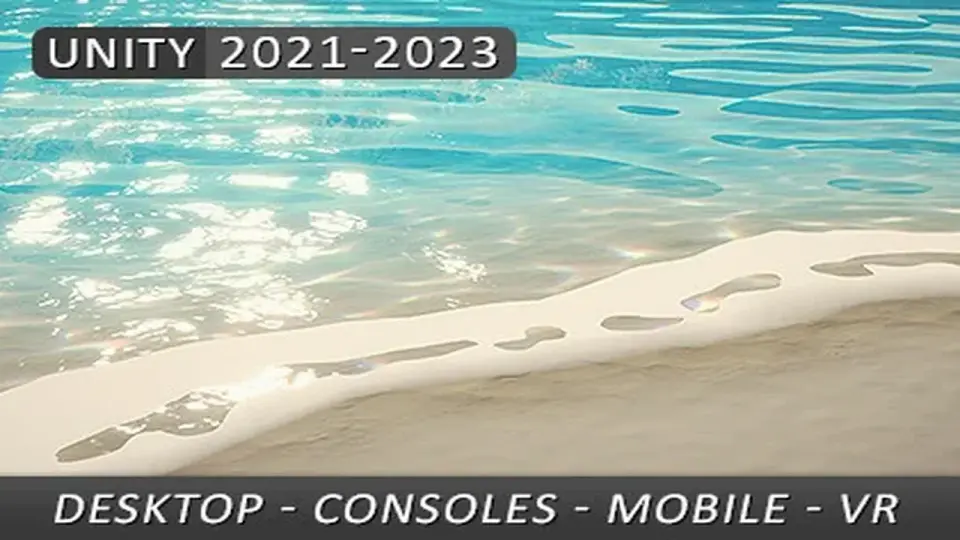
Stylized Water 2 is compatible with Unity 2021 through 2023.2. A backwards-compatibility patch for 2020.3 can also be requested, which helps teams keep older projects moving if they need it. The package is positioned as a practical water solution for teams working in the Universal Render Pipeline, especially when the scene needs a stylized result with clear control over the final look.
The strongest takeaway is straightforward: this is a water system that gives artists and developers many ways to shape the surface while staying inside Unityâs lighting and rendering ecosystem. For projects that need a stylized result, readable controls, and a URP-first implementation, the asset offers a dense but organized toolset for building water that matches the scene instead of overpowering it.
 Shaders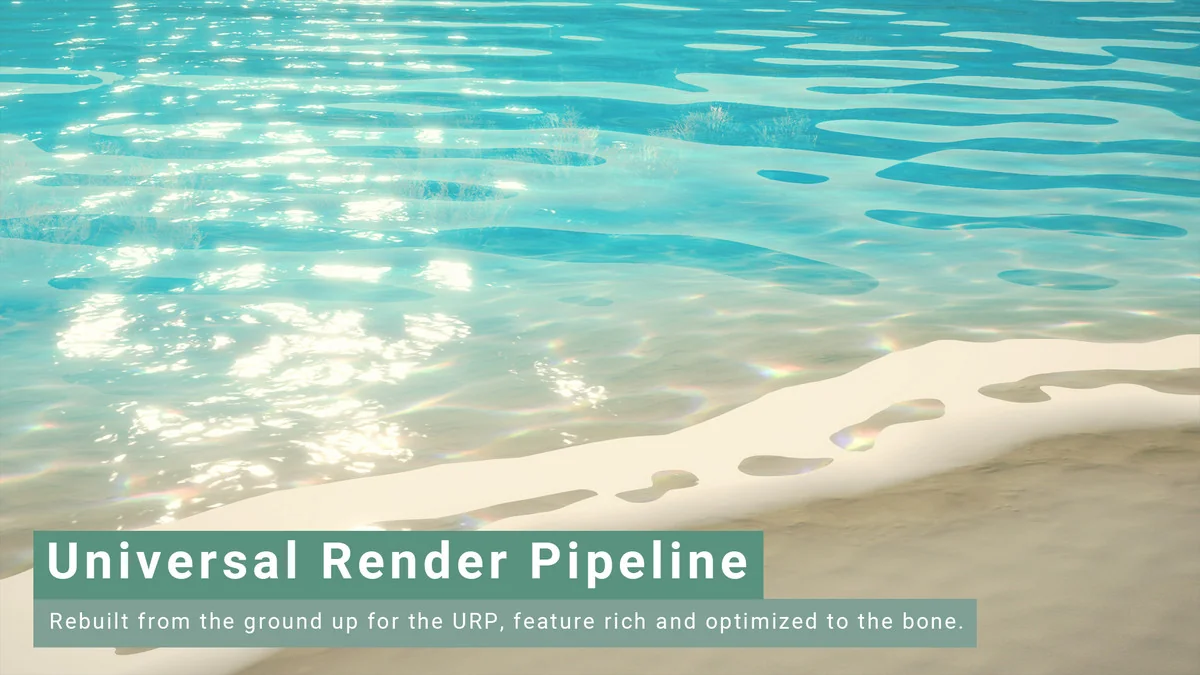
 Shaders
 Shaders
 Shaders