"7e6fc58c410f2894"{"id":"24104","slug":"cozy-stylized-weather-3","title":"COZY: Stylized Weather 3","category":"Shaders","engine":"Original Unity version: 2022.3.62","assetVersion":"Original Unity version: 2022.3.62","engineVersion":"Asset Version:3.5.4 - 3.6.8","tag":"Shaders","accent":"cyan","visual":"audio","summary":"COZY: Stylized Weather 3 handles the weather layer with a hand-crafted look instead of realism. It covers time-of-day, seasons, clouds, storms, fog, and scene-color tweaks, while supporting Built-In, HDRP, and URP.","platform":"Unity","publishedAt":"2026-04-12T09:44:13.000Z","updatedAt":"2026-04-19T15:34:59.000Z","sourceNotes":[],"fileContents":[],"compatibility":["Unity","Original Unity version: 2022.3.62","Asset Version: 3.5.4 - 3.6.8"],"featuredImage":{"alt":"COZY: Stylized Weather 3","src":"https://3dcghub.com/wp-content/uploads/2026/04/4bb6b2024623_96bcefb7-182c-45a9-b50f-59d65b527604_1280x720_stretch.webp"},"hasDownloadLink":true,"downloads":10,"terms":[{"taxonomy":"category","slug":"shaders-vfx-unity-2","name":"Shaders"},{"taxonomy":"post_tag","slug":"environment","name":"Environment"},{"taxonomy":"post_tag","slug":"materials","name":"Materials"},{"taxonomy":"post_tag","slug":"unity","name":"Unity"}],"galleryImages":[{"src":"https://3dcghub.com/wp-content/uploads/2026/04/660e871bbb84_837135a5-293f-4f4f-abc9-a19aab9a4c83_scaled.webp","alt":"COZY: Stylized Weather 3"},{"src":"https://3dcghub.com/wp-content/uploads/2026/04/d4bd9e9c278a_fef58769-7f52-4b50-85aa-0d75d754c4ce_scaled.webp","alt":"COZY: Stylized Weather 3"},{"src":"https://3dcghub.com/wp-content/uploads/2026/04/fbd45249f2e4_b296e44c-f45a-4b8f-ad91-d06941cee4ff_scaled.webp","alt":"COZY: Stylized Weather 3"},{"src":"https://3dcghub.com/wp-content/uploads/2026/04/62c8082c0165_fb7832c7-86cd-41ee-9a9c-aa83a388defe_scaled.webp","alt":"COZY: Stylized Weather 3"},{"src":"https://3dcghub.com/wp-content/uploads/2026/04/d345c02f6cb1_13f51fd0-ad51-4ce2-b915-d64998935573_scaled.webp","alt":"COZY: Stylized Weather 3"},{"src":"https://3dcghub.com/wp-content/uploads/2026/04/8fea9529bc76_32a756d1-09f7-42ba-893f-750eeff4888d_scaled.webp","alt":"COZY: Stylized Weather 3"},{"src":"https://3dcghub.com/wp-content/uploads/2026/04/e047fc16a255_704ae964-cc99-4b64-b9d5-9457472c4f2a_scaled.webp","alt":"COZY: Stylized Weather 3"},{"src":"https://3dcghub.com/wp-content/uploads/2026/04/b0c41e1ce26c_de66a9cd-8fe3-42f8-88a8-a0da34bede6c_scaled.webp","alt":"COZY: Stylized Weather 3"},{"src":"https://3dcghub.com/wp-content/uploads/2026/04/b38d1aed6704_4d951665-54a2-40cd-b0d1-c842a9ee4f7f_scaled.webp","alt":"COZY: Stylized Weather 3"},{"src":"https://3dcghub.com/wp-content/uploads/2026/04/3c1129030eb2_edb04eee-2616-43af-8b9a-8c28ee501a60_scaled.webp","alt":"COZY: Stylized Weather 3"}],"accessPanel":{"kind":"resource","title":"Access this resource","eyebrow":"Free Download","message":"Log in or create a free account to start your download.","fileName":"COZY Stylized Weather 3 v3.5.4 - 3.6.8.7z","safetyNote":"All resources are 100% manually reviewed to eliminate all risks.","actionLabel":"Download Free","resourceType":"Resource archive"},"contentHtml":"\u003ch2\u003eWeather control that stays stylized\u003c/h2\u003e\u003cp\u003eWhen a project needs weather changes without leaning into realism, COZY: Stylized Weather 3 gives that layer a clear place in the workflow. It focuses on a hand-crafted look and keeps the system centered on customization, so the weather can follow the tone of the scene instead of pushing it toward a naturalistic finish.\u003c/p\u003e\u003cp\u003eThe system handles a wide range of conditions in one setup: time-of-day changes, annual seasons, puffy clouds, raging storms, sunny days, and dense fog. That range matters because it lets a scene move through different moods without switching away from a stylized visual direction. The same setup also keeps the sceneâs colors in focus, which makes the weather feel connected to the rest of the environment rather than sitting on top of it.\u003c/p\u003e\u003ch2\u003eSetting up the sky, fog, and seasonal changes\u003c/h2\u003e\u003cp\u003eThe most direct way to work with COZY is as a weather controller for scenes that need clear visual shifts across the day and across the year. Time-of-day and seasons are both part of the workflow, so a project can frame the sky and atmosphere around the current state of the world instead of treating weather as a single static effect. Clouds, storms, sun, and fog all sit within that same control space.\u003c/p\u003e\u003cp\u003eThat approach also leaves room for scene-specific tuning. The system is presented as fully customizable, and the practical emphasis is on tweaking variables until the weather matches the look of the project. For stylized environments, that means the weather can be pushed toward softer, brighter, heavier, or more muted presentations without losing the crafted feel that defines the asset.\u003c/p\u003e\u003ch2\u003eWorking with shaders and render pipelines\u003c/h2\u003e\u003cp\u003eImplementation details are straightforward: the shaders are built with Amplify Shader Editor, which is called out as a way to make customization easier. That is useful for projects where shader-level adjustments need to stay accessible, especially when the weather layer has to match a specific art direction.\u003c/p\u003e\u003cp\u003ePipeline support is listed for Built-In, HDRP, and URP. The package is also tied to Unity 2022.3.62 as the original Unity version, with render pipeline compatibility noted for 2022.3.62f1 across Built-In, HDRP, and URP. For teams already working in one of those rendering paths, that makes the integration path easier to place inside a production plan.\u003c/p\u003e\u003ch3\u003eCompatible assets and related modules\u003c/h3\u003e\u003cp\u003eCOZY also fits alongside a number of other Unity assets. The supported assets include:\u003c/p\u003e\u003cul\u003e\u003cli\u003eStylized Water 2\u003c/li\u003e\u003cli\u003eStylized Water 3\u003c/li\u003e\u003cli\u003eCrest 4\u003c/li\u003e\u003cli\u003eCrest 5\u003c/li\u003e\u003cli\u003ePure Nature 2\u003c/li\u003e\u003cli\u003eUnderwater Rendering for Stylized Water 2\u003c/li\u003e\u003cli\u003eThe Visual Engine\u003c/li\u003e\u003cli\u003eKripto Water System\u003c/li\u003e\u003cli\u003ePoseidon\u003c/li\u003e\u003cli\u003eMicroSplat\u003c/li\u003e\u003cli\u003eButo Volumetric Fog\u003c/li\u003e\u003cli\u003eZephyr: Dynamic Wind System\u003c/li\u003e\u003c/ul\u003e\u003cp\u003eThere is also a set of extension modules named COZY: Blocks, COZY: Link, COZY: Plume, COZY: Habits, COZY: Eclipse, COZY: ReSound, and COZY: Horizon. Each module points to a different part of the weather and atmosphere workflow, ranging from atmosphere control and multiplayer support to volumetric clouds, extended calendar logic, sun occlusion, adaptive soundtrack work, and sky layers.\u003c/p\u003e\u003ch2\u003eWhere it sits in production\u003c/h2\u003e\u003cp\u003eThe asset was recognized as Best Artistic Tool at Unity Awards 16, which fits the emphasis on style and visual control. Its current release is 3.6.15, with a latest release date of Apr 01, 2026 and a first publication date of Dec 08, 2023. The package is listed at 363.5 MB, includes 874 assets, and uses the unitypackage format. It is categorized under Shaders with the path vfx/shaders, and the license entitlement is SERVICE.\u003c/p\u003e\u003cp\u003eThose details make it easier to place the asset in an actual project schedule. Teams that need a stylized weather system, support for the main Unity render pipelines, and compatibility with related water, fog, wind, and sky tools can treat COZY as the weather layer that shapes atmosphere, color, and seasonal motion inside the scene rather than as a generic add-on.\u003c/p\u003e\u003c/h2\u003e\n\n\u003ch2\u003eContinue Browsing Similar Packs\u003c/h2\u003e\n\u003cul\u003e\n\u003cli\u003e\u003ca href=\"https://3dcghub.com/toolkit-for-unity-physics-2026/\" title=\"Toolkit for Unity Physics 2026\"\u003eToolkit for Unity Physics 2026\u003c/a\u003e\u003c/li\u003e\n\u003cli\u003e\u003ca href=\"https://3dcghub.com/opencv-for-unity/\" title=\"OpenCV for Unity\"\u003eOpenCV for Unity\u003c/a\u003e\u003c/li\u003e\n\u003cli\u003e\u003ca href=\"https://3dcghub.com/exporter-for-unreal-to-for-unity-2026/\" title=\"Exporter for Unreal to/for Unity 2026\"\u003eExporter for Unreal to/for Unity 2026\u003c/a\u003e\u003c/li\u003e\n\u003cli\u003e\u003ca href=\"https://3dcghub.com/dialogue-system-for-unity/\" title=\"Dialogue System for Unity\"\u003eDialogue System for Unity\u003c/a\u003e\u003c/li\u003e\n\u003cli\u003e\u003ca href=\"https://3dcghub.com/ambient-sounds-interactive-soundscapes-for-unity-6/\" title=\"Ambient Sounds – Interactive Soundscapes for Unity 6\"\u003eAmbient Sounds – Interactive Soundscapes for Unity 6\u003c/a\u003e\u003c/li\u003e\n\u003c/ul\u003e","contentTextLength":4131,"navigation":{"current":3598,"total":3618,"previous":{"id":"24112","slug":"cyber-effects-shield","title":"Cyber Effects - Shield","category":"Shaders","platform":"Unity","updatedAt":"2026-04-19T15:34:59.000Z"},"next":{"id":"24091","slug":"chroma-easy-pro-shaders","title":"Chroma: Easy Pro Shaders","category":"Shaders","platform":"Unity","updatedAt":"2026-04-19T15:34:59.000Z"}},"relatedResources":[{"id":"24403","slug":"stylized-water-3","title":"Stylized Water 3","category":"Shaders","engine":"Original Unity version: 6000.0.68","assetVersion":"Original Unity version: 6000.0.68","engineVersion":"Asset Version:3.0.1","tag":"Shaders","accent":"cyan","visual":"audio","summary":"Stylized Water 3 focuses on artistic water rendering for Unity scenes that need clear control over color, reflections, foam, and wave motion. It covers ocean meshes, river behavior, waterfalls, puddles, and water decals without leaning on a realism-first si...","platform":"Unity","publishedAt":"2026-04-14T11:48:46.000Z","updatedAt":"2026-04-20T06:12:49.000Z","sourceNotes":[],"fileContents":[],"compatibility":["Unity","Original Unity version: 6000.0.68","Asset Version: 3.0.1"],"featuredImage":{"alt":"Stylized Water 3","src":"https://3dcghub.com/wp-content/uploads/2026/04/1e931df26ffe_2a7b5ca4-dbfb-416e-b26c-2a1dc7b15ca8_1280x720_stretch.webp"},"hasDownloadLink":true,"downloads":12},{"id":"24158","slug":"flat-kit-toon-shading-and-water","title":"Flat Kit: Toon Shading and Water","category":"Shaders","engine":"Original Unity version: 2020.3.0","assetVersion":"Original Unity version: 2020.3.0","engineVersion":"Asset Version:4.9.2","tag":"Shaders","accent":"cyan","visual":"animation","summary":"Flat Kit brings cel shading, stylized water, outlines, fog, pixelation, and terrain shading into a single Unity-focused setup. It also supports Built-in and URP workflows, with XR, mobile, WebGL, and console coverage stated for the package.","platform":"Unity","publishedAt":"2026-04-12T10:01:58.000Z","updatedAt":"2026-04-19T15:34:58.000Z","sourceNotes":[],"fileContents":[],"compatibility":["Unity","Original Unity version: 2020.3.0","Asset Version: 4.9.2"],"featuredImage":{"alt":"Flat Kit: Toon Shading and Water","src":"https://3dcghub.com/wp-content/uploads/2026/04/2dd8adfba05b_5dbcd94d-8661-443e-bbe6-8df8069d47f8_1280x720_stretch.webp"},"hasDownloadLink":true,"downloads":2},{"id":"24390","slug":"stylized-water-2","title":"Stylized Water 2","category":"Shaders","engine":"Original Unity version: 2021.3.16","assetVersion":"Original Unity version: 2021.3.16","engineVersion":"Asset Version:1.7.0","tag":"Shaders","accent":"cyan","visual":"mech","summary":"Stylized Water 2 focuses on artistic control instead of strict physical simulation, giving Unity projects a flexible water setup with deep, shallow, and horizon color controls, foam options, and layered wave motion. It also keeps the workflow practical with...","platform":"Unity","publishedAt":"2026-04-14T11:40:39.000Z","updatedAt":"2026-04-20T06:12:49.000Z","sourceNotes":[],"fileContents":[],"compatibility":["Unity","Original Unity version: 2021.3.16","Asset Version: 1.7.0"],"featuredImage":{"alt":"Stylized Water 2","src":"https://3dcghub.com/wp-content/uploads/2026/04/7023b4a55d3a_62e96f7d-5061-4e32-bbd3-f4f89e0fd5cb_1280x720_stretch.webp"},"hasDownloadLink":true,"downloads":1}]}
Shaders
COZY: Stylized Weather 3
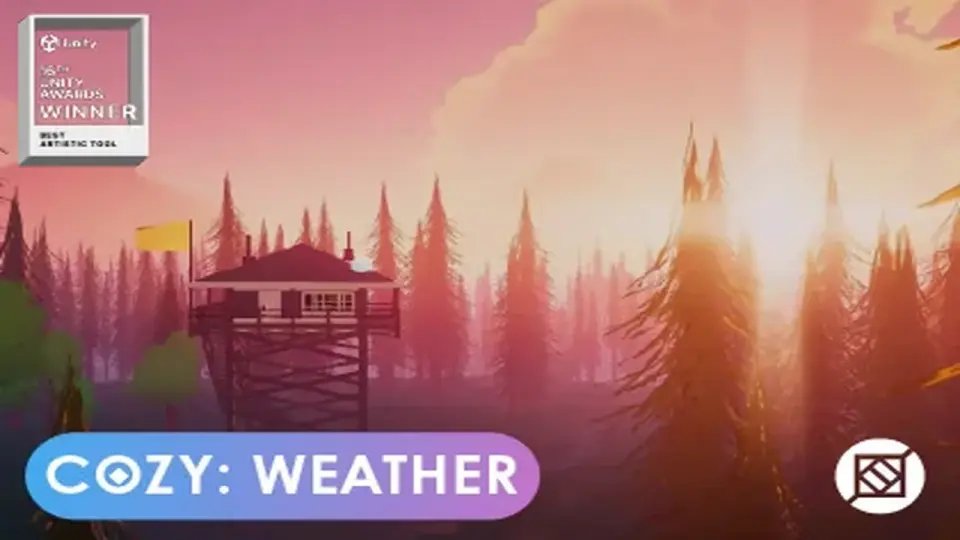
COZY: Stylized Weather 3 handles the weather layer with a hand-crafted look instead of realism. It covers time-of-day, seasons, clouds, storms, fog, and scene-color tweaks, while supporting Built-In, HDRP, and URP.
When a project needs weather changes without leaning into realism, COZY: Stylized Weather 3 gives that layer a clear place in the workflow. It focuses on a hand-crafted look and keeps the system centered on customization, so the weather can follow the tone of the scene instead of pushing it toward a naturalistic finish.
The system handles a wide range of conditions in one setup: time-of-day changes, annual seasons, puffy clouds, raging storms, sunny days, and dense fog. That range matters because it lets a scene move through different moods without switching away from a stylized visual direction. The same setup also keeps the sceneâs colors in focus, which makes the weather feel connected to the rest of the environment rather than sitting on top of it.
Setting up the sky, fog, and seasonal changes
The most direct way to work with COZY is as a weather controller for scenes that need clear visual shifts across the day and across the year. Time-of-day and seasons are both part of the workflow, so a project can frame the sky and atmosphere around the current state of the world instead of treating weather as a single static effect. Clouds, storms, sun, and fog all sit within that same control space.
That approach also leaves room for scene-specific tuning. The system is presented as fully customizable, and the practical emphasis is on tweaking variables until the weather matches the look of the project. For stylized environments, that means the weather can be pushed toward softer, brighter, heavier, or more muted presentations without losing the crafted feel that defines the asset.
Working with shaders and render pipelines
Implementation details are straightforward: the shaders are built with Amplify Shader Editor, which is called out as a way to make customization easier. That is useful for projects where shader-level adjustments need to stay accessible, especially when the weather layer has to match a specific art direction.
Pipeline support is listed for Built-In, HDRP, and URP. The package is also tied to Unity 2022.3.62 as the original Unity version, with render pipeline compatibility noted for 2022.3.62f1 across Built-In, HDRP, and URP. For teams already working in one of those rendering paths, that makes the integration path easier to place inside a production plan.
Compatible assets and related modules
COZY also fits alongside a number of other Unity assets. The supported assets include:
Stylized Water 2
Stylized Water 3
Crest 4
Crest 5
Pure Nature 2
Underwater Rendering for Stylized Water 2
The Visual Engine
Kripto Water System
Poseidon
MicroSplat
Buto Volumetric Fog
Zephyr: Dynamic Wind System
There is also a set of extension modules named COZY: Blocks, COZY: Link, COZY: Plume, COZY: Habits, COZY: Eclipse, COZY: ReSound, and COZY: Horizon. Each module points to a different part of the weather and atmosphere workflow, ranging from atmosphere control and multiplayer support to volumetric clouds, extended calendar logic, sun occlusion, adaptive soundtrack work, and sky layers.
Where it sits in production
The asset was recognized as Best Artistic Tool at Unity Awards 16, which fits the emphasis on style and visual control. Its current release is 3.6.15, with a latest release date of Apr 01, 2026 and a first publication date of Dec 08, 2023. The package is listed at 363.5 MB, includes 874 assets, and uses the unitypackage format. It is categorized under Shaders with the path vfx/shaders, and the license entitlement is SERVICE.
Those details make it easier to place the asset in an actual project schedule. Teams that need a stylized weather system, support for the main Unity render pipelines, and compatibility with related water, fog, wind, and sky tools can treat COZY as the weather layer that shapes atmosphere, color, and seasonal motion inside the scene rather than as a generic add-on.
 Shaders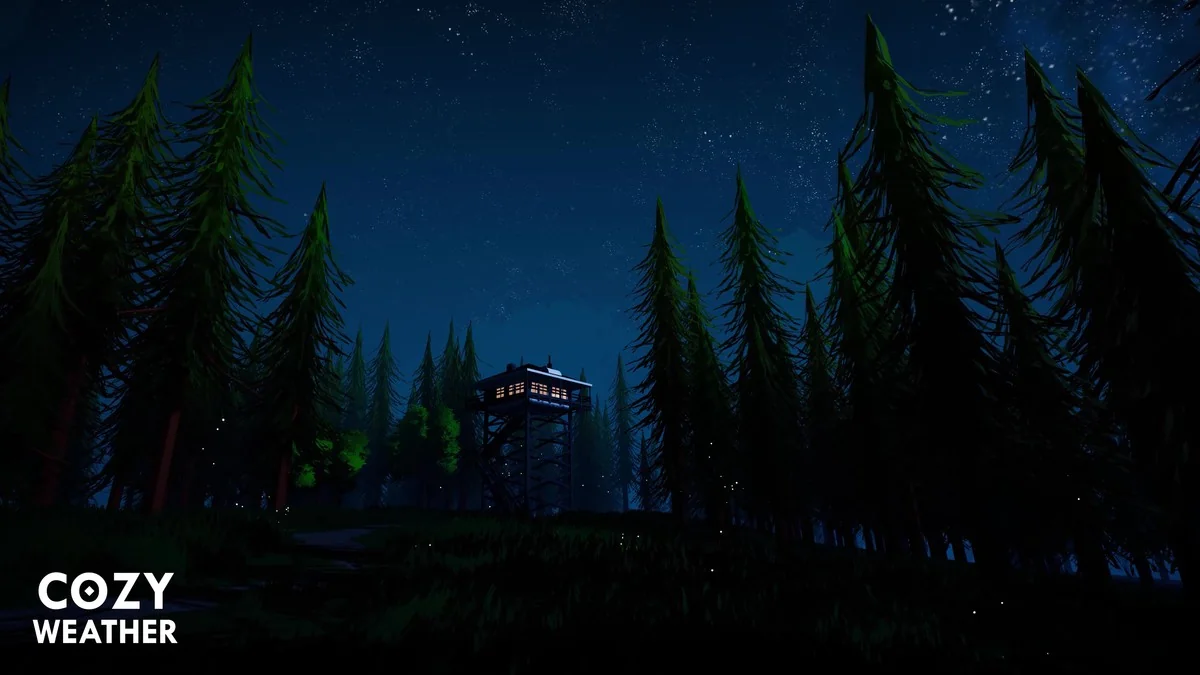
 Shaders
 Shaders
 Shaders