"7e6fc58c410f2894"{"id":"24112","slug":"cyber-effects-shield","title":"Cyber Effects - Shield","category":"Shaders","engine":"Original Unity version: 2019.3.14","assetVersion":"Original Unity version: 2019.3.14","engineVersion":"Asset Version:1.1","tag":"Shaders","accent":"cyan","visual":"character","summary":"Cyber Effects - Shield centers on a comb-shaped grid sphere whose cells animate through a vertex shader in Unity. It includes an interactive demo and exposes many animation parameters in the Inspector, making it a practical shield VFX reference.","platform":"Unity","publishedAt":"2026-04-12T09:50:12.000Z","updatedAt":"2026-04-19T15:34:59.000Z","sourceNotes":[],"fileContents":[],"compatibility":["Unity","Original Unity version: 2019.3.14","Asset Version: 1.1"],"featuredImage":{"alt":"Cyber Effects - Shield","src":"https://3dcghub.com/wp-content/uploads/2026/04/fa088cd3fa20_f9c2d282-d254-4c74-b99d-83afa2a175d3_1280x720_stretch.webp"},"hasDownloadLink":true,"downloads":0,"terms":[{"taxonomy":"category","slug":"shaders-vfx-unity-2","name":"Shaders"},{"taxonomy":"post_tag","slug":"materials","name":"Materials"},{"taxonomy":"post_tag","slug":"unity","name":"Unity"},{"taxonomy":"post_tag","slug":"vfx","name":"VFX"}],"galleryImages":[{"src":"https://3dcghub.com/wp-content/uploads/2026/04/1ba5afd460f0_dd01f46e-d0fe-4837-9885-ed39b3f51ea7_scaled.webp","alt":"Cyber Effects - Shield"},{"src":"https://3dcghub.com/wp-content/uploads/2026/04/4b0d108785e2_955731c6-ee6e-4641-97de-ccc23cd7c1bf_scaled.webp","alt":"Cyber Effects - Shield"},{"src":"https://3dcghub.com/wp-content/uploads/2026/04/5145e6090e71_6bc8475e-c2a1-4c88-bc3c-b5423d7c006a_scaled.webp","alt":"Cyber Effects - Shield"},{"src":"https://3dcghub.com/wp-content/uploads/2026/04/a7659792bc53_a1f18b43-a083-41bf-b204-a1b51fb495b0_scaled.webp","alt":"Cyber Effects - Shield"},{"src":"https://3dcghub.com/wp-content/uploads/2026/04/bf72cf4ea425_7be5e69f-c47f-4a46-a727-99d819ab7772_scaled.webp","alt":"Cyber Effects - Shield"}],"accessPanel":{"kind":"resource","title":"Access this resource","eyebrow":"Free Download","message":"Log in or create a free account to start your download.","fileName":"Cyber Effects - Shield v1.1.7z","safetyNote":"All resources are 100% manually reviewed to eliminate all risks.","actionLabel":"Download Free","resourceType":"Resource archive"},"contentHtml":"\u003ch2\u003eShield-style effects for cyberpunk scenes and holographic interfaces\u003c/h2\u003e \u003cp\u003eCyber Effects - Shield fits projects that need a visible energy barrier, a cyberpunk accent, or a holographic surface with a more technical feel. The visual direction is tied to inspiration from Transistor and Remember Me, then carried further during work on Pixel Ripped 1989. That gives the effect a clear relationship to stylized sci-fi imagery rather than a neutral or generic shield look.\u003c/p\u003e \u003cp\u003eThe asset sits in the same visual space as electric, refraction-driven, holographic, and cyberpunk shader work. That makes it useful when a scene needs something that reads as an interactive barrier, a futuristic UI element, or a layered VFX object instead of a static model. The focus is not on broad decoration, but on a specific shield presentation that can be tuned in Unity.\u003c/p\u003e \u003ch2\u003eThe interactive demo shows the effect in motion\u003c/h2\u003e \u003cp\u003eThe included interactive demo is centered on a comb-shaped grid sphere. Its cells are animated through a vertex shader for Unity, giving the effect a clear structure that can be examined while it moves. Because the motion is part of the demo itself, the setup is useful as a reference point for how the shield behaves before it is adapted into a scene.\u003c/p\u003e \u003cp\u003eThis kind of demo matters when the goal is to understand the effect as a working asset rather than a finished screenshot. Instead of leaving the shield as a static visual, the demo presents it in motion so the relationship between shape, animation, and shader behavior is easier to inspect inside the editor.\u003c/p\u003e \u003cul\u003e \u003cli\u003eComb-shaped grid sphere presentation\u003c/li\u003e \u003cli\u003eCell animation driven by a vertex shader\u003c/li\u003e \u003cli\u003eInteractive preview inside Unity\u003c/li\u003e \u003c/ul\u003e \u003ch2\u003eInspector-accessible animation controls keep the setup practical\u003c/h2\u003e \u003cp\u003eMany of the animation parameters are accessible through the Inspector window. That makes the asset easier to work with during implementation, since the effect can be adjusted directly in the editor rather than requiring a separate workflow just to test changes. For shader work, that kind of access is useful when the goal is to shape the shield to match a sceneâs timing or style.\u003c/p\u003e \u003cp\u003eBecause the parameters are exposed in the Inspector, the shield can be iterated on in a more immediate way. A developer can use the demo to observe the movement, then refine the visible result from the editor controls. The workflow is straightforward: open the effect, adjust the available animation settings, and evaluate how the shield reads in the scene.\u003c/p\u003e \u003cp\u003eThat practical setup makes the asset suitable for moments where the shield has to do more than sit in the background. It can be tested as a centerpiece effect, a combat barrier, or a holographic object that needs to respond visually without becoming overly complex to handle inside Unity.\u003c/p\u003e \u003ch2\u003ePackage details, version, and Unity compatibility\u003c/h2\u003e \u003cp\u003eThe package is a unitypackage with 104 assets and a file size of 5.1 MB. Its latest version is 1.1, with the latest release date and first publication date both listed as Jun 17, 2020. The original Unity version is 2019.3.14.\u003c/p\u003e \u003cp\u003eRender pipeline compatibility is listed for 2019.3.14f1: Built-in. That makes the supported setup easy to identify when placing the asset into a project that already follows that Unity version and pipeline. The technical boundaries are clear, which helps when the shield effect needs to be evaluated in a specific editor environment.\u003c/p\u003e \u003cp\u003eThe category is Shaders, with a category path of vfx/shaders. That matches the assetâs role as a visual effect rather than a mesh-based prop, and it also aligns with the cyberpunk and holographic style that runs through the effectâs presentation.\u003c/p\u003e \u003ch2\u003eWhere this shield effect is most useful\u003c/h2\u003e \u003cp\u003eCyber Effects - Shield works best when a project needs a controllable shield shader that can be inspected and adjusted directly in Unity. The comb-shaped grid sphere, the vertex-shader animation, and the Inspector-accessible parameters all support that kind of hands-on setup. The effect has a defined visual identity, but it still leaves room for tuning through the editor.\u003c/p\u003e \u003cp\u003eDevelopers working on cyberpunk scenes, holographic overlays, electric barrier moments, or stylized sci-fi effects will get the most direct use out of it. It also suits anyone who wants to study a shield presentation that is already organized as an interactive demo and exposed through editable animation controls. For teams working in the listed Unity version and Built-in pipeline, it offers a clear place to start when a shield effect needs to be implemented and iterated inside the editor.\u003c/p\u003e\n\n\u003ch2\u003eRelated Resources Worth Checking\u003c/h2\u003e\n\u003cul\u003e\n\u003cli\u003e\u003ca href=\"https://3dcghub.com/toolkit-for-unity-physics-2026/\" title=\"Toolkit for Unity Physics 2026\"\u003eToolkit for Unity Physics 2026\u003c/a\u003e\u003c/li\u003e\n\u003cli\u003e\u003ca href=\"https://3dcghub.com/opencv-for-unity/\" title=\"OpenCV for Unity\"\u003eOpenCV for Unity\u003c/a\u003e\u003c/li\u003e\n\u003cli\u003e\u003ca href=\"https://3dcghub.com/exporter-for-unreal-to-for-unity-2026/\" title=\"Exporter for Unreal to/for Unity 2026\"\u003eExporter for Unreal to/for Unity 2026\u003c/a\u003e\u003c/li\u003e\n\u003cli\u003e\u003ca href=\"https://3dcghub.com/dialogue-system-for-unity/\" title=\"Dialogue System for Unity\"\u003eDialogue System for Unity\u003c/a\u003e\u003c/li\u003e\n\u003cli\u003e\u003ca href=\"https://3dcghub.com/ambient-sounds-interactive-soundscapes-for-unity-6/\" title=\"Ambient Sounds – Interactive Soundscapes for Unity 6\"\u003eAmbient Sounds – Interactive Soundscapes for Unity 6\u003c/a\u003e\u003c/li\u003e\n\u003c/ul\u003e","contentTextLength":4763,"navigation":{"current":3597,"total":3618,"previous":{"id":"24126","slug":"directx-11-grass-shader","title":"DirectX 11 Grass Shader","category":"DirectX 11","platform":"Unity","updatedAt":"2026-04-19T15:34:59.000Z"},"next":{"id":"24104","slug":"cozy-stylized-weather-3","title":"COZY: Stylized Weather 3","category":"Shaders","platform":"Unity","updatedAt":"2026-04-19T15:34:59.000Z"}},"relatedResources":[{"id":"24031","slug":"advanced-dissolve","title":"Advanced Dissolve","category":"Shaders","engine":"Original Unity version: 2019.4.0","assetVersion":"Original Unity version: 2019.4.0","engineVersion":"Asset Version:2024.2","tag":"Shaders","accent":"cyan","visual":"luts","summary":"Advanced Dissolve gives Unity shaders a shape-driven dissolve system with Plane, Sphere, Cube, Capsule, and Cone cutouts. Edge color controllers, texture blending, and optional feature mixing keep the effect flexible, while Shader Graph integration opens th...","platform":"Unity","publishedAt":"2026-04-12T09:26:14.000Z","updatedAt":"2026-04-19T15:35:02.000Z","sourceNotes":[],"fileContents":[],"compatibility":["Unity","Original Unity version: 2019.4.0","Asset Version: 2024.2"],"featuredImage":{"alt":"Advanced Dissolve","src":"https://3dcghub.com/wp-content/uploads/2026/04/55119519cae7_a2c667af-4584-4508-a13f-7372abbace85_1280x720_stretch.webp"},"hasDownloadLink":true,"downloads":1},{"id":"23756","slug":"cyber-effects-sonar","title":"Cyber Effects - Sonar","category":"Particles","engine":"Original Unity version: 2019.4.11","assetVersion":"Original Unity version: 2019.4.11","engineVersion":"Asset Version:1.1","tag":"Particles","accent":"cyan","visual":"animation","summary":"Cyber Effects - Sonar centers on a sonar-style particle prefab that spreads across all three axes in six directions and spawns subparticles on collision. It also includes sub-emitted particle prefabs, particle presets, geometries, textures, and documentatio...","platform":"Unity","publishedAt":"2026-04-11T17:02:27.000Z","updatedAt":"2026-04-19T15:35:11.000Z","sourceNotes":[],"fileContents":[],"compatibility":["Unity","Original Unity version: 2019.4.11","Asset Version: 1.1"],"featuredImage":{"alt":"Cyber Effects - Sonar","src":"https://3dcghub.com/wp-content/uploads/2026/04/4c21808bad2c_92e25d33-da84-4fee-b66f-21c853ce9c0f_1280x720_stretch.webp"},"hasDownloadLink":true,"downloads":0},{"id":"24052","slug":"all-in-1-sprite-shader","title":"All In 1 Sprite Shader","category":"Shaders","engine":"Original Unity version: 2021.3.45","assetVersion":"Original Unity version: 2021.3.45","engineVersion":"Asset Version:4.25","tag":"Shaders","accent":"cyan","visual":"audio","summary":"All In 1 Sprite Shader brings sprites, UI elements, and particles into one fast workflow. It combines 46+ effects, supports multiple render pipelines, and includes tools for inspection, baking, and script access.","platform":"Unity","publishedAt":"2026-04-12T09:32:11.000Z","updatedAt":"2026-04-19T15:35:01.000Z","sourceNotes":[],"fileContents":[],"compatibility":["Unity","Original Unity version: 2021.3.45","Asset Version: 4.25"],"featuredImage":{"alt":"All In 1 Sprite Shader","src":"https://3dcghub.com/wp-content/uploads/2026/04/c9cd3962dfe2_e5a17b50-03e4-447a-939a-519f7b5e4b8f_1280x720_stretch.webp"},"hasDownloadLink":true,"downloads":5}]}
Shaders
Cyber Effects - Shield
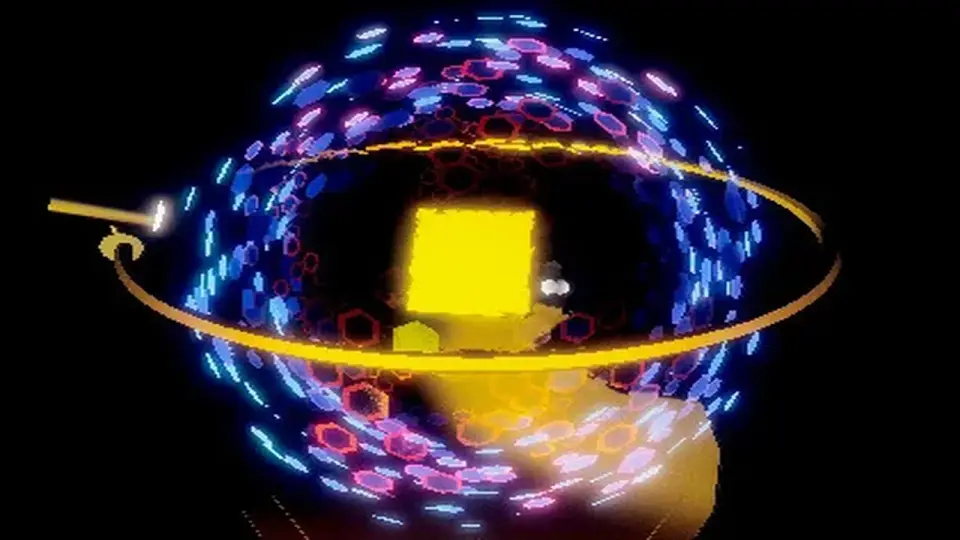
Cyber Effects - Shield centers on a comb-shaped grid sphere whose cells animate through a vertex shader in Unity. It includes an interactive demo and exposes many animation parameters in the Inspector, making it a practical shield VFX reference.
Shield-style effects for cyberpunk scenes and holographic interfaces
Cyber Effects - Shield fits projects that need a visible energy barrier, a cyberpunk accent, or a holographic surface with a more technical feel. The visual direction is tied to inspiration from Transistor and Remember Me, then carried further during work on Pixel Ripped 1989. That gives the effect a clear relationship to stylized sci-fi imagery rather than a neutral or generic shield look.
The asset sits in the same visual space as electric, refraction-driven, holographic, and cyberpunk shader work. That makes it useful when a scene needs something that reads as an interactive barrier, a futuristic UI element, or a layered VFX object instead of a static model. The focus is not on broad decoration, but on a specific shield presentation that can be tuned in Unity.
The interactive demo shows the effect in motion
The included interactive demo is centered on a comb-shaped grid sphere. Its cells are animated through a vertex shader for Unity, giving the effect a clear structure that can be examined while it moves. Because the motion is part of the demo itself, the setup is useful as a reference point for how the shield behaves before it is adapted into a scene.
This kind of demo matters when the goal is to understand the effect as a working asset rather than a finished screenshot. Instead of leaving the shield as a static visual, the demo presents it in motion so the relationship between shape, animation, and shader behavior is easier to inspect inside the editor.
Comb-shaped grid sphere presentation
Cell animation driven by a vertex shader
Interactive preview inside Unity
Inspector-accessible animation controls keep the setup practical
Many of the animation parameters are accessible through the Inspector window. That makes the asset easier to work with during implementation, since the effect can be adjusted directly in the editor rather than requiring a separate workflow just to test changes. For shader work, that kind of access is useful when the goal is to shape the shield to match a sceneâs timing or style.
Because the parameters are exposed in the Inspector, the shield can be iterated on in a more immediate way. A developer can use the demo to observe the movement, then refine the visible result from the editor controls. The workflow is straightforward: open the effect, adjust the available animation settings, and evaluate how the shield reads in the scene.
That practical setup makes the asset suitable for moments where the shield has to do more than sit in the background. It can be tested as a centerpiece effect, a combat barrier, or a holographic object that needs to respond visually without becoming overly complex to handle inside Unity.
Package details, version, and Unity compatibility
The package is a unitypackage with 104 assets and a file size of 5.1 MB. Its latest version is 1.1, with the latest release date and first publication date both listed as Jun 17, 2020. The original Unity version is 2019.3.14.
Render pipeline compatibility is listed for 2019.3.14f1: Built-in. That makes the supported setup easy to identify when placing the asset into a project that already follows that Unity version and pipeline. The technical boundaries are clear, which helps when the shield effect needs to be evaluated in a specific editor environment.
The category is Shaders, with a category path of vfx/shaders. That matches the assetâs role as a visual effect rather than a mesh-based prop, and it also aligns with the cyberpunk and holographic style that runs through the effectâs presentation.
Where this shield effect is most useful
Cyber Effects - Shield works best when a project needs a controllable shield shader that can be inspected and adjusted directly in Unity. The comb-shaped grid sphere, the vertex-shader animation, and the Inspector-accessible parameters all support that kind of hands-on setup. The effect has a defined visual identity, but it still leaves room for tuning through the editor.
Developers working on cyberpunk scenes, holographic overlays, electric barrier moments, or stylized sci-fi effects will get the most direct use out of it. It also suits anyone who wants to study a shield presentation that is already organized as an interactive demo and exposed through editable animation controls. For teams working in the listed Unity version and Built-in pipeline, it offers a clear place to start when a shield effect needs to be implemented and iterated inside the editor.
 Shaders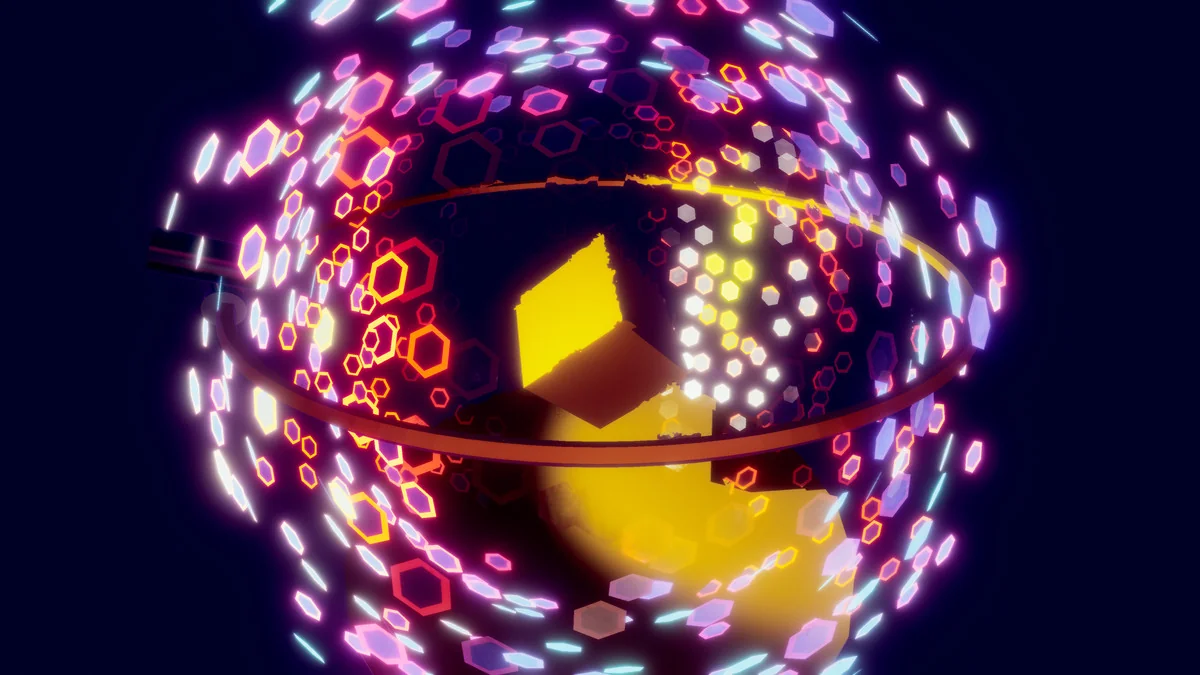
 Shaders
 Particles
 Shaders