"7e6fc58c410f2894"{"id":"24168","slug":"altos-volumetric-clouds-skybox-and-weather-for-unity-urp","title":"Altos - Volumetric Clouds, Skybox, and Weather for Unity URP","category":"Fullscreen \u0026 Camera Effects","engine":"Original Unity version: 2021.3.0","assetVersion":"Original Unity version: 2021.3.0","engineVersion":"Asset Version:7.14.0","tag":"Fullscreen","accent":"cyan","visual":"luts","summary":"Altos adds moving volumetric clouds, a dynamic skybox, atmospheric fog, and a day-night cycle to Unity URP projects. It also includes real-time lighting behavior, weather simulation, and Unity 6 updates for teams shaping skies inside production scenes.","platform":"Unity","publishedAt":"2026-04-12T10:04:10.000Z","updatedAt":"2026-04-19T15:34:58.000Z","sourceNotes":[],"fileContents":[],"compatibility":["Unity","Original Unity version: 2021.3.0","Asset Version: 7.14.0"],"featuredImage":{"alt":"Altos - Volumetric Clouds, Skybox, and Weather for Unity URP","src":"https://3dcghub.com/wp-content/uploads/2026/04/d1e9a70fa0df_5bfd468c-a006-4a95-9e7c-0034fd6766e8_1280x720_stretch.webp"},"hasDownloadLink":true,"downloads":1,"terms":[{"taxonomy":"category","slug":"unity-vfx-shaders-fullscreen-camera-effects","name":"Fullscreen \u0026 Camera Effects"},{"taxonomy":"post_tag","slug":"environment","name":"Environment"},{"taxonomy":"post_tag","slug":"unity","name":"Unity"},{"taxonomy":"post_tag","slug":"vfx","name":"VFX"}],"galleryImages":[{"src":"https://3dcghub.com/wp-content/uploads/2026/04/7df3c314b0d9_df6fcf62-2290-4c82-99c6-e284465f2ea1_scaled.webp","alt":"Altos - Volumetric Clouds, Skybox, and Weather for Unity URP"},{"src":"https://3dcghub.com/wp-content/uploads/2026/04/402f52d343a1_1b99d5b0-577d-458c-ba73-422facb54e6d_scaled.webp","alt":"Altos - Volumetric Clouds, Skybox, and Weather for Unity URP"},{"src":"https://3dcghub.com/wp-content/uploads/2026/04/97b2de83bc7f_57cc8299-4dd1-4ea8-bbc7-182a0f88daf7_scaled.webp","alt":"Altos - Volumetric Clouds, Skybox, and Weather for Unity URP"},{"src":"https://3dcghub.com/wp-content/uploads/2026/04/e6bf4b97cccf_cfcdd5b5-b203-4a43-8ee8-b378092987be_scaled.webp","alt":"Altos - Volumetric Clouds, Skybox, and Weather for Unity URP"},{"src":"https://3dcghub.com/wp-content/uploads/2026/04/92dadc817296_284e550d-8345-4dba-bab5-0509c182c172_scaled.webp","alt":"Altos - Volumetric Clouds, Skybox, and Weather for Unity URP"},{"src":"https://3dcghub.com/wp-content/uploads/2026/04/78354ce9e0ca_65b0f303-85b4-49d1-b3a0-7ea5294bb00d_scaled.webp","alt":"Altos - Volumetric Clouds, Skybox, and Weather for Unity URP"}],"accessPanel":{"kind":"resource","title":"Access this resource","eyebrow":"Free Download","message":"Log in or create a free account to start your download.","fileName":"Altos - Volumetric Clouds Skybox and Weather for Unity URP v7.14.0 (17 Dec 2024).7z","safetyNote":"All resources are 100% manually reviewed to eliminate all risks.","actionLabel":"Download Free","resourceType":"Resource archive"},"contentHtml":"\u003ch2\u003eA sky system that changes with the scene\u003c/h2\u003e\n\u003cp\u003eAltos - Volumetric Clouds, Skybox, and Weather for Unity URP is a sky and weather system that changes how a scene feels as time moves forward. Instead of a flat skybox texture, it brings in volumetric clouds, atmospheric fog, and a dynamic skybox that responds to the time of day. The result is a sky that does not sit in the background as a static image. It moves, shifts, and reacts.\u003c/p\u003e\n\u003cp\u003eThe package is presented as easy to use and aimed at both programmers and designers, with no art required. That makes it practical for teams that want to build an atmospheric scene without spending time creating sky art from scratch. It is also marked as widely compatible and updated to Unity 6.\u003c/p\u003e \u003ch2\u003eClouds, fog, and lighting working together\u003c/h2\u003e\n\u003cp\u003eThe cloud system is one of the main points of the asset. The clouds are described as dramatic, animated, and able to blend into atmospheric fog. They are not limited to a single look either. The sky can shift from cloudy atmospheres to desert skies in seconds, which gives a project room to move between moods and locations without replacing the whole sky setup.\u003c/p\u003e\n\u003cp\u003eLighting is part of that same system. The clouds incorporate direct lighting from the sun and cast shadows. They also use real-time ambient lighting so the sky matches the environment around it. That connection between clouds, fog, and light is what makes the system useful in a real scene pipeline: the sky is not treated as decoration only, but as part of the overall atmosphere.\u003c/p\u003e\n\u003cp\u003eThere is also a choice in how the clouds are rendered. You can control whether they sit in the background or appear as part of the environment. That gives room for different scene types, whether the player is looking up from the ground, climbing, or flying through the world.\u003c/p\u003e \u003ch2\u003eDay and night are built into the sky\u003c/h2\u003e\n\u003cp\u003eAltos includes a day-night cycle where the entire sky changes over time. Daytime transitions into nighttime, and the sky continues to evolve as the simulation runs. The sun and moon animate across the sky as celestial bodies, and when night arrives, stars appear and the starry sky illuminates the world.\u003c/p\u003e\n\u003cp\u003eThat matters for projects that rely on time passing inside the scene. A realistic astronomical simulation gives the sky a clear sense of motion, rather than leaving it frozen in one state. Because the procedural skybox works with these changes, the sky is set up to move through different conditions instead of staying locked to a single lighting moment.\u003c/p\u003e\n\u003cp\u003eThe package also supports the idea of a daytime simulation under the player's control. That makes it useful when the sky needs to support gameplay pacing, environmental storytelling, or a scene that changes over time rather than remaining static.\u003c/p\u003e \u003ch2\u003eWhere it fits in production\u003c/h2\u003e\n\u003cp\u003eThis asset fits best when a team needs a sky system that can support an immersive environment without adding art production for every sky state. It is useful for stylized, realistic, pixel art, and low poly games, so it is not limited to one visual direction. It is also positioned for fantasy, horror, medieval, RPG, JRPG, and sci fi projects, where the sky often helps establish the tone of the world before any character speaks or moves.\u003c/p\u003e\n\u003cp\u003eIn a production workflow, that means it can sit near the start of scene building. A level can be given a working sky, clouds, fog, and light behavior early, then adjusted as the rest of the environment comes together. Because the system includes atmospheric fog, real-time lighting, and a controllable day-night cycle, it offers several connected elements that can support a world while the rest of the scene is still being assembled.\u003c/p\u003e\n\u003cp\u003eIt also makes sense for projects where sky behavior needs to support traversal. The ability to render clouds in the background or as part of the environment is especially relevant for scenes where the player is moving upward, looking across a landscape, or moving through a large outdoor space. The package speaks to that by calling out flying, climbing, and ground-level views as situations where the clouds still hold up visually.\u003c/p\u003e \u003ch3\u003eNotable pieces tied to the same system\u003c/h3\u003e\n\u003cul\u003e \u003cli\u003eVolumetric clouds that animate and respond to time of day\u003c/li\u003e \u003cli\u003eAtmosphere and atmospheric fog\u003c/li\u003e \u003cli\u003eDirect sunlight and shadow behavior on the clouds\u003c/li\u003e \u003cli\u003eReal-time ambient lighting\u003c/li\u003e \u003cli\u003eA procedural skybox with sun, moon, and stars\u003c/li\u003e \u003cli\u003eWeather simulation integrated with the sky setup\u003c/li\u003e\n\u003c/ul\u003e \u003ch2\u003eUnity URP and the current update path\u003c/h2\u003e\n\u003cp\u003eAltos is made for Unity URP, which places it in the rendering pipeline used by projects built around that workflow. It is also updated to Unity 6. The creator notes that the assets are going through the process of being updated to Unity 6, and that support is available if problems come up during that transition.\u003c/p\u003e\n\u003cp\u003eFor teams already building inside Unity URP, that keeps the focus on the sky and weather behavior rather than on building a custom system from the ground up. The asset gathers several related elements into one environment layer: clouds, skybox, fog, lighting, and weather. That combination can be useful when a project needs a sky that feels active rather than purely decorative.\u003c/p\u003e\n\u003cp\u003eThe weather side adds another layer of motion. Clouds can move across the sky as part of the simulation, helping the environment feel alive. Paired with the day-night cycle, that gives the sky a sense of state and progression instead of a fixed backdrop.\u003c/p\u003e \u003ch2\u003eA practical fit for teams shaping outdoor scenes\u003c/h2\u003e\n\u003cp\u003eAltos is strongest in projects where the sky needs to do more than fill empty space. It brings together volumetric clouds, a dynamic skybox, fog, lighting, a day-night cycle, and weather simulation in a single Unity URP package. That combination makes it useful for worlds that need to feel immersive from a distance and still hold up when the player looks upward, travels across terrain, or moves through changing weather and time.\u003c/p\u003e\n\u003cp\u003eFor teams evaluating a sky system, the clearest takeaway is simple: this is a scene-facing tool for building animated skies and weather behavior inside Unity URP, with a setup that is meant to support both artistic direction and practical production work.\u003c/p\u003e\n\n\u003ch2\u003eExplore Similar Assets\u003c/h2\u003e\n\u003cul\u003e\n\u003cli\u003e\u003ca href=\"https://3dcghub.com/toolkit-for-unity-physics-2026/\" title=\"Toolkit for Unity Physics 2026\"\u003eToolkit for Unity Physics 2026\u003c/a\u003e\u003c/li\u003e\n\u003cli\u003e\u003ca href=\"https://3dcghub.com/opencv-for-unity/\" title=\"OpenCV for Unity\"\u003eOpenCV for Unity\u003c/a\u003e\u003c/li\u003e\n\u003cli\u003e\u003ca href=\"https://3dcghub.com/exporter-for-unreal-to-for-unity-2026/\" title=\"Exporter for Unreal to/for Unity 2026\"\u003eExporter for Unreal to/for Unity 2026\u003c/a\u003e\u003c/li\u003e\n\u003cli\u003e\u003ca href=\"https://3dcghub.com/dialogue-system-for-unity/\" title=\"Dialogue System for Unity\"\u003eDialogue System for Unity\u003c/a\u003e\u003c/li\u003e\n\u003cli\u003e\u003ca href=\"https://3dcghub.com/ambient-sounds-interactive-soundscapes-for-unity-6/\" title=\"Ambient Sounds – Interactive Soundscapes for Unity 6\"\u003eAmbient Sounds – Interactive Soundscapes for Unity 6\u003c/a\u003e\u003c/li\u003e\n\u003c/ul\u003e","contentTextLength":6317,"navigation":{"current":3601,"total":3618,"previous":{"id":"24080","slug":"atmospheric-height-fog-optimized-fog-for-consoles-mobile-and-vr","title":"Atmospheric Height Fog | Optimized Fog for Consoles, Mobile and VR","category":"Shaders","platform":"Unity","updatedAt":"2026-04-19T15:34:59.000Z"},"next":{"id":"24158","slug":"flat-kit-toon-shading-and-water","title":"Flat Kit: Toon Shading and Water","category":"Shaders","platform":"Unity","updatedAt":"2026-04-19T15:34:58.000Z"}},"relatedResources":[{"id":"24180","slug":"analytical-volumetric-lighting-urp-performant-raytraced-volumetric-lights","title":"Analytical Volumetric Lighting [URP] - Performant Raytraced Volumetric Lights","category":"Fullscreen \u0026 Camera Effects","engine":"Original Unity version: 2021.3.0","assetVersion":"Original Unity version: 2021.3.0","engineVersion":"Asset Version:1.2","tag":"Fullscreen","accent":"cyan","visual":"luts","summary":"Analytical Volumetric Lighting [URP] combines a post-processing render feature with a single Volumetric Light component for volumetric scenes that need high light counts. Its analytical approach avoids raymarching, keeping per-light calculations constant-ti...","platform":"Unity","publishedAt":"2026-04-12T10:05:45.000Z","updatedAt":"2026-04-19T15:34:57.000Z","sourceNotes":[],"fileContents":[],"compatibility":["Unity","Original Unity version: 2021.3.0","Asset Version: 1.2"],"featuredImage":{"alt":"Analytical Volumetric Lighting [URP] - Performant Raytraced Volumetric Lights","src":"https://3dcghub.com/wp-content/uploads/2026/04/94b47dfe6754_5dd279aa-3dd0-4818-98c6-868bb773c4a6_1280x720_stretch.webp"},"hasDownloadLink":true,"downloads":1},{"id":"24145","slug":"enviro-3-uber-shader","title":"Enviro 3 - UBER Shader","category":"Shaders","engine":"Original Unity version: 2021.3.23","assetVersion":"Original Unity version: 2021.3.23","engineVersion":"Asset Version:1.1.1","tag":"Shaders","accent":"cyan","visual":"character","summary":"Enviro 3 - UBER Shader is a PBR shader for Unity surfaces that need rain, puddles, snow, and wetness to change in step with weather. It works with Enviro 3 integration, fog, and volume lighting, while covering Built-in, HDRP, and URP pipelines.","platform":"Unity","publishedAt":"2026-04-12T09:58:47.000Z","updatedAt":"2026-04-19T15:34:58.000Z","sourceNotes":[],"fileContents":[],"compatibility":["Unity","Original Unity version: 2021.3.23","Asset Version: 1.1.1"],"featuredImage":{"alt":"Enviro 3 - UBER Shader","src":"https://3dcghub.com/wp-content/uploads/2026/04/b64026198eee_ce8e96e6-43bd-476b-9fcc-9195e26e2587_1280x720_stretch.webp"},"hasDownloadLink":true,"downloads":2},{"id":"18392","slug":"fantasy-skybox","title":"Fantasy Skybox","category":"Sky","engine":"Original Unity version: 2021.3.0","assetVersion":"Original Unity version: 2021.3.0","engineVersion":"Asset Version:1.6.7","tag":"Sky","accent":"cyan","visual":"luts","summary":"Fantasy Skybox is a comprehensive environment package for Unity, featuring 178 ready-to-use skyboxes. It includes both cubemap and panoramic options with various weather and lighting conditions.","platform":"Unity","publishedAt":"2026-03-16T13:45:53.000Z","updatedAt":"2026-04-19T15:43:07.000Z","sourceNotes":[],"fileContents":[],"compatibility":["Unity","Original Unity version: 2021.3.0","Asset Version: 1.6.7"],"featuredImage":{"alt":"Fantasy Skybox","src":"https://3dcghub.com/wp-content/uploads/2026/03/36a6db568f4f_79966595-8c31-4818-9c5a-537941196ff1_1280x720_stretch.webp"},"hasDownloadLink":true,"downloads":1}]}
Fullscreen
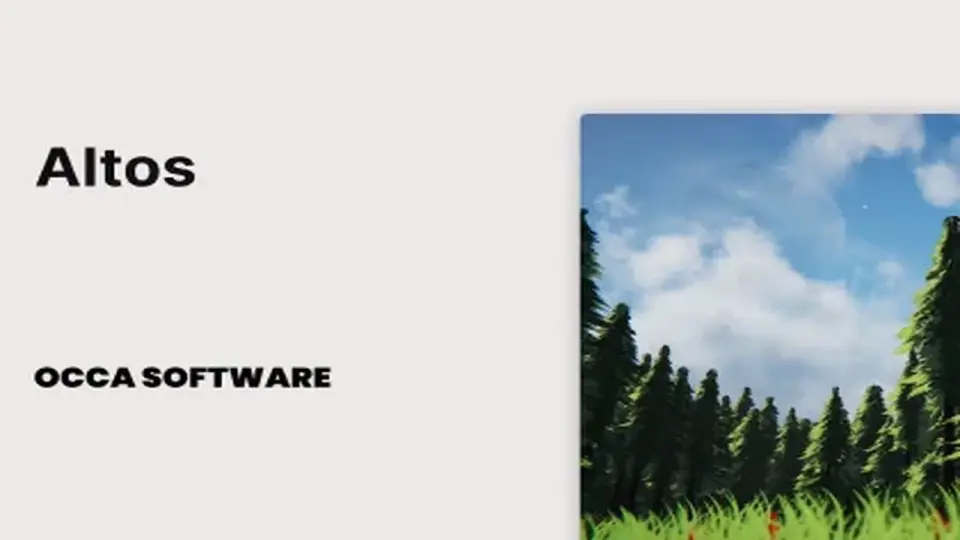
Altos - Volumetric Clouds, Skybox, and Weather for Unity URP
Altos adds moving volumetric clouds, a dynamic skybox, atmospheric fog, and a day-night cycle to Unity URP projects. It also includes real-time lighting behavior, weather simulation, and Unity 6 updates for teams shaping skies inside production scenes.
Altos - Volumetric Clouds, Skybox, and Weather for Unity URP is a sky and weather system that changes how a scene feels as time moves forward. Instead of a flat skybox texture, it brings in volumetric clouds, atmospheric fog, and a dynamic skybox that responds to the time of day. The result is a sky that does not sit in the background as a static image. It moves, shifts, and reacts.
The package is presented as easy to use and aimed at both programmers and designers, with no art required. That makes it practical for teams that want to build an atmospheric scene without spending time creating sky art from scratch. It is also marked as widely compatible and updated to Unity 6.
Clouds, fog, and lighting working together
The cloud system is one of the main points of the asset. The clouds are described as dramatic, animated, and able to blend into atmospheric fog. They are not limited to a single look either. The sky can shift from cloudy atmospheres to desert skies in seconds, which gives a project room to move between moods and locations without replacing the whole sky setup.
Lighting is part of that same system. The clouds incorporate direct lighting from the sun and cast shadows. They also use real-time ambient lighting so the sky matches the environment around it. That connection between clouds, fog, and light is what makes the system useful in a real scene pipeline: the sky is not treated as decoration only, but as part of the overall atmosphere.
There is also a choice in how the clouds are rendered. You can control whether they sit in the background or appear as part of the environment. That gives room for different scene types, whether the player is looking up from the ground, climbing, or flying through the world.
Day and night are built into the sky
Altos includes a day-night cycle where the entire sky changes over time. Daytime transitions into nighttime, and the sky continues to evolve as the simulation runs. The sun and moon animate across the sky as celestial bodies, and when night arrives, stars appear and the starry sky illuminates the world.
That matters for projects that rely on time passing inside the scene. A realistic astronomical simulation gives the sky a clear sense of motion, rather than leaving it frozen in one state. Because the procedural skybox works with these changes, the sky is set up to move through different conditions instead of staying locked to a single lighting moment.
The package also supports the idea of a daytime simulation under the player's control. That makes it useful when the sky needs to support gameplay pacing, environmental storytelling, or a scene that changes over time rather than remaining static.
Where it fits in production
This asset fits best when a team needs a sky system that can support an immersive environment without adding art production for every sky state. It is useful for stylized, realistic, pixel art, and low poly games, so it is not limited to one visual direction. It is also positioned for fantasy, horror, medieval, RPG, JRPG, and sci fi projects, where the sky often helps establish the tone of the world before any character speaks or moves.
In a production workflow, that means it can sit near the start of scene building. A level can be given a working sky, clouds, fog, and light behavior early, then adjusted as the rest of the environment comes together. Because the system includes atmospheric fog, real-time lighting, and a controllable day-night cycle, it offers several connected elements that can support a world while the rest of the scene is still being assembled.
It also makes sense for projects where sky behavior needs to support traversal. The ability to render clouds in the background or as part of the environment is especially relevant for scenes where the player is moving upward, looking across a landscape, or moving through a large outdoor space. The package speaks to that by calling out flying, climbing, and ground-level views as situations where the clouds still hold up visually.
Notable pieces tied to the same system
Volumetric clouds that animate and respond to time of day
Atmosphere and atmospheric fog
Direct sunlight and shadow behavior on the clouds
Real-time ambient lighting
A procedural skybox with sun, moon, and stars
Weather simulation integrated with the sky setup
Unity URP and the current update path
Altos is made for Unity URP, which places it in the rendering pipeline used by projects built around that workflow. It is also updated to Unity 6. The creator notes that the assets are going through the process of being updated to Unity 6, and that support is available if problems come up during that transition.
For teams already building inside Unity URP, that keeps the focus on the sky and weather behavior rather than on building a custom system from the ground up. The asset gathers several related elements into one environment layer: clouds, skybox, fog, lighting, and weather. That combination can be useful when a project needs a sky that feels active rather than purely decorative.
The weather side adds another layer of motion. Clouds can move across the sky as part of the simulation, helping the environment feel alive. Paired with the day-night cycle, that gives the sky a sense of state and progression instead of a fixed backdrop.
A practical fit for teams shaping outdoor scenes
Altos is strongest in projects where the sky needs to do more than fill empty space. It brings together volumetric clouds, a dynamic skybox, fog, lighting, a day-night cycle, and weather simulation in a single Unity URP package. That combination makes it useful for worlds that need to feel immersive from a distance and still hold up when the player looks upward, travels across terrain, or moves through changing weather and time.
For teams evaluating a sky system, the clearest takeaway is simple: this is a scene-facing tool for building animated skies and weather behavior inside Unity URP, with a setup that is meant to support both artistic direction and practical production work.
 Fullscreen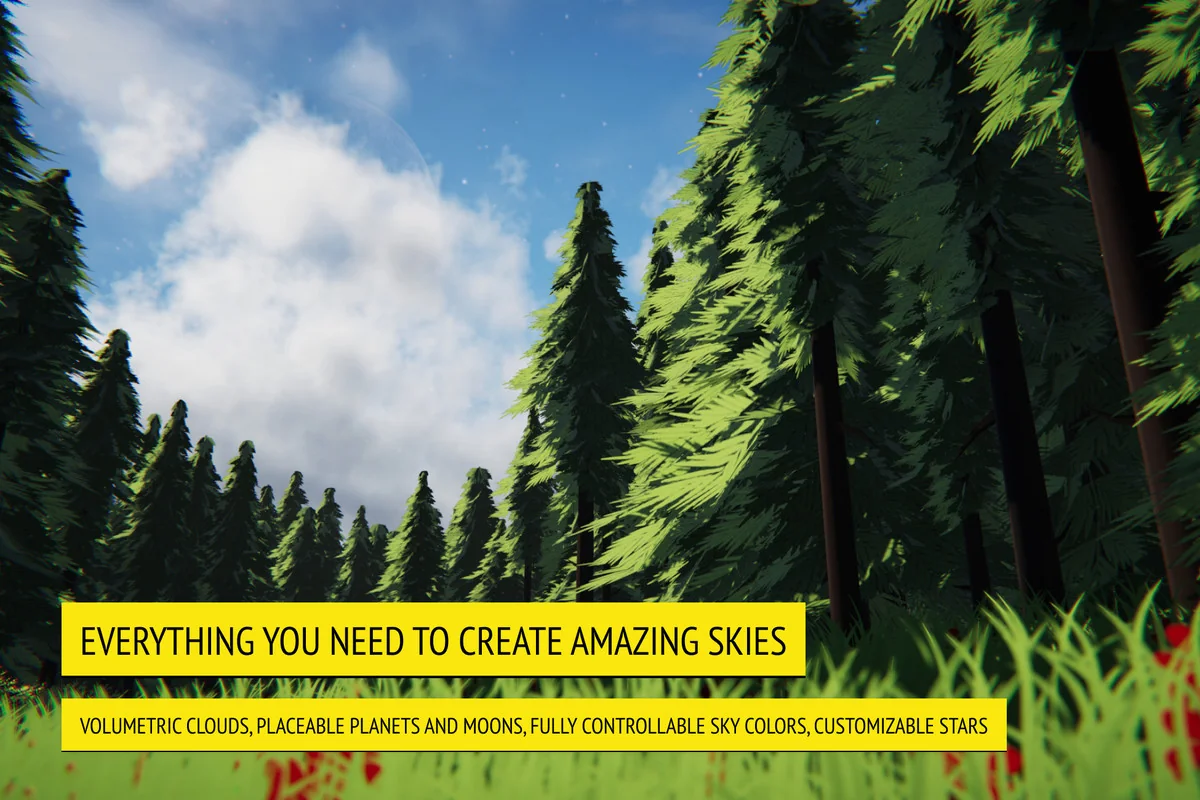
![Analytical Volumetric Lighting [URP] - Performant Raytraced Volumetric Lights](/_img/360/wp-content/uploads/2026/04/94b47dfe6754_5dd279aa-3dd0-4818-98c6-868bb773c4a6_1280x720_stretch.webp) Fullscreen
Fullscreen Shaders
 Sky
Sky