"a7cfa646d0d8ae55"{"id":"23155","slug":"dynamic-mesh-cutter","title":"Dynamic Mesh Cutter","category":"Modeling","engine":"Original Unity version: 2020.3.33","assetVersion":"Original Unity version: 2020.3.33","engineVersion":"Asset Version:1.2.6","tag":"Modeling","accent":"cyan","visual":"mech","summary":"Dynamic Mesh Cutter provides a high-performance algorithm for splitting meshes at runtime via plane intersection, offering specific support for skinned meshes and ragdoll systems.","platform":"Unity","publishedAt":"2026-04-08T16:26:55.000Z","updatedAt":"2026-04-19T15:36:51.000Z","sourceNotes":[],"fileContents":[],"compatibility":["Unity","Original Unity version: 2020.3.33","Asset Version: 1.2.6"],"featuredImage":{"alt":"Dynamic Mesh Cutter","src":"https://3dcghub.com/wp-content/uploads/2026/04/f6b77f6f765a_22d1dac9-2265-4174-ab84-6cdce0e5a378_1280x720_stretch.webp"},"hasDownloadLink":true,"downloads":2,"terms":[{"taxonomy":"category","slug":"modeling-tools-unity-2","name":"Modeling"},{"taxonomy":"post_tag","slug":"materials","name":"Materials"},{"taxonomy":"post_tag","slug":"tools","name":"Tools"},{"taxonomy":"post_tag","slug":"unity","name":"Unity"}],"galleryImages":[{"src":"https://3dcghub.com/wp-content/uploads/2026/04/18e82e329e76_292a7cac-0133-400f-ba96-9a41dd62555e_scaled.webp","alt":"Dynamic Mesh Cutter"},{"src":"https://3dcghub.com/wp-content/uploads/2026/04/e9d96d237065_ea8abf9a-4b82-4e1e-a81b-3405185c8ea5_scaled.webp","alt":"Dynamic Mesh Cutter"},{"src":"https://3dcghub.com/wp-content/uploads/2026/04/b6f17d690c27_d69d4223-ee84-497d-8ebf-39efa4e8e607_scaled.webp","alt":"Dynamic Mesh Cutter"},{"src":"https://3dcghub.com/wp-content/uploads/2026/04/8e74e2d200ee_ec310d69-f881-4f09-a982-e8ee7a280144_scaled.webp","alt":"Dynamic Mesh Cutter"}],"accessPanel":{"kind":"resource","title":"Access this resource","eyebrow":"Free Download","message":"Log in or create a free account to start your download.","fileName":"Dynamic Mesh Cutter v1.2.6 (27 Nov 2024).7z","safetyNote":"All resources are 100% manually reviewed to eliminate all risks.","actionLabel":"Download Free","resourceType":"Resource archive"},"contentHtml":"\u003ch2\u003eHigh-Performance Mesh Fragmentation\u003c/h2\u003e\n\u003cp\u003eDynamic Mesh Cutter is designed to address the complex requirement of splitting 3D geometry during runtime. Unlike simple slicing tools that only divide a mesh into a binary \"left\" and \"right\" side, this algorithm is capable of separating a single mesh into multiple disjoint pieces based on plane intersection. This behavior is particularly useful for complex geometry where a single cut might pass through various concave sections, resulting in more than two independent physical fragments.\u003c/p\u003e\n\u003cp\u003eThe core of the system is built for performance, utilizing a multithreaded approach to handle the heavy lifting of mesh calculation. By processing these cuts asynchronously, the tool avoids blocking the main thread, which is essential for maintaining a steady frame rate during gameplay. In recent updates, the creator has added further control over this process, allowing users to manually select the number of threads used for asynchronous cutting. This level of control helps developers balance CPU load, especially on hardware with limited resources where thread management is critical to stability.\u003c/p\u003e\n\n\u003ch2\u003eSkinned Meshes and Animated Geometry\u003c/h2\u003e\n\u003cp\u003eOne of the more technically demanding aspects of the Dynamic Mesh Cutter is its ability to handle Skinned Mesh Renderers. When a mesh that is bound to a skeleton is cut, the tool respects the existing bone weights. This means that even as a mesh is fragmented, the resulting pieces maintain their relationship with the underlying animation data. Developers can cut through characters or creatures while they are in motion, and the algorithm will calculate how the vertices of the newly created meshes should continue to deform relative to the skeleton.\u003c/p\u003e\n\u003cp\u003eThis functionality extends to the procedural generation of geometry. When a cut occurs, the system creates new faces at the intersection plane. The creator has included options to carry over specific data, such as \"tags\" for stone cuts, ensuring that the visual and logic-based properties of the original mesh are preserved in the fragments. To prevent the overhead of managing tiny, insignificant fragments, the tool includes a setting to prevent the creation of new meshes if the resulting cut has fewer than a specified number of vertices.\u003c/p\u003e\n\n\u003ch2\u003eAutomated Ragdoll and Physics Separation\u003c/h2\u003e\n\u003cp\u003eIn the V1.1 update, the tool's capabilities were expanded to include dynamic ragdoll support. This feature automates the complex task of reconfiguring physics components during a cut. When a character or object is sliced, the system automatically separates joints, rigidbodies, and colliders. This ensures that the physical behavior of the object matches the new visual state of the mesh immediately.\u003c/p\u003e\n\u003cp\u003eThe system is optimized to handle these physics updates on mobile and VR devices, where physics calculations are often a bottleneck. The creator has also refined how colliders scale within example scenes to ensure that the physical bounds of the fragmented pieces remain accurate to their new visual dimensions. This automation reduces the need for manual physics recalibration when implementing destructible characters or complex environmental props.\u003c/p\u003e\n\n\u003ch2\u003eOptimization and Performance Tuning\u003c/h2\u003e\n\u003cp\u003eThe package provides several settings that allow developers to prioritize either mesh quality or system performance. This flexibility is vital for projects targeting different hardware tiers. For instance, developers can disable MeshTarget components on specific objects to ensure they are ignored by the cutting algorithm, which can save processing time in scenes with high object density. In version 1.2.2, the creator specifically improved this logic so that disabled components no longer trigger cut calculations.\u003c/p\u003e\n\u003cp\u003eRecent refinements have also addressed race conditions that previously impacted performance when asynchronous cutting was active. These optimizations, combined with the small file size of 1.1 MB and an asset count of 34, make it a lightweight addition to a project's codebase. The tool is compatible with the Built-in Render Pipeline for Unity versions 2020.3.33 and 2022.3.53, ensuring stability for developers working within those specific Long-Term Support (LTS) environments.\u003c/p\u003e\n\n\u003ch2\u003eWorkflow Integration and Technical Stability\u003c/h2\u003e\n\u003cp\u003eThe tool includes a variety of maintenance-focused features intended to streamline the development pipeline. This includes improved code readability through namespace updates and updated materials that ensure fragments look consistent with the original source geometry. To aid in troubleshooting and implementation, the package provides a manual and a demonstration scene that showcases the scaling of colliders and the application of cutting logic in real-time. For projects involving frequent geometry changes, such as those with destructible environments or high-action combat, the ability to selectively cut based on vertex count and component status allows for a highly tailored integration.\u003c/p\u003e\n\n\u003ch2\u003eRelated Resources Worth Checking\u003c/h2\u003e\n\u003cul\u003e\n\u003cli\u003e\u003ca href=\"https://3dcghub.com/opencv-for-unity/\" title=\"OpenCV for Unity\"\u003eOpenCV for Unity\u003c/a\u003e\u003c/li\u003e\n\u003cli\u003e\u003ca href=\"https://3dcghub.com/exporter-for-unreal-to-for-unity-2026/\" title=\"Exporter for Unreal to/for Unity 2026\"\u003eExporter for Unreal to/for Unity 2026\u003c/a\u003e\u003c/li\u003e\n\u003cli\u003e\u003ca href=\"https://3dcghub.com/dialogue-system-for-unity/\" title=\"Dialogue System for Unity\"\u003eDialogue System for Unity\u003c/a\u003e\u003c/li\u003e\n\u003cli\u003e\u003ca href=\"https://3dcghub.com/ambient-sounds-interactive-soundscapes-for-unity-6/\" title=\"Ambient Sounds – Interactive Soundscapes for Unity 6\"\u003eAmbient Sounds – Interactive Soundscapes for Unity 6\u003c/a\u003e\u003c/li\u003e\n\u003cli\u003e\u003ca href=\"https://3dcghub.com/pegasus-flythroughs-for-unity-6/\" title=\"Pegasus – Flythroughs for Unity 6\"\u003ePegasus – Flythroughs for Unity 6\u003c/a\u003e\u003c/li\u003e\n\u003c/ul\u003e\n\n\u003ch2\u003eAsset Gallery\u003c/h2\u003e","contentTextLength":5169,"navigation":{"current":3052,"total":3167,"previous":{"id":"23113","slug":"road-constructor","title":"Road Constructor","category":"Level Design","platform":"Unity","updatedAt":"2026-04-19T15:36:52.000Z"},"next":{"id":"23148","slug":"convert-vertex-color-to-texture","title":"Convert Vertex Color To Texture","category":"Modeling","platform":"Unity","updatedAt":"2026-04-19T15:36:51.000Z"}},"relatedResources":[{"id":"23164","slug":"mesh-baker","title":"Mesh Baker","category":"Modeling","engine":"Original Unity version: 2019.4.0","assetVersion":"Original Unity version: 2019.4.0","engineVersion":"Asset Version:3.39.0","tag":"Modeling","accent":"cyan","visual":"character","summary":"Mesh Baker is a performance optimization toolkit designed to reduce batches by combining meshes and materials. It offers a flexible, non-destructive workflow for managing complex scenes and character customization.","platform":"Unity","publishedAt":"2026-04-08T16:29:29.000Z","updatedAt":"2026-04-19T15:36:50.000Z","sourceNotes":[],"fileContents":[],"compatibility":["Unity","Original Unity version: 2019.4.0","Asset Version: 3.39.0"],"featuredImage":{"alt":"Mesh Baker","src":"https://3dcghub.com/wp-content/uploads/2026/04/daf098bcaf10_29daaf93-494f-4a68-a1e7-21b1b2521bec_1280x720_stretch.webp"},"hasDownloadLink":true,"downloads":1},{"id":"23148","slug":"convert-vertex-color-to-texture","title":"Convert Vertex Color To Texture","category":"Modeling","engine":"Original Unity version: 2019.4.0","assetVersion":"Original Unity version: 2019.4.0","engineVersion":"Asset Version:2025.2","tag":"Modeling","accent":"cyan","visual":"luts","summary":"This utility bridges the gap between vertex-based data and texture maps, offering both editor-time batch processing and real-time conversion through a dedicated extension method for the Unity Mesh class.","platform":"Unity","publishedAt":"2026-04-08T16:26:46.000Z","updatedAt":"2026-04-19T15:36:51.000Z","sourceNotes":[],"fileContents":[],"compatibility":["Unity","Original Unity version: 2019.4.0","Asset Version: 2025.2"],"featuredImage":{"alt":"Convert Vertex Color To Texture","src":"https://3dcghub.com/wp-content/uploads/2026/04/1a118c2a5dce_8ee094f3-4af6-4ba8-8da8-2c3729aec677_1280x720_stretch.webp"},"hasDownloadLink":true,"downloads":0},{"id":"23402","slug":"dynamic-water-physics-2","title":"Dynamic Water Physics 2","category":"Physics","engine":"Original Unity version: 6000.0.40","assetVersion":"Original Unity version: 6000.0.40","engineVersion":"Asset Version:2.19","tag":"Physics","accent":"cyan","visual":"animation","summary":"Dynamic Water Physics 2 simulates buoyancy and hydrodynamics from mesh data, so objects of any shape or size can react to water above or below the surface. It also includes ship and submarine controls, multiplayer support, and integration with several water...","platform":"Unity","publishedAt":"2026-04-09T17:12:42.000Z","updatedAt":"2026-04-19T15:35:27.000Z","sourceNotes":[],"fileContents":[],"compatibility":["Unity","Original Unity version: 6000.0.40","Asset Version: 2.19"],"featuredImage":{"alt":"Dynamic Water Physics 2","src":"https://3dcghub.com/wp-content/uploads/2026/04/2ac563dda735_8b3979b6-a239-417a-987b-9d7669fa86f6_1280x720_stretch.webp"},"hasDownloadLink":true,"downloads":1}]}
Modeling
Dynamic Mesh Cutter
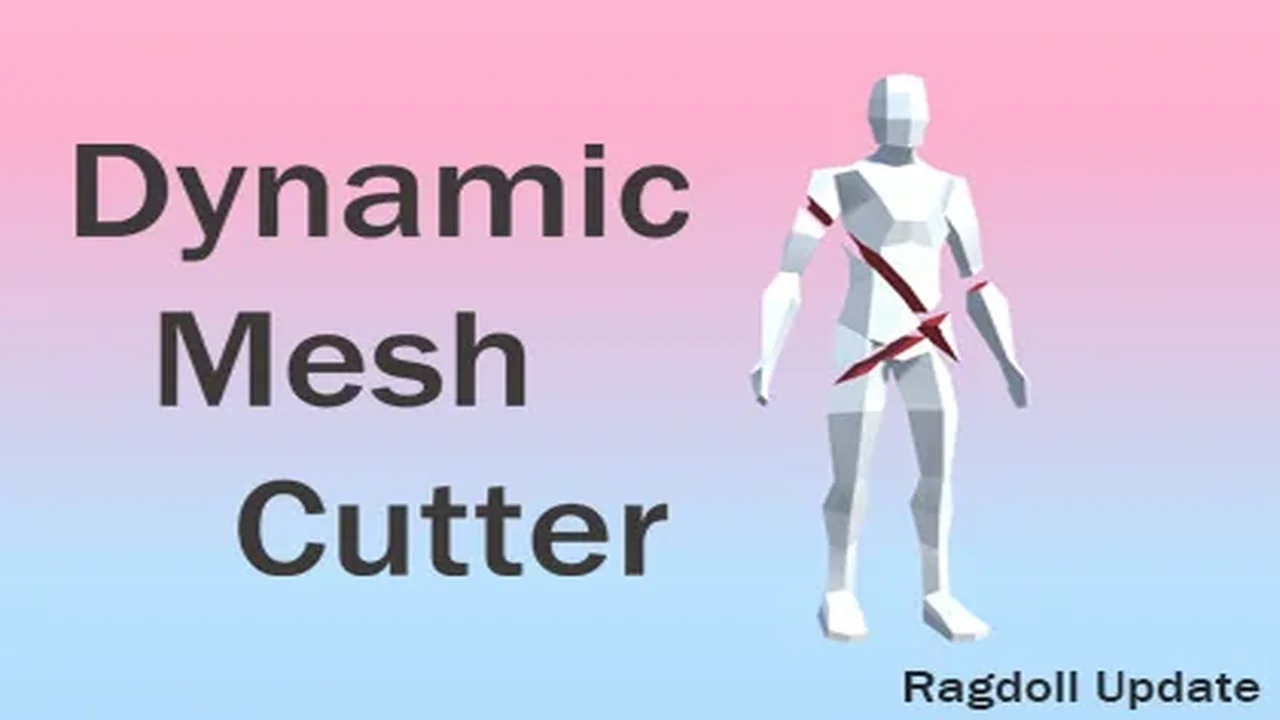
Dynamic Mesh Cutter provides a high-performance algorithm for splitting meshes at runtime via plane intersection, offering specific support for skinned meshes and ragdoll systems.
Dynamic Mesh Cutter is designed to address the complex requirement of splitting 3D geometry during runtime. Unlike simple slicing tools that only divide a mesh into a binary "left" and "right" side, this algorithm is capable of separating a single mesh into multiple disjoint pieces based on plane intersection. This behavior is particularly useful for complex geometry where a single cut might pass through various concave sections, resulting in more than two independent physical fragments.
The core of the system is built for performance, utilizing a multithreaded approach to handle the heavy lifting of mesh calculation. By processing these cuts asynchronously, the tool avoids blocking the main thread, which is essential for maintaining a steady frame rate during gameplay. In recent updates, the creator has added further control over this process, allowing users to manually select the number of threads used for asynchronous cutting. This level of control helps developers balance CPU load, especially on hardware with limited resources where thread management is critical to stability.
Skinned Meshes and Animated Geometry
One of the more technically demanding aspects of the Dynamic Mesh Cutter is its ability to handle Skinned Mesh Renderers. When a mesh that is bound to a skeleton is cut, the tool respects the existing bone weights. This means that even as a mesh is fragmented, the resulting pieces maintain their relationship with the underlying animation data. Developers can cut through characters or creatures while they are in motion, and the algorithm will calculate how the vertices of the newly created meshes should continue to deform relative to the skeleton.
This functionality extends to the procedural generation of geometry. When a cut occurs, the system creates new faces at the intersection plane. The creator has included options to carry over specific data, such as "tags" for stone cuts, ensuring that the visual and logic-based properties of the original mesh are preserved in the fragments. To prevent the overhead of managing tiny, insignificant fragments, the tool includes a setting to prevent the creation of new meshes if the resulting cut has fewer than a specified number of vertices.
Automated Ragdoll and Physics Separation
In the V1.1 update, the tool's capabilities were expanded to include dynamic ragdoll support. This feature automates the complex task of reconfiguring physics components during a cut. When a character or object is sliced, the system automatically separates joints, rigidbodies, and colliders. This ensures that the physical behavior of the object matches the new visual state of the mesh immediately.
The system is optimized to handle these physics updates on mobile and VR devices, where physics calculations are often a bottleneck. The creator has also refined how colliders scale within example scenes to ensure that the physical bounds of the fragmented pieces remain accurate to their new visual dimensions. This automation reduces the need for manual physics recalibration when implementing destructible characters or complex environmental props.
Optimization and Performance Tuning
The package provides several settings that allow developers to prioritize either mesh quality or system performance. This flexibility is vital for projects targeting different hardware tiers. For instance, developers can disable MeshTarget components on specific objects to ensure they are ignored by the cutting algorithm, which can save processing time in scenes with high object density. In version 1.2.2, the creator specifically improved this logic so that disabled components no longer trigger cut calculations.
Recent refinements have also addressed race conditions that previously impacted performance when asynchronous cutting was active. These optimizations, combined with the small file size of 1.1 MB and an asset count of 34, make it a lightweight addition to a project's codebase. The tool is compatible with the Built-in Render Pipeline for Unity versions 2020.3.33 and 2022.3.53, ensuring stability for developers working within those specific Long-Term Support (LTS) environments.
Workflow Integration and Technical Stability
The tool includes a variety of maintenance-focused features intended to streamline the development pipeline. This includes improved code readability through namespace updates and updated materials that ensure fragments look consistent with the original source geometry. To aid in troubleshooting and implementation, the package provides a manual and a demonstration scene that showcases the scaling of colliders and the application of cutting logic in real-time. For projects involving frequent geometry changes, such as those with destructible environments or high-action combat, the ability to selectively cut based on vertex count and component status allows for a highly tailored integration.
 Modeling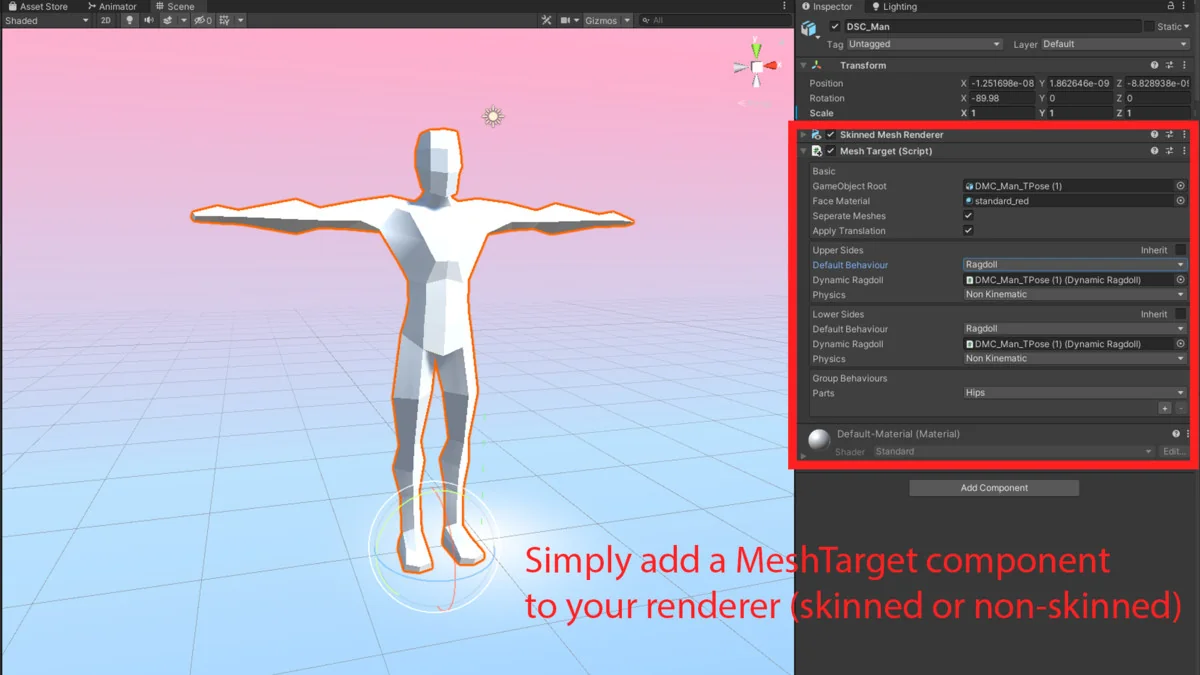
 Modeling
 Modeling
 Physics