"7e6fc58c410f2894"{"id":"23575","slug":"flora-renderer-6","title":"Flora Renderer 6","category":"Terrain","engine":"Original Unity version: 6000.3.10","assetVersion":"Original Unity version: 6000.3.10","engineVersion":"Asset Version:6.3.13","tag":"Terrain","accent":"cyan","visual":"animation","summary":"Flora Renderer 6 handles dense foliage and instanced meshes in Unity 6.0 with BRG-based rendering, runtime control, and editor integration. It reads terrain tree and detail data directly from terrain components, supports Scene view editing, and keeps change...","platform":"Unity","publishedAt":"2026-04-10T16:29:54.000Z","updatedAt":"2026-04-19T15:35:22.000Z","sourceNotes":[],"fileContents":[],"compatibility":["Unity","Original Unity version: 6000.3.10","Asset Version: 6.3.13"],"featuredImage":{"alt":"Flora Renderer 6","src":"https://3dcghub.com/wp-content/uploads/2026/04/6ca3d2a710cd_ab0ec4d9-2bd3-4834-9433-480598d3dd6f_1280x720_stretch.webp"},"hasDownloadLink":true,"downloads":0,"terms":[{"taxonomy":"category","slug":"terrain-tools-unity-2","name":"Terrain"},{"taxonomy":"post_tag","slug":"environment","name":"Environment"},{"taxonomy":"post_tag","slug":"game-systems","name":"Game Systems"},{"taxonomy":"post_tag","slug":"unity","name":"Unity"}],"galleryImages":[{"src":"https://3dcghub.com/wp-content/uploads/2026/04/f44b9af7a4ae_2eed8c1b-e0a0-43bf-8a89-4caab1f08f95_scaled.webp","alt":"Flora Renderer 6"},{"src":"https://3dcghub.com/wp-content/uploads/2026/04/62ee3b1ef7ad_8e89ac15-6182-4bb3-bcf4-2b084aa550d6_scaled.webp","alt":"Flora Renderer 6"},{"src":"https://3dcghub.com/wp-content/uploads/2026/04/17203a41f2db_316f7f97-e91e-4b90-8512-6faf92cd5c66_scaled.webp","alt":"Flora Renderer 6"},{"src":"https://3dcghub.com/wp-content/uploads/2026/04/1b210b01e38c_031f4b9d-6188-4dd9-8312-245c0b11610f_scaled.webp","alt":"Flora Renderer 6"},{"src":"https://3dcghub.com/wp-content/uploads/2026/04/71a3806248b0_77c08f4a-5291-4854-9690-bd430ba3adcc_scaled.webp","alt":"Flora Renderer 6"},{"src":"https://3dcghub.com/wp-content/uploads/2026/04/93cbf6405099_bece51c9-7da6-49e6-9c89-5096217cb65f_scaled.webp","alt":"Flora Renderer 6"},{"src":"https://3dcghub.com/wp-content/uploads/2026/04/11b1da080214_ab6d168a-66d5-4ed8-8292-958211daf53c_scaled.webp","alt":"Flora Renderer 6"},{"src":"https://3dcghub.com/wp-content/uploads/2026/04/891db67d8a57_d60cf497-001d-4d2a-8c53-3ecd96827a8d_scaled.webp","alt":"Flora Renderer 6"},{"src":"https://3dcghub.com/wp-content/uploads/2026/04/256eebc4fc4e_1d07566d-e2ef-478a-8fad-3396b01a5c4f_scaled.webp","alt":"Flora Renderer 6"},{"src":"https://3dcghub.com/wp-content/uploads/2026/04/ef54a4be64de_efc15e8f-1efd-4bed-9b97-ff29ffc906a8_scaled.webp","alt":"Flora Renderer 6"}],"accessPanel":{"kind":"resource","title":"Access this resource","eyebrow":"Free Download","message":"Log in or create a free account to start your download.","fileName":"Flora Renderer 6 v6.3.13 (30 Oct 2025) v6.3.15 (05 Nov 2025).7z","safetyNote":"All resources are 100% manually reviewed to eliminate all risks.","actionLabel":"Download Free","resourceType":"Resource archive"},"contentHtml":"\u003ch2\u003eGetting dense foliage into Unity without splitting the workflow\u003c/h2\u003e\u003cp\u003eFlora Renderer 6 is a high-performance instancing system for Unity 6.0 that handles dense foliage and instanced meshes at scale. It combines runtime control with editor integration, so the same system stays relevant while a scene is being assembled, adjusted, and rendered.\u003c/p\u003e\u003cp\u003eThat makes it a practical fit for terrain-heavy work where trees, detail objects, and prefab instances all need to stay under control. Instead of treating foliage as a separate rendering problem, Flora keeps setup, editing, and rendering tied to one scene-based workflow.\u003c/p\u003e\u003cp\u003eThe setup starts with a Scene Settings component. Once it is added, Flora automatically registers all active terrains and sets up rendering. Scene view and all cameras are supported without additional components, and changes to prefabs, materials, or terrain data are tracked and synced automatically.\u003c/p\u003e\u003cul\u003e\u003cli\u003eActive terrains are registered automatically\u003c/li\u003e\u003cli\u003eScene view and all cameras are supported\u003c/li\u003e\u003cli\u003ePrefab, material, and terrain changes stay synced\u003c/li\u003e\u003c/ul\u003e\u003cp\u003eThat structure matters when a scene is still changing. If terrain data shifts or a prefab is updated, the instancing side does not need to be rebuilt as a separate step. The scene remains the center of the workflow.\u003c/p\u003e\u003ch2\u003eUsing BatchRendererGroup as the rendering path\u003c/h2\u003e\u003cp\u003eFlora works with Unityâs BatchRendererGroup API and is presented as the only foliage solution on the Asset Store using that path. No custom shaders or materials are required for this workflow. Rendering takes advantage of GPU-resident rendering, native culling, and efficient state switching, using the same backend found in Entities Graphics and Unityâs GPU Resident Drawer.\u003c/p\u003e\u003cp\u003eThat places the system in a very specific spot in production: it is not just about drawing many objects, but about drawing them through a renderer path that is already aligned with Unityâs modern batching approach. For scenes with lots of repeated foliage or instanced meshes, the focus stays on keeping draw work efficient while the camera moves through the environment.\u003c/p\u003e\u003cp\u003eThe global rendering approach is especially important for dense scenes. Rather than treating each cluster in isolation, Flora handles rendering in a way that avoids redundant draws. When many trees or repeated meshes are present, that global handling is what keeps the scene manageable as it scales up.\u003c/p\u003e\u003ch2\u003eTerrain trees and details as streamed instances\u003c/h2\u003e\u003cp\u003eFlora reads tree and detail prototype data directly from terrain components, and it does so with non-GC APIs. Trees and details stream in and out based on distance, while rendering is handled globally to avoid redundant draws.\u003c/p\u003e\u003cp\u003eFor terrain work, that means the foliage already living inside a terrain component does not need a separate or disconnected path. The data is taken straight from the terrain, then brought into the instancing system as the camera range changes. That keeps terrain trees and details in step with the scene without adding extra manual overhead.\u003c/p\u003e\u003cp\u003eThis also makes Flora a strong match for projects where the terrain itself is part of the production process, not just a backdrop. If trees and details are being used as part of the terrain authoring flow, they remain part of the same rendering system once they are on screen.\u003c/p\u003e\u003ch2\u003eEditing instances directly in the Scene view\u003c/h2\u003e\u003cp\u003eInstances can be selected and manipulated directly in the Scene view using Unityâs transform handles, including terrain trees. That keeps placement and adjustment inside the editor, where scene work already happens.\u003c/p\u003e\u003cp\u003eFlora also supports instance conversion. Any prefab with a MeshRenderer or LODGroup can be converted into a Flora instance or tree, then converted back when needed. This makes it possible to move content between regular prefab work and Floraâs instanced workflow without locking assets into one direction.\u003c/p\u003e\u003cp\u003eMesh LOD support is part of that same editor-side flow. Flora supports Unityâs Mesh LOD system, which enables fast autogenerated LODs for any instance. That gives scene authors a direct route from a standard mesh or prefab setup into an instanced version that still follows Unityâs LOD structure.\u003c/p\u003e\u003cp\u003eFor teams working through layout changes, this is a useful middle ground. Instances stay editable, terrain trees stay selectable, and the scene view remains a place where those changes can be made instead of exported into a separate step.\u003c/p\u003e\u003ch2\u003eFading, culling, occlusion, and motion-aware rendering\u003c/h2\u003e\u003cp\u003eFlora includes several controls that shape how instances appear as the camera moves. Density and screen size fading let instances fade out smoothly based on minimum screen size or range-based density, with automatic fade outs. LODGroup cross-fades are supported in animated, transition, and SpeedTree modes, and fade states are dynamic so non-fading instances stay opaque if they are not already using alpha clipping.\u003c/p\u003e\u003cp\u003eShadow culling is handled per instance, with per-light and cascade split shadow culling aimed at reducing overdraw in shadow cascades. Additional lights are culled correctly with Forward+ or Deferred rendering paths. These details matter most in scenes where large numbers of instances have to stay active without turning every lighting pass into unnecessary work.\u003c/p\u003e\u003cp\u003eOcclusion is covered from both sides: GPU-based runtime occlusion and Unityâs baked CPU occlusion are supported. Motion vectors are also supported per instance, which helps TAA, motion blur, and other temporal effects work correctly on animated or moving instances. Only actively moving instances are submitted to the motion vector pass.\u003c/p\u003e\u003cp\u003eIndirect lighting support includes Unityâs Light Probes and Adaptive Probe Volumes. That keeps Flora aligned with lighting setups that rely on probe-based indirect light while still preserving the instanced workflow used for foliage and repeated meshes.\u003c/p\u003e\u003cp\u003eIn production, Flora Renderer 6 fits where terrain, foliage, LODs, culling, and lighting all need to stay in the same Unity workflow. It is the kind of system that lets dense scenes stay editable in the Scene view while still rendering through a modern instancing path.\u003c/p\u003e\n\n\u003ch2\u003eMore From The Same Workflow\u003c/h2\u003e\n\u003cul\u003e\n\u003cli\u003e\u003ca href=\"https://3dcghub.com/toolkit-for-unity-physics-2026/\" title=\"Toolkit for Unity Physics 2026\"\u003eToolkit for Unity Physics 2026\u003c/a\u003e\u003c/li\u003e\n\u003cli\u003e\u003ca href=\"https://3dcghub.com/opencv-for-unity/\" title=\"OpenCV for Unity\"\u003eOpenCV for Unity\u003c/a\u003e\u003c/li\u003e\n\u003cli\u003e\u003ca href=\"https://3dcghub.com/exporter-for-unreal-to-for-unity-2026/\" title=\"Exporter for Unreal to/for Unity 2026\"\u003eExporter for Unreal to/for Unity 2026\u003c/a\u003e\u003c/li\u003e\n\u003cli\u003e\u003ca href=\"https://3dcghub.com/dialogue-system-for-unity/\" title=\"Dialogue System for Unity\"\u003eDialogue System for Unity\u003c/a\u003e\u003c/li\u003e\n\u003cli\u003e\u003ca href=\"https://3dcghub.com/ambient-sounds-interactive-soundscapes-for-unity-6/\" title=\"Ambient Sounds – Interactive Soundscapes for Unity 6\"\u003eAmbient Sounds – Interactive Soundscapes for Unity 6\u003c/a\u003e\u003c/li\u003e\n\u003c/ul\u003e","contentTextLength":6305,"navigation":{"current":3542,"total":3618,"previous":{"id":"23484","slug":"realistic-mesh-deformation","title":"Realistic Mesh Deformation","category":"Physics","platform":"Unity","updatedAt":"2026-04-19T15:35:23.000Z"},"next":{"id":"23551","slug":"digger-terrain-caves-and-overhangs","title":"Digger – Terrain Caves and Overhangs","category":"Terrain","platform":"Unity","updatedAt":"2026-04-19T15:35:22.000Z"}},"relatedResources":[{"id":"23551","slug":"digger-terrain-caves-and-overhangs","title":"Digger – Terrain Caves and Overhangs","category":"Terrain","engine":"Original Unity version: 6000.0.71","assetVersion":"Original Unity version: 6000.0.71","engineVersion":"Asset Version:6.4","tag":"Terrain","accent":"cyan","visual":"character","summary":"Digger adds voxel-like sculpting to the Unity editor so caves, tunnels, and overhangs can be shaped directly on standard terrains. It keeps Unityâs terrain system in place while generating the extra geometry only where it is needed.","platform":"Unity","publishedAt":"2026-04-10T16:29:32.000Z","updatedAt":"2026-04-19T15:35:22.000Z","sourceNotes":[],"fileContents":[],"compatibility":["Unity","Original Unity version: 6000.0.71","Asset Version: 6.4"],"featuredImage":{"alt":"Digger – Terrain Caves and Overhangs","src":"https://3dcghub.com/wp-content/uploads/2026/04/5059503fac34_547d5c66-f33e-4bf7-ae7a-d4bfef630e78_1280x720_stretch.webp"},"hasDownloadLink":true,"downloads":0},{"id":"23616","slug":"world-streamer-2","title":"World Streamer 2","category":"Terrain","engine":"Original Unity version: 2019.4.0","assetVersion":"Original Unity version: 2019.4.0","engineVersion":"Asset Version:1.7.5","tag":"Terrain","accent":"cyan","visual":"audio","summary":"World Streamer 2 focuses on loading and optimization rather than a fixed scene layout. It streams a game from disc, changes distant terrain into low-poly meshes, and keeps player movement going without loading screens.","platform":"Unity","publishedAt":"2026-04-10T16:55:17.000Z","updatedAt":"2026-04-19T15:35:18.000Z","sourceNotes":[],"fileContents":[],"compatibility":["Unity","Original Unity version: 2019.4.0","Asset Version: 1.7.5"],"featuredImage":{"alt":"World Streamer 2","src":"https://3dcghub.com/wp-content/uploads/2026/04/60555d3cabd6_ca56339c-47e8-4f67-a69e-899a6dabae93_1280x720_stretch.webp"},"hasDownloadLink":true,"downloads":0},{"id":"23578","slug":"mesh-to-terrain","title":"Mesh to Terrain","category":"Terrain","engine":"Original Unity version: 2019.4.31","assetVersion":"Original Unity version: 2019.4.31","engineVersion":"Asset Version:2.5.1","tag":"Terrain","accent":"cyan","visual":"luts","summary":"Mesh to Terrain converts 3D terrain models from 3ds Max, Terragen, or another editor into Unity Terrains. It also turns model textures into Terrain Layers, can split a model into several terrains, and keeps multiple terrains aligned in the same place as the...","platform":"Unity","publishedAt":"2026-04-10T16:34:32.000Z","updatedAt":"2026-04-19T15:35:20.000Z","sourceNotes":[],"fileContents":[],"compatibility":["Unity","Original Unity version: 2019.4.31","Asset Version: 2.5.1"],"featuredImage":{"alt":"Mesh to Terrain","src":"https://3dcghub.com/wp-content/uploads/2026/04/bc90766b2593_68e59b15-cd92-425b-982c-331bfdac8ec8_1280x720_stretch.webp"},"hasDownloadLink":true,"downloads":0}]}
Terrain
Flora Renderer 6
Flora Renderer 6 handles dense foliage and instanced meshes in Unity 6.0 with BRG-based rendering, runtime control, and editor integration. It reads terrain tree and detail data directly from terrain components, supports Scene view editing, and keeps change...
Getting dense foliage into Unity without splitting the workflow
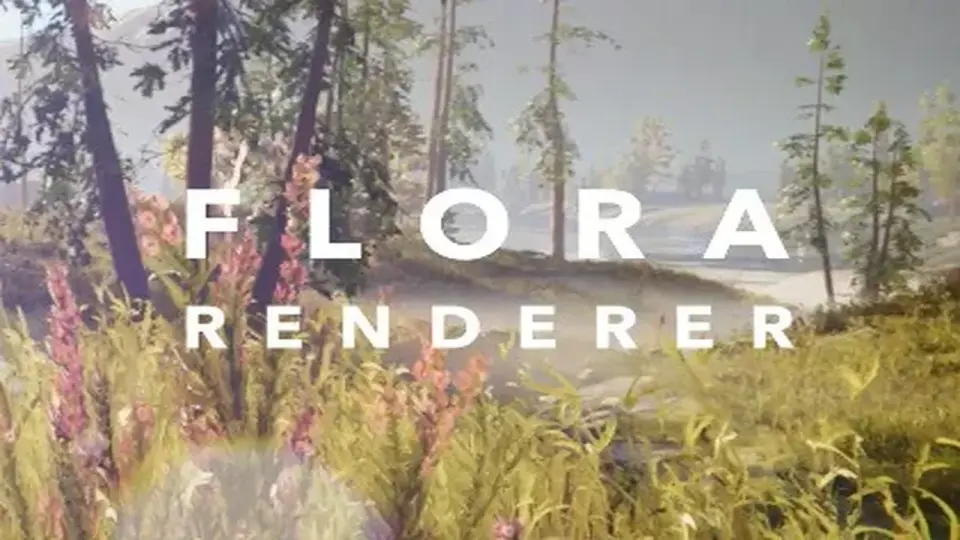
Flora Renderer 6 is a high-performance instancing system for Unity 6.0 that handles dense foliage and instanced meshes at scale. It combines runtime control with editor integration, so the same system stays relevant while a scene is being assembled, adjusted, and rendered.
That makes it a practical fit for terrain-heavy work where trees, detail objects, and prefab instances all need to stay under control. Instead of treating foliage as a separate rendering problem, Flora keeps setup, editing, and rendering tied to one scene-based workflow.
The setup starts with a Scene Settings component. Once it is added, Flora automatically registers all active terrains and sets up rendering. Scene view and all cameras are supported without additional components, and changes to prefabs, materials, or terrain data are tracked and synced automatically.
Active terrains are registered automatically
Scene view and all cameras are supported
Prefab, material, and terrain changes stay synced
That structure matters when a scene is still changing. If terrain data shifts or a prefab is updated, the instancing side does not need to be rebuilt as a separate step. The scene remains the center of the workflow.
Using BatchRendererGroup as the rendering path
Flora works with Unityâs BatchRendererGroup API and is presented as the only foliage solution on the Asset Store using that path. No custom shaders or materials are required for this workflow. Rendering takes advantage of GPU-resident rendering, native culling, and efficient state switching, using the same backend found in Entities Graphics and Unityâs GPU Resident Drawer.
That places the system in a very specific spot in production: it is not just about drawing many objects, but about drawing them through a renderer path that is already aligned with Unityâs modern batching approach. For scenes with lots of repeated foliage or instanced meshes, the focus stays on keeping draw work efficient while the camera moves through the environment.
The global rendering approach is especially important for dense scenes. Rather than treating each cluster in isolation, Flora handles rendering in a way that avoids redundant draws. When many trees or repeated meshes are present, that global handling is what keeps the scene manageable as it scales up.
Terrain trees and details as streamed instances
Flora reads tree and detail prototype data directly from terrain components, and it does so with non-GC APIs. Trees and details stream in and out based on distance, while rendering is handled globally to avoid redundant draws.
For terrain work, that means the foliage already living inside a terrain component does not need a separate or disconnected path. The data is taken straight from the terrain, then brought into the instancing system as the camera range changes. That keeps terrain trees and details in step with the scene without adding extra manual overhead.
This also makes Flora a strong match for projects where the terrain itself is part of the production process, not just a backdrop. If trees and details are being used as part of the terrain authoring flow, they remain part of the same rendering system once they are on screen.
Editing instances directly in the Scene view
Instances can be selected and manipulated directly in the Scene view using Unityâs transform handles, including terrain trees. That keeps placement and adjustment inside the editor, where scene work already happens.
Flora also supports instance conversion. Any prefab with a MeshRenderer or LODGroup can be converted into a Flora instance or tree, then converted back when needed. This makes it possible to move content between regular prefab work and Floraâs instanced workflow without locking assets into one direction.
Mesh LOD support is part of that same editor-side flow. Flora supports Unityâs Mesh LOD system, which enables fast autogenerated LODs for any instance. That gives scene authors a direct route from a standard mesh or prefab setup into an instanced version that still follows Unityâs LOD structure.
For teams working through layout changes, this is a useful middle ground. Instances stay editable, terrain trees stay selectable, and the scene view remains a place where those changes can be made instead of exported into a separate step.
Fading, culling, occlusion, and motion-aware rendering
Flora includes several controls that shape how instances appear as the camera moves. Density and screen size fading let instances fade out smoothly based on minimum screen size or range-based density, with automatic fade outs. LODGroup cross-fades are supported in animated, transition, and SpeedTree modes, and fade states are dynamic so non-fading instances stay opaque if they are not already using alpha clipping.
Shadow culling is handled per instance, with per-light and cascade split shadow culling aimed at reducing overdraw in shadow cascades. Additional lights are culled correctly with Forward+ or Deferred rendering paths. These details matter most in scenes where large numbers of instances have to stay active without turning every lighting pass into unnecessary work.
Occlusion is covered from both sides: GPU-based runtime occlusion and Unityâs baked CPU occlusion are supported. Motion vectors are also supported per instance, which helps TAA, motion blur, and other temporal effects work correctly on animated or moving instances. Only actively moving instances are submitted to the motion vector pass.
Indirect lighting support includes Unityâs Light Probes and Adaptive Probe Volumes. That keeps Flora aligned with lighting setups that rely on probe-based indirect light while still preserving the instanced workflow used for foliage and repeated meshes.
In production, Flora Renderer 6 fits where terrain, foliage, LODs, culling, and lighting all need to stay in the same Unity workflow. It is the kind of system that lets dense scenes stay editable in the Scene view while still rendering through a modern instancing path.
 Terrain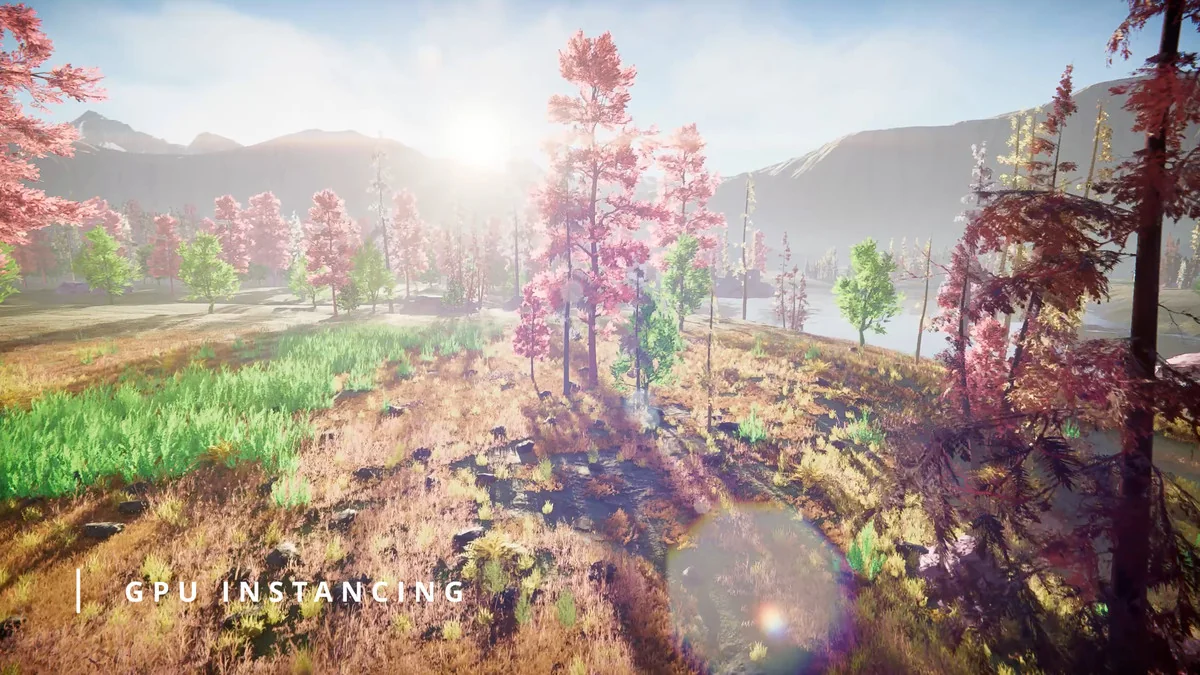
 Terrain
 Terrain
 Terrain