"7e6fc58c410f2894"{"id":"23562","slug":"digger-pro-voxel-terrain-sculpting","title":"Digger PRO – Voxel Terrain Sculpting","category":"Terrain","engine":"Original Unity version: 6000.0.71","assetVersion":"Original Unity version: 6000.0.71","engineVersion":"Asset Version:6.4","tag":"Terrain","accent":"cyan","visual":"mech","summary":"Digger PRO brings real 3D terrain sculpting into Unity, letting teams carve caves, tunnels, and overhangs without moving to a full voxel engine. It is aimed at projects that need terrain edits to behave as part of the scene, not just as surface deformation....","platform":"Unity","publishedAt":"2026-04-10T16:30:10.000Z","updatedAt":"2026-04-19T15:35:21.000Z","sourceNotes":[],"fileContents":[],"compatibility":["Unity","Original Unity version: 6000.0.71","Asset Version: 6.4"],"featuredImage":{"alt":"Digger PRO – Voxel Terrain Sculpting","src":"https://3dcghub.com/wp-content/uploads/2026/04/4de8e73f5eb3_8670e4fc-ca6d-4f57-a83a-59ed67204a25_1280x720_stretch.webp"},"hasDownloadLink":true,"downloads":2,"terms":[{"taxonomy":"category","slug":"terrain-tools-unity-2","name":"Terrain"},{"taxonomy":"post_tag","slug":"hdrp","name":"HDRP"},{"taxonomy":"post_tag","slug":"tools","name":"Tools"},{"taxonomy":"post_tag","slug":"unity","name":"Unity"}],"galleryImages":[{"src":"https://3dcghub.com/wp-content/uploads/2026/04/5c6ed287dde0_419c6f47-7074-4c4d-b72e-00944364e47d_scaled.webp","alt":"Digger PRO – Voxel Terrain Sculpting"},{"src":"https://3dcghub.com/wp-content/uploads/2026/04/e8727eff4cee_1d25d80b-0d28-461e-beae-9a83182d986d_scaled.webp","alt":"Digger PRO – Voxel Terrain Sculpting"},{"src":"https://3dcghub.com/wp-content/uploads/2026/04/4bf26d628405_c2b58fff-0734-44a9-9896-1e584dc748de_scaled.webp","alt":"Digger PRO – Voxel Terrain Sculpting"},{"src":"https://3dcghub.com/wp-content/uploads/2026/04/644f0f79071a_5bbda61e-c10f-4a9a-ae44-2503e538acf8_scaled.webp","alt":"Digger PRO – Voxel Terrain Sculpting"},{"src":"https://3dcghub.com/wp-content/uploads/2026/04/b33eb8544689_fd2ba680-d3e1-46ed-b976-f7fe79ac3099_scaled.webp","alt":"Digger PRO – Voxel Terrain Sculpting"},{"src":"https://3dcghub.com/wp-content/uploads/2026/04/e9c52006fb3b_9cb54d33-525c-4c30-8740-829a2481959d_scaled.webp","alt":"Digger PRO – Voxel Terrain Sculpting"},{"src":"https://3dcghub.com/wp-content/uploads/2026/04/5556a96b5842_d9f4513d-7d0f-49f0-a554-eb95f0be2834_scaled.webp","alt":"Digger PRO – Voxel Terrain Sculpting"},{"src":"https://3dcghub.com/wp-content/uploads/2026/04/fd7c78088c87_4e1bac4e-378f-4891-ae7e-0b885d1a6322_scaled.webp","alt":"Digger PRO – Voxel Terrain Sculpting"}],"accessPanel":{"kind":"resource","title":"Access this resource","eyebrow":"Free Download","message":"Log in or create a free account to start your download.","fileName":"Digger PRO - Voxel enhanced terrains v6.4.7z","safetyNote":"All resources are 100% manually reviewed to eliminate all risks.","actionLabel":"Download Free","resourceType":"Resource archive"},"contentHtml":"\u003ch2\u003eReal 3D terrain edits inside Unity\u003c/h2\u003e\n\u003cp\u003eDigger PRO is a Unity terrain sculpting tool that changes how terrain can behave in a scene. Instead of staying limited to surface-only shaping, it adds real 3D sculpting so terrain can form caves, tunnels, and overhangs. That makes it relevant for projects where the environment needs cut-through spaces, enclosed passages, or shapes that go beyond simple height adjustments.\u003c/p\u003e\n\u003cp\u003eThe focus here is practical scene building. A terrain system that can support caves and tunnels can help when a level needs hidden routes, dug-out areas, or natural openings that feel like part of the land itself. Overhangs matter in the same way: they create forms that are hard to achieve with flat terrain tools alone. Digger PRO is positioned around those needs rather than around general-purpose terrain editing.\u003c/p\u003e\n\u003cp\u003eThe asset is built on 10 years of voxel development experience, which places its emphasis on specialized terrain behavior rather than broad scenery tooling. That background is the most direct clue to how it fits into production: it is meant for teams that want voxel-style sculpting behavior without taking on the full cost of a complete voxel engine.\u003c/p\u003e \u003ch2\u003eWhat stands out in day-to-day use\u003c/h2\u003e\n\u003cp\u003eThe clearest value of the tool is the kind of terrain it supports. Caves, tunnels, and overhangs are not separate extras here; they are the core behaviors called out in the package. That makes it a strong match for levels that need underground spaces, carved routes, or terrain forms that read as solid land instead of a simple landscape sheet.\u003c/p\u003e\n\u003cp\u003eBecause the package is fast and real-time, it fits naturally into workflows where terrain changes need to happen while building a scene rather than as an isolated offline process. The included tags also point to the same usage pattern: dig, holes, cave, tunnel, overhangs, realtime, fast, and terrain. Those are all practical indicators of how the package is intended to be used in actual production work.\u003c/p\u003e\n\u003cp\u003eAnother notable point is that the package is aimed at Unity rather than standing as an external pipeline. That keeps it in the same environment as the rest of a Unity project, which matters when terrain is part of a larger level assembly process. A terrain sculpting system only becomes useful when it can sit comfortably alongside the rest of the scene, and Digger PRO is presented in that context.\u003c/p\u003e \u003ch2\u003eWhere it fits in a production workflow\u003c/h2\u003e\n\u003cp\u003eThis kind of tool is most useful when a project needs terrain to do more than define the surface of the world. A scene with underground chambers, dug-out paths, or deep openings benefits from a sculpting system that can create those spaces directly inside the terrain workflow. That can simplify early blockouts and later environment shaping because the same asset handles the forms that make those layouts possible.\u003c/p\u003e\n\u003cp\u003eDigger PRO also fits projects that want voxel-like behavior without switching to a full voxel engine. That distinction matters in production planning. A team may want the ability to carve space into terrain, but not the overhead of moving an entire project structure around a complete voxel stack. In that context, the package reads as a focused terrain solution rather than a broader world-building framework.\u003c/p\u003e\n\u003cp\u003eThe asset count listed for the package is 212, and the package type is unitypackage. Those details suggest a packaged Unity resource with a substantial internal structure rather than a thin add-on. The original Unity version is listed as 6000.0.71, which gives a clear reference point for the environment it is tied to. The category is Terrain, with the category path shown as tools/terrain, so its placement is straightforward: this is a terrain tool first, not a general modeling suite.\u003c/p\u003e \u003ch2\u003eCompatibility, release state, and package details\u003c/h2\u003e\n\u003cp\u003eThe compatibility entry lists Built-in, HDRP, and URP under 6000.0.71f1. That makes the package relevant across the common Unity rendering paths named which is useful for teams that are already committed to one of those pipelines. The release notes mention bug fixes, so the latest release is not just a static upload; it has received maintenance work.\u003c/p\u003e\n\u003cp\u003eOther listed technical details help define the asset more precisely. The latest version is 8.1, the latest release date is Mar 29, 2026, and the first publication date is Jul 11, 2019. That timeline shows a tool with a long presence and a later update cycle. The file size is 37.2 MB, and the license entitlement is SEAT.\u003c/p\u003e\n\u003cp\u003eThe publisher is Amandine Entertainment. Taken together with the voxel-development background noted above, the package reads as a specialized Unity terrain product from a team with long-term experience in the underlying approach. It is not trying to be everything for every kind of world building. It is centered on one clear job: making terrain in Unity behave like a sculptable 3D surface with actual carved-out forms.\u003c/p\u003e \u003ch2\u003eWhat a team can take from it\u003c/h2\u003e\n\u003cp\u003eDigger PRO is easiest to evaluate by asking whether a project needs caves, tunnels, overhangs, or other carved terrain features inside Unity. If the answer is yes, the package offers a direct path into that kind of terrain work while staying within the Unity environment and across the listed render pipelines.\u003c/p\u003e\n\u003cp\u003eFor teams building levels where terrain must hold hollow spaces and broken forms, the strongest practical takeaway is simple: this is a focused sculpting tool for real 3D terrain behavior, not a generic terrain add-on.\u003c/p\u003e\n\n\u003ch2\u003eExplore Similar Assets\u003c/h2\u003e\n\u003cul\u003e\n\u003cli\u003e\u003ca href=\"https://3dcghub.com/toolkit-for-unity-physics-2026/\" title=\"Toolkit for Unity Physics 2026\"\u003eToolkit for Unity Physics 2026\u003c/a\u003e\u003c/li\u003e\n\u003cli\u003e\u003ca href=\"https://3dcghub.com/opencv-for-unity/\" title=\"OpenCV for Unity\"\u003eOpenCV for Unity\u003c/a\u003e\u003c/li\u003e\n\u003cli\u003e\u003ca href=\"https://3dcghub.com/exporter-for-unreal-to-for-unity-2026/\" title=\"Exporter for Unreal to/for Unity 2026\"\u003eExporter for Unreal to/for Unity 2026\u003c/a\u003e\u003c/li\u003e\n\u003cli\u003e\u003ca href=\"https://3dcghub.com/dialogue-system-for-unity/\" title=\"Dialogue System for Unity\"\u003eDialogue System for Unity\u003c/a\u003e\u003c/li\u003e\n\u003cli\u003e\u003ca href=\"https://3dcghub.com/ambient-sounds-interactive-soundscapes-for-unity-6/\" title=\"Ambient Sounds – Interactive Soundscapes for Unity 6\"\u003eAmbient Sounds – Interactive Soundscapes for Unity 6\u003c/a\u003e\u003c/li\u003e\n\u003c/ul\u003e","contentTextLength":5654,"navigation":{"current":3545,"total":3618,"previous":{"id":"23528","slug":"pixelate-pixel-art-converter","title":"Pixelate - Pixel art converter","category":"Sprite Management","platform":"Unity","updatedAt":"2026-04-19T15:35:22.000Z"},"next":{"id":"23581","slug":"microverse-core-collection","title":"MicroVerse - Core Collection","category":"Terrain","platform":"Unity","updatedAt":"2026-04-19T15:35:20.000Z"}},"relatedResources":[{"id":"23551","slug":"digger-terrain-caves-and-overhangs","title":"Digger – Terrain Caves and Overhangs","category":"Terrain","engine":"Original Unity version: 6000.0.71","assetVersion":"Original Unity version: 6000.0.71","engineVersion":"Asset Version:6.4","tag":"Terrain","accent":"cyan","visual":"character","summary":"Digger adds voxel-like sculpting to the Unity editor so caves, tunnels, and overhangs can be shaped directly on standard terrains. It keeps Unityâs terrain system in place while generating the extra geometry only where it is needed.","platform":"Unity","publishedAt":"2026-04-10T16:29:32.000Z","updatedAt":"2026-04-19T15:35:22.000Z","sourceNotes":[],"fileContents":[],"compatibility":["Unity","Original Unity version: 6000.0.71","Asset Version: 6.4"],"featuredImage":{"alt":"Digger – Terrain Caves and Overhangs","src":"https://3dcghub.com/wp-content/uploads/2026/04/5059503fac34_547d5c66-f33e-4bf7-ae7a-d4bfef630e78_1280x720_stretch.webp"},"hasDownloadLink":true,"downloads":0},{"id":"23604","slug":"voxelica-voxel-engine","title":"Voxelica - Voxel Engine","category":"Terrain","engine":"Original Unity version: 2022.3.62","assetVersion":"Original Unity version: 2022.3.62","engineVersion":"Asset Version:1.9.9.1","tag":"Terrain","accent":"cyan","visual":"mech","summary":"Voxelica - Voxel Engine brings voxel blocks into a scene as something you can generate, sculpt, convert, and save. It also covers multi-material voxel data, resolution control, and independent render pipeline behavior. The resource fits projects that need d...","platform":"Unity","publishedAt":"2026-04-10T16:45:27.000Z","updatedAt":"2026-04-19T15:35:18.000Z","sourceNotes":[],"fileContents":[],"compatibility":["Unity","Original Unity version: 2022.3.62","Asset Version: 1.9.9.1"],"featuredImage":{"alt":"Voxelica - Voxel Engine","src":"https://3dcghub.com/wp-content/uploads/2026/04/e761f89f671a_84422b46-caee-4e14-a4c2-9a8fd5c6ce88_1280x720_stretch.webp"},"hasDownloadLink":true,"downloads":1},{"id":"23578","slug":"mesh-to-terrain","title":"Mesh to Terrain","category":"Terrain","engine":"Original Unity version: 2019.4.31","assetVersion":"Original Unity version: 2019.4.31","engineVersion":"Asset Version:2.5.1","tag":"Terrain","accent":"cyan","visual":"luts","summary":"Mesh to Terrain converts 3D terrain models from 3ds Max, Terragen, or another editor into Unity Terrains. It also turns model textures into Terrain Layers, can split a model into several terrains, and keeps multiple terrains aligned in the same place as the...","platform":"Unity","publishedAt":"2026-04-10T16:34:32.000Z","updatedAt":"2026-04-19T15:35:20.000Z","sourceNotes":[],"fileContents":[],"compatibility":["Unity","Original Unity version: 2019.4.31","Asset Version: 2.5.1"],"featuredImage":{"alt":"Mesh to Terrain","src":"https://3dcghub.com/wp-content/uploads/2026/04/bc90766b2593_68e59b15-cd92-425b-982c-331bfdac8ec8_1280x720_stretch.webp"},"hasDownloadLink":true,"downloads":0}]}
Terrain
Digger PRO – Voxel Terrain Sculpting
Digger PRO brings real 3D terrain sculpting into Unity, letting teams carve caves, tunnels, and overhangs without moving to a full voxel engine. It is aimed at projects that need terrain edits to behave as part of the scene, not just as surface deformation....
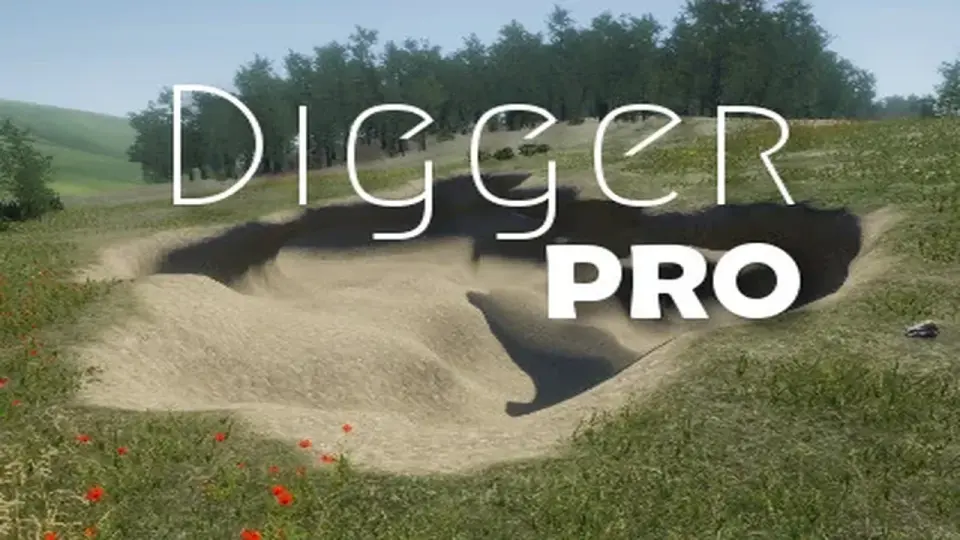
Digger PRO is a Unity terrain sculpting tool that changes how terrain can behave in a scene. Instead of staying limited to surface-only shaping, it adds real 3D sculpting so terrain can form caves, tunnels, and overhangs. That makes it relevant for projects where the environment needs cut-through spaces, enclosed passages, or shapes that go beyond simple height adjustments.
The focus here is practical scene building. A terrain system that can support caves and tunnels can help when a level needs hidden routes, dug-out areas, or natural openings that feel like part of the land itself. Overhangs matter in the same way: they create forms that are hard to achieve with flat terrain tools alone. Digger PRO is positioned around those needs rather than around general-purpose terrain editing.
The asset is built on 10 years of voxel development experience, which places its emphasis on specialized terrain behavior rather than broad scenery tooling. That background is the most direct clue to how it fits into production: it is meant for teams that want voxel-style sculpting behavior without taking on the full cost of a complete voxel engine.
What stands out in day-to-day use
The clearest value of the tool is the kind of terrain it supports. Caves, tunnels, and overhangs are not separate extras here; they are the core behaviors called out in the package. That makes it a strong match for levels that need underground spaces, carved routes, or terrain forms that read as solid land instead of a simple landscape sheet.
Because the package is fast and real-time, it fits naturally into workflows where terrain changes need to happen while building a scene rather than as an isolated offline process. The included tags also point to the same usage pattern: dig, holes, cave, tunnel, overhangs, realtime, fast, and terrain. Those are all practical indicators of how the package is intended to be used in actual production work.
Another notable point is that the package is aimed at Unity rather than standing as an external pipeline. That keeps it in the same environment as the rest of a Unity project, which matters when terrain is part of a larger level assembly process. A terrain sculpting system only becomes useful when it can sit comfortably alongside the rest of the scene, and Digger PRO is presented in that context.
Where it fits in a production workflow
This kind of tool is most useful when a project needs terrain to do more than define the surface of the world. A scene with underground chambers, dug-out paths, or deep openings benefits from a sculpting system that can create those spaces directly inside the terrain workflow. That can simplify early blockouts and later environment shaping because the same asset handles the forms that make those layouts possible.
Digger PRO also fits projects that want voxel-like behavior without switching to a full voxel engine. That distinction matters in production planning. A team may want the ability to carve space into terrain, but not the overhead of moving an entire project structure around a complete voxel stack. In that context, the package reads as a focused terrain solution rather than a broader world-building framework.
The asset count listed for the package is 212, and the package type is unitypackage. Those details suggest a packaged Unity resource with a substantial internal structure rather than a thin add-on. The original Unity version is listed as 6000.0.71, which gives a clear reference point for the environment it is tied to. The category is Terrain, with the category path shown as tools/terrain, so its placement is straightforward: this is a terrain tool first, not a general modeling suite.
Compatibility, release state, and package details
The compatibility entry lists Built-in, HDRP, and URP under 6000.0.71f1. That makes the package relevant across the common Unity rendering paths named which is useful for teams that are already committed to one of those pipelines. The release notes mention bug fixes, so the latest release is not just a static upload; it has received maintenance work.
Other listed technical details help define the asset more precisely. The latest version is 8.1, the latest release date is Mar 29, 2026, and the first publication date is Jul 11, 2019. That timeline shows a tool with a long presence and a later update cycle. The file size is 37.2 MB, and the license entitlement is SEAT.
The publisher is Amandine Entertainment. Taken together with the voxel-development background noted above, the package reads as a specialized Unity terrain product from a team with long-term experience in the underlying approach. It is not trying to be everything for every kind of world building. It is centered on one clear job: making terrain in Unity behave like a sculptable 3D surface with actual carved-out forms.
What a team can take from it
Digger PRO is easiest to evaluate by asking whether a project needs caves, tunnels, overhangs, or other carved terrain features inside Unity. If the answer is yes, the package offers a direct path into that kind of terrain work while staying within the Unity environment and across the listed render pipelines.
For teams building levels where terrain must hold hollow spaces and broken forms, the strongest practical takeaway is simple: this is a focused sculpting tool for real 3D terrain behavior, not a generic terrain add-on.
 Terrain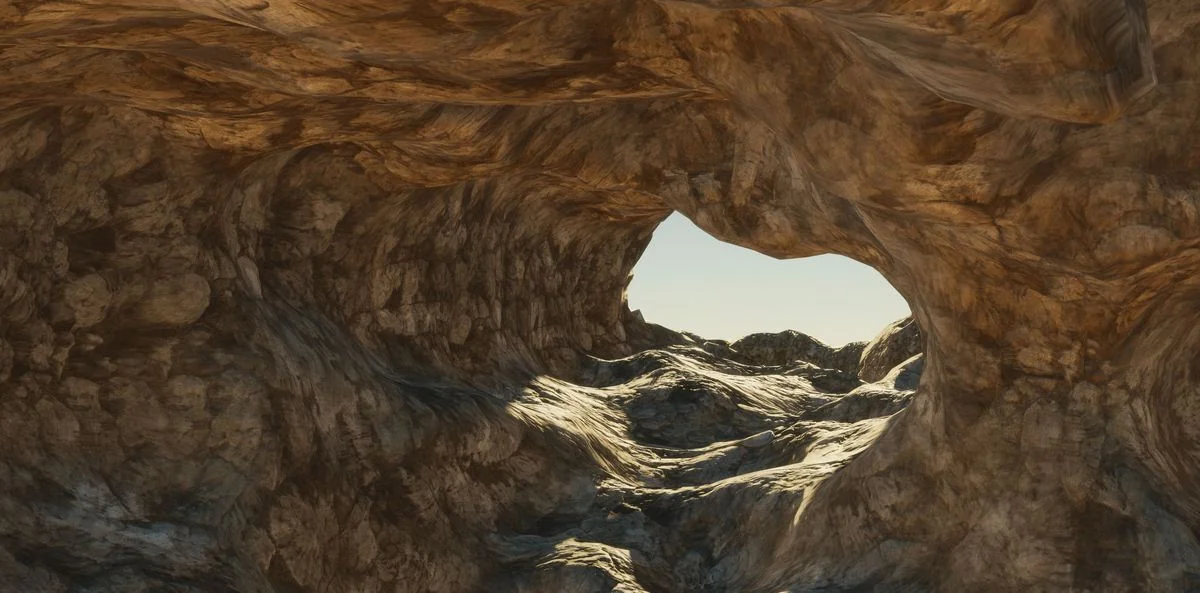
 Terrain
 Terrain
 Terrain