"1f00f67f9253451b"{"resourcesTotal":3222,"downloadsTotal":4400,"consecutiveUpdateDays":4,"platforms":[{"key":"unreal","name":"Unreal","slug":"unreal-engine-2","href":"/category/unreal-engine-2/","resourceCount":2643},{"key":"unity","name":"Unity","slug":"unity-2","href":"/category/unity-2/","resourceCount":453},{"key":"blender","name":"Blender","slug":"blender-add-ons-plugins","href":"/category/blender-add-ons-plugins/","resourceCount":10},{"key":"tutorials","name":"Tutorials","slug":"tutorial-library","href":"/tutorials/","resourceCount":117}],"popularSearches":["katana","Unreal 5.4+","Unity 2021+","MetaHuman","Niagara","Low Poly"]}{"items":[{"id":"1001093","slug":"giant-scorpion","title":"Giant Scorpion","category":"Characters \u0026 Creatures","engine":"4.26+,5.0+","assetVersion":"","engineVersion":"Engine Version: 4.26+,5.0+","tag":"Characters","accent":"blue","visual":"character","summary":"Meet the Giant Scorpion: a 19.9K-tris fantasy creature with 66 bones, 4K textures, and 31 quality animations, including 8 root motion variants.","platform":"Unreal Engine","publishedAt":"2026-09-06T01:44:11.719Z","updatedAt":"2026-09-06T01:44:11.719Z","sourceNotes":[],"fileContents":[],"compatibility":["Unreal Engine","Engine Version: 4.26+,5.0+"],"featuredImage":{"alt":"Giant Scorpion","src":"/wp-content/uploads/published/2026/09/e8762bf85bc7-b1ed6d72-b3c0-48de-a7fd-aa90ce42c951-44d013474e.webp"},"hasDownloadLink":true},{"id":"1001092","slug":"fruit-tree-v1","title":"fruit tree V1","category":"Nature \u0026 Plants","engine":"4.26+,5.0+","assetVersion":"","engineVersion":"Engine Version: 4.26+,5.0+","tag":"Nature \u0026 Plants","accent":"blue","visual":"mech","summary":"A look at fruit tree V1, a UE4 pack with five high-precision fruit trees—pomegranate, peach, fig, cherry, persimmon—each in six immature-to-mature mesh variants","platform":"Unreal Engine","publishedAt":"2026-09-05T18:16:54.177Z","updatedAt":"2026-09-05T18:16:54.177Z","sourceNotes":[],"fileContents":[],"compatibility":["Unreal Engine","Engine Version: 4.26+,5.0+"],"featuredImage":{"alt":"fruit tree V1","src":"/wp-content/uploads/published/2026/09/932275ac7b40-33df8cb7-f483-4907-84e5-2f6957fdc44d-83ea0af954.webp"},"hasDownloadLink":true},{"id":"1001091","slug":"fps-multiplayer-shooter-v3","title":"FPS Multiplayer shooter v3","category":"Shooter","engine":"5.1+","assetVersion":"Asset Version: v2","engineVersion":"Engine Version: 5.1+","tag":"Shooter","accent":"blue","visual":"mech","summary":"Restore missing plugin folders first, then v3 adds an assault rifle, shotgun, sniper, prone, team chat, and a LAN/Steam team deathmatch loop.","platform":"Unreal Engine","publishedAt":"2026-09-05T18:08:15.901Z","updatedAt":"2026-09-05T18:08:15.901Z","sourceNotes":[],"fileContents":[],"compatibility":["Unreal Engine","Asset Version: v2","Engine Version: 5.1+"],"featuredImage":{"alt":"FPS Multiplayer shooter v3","src":"/wp-content/uploads/published/2026/09/f2dcbef3e7d9-5605e15c-6edf-460f-a056-8f457e7fd1a3-a371fb4696.webp"},"hasDownloadLink":true},{"id":"1001090","slug":"floxy-flock-anything","title":"Floxy - Flock Anything!","category":"Characters \u0026 Creatures","engine":"5.1+","assetVersion":"","engineVersion":"Engine Version: 5.1+","tag":"Characters","accent":"blue","visual":"character","summary":"Floxy is an Emergent Vector Generator for UE5.5+ that simulates small flocks with CPU-driven attraction and repulsion in one Blueprint, plus 198 presets, 15 tem","platform":"Unreal Engine","publishedAt":"2026-09-05T16:25:43.591Z","updatedAt":"2026-09-05T16:25:43.591Z","sourceNotes":[],"fileContents":[],"compatibility":["Unreal Engine","Engine Version: 5.1+"],"featuredImage":{"alt":"Floxy - Flock Anything!","src":"/wp-content/uploads/published/2026/09/095afe7ae3d6-cf063ce8-f1e3-4c33-b55a-0c165b53d019-bb9b771f77.webp"},"hasDownloadLink":true},{"id":"1001089","slug":"fireworks-vol-1-niagara","title":"Fireworks Vol. 1 - Niagara","category":"Fire \u0026 Explosions","engine":"5.0+","assetVersion":"","engineVersion":"Engine Version: 5.0+","tag":"Fire \u0026 Explosions","accent":"blue","visual":"mech","summary":"31 unique customizable Niagara fireworks: shells, rockets, spinners, fountains, sparklers, fire and smoke machines, each with 5 color variations and easy scale","platform":"Unreal Engine","publishedAt":"2026-09-05T16:13:49.290Z","updatedAt":"2026-09-05T16:13:49.290Z","sourceNotes":[],"fileContents":[],"compatibility":["Unreal Engine","Engine Version: 5.0+"],"featuredImage":{"alt":"Fireworks Vol. 1 - Niagara","src":"/wp-content/uploads/published/2026/09/1b52e5562e90-f591bf3a-6e5d-42e1-856d-bb0c753b0b4b-ed30bd46ad.webp"},"hasDownloadLink":true},{"id":"1001088","slug":"female-horror-survivor","title":"Female Horror Survivor","category":"Variety","engine":"5.2+","assetVersion":"","engineVersion":"Engine Version: 5.2+","tag":"Variety","accent":"blue","visual":"mech","summary":"Third-person animation and character pack for a female horror survivor with UE5 mannequin skeleton, bat and pistol actions, hiding systems, and 33 morph targets","platform":"Unreal Engine","publishedAt":"2026-09-05T16:00:11.709Z","updatedAt":"2026-09-05T16:00:11.709Z","sourceNotes":[],"fileContents":[],"compatibility":["Unreal Engine","Engine Version: 5.2+"],"featuredImage":{"alt":"Female Horror Survivor","src":"/wp-content/uploads/published/2026/09/c46e2f8df322-afe5623f-3fdb-43c7-82e2-f2c42566e74a-5ca90799b3.webp"},"hasDownloadLink":true},{"id":"15016","slug":"flex-pool-actor-pooling-system","title":"Flex Pool - Actor Pooling System","category":"Gameplay Features","engine":"5.7 - 5.8","assetVersion":"Asset Version:1.1.4 - 1.2","engineVersion":"Engine version: 5.7 - 5.8","tag":"Gameplay Features","accent":"blue","visual":"animation","summary":"Flex Pool is a robust actor pooling system designed to enhance game performance by reusing actors during runtime. It reduces CPU overhead and memory allocations for smoother, more scalable gameplay.","platform":"Unreal Engine","publishedAt":"2026-03-12T07:31:34.000Z","updatedAt":"2026-09-05T03:20:14.594Z","sourceNotes":[],"fileContents":[],"compatibility":["Unreal Engine","Asset Version:1.1.4 - 1.2","Engine version: 5.7 - 5.8"],"featuredImage":{"alt":"Flex Pool - Actor Pooling System","src":"https://3dcghub.com/wp-content/uploads/2026/03/32501158-56a5-4676-96eb-6784055dd673.webp"},"hasDownloadLink":true},{"id":"1001087","slug":"zhang-jia-jie-mountain","title":"Zhang Jia Jie Mountain","category":"Cities","engine":"4.26+,5.0+","assetVersion":"","engineVersion":"Engine Version: 4.26+,5.0+","tag":"Cities","accent":"blue","visual":"mech","summary":"Zhang Jia Jie Mountain: an Environment/Level asset inspired by China's famous peaks, featuring ZBrush-carved rocks, warm dynamic light, varied pines, water and","platform":"Unreal Engine","publishedAt":"2026-09-04T17:01:18.256Z","updatedAt":"2026-09-04T17:01:18.256Z","sourceNotes":[],"fileContents":[],"compatibility":["Unreal Engine","Engine Version: 4.26+,5.0+"],"featuredImage":{"alt":"Zhang Jia Jie Mountain","src":"/wp-content/uploads/published/2026/09/440336778cac-aa4bf58b-e19a-425d-96ff-4e736b4f45fd-c9f5663db0.webp"},"hasDownloadLink":true},{"id":"1001086","slug":"fantasy-medieval-kingdom-stylized-castle-town-village-dungeon-kingdom","title":"Fantasy Medieval Kingdom (Stylized Castle, Town, Village, Dungeon, Kingdom)","category":"Fantasy","engine":"5.0+","assetVersion":"","engineVersion":"Engine Version: 5.0+","tag":"Fantasy","accent":"blue","visual":"mech","summary":"Fully playable 2x2 km stylized medieval open world with castle city, village, magic forest, dungeons, docks, underwater zones, modular buildings, and full inter","platform":"Unreal Engine","publishedAt":"2026-09-04T16:54:26.409Z","updatedAt":"2026-09-04T16:54:26.409Z","sourceNotes":[],"fileContents":[],"compatibility":["Unreal Engine","Engine Version: 5.0+"],"featuredImage":{"alt":"Fantasy Medieval Kingdom (Stylized Castle, Town, Village, Dungeon, Kingdom)","src":"/wp-content/uploads/published/2026/09/a67503d4b022-dd68fe93-0fdf-41df-bcd0-363d13ef92f5-d48693974f.webp"},"hasDownloadLink":true},{"id":"1001085","slug":"event-queue","title":"Event Queue","category":"Gameplay Features","engine":"5.6 - 5.8","assetVersion":"Asset Version: 1.0","engineVersion":"Engine Version: 5.6 - 5.8","tag":"Gameplay Features","accent":"blue","visual":"mech","summary":"Queue, stall, remove, and react to gameplay events without callback chains. Includes C++/Blueprint docs, example projects, and multiple queues in version 1.1.","platform":"Unreal Engine","publishedAt":"2026-09-04T16:43:38.218Z","updatedAt":"2026-09-04T16:43:38.218Z","sourceNotes":[],"fileContents":[],"compatibility":["Unreal Engine","Asset Version: 1.0","Engine Version: 5.6 - 5.8"],"featuredImage":{"alt":"Event Queue","src":"/wp-content/uploads/published/2026/09/15dde46843d9-647cec5f-967f-4ead-806f-bb823d8f9eea-629192322a.webp"},"hasDownloadLink":true},{"id":"1001084","slug":"elias-wick-advanced-fog","title":"Elias Wick – Advanced Fog","category":"Variety","engine":"5.2+","assetVersion":"","engineVersion":"Engine Version: 5.2+","tag":"Variety","accent":"blue","visual":"mech","summary":"Elias Wick – Advanced Fog brings 9 materials, 25+ textures, post process effects, fog cards, and volumetric fog to Unreal Engine atmosphere workflows.","platform":"Unreal Engine","publishedAt":"2026-09-04T16:40:25.414Z","updatedAt":"2026-09-04T16:40:25.414Z","sourceNotes":[],"fileContents":[],"compatibility":["Unreal Engine","Engine Version: 5.2+"],"featuredImage":{"alt":"Elias Wick – Advanced Fog","src":"/wp-content/uploads/published/2026/09/9cbb2a29a5b0-8b87c205-3d70-4888-a8cd-930014f44c61-67d29a5755.webp"},"hasDownloadLink":true},{"id":"1001083","slug":"chaos-battleground-ragdoll-corpse-freezing-and-culling","title":"Chaos Battleground - Ragdoll Corpse Freezing \u0026 Culling","category":"Procedural Systems","engine":"5.7","assetVersion":"Asset Version: 1.0.0","engineVersion":"Engine Version: 5.7","tag":"Procedural Systems","accent":"blue","visual":"mech","summary":"Freeze ragdoll corpses after stabilization, snapshot their final pose, and manage bodies with culling, FIFO limits, and material fade.","platform":"Unreal Engine","publishedAt":"2026-09-04T16:25:43.688Z","updatedAt":"2026-09-04T16:25:43.688Z","sourceNotes":[],"fileContents":[],"compatibility":["Unreal Engine","Asset Version: 1.0.0","Engine Version: 5.7"],"featuredImage":{"alt":"Chaos Battleground - Ragdoll Corpse Freezing \u0026 Culling","src":"/wp-content/uploads/published/2026/09/546b1013f085-50c99698-fba9-4c07-8f94-bd3196e48aeb-7a9f9b032d.webp"},"hasDownloadLink":true},{"id":"1001082","slug":"card-games-templates","title":"Card Games Templates","category":"Gameplay Features","engine":"5.1+","assetVersion":"","engineVersion":"Engine Version: 5.1+","tag":"Gameplay Features","accent":"blue","visual":"mech","summary":"Blueprint-driven card game templates for Unreal Engine: a player-vs-AI fight example with attack/health rules, and a stack/combine system using Data Tables, pus","platform":"Unreal Engine","publishedAt":"2026-09-04T16:21:29.710Z","updatedAt":"2026-09-04T16:21:29.710Z","sourceNotes":[],"fileContents":[],"compatibility":["Unreal Engine","Engine Version: 5.1+"],"featuredImage":{"alt":"Card Games Templates","src":"/wp-content/uploads/published/2026/09/77bb7a6848fc-38863a66-82f8-4f22-ba70-b8a12a7a2160-3ed66bc619.webp"},"hasDownloadLink":true},{"id":"1001081","slug":"burnt-forest-aftermath-environment","title":"Burnt Forest Aftermath Environment","category":"Forest \u0026 Jungle","engine":"5.6+","assetVersion":"","engineVersion":"Engine Version: 5.6+","tag":"Forest \u0026 Jungle","accent":"blue","visual":"city","summary":"A PCG-driven environment for a burnt forest coming back to life, with 100+ meshes, scanned charred assets, lush regrowth, cabin props, and a riverside forest bi","platform":"Unreal Engine","publishedAt":"2026-09-04T16:18:47.027Z","updatedAt":"2026-09-04T16:18:47.027Z","sourceNotes":[],"fileContents":[],"compatibility":["Unreal Engine","Engine Version: 5.6+"],"featuredImage":{"alt":"Burnt Forest Aftermath Environment","src":"/wp-content/uploads/published/2026/09/fb000e2baf84-d3761560-ff83-41be-acfb-aa4c8162359d-c789317805.webp"},"hasDownloadLink":true},{"id":"1001080","slug":"blowing-landscape-sands-effect-v1-1","title":"Blowing Landscape Sands Effect v1.1","category":"Procedural Systems","engine":"5.0+","assetVersion":"Asset Version: 1.1","engineVersion":"Engine Version: 5.0+","tag":"Procedural Systems","accent":"blue","visual":"city","summary":"Unreal Engine blueprint for realistic blowing desert sand. Covers angle-based masking, six presets, and normal-mapped depth across UE 5.0 to 5.8.","platform":"Unreal Engine","publishedAt":"2026-09-04T16:03:46.298Z","updatedAt":"2026-09-04T16:03:46.298Z","sourceNotes":[],"fileContents":[],"compatibility":["Unreal Engine","Asset Version: 1.1","Engine Version: 5.0+"],"featuredImage":{"alt":"Blowing Landscape Sands Effect v1.1","src":"/wp-content/uploads/published/2026/09/b47537c102da-353bee59-fdfd-4a82-a93c-00cdf7f456cb-29f80ad218.webp"},"hasDownloadLink":true},{"id":"1001079","slug":"big-zombie-animation-pack","title":"Big Zombie Animation Pack","category":"Combat","engine":"5.6+","assetVersion":"","engineVersion":"Engine Version: 5.6+","tag":"Combat","accent":"blue","visual":"animation","summary":"Cascadeur-made zombie animation pack for horror melee combat. Compatible with Wild Monster Anim Pack, covering ghouls, orcs, ghosts, and other big creatures.","platform":"Unreal Engine","publishedAt":"2026-09-04T16:00:53.995Z","updatedAt":"2026-09-04T16:00:53.995Z","sourceNotes":[],"fileContents":[],"compatibility":["Unreal Engine","Engine Version: 5.6+"],"featuredImage":{"alt":"Big Zombie Animation Pack","src":"/wp-content/uploads/published/2026/09/30719fbea6ee-5a75e907-3748-4683-99c2-b205287a4242-97f038ce54.webp"},"hasDownloadLink":true},{"id":"1001078","slug":"assault-rifle-animations","title":"Assault Rifle Animations","category":"Combat","engine":"5.2+","assetVersion":"","engineVersion":"Engine Version: 5.2+","tag":"Combat","accent":"blue","visual":"animation","summary":"25 Mocap assault rifle clips with reload, shots, crouch, prone, walk and shooting rack. Shots and reloads trigger sounds via notify events.","platform":"Unreal Engine","publishedAt":"2026-09-04T15:56:17.751Z","updatedAt":"2026-09-04T15:56:17.751Z","sourceNotes":[],"fileContents":[],"compatibility":["Unreal Engine","Engine Version: 5.2+"],"featuredImage":{"alt":"Assault Rifle Animations","src":"/wp-content/uploads/published/2026/09/e38384de8b24-66e3c82f-6c26-4635-a590-a0ab32731608-177f9044ed.webp"},"hasDownloadLink":true},{"id":"1001077","slug":"brushify-beach-pack","title":"Brushify - Beach Pack","category":"Mountain","engine":"5.0+","assetVersion":"","engineVersion":"Engine Version: 5.0+","tag":"Mountain","accent":"blue","visual":"mech","summary":"Brushify - Beach Pack for Unreal Engine includes a ready-made beach level, 8K drone scans of cliffs, photoscanned Whitby coast assets, and an 11-biome Landscape","platform":"Unreal Engine","publishedAt":"2026-09-04T15:48:57.154Z","updatedAt":"2026-09-04T15:48:57.154Z","sourceNotes":[],"fileContents":[],"compatibility":["Unreal Engine","Engine Version: 5.0+"],"featuredImage":{"alt":"Brushify - Beach Pack","src":"/wp-content/uploads/published/2026/09/d223fe94eabd-2a63debb-356e-4470-9fb5-f70a98f30265-a5a96ee900.webp"},"hasDownloadLink":true},{"id":"15259","slug":"easy-flight-model","title":"Easy Flight Model","category":"Procedural Systems","engine":"5.4 - 5.8","assetVersion":"Asset Version: 3.23 - 3.34","engineVersion":"Engine version: 5.4 - 5.8","tag":"Procedural Systems","accent":"blue","visual":"city","summary":"Easy Flight Model provides a realistic framework for simulating fixed-wing aircraft and aerodynamic objects using physics impulses. It computes flight dynamics based on mass, velocity, and location.","platform":"Unreal Engine","publishedAt":"2026-03-12T08:25:55.000Z","updatedAt":"2026-09-04T15:23:00.546Z","sourceNotes":[],"fileContents":[],"compatibility":["Unreal Engine","Asset Version: 3.23 - 3.34","Engine version: 5.4 - 5.8"],"featuredImage":{"alt":"Easy Flight Model","src":"https://3dcghub.com/wp-content/uploads/2026/03/32989088-74c7-4cb2-a882-a51bae1bc416.webp"},"hasDownloadLink":true},{"id":"1001076","slug":"vp-temples-of-cambodia-ruins-exterior-and-interior","title":"[VP] Temples of Cambodia - Ruins exterior and interior","category":"Historical","engine":"5.1+","assetVersion":"","engineVersion":"Engine Version: 5.1+","tag":"Historical","accent":"blue","visual":"mech","summary":"A UE5 virtual production set with 225+ assets, photogrammetry meshes, Lumen and Nanite, and interior/exterior temple ruins for cinematic shoots.","platform":"Unreal Engine","publishedAt":"2026-09-04T15:20:59.646Z","updatedAt":"2026-09-04T15:20:59.646Z","sourceNotes":[],"fileContents":[],"compatibility":["Unreal Engine","Engine Version: 5.1+"],"featuredImage":{"alt":"[VP] Temples of Cambodia - Ruins exterior and interior","src":"/wp-content/uploads/published/2026/09/e98d07773c31-d1d31c30-c89a-4b52-b9d5-3b0aea0c63b8-bbd1ec4a04.webp"},"hasDownloadLink":true},{"id":"1001075","slug":"alpine-mountains-villa","title":"Alpine Mountains Villa","category":"Towns \u0026 Villages","engine":"5.1+","assetVersion":"","engineVersion":"Engine Version: 5.1+","tag":"Towns \u0026 Villages","accent":"blue","visual":"mech","summary":"Complete alpine villa environment pack with 90 static meshes, showcase level, material instances, LODs and collisions. Ready to open and customize.","platform":"Unreal Engine","publishedAt":"2026-09-04T14:37:49.702Z","updatedAt":"2026-09-04T14:37:49.702Z","sourceNotes":[],"fileContents":[],"compatibility":["Unreal Engine","Engine Version: 5.1+"],"featuredImage":{"alt":"Alpine Mountains Villa","src":"/wp-content/uploads/published/2026/09/3ad0e44ef21a-5e84eaf2-85d7-4a13-b7d1-5e8f321069f7-074ad07a1f.webp"},"hasDownloadLink":true},{"id":"1001074","slug":"advanced-ladder-climbing-system","title":"Advanced Ladder Climbing System","category":"Gameplay Features","engine":"5.0+","assetVersion":"","engineVersion":"Engine Version: 5.0+","tag":"Gameplay Features","accent":"blue","visual":"mech","summary":"Advanced multiplayer ladder climbing system for UE5 with replicated Blueprint logic, slow/fast climbing, ladder sliding, and five modular ladders.","platform":"Unreal Engine","publishedAt":"2026-09-04T14:25:31.912Z","updatedAt":"2026-09-04T14:25:31.912Z","sourceNotes":[],"fileContents":[],"compatibility":["Unreal Engine","Engine Version: 5.0+"],"featuredImage":{"alt":"Advanced Ladder Climbing System","src":"/wp-content/uploads/published/2026/09/59ffeb900e40-b4243caa-17bb-4ac3-b6ec-e0814dffd788-1a4d44bd68.webp"},"hasDownloadLink":true},{"id":"1001073","slug":"wave-spawning-system","title":"Wave Spawning System","category":"Gameplay Features","engine":"5.2+","assetVersion":"","engineVersion":"Engine Version: 5.2+","tag":"Gameplay Features","accent":"blue","visual":"mech","summary":"Wave Spawning System is a 100% Blueprint framework for Unreal Engine. Use data tables, spawn controllers, fixed points, volumes, and batching to create hordes,","platform":"Unreal Engine","publishedAt":"2026-09-03T17:33:32.619Z","updatedAt":"2026-09-03T17:33:32.619Z","sourceNotes":[],"fileContents":[],"compatibility":["Unreal Engine","Engine Version: 5.2+"],"featuredImage":{"alt":"Wave Spawning System","src":"/wp-content/uploads/published/2026/09/9868a6203235-9b7b25bf-f688-4f08-ac7f-6a32e2cc14ab-b0daf9c728.webp"},"hasDownloadLink":true},{"id":"1001072","slug":"valkyrie","title":"Valkyrie","category":"Characters \u0026 Creatures","engine":"4.26+,5.0+","assetVersion":"","engineVersion":"Engine Version: 4.26+,5.0+","tag":"Characters","accent":"blue","visual":"character","summary":"A winged female warrior for Unreal Engine with Epic skeleton setup, separate wing and hair physics rigs, 51 face blendshapes, and detailed poly counts across ev","platform":"Unreal Engine","publishedAt":"2026-09-03T17:22:55.379Z","updatedAt":"2026-09-03T17:22:55.379Z","sourceNotes":[],"fileContents":[],"compatibility":["Unreal Engine","Engine Version: 4.26+,5.0+"],"featuredImage":{"alt":"Valkyrie","src":"/wp-content/uploads/published/2026/09/21dd37643efd-c9f2d675-6063-4800-978e-9fd9101250a7-155a88922a.webp"},"hasDownloadLink":true}],"total":3222,"limit":24,"offset":216}
Find production-ready assets before your next build.
Follow structured learning paths for Unreal, Unity, Godot, gameplay systems, VFX, C++, Blueprints, and UI. Tutorials cross-link to matching assets so you can learn and build with confidence.
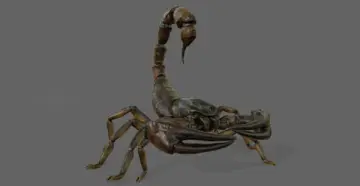 Characters
 Nature & Plants
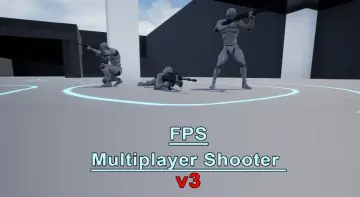 Shooter
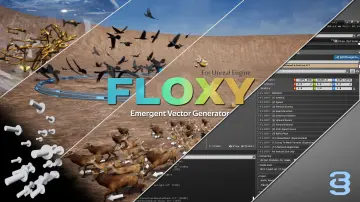 Characters
 Fire & Explosions
 Variety
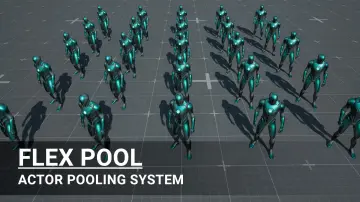 Gameplay Features
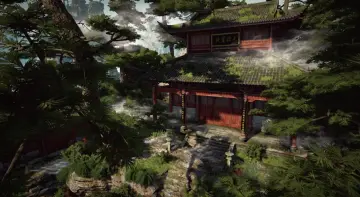 Cities
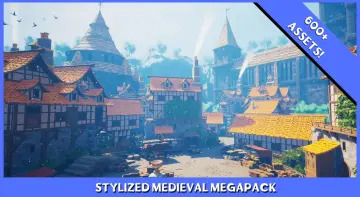 Fantasy
 Gameplay Features
 Variety
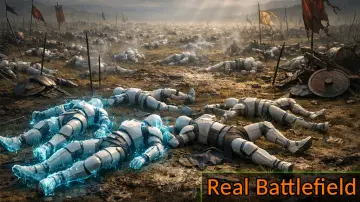 Procedural Systems
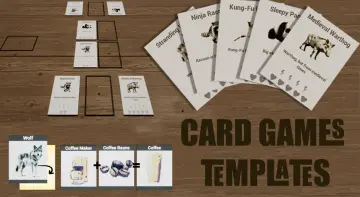 Gameplay Features
 Forest & Jungle
 Procedural Systems
 Combat
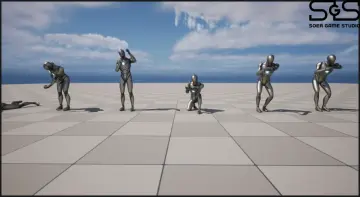 Combat
 Mountain
 Procedural Systems
![[VP] Temples of Cambodia - Ruins exterior and interior](/_img/360/wp-content/uploads/published/2026/09/e98d07773c31-d1d31c30-c89a-4b52-b9d5-3b0aea0c63b8-bbd1ec4a04.webp) Historical
Historical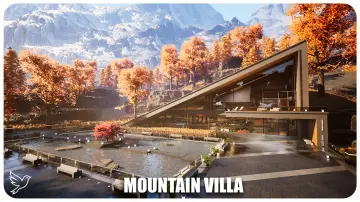 Towns & Villages
 Gameplay Features
 Gameplay Features
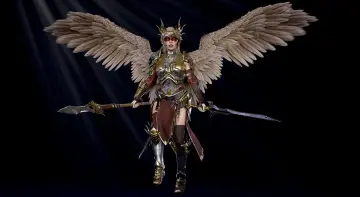 Characters