"c14ff6bd758dadb1"{"id":"1001078","slug":"assault-rifle-animations","title":"Assault Rifle Animations","category":"Combat","engine":"5.2+","assetVersion":"","engineVersion":"Engine Version: 5.2+","tag":"Combat","accent":"blue","visual":"animation","summary":"25 Mocap assault rifle clips with reload, shots, crouch, prone, walk and shooting rack. Shots and reloads trigger sounds via notify events.","platform":"Unreal Engine","publishedAt":"2026-09-04T15:56:17.751Z","updatedAt":"2026-09-04T15:56:17.751Z","sourceNotes":[],"fileContents":[],"compatibility":["Unreal Engine","Engine Version: 5.2+"],"featuredImage":{"alt":"Assault Rifle Animations","src":"/wp-content/uploads/published/2026/09/e38384de8b24-66e3c82f-6c26-4635-a590-a0ab32731608-177f9044ed.webp"},"hasDownloadLink":true,"downloads":7,"terms":[{"taxonomy":"category","slug":"combat","name":"Combat"}],"galleryImages":[{"src":"/wp-content/uploads/published/2026/09/3786c45612e4-72a753b6-f389-4627-b81e-a6e0524d2807-744fefa9d2.webp","alt":"Assault Rifle Animations"},{"src":"/wp-content/uploads/published/2026/09/f9adf6f4c444-fc61b693-9025-47eb-b673-947d5f0c8d41-f88e34db68.webp","alt":"Assault Rifle Animations"},{"src":"/wp-content/uploads/published/2026/09/1914f707592b-91044fe5-10a6-459b-b176-0812f1409cb2-206a40acf6.webp","alt":"Assault Rifle Animations"},{"src":"/wp-content/uploads/published/2026/09/0072264c32a1-157fd1d5-d9af-46f2-9683-d79837753e54-ca2d2cc550.webp","alt":"Assault Rifle Animations"},{"src":"/wp-content/uploads/published/2026/09/03ecf63f6032-f007e4e0-67c4-47d8-97d9-67ae6256f52d-815d5b9a12.webp","alt":"Assault Rifle Animations"},{"src":"/wp-content/uploads/published/2026/09/40cf66a946b4-40baf237-ea3d-4202-a1a8-8448fa76164b-2999142187.webp","alt":"Assault Rifle Animations"},{"src":"/wp-content/uploads/published/2026/09/94c309a3c2fb-dc0a22a1-7e2f-4e3c-b9fe-7e56fc2fdf6f-ce4bc09efd.webp","alt":"Assault Rifle Animations"},{"src":"/wp-content/uploads/published/2026/09/0ee4b6dbbbcb-b844437b-fe7a-496f-aa8e-76330733e739-f31ea89e41.webp","alt":"Assault Rifle Animations"},{"src":"/wp-content/uploads/published/2026/09/a72cc6733fdc-452ddd42-c130-4a4f-894c-8a5889787388-ebb6d9afe3.webp","alt":"Assault Rifle Animations"}],"accessPanel":{"kind":"resource","title":"Download this resource","eyebrow":"Free Download","message":"Log in or create a free account to start your download.","fileName":"Content.7z","safetyNote":"Resources are manually reviewed before listing to improve quality and reduce obvious risks.","actionLabel":"Download Free","resourceType":"Resource archive"},"contentHtml":"\u003cp\u003eAssault Rifle Animations is a 25-clip motion-captured animation set built for characters who carry and fight with an assault rifle. Rather than concentrating only on the pull-of-the-trigger moment, the pack covers the full mix of states that appear during a firefight: reloads, individual shot clips, crouched and prone body positions, a walking stance, and a more specialized shooting-rack sequence. Because the foundation is motion capture, the body motion is not a hand-drawn approximation but a record of how a live person physically handles a weapon.\u003c/p\u003e \u003cp\u003eThe clips line up with the labels that level designers and character animators actually search for: reload, shots, crouch, prone, walk, and the shooting rack. With 25 files in the collection, there is room to cover different angles of each of those states rather than forcing one generic fire loop to do all the work.\u003c/p\u003e \u003ch2\u003eCrouch, Prone, and Walk: The Locomotion Fits the Setting\u003c/h2\u003e\n\u003cp\u003eA shooter level is often a game of cover. A low half-wall protects the torso but leaves the head exposed, so crouching matters. A parapet or a ridge might force the character to go prone. Both of those positions change how the rifle is held, how the shoulders sit, and how much of the body is exposed. The pack includes separate clips for crouch and prone, which means a developer can map them directly to cover states in a character controller without borrowing a standing pose and scaling it down. A rifle is heavy, and a crouch does not feel the same as a standing-fire stance. The extra body bend and the shift of the weapon are exactly the kind of nuance a mocap recording preserves.\u003c/p\u003e \u003cp\u003eWalking with the rifle up is another clip worth calling out. Many weapon packs expect the user to combine a normal walk cycle with an idle rifle pose, and this gives often a floating firearm or a stiff upper body. This pack lists walk as a full assault-rifle animation, giving the arms and the gun a consistent position while the legs move underneath. That walking clip works well for patrol sections, for moving between pieces of cover without lowering the weapon, or for an AI guard who is scanning a room.\u003c/p\u003e \u003ch2\u003eSound as a Timeline Event\u003c/h2\u003e\n\u003cp\u003eThe most practical technical detail is the way sound has been set up for the shot and reload animations. The pack pairs those specific clips with sound files that are triggered through notify events. An animation notify is a marker placed at a particular frame on the animation timeline. When the animation plays and reaches that marker, the game engine fires an event which can play audio. For a gunshot, this means the sound can land on the exact frame the muzzle moves. For a reload, the sound can align with the moment the magazine is pulled free or a new one is inserted.\u003c/p\u003e \u003cp\u003eHaving the notify events built into the asset removes part of the manual work from the integration process. Instead of writing a separate script that checks the animation state and then triggers a sound externally, the audio cue rides directly inside the animation file. When you preview the clip inside a game editor, you will hear the shot sound at the proper point. The pack’s showcase includes a version of the animation reel with the sound audible, making it easy to hear how the event timing lines up with the visual motion.\u003c/p\u003e \u003ch3\u003eThe Shooting-Rack Detour\u003c/h3\u003e\n\u003cp\u003eAmong the more standard animation categories, the shooting-rack clip stands out as an unusual addition. It is not the typical run-and-gun action. A shooting rack suggests a rifle that is supported by a bench rest, a stand, or another fixed platform, letting the character shoot with far more stability than they would have off-hand. This type of animation is not something every shooter pack includes. It can be used for a training-range sequence, a target-practice tutorial, or a scripted moment where a character prepares for a precise shot over a long distance. For level designers, that extra clip opens up a scene that would otherwise need a custom keyframed interaction or a mismatched generic fire animation.\u003c/p\u003e \u003ch2\u003eWhy Mocap Matters for a Weapon Set\u003c/h2\u003e\n\u003cp\u003eMotion capture is not just a buzzword on the listing. It changes how the animation behaves during gameplay. A mocap performer in a studio is usually holding a real rifle or a weight-matched replica, and their body reacts to the strain. The shoulders move during recoil, the arms adjust after a reload, the legs bend naturally when transitioning into a crouch. Those subtle shifts are easy to lose when an artist hand-tweaks frames, but they come across naturally when the source is a recording of an actual body.\u003c/p\u003e \u003cp\u003eFor a game that puts the assault rifle in the player’s hands or in the hands of a persistent enemy, this realism plays a major part in making the character feel grounded. A soldier does not keep the rifle perfectly still while walking; the gun tilts with the torso. A prone shooter does not hold the rifle at the chest like a standing shooter would. The mocap source data should preserve those differences. It is a way for a small team to get a level of organic movement that might otherwise require a full mocap shoot.\u003c/p\u003e \u003ch2\u003eA Pack That Is Not Alone\u003c/h2\u003e\n\u003cp\u003eThat this animation set is included in a broader Animation Bundle. That mention points to a larger library around the same group of assets. For a developer who is assembling a complete character animation package, the Assault Rifle Animations file set acts as the weapon-specific component. If the Animation Bundle contains neighboring clips for locomotion, jumping, or interaction, the rifle animations can sit alongside them and share a similar production style. Bundling also helps keep a project’s animation library internally consistent, since assets from the same creator tend to use the same skeleton setup and motion-capture style.\u003c/p\u003e \u003cp\u003eWhen you put the pack into a project, the practical next step is to look at the state machine and see which entries line up with the included clips. Crouch, prone, walk, shot, and reload map cleanly to standard player states. The shooting-rack clip is the exception, and it will probably live in a separate slot tied to a specific interaction prompt or a scripted event. The sound-aware shot and reload clips can be dropped into their states right away, with the notify events already carrying the audio.\u003c/p\u003e \u003cp\u003eFor someone building a first-person shooter, a third-person tactical game, or even a cutscene that features a soldier in a range, this pack gives 25 clearly defined actions without forcing the entire set to run through a single fire loop. The inclusion of crouch and prone as distinct assets means the collection is more than a set of fire variations—it is a small but solid base of movement that can fit into an existing animation system and stand up to stand-alone use.\u003c/p\u003e\n\n\u003ch2\u003eRelated Resources Worth Checking\u003c/h2\u003e\n\u003cul\u003e\n\u003cli\u003e\u003ca href=\"https://3dcghub.com/fps-sniper-rifle-03-animations/\" title=\"FPS Sniper Rifle 03 (Animations)\"\u003eFPS Sniper Rifle 03 (Animations)\u003c/a\u003e\u003c/li\u003e\n\u003cli\u003e\u003ca href=\"https://3dcghub.com/ak-rifle-character-animation-pack-first-third-person/\" title=\"AK Rifle Character Animation Pack First \u0026amp; Third Person\"\u003eAK Rifle Character Animation Pack First \u0026amp; Third Person\u003c/a\u003e\u003c/li\u003e\n\u003cli\u003e\u003ca href=\"https://3dcghub.com/fps-sniper-rifle-large-calibre-animations/\" title=\"FPS Sniper Rifle Large Calibre (Animations)\"\u003eFPS Sniper Rifle Large Calibre (Animations)\u003c/a\u003e\u003c/li\u003e\n\u003cli\u003e\u003ca href=\"https://3dcghub.com/fps-automatic-rifle-02-animations/\" title=\"FPS Automatic Rifle 02 (Animations)\"\u003eFPS Automatic Rifle 02 (Animations)\u003c/a\u003e\u003c/li\u003e\n\u003cli\u003e\u003ca href=\"https://3dcghub.com/pistol-animset-pro/\" title=\"Pistol Animset Pro\"\u003ePistol Animset Pro\u003c/a\u003e\u003c/li\u003e\n\u003c/ul\u003e","contentTextLength":6937,"navigation":{"current":751,"total":3719,"previous":{"id":"1001079","slug":"big-zombie-animation-pack","title":"Big Zombie Animation Pack","category":"Combat","platform":"Unreal Engine","updatedAt":"2026-09-04T16:00:53.995Z"},"next":{"id":"1001077","slug":"brushify-beach-pack","title":"Brushify - Beach Pack","category":"Mountain","platform":"Unreal Engine","updatedAt":"2026-09-04T15:48:57.154Z"}},"relatedResources":[{"id":"1001362","slug":"shooter-rifle-animations","title":"Shooter Rifle Animations","category":"Combat","engine":"5.0+","assetVersion":"","engineVersion":"Engine Version: 5.0+","tag":"Combat","accent":"blue","visual":"animation","summary":"Tactical full-body rifle animations for the UE4 mannequin, featuring true first-person head camera support, BlendSpaces, AimOffsets 1D, and hand IK setups.","platform":"Unreal Engine","publishedAt":"2026-10-04T10:31:18.353Z","updatedAt":"2026-10-04T10:31:18.353Z","sourceNotes":[],"fileContents":[],"compatibility":["Unreal Engine","Engine Version: 5.0+"],"featuredImage":{"alt":"Shooter Rifle Animations","src":"/wp-content/uploads/published/2026/10/c91333d8edc4-50a7901b-e742-416b-8d93-123662194abb-8a2635ccbe.webp"},"hasDownloadLink":true,"downloads":3},{"id":"1001171","slug":"fps-automatic-rifle-01-animations","title":"FPS Automatic Rifle 01 Animations","category":"Combat","engine":"5.0+","assetVersion":"","engineVersion":"Engine Version: 5.0+","tag":"Combat","accent":"blue","visual":"animation","summary":"First-person automatic rifle animation set featuring animated FPS hands with multiple skins, weapon reloading, firing, and detailed cartridge handling.","platform":"Unreal Engine","publishedAt":"2026-09-17T03:34:03.784Z","updatedAt":"2026-09-17T03:34:03.784Z","sourceNotes":[],"fileContents":[],"compatibility":["Unreal Engine","Engine Version: 5.0+"],"featuredImage":{"alt":"FPS Automatic Rifle 01 Animations","src":"/wp-content/uploads/published/2026/09/43275608c235-74b1eabb-34f4-459a-9724-3c909661891a-c49bdcd627.webp"},"hasDownloadLink":true,"downloads":4},{"id":"1000009","slug":"fps-sniper-rifle-03-animations","title":"FPS Sniper Rifle 03 (Animations)","category":"Combat","engine":"4.18","assetVersion":"","engineVersion":"4.18","tag":"Combat","accent":"blue","visual":"animation","summary":"FPS Sniper Rifle 03 provides a realistic lowpoly weapon wrapped in cloth, complete with multiple hand skins and a comprehensive suite of first-person animations","platform":"Unreal Engine","publishedAt":"2026-05-19T17:11:44.078Z","updatedAt":"2026-05-19T17:11:44.078Z","sourceNotes":[],"fileContents":[],"compatibility":["Unreal Engine","Engine version: 4.18"],"featuredImage":{"alt":"FPS Sniper Rifle 03 (Animations)","src":"/wp-content/uploads/published/2026/05/eafcf22337b0-b90c4cec-921f-4592-9c3a-bf55467f3365-9a32f51590.webp"},"hasDownloadLink":true,"downloads":4}]}
Combat
Assault Rifle Animations
25 Mocap assault rifle clips with reload, shots, crouch, prone, walk and shooting rack. Shots and reloads trigger sounds via notify events.
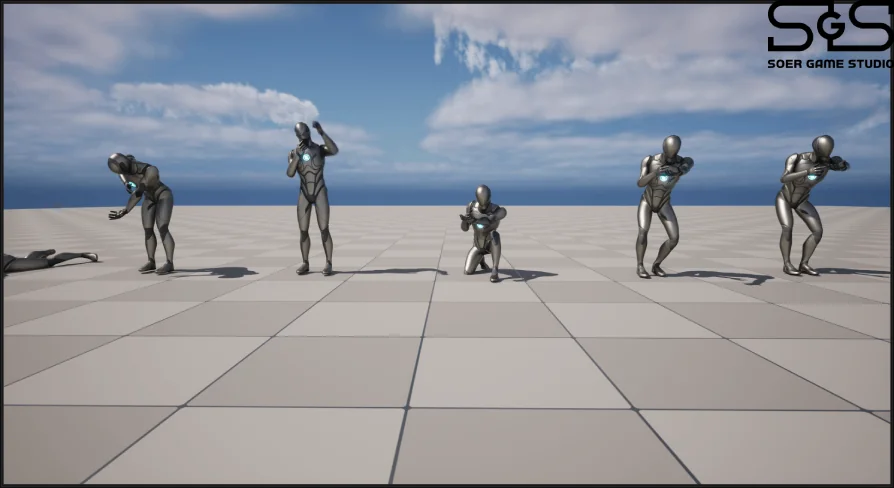
Assault Rifle Animations is a 25-clip motion-captured animation set built for characters who carry and fight with an assault rifle. Rather than concentrating only on the pull-of-the-trigger moment, the pack covers the full mix of states that appear during a firefight: reloads, individual shot clips, crouched and prone body positions, a walking stance, and a more specialized shooting-rack sequence. Because the foundation is motion capture, the body motion is not a hand-drawn approximation but a record of how a live person physically handles a weapon.
The clips line up with the labels that level designers and character animators actually search for: reload, shots, crouch, prone, walk, and the shooting rack. With 25 files in the collection, there is room to cover different angles of each of those states rather than forcing one generic fire loop to do all the work.
Crouch, Prone, and Walk: The Locomotion Fits the Setting
A shooter level is often a game of cover. A low half-wall protects the torso but leaves the head exposed, so crouching matters. A parapet or a ridge might force the character to go prone. Both of those positions change how the rifle is held, how the shoulders sit, and how much of the body is exposed. The pack includes separate clips for crouch and prone, which means a developer can map them directly to cover states in a character controller without borrowing a standing pose and scaling it down. A rifle is heavy, and a crouch does not feel the same as a standing-fire stance. The extra body bend and the shift of the weapon are exactly the kind of nuance a mocap recording preserves.
Walking with the rifle up is another clip worth calling out. Many weapon packs expect the user to combine a normal walk cycle with an idle rifle pose, and this gives often a floating firearm or a stiff upper body. This pack lists walk as a full assault-rifle animation, giving the arms and the gun a consistent position while the legs move underneath. That walking clip works well for patrol sections, for moving between pieces of cover without lowering the weapon, or for an AI guard who is scanning a room.
Sound as a Timeline Event
The most practical technical detail is the way sound has been set up for the shot and reload animations. The pack pairs those specific clips with sound files that are triggered through notify events. An animation notify is a marker placed at a particular frame on the animation timeline. When the animation plays and reaches that marker, the game engine fires an event which can play audio. For a gunshot, this means the sound can land on the exact frame the muzzle moves. For a reload, the sound can align with the moment the magazine is pulled free or a new one is inserted.
Having the notify events built into the asset removes part of the manual work from the integration process. Instead of writing a separate script that checks the animation state and then triggers a sound externally, the audio cue rides directly inside the animation file. When you preview the clip inside a game editor, you will hear the shot sound at the proper point. The pack’s showcase includes a version of the animation reel with the sound audible, making it easy to hear how the event timing lines up with the visual motion.
The Shooting-Rack Detour
Among the more standard animation categories, the shooting-rack clip stands out as an unusual addition. It is not the typical run-and-gun action. A shooting rack suggests a rifle that is supported by a bench rest, a stand, or another fixed platform, letting the character shoot with far more stability than they would have off-hand. This type of animation is not something every shooter pack includes. It can be used for a training-range sequence, a target-practice tutorial, or a scripted moment where a character prepares for a precise shot over a long distance. For level designers, that extra clip opens up a scene that would otherwise need a custom keyframed interaction or a mismatched generic fire animation.
Why Mocap Matters for a Weapon Set
Motion capture is not just a buzzword on the listing. It changes how the animation behaves during gameplay. A mocap performer in a studio is usually holding a real rifle or a weight-matched replica, and their body reacts to the strain. The shoulders move during recoil, the arms adjust after a reload, the legs bend naturally when transitioning into a crouch. Those subtle shifts are easy to lose when an artist hand-tweaks frames, but they come across naturally when the source is a recording of an actual body.
For a game that puts the assault rifle in the player’s hands or in the hands of a persistent enemy, this realism plays a major part in making the character feel grounded. A soldier does not keep the rifle perfectly still while walking; the gun tilts with the torso. A prone shooter does not hold the rifle at the chest like a standing shooter would. The mocap source data should preserve those differences. It is a way for a small team to get a level of organic movement that might otherwise require a full mocap shoot.
A Pack That Is Not Alone
That this animation set is included in a broader Animation Bundle. That mention points to a larger library around the same group of assets. For a developer who is assembling a complete character animation package, the Assault Rifle Animations file set acts as the weapon-specific component. If the Animation Bundle contains neighboring clips for locomotion, jumping, or interaction, the rifle animations can sit alongside them and share a similar production style. Bundling also helps keep a project’s animation library internally consistent, since assets from the same creator tend to use the same skeleton setup and motion-capture style.
When you put the pack into a project, the practical next step is to look at the state machine and see which entries line up with the included clips. Crouch, prone, walk, shot, and reload map cleanly to standard player states. The shooting-rack clip is the exception, and it will probably live in a separate slot tied to a specific interaction prompt or a scripted event. The sound-aware shot and reload clips can be dropped into their states right away, with the notify events already carrying the audio.
For someone building a first-person shooter, a third-person tactical game, or even a cutscene that features a soldier in a range, this pack gives 25 clearly defined actions without forcing the entire set to run through a single fire loop. The inclusion of crouch and prone as distinct assets means the collection is more than a set of fire variations—it is a small but solid base of movement that can fit into an existing animation system and stand up to stand-alone use.
 Combat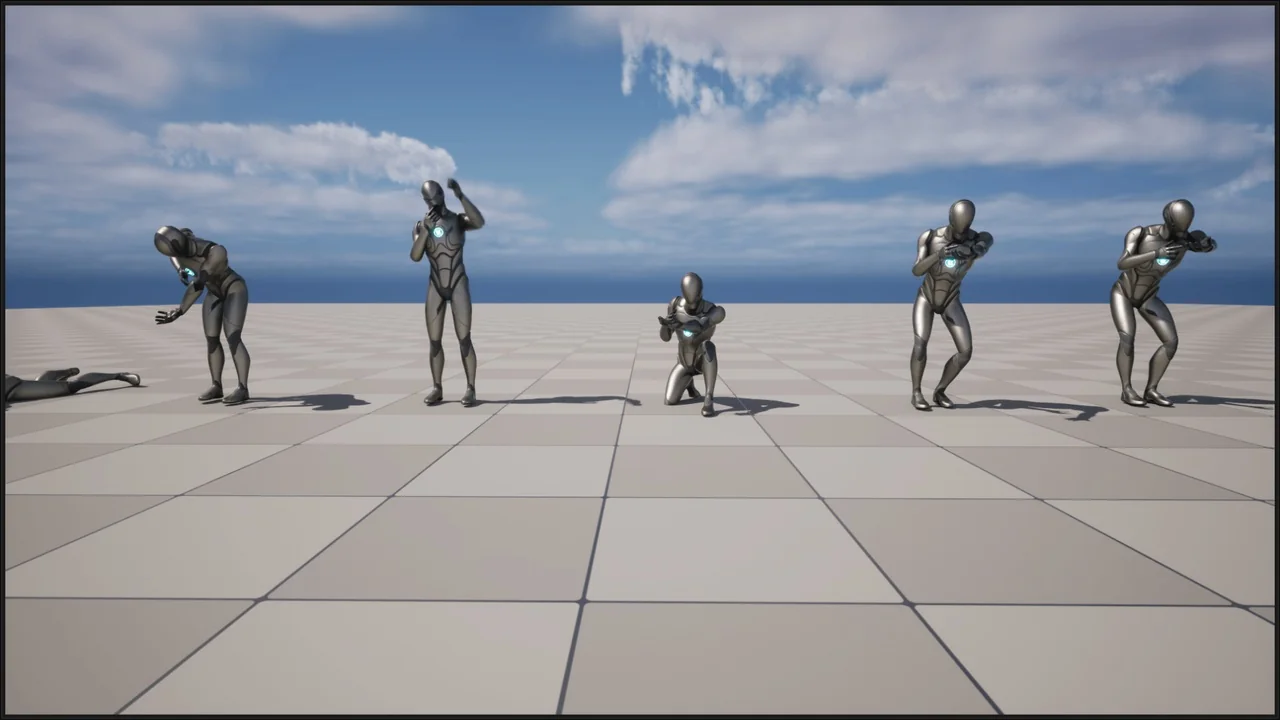
 Combat
 Combat
 Combat