"fa182e0cd0a6ea73"{"id":"1001091","slug":"fps-multiplayer-shooter-v3","title":"FPS Multiplayer shooter v3","category":"Shooter","engine":"5.1+","assetVersion":"Asset Version: v2","engineVersion":"Engine Version: 5.1+","tag":"Shooter","accent":"blue","visual":"mech","summary":"Restore missing plugin folders first, then v3 adds an assault rifle, shotgun, sniper, prone, team chat, and a LAN/Steam team deathmatch loop.","platform":"Unreal Engine","publishedAt":"2026-09-05T18:08:15.901Z","updatedAt":"2026-09-05T18:08:15.901Z","sourceNotes":[],"fileContents":[],"compatibility":["Unreal Engine","Asset Version: v2","Engine Version: 5.1+"],"featuredImage":{"alt":"FPS Multiplayer shooter v3","src":"/wp-content/uploads/published/2026/09/f2dcbef3e7d9-5605e15c-6edf-460f-a056-8f457e7fd1a3-a371fb4696.webp"},"hasDownloadLink":true,"downloads":3,"terms":[{"taxonomy":"category","slug":"shooter","name":"Shooter"}],"galleryImages":[{"src":"/wp-content/uploads/published/2026/09/841a5654c9ef-2e9ee33c-52da-4ff8-9c96-5752f4d65c2f-016c7f7b1d.webp","alt":"FPS Multiplayer shooter v3"},{"src":"/wp-content/uploads/published/2026/09/ad36258981f4-5c7b693e-37e0-4408-bbf2-8d33050f5db9-6fda6fa7fb.webp","alt":"FPS Multiplayer shooter v3"},{"src":"/wp-content/uploads/published/2026/09/21d46770da46-ac2f889d-11dc-4301-a406-e69a055e1f47-4d5b300a52.webp","alt":"FPS Multiplayer shooter v3"},{"src":"/wp-content/uploads/published/2026/09/be7b1c669029-4ce26b0a-1b45-4211-8552-99e2ef5a9c49-7a8d30fb19.webp","alt":"FPS Multiplayer shooter v3"},{"src":"/wp-content/uploads/published/2026/09/ff0cb7d29c15-0f6f3841-f029-4cc2-9a31-69a2b8311005-17672faa70.webp","alt":"FPS Multiplayer shooter v3"},{"src":"/wp-content/uploads/published/2026/09/54d0dc31dae1-8b9c51a2-b767-4880-8ca1-4f55a85bb520-cdc787f56d.webp","alt":"FPS Multiplayer shooter v3"},{"src":"/wp-content/uploads/published/2026/09/6eb68e39038b-3340f1a7-9adf-4e94-8b9e-af3fe29c7d6c-b2c19af442.webp","alt":"FPS Multiplayer shooter v3"},{"src":"/wp-content/uploads/published/2026/09/0b69f5bbea98-eb4c1b45-9a0f-4734-a3ea-55a12c38a1b9-39cc0381ce.webp","alt":"FPS Multiplayer shooter v3"},{"src":"/wp-content/uploads/published/2026/09/7f0cdfddea46-b50adf21-568e-4180-b4fb-6b630eec7ce4-27ed251065.webp","alt":"FPS Multiplayer shooter v3"},{"src":"/wp-content/uploads/published/2026/09/99f3fb5cc08e-6b8a8100-8dfe-488b-a081-42ded63edac3-01c820d237.webp","alt":"FPS Multiplayer shooter v3"}],"accessPanel":{"kind":"resource","title":"Download this resource","eyebrow":"Free Download","message":"Log in or create a free account to start your download.","fileName":"FPS Multiplayer shooter template 2.0.7z","safetyNote":"Resources are manually reviewed before listing to improve quality and reduce obvious risks.","actionLabel":"Download Free","resourceType":"Resource archive"},"contentHtml":"\u003ch2\u003eRestore the Latest Plugin Set Up Front\u003c/h2\u003e\u003cp\u003eThe download for FPS Multiplayer shooter v3 has one catch outside the editor: the plugin folder does not arrive with the rest of the project. The v3 setup note says what appears to be missing shows up when you download the project, and the fix is a manual one. Download the correct version of the AdvancedSteamSessions and AdvancedSessions plugins for the same Unreal Engine version you plan to use, choosing between 4.27, 5.0, 5.1, 5.2, 5.3, 5.4, 5.5, 5.6, and 5.7. Then extract them into the Multiplayer FPS shooter v3 main folder. After extraction the paths should read Multiplayer FPS shooter v3/Plugins/AdvancedSteamSessions and Multiplayer FPS shooter v3/Plugins/AdvancedSessions. Once those are in place, opening the project should work.\u003c/p\u003e\u003cp\u003eThe release itself includes a playable demo and a preview video, plus a technical guide and a tutorial dedicated to having a working host and join match through steam_app. That means the experience does not stop at the project file; there is a direct walkthrough for the networking side of the editor setup.\u003c/p\u003e\u003ch2\u003eWhat Arrived in v3\u003c/h2\u003e\u003cp\u003eThe v3 update concentrates on expanding the player toolkit. The weapon list now includes an assault weapon, a shotgun, and a sniper rifle, while a melee attack sits alongside the firearms for close-quarters moments.\u003c/p\u003e\u003cp\u003eMovement and communication also get attention. A prone stance gives the player a lower profile, and a 3D run animation is layered in. Jumping is present, and chat is split into global and team channels, so players can either talk to everyone or keep the conversation on their side of the fight.\u003c/p\u003e\u003cp\u003eSeveral changes are aimed at the feel of the gunplay. Weapon shake is described as more realistic, reloading is more realistic, and weapon sway is added. Weapons also receive left hand IK for a steadier first-person grip, and a firing effect accompanies shots. The patch notes finish by saying bugs are fixed without breaking down each individual fix.\u003c/p\u003e\u003ch2\u003eThe Base Weapon Tree and the Firing Systems Under It\u003c/h2\u003e\u003cp\u003eWeapons are built as a base weapon with child weapons inheriting its structure. The base stores the same categories for every firearm: damage, fire rate, reload time, accuracy, recoil, firing mods, and the weapon image shown in the HUD. Those fields become the tuning surface for each child weapon.\u003c/p\u003e\u003cp\u003eFiring modes cover three standard behaviors: single, auto, and burst. Projectiles use a visual flashing effect. Aiming down sight produces a smooth change in the weapon camera rather than a hard cut. Reload pulls from a magazine and ammo pool, so magazines run dry before the reserve pool is tapped, and the weapon's firing effects include a bullet hole that remains at the landing point.\u003c/p\u003e\u003ch2\u003eRecoil, Spread, and Bone-Aware Damage\u003c/h2\u003e\u003cp\u003eRecoil and accuracy stay visible while firing. Every shot moves the weapon pitch up, and bullet spread is implemented as a random landing point for each round. If you are holding down full auto, the camera has to fight the upward drift while rounds scatter.\u003c/p\u003e\u003cp\u003eDamage is not a single number across the body. The player takes advanced damage depending on the hit bone, so where the projectile connects matters. Health regeneration starts after 10 seconds from the last received shot. There is also a critical hit chance tied to the weapon's crit chance percent. Critical hits are surfaced in the floating damage readout with red numbers, and headshots use a distinct icon beside the number.\u003c/p\u003e\u003cp\u003eThose floating damage numbers spawn next to the player you hit, which turns every exchange into readable information. You can tell at a glance whether the shot was a normal hit, a critical, or a headshot.\u003c/p\u003e\u003ch2\u003eHosting, Lobby, and the Team Deathmatch Loop\u003c/h2\u003e\u003cp\u003eThe menu layout targets multiplayer immediately. From the main screen you can host a match on LAN or Steam, find a match through the server browser, and set your player name and icon.\u003c/p\u003e\u003cp\u003eOnce a match is hosted, the lobby handles the match rules: match time and map are set there, and each player chooses the red or blue team. The game mode itself is team deathmatch. Spawn points are provided on each team side, the team scores rise as kills accumulate, and the game time runs down from the setting made in the lobby.\u003c/p\u003e\u003ch2\u003eHUD Feedback and Keeping the Plugin Build in Sync\u003c/h2\u003e\u003cp\u003eThe HUD is dense enough to keep the player fully oriented. It shows weapon ammo and the weapon icon, an advanced crosshair, the current player score, killed player data and killed-by data, kill logs, team scores, a scoreboard, and reload time plus a reload warning. On the defensive side, a damage indicator and hurt effect appear when you take hits, and a hit player indicator confirms when you actually land on someone.\u003c/p\u003e\u003cp\u003eThat kind of feedback loop matters for a multiplayer template, because it lets you verify that actions and hits are being recognized by the replicated layer. The same layer is why the plugin version cannot be mismatched: AdvancedSteamSessions and AdvancedSessions have to match the Unreal Engine version you are opening. If you switch engine versions later, the first maintenance step will be swapping those two plugin folders again. With the plugins restored and the v3 features in place, this Blueprint-based package works as a ready-made starting point for a replicated first-person team deathmatch project.\u003c/p\u003e\n\n\u003ch2\u003eContinue Browsing Similar Packs\u003c/h2\u003e\n\u003cul\u003e\n\u003cli\u003e\u003ca href=\"https://3dcghub.com/advanced-third-person-shooter-project/\" title=\"Advanced Third Person Shooter Project\"\u003eAdvanced Third Person Shooter Project\u003c/a\u003e\u003c/li\u003e\n\u003cli\u003e\u003ca href=\"https://3dcghub.com/low-poly-shooter-pack-v6-0/\" title=\"Low Poly Shooter Pack v6.0\"\u003eLow Poly Shooter Pack v6.0\u003c/a\u003e\u003c/li\u003e\n\u003cli\u003e\u003ca href=\"https://3dcghub.com/tactical-shooter-kit-v1/\" title=\"Tactical Shooter Kit V1\"\u003eTactical Shooter Kit V1\u003c/a\u003e\u003c/li\u003e\n\u003cli\u003e\u003ca href=\"https://3dcghub.com/multiplayer-zombie-survival-template/\" title=\"Multiplayer Zombie Survival Template\"\u003eMultiplayer Zombie Survival Template\u003c/a\u003e\u003c/li\u003e\n\u003cli\u003e\u003ca href=\"https://3dcghub.com/multiplayer-bodycam/\" title=\"MULTIPLAYER BODYCAM\"\u003eMULTIPLAYER BODYCAM\u003c/a\u003e\u003c/li\u003e\n\u003c/ul\u003e","contentTextLength":5465,"navigation":{"current":813,"total":3789,"previous":{"id":"1001092","slug":"fruit-tree-v1","title":"fruit tree V1","category":"Nature \u0026 Plants","platform":"Unreal Engine","updatedAt":"2026-09-05T18:16:54.177Z"},"next":{"id":"1001090","slug":"floxy-flock-anything","title":"Floxy - Flock Anything!","category":"Characters \u0026 Creatures","platform":"Unreal Engine","updatedAt":"2026-09-05T16:25:43.591Z"}},"relatedResources":[{"id":"11974","slug":"definitive-fps-kit","title":"DEFINITIVE FPS KIT","category":"Shooter","engine":"5.5+","assetVersion":"Asset Version: 0.0.3","engineVersion":"Engine version: 5.5+","tag":"Shooter","accent":"blue","visual":"luts","summary":"The DEFINITIVE FPS KIT provides a solid foundation for creating professional first-person shooters. It features high-quality animations, customizable loadouts, and diverse game modes like round-based zombies and multiplayer.","platform":"Unreal Engine","publishedAt":"2026-03-06T16:27:47.000Z","updatedAt":"2026-10-16T06:54:06.998Z","sourceNotes":[],"fileContents":[],"compatibility":["Unreal Engine","Asset Version: 0.0.3","Engine version: 5.5+"],"featuredImage":{"alt":"DEFINITIVE FPS KIT","src":"https://3dcghub.com/wp-content/uploads/2026/03/6ad028e1-885c-4980-aa89-7ecea094d867.webp"},"hasDownloadLink":true,"downloads":23},{"id":"1001496","slug":"ultimate-multiplayer-fps-kit","title":"Ultimate Multiplayer FPS Kit","category":"Shooter","engine":"5.3+","assetVersion":"","engineVersion":"Engine Version: 5.3+","tag":"Shooter","accent":"blue","visual":"mech","summary":"Explore the Ultimate Multiplayer FPS Kit, featuring replicated mechanics, modular weapons, dynamic locomotion, and flexible objective frameworks.","platform":"Unreal Engine","publishedAt":"2026-10-09T05:55:05.138Z","updatedAt":"2026-10-09T05:55:05.138Z","sourceNotes":[],"fileContents":[],"compatibility":["Unreal Engine","Engine Version: 5.3+"],"featuredImage":{"alt":"Ultimate Multiplayer FPS Kit","src":"/wp-content/uploads/published/2026/10/391e1644e6fa-13c21395-24cd-4606-b1ed-a04edd06457c-0245a33139.webp"},"hasDownloadLink":true,"downloads":3},{"id":"1001436","slug":"fps-multiplayer-controller","title":"FPS Multiplayer Controller","category":"Shooter","engine":"5.4+","assetVersion":"","engineVersion":"Engine Version: 5.4+","tag":"Shooter","accent":"blue","visual":"mech","summary":"Build networked first-person shooters in Unreal Engine 5 with replicated weapons, MetaHuman animation support, dynamic gun handling, and loadout benches.","platform":"Unreal Engine","publishedAt":"2026-10-07T08:29:53.920Z","updatedAt":"2026-10-07T08:29:53.920Z","sourceNotes":[],"fileContents":[],"compatibility":["Unreal Engine","Engine Version: 5.4+"],"featuredImage":{"alt":"FPS Multiplayer Controller","src":"/wp-content/uploads/published/2026/10/541757ac162a-b8b106b4-85dc-43f2-b340-a4517862fe57-13e6e45d73.webp"},"hasDownloadLink":true,"downloads":3}]}
Shooter
FPS Multiplayer shooter v3
Restore missing plugin folders first, then v3 adds an assault rifle, shotgun, sniper, prone, team chat, and a LAN/Steam team deathmatch loop.
The download for FPS Multiplayer shooter v3 has one catch outside the editor: the plugin folder does not arrive with the rest of the project. The v3 setup note says what appears to be missing shows up when you download the project, and the fix is a manual one. Download the correct version of the AdvancedSteamSessions and AdvancedSessions plugins for the same Unreal Engine version you plan to use, choosing between 4.27, 5.0, 5.1, 5.2, 5.3, 5.4, 5.5, 5.6, and 5.7. Then extract them into the Multiplayer FPS shooter v3 main folder. After extraction the paths should read Multiplayer FPS shooter v3/Plugins/AdvancedSteamSessions and Multiplayer FPS shooter v3/Plugins/AdvancedSessions. Once those are in place, opening the project should work.
The release itself includes a playable demo and a preview video, plus a technical guide and a tutorial dedicated to having a working host and join match through steam_app. That means the experience does not stop at the project file; there is a direct walkthrough for the networking side of the editor setup.
What Arrived in v3
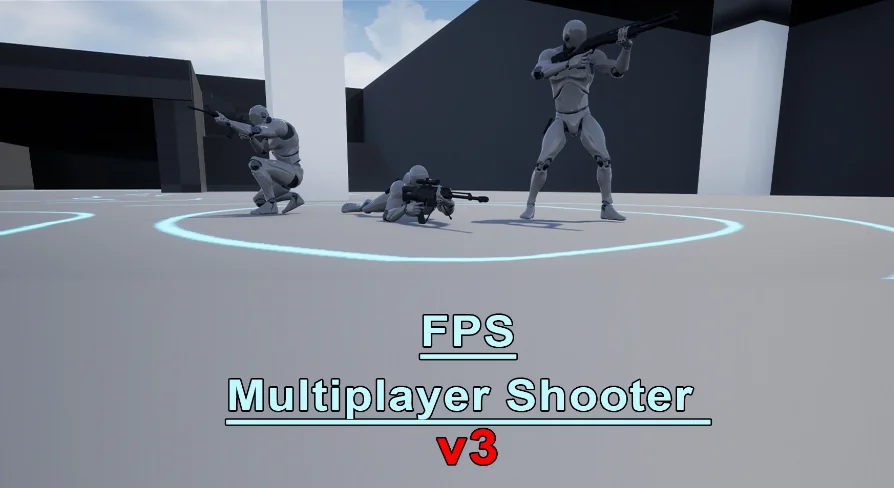
The v3 update concentrates on expanding the player toolkit. The weapon list now includes an assault weapon, a shotgun, and a sniper rifle, while a melee attack sits alongside the firearms for close-quarters moments.
Movement and communication also get attention. A prone stance gives the player a lower profile, and a 3D run animation is layered in. Jumping is present, and chat is split into global and team channels, so players can either talk to everyone or keep the conversation on their side of the fight.
Several changes are aimed at the feel of the gunplay. Weapon shake is described as more realistic, reloading is more realistic, and weapon sway is added. Weapons also receive left hand IK for a steadier first-person grip, and a firing effect accompanies shots. The patch notes finish by saying bugs are fixed without breaking down each individual fix.
The Base Weapon Tree and the Firing Systems Under It
Weapons are built as a base weapon with child weapons inheriting its structure. The base stores the same categories for every firearm: damage, fire rate, reload time, accuracy, recoil, firing mods, and the weapon image shown in the HUD. Those fields become the tuning surface for each child weapon.
Firing modes cover three standard behaviors: single, auto, and burst. Projectiles use a visual flashing effect. Aiming down sight produces a smooth change in the weapon camera rather than a hard cut. Reload pulls from a magazine and ammo pool, so magazines run dry before the reserve pool is tapped, and the weapon's firing effects include a bullet hole that remains at the landing point.
Recoil, Spread, and Bone-Aware Damage
Recoil and accuracy stay visible while firing. Every shot moves the weapon pitch up, and bullet spread is implemented as a random landing point for each round. If you are holding down full auto, the camera has to fight the upward drift while rounds scatter.
Damage is not a single number across the body. The player takes advanced damage depending on the hit bone, so where the projectile connects matters. Health regeneration starts after 10 seconds from the last received shot. There is also a critical hit chance tied to the weapon's crit chance percent. Critical hits are surfaced in the floating damage readout with red numbers, and headshots use a distinct icon beside the number.
Those floating damage numbers spawn next to the player you hit, which turns every exchange into readable information. You can tell at a glance whether the shot was a normal hit, a critical, or a headshot.
Hosting, Lobby, and the Team Deathmatch Loop
The menu layout targets multiplayer immediately. From the main screen you can host a match on LAN or Steam, find a match through the server browser, and set your player name and icon.
Once a match is hosted, the lobby handles the match rules: match time and map are set there, and each player chooses the red or blue team. The game mode itself is team deathmatch. Spawn points are provided on each team side, the team scores rise as kills accumulate, and the game time runs down from the setting made in the lobby.
HUD Feedback and Keeping the Plugin Build in Sync
The HUD is dense enough to keep the player fully oriented. It shows weapon ammo and the weapon icon, an advanced crosshair, the current player score, killed player data and killed-by data, kill logs, team scores, a scoreboard, and reload time plus a reload warning. On the defensive side, a damage indicator and hurt effect appear when you take hits, and a hit player indicator confirms when you actually land on someone.
That kind of feedback loop matters for a multiplayer template, because it lets you verify that actions and hits are being recognized by the replicated layer. The same layer is why the plugin version cannot be mismatched: AdvancedSteamSessions and AdvancedSessions have to match the Unreal Engine version you are opening. If you switch engine versions later, the first maintenance step will be swapping those two plugin folders again. With the plugins restored and the v3 features in place, this Blueprint-based package works as a ready-made starting point for a replicated first-person team deathmatch project.
 Shooter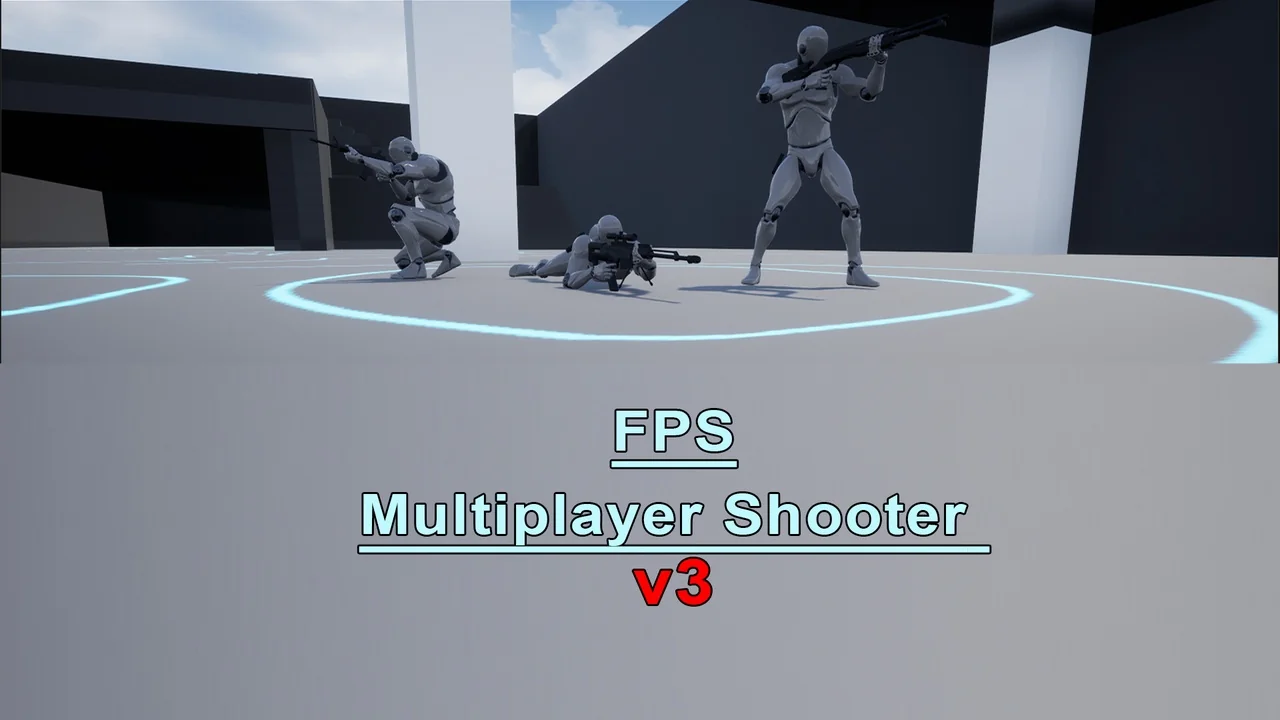
 Shooter
 Shooter
 Shooter