"c14ff6bd758dadb1"{"id":"1001073","slug":"wave-spawning-system","title":"Wave Spawning System","category":"Gameplay Features","engine":"5.2+","assetVersion":"","engineVersion":"Engine Version: 5.2+","tag":"Gameplay Features","accent":"blue","visual":"mech","summary":"Wave Spawning System is a 100% Blueprint framework for Unreal Engine. Use data tables, spawn controllers, fixed points, volumes, and batching to create hordes,","platform":"Unreal Engine","publishedAt":"2026-09-03T17:33:32.619Z","updatedAt":"2026-09-03T17:33:32.619Z","sourceNotes":[],"fileContents":[],"compatibility":["Unreal Engine","Engine Version: 5.2+"],"featuredImage":{"alt":"Wave Spawning System","src":"/wp-content/uploads/published/2026/09/9868a6203235-9b7b25bf-f688-4f08-ac7f-6a32e2cc14ab-b0daf9c728.webp"},"hasDownloadLink":true,"downloads":0,"terms":[{"taxonomy":"category","slug":"gameplay-features","name":"Gameplay Features"}],"galleryImages":[{"src":"/wp-content/uploads/published/2026/09/61fc2ebbcefb-9a205f91-abce-4475-88cc-9467a5b738ae-056e34e2ff.webp","alt":"Wave Spawning System"},{"src":"/wp-content/uploads/published/2026/09/97ac9c72c3c5-25f47d68-da92-4826-b133-7433186984be-ba3e92f8f0.webp","alt":"Wave Spawning System"},{"src":"/wp-content/uploads/published/2026/09/7d1ae9a4a95a-c2354646-b13e-4ce8-b114-5cb28bc2658d-d65d862c20.webp","alt":"Wave Spawning System"},{"src":"/wp-content/uploads/published/2026/09/ddeee29f39fc-5c8fff9f-38a2-403e-91ef-0596d9ace164-c9083ccdcd.webp","alt":"Wave Spawning System"},{"src":"/wp-content/uploads/published/2026/09/6e34f361e058-2999d6a1-4ca8-41dc-afdf-cc468aded984-ec728ce594.webp","alt":"Wave Spawning System"},{"src":"/wp-content/uploads/published/2026/09/703acc248bf3-0c698a23-be27-400d-b964-b6ad81593eb0-de8fc00923.webp","alt":"Wave Spawning System"},{"src":"/wp-content/uploads/published/2026/09/f5af89c2c49a-29ca39e5-41d0-444a-99a3-1a2d26c7cef2-827362a26d.webp","alt":"Wave Spawning System"}],"accessPanel":{"kind":"resource","title":"Download this resource","eyebrow":"Free Download","message":"Log in or create a free account to start your download.","fileName":"Content.7z","safetyNote":"Resources are manually reviewed before listing to improve quality and reduce obvious risks.","actionLabel":"Download Free","resourceType":"Resource archive"},"contentHtml":"\u003cp\u003eHordes of AI that arrive in organized, escalating waves form the backbone of many Unreal Engine projects, from tower defenses and survival arenas to boss gauntlets and story missions where a sudden flood of enemies is the point. The Wave Spawning System is built for exactly those scenes. It is a 100% Blueprint powered framework, so it doesn’t rely on C++ or extra plugins to run. All logic lives inside Blueprints, keeping the setup readable and the workflow quick.\u003c/p\u003e\u003cp\u003eThe system separates the design of a wave from the placement of spawn points. Instead of scattering dozens of individual enemy spawners around a level and wiring each one up, you define the incoming waves in a data table. Then you drop a Wave Spawn Controller into the level and link it with spawn points. Once these three parts are connected, the framework takes over. The same wave definitions can be reused, tweaked, and extended without touching the level walls or the AI characters themselves.\u003c/p\u003e\u003ch2\u003eThe workflow starts with a wave data table\u003c/h2\u003e\u003cp\u003eBecause waves are data-driven, most encounter design happens outside the level editor. You build the sequence of enemy groups in a data table, and the system reads that data when a wave begins. You can choose to have spawning happen automatically at level start, or you can take manual control and trigger waves through Wave Triggers placed in the level. That dual approach is useful when a project needs a mix of scripted combat encounters and open survival stretches. The controller manages the flow, whether the pressure builds on its own or waits for player action.\u003c/p\u003e\u003cp\u003eFor each wave, the framework makes use of a batching system that groups AI units into clusters. A single wave isn’t just one long line of enemies. It can be split into multiple batches, each acting independently. For every batch, you set a spawn starting time, the time interval between individual spawns, the spawn point, and the total number of units. This granular control lets you stagger infantry, release a flanking group halfway through a wave, or save a heavier squad for the final push. Large waves that would otherwise become a tangle of logic are handled as separate, manageable groups.\u003c/p\u003e\u003ch2\u003eBatches, boss waves, and flexible spawn locations\u003c/h2\u003e\u003cp\u003eEach batch can be customized independently, which is what lets the Wave Spawning System scale to huge waves without a proportional jump in setup effort. One group can start right away at a fixed doorway, another can appear seconds later at a second entrance, and a third can trickle in from a different point. You decide when each batch starts, how quickly its units appear, where they arrive, and how many belong to that group. The data table keeps those definitions tidy even when a wave involves many moving pieces.\u003c/p\u003e\u003cp\u003eThe system also supports special waves that spawn bosses at the end of an encounter. These boss waves layer onto the same batch structure, meaning a boss spawn can be timed to follow the final standard unit, or introduced as its own unique batch with a dramatic starting time. Since the framework works with both Pawn and Character AI types, it can handle normal enemy characters as well as larger custom pawns that don’t necessarily follow the standard character movement setup.\u003c/p\u003e\u003ch2\u003eFixed points, spawning volumes, and fail-safe tests\u003c/h2\u003e\u003cp\u003eSpawning locations come in two varieties. The first is the basic fixed location spawn point, which always places units at an exact transform. That is the right choice for doors, gates, landpads, or any spot where the player expects pressure to come from. The second is the Spawning Volume, a region that generates randomized spawn locations over a larger area. Volumes are useful for open fields, forests, or any encounter where precise positioning isn’t necessary and variation keeps players guessing.\u003c/p\u003e\u003cp\u003eRandomized spawning carries the risk of placing an enemy inside a wall or in an unreachable spot, so the Wave Spawning System includes fail-safe tests that maximize the probability of finding valid spawn locations. Before a unit is deposited, the system checks the area and works to avoid invalid placement. Spawn locations are also precached ahead of time, minimizing the impact on runtime performance. Instead of calculating and validating every spawn point while the game is busy running combat logic, the framework prepares the locations in advance.\u003c/p\u003e\u003ch2\u003eCountdown timers, notifications, and point distribution\u003c/h2\u003e\u003cp\u003eHanding control of a wave to the player requires clear communication, and the Wave Spawning System includes a countdown timer so the player has a moment to prepare before the next wave starts. This is a common pattern in defense-oriented gameplay, and having it built in removes the need to set up a separate timer and UI flow.\u003c/p\u003e\u003cp\u003eThe system also includes notification systems for wave completion and points distribution. When a wave is fully resolved, the Blueprint can notify other parts of the game, such as an objective manager or a scoring system. Points distribution can be tied to the same notification flow, so a project that rewards players for surviving waves doesn’t have to manually poll each kill. These built-in signals make it easier to connect the spawning framework to an existing game loop, whether that means updating a score, unlocking a door, or triggering a new objective.\u003c/p\u003e\u003ch2\u003eA Blueprint framework meant to be read\u003c/h2\u003e\u003cp\u003eThis isn’t a sandboxed tool that only works if you accept every default. The Wave Spawning System is made of 9 core Blueprints, with the number rising to 29 when example content and widgets are included. Those Blueprints are fully commented, which shortens the process of adapting the system to a specific project. The package also includes a sample gameplay level that shows the core systems working together, so you can see not just how the controller behaves, but how waves, spawn points, triggers, and notifications behave as a combined unit.\u003c/p\u003e\u003cp\u003eThe system is supported on Windows for both development and target builds, and the documentation comes in the form of fully commented Blueprints, included examples, and tutorials on YouTube. For someone using a Tower Defense Starter Kit or a survival template, the Wave Spawning System is meant to drop into the project and replace the ad-hoc spawning logic with a structure that handles batching, boss waves, timed spawns, and randomized location checks in one place.\u003c/p\u003e\u003cp\u003eWhen picking a spawning framework, the real test is whether it can make a dense, multi-group encounter feel controlled. The Wave Spawning System answers that with a data table driven flow, a level controller that isn’t cluttered with per-enemy details, and a batch setup that gives each AI cluster its own behavior timing. Combined with spawning volumes that generate dynamic placements across wide spaces and fail-safe tests that catch invalid spots, the system is positioned to handle both narrow corridor ambushes and open field sieges. For developers who want spawning logic that is easy to trace, quick to expand, and full of example guidance, this framework leans on Blueprints and data tables to keep the whole workflow accessible.\u003c/p\u003e\n\n\u003ch2\u003eExplore Similar Assets\u003c/h2\u003e\n\u003cul\u003e\n\u003cli\u003e\u003ca href=\"https://3dcghub.com/traffic-ai-system/\" title=\"Traffic AI System\"\u003eTraffic AI System\u003c/a\u003e\u003c/li\u003e\n\u003cli\u003e\u003ca href=\"https://3dcghub.com/open-world-ai-spawn-system/\" title=\"Open World AI Spawn System\"\u003eOpen World AI Spawn System\u003c/a\u003e\u003c/li\u003e\n\u003cli\u003e\u003ca href=\"https://3dcghub.com/gathering-resources-advanced-system/\" title=\"Gathering Resources - Advanced System\"\u003eGathering Resources - Advanced System\u003c/a\u003e\u003c/li\u003e\n\u003cli\u003e\u003ca href=\"https://3dcghub.com/hyper-basic-pcg-forest-v2/\" title=\"Hyper Basic PCG Forest v2\"\u003eHyper Basic PCG Forest v2\u003c/a\u003e\u003c/li\u003e\n\u003cli\u003e\u003ca href=\"https://3dcghub.com/dynamic-grass-system/\" title=\"Dynamic Grass System\"\u003eDynamic Grass System\u003c/a\u003e\u003c/li\u003e\n\u003c/ul\u003e","contentTextLength":7230,"navigation":{"current":757,"total":3719,"previous":{"id":"1001074","slug":"advanced-ladder-climbing-system","title":"Advanced Ladder Climbing System","category":"Gameplay Features","platform":"Unreal Engine","updatedAt":"2026-09-04T14:25:31.912Z"},"next":{"id":"1001072","slug":"valkyrie","title":"Valkyrie","category":"Characters \u0026 Creatures","platform":"Unreal Engine","updatedAt":"2026-09-03T17:22:55.379Z"}},"relatedResources":[{"id":"1000551","slug":"traffic-ai-system","title":"Traffic AI System","category":"Gameplay Features","engine":"5.1+","assetVersion":"","engineVersion":"Engine Version: 5.1+","tag":"Gameplay Features","accent":"blue","visual":"mech","summary":"A Blueprint-based AI traffic system for Unreal Engine 5.1–5.7 using splines for road generation and distance-based vehicle spawning for automotive scenes.","platform":"Unreal Engine","publishedAt":"2026-07-15T06:39:21.636Z","updatedAt":"2026-07-15T06:39:21.636Z","sourceNotes":[],"fileContents":[],"compatibility":["Unreal Engine","Engine Version: 5.1+"],"featuredImage":{"alt":"Traffic AI System","src":"/wp-content/uploads/published/2026/07/e074d7d2d020-30e2fb25-5755-4221-9664-6f688036b241-00f296e3db.webp"},"hasDownloadLink":true,"downloads":8},{"id":"10879","slug":"gathering-resources-advanced-system","title":"Gathering Resources - Advanced System","category":"Gameplay Features","engine":"5.0+","assetVersion":"Engine version: 5.0+","engineVersion":"5.0","tag":"Gameplay Features","accent":"blue","visual":"audio","summary":"A professional and modular blueprint system designed to simplify resource spawning and gathering. It includes a unique jackpot mini-game and full multiplayer support for seamless integration.","platform":"Unreal Engine","publishedAt":"2026-03-03T16:26:25.000Z","updatedAt":"2026-04-19T15:49:55.000Z","sourceNotes":[],"fileContents":[],"compatibility":["Unreal Engine","Engine version: 5.0+"],"featuredImage":{"alt":"Gathering Resources - Advanced System","src":"https://3dcghub.com/wp-content/uploads/2026/03/6c577e42-9a91-4a23-a2da-5a765b133957.webp"},"hasDownloadLink":true,"downloads":0},{"id":"10941","slug":"hyper-basic-pcg-forest-v2","title":"Hyper Basic PCG Forest v2","category":"Gameplay Features","engine":"5.0+","assetVersion":"Engine version: 5.0+","engineVersion":"5.3","tag":"Gameplay Features","accent":"blue","visual":"mech","summary":"Quickly generate realistic forest environments with the Hyper Basic PCG Forest v2 system. This tool simplifies procedural spawning using manageable subgraphs and customizable layers for efficient development.","platform":"Unreal Engine","publishedAt":"2026-03-03T16:34:04.000Z","updatedAt":"2026-04-19T15:49:53.000Z","sourceNotes":[],"fileContents":[],"compatibility":["Unreal Engine","Engine version: 5.0+"],"featuredImage":{"alt":"Hyper Basic PCG Forest v2","src":"https://3dcghub.com/wp-content/uploads/2026/03/fc5ba0d9-9b8a-411e-9d39-a529ef1bb678.webp"},"hasDownloadLink":true,"downloads":0}]}
Gameplay Features
Wave Spawning System
Wave Spawning System is a 100% Blueprint framework for Unreal Engine. Use data tables, spawn controllers, fixed points, volumes, and batching to create hordes,
Hordes of AI that arrive in organized, escalating waves form the backbone of many Unreal Engine projects, from tower defenses and survival arenas to boss gauntlets and story missions where a sudden flood of enemies is the point. The Wave Spawning System is built for exactly those scenes. It is a 100% Blueprint powered framework, so it doesn’t rely on C++ or extra plugins to run. All logic lives inside Blueprints, keeping the setup readable and the workflow quick.
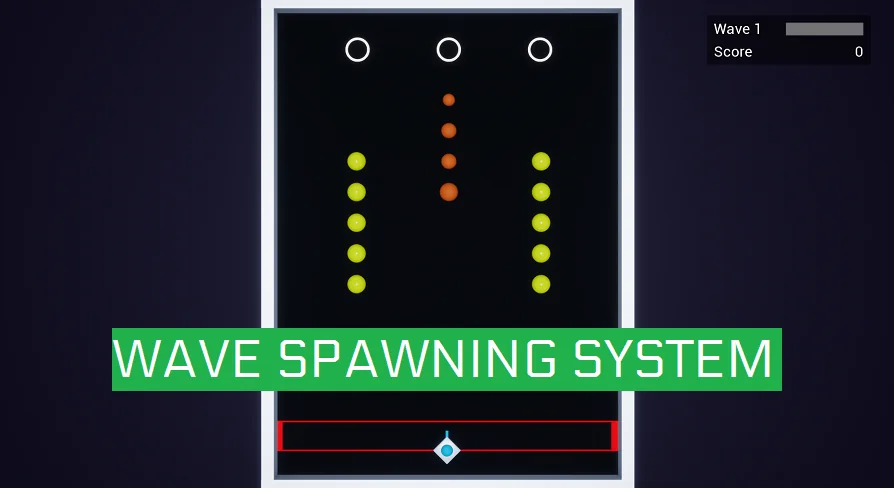
The system separates the design of a wave from the placement of spawn points. Instead of scattering dozens of individual enemy spawners around a level and wiring each one up, you define the incoming waves in a data table. Then you drop a Wave Spawn Controller into the level and link it with spawn points. Once these three parts are connected, the framework takes over. The same wave definitions can be reused, tweaked, and extended without touching the level walls or the AI characters themselves.
The workflow starts with a wave data table
Because waves are data-driven, most encounter design happens outside the level editor. You build the sequence of enemy groups in a data table, and the system reads that data when a wave begins. You can choose to have spawning happen automatically at level start, or you can take manual control and trigger waves through Wave Triggers placed in the level. That dual approach is useful when a project needs a mix of scripted combat encounters and open survival stretches. The controller manages the flow, whether the pressure builds on its own or waits for player action.
For each wave, the framework makes use of a batching system that groups AI units into clusters. A single wave isn’t just one long line of enemies. It can be split into multiple batches, each acting independently. For every batch, you set a spawn starting time, the time interval between individual spawns, the spawn point, and the total number of units. This granular control lets you stagger infantry, release a flanking group halfway through a wave, or save a heavier squad for the final push. Large waves that would otherwise become a tangle of logic are handled as separate, manageable groups.
Batches, boss waves, and flexible spawn locations
Each batch can be customized independently, which is what lets the Wave Spawning System scale to huge waves without a proportional jump in setup effort. One group can start right away at a fixed doorway, another can appear seconds later at a second entrance, and a third can trickle in from a different point. You decide when each batch starts, how quickly its units appear, where they arrive, and how many belong to that group. The data table keeps those definitions tidy even when a wave involves many moving pieces.
The system also supports special waves that spawn bosses at the end of an encounter. These boss waves layer onto the same batch structure, meaning a boss spawn can be timed to follow the final standard unit, or introduced as its own unique batch with a dramatic starting time. Since the framework works with both Pawn and Character AI types, it can handle normal enemy characters as well as larger custom pawns that don’t necessarily follow the standard character movement setup.
Fixed points, spawning volumes, and fail-safe tests
Spawning locations come in two varieties. The first is the basic fixed location spawn point, which always places units at an exact transform. That is the right choice for doors, gates, landpads, or any spot where the player expects pressure to come from. The second is the Spawning Volume, a region that generates randomized spawn locations over a larger area. Volumes are useful for open fields, forests, or any encounter where precise positioning isn’t necessary and variation keeps players guessing.
Randomized spawning carries the risk of placing an enemy inside a wall or in an unreachable spot, so the Wave Spawning System includes fail-safe tests that maximize the probability of finding valid spawn locations. Before a unit is deposited, the system checks the area and works to avoid invalid placement. Spawn locations are also precached ahead of time, minimizing the impact on runtime performance. Instead of calculating and validating every spawn point while the game is busy running combat logic, the framework prepares the locations in advance.
Countdown timers, notifications, and point distribution
Handing control of a wave to the player requires clear communication, and the Wave Spawning System includes a countdown timer so the player has a moment to prepare before the next wave starts. This is a common pattern in defense-oriented gameplay, and having it built in removes the need to set up a separate timer and UI flow.
The system also includes notification systems for wave completion and points distribution. When a wave is fully resolved, the Blueprint can notify other parts of the game, such as an objective manager or a scoring system. Points distribution can be tied to the same notification flow, so a project that rewards players for surviving waves doesn’t have to manually poll each kill. These built-in signals make it easier to connect the spawning framework to an existing game loop, whether that means updating a score, unlocking a door, or triggering a new objective.
A Blueprint framework meant to be read
This isn’t a sandboxed tool that only works if you accept every default. The Wave Spawning System is made of 9 core Blueprints, with the number rising to 29 when example content and widgets are included. Those Blueprints are fully commented, which shortens the process of adapting the system to a specific project. The package also includes a sample gameplay level that shows the core systems working together, so you can see not just how the controller behaves, but how waves, spawn points, triggers, and notifications behave as a combined unit.
The system is supported on Windows for both development and target builds, and the documentation comes in the form of fully commented Blueprints, included examples, and tutorials on YouTube. For someone using a Tower Defense Starter Kit or a survival template, the Wave Spawning System is meant to drop into the project and replace the ad-hoc spawning logic with a structure that handles batching, boss waves, timed spawns, and randomized location checks in one place.
When picking a spawning framework, the real test is whether it can make a dense, multi-group encounter feel controlled. The Wave Spawning System answers that with a data table driven flow, a level controller that isn’t cluttered with per-enemy details, and a batch setup that gives each AI cluster its own behavior timing. Combined with spawning volumes that generate dynamic placements across wide spaces and fail-safe tests that catch invalid spots, the system is positioned to handle both narrow corridor ambushes and open field sieges. For developers who want spawning logic that is easy to trace, quick to expand, and full of example guidance, this framework leans on Blueprints and data tables to keep the whole workflow accessible.
 Gameplay Features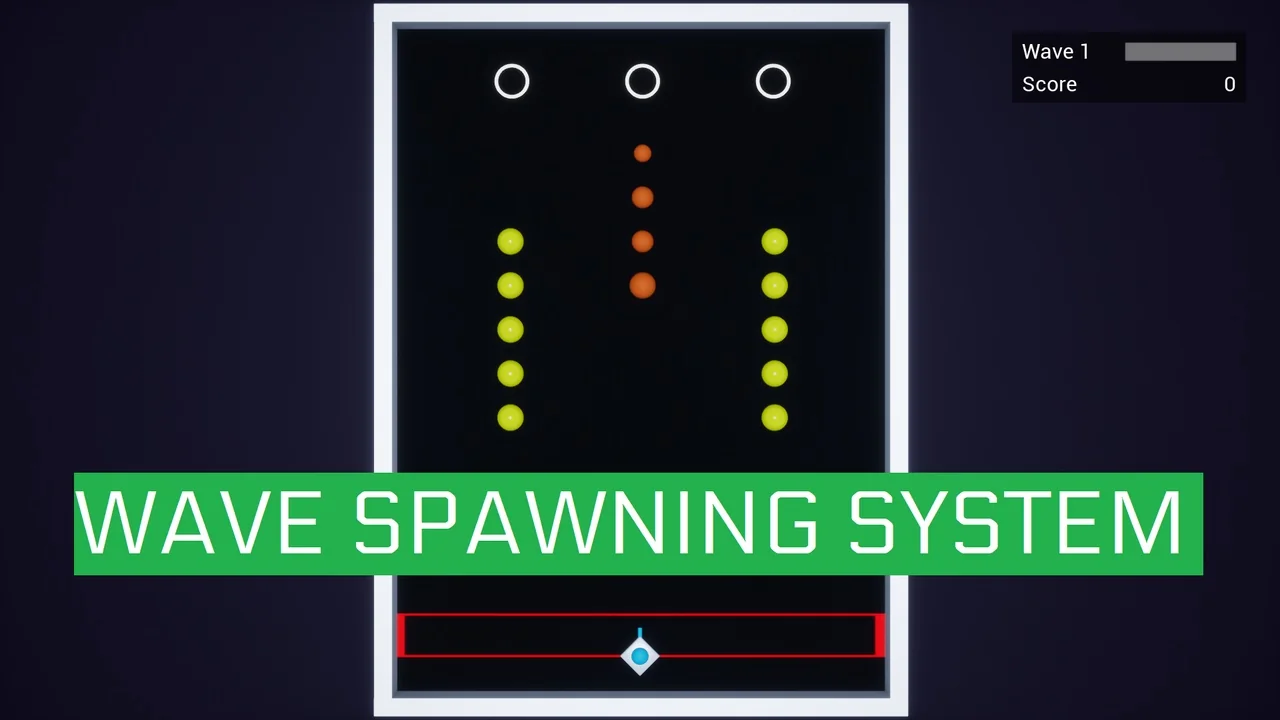
 Gameplay Features
 Gameplay Features
 Gameplay Features