"906fa915b8cf8b0b"{"resourcesTotal":3354,"downloadsTotal":4808,"consecutiveUpdateDays":10,"platforms":[{"key":"unreal","name":"Unreal","slug":"unreal-engine-2","href":"/category/unreal-engine-2/","resourceCount":2775},{"key":"unity","name":"Unity","slug":"unity-2","href":"/category/unity-2/","resourceCount":453},{"key":"blender","name":"Blender","slug":"blender-add-ons-plugins","href":"/category/blender-add-ons-plugins/","resourceCount":10},{"key":"tutorials","name":"Tutorials","slug":"tutorial-library","href":"/tutorials/","resourceCount":117}],"popularSearches":["vfx","FPS","gun animation","combat","hit vfx","katana"]}{"items":[{"id":"15092","slug":"tile-based-minimap","title":"Tile Based Minimap","category":"Gameplay Features","engine":"5.4 - 5.5","assetVersion":"Engine version: 5.4 - 5.5","engineVersion":"Asset Version:2.1.0 - 2.1.1","tag":"Gameplay Features","accent":"blue","visual":"mech","summary":"The Tile Based Minimap system provides a robust solution for creating tiled in-game maps using pre-rendered level images. It features GPS-style routing, multi-grid support, and full Blueprint extensibility.","platform":"Unreal Engine","publishedAt":"2026-03-12T07:51:23.000Z","updatedAt":"2026-04-19T15:45:35.000Z","sourceNotes":[],"fileContents":[],"compatibility":["Unreal Engine","Engine version: 5.4 - 5.5","Asset Version: 2.1.0 - 2.1.1"],"featuredImage":{"alt":"Tile Based Minimap","src":"https://3dcghub.com/wp-content/uploads/2026/03/768cc7d5-0ca5-439b-b02a-f4807a2c39bd.webp"},"hasDownloadLink":true},{"id":"15075","slug":"real-action-camera-pro-record-and-view-gameplay-moments","title":"Real Action Camera PRO – Record and View Gameplay Moments","category":"Gameplay Features","engine":"5.6 - 5.7","assetVersion":"Engine version: 5.6 - 5.7","engineVersion":"Asset Version:1.0","tag":"Gameplay Features","accent":"blue","visual":"city","summary":"Real Action Camera PRO – Record and View Gameplay Moments is a powerful Unreal Engine plugin that enables players to capture and save gameplay footage directly within the game environment.","platform":"Unreal Engine","publishedAt":"2026-03-12T07:42:38.000Z","updatedAt":"2026-04-19T15:45:35.000Z","sourceNotes":[],"fileContents":[],"compatibility":["Unreal Engine","Engine version: 5.6 - 5.7","Asset Version: 1.0"],"featuredImage":{"alt":"Real Action Camera PRO – Record and View Gameplay Moments","src":"https://3dcghub.com/wp-content/uploads/2026/03/17520f5b-db0a-4a72-9f2f-53cca4b97855.webp"},"hasDownloadLink":true},{"id":"15069","slug":"path-follow","title":"Path Follow","category":"Gameplay Features","engine":"5.6 - 5.7","assetVersion":"Engine version: 5.6 - 5.7","engineVersion":"Asset Version:1.1","tag":"Gameplay Features","accent":"blue","visual":"luts","summary":"Path Follow provides developers with complete control over actor movement along spline paths in Unreal Engine 4. This versatile tool supports event triggers, runtime speed adjustments, and seamless VR and mobile integration.","platform":"Unreal Engine","publishedAt":"2026-03-12T07:42:28.000Z","updatedAt":"2026-04-19T15:45:35.000Z","sourceNotes":[],"fileContents":[],"compatibility":["Unreal Engine","Engine version: 5.6 - 5.7","Asset Version: 1.1"],"featuredImage":{"alt":"Path Follow","src":"https://3dcghub.com/wp-content/uploads/2026/03/9185d0b2-142e-484c-83cc-afe1bd97960a.webp"},"hasDownloadLink":true},{"id":"15174","slug":"blueprint-web-communication-helper-http-websocket","title":"[Blueprint] Web Communication Helper (Http / Websocket)","category":"Network \u0026 Multiplayer","engine":"4.26 - 4.27,5.0 - 5.4","assetVersion":"Engine version: 4.26 - 4.27,5.0 - 5.4","engineVersion":"Asset Version:2.0.4 - 2.1.4","tag":"Network","accent":"blue","visual":"animation","summary":"Enhance your project's networking capabilities with the [Blueprint] Web Communication Helper (Http / Websocket). This plugin offers easy-to-use functions for HTTP requests, secure websockets, and real-time data tracking.","platform":"Unreal Engine","publishedAt":"2026-03-12T08:10:27.000Z","updatedAt":"2026-04-19T15:44:53.000Z","sourceNotes":[],"fileContents":[],"compatibility":["Unreal Engine","Engine version: 4.26 - 4.27,5.0 - 5.4","Asset Version: 2.0.4 - 2.1.4"],"featuredImage":{"alt":"[Blueprint] Web Communication Helper (Http / Websocket)","src":"https://3dcghub.com/wp-content/uploads/2026/03/29dcf012-1c98-414b-8994-1d16b2f0978c.webp"},"hasDownloadLink":true},{"id":"15136","slug":"fps-first-person-shooter-framework-skg-shooter-framework-v2","title":"FPS First Person Shooter Framework (SKG Shooter Framework V2)","category":"Network \u0026 Multiplayer","engine":"5.5 - 5.7","assetVersion":"Engine version: 5.5 - 5.7","engineVersion":"Asset Version:1.4.1 - 1.4.3","tag":"Network","accent":"blue","visual":"city","summary":"The SKG Shooter Framework V2 is a performant, modular, component-based solution for building realistic first-person shooters in Unreal Engine 5.3 and beyond.","platform":"Unreal Engine","publishedAt":"2026-03-12T08:01:31.000Z","updatedAt":"2026-04-19T15:44:53.000Z","sourceNotes":[],"fileContents":[],"compatibility":["Unreal Engine","Engine version: 5.5 - 5.7","Asset Version: 1.4.1 - 1.4.3"],"featuredImage":{"alt":"FPS First Person Shooter Framework (SKG Shooter Framework V2)","src":"https://3dcghub.com/wp-content/uploads/2026/03/1ef8f873-5cad-4190-b092-53ba5e385464.webp"},"hasDownloadLink":true},{"id":"15225","slug":"crazy-ivy-realistic-ivy-generator-vine-plugin-grow-procedural-plants-in-editor","title":"Crazy Ivy Realistic Ivy Generator Vine Plugin - Grow Procedural Plants in Editor","category":"Procedural Systems","engine":"5.0 - 5.4","assetVersion":"Engine version: 5.0 - 5.4","engineVersion":"4.27","tag":"Procedural Systems","accent":"blue","visual":"animation","summary":"Crazy Ivy is a powerful procedural tool designed to grow realistic ivy directly within your editor. By automatically detecting static meshes, this plugin allows for the creation of unique, optimized vegetation systems.","platform":"Unreal Engine","publishedAt":"2026-03-12T08:22:47.000Z","updatedAt":"2026-04-19T15:44:52.000Z","sourceNotes":[],"fileContents":[],"compatibility":["Unreal Engine","Engine version: 5.0 - 5.4"],"featuredImage":{"alt":"Crazy Ivy Realistic Ivy Generator Vine Plugin - Grow Procedural Plants in Editor","src":"https://3dcghub.com/wp-content/uploads/2026/03/82ad95ba-cc8c-422c-b4cc-dff51937564d.webp"},"hasDownloadLink":true},{"id":"15201","slug":"altermesh-geometry-nodes-in-unreal","title":"AlterMesh - Geometry Nodes in Unreal","category":"Procedural Systems","engine":"5.1 - 5.4","assetVersion":"Engine version: 5.1 - 5.4","engineVersion":"5.1","tag":"Procedural Systems","accent":"blue","visual":"character","summary":"AlterMesh - Geometry Nodes in Unreal creates a bridge between Blender and Unreal Engine. It preserves your procedural parameters and enables a fast, non-destructive workflow for developers.","platform":"Unreal Engine","publishedAt":"2026-03-12T08:18:26.000Z","updatedAt":"2026-04-19T15:44:52.000Z","sourceNotes":[],"fileContents":[],"compatibility":["Unreal Engine","Engine version: 5.1 - 5.4"],"featuredImage":{"alt":"AlterMesh - Geometry Nodes in Unreal","src":"https://3dcghub.com/wp-content/uploads/2026/03/17aadbb1-2099-420a-9e10-b257f950f029.webp"},"hasDownloadLink":true},{"id":"15191","slug":"rescatter","title":"ReScatter","category":"Physics","engine":"5.6 - 5.7","assetVersion":"Engine version: 5.6 - 5.7","engineVersion":"Asset Version:1.0 - 1.1","tag":"Physics","accent":"blue","visual":"audio","summary":"ReScatter 1.0 provides a modern interface and physics-driven workflow for placing objects in Unreal Engine. It allows for precise scattering using volumes, splines, and customizable presets.","platform":"Unreal Engine","publishedAt":"2026-03-12T08:15:25.000Z","updatedAt":"2026-04-19T15:44:52.000Z","sourceNotes":[],"fileContents":[],"compatibility":["Unreal Engine","Engine version: 5.6 - 5.7","Asset Version: 1.0 - 1.1"],"featuredImage":{"alt":"ReScatter","src":"https://3dcghub.com/wp-content/uploads/2026/03/4818e7bb-0a27-44d4-a1d5-c1f0b5dff9fa.webp"},"hasDownloadLink":true},{"id":"15182","slug":"collision-disabler","title":"Collision Disabler","category":"Physics","engine":"4.26 - 4.27,5.0 - 5.6","assetVersion":"Engine version: 4.26 - 4.27,5.0 - 5.6","engineVersion":"Asset Version:1.4 - 1.9","tag":"Physics","accent":"blue","visual":"mech","summary":"The Collision Disabler plugin provides a streamlined way to manage physical interactions in Unreal Engine. It allows users to disable collisions between specific object pairs at runtime without complex coding.","platform":"Unreal Engine","publishedAt":"2026-03-12T08:13:02.000Z","updatedAt":"2026-04-19T15:44:52.000Z","sourceNotes":[],"fileContents":[],"compatibility":["Unreal Engine","Engine version: 4.26 - 4.27,5.0 - 5.6","Asset Version: 1.4 - 1.9"],"featuredImage":{"alt":"Collision Disabler","src":"https://3dcghub.com/wp-content/uploads/2026/03/9a374294-bc50-4b01-bb85-ccc936e9efce.webp"},"hasDownloadLink":true},{"id":"15291","slug":"physical-rope","title":"Physical Rope","category":"Procedural Systems","engine":"5.3","assetVersion":"Engine version: 5.3","engineVersion":"Asset Version:2.0","tag":"Procedural Systems","accent":"blue","visual":"city","summary":"Physical Rope provides a realistic, physically collidable, and simulatable solution for game development. This Blueprint-based asset allows for advanced interactions with environmental objects.","platform":"Unreal Engine","publishedAt":"2026-03-12T08:31:31.000Z","updatedAt":"2026-04-19T15:44:51.000Z","sourceNotes":[],"fileContents":[],"compatibility":["Unreal Engine","Engine version: 5.3","Asset Version: 2.0"],"featuredImage":{"alt":"Physical Rope","src":"https://3dcghub.com/wp-content/uploads/2026/03/354e56ff-3064-4abd-ae86-5393e1075bef.webp"},"hasDownloadLink":true},{"id":"15315","slug":"procedural-nature-generator","title":"Procedural Nature Generator","category":"Procedural Systems","engine":"5.3","assetVersion":"Engine version: 5.3","engineVersion":"4.26","tag":"Procedural Systems","accent":"blue","visual":"character","summary":"The Procedural Nature Generator is a powerful editor plugin for creating dense natural environments. It allows developers to populate landscapes with thousands of actors in seconds using custom assets.","platform":"Unreal Engine","publishedAt":"2026-03-12T08:35:35.000Z","updatedAt":"2026-04-19T15:44:50.000Z","sourceNotes":[],"fileContents":[],"compatibility":["Unreal Engine","Engine version: 5.3"],"featuredImage":{"alt":"Procedural Nature Generator","src":"https://3dcghub.com/wp-content/uploads/2026/03/9983a12a-a0ea-4b90-aef5-8d43cf058002.webp"},"hasDownloadLink":true},{"id":"15349","slug":"rodinbridge-unreal-engine-add-on","title":"RodinBridge - Unreal Engine Add-on","category":"Procedural Systems","engine":"5.6 - 5.7","assetVersion":"Engine version: 5.6 - 5.7","engineVersion":"Asset Version:2.2.0","tag":"Procedural Systems","accent":"blue","visual":"mech","summary":"RodinBridge integrates advanced generative AI technology into the Unreal Engine environment. This add-on allows creators to transform simple text or images into realistic, CG-friendly 3D models with photorealistic materials.","platform":"Unreal Engine","publishedAt":"2026-03-12T08:42:41.000Z","updatedAt":"2026-04-19T15:44:49.000Z","sourceNotes":[],"fileContents":[],"compatibility":["Unreal Engine","Engine version: 5.6 - 5.7","Asset Version: 2.2.0"],"featuredImage":{"alt":"RodinBridge - Unreal Engine Add-on","src":"https://3dcghub.com/wp-content/uploads/2026/03/33842b32-d11e-4c78-88d7-17ca976d07f0.webp"},"hasDownloadLink":true},{"id":"15339","slug":"procedural-terrain-generator-v2","title":"Procedural Terrain Generator v2","category":"Procedural Systems","engine":"5.3","assetVersion":"Engine version: 5.3","engineVersion":"4.23","tag":"Procedural Systems","accent":"blue","visual":"city","summary":"The Procedural Terrain Generator v2 is a powerful editor code plugin designed to streamline the creation of diverse terrain shapes and automated asset placement.","platform":"Unreal Engine","publishedAt":"2026-03-12T08:39:51.000Z","updatedAt":"2026-04-19T15:44:49.000Z","sourceNotes":[],"fileContents":[],"compatibility":["Unreal Engine","Engine version: 5.3"],"featuredImage":{"alt":"Procedural Terrain Generator v2","src":"https://3dcghub.com/wp-content/uploads/2026/03/a5389939-d617-4bdf-90f5-16c080d32b2d.webp"},"hasDownloadLink":true},{"id":"15379","slug":"vector-flow-field-2d","title":"Vector Flow Field 2D","category":"Procedural Systems","engine":"5. 0 - 5.3","assetVersion":"Engine version: 5. 0 - 5.3","engineVersion":"5.0","tag":"Procedural Systems","accent":"blue","visual":"luts","summary":"Visualize complex vector data with Vector Flow Field 2D. This GPU-powered plugin renders one million particles at 60fps for high-performance flow field effects.","platform":"Unreal Engine","publishedAt":"2026-03-12T08:49:59.000Z","updatedAt":"2026-04-19T15:44:48.000Z","sourceNotes":[],"fileContents":[],"compatibility":["Unreal Engine","Engine version: 5. 0 - 5.3"],"featuredImage":{"alt":"Vector Flow Field 2D","src":"https://3dcghub.com/wp-content/uploads/2026/03/0fb84e83-6772-4c38-8b07-ca8ee0c63bba.webp"},"hasDownloadLink":true},{"id":"15372","slug":"terracrust-procedural-landscape","title":"Terracrust: Procedural Landscape","category":"Procedural Systems","engine":"5.4","assetVersion":"Engine version: 5.4","engineVersion":"Asset Version:1.0","tag":"Procedural Systems","accent":"blue","visual":"city","summary":"Terracrust is a powerful toolset for procedurally generating landscape brushes. It features a custom graph editor and GPU-based processing to streamline environment creation.","platform":"Unreal Engine","publishedAt":"2026-03-12T08:48:44.000Z","updatedAt":"2026-04-19T15:44:48.000Z","sourceNotes":[],"fileContents":[],"compatibility":["Unreal Engine","Engine version: 5.4","Asset Version: 1.0"],"featuredImage":{"alt":"Terracrust: Procedural Landscape","src":"https://3dcghub.com/wp-content/uploads/2026/03/80ced2da-cb2e-4a59-8b31-10de011ac15d.webp"},"hasDownloadLink":true},{"id":"15359","slug":"simplecharts","title":"SimpleCharts","category":"Procedural Systems","engine":"4.25 - 4.27,5.0 - 5.3","assetVersion":"Engine version: 4.25 - 4.27,5.0 - 5.3","engineVersion":"5.1","tag":"Procedural Systems","accent":"blue","visual":"character","summary":"SimpleCharts provides a streamlined solution for developers needing to integrate dynamic charts into their projects using UMG or Blueprints. This plugin leverages Echarts for high-quality visualization and supports multiple platforms.","platform":"Unreal Engine","publishedAt":"2026-03-12T08:47:34.000Z","updatedAt":"2026-04-19T15:44:48.000Z","sourceNotes":[],"fileContents":[],"compatibility":["Unreal Engine","Engine version: 4.25 - 4.27,5.0 - 5.3"],"featuredImage":{"alt":"SimpleCharts","src":"https://3dcghub.com/wp-content/uploads/2026/03/104a4c93-6ff6-445d-aad2-9588af9254de.webp"},"hasDownloadLink":true},{"id":"15434","slug":"cyberpunk-rpg-ui","title":"Cyberpunk RPG UI","category":"UI Kits / HUDs","engine":"4.26+,5.0+","assetVersion":"Engine version: 4.26+,5.0+","engineVersion":"4.27","tag":"UI Kits / HUDs","accent":"blue","visual":"audio","summary":"Enhance your game's aesthetic with the Cyberpunk RPG UI. This high-resolution skin is designed specifically for action RPGs and supports up to 4k displays with a neon-inspired look.","platform":"Unreal Engine","publishedAt":"2026-03-12T09:01:43.000Z","updatedAt":"2026-04-19T15:44:47.000Z","sourceNotes":[],"fileContents":[],"compatibility":["Unreal Engine","Engine version: 4.26+,5.0+"],"featuredImage":{"alt":"Cyberpunk RPG UI","src":"https://3dcghub.com/wp-content/uploads/2026/03/936e28e9-d1f6-4ece-8636-eee4d4b14e97.webp"},"hasDownloadLink":true},{"id":"15423","slug":"hyper-mesh-to-icon-creator-v4","title":"Hyper Mesh to Icon Creator v4","category":"Icons","engine":"5.3+","assetVersion":"Engine version: 5.3+","engineVersion":"5.3","tag":"Icons","accent":"blue","visual":"mech","summary":"Transform your 3D models into professional 2D inventory icons with Hyper Mesh to Icon Creator v4. This local, fast tool eliminates the need for external software like Photoshop.","platform":"Unreal Engine","publishedAt":"2026-03-12T08:59:30.000Z","updatedAt":"2026-04-19T15:44:47.000Z","sourceNotes":[],"fileContents":[],"compatibility":["Unreal Engine","Engine version: 5.3+"],"featuredImage":{"alt":"Hyper Mesh to Icon Creator v4","src":"https://3dcghub.com/wp-content/uploads/2026/03/039f2623-933b-49aa-8be1-20241fe7049c.webp"},"hasDownloadLink":true},{"id":"15412","slug":"clean-flat-gui-elements","title":"Clean Flat GUI Elements","category":"Icons","engine":"4.26+,5.0+","assetVersion":"Engine version: 4.26+,5.0+","engineVersion":"4.24","tag":"Icons","accent":"blue","visual":"city","summary":"Enhance your project with Clean Flat GUI Elements, featuring over 4,000 vector icons and 6,000 shapes. This high-quality pack includes PNG and PSD files for versatile game development.","platform":"Unreal Engine","publishedAt":"2026-03-12T08:57:23.000Z","updatedAt":"2026-04-19T15:44:47.000Z","sourceNotes":[],"fileContents":[],"compatibility":["Unreal Engine","Engine version: 4.26+,5.0+"],"featuredImage":{"alt":"Clean Flat GUI Elements","src":"https://3dcghub.com/wp-content/uploads/2026/03/7ad47f28-2bf8-4982-b7cc-3fa30329a6f0.webp"},"hasDownloadLink":true},{"id":"15384","slug":"250-sci-fi-flat-icons","title":"250 Sci-fi Flat Icons","category":"Icons","engine":"5.0+","assetVersion":"Engine version: 5.0+","engineVersion":"5.0","tag":"Icons","accent":"blue","visual":"luts","summary":"Enhance your game's interface with the 250 Sci-fi Flat Icons pack. Designed for PC and mobile platforms, these 512x512 assets cover everything from combat to necromancy.","platform":"Unreal Engine","publishedAt":"2026-03-12T08:55:10.000Z","updatedAt":"2026-04-19T15:44:47.000Z","sourceNotes":[],"fileContents":[],"compatibility":["Unreal Engine","Engine version: 5.0+"],"featuredImage":{"alt":"250 Sci-fi Flat Icons","src":"https://3dcghub.com/wp-content/uploads/2026/03/d586d80c-2703-4c47-85e7-6731d088a943.webp"},"hasDownloadLink":true},{"id":"15480","slug":"hqui-progress-bars","title":"HQUI: Progress Bars","category":"Widgets \u0026 Controls","engine":"4.26+,5.0+","assetVersion":"Engine version: 4.26+,5.0+","engineVersion":"4.19","tag":"Widgets \u0026 Controls","accent":"blue","visual":"animation","summary":"HQUI: Progress Bars offers a robust set of highly customizable UMG components for developers. This pack features advanced settings, gradients, and automated interpolation to elevate your game's user interface.","platform":"Unreal Engine","publishedAt":"2026-03-12T09:09:48.000Z","updatedAt":"2026-04-19T15:44:46.000Z","sourceNotes":[],"fileContents":[],"compatibility":["Unreal Engine","Engine version: 4.26+,5.0+"],"featuredImage":{"alt":"HQUI: Progress Bars","src":"https://3dcghub.com/wp-content/uploads/2026/03/327a22db-0f44-410f-93b6-73bd636562cb.webp"},"hasDownloadLink":true},{"id":"15467","slug":"extended-progress-bar","title":"Extended Progress Bar","category":"Widgets \u0026 Controls","engine":"4.26+,5.0+","assetVersion":"Engine version: 4.26+,5.0+","engineVersion":"4.24","tag":"Widgets \u0026 Controls","accent":"blue","visual":"character","summary":"Enhance your game's user interface with the Extended Progress Bar. This plugin simplifies the process of creating animated bars for health, mana, and stamina with deep customization options.","platform":"Unreal Engine","publishedAt":"2026-03-12T09:07:55.000Z","updatedAt":"2026-04-19T15:44:46.000Z","sourceNotes":[],"fileContents":[],"compatibility":["Unreal Engine","Engine version: 4.26+,5.0+"],"featuredImage":{"alt":"Extended Progress Bar","src":"https://3dcghub.com/wp-content/uploads/2026/03/2ae124bc-cc48-4d29-ba9a-8d3040b25849.webp"},"hasDownloadLink":true},{"id":"15459","slug":"delayed-healthbar-system","title":"Delayed Healthbar System","category":"Widgets \u0026 Controls","engine":"5.0+","assetVersion":"Engine version: 5.0+","engineVersion":"5.0","tag":"Widgets \u0026 Controls","accent":"blue","visual":"audio","summary":"Enhance your game's user interface with the Delayed Healthbar System. This asset provides a ready-to-use solution for animated health bars, damage blips, and screen-space indicators.","platform":"Unreal Engine","publishedAt":"2026-03-12T09:07:20.000Z","updatedAt":"2026-04-19T15:44:46.000Z","sourceNotes":[],"fileContents":[],"compatibility":["Unreal Engine","Engine version: 5.0+"],"featuredImage":{"alt":"Delayed Healthbar System","src":"https://3dcghub.com/wp-content/uploads/2026/03/072782e5-1fcd-4671-915e-3f517fc8aea5.webp"},"hasDownloadLink":true},{"id":"15453","slug":"easy-game-ui-ultimate","title":"Easy Game UI Ultimate","category":"UI Kits / HUDs","engine":"5.3+","assetVersion":"Engine version: 5.3+","engineVersion":"5.3","tag":"UI Kits / HUDs","accent":"blue","visual":"mech","summary":"Easy Game UI Ultimate provides a comprehensive toolkit for developers to implement professional user interfaces. It features advanced save systems, a procedural credits tool, and a robust HUD builder.","platform":"Unreal Engine","publishedAt":"2026-03-12T09:03:10.000Z","updatedAt":"2026-04-19T15:44:46.000Z","sourceNotes":[],"fileContents":[],"compatibility":["Unreal Engine","Engine version: 5.3+"],"featuredImage":{"alt":"Easy Game UI Ultimate","src":"https://3dcghub.com/wp-content/uploads/2026/03/f4fb3aaf-1633-47f4-aad4-504acc3e744c.webp"},"hasDownloadLink":true}],"total":3354,"limit":24,"offset":2760}
Find production-ready assets before your next build.
Follow structured learning paths for Unreal, Unity, Godot, gameplay systems, VFX, C++, Blueprints, and UI. Tutorials cross-link to matching assets so you can learn and build with confidence.
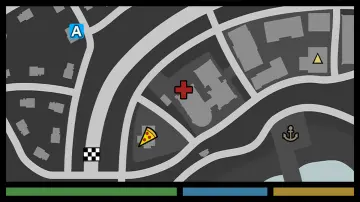 Gameplay Features
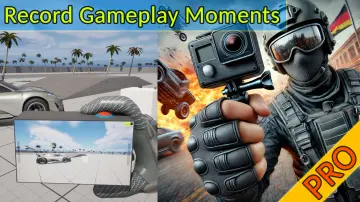 Gameplay Features
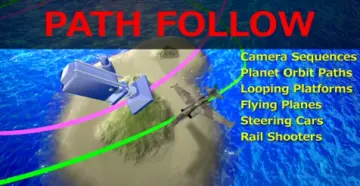 Gameplay Features
![[Blueprint] Web Communication Helper (Http / Websocket)](/_img/360/wp-content/uploads/2026/03/29dcf012-1c98-414b-8994-1d16b2f0978c.webp) Network
Network Network
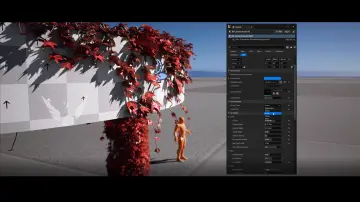 Procedural Systems
 Procedural Systems
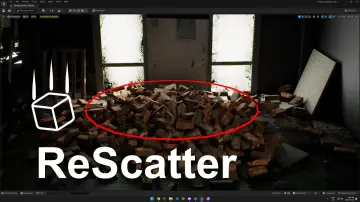 Physics
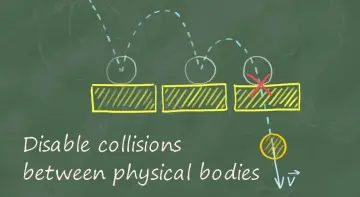 Physics
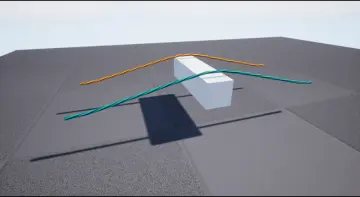 Procedural Systems
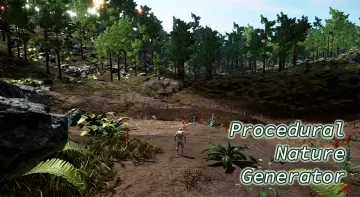 Procedural Systems
 Procedural Systems
 Procedural Systems
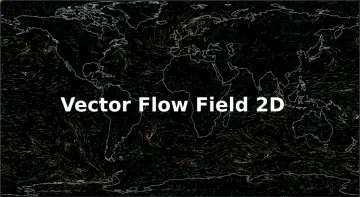 Procedural Systems
 Procedural Systems
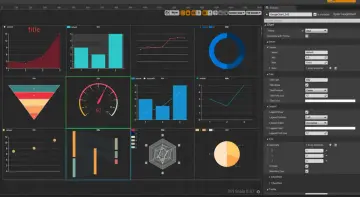 Procedural Systems
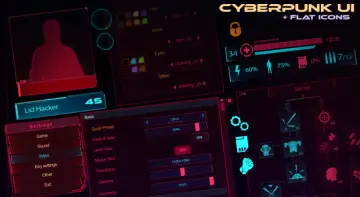 UI Kits / HUDs
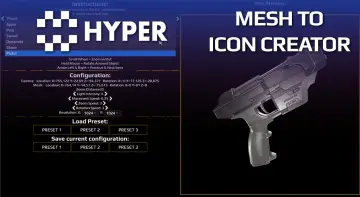 Icons
Icons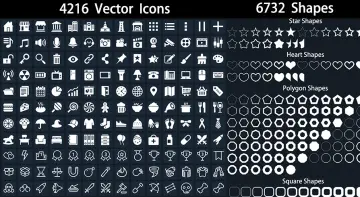 Icons
Icons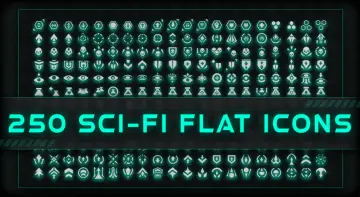 Icons
Icons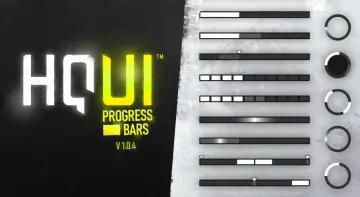 Widgets & Controls
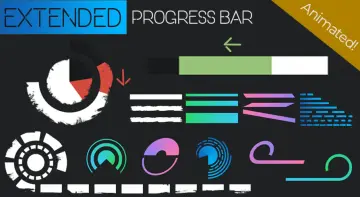 Widgets & Controls
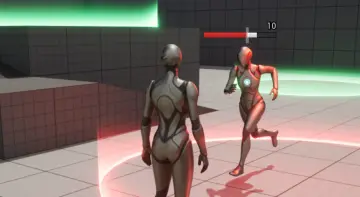 Widgets & Controls
 UI Kits / HUDs