Digger PRO – Voxel Terrain Sculpting
Digger PRO brings real 3D terrain sculpting into Unity, letting teams carve caves, tunnels, and overhangs without moving to a full voxel engine. It is aimed at projects that need terrain edits to behave as part of the scene, not just as surface deformation. The package is built on years of voxel dev
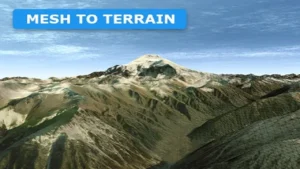
Mesh to Terrain
Mesh to Terrain converts 3D terrain models from 3ds Max, Terragen, or another editor into Unity Terrains. It also turns model textures into Terrain Layers, can split a model into several terrains, and keeps multiple terrains aligned in the same place as the original meshes.

MicroVerse – Core Collection
MicroVerse – Core Collection brings together the main MicroVerse modules for live Unity environment creation. It keeps terrain, texture, vegetation, and path work editable in real time, with no baking or preview steps. The collection also includes a demo scene and Content Browser presets, making it

Real World Terrain
Real World Terrain turns real locations on Earth into Unity terrain, meshes, Gaia stamps, or RAW files from a few clicks. It combines elevation data, satellite imagery, and OpenStreetMap content to build not just ground shape, but the surrounding world structure too.
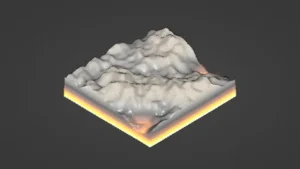
Voxelica – Voxel Engine
Voxelica – Voxel Engine brings voxel blocks into a scene as something you can generate, sculpt, convert, and save. It also covers multi-material voxel data, resolution control, and independent render pipeline behavior. The resource fits projects that need destructible objects, editable environments,

World Streamer 2
World Streamer 2 focuses on loading and optimization rather than a fixed scene layout. It streams a game from disc, changes distant terrain into low-poly meshes, and keeps player movement going without loading screens.
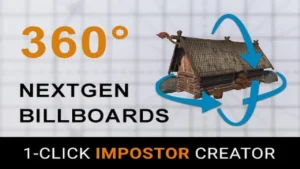
Amplify Impostors
Amplify Impostors turns complex models into simplified impostors with 1-click baking, octahedron and spherical shapes, and a billboard shape editor. It also includes smart blending, depth-write intersections, and support for forward and deferred rendering across URP and HDRP.

Asset Cleaner PRO – Clean | Find References
Unused files turn red in the Project view, folder counters show where clutter is growing, and reference changes appear instantly while you inspect dependencies. Asset Cleaner PRO brings cleanup and reference tracing into one Unity editor workflow. It is aimed at projects that need regular maintenanc

Build Report Tool
Build Report Tool turns Unityâs build info into a readable report, showing which assets are included and how much space each one uses. It also tracks unused assets, project settings, and managed DLLs, while noting that Asset Bundles and Addressables are not detected.
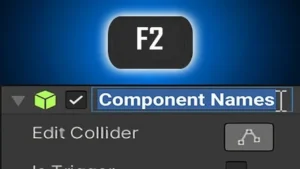
Component Names
Component Names adds in-Inspector renaming for Unity components, along with custom suffixes, tooltips, and clearer labels in Object fields and UnityEvents. It also includes code helpers for reading and setting names while keeping the custom data out of builds.
ProtoSprite: Rapid 2D Art
ProtoSprite keeps sprite painting inside Unityâs Scene View, so 2D art changes stay tied to the scene while you work. It uses PNG textures, supports quick duplication for variants or frame-based animation, and includes resizing, pivot, and pixel-perfect drawing tools.
AVPro DeckLink
AVPro DeckLink adds native Blackmagic Design DeckLink support to Unity on Windows. It handles broadcast video input and output, multiple inputs, audio, keying, and up to 8K workflows.