"7e6fc58c410f2894"{"id":"23628","slug":"amplify-impostors","title":"Amplify Impostors","category":"Utilities","engine":"Original Unity version: 2019.4.31","assetVersion":"Original Unity version: 2019.4.31","engineVersion":"","tag":"Utilities","accent":"cyan","visual":"character","summary":"Amplify Impostors turns complex models into simplified impostors with 1-click baking, octahedron and spherical shapes, and a billboard shape editor. It also includes smart blending, depth-write intersections, and support for forward and deferred rendering a...","platform":"Unity","publishedAt":"2026-04-10T16:57:43.000Z","updatedAt":"2026-04-19T15:35:18.000Z","sourceNotes":[],"fileContents":[],"compatibility":["Unity","Original Unity version: 2019.4.31"],"featuredImage":{"alt":"Amplify Impostors","src":"https://3dcghub.com/wp-content/uploads/2026/04/36bc9e806878_f5dc3cdc-1baf-422b-828d-acf24937e624_1280x720_stretch.webp"},"hasDownloadLink":true,"downloads":2,"terms":[{"taxonomy":"category","slug":"utilities","name":"Utilities"},{"taxonomy":"post_tag","slug":"materials","name":"Materials"},{"taxonomy":"post_tag","slug":"tools","name":"Tools"},{"taxonomy":"post_tag","slug":"unity","name":"Unity"}],"galleryImages":[{"src":"https://3dcghub.com/wp-content/uploads/2026/04/42cca7738f6b_5263ec3a-0328-42e2-b8b9-99a5b76ce79c_scaled.webp","alt":"Amplify Impostors"},{"src":"https://3dcghub.com/wp-content/uploads/2026/04/af953f83091c_ce9d59c0-6239-4151-b3ba-82efa6b0db87_scaled.webp","alt":"Amplify Impostors"},{"src":"https://3dcghub.com/wp-content/uploads/2026/04/1d343909cb2a_08f5ba70-e804-4aa8-8cf1-36629e7a1ecb_scaled.webp","alt":"Amplify Impostors"},{"src":"https://3dcghub.com/wp-content/uploads/2026/04/18a16ac76684_9746177b-6ce4-401b-8800-d0d55c13488a_scaled.webp","alt":"Amplify Impostors"},{"src":"https://3dcghub.com/wp-content/uploads/2026/04/64be0bae4a04_4ffa0209-49bb-424e-aebc-e25119de67f4_scaled.webp","alt":"Amplify Impostors"},{"src":"https://3dcghub.com/wp-content/uploads/2026/04/a29171309a14_dae9aee4-5307-42fa-8479-6d2a977cb965_scaled.webp","alt":"Amplify Impostors"},{"src":"https://3dcghub.com/wp-content/uploads/2026/04/1aeb7f729576_96143fc7-0846-4d48-9305-fb1165a7551b_scaled.webp","alt":"Amplify Impostors"},{"src":"https://3dcghub.com/wp-content/uploads/2026/04/69dc3791a8da_44399720-c8ad-45ad-9671-017f5d139f02_scaled.webp","alt":"Amplify Impostors"},{"src":"https://3dcghub.com/wp-content/uploads/2026/04/0f1ba7c193f0_058900aa-f9ca-4678-84e7-de8508e1958d_scaled.webp","alt":"Amplify Impostors"}],"accessPanel":{"kind":"resource","title":"Access this resource","eyebrow":"Free Download","message":"Log in or create a free account to start your download.","fileName":"Amplify Impostors.7z","safetyNote":"All resources are 100% manually reviewed to eliminate all risks.","actionLabel":"Download Free","resourceType":"Resource archive"},"contentHtml":"\u003ch2\u003e1-Click Baking, Shape Editing, and View Blending\u003c/h2\u003e\n\u003cp\u003eAmplify Impostors centers on a practical version of the billboard technique: it builds geometrically simplified, volumetrically accurate representations of complex models. The workflow starts with 1-Click Baking and branches into a set of controls that keep the result useful in real scenes rather than just visually reduced. Octahedron Impostors and Spherical Impostors give it more than one impostor style to work with, while the Billboard Shape Editor lets the shape itself be adjusted instead of forcing a single flat treatment.\u003c/p\u003e\n\u003cp\u003eThat matters when a model still needs to read clearly from different viewing angles. Smart Blending between views is part of that process, helping the impostor shift from one captured angle to another without abrupt changes. The package also includes a default bake preset that splits Emission and Occlusion textures, plus an optional Position texture to improve accuracy. Those details point to a tool built for artists who need simplification without losing the sense of depth, lighting response, or surface separation that gives a model its presence.\u003c/p\u003e \u003ch2\u003eHow the Impostors Behave in a Scene\u003c/h2\u003e\n\u003cp\u003eThe impostors are not limited to standing in place as passive stand-ins. They can be moved, rotated, and scaled, and they can receive and cast shadows. They can also intersect other objects or other impostors, which is important when a scene needs simplified assets to sit convincingly among fuller geometry. Depth-write support is included for object intersections, and full lighting and shadowing are available, with lightmaps excluded.\u003c/p\u003e\n\u003cp\u003eHardware Instancing is part of the feature set, and Dithered LOD Cross-Fade helps them fit into LODGroup workflows. The result is a resource that works as part of a broader scene setup rather than as a separate special effect. A recent update also improved impostor shadowing and surface intersections, fixed impostor picking across the board, and increased the maximum axis frames from 32 to 64. Those changes make the impostors more dependable when they are used as visible replacements for heavier geometry.\u003c/p\u003e \u003ch2\u003eRender Paths and Shader Support\u003c/h2\u003e\n\u003cp\u003eForward and Deferred rendering are both supported, along with URP and HDRP support for SRP 12 and higher. An automatic importer is included for URP and HDRP shaders, which helps fit the tool into render pipelines without extra manual setup for supported cases. The package also has support for custom and non-standard HDRP and URP shaders, though that support depends on Deferred-mode compatibility. Forward-only shaders may need Custom Baking and Custom Impostor Runtime shaders.\u003c/p\u003e\n\u003cp\u003eStandard baking is only supported when the shader exposes a Deferred path, such as Unity Standard shaders. Even with that limitation during baking, the impostors created can be used in both Forward and Deferred modes. Custom Material Baking is available for objects that use custom shaders. The package was updated for Unity 6.3 LTS, and the minimum supported Unity version is 2021.3 LTS. Minimum support for URP and HDRP is 12x or higher.\u003c/p\u003e \u003ch2\u003ePipeline Notes and Compatibility Limits\u003c/h2\u003e\n\u003cp\u003eAmplify Impostors is set up with a few practical boundaries that matter when it is added to a production pipeline. Lightmapping of impostors is not recommended, although experimental uses are possible with Amplify Shader Editor. Official guidance is directed toward the documentation for those cases. Mac and Apple Silicon baking support is included, and the Start Screen is intended to help with sample installation.\u003c/p\u003e\n\u003cp\u003eThere are also platform and shader limitations to keep in mind. Oculus Quest and other mobile-based VR devices are not officially supported. HDRP Translucent objects may not bake correctly. The package was also optimized so shader variants exclude unused textures, which keeps the runtime side cleaner. For projects that need dense models replaced by lighter impostors while preserving lighting, shadowing, and scene interaction, it is set up to handle that transition in a controlled way.\u003c/p\u003e\n\n\u003ch2\u003eMore From The Same Workflow\u003c/h2\u003e\n\u003cul\u003e\n\u003cli\u003e\u003ca href=\"https://3dcghub.com/toolkit-for-unity-physics-2026/\" title=\"Toolkit for Unity Physics 2026\"\u003eToolkit for Unity Physics 2026\u003c/a\u003e\u003c/li\u003e\n\u003cli\u003e\u003ca href=\"https://3dcghub.com/opencv-for-unity/\" title=\"OpenCV for Unity\"\u003eOpenCV for Unity\u003c/a\u003e\u003c/li\u003e\n\u003cli\u003e\u003ca href=\"https://3dcghub.com/exporter-for-unreal-to-for-unity-2026/\" title=\"Exporter for Unreal to/for Unity 2026\"\u003eExporter for Unreal to/for Unity 2026\u003c/a\u003e\u003c/li\u003e\n\u003cli\u003e\u003ca href=\"https://3dcghub.com/dialogue-system-for-unity/\" title=\"Dialogue System for Unity\"\u003eDialogue System for Unity\u003c/a\u003e\u003c/li\u003e\n\u003cli\u003e\u003ca href=\"https://3dcghub.com/ambient-sounds-interactive-soundscapes-for-unity-6/\" title=\"Ambient Sounds – Interactive Soundscapes for Unity 6\"\u003eAmbient Sounds – Interactive Soundscapes for Unity 6\u003c/a\u003e\u003c/li\u003e\n\u003c/ul\u003e","contentTextLength":4251,"navigation":{"current":3549,"total":3618,"previous":{"id":"23593","slug":"real-world-terrain","title":"Real World Terrain","category":"Terrain","platform":"Unity","updatedAt":"2026-04-19T15:35:19.000Z"},"next":{"id":"23616","slug":"world-streamer-2","title":"World Streamer 2","category":"Terrain","platform":"Unity","updatedAt":"2026-04-19T15:35:18.000Z"}},"relatedResources":[{"id":"24064","slug":"amplify-shader-pack","title":"Amplify Shader Pack","category":"Shaders","engine":"Original Unity version: 2019.4.41","assetVersion":"Original Unity version: 2019.4.41","engineVersion":"Asset Version:2.3.3","tag":"Shaders","accent":"cyan","visual":"luts","summary":"Amplify Shader Pack collects more than 180 editable shader samples for HDRP, URP, and the Built-in Renderer. It covers basic shader types, VFX examples, terrain cases, and custom shaders with supporting scripts.","platform":"Unity","publishedAt":"2026-04-12T09:35:00.000Z","updatedAt":"2026-04-19T15:35:00.000Z","sourceNotes":[],"fileContents":[],"compatibility":["Unity","Original Unity version: 2019.4.41","Asset Version: 2.3.3"],"featuredImage":{"alt":"Amplify Shader Pack","src":"https://3dcghub.com/wp-content/uploads/2026/04/ef57dc8766a5_d762e8f0-dfc8-4171-8499-bd5111da29d2_1280x720_stretch.webp"},"hasDownloadLink":true,"downloads":1},{"id":"23652","slug":"build-report-tool","title":"Build Report Tool","category":"Utilities","engine":"Original Unity version: 4.6.5","assetVersion":"Original Unity version: 4.6.5","engineVersion":"Asset Version:3.11.11","tag":"Utilities","accent":"cyan","visual":"luts","summary":"Build Report Tool turns Unityâs build info into a readable report, showing which assets are included and how much space each one uses. It also tracks unused assets, project settings, and managed DLLs, while noting that Asset Bundles and Addressables are n...","platform":"Unity","publishedAt":"2026-04-10T17:08:30.000Z","updatedAt":"2026-04-19T15:35:17.000Z","sourceNotes":[],"fileContents":[],"compatibility":["Unity","Original Unity version: 4.6.5","Asset Version: 3.11.11"],"featuredImage":{"alt":"Build Report Tool","src":"https://3dcghub.com/wp-content/uploads/2026/04/e4ac5bff9a2c_cbf8a053-aa26-4e05-9c26-589468b2ce4b_1280x720_stretch.webp"},"hasDownloadLink":true,"downloads":1},{"id":"23635","slug":"asset-cleaner-pro-clean-find-references","title":"Asset Cleaner PRO - Clean | Find References","category":"Utilities","engine":"Original Unity version: 2022.3.50","assetVersion":"Original Unity version: 2022.3.50","engineVersion":"Asset Version:1.33","tag":"Utilities","accent":"cyan","visual":"animation","summary":"Unused files turn red in the Project view, folder counters show where clutter is growing, and reference changes appear instantly while you inspect dependencies. Asset Cleaner PRO brings cleanup and reference tracing into one Unity editor workflow. It is aim...","platform":"Unity","publishedAt":"2026-04-10T17:01:25.000Z","updatedAt":"2026-04-19T15:35:17.000Z","sourceNotes":[],"fileContents":[],"compatibility":["Unity","Original Unity version: 2022.3.50","Asset Version: 1.33"],"featuredImage":{"alt":"Asset Cleaner PRO - Clean | Find References","src":"https://3dcghub.com/wp-content/uploads/2026/04/b423dabc9983_3991b84d-c11d-4ed4-a24f-a4ae547e38c9_1280x720_stretch.webp"},"hasDownloadLink":true,"downloads":0}]}
Utilities
Amplify Impostors
Amplify Impostors turns complex models into simplified impostors with 1-click baking, octahedron and spherical shapes, and a billboard shape editor. It also includes smart blending, depth-write intersections, and support for forward and deferred rendering a...
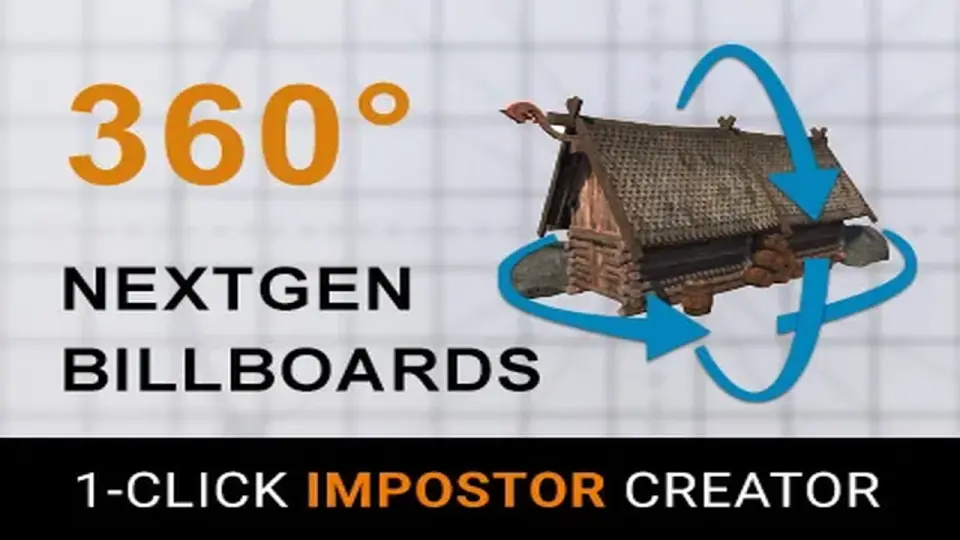
Amplify Impostors centers on a practical version of the billboard technique: it builds geometrically simplified, volumetrically accurate representations of complex models. The workflow starts with 1-Click Baking and branches into a set of controls that keep the result useful in real scenes rather than just visually reduced. Octahedron Impostors and Spherical Impostors give it more than one impostor style to work with, while the Billboard Shape Editor lets the shape itself be adjusted instead of forcing a single flat treatment.
That matters when a model still needs to read clearly from different viewing angles. Smart Blending between views is part of that process, helping the impostor shift from one captured angle to another without abrupt changes. The package also includes a default bake preset that splits Emission and Occlusion textures, plus an optional Position texture to improve accuracy. Those details point to a tool built for artists who need simplification without losing the sense of depth, lighting response, or surface separation that gives a model its presence.
How the Impostors Behave in a Scene
The impostors are not limited to standing in place as passive stand-ins. They can be moved, rotated, and scaled, and they can receive and cast shadows. They can also intersect other objects or other impostors, which is important when a scene needs simplified assets to sit convincingly among fuller geometry. Depth-write support is included for object intersections, and full lighting and shadowing are available, with lightmaps excluded.
Hardware Instancing is part of the feature set, and Dithered LOD Cross-Fade helps them fit into LODGroup workflows. The result is a resource that works as part of a broader scene setup rather than as a separate special effect. A recent update also improved impostor shadowing and surface intersections, fixed impostor picking across the board, and increased the maximum axis frames from 32 to 64. Those changes make the impostors more dependable when they are used as visible replacements for heavier geometry.
Render Paths and Shader Support
Forward and Deferred rendering are both supported, along with URP and HDRP support for SRP 12 and higher. An automatic importer is included for URP and HDRP shaders, which helps fit the tool into render pipelines without extra manual setup for supported cases. The package also has support for custom and non-standard HDRP and URP shaders, though that support depends on Deferred-mode compatibility. Forward-only shaders may need Custom Baking and Custom Impostor Runtime shaders.
Standard baking is only supported when the shader exposes a Deferred path, such as Unity Standard shaders. Even with that limitation during baking, the impostors created can be used in both Forward and Deferred modes. Custom Material Baking is available for objects that use custom shaders. The package was updated for Unity 6.3 LTS, and the minimum supported Unity version is 2021.3 LTS. Minimum support for URP and HDRP is 12x or higher.
Pipeline Notes and Compatibility Limits
Amplify Impostors is set up with a few practical boundaries that matter when it is added to a production pipeline. Lightmapping of impostors is not recommended, although experimental uses are possible with Amplify Shader Editor. Official guidance is directed toward the documentation for those cases. Mac and Apple Silicon baking support is included, and the Start Screen is intended to help with sample installation.
There are also platform and shader limitations to keep in mind. Oculus Quest and other mobile-based VR devices are not officially supported. HDRP Translucent objects may not bake correctly. The package was also optimized so shader variants exclude unused textures, which keeps the runtime side cleaner. For projects that need dense models replaced by lighter impostors while preserving lighting, shadowing, and scene interaction, it is set up to handle that transition in a controlled way.
 Utilities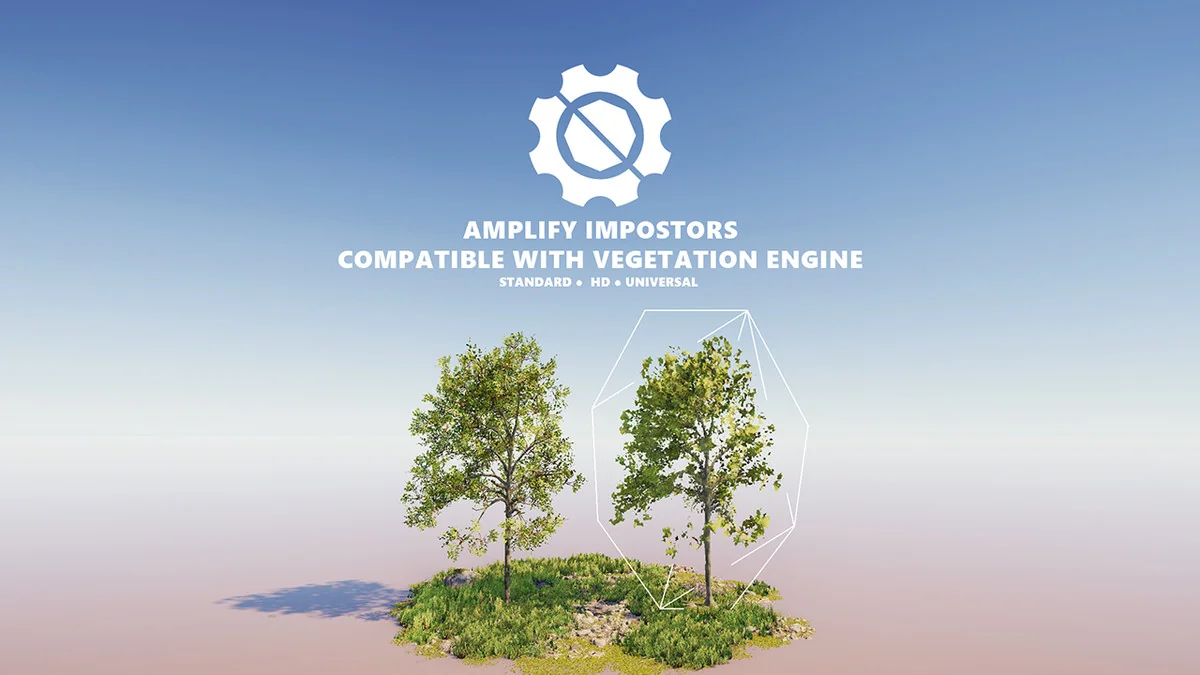
 Shaders
 Utilities
 Utilities