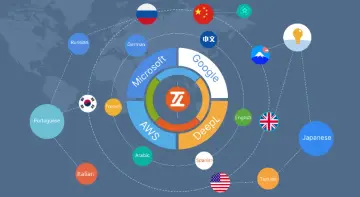
"0283a5a6392d9fd6"{"resourcesTotal":3354,"downloadsTotal":4767,"consecutiveUpdateDays":9,"platforms":[{"key":"unreal","name":"Unreal","slug":"unreal-engine-2","href":"/category/unreal-engine-2/","resourceCount":2775},{"key":"unity","name":"Unity","slug":"unity-2","href":"/category/unity-2/","resourceCount":453},{"key":"blender","name":"Blender","slug":"blender-add-ons-plugins","href":"/category/blender-add-ons-plugins/","resourceCount":10},{"key":"tutorials","name":"Tutorials","slug":"tutorial-library","href":"/tutorials/","resourceCount":117}],"popularSearches":["vfx","gun animation","fps","hit vfx","katana","Unreal 5.4+"]}{"items":[{"id":"13714","slug":"athena-ai-a-utility-ai-framework-v2","title":"Athena AI: A Utility AI Framework - V2","category":"Engine Tools","engine":"5.1 - 5.4","assetVersion":"Engine version: 5.1 - 5.4","engineVersion":"Asset Version:2.0","tag":"Engine Tools","accent":"blue","visual":"audio","summary":"Athena AI: A Utility AI Framework - V2 provides a powerful and modular system for creating smarter NPCs. It replaces rigid condition trees with reactive, data-driven behaviors using curves and structured logic.","platform":"Unreal Engine","publishedAt":"2026-03-11T09:45:45.000Z","updatedAt":"2026-04-19T15:46:23.000Z","sourceNotes":[],"fileContents":[],"compatibility":["Unreal Engine","Engine version: 5.1 - 5.4","Asset Version: 2.0"],"featuredImage":{"alt":"Athena AI: A Utility AI Framework - V2","src":"https://3dcghub.com/wp-content/uploads/2026/03/8e651a50-5518-47d7-8584-284991c6cb2c.webp"},"hasDownloadLink":true},{"id":"13699","slug":"async-blueprints-extension","title":"Async Blueprints Extension","category":"Engine Tools","engine":"5.7","assetVersion":"Engine version: 5.7","engineVersion":"Asset Version:1.6.1","tag":"Engine Tools","accent":"blue","visual":"mech","summary":"The Async Blueprints Extension offers a simple, object-oriented approach to handling asynchronous tasks. This tool streamlines threading and variable management within your project.","platform":"Unreal Engine","publishedAt":"2026-03-11T09:43:07.000Z","updatedAt":"2026-04-19T15:46:23.000Z","sourceNotes":[],"fileContents":[],"compatibility":["Unreal Engine","Engine version: 5.7","Asset Version: 1.6.1"],"featuredImage":{"alt":"Async Blueprints Extension","src":"https://3dcghub.com/wp-content/uploads/2026/03/9861d440-1082-434a-b436-8abbdf38ba3f.webp"},"hasDownloadLink":true},{"id":"13791","slug":"chunkcore-chunk-downloader","title":"ChunkCore (Chunk Downloader)","category":"Engine Tools","engine":"5.7","assetVersion":"Engine version: 5.7","engineVersion":"Asset Version:1.0.6","tag":"Engine Tools","accent":"blue","visual":"luts","summary":"ChunkCore (Chunk Downloader) allows Unreal Engine developers to integrate Epic's official patching system directly into Blueprints. This tool enables dynamic asset streaming and modular content delivery without requiring C++ code.","platform":"Unreal Engine","publishedAt":"2026-03-11T10:04:38.000Z","updatedAt":"2026-04-19T15:46:22.000Z","sourceNotes":[],"fileContents":[],"compatibility":["Unreal Engine","Engine version: 5.7","Asset Version: 1.0.6"],"featuredImage":{"alt":"ChunkCore (Chunk Downloader)","src":"https://3dcghub.com/wp-content/uploads/2026/03/63154208-fd10-4508-b537-52511aed4aff.webp"},"hasDownloadLink":true},{"id":"13785","slug":"chunk-downloader-nodes","title":"Chunk Downloader Nodes","category":"Engine Tools","engine":"5.6","assetVersion":"Engine version: 5.6","engineVersion":"Asset Version:1.0","tag":"Engine Tools","accent":"blue","visual":"animation","summary":"Streamline your content delivery with Chunk Downloader Nodes, a professional Blueprint wrapper for Epic's official plugin. This tool enables efficient content streaming and PAK file management without C++ requirements.","platform":"Unreal Engine","publishedAt":"2026-03-11T10:02:01.000Z","updatedAt":"2026-04-19T15:46:22.000Z","sourceNotes":[],"fileContents":[],"compatibility":["Unreal Engine","Engine version: 5.6","Asset Version: 1.0"],"featuredImage":{"alt":"Chunk Downloader Nodes","src":"https://3dcghub.com/wp-content/uploads/2026/03/efb2c9d0-ead4-4949-8fda-f55747fa16fe-1.webp"},"hasDownloadLink":true},{"id":"13847","slug":"daz-to-unreal","title":"Daz To Unreal","category":"Engine Tools","engine":"5.5 - 5.6","assetVersion":"Engine version: 5.5 - 5.6","engineVersion":"Asset Version:5.6.0.472","tag":"Engine Tools","accent":"blue","visual":"mech","summary":"The Daz To Unreal bridge simplifies the process of moving high-quality characters and props into your game engine. This dual-plugin system supports Genesis 3 and Genesis 8 assets with automated material organization.","platform":"Unreal Engine","publishedAt":"2026-03-11T10:20:18.000Z","updatedAt":"2026-04-19T15:46:21.000Z","sourceNotes":[],"fileContents":[],"compatibility":["Unreal Engine","Engine version: 5.5 - 5.6","Asset Version: 5.6.0.472"],"featuredImage":{"alt":"Daz To Unreal","src":"https://3dcghub.com/wp-content/uploads/2026/03/d61166e0-0737-4ef1-a53b-4f5b07759811.webp"},"hasDownloadLink":true},{"id":"13888","slug":"dynamic-triangulation","title":"Dynamic Triangulation","category":"Engine Tools","engine":"4.27 - 5.4","assetVersion":"Engine version: 4.27 - 5.4","engineVersion":"4.27","tag":"Engine Tools","accent":"blue","visual":"audio","summary":"Dynamic Triangulation provides a powerful solution for creating polygonal meshes from sets of points. Whether in the editor or during gameplay, this C++ plugin offers the flexibility needed for procedural geometry.","platform":"Unreal Engine","publishedAt":"2026-03-11T10:34:21.000Z","updatedAt":"2026-04-19T15:46:20.000Z","sourceNotes":[],"fileContents":[],"compatibility":["Unreal Engine","Engine version: 4.27 - 5.4"],"featuredImage":{"alt":"Dynamic Triangulation","src":"https://3dcghub.com/wp-content/uploads/2026/03/265ede3a-dd28-43f1-8d45-0903313f5afa.webp"},"hasDownloadLink":true},{"id":"13883","slug":"dynamic-real-water","title":"Dynamic Real Water","category":"Engine Tools","engine":"5.7","assetVersion":"Engine version: 5.7","engineVersion":"Asset Version:1.1","tag":"Engine Tools","accent":"blue","visual":"mech","summary":"Enhance your Unreal Engine 5 environments with Dynamic Real Water, a high-performance FFT simulation plugin. It offers realistic wave dynamics, advanced buoyancy physics, and seamless replication for multiplayer projects.","platform":"Unreal Engine","publishedAt":"2026-03-11T10:30:53.000Z","updatedAt":"2026-04-19T15:46:20.000Z","sourceNotes":[],"fileContents":[],"compatibility":["Unreal Engine","Engine version: 5.7","Asset Version: 1.1"],"featuredImage":{"alt":"Dynamic Real Water","src":"https://3dcghub.com/wp-content/uploads/2026/03/8532c421-bf8f-4903-bbfc-9e94a063892e.webp"},"hasDownloadLink":true},{"id":"13961","slug":"edge-decal-tools-1-2","title":"Edge Decal Tools 1.2","category":"Engine Tools","engine":"5.6 - 5.7","assetVersion":"Engine version: 5.6 - 5.7","engineVersion":"Asset Version:1.2","tag":"Engine Tools","accent":"blue","visual":"character","summary":"Transform your environment detailing workflow with Edge Decal Tools 1.2. This script-based solution automates placement on complex geometry, ensuring high performance without the need for splines.","platform":"Unreal Engine","publishedAt":"2026-03-11T10:47:18.000Z","updatedAt":"2026-04-19T15:46:19.000Z","sourceNotes":[],"fileContents":[],"compatibility":["Unreal Engine","Engine version: 5.6 - 5.7","Asset Version: 1.2"],"featuredImage":{"alt":"Edge Decal Tools 1.2","src":"https://3dcghub.com/wp-content/uploads/2026/03/1e4e1085-5e0d-49f5-b659-ba804caa0bea.webp"},"hasDownloadLink":true},{"id":"13900","slug":"easy-localization-translation","title":"Easy Localization Translation","category":"Engine Tools","engine":"5.3 - 5.4","assetVersion":"Engine version: 5.3 - 5.4","engineVersion":"Asset Version:1.3","tag":"Engine Tools","accent":"blue","visual":"city","summary":"Streamline your development workflow with Easy Localization Translation. This editor-only plugin automates string translation using advanced AI without requiring external API setups.","platform":"Unreal Engine","publishedAt":"2026-03-11T10:37:29.000Z","updatedAt":"2026-04-19T15:46:19.000Z","sourceNotes":[],"fileContents":[],"compatibility":["Unreal Engine","Engine version: 5.3 - 5.4","Asset Version: 1.3"],"featuredImage":{"alt":"Easy Localization Translation","src":"https://3dcghub.com/wp-content/uploads/2026/03/ba888dea-e97d-4f22-a6f3-da4ec4639ad5.webp"},"hasDownloadLink":true},{"id":"13990","slug":"file-system-library","title":"File System Library","category":"Engine Tools","engine":"4.23,4.25 - 5.6","assetVersion":"Engine version: 4.23,4.25 - 5.6","engineVersion":"Asset Version:1.0","tag":"Engine Tools","accent":"blue","visual":"animation","summary":"Manage files and folders directly within Unreal Engine using the File System Library. This cross-platform blueprint tool simplifies complex file operations like moving, copying, and renaming.","platform":"Unreal Engine","publishedAt":"2026-03-11T13:08:00.000Z","updatedAt":"2026-04-19T15:45:56.000Z","sourceNotes":[],"fileContents":[],"compatibility":["Unreal Engine","Engine version: 4.23,4.25 - 5.6","Asset Version: 1.0"],"featuredImage":{"alt":"File System Library","src":"https://3dcghub.com/wp-content/uploads/2026/03/2e340444-d53a-4e1e-bd77-d11ee600a9d4.webp"},"hasDownloadLink":true},{"id":"14035","slug":"groom-export","title":"Groom Export","category":"Engine Tools","engine":"5.5","assetVersion":"Engine version: 5.5","engineVersion":"Asset Version:1.0","tag":"Engine Tools","accent":"blue","visual":"character","summary":"Groom Export provides a streamlined way to convert engine-based groom files into the abc format. This tool ensures compatibility across different engine versions and resolves previous import issues with Maya.","platform":"Unreal Engine","publishedAt":"2026-03-11T13:17:17.000Z","updatedAt":"2026-04-19T15:45:55.000Z","sourceNotes":[],"fileContents":[],"compatibility":["Unreal Engine","Engine version: 5.5","Asset Version: 1.0"],"featuredImage":{"alt":"Groom Export","src":"https://3dcghub.com/wp-content/uploads/2026/03/49a11aab-3f78-47ba-88a3-2edc105cc12e.webp"},"hasDownloadLink":true},{"id":"14029","slug":"gas-companion","title":"GAS Companion","category":"Engine Tools","engine":"5.7","assetVersion":"Engine version: 5.7","engineVersion":"Asset Version:6.2.1","tag":"Engine Tools","accent":"blue","visual":"audio","summary":"GAS Companion serves as a versatile foundation for projects using Epic's Gameplay Ability System, offering essential C++ setup and Blueprint-friendly tools. It simplifies complex tasks like attribute generation and ability queuing without forcing specific g...","platform":"Unreal Engine","publishedAt":"2026-03-11T13:15:21.000Z","updatedAt":"2026-04-19T15:45:55.000Z","sourceNotes":[],"fileContents":[],"compatibility":["Unreal Engine","Engine version: 5.7","Asset Version: 6.2.1"],"featuredImage":{"alt":"GAS Companion","src":"https://3dcghub.com/wp-content/uploads/2026/03/f7aded12-e01e-4dc6-ab3f-99cb784d3a77.webp"},"hasDownloadLink":true},{"id":"14001","slug":"firebase-goodies","title":"Firebase Goodies","category":"Engine Tools","engine":"5.3","assetVersion":"Engine version: 5.3","engineVersion":"Asset Version:2.0.2","tag":"Engine Tools","accent":"blue","visual":"city","summary":"Firebase Goodies is a comprehensive plugin that integrates Google’s powerful backend services directly into your development workflow. It offers support for essential features like Firestore, Cloud Storage, and Authentication across multiple platforms.","platform":"Unreal Engine","publishedAt":"2026-03-11T13:12:16.000Z","updatedAt":"2026-04-19T15:45:55.000Z","sourceNotes":[],"fileContents":[],"compatibility":["Unreal Engine","Engine version: 5.3","Asset Version: 2.0.2"],"featuredImage":{"alt":"Firebase Goodies","src":"https://3dcghub.com/wp-content/uploads/2026/03/0bb7212b-a42c-48b9-84c9-2e01181d39b8.webp"},"hasDownloadLink":true},{"id":"14076","slug":"hyperloop","title":"HyperLoop","category":"Engine Tools","engine":"5.4 - 5.5","assetVersion":"Engine version: 5.4 - 5.5","engineVersion":"5.0","tag":"Engine Tools","accent":"blue","visual":"animation","summary":"HyperLoop is a powerful optimization suite designed to streamline Unreal Engine development by reducing node counts and enhancing execution speed through C++ architecture.","platform":"Unreal Engine","publishedAt":"2026-03-11T15:41:00.000Z","updatedAt":"2026-04-19T15:45:54.000Z","sourceNotes":[],"fileContents":[],"compatibility":["Unreal Engine","Engine version: 5.4 - 5.5"],"featuredImage":{"alt":"HyperLoop","src":"https://3dcghub.com/wp-content/uploads/2026/03/92908017-4f82-4f29-88d2-f3d74c3053c5.webp"},"hasDownloadLink":true},{"id":"14068","slug":"hypergrid","title":"HyperGrid","category":"Engine Tools","engine":"5.5","assetVersion":"Engine version: 5.5","engineVersion":"Asset Version:1.0","tag":"Engine Tools","accent":"blue","visual":"character","summary":"Upgrade your Unreal Engine workspace with HyperGrid, a custom blueprint grid system designed for precision and efficiency. Replace dull backgrounds with customizable dot matrices and high-contrast lines for better node alignment.","platform":"Unreal Engine","publishedAt":"2026-03-11T15:35:22.000Z","updatedAt":"2026-04-19T15:45:54.000Z","sourceNotes":[],"fileContents":[],"compatibility":["Unreal Engine","Engine version: 5.5","Asset Version: 1.0"],"featuredImage":{"alt":"HyperGrid","src":"https://3dcghub.com/wp-content/uploads/2026/03/aceb7ac9-a260-49f9-b99d-a08e8085d8e2.webp"},"hasDownloadLink":true},{"id":"14050","slug":"hand-tracking-plugin","title":"Hand Tracking Plugin","category":"Engine Tools","engine":"5.1,5.3","assetVersion":"Engine version: 5.1,5.3","engineVersion":"5.3","tag":"Engine Tools","accent":"blue","visual":"mech","summary":"The Hand Tracking Plugin provides a comprehensive suite of tools for Meta Quest developers, including advanced grabbing mechanics, gesture recognition, and customizable locomotion systems.","platform":"Unreal Engine","publishedAt":"2026-03-11T13:27:35.000Z","updatedAt":"2026-04-19T15:45:54.000Z","sourceNotes":[],"fileContents":[],"compatibility":["Unreal Engine","Engine version: 5.1,5.3"],"featuredImage":{"alt":"Hand Tracking Plugin","src":"https://3dcghub.com/wp-content/uploads/2026/03/2c3458bb-1d4c-4254-8eb0-2605709a94c6.webp"},"hasDownloadLink":true},{"id":"14108","slug":"le-json","title":"LE Json","category":"Engine Tools","engine":"4.26 - 5.4","assetVersion":"Engine version: 4.26 - 5.4","engineVersion":"Asset Version:5.3.0","tag":"Engine Tools","accent":"blue","visual":"luts","summary":"Simplify your data management with LE Json. This plugin offers dedicated Blueprint nodes for creating and parsing JSON strings within the Unreal Engine environment.","platform":"Unreal Engine","publishedAt":"2026-03-11T15:50:52.000Z","updatedAt":"2026-04-19T15:45:53.000Z","sourceNotes":[],"fileContents":[],"compatibility":["Unreal Engine","Engine version: 4.26 - 5.4","Asset Version: 5.3.0"],"featuredImage":{"alt":"LE Json","src":"https://3dcghub.com/wp-content/uploads/2026/03/80373996-08f5-4318-8e7d-557d24f41fd5.webp"},"hasDownloadLink":true},{"id":"14092","slug":"le-encryption","title":"LE Encryption","category":"Engine Tools","engine":"4.26 - 5.3","assetVersion":"Engine version: 4.26 - 5.3","engineVersion":"4.11","tag":"Engine Tools","accent":"blue","visual":"character","summary":"LE Encryption is a specialized plugin that allows developers to encrypt bytes via Blueprints. It is specifically designed to bridge the gap between game clients and Java-based backend servers.","platform":"Unreal Engine","publishedAt":"2026-03-11T15:47:47.000Z","updatedAt":"2026-04-19T15:45:53.000Z","sourceNotes":[],"fileContents":[],"compatibility":["Unreal Engine","Engine version: 4.26 - 5.3"],"featuredImage":{"alt":"LE Encryption","src":"https://3dcghub.com/wp-content/uploads/2026/03/592df0d2-2231-4892-b688-69d9fb08f700.webp"},"hasDownloadLink":true},{"id":"14164","slug":"map-function-library","title":"Map Function Library","category":"Engine Tools","engine":"5.2 - 5.4","assetVersion":"Engine version: 5.2 - 5.4","engineVersion":"5.4","tag":"Engine Tools","accent":"blue","visual":"audio","summary":"The Map Function Library plugin introduces specialized nodes to streamline map operations in Unreal Engine. It offers tools for easier iteration, index-based interaction, and efficient data merging.","platform":"Unreal Engine","publishedAt":"2026-03-11T16:02:19.000Z","updatedAt":"2026-04-19T15:45:52.000Z","sourceNotes":[],"fileContents":[],"compatibility":["Unreal Engine","Engine version: 5.2 - 5.4"],"featuredImage":{"alt":"Map Function Library","src":"https://3dcghub.com/wp-content/uploads/2026/03/8886ea98-8340-4a7c-b79c-39a8d9a5ce48.webp"},"hasDownloadLink":true},{"id":"14147","slug":"make-modular-skeletal-mesh","title":"Make Modular Skeletal Mesh","category":"Engine Tools","engine":"5.3 - 5.4","assetVersion":"Engine version: 5.3 - 5.4","engineVersion":"5.3","tag":"Engine Tools","accent":"blue","visual":"mech","summary":"Enhance your asset creation process with the Make Modular Skeletal Mesh subsystem. This tool enables developers to modify and combine skeletal mesh parts directly within the UE editor.","platform":"Unreal Engine","publishedAt":"2026-03-11T16:00:04.000Z","updatedAt":"2026-04-19T15:45:52.000Z","sourceNotes":[],"fileContents":[],"compatibility":["Unreal Engine","Engine version: 5.3 - 5.4"],"featuredImage":{"alt":"Make Modular Skeletal Mesh","src":"https://3dcghub.com/wp-content/uploads/2026/03/8090ef9f-f5d3-428e-940c-ad1f4ed77720.webp"},"hasDownloadLink":true},{"id":"14227","slug":"msc-screen-camera-recorder","title":"MSC Screen \u0026 Camera Recorder","category":"Engine Tools","engine":"5.5 - 5.7","assetVersion":"Engine version: 5.5 - 5.7","engineVersion":"4.26","tag":"Engine Tools","accent":"blue","visual":"luts","summary":"The MSC Screen \u0026 Camera Recorder is a versatile tool for capturing high-quality video content within Unreal Engine. It supports standard screen recording, VR perspectives, and immersive 360-degree renders.","platform":"Unreal Engine","publishedAt":"2026-03-11T17:01:22.000Z","updatedAt":"2026-04-19T15:45:51.000Z","sourceNotes":[],"fileContents":[],"compatibility":["Unreal Engine","Engine version: 5.5 - 5.7"],"featuredImage":{"alt":"MSC Screen \u0026 Camera Recorder","src":"https://3dcghub.com/wp-content/uploads/2026/03/909261f3-99f5-4f53-96ea-5ebe6ce89c8a.webp"},"hasDownloadLink":true},{"id":"14215","slug":"modular-snap-system","title":"Modular Snap System","category":"Engine Tools","engine":"4.26 - 5.3","assetVersion":"Engine version: 4.26 - 5.3","engineVersion":"4.23","tag":"Engine Tools","accent":"blue","visual":"animation","summary":"Simplify your level design workflow with the Modular Snap System. This Editor Plugin uses a socket-to-socket concept to align meshes, splines, and actors instantly without manual grid adjustments.","platform":"Unreal Engine","publishedAt":"2026-03-11T16:17:51.000Z","updatedAt":"2026-04-19T15:45:51.000Z","sourceNotes":[],"fileContents":[],"compatibility":["Unreal Engine","Engine version: 4.26 - 5.3"],"featuredImage":{"alt":"Modular Snap System","src":"https://3dcghub.com/wp-content/uploads/2026/03/70a3c32f-f27e-4e90-93ea-0cadd2355ae2.webp"},"hasDownloadLink":true},{"id":"14202","slug":"modular-movement","title":"Modular Movement","category":"Engine Tools","engine":"5.5","assetVersion":"Engine version: 5.5","engineVersion":"Asset Version:1.6","tag":"Engine Tools","accent":"blue","visual":"character","summary":"Modular Movement is a sophisticated plugin for Unreal Engine 5 that enables developers to create highly realistic vehicle simulations. It features a modular architecture for engines and gearboxes, alongside specialized support for tanks and trailers.","platform":"Unreal Engine","publishedAt":"2026-03-11T16:15:05.000Z","updatedAt":"2026-04-19T15:45:51.000Z","sourceNotes":[],"fileContents":[],"compatibility":["Unreal Engine","Engine version: 5.5","Asset Version: 1.6"],"featuredImage":{"alt":"Modular Movement","src":"https://3dcghub.com/wp-content/uploads/2026/03/1bdc4ab7-35d7-4d27-ad70-c1c77272ea35.webp"},"hasDownloadLink":true},{"id":"14194","slug":"mission-objectives","title":"Mission \u0026 Objectives","category":"Engine Tools","engine":"5.2 - 5.4","assetVersion":"Engine version: 5.2 - 5.4","engineVersion":"Asset Version:1.5","tag":"Engine Tools","accent":"blue","visual":"audio","summary":"Streamline your game's narrative and gameplay loops with the Mission \u0026 Objectives plugin, a robust tool for designing quests, rewards, and multiplayer-ready events.","platform":"Unreal Engine","publishedAt":"2026-03-11T16:11:21.000Z","updatedAt":"2026-04-19T15:45:51.000Z","sourceNotes":[],"fileContents":[],"compatibility":["Unreal Engine","Engine version: 5.2 - 5.4","Asset Version: 1.5"],"featuredImage":{"alt":"Mission \u0026 Objectives","src":"https://3dcghub.com/wp-content/uploads/2026/03/b4d2cac2-cec9-4ebc-95be-8c5f1f57ba3b.webp"},"hasDownloadLink":true}],"total":3354,"limit":24,"offset":2688}
Find production-ready assets before your next build.
Follow structured learning paths for Unreal, Unity, Godot, gameplay systems, VFX, C++, Blueprints, and UI. Tutorials cross-link to matching assets so you can learn and build with confidence.
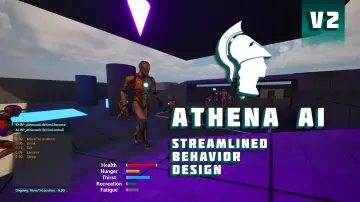 Engine Tools
 Engine Tools
 Engine Tools
 Engine Tools
 Engine Tools
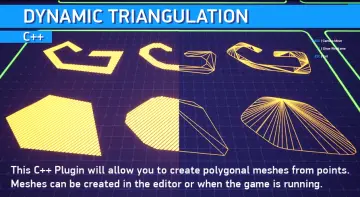 Engine Tools
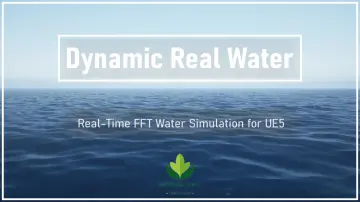 Engine Tools
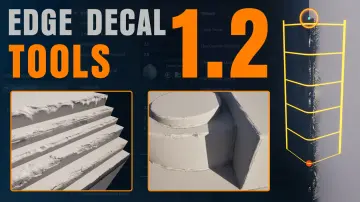 Engine Tools
 Engine Tools
 Engine Tools
 Engine Tools
 Engine Tools
 Engine Tools
 Engine Tools
 Engine Tools
 Engine Tools
 Engine Tools
 Engine Tools
 Engine Tools
 Engine Tools
 Engine Tools
 Engine Tools
 Engine Tools
 Engine Tools