"7066dd76da796369"{"id":"14068","slug":"hypergrid","title":"HyperGrid","category":"Engine Tools","engine":"5.5","assetVersion":"Engine version: 5.5","engineVersion":"Asset Version:1.0","tag":"Engine Tools","accent":"blue","visual":"character","summary":"Upgrade your Unreal Engine workspace with HyperGrid, a custom blueprint grid system designed for precision and efficiency. Replace dull backgrounds with customizable dot matrices and high-contrast lines for better node alignment.","platform":"Unreal Engine","publishedAt":"2026-03-11T15:35:22.000Z","updatedAt":"2026-04-19T15:45:54.000Z","sourceNotes":[],"fileContents":[],"compatibility":["Unreal Engine","Engine version: 5.5","Asset Version: 1.0"],"featuredImage":{"alt":"HyperGrid","src":"https://3dcghub.com/wp-content/uploads/2026/03/aceb7ac9-a260-49f9-b99d-a08e8085d8e2.webp"},"hasDownloadLink":true,"downloads":0,"terms":[{"taxonomy":"category","slug":"engine-tools-tools-and-plugins","name":"Engine Tools"},{"taxonomy":"post_tag","slug":"blueprint","name":"Blueprint"},{"taxonomy":"post_tag","slug":"blueprint-workflow","name":"Blueprint Workflow"},{"taxonomy":"post_tag","slug":"game-systems","name":"Game Systems"},{"taxonomy":"post_tag","slug":"plugins","name":"Plugins"},{"taxonomy":"post_tag","slug":"tools","name":"Tools"},{"taxonomy":"post_tag","slug":"unreal-engine-5","name":"Unreal Engine 5"}],"galleryImages":[{"src":"https://3dcghub.com/wp-content/uploads/2026/03/83d94bfe7566_f0cbcd8c-1d73-4007-ab1a-bccfd5a09b0f.webp","alt":"HyperGrid"},{"src":"https://3dcghub.com/wp-content/uploads/2026/03/33163b5aca23_acd13b87-5ae8-4d4e-b69c-0e0775cf88b0.webp","alt":"HyperGrid"},{"src":"https://3dcghub.com/wp-content/uploads/2026/03/bebafac899b1_2663925b-cc8b-4c68-be8c-f863439df658.webp","alt":"HyperGrid"},{"src":"https://3dcghub.com/wp-content/uploads/2026/03/940e4ff8e6f9_85fb638d-5e44-4ed8-a878-1b73977ba3e4.webp","alt":"HyperGrid"},{"src":"https://3dcghub.com/wp-content/uploads/2026/03/76f0ef4fa1f0_3a3e5b2c-6f99-48aa-8e8d-6e22d4e6d525.webp","alt":"HyperGrid"}],"accessPanel":{"kind":"resource","title":"Access this resource","eyebrow":"Free Download","message":"Log in or create a free account to start your download.","fileName":"HyperGrid 5.5;V1.0.7z","safetyNote":"All resources are 100% manually reviewed to eliminate all risks.","actionLabel":"Download Free","resourceType":"Resource archive"},"contentHtml":"\u003ch2\u003eRevolutionize Your Unreal Engine Workspace\u003c/h2\u003e\n\u003cp\u003eHyperGrid is a custom blueprint grid system plugin designed to replace the standard background in Unreal Engine. Many developers find the default dull graphics and unhelpful aids exhausting when trying to align nodes manually. This plugin addresses those frustrations by providing a brand-new visual system for your blueprint editor.\u003c/p\u003e\n\u003cp\u003eBy replacing the smallest layer of crosslines with dot matrices, the developer has created a cleaner workspace. Horizontal lines now only appear on larger grid squares. Consequently, this design helps you quickly align nodes both horizontally and vertically without counting individual squares.\u003c/p\u003e\n\n\u003ch2\u003eFully Customizable Grid Settings\u003c/h2\u003e\n\u003cp\u003eOne of the primary benefits of HyperGrid is its deep level of customization. You can easily modify the color of each grid structure and configure the specific proportions of every section. Moreover, users can adjust the horizontal and vertical spacing to match their personal preferences.\u003c/p\u003e\n\u003cp\u003eWhether you prefer subtle reference lines or bold, high-contrast grids, every detail remains under your control. Furthermore, you can customize an exclusive grid by adjusting just one parameter in the settings. This makes your blueprint workflow more efficient than ever before.\u003c/p\u003e\n\n\u003ch2\u003eVisual Alignment and Performance\u003c/h2\u003e\n\u003cp\u003eThe plugin serves as a highly practical guide for developers who pursue perfection in their node layouts. Through optimized graphic design, it helps you find precise positions quickly. Additionally, the high-contrast major grid lines provide excellent visual feedback for horizontal and vertical snapping.\u003c/p\u003e\n\u003cp\u003ePerformance is a key priority for this tool. Therefore, the developer built this custom grid by bypassing Unreal’s native grid system. This ensures there is virtually no performance cost or burden on your project. The lightweight rendering pipeline utilizes GPU acceleration to maintain a smooth experience.\u003c/p\u003e\n\n\u003ch2\u003eKey Technical Features\u003c/h2\u003e\n\u003cul\u003e\n \u003cli\u003e\u003cstrong\u003eDot-Matrix Replacement:\u003c/strong\u003e Replaces traditional crosslines with dots for the smallest grid layer to reduce visual clutter.\u003c/li\u003e\n \u003cli\u003e\u003cstrong\u003eAlignment Assistant:\u003c/strong\u003e Includes high-contrast major lines and dynamic snap-to-grid feedback with configurable sensitivity.\u003c/li\u003e\n \u003cli\u003e\u003cstrong\u003eWorkflow Optimization:\u003c/strong\u003e Features single-parameter presets for quick theme switching, such as minimalistic or high-contrast modes.\u003c/li\u003e\n \u003cli\u003e\u003cstrong\u003eSeamless Integration:\u003c/strong\u003e Simple installation that only modifies the grid system, ensuring compatibility with most other plugins.\u003c/li\u003e\n \u003cli\u003e\u003cstrong\u003eNo-Code Configuration:\u003c/strong\u003e Adjust all settings via editor preferences without the need for scripting.\u003c/li\u003e\n\u003c/ul\u003e\n\n\u003ch2\u003eCompatibility and Support\u003c/h2\u003e\n\u003cp\u003eHyperGrid is designed to work seamlessly with native Unreal Engine workflows. It is currently compatible with engine versions 5.2 through 5.5. Because it bypasses the native grid rendering, it avoids interference with other node-based plugins.\u003c/p\u003e\n\u003cp\u003eSupported development platforms include Windows (Win64), macOS, and Linux. In conclusion, this plugin offers a sophisticated solution for developers looking to enhance their visual environment while maintaining peak editor performance.\u003c/p\u003e\n\n\u003ch2\u003eMore From The Same Workflow\u003c/h2\u003e\n\u003cul\u003e\n\u003cli\u003e\u003ca href=\"https://3dcghub.com/extile-plus-ultimate-non-tiling-material-toolkit-for-unreal-engine-environments/\" title=\"EXTILE PLUS -Ultimate Non-Tiling Material Toolkit for Unreal Engine Environments\"\u003eEXTILE PLUS -Ultimate Non-Tiling Material Toolkit for Unreal Engine Environments\u003c/a\u003e\u003c/li\u003e\n\u003cli\u003e\u003ca href=\"https://3dcghub.com/ultimate-template-unrealengine-2d-dialogue-inventory-system-save/\" title=\"ULTIMATE Template UnrealEngine || 2D + Dialogue + Inventory system + Save | |\"\u003eULTIMATE Template UnrealEngine || 2D + Dialogue + Inventory system + Save | |\u003c/a\u003e\u003c/li\u003e\n\u003cli\u003e\u003ca href=\"https://3dcghub.com/daz-to-unreal/\" title=\"Daz To Unreal\"\u003eDaz To Unreal\u003c/a\u003e\u003c/li\u003e\n\u003cli\u003e\u003ca href=\"https://3dcghub.com/blueprint-generator-ai-kibibyte-labs-engine-assistant/\" title=\"Blueprint Generator Ai – Kibibyte Labs (Engine Assistant)\"\u003eBlueprint Generator Ai – Kibibyte Labs (Engine Assistant)\u003c/a\u003e\u003c/li\u003e\n\u003cli\u003e\u003ca href=\"https://3dcghub.com/sci-fi-environment-engine-room/\" title=\"Sci-fi Environment Engine Room\"\u003eSci-fi Environment Engine Room\u003c/a\u003e\u003c/li\u003e\n\u003c/ul\u003e","contentTextLength":3366,"navigation":{"current":3371,"total":4016,"previous":{"id":"14076","slug":"hyperloop","title":"HyperLoop","category":"Engine Tools","platform":"Unreal Engine","updatedAt":"2026-04-19T15:45:54.000Z"},"next":{"id":"14050","slug":"hand-tracking-plugin","title":"Hand Tracking Plugin","category":"Engine Tools","platform":"Unreal Engine","updatedAt":"2026-04-19T15:45:54.000Z"}},"relatedResources":[{"id":"13651","slug":"able-ability-system","title":"Able Ability System","category":"Engine Tools","engine":"5.6 - 5.7","assetVersion":"Engine version: 5.6 - 5.7","engineVersion":"Asset Version:3.96","tag":"Engine Tools","accent":"blue","visual":"city","summary":"The Able Ability System provides a robust framework for creating gameplay abilities in Unreal Engine using a task-based editor. It features multi-threaded performance, built-in networking, and support for both Blueprints and C++.","platform":"Unreal Engine","publishedAt":"2026-03-11T09:28:46.000Z","updatedAt":"2026-04-19T15:46:24.000Z","sourceNotes":[],"fileContents":[],"compatibility":["Unreal Engine","Engine version: 5.6 - 5.7","Asset Version: 3.96"],"featuredImage":{"alt":"Able Ability System","src":"https://3dcghub.com/wp-content/uploads/2026/03/acc5d929-35c2-4554-a2d8-e8d05bc81d7c.webp"},"hasDownloadLink":true,"downloads":0},{"id":"13714","slug":"athena-ai-a-utility-ai-framework-v2","title":"Athena AI: A Utility AI Framework - V2","category":"Engine Tools","engine":"5.1 - 5.4","assetVersion":"Engine version: 5.1 - 5.4","engineVersion":"Asset Version:2.0","tag":"Engine Tools","accent":"blue","visual":"audio","summary":"Athena AI: A Utility AI Framework - V2 provides a powerful and modular system for creating smarter NPCs. It replaces rigid condition trees with reactive, data-driven behaviors using curves and structured logic.","platform":"Unreal Engine","publishedAt":"2026-03-11T09:45:45.000Z","updatedAt":"2026-04-19T15:46:23.000Z","sourceNotes":[],"fileContents":[],"compatibility":["Unreal Engine","Engine version: 5.1 - 5.4","Asset Version: 2.0"],"featuredImage":{"alt":"Athena AI: A Utility AI Framework - V2","src":"https://3dcghub.com/wp-content/uploads/2026/03/8e651a50-5518-47d7-8584-284991c6cb2c.webp"},"hasDownloadLink":true,"downloads":0},{"id":"13723","slug":"auto-settings","title":"Auto Settings","category":"Engine Tools","engine":"5.6","assetVersion":"Engine version: 5.6","engineVersion":"Asset Version:1.31.0","tag":"Engine Tools","accent":"blue","visual":"character","summary":"Auto Settings is a highly configurable toolkit for Unreal Engine designed to streamline the creation of game options and input binding menus without code.","platform":"Unreal Engine","publishedAt":"2026-03-11T09:48:29.000Z","updatedAt":"2026-04-19T15:46:23.000Z","sourceNotes":[],"fileContents":[],"compatibility":["Unreal Engine","Engine version: 5.6","Asset Version: 1.31.0"],"featuredImage":{"alt":"Auto Settings","src":"https://3dcghub.com/wp-content/uploads/2026/03/25a4d182-718a-444e-823a-6b7e680c21f2.webp"},"hasDownloadLink":true,"downloads":0}]}
Engine Tools
HyperGrid
Upgrade your Unreal Engine workspace with HyperGrid, a custom blueprint grid system designed for precision and efficiency. Replace dull backgrounds with customizable dot matrices and high-contrast lines for better node alignment.
HyperGrid is a custom blueprint grid system plugin designed to replace the standard background in Unreal Engine. Many developers find the default dull graphics and unhelpful aids exhausting when trying to align nodes manually. This plugin addresses those frustrations by providing a brand-new visual system for your blueprint editor.
By replacing the smallest layer of crosslines with dot matrices, the developer has created a cleaner workspace. Horizontal lines now only appear on larger grid squares. Consequently, this design helps you quickly align nodes both horizontally and vertically without counting individual squares.
Fully Customizable Grid Settings
One of the primary benefits of HyperGrid is its deep level of customization. You can easily modify the color of each grid structure and configure the specific proportions of every section. Moreover, users can adjust the horizontal and vertical spacing to match their personal preferences.
Whether you prefer subtle reference lines or bold, high-contrast grids, every detail remains under your control. Furthermore, you can customize an exclusive grid by adjusting just one parameter in the settings. This makes your blueprint workflow more efficient than ever before.
Visual Alignment and Performance
The plugin serves as a highly practical guide for developers who pursue perfection in their node layouts. Through optimized graphic design, it helps you find precise positions quickly. Additionally, the high-contrast major grid lines provide excellent visual feedback for horizontal and vertical snapping.
Performance is a key priority for this tool. Therefore, the developer built this custom grid by bypassing Unreal’s native grid system. This ensures there is virtually no performance cost or burden on your project. The lightweight rendering pipeline utilizes GPU acceleration to maintain a smooth experience.
Key Technical Features
Dot-Matrix Replacement: Replaces traditional crosslines with dots for the smallest grid layer to reduce visual clutter.
Alignment Assistant: Includes high-contrast major lines and dynamic snap-to-grid feedback with configurable sensitivity.
Workflow Optimization: Features single-parameter presets for quick theme switching, such as minimalistic or high-contrast modes.
Seamless Integration: Simple installation that only modifies the grid system, ensuring compatibility with most other plugins.
No-Code Configuration: Adjust all settings via editor preferences without the need for scripting.
Compatibility and Support
HyperGrid is designed to work seamlessly with native Unreal Engine workflows. It is currently compatible with engine versions 5.2 through 5.5. Because it bypasses the native grid rendering, it avoids interference with other node-based plugins.
Supported development platforms include Windows (Win64), macOS, and Linux. In conclusion, this plugin offers a sophisticated solution for developers looking to enhance their visual environment while maintaining peak editor performance.
 Engine Tools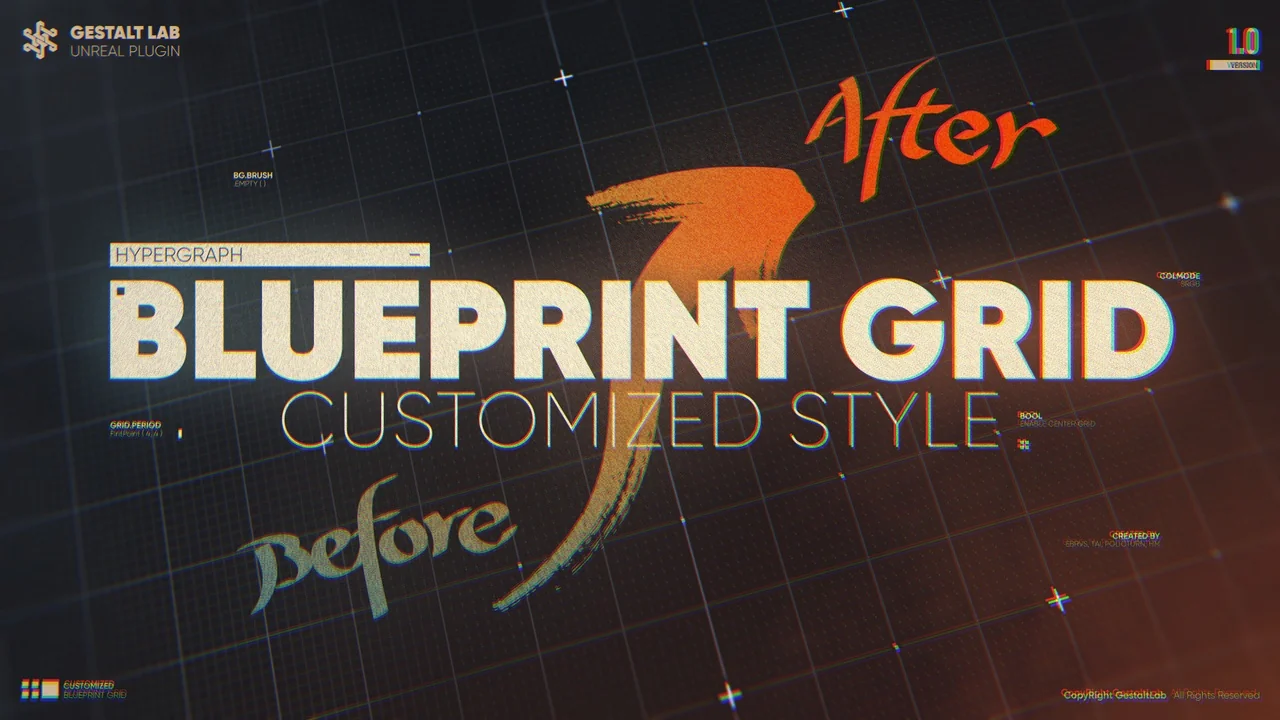
 Engine Tools
 Engine Tools
 Engine Tools