"7066dd76da796369"{"id":"14050","slug":"hand-tracking-plugin","title":"Hand Tracking Plugin","category":"Engine Tools","engine":"5.1,5.3","assetVersion":"Engine version: 5.1,5.3","engineVersion":"5.3","tag":"Engine Tools","accent":"blue","visual":"mech","summary":"The Hand Tracking Plugin provides a comprehensive suite of tools for Meta Quest developers, including advanced grabbing mechanics, gesture recognition, and customizable locomotion systems.","platform":"Unreal Engine","publishedAt":"2026-03-11T13:27:35.000Z","updatedAt":"2026-04-19T15:45:54.000Z","sourceNotes":[],"fileContents":[],"compatibility":["Unreal Engine","Engine version: 5.1,5.3"],"featuredImage":{"alt":"Hand Tracking Plugin","src":"https://3dcghub.com/wp-content/uploads/2026/03/2c3458bb-1d4c-4254-8eb0-2605709a94c6.webp"},"hasDownloadLink":true,"downloads":0,"terms":[{"taxonomy":"category","slug":"engine-tools-tools-and-plugins","name":"Engine Tools"},{"taxonomy":"post_tag","slug":"animation","name":"Animation"},{"taxonomy":"post_tag","slug":"game-systems","name":"Game Systems"},{"taxonomy":"post_tag","slug":"plugins","name":"Plugins"},{"taxonomy":"post_tag","slug":"ui","name":"UI"},{"taxonomy":"post_tag","slug":"unreal-engine-5","name":"Unreal Engine 5"},{"taxonomy":"post_tag","slug":"vfx","name":"VFX"}],"galleryImages":[{"src":"https://3dcghub.com/wp-content/uploads/2026/03/98e75df85344_bcdeb5fd-f1f5-4016-909a-813a6ce812b7.webp","alt":"Hand Tracking Plugin"},{"src":"https://3dcghub.com/wp-content/uploads/2026/03/f8cba885e07f_6caa9fe9-df87-49ab-8c5c-97f00133b63e.webp","alt":"Hand Tracking Plugin"},{"src":"https://3dcghub.com/wp-content/uploads/2026/03/f856a699596a_e0f9df22-48e3-4af1-8501-5d1114517574.webp","alt":"Hand Tracking Plugin"},{"src":"https://3dcghub.com/wp-content/uploads/2026/03/5207972fc2f3_b9221afc-9586-4248-8f98-1f9002406bf8.webp","alt":"Hand Tracking Plugin"},{"src":"https://3dcghub.com/wp-content/uploads/2026/03/cf381de87309_2a6ac05c-a163-4297-a314-e7af3a88ce7f.webp","alt":"Hand Tracking Plugin"},{"src":"https://3dcghub.com/wp-content/uploads/2026/03/ce9a7f7fc841_64e009a0-1f5e-4eaf-a839-0601f0bdd59d.webp","alt":"Hand Tracking Plugin"},{"src":"https://3dcghub.com/wp-content/uploads/2026/03/2affe2325e54_91e040fd-1eeb-4d63-9963-bd2b58c34650.webp","alt":"Hand Tracking Plugin"},{"src":"https://3dcghub.com/wp-content/uploads/2026/03/4c50940086d1_256f87c7-7bdf-4290-a53f-72a8ef317634.webp","alt":"Hand Tracking Plugin"},{"src":"https://3dcghub.com/wp-content/uploads/2026/03/967ad0504935_54556847-b5de-4c45-88b8-159746b2c44c.webp","alt":"Hand Tracking Plugin"},{"src":"https://3dcghub.com/wp-content/uploads/2026/03/acd2c56c6042_eae49f50-2bed-4a56-bd61-bfab7ec71150.webp","alt":"Hand Tracking Plugin"},{"src":"https://3dcghub.com/wp-content/uploads/2026/03/1e73977eac93_0367ffda-a85d-4141-bcbc-91df925ad2b7.webp","alt":"Hand Tracking Plugin"},{"src":"https://3dcghub.com/wp-content/uploads/2026/03/f85df71e87ad_c25513ba-6e0b-4df4-8308-7857df5e5f0e.webp","alt":"Hand Tracking Plugin"}],"accessPanel":{"kind":"free-resource","title":"Access this resource","eyebrow":"Free Download","message":"Log in or create a free account to start your download.","fileName":"Hand Tracking Plugin 5.1,5.3.7z","safetyNote":"All resources are 100% manually reviewed to eliminate all risks.","actionLabel":"Download Free","resourceType":"Resource archive"},"contentHtml":"\u003ch2\u003eAdvanced Hand Tracking for Meta Quest\u003c/h2\u003e\n\u003cp\u003eThe Hand Tracking Plugin brings a host of new features to hand tracking on Meta Quest devices. This tool allows developers to integrate grabbing, locomotion, and gesture recognition into their projects with ease. Furthermore, the system includes outline effects for hands and objects, as well as laser pointers for interacting with widgets and menus.\u003c/p\u003e\n\u003cp\u003eThis plugin is specifically aimed at intermediate and advanced Unreal Engine users. While it minimizes the amount of code required, developers will likely utilize the plugin's API to achieve specific features. Consequently, a strong knowledge of blueprints and general engine systems like collisions and interfaces is necessary for success.\u003c/p\u003e\n\n\u003ch2\u003eComprehensive Grabbing and Interaction Systems\u003c/h2\u003e\n\u003cp\u003eThe Hand Tracking Plugin features an advanced grabbing system that offers significant flexibility. Developers can specify as many custom grips as needed for each actor directly in blueprints or the viewport. Moreover, these grips allow you to detail which hand is allowed to grab and which hand pose should play during the interaction.\u003c/p\u003e\n\u003cp\u003ePrecision is a core focus of the grabbing mechanics. Thanks to the in-editor tool, you can position grips with high accuracy and visualize the final result before running the project. This ensures that the Hand Tracking Plugin provides a seamless experience for both the developer and the end user.\u003c/p\u003e\n\n\u003ch3\u003eLaser Pointers and UI Navigation\u003c/h3\u003e\n\u003cp\u003eInteraction is further enhanced through customizable laser pointers. These pointers provide widget and object interactions out of the box. Users can click and scroll through menus using primary and secondary pinch actions. Additionally, the plugin offers two pre-built laser pointer examples, including a replica of the Quest home interface.\u003c/p\u003e\n\n\u003ch2\u003eLocomotion and Gesture Recognition\u003c/h2\u003e\n\u003cp\u003eThe Hand Tracking Plugin includes a dedicated locomotion component to handle movement and rotation. Many properties are available to customize how locomotion behaves within a VR environment. This allows creators to fine-tune the feel of movement to suit their specific application needs.\u003c/p\u003e\n\u003cp\u003eOn top of that, the gesture recognition component allows for the creation of custom gesture assets. These gestures are recognized at runtime to trigger specific events. The component includes in-editor tools that make it simple to assign actions to each recognized gesture.\u003c/p\u003e\n\n\u003ch2\u003eTechnical Integration and Requirements\u003c/h2\u003e\n\u003cp\u003eThe plugin utilizes a custom hand component that allows developers to toggle specific features on or off. Each feature includes various properties for fine-tuning behavior. However, users should be comfortable with Meta's integration of VR and hand tracking to maximize the plugin's potential.\u003c/p\u003e\n\u003cp\u003eWhile the plugin is designed for standard engine versions, it may work with custom builds like the Oculus branch. However, the developer notes that users are responsible for building the plugin themselves in those cases. This requires knowledge of the Unreal build system and potential deep dives into the plugin code.\u003c/p\u003e\n\n\u003ch2\u003eFinal Take\u003c/h2\u003e\n\u003cp\u003eThe Hand Tracking Plugin is a robust resource for XR developers looking to expand their interaction capabilities. By offering advanced grabbing, customizable UI pointers, and gesture recognition, it streamlines the creation of immersive Meta Quest experiences. It remains a powerful choice for those familiar with Unreal Engine workflows.\u003c/p\u003e\n\n\u003ch2\u003eMore From The Same Workflow\u003c/h2\u003e\n\u003cul\u003e\n\u003cli\u003e\u003ca href=\"https://3dcghub.com/extile-plus-ultimate-non-tiling-material-toolkit-for-unreal-engine-environments/\" title=\"EXTILE PLUS -Ultimate Non-Tiling Material Toolkit for Unreal Engine Environments\"\u003eEXTILE PLUS -Ultimate Non-Tiling Material Toolkit for Unreal Engine Environments\u003c/a\u003e\u003c/li\u003e\n\u003cli\u003e\u003ca href=\"https://3dcghub.com/ultimate-template-unrealengine-2d-dialogue-inventory-system-save/\" title=\"ULTIMATE Template UnrealEngine || 2D + Dialogue + Inventory system + Save | |\"\u003eULTIMATE Template UnrealEngine || 2D + Dialogue + Inventory system + Save | |\u003c/a\u003e\u003c/li\u003e\n\u003cli\u003e\u003ca href=\"https://3dcghub.com/daz-to-unreal/\" title=\"Daz To Unreal\"\u003eDaz To Unreal\u003c/a\u003e\u003c/li\u003e\n\u003cli\u003e\u003ca href=\"https://3dcghub.com/blueprint-generator-ai-kibibyte-labs-engine-assistant/\" title=\"Blueprint Generator Ai – Kibibyte Labs (Engine Assistant)\"\u003eBlueprint Generator Ai – Kibibyte Labs (Engine Assistant)\u003c/a\u003e\u003c/li\u003e\n\u003cli\u003e\u003ca href=\"https://3dcghub.com/sci-fi-environment-engine-room/\" title=\"Sci-fi Environment Engine Room\"\u003eSci-fi Environment Engine Room\u003c/a\u003e\u003c/li\u003e\n\u003c/ul\u003e\n\n\u003ch2\u003eAsset Gallery\u003c/h2\u003e","contentTextLength":3706,"navigation":{"current":3372,"total":4016,"previous":{"id":"14068","slug":"hypergrid","title":"HyperGrid","category":"Engine Tools","platform":"Unreal Engine","updatedAt":"2026-04-19T15:45:54.000Z"},"next":{"id":"14108","slug":"le-json","title":"LE Json","category":"Engine Tools","platform":"Unreal Engine","updatedAt":"2026-04-19T15:45:53.000Z"}},"relatedResources":[{"id":"14194","slug":"mission-objectives","title":"Mission \u0026 Objectives","category":"Engine Tools","engine":"5.2 - 5.4","assetVersion":"Engine version: 5.2 - 5.4","engineVersion":"Asset Version:1.5","tag":"Engine Tools","accent":"blue","visual":"audio","summary":"Streamline your game's narrative and gameplay loops with the Mission \u0026 Objectives plugin, a robust tool for designing quests, rewards, and multiplayer-ready events.","platform":"Unreal Engine","publishedAt":"2026-03-11T16:11:21.000Z","updatedAt":"2026-04-19T15:45:51.000Z","sourceNotes":[],"fileContents":[],"compatibility":["Unreal Engine","Engine version: 5.2 - 5.4","Asset Version: 1.5"],"featuredImage":{"alt":"Mission \u0026 Objectives","src":"https://3dcghub.com/wp-content/uploads/2026/03/b4d2cac2-cec9-4ebc-95be-8c5f1f57ba3b.webp"},"hasDownloadLink":true,"downloads":1},{"id":"14171","slug":"material-assignment-tool-materiall-assignmentt-tooll-materialed-tooled","title":"Material Assignment Tool ( Materiall Assignmentt Tooll Materialed Tooled )","category":"Engine Tools","engine":"5.0 - 5.7","assetVersion":"Engine version: 5.0 - 5.7","engineVersion":"Asset Version:1.3","tag":"Engine Tools","accent":"blue","visual":"luts","summary":"Discover how the Material Assignment Tool can revolutionize your Unreal Engine workflow by automating static mesh tracking and bulk material assignments for faster production.","platform":"Unreal Engine","publishedAt":"2026-03-11T16:04:48.000Z","updatedAt":"2026-04-26T06:59:33.000Z","sourceNotes":[],"fileContents":[],"compatibility":["Unreal Engine","Engine version: 5.0 - 5.7","Asset Version: 1.3"],"featuredImage":{"alt":"Material Assignment Tool ( Materiall Assignmentt Tooll Materialed Tooled )","src":"https://3dcghub.com/wp-content/uploads/2026/03/5ffcbf08-e740-4230-988a-e33b1d31576b.webp"},"hasDownloadLink":true,"downloads":0},{"id":"13760","slug":"blueprint-generator-ai-kibibyte-labs-engine-assistant","title":"AI Engine Assistant - Kibibyte Labs (Blueprint Generator \u0026 More!)","category":"Engine Tools","engine":"0.1.4","assetVersion":"Engine version: 5.2 - 5.7","engineVersion":"Asset Version: 0.1.4","tag":"Engine Tools","accent":"blue","visual":"character","summary":"Blueprint Generator Ai - Kibibyte Labs (Engine Assistant) is a powerful tool designed to transform natural language into functional Unreal Engine Blueprints. It offers a suite of modules for generating logic, explaining complex nodes, and optimizing the dev...","platform":"Unreal Engine","publishedAt":"2026-03-11T09:58:02.000Z","updatedAt":"2026-07-09T21:24:04.089Z","sourceNotes":[],"fileContents":[],"compatibility":["Unreal Engine","Engine version: 5.2 - 5.7","Asset Version: 0.1.4"],"featuredImage":{"alt":"Blueprint Generator Ai - Kibibyte Labs (Engine Assistant)","src":"https://3dcghub.com/wp-content/uploads/2026/03/ff365004-07a8-4633-90ac-7c9a038cc81d.webp"},"hasDownloadLink":true,"downloads":2}]}
Engine Tools
Hand Tracking Plugin
The Hand Tracking Plugin provides a comprehensive suite of tools for Meta Quest developers, including advanced grabbing mechanics, gesture recognition, and customizable locomotion systems.
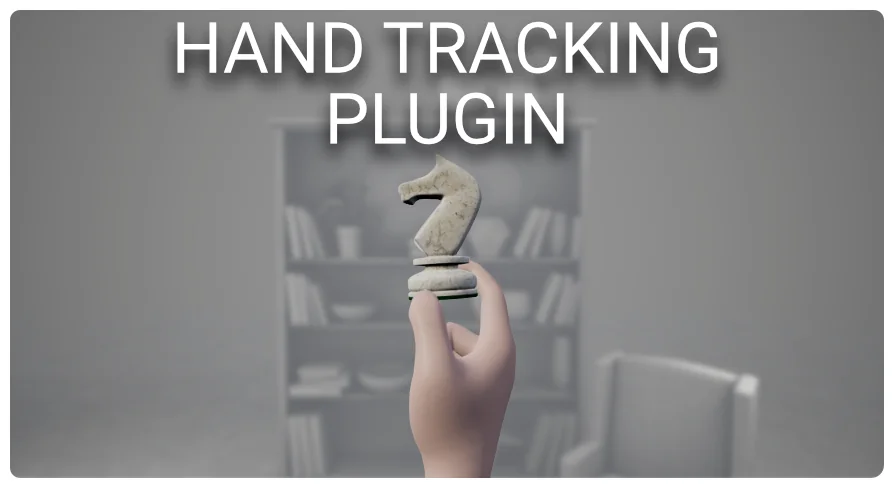
The Hand Tracking Plugin brings a host of new features to hand tracking on Meta Quest devices. This tool allows developers to integrate grabbing, locomotion, and gesture recognition into their projects with ease. Furthermore, the system includes outline effects for hands and objects, as well as laser pointers for interacting with widgets and menus.
This plugin is specifically aimed at intermediate and advanced Unreal Engine users. While it minimizes the amount of code required, developers will likely utilize the plugin's API to achieve specific features. Consequently, a strong knowledge of blueprints and general engine systems like collisions and interfaces is necessary for success.
Comprehensive Grabbing and Interaction Systems
The Hand Tracking Plugin features an advanced grabbing system that offers significant flexibility. Developers can specify as many custom grips as needed for each actor directly in blueprints or the viewport. Moreover, these grips allow you to detail which hand is allowed to grab and which hand pose should play during the interaction.
Precision is a core focus of the grabbing mechanics. Thanks to the in-editor tool, you can position grips with high accuracy and visualize the final result before running the project. This ensures that the Hand Tracking Plugin provides a seamless experience for both the developer and the end user.
Laser Pointers and UI Navigation
Interaction is further enhanced through customizable laser pointers. These pointers provide widget and object interactions out of the box. Users can click and scroll through menus using primary and secondary pinch actions. Additionally, the plugin offers two pre-built laser pointer examples, including a replica of the Quest home interface.
Locomotion and Gesture Recognition
The Hand Tracking Plugin includes a dedicated locomotion component to handle movement and rotation. Many properties are available to customize how locomotion behaves within a VR environment. This allows creators to fine-tune the feel of movement to suit their specific application needs.
On top of that, the gesture recognition component allows for the creation of custom gesture assets. These gestures are recognized at runtime to trigger specific events. The component includes in-editor tools that make it simple to assign actions to each recognized gesture.
Technical Integration and Requirements
The plugin utilizes a custom hand component that allows developers to toggle specific features on or off. Each feature includes various properties for fine-tuning behavior. However, users should be comfortable with Meta's integration of VR and hand tracking to maximize the plugin's potential.
While the plugin is designed for standard engine versions, it may work with custom builds like the Oculus branch. However, the developer notes that users are responsible for building the plugin themselves in those cases. This requires knowledge of the Unreal build system and potential deep dives into the plugin code.
Final Take
The Hand Tracking Plugin is a robust resource for XR developers looking to expand their interaction capabilities. By offering advanced grabbing, customizable UI pointers, and gesture recognition, it streamlines the creation of immersive Meta Quest experiences. It remains a powerful choice for those familiar with Unreal Engine workflows.
 Engine Tools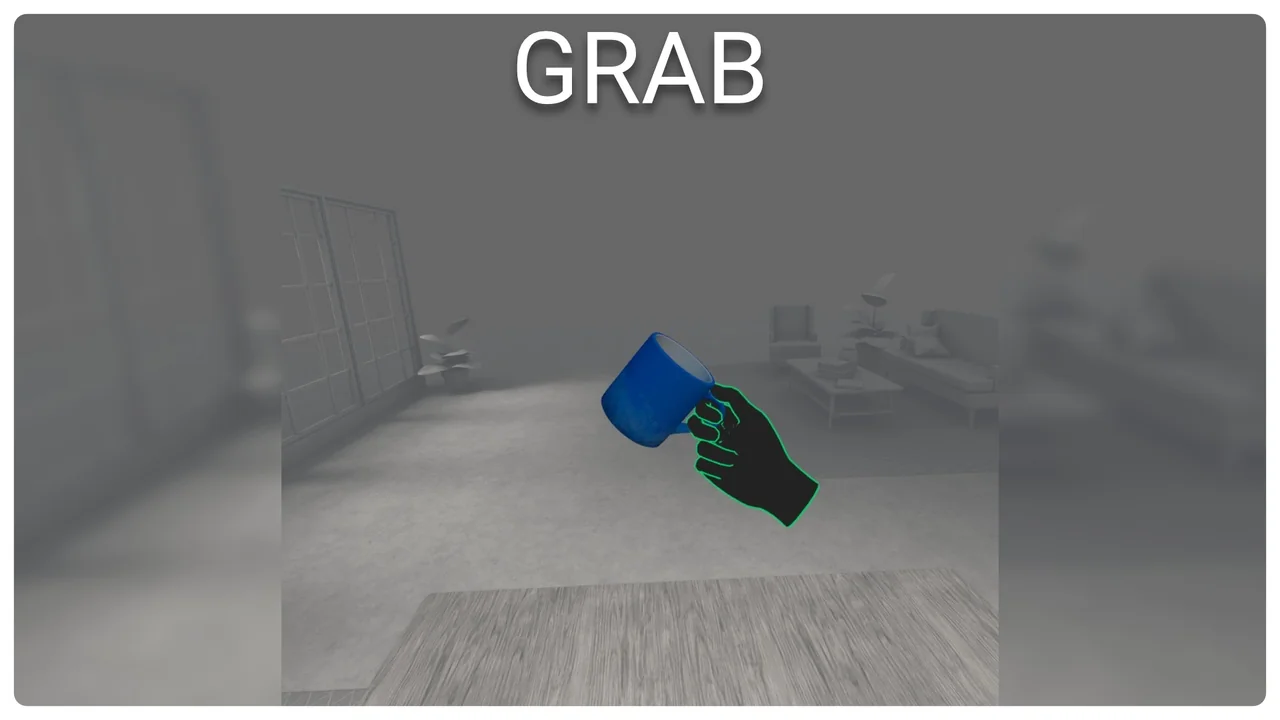
 Engine Tools
 Engine Tools
 Engine Tools