"7066dd76da796369"{"id":"14227","slug":"msc-screen-camera-recorder","title":"MSC Screen \u0026 Camera Recorder","category":"Engine Tools","engine":"5.5 - 5.7","assetVersion":"Engine version: 5.5 - 5.7","engineVersion":"4.26","tag":"Engine Tools","accent":"blue","visual":"luts","summary":"The MSC Screen \u0026 Camera Recorder is a versatile tool for capturing high-quality video content within Unreal Engine. It supports standard screen recording, VR perspectives, and immersive 360-degree renders.","platform":"Unreal Engine","publishedAt":"2026-03-11T17:01:22.000Z","updatedAt":"2026-04-19T15:45:51.000Z","sourceNotes":[],"fileContents":[],"compatibility":["Unreal Engine","Engine version: 5.5 - 5.7"],"featuredImage":{"alt":"MSC Screen \u0026 Camera Recorder","src":"https://3dcghub.com/wp-content/uploads/2026/03/909261f3-99f5-4f53-96ea-5ebe6ce89c8a.webp"},"hasDownloadLink":true,"downloads":0,"terms":[{"taxonomy":"category","slug":"engine-tools-tools-and-plugins","name":"Engine Tools"},{"taxonomy":"post_tag","slug":"blueprint","name":"Blueprint"},{"taxonomy":"post_tag","slug":"game-systems","name":"Game Systems"},{"taxonomy":"post_tag","slug":"plugins","name":"Plugins"},{"taxonomy":"post_tag","slug":"tools","name":"Tools"},{"taxonomy":"post_tag","slug":"unreal-engine-5","name":"Unreal Engine 5"},{"taxonomy":"post_tag","slug":"vr-screen-recorder","name":"VR Screen Recorder"}],"galleryImages":[{"src":"https://3dcghub.com/wp-content/uploads/2026/03/b1fba8c102c5_1d27a413-0cdb-4acf-bf62-becfd72dafd1.webp","alt":"MSC Screen \u0026 Camera Recorder"},{"src":"https://3dcghub.com/wp-content/uploads/2026/03/05cdfe5a2cbe_9369ca9d-a567-47f5-b3ee-d0fcde62a2cb.webp","alt":"MSC Screen \u0026 Camera Recorder"},{"src":"https://3dcghub.com/wp-content/uploads/2026/03/1f609b27f67f_e58c207a-11a9-4526-a030-c2acc4cb5a16.webp","alt":"MSC Screen \u0026 Camera Recorder"},{"src":"https://3dcghub.com/wp-content/uploads/2026/03/8e1988d9dd65_7dead6b4-2784-48d8-a3ca-c30a766159f6.webp","alt":"MSC Screen \u0026 Camera Recorder"},{"src":"https://3dcghub.com/wp-content/uploads/2026/03/6618b8ab5c96_45436150-3092-454d-8b50-56c7487c6af9.webp","alt":"MSC Screen \u0026 Camera Recorder"},{"src":"https://3dcghub.com/wp-content/uploads/2026/03/f10fb36e07fb_022a5d10-48eb-42ad-950a-001d8c6baa11.webp","alt":"MSC Screen \u0026 Camera Recorder"},{"src":"https://3dcghub.com/wp-content/uploads/2026/03/c6103e8ded59_4a3b686b-5476-4093-9bcb-4c10716d329e.webp","alt":"MSC Screen \u0026 Camera Recorder"},{"src":"https://3dcghub.com/wp-content/uploads/2026/03/e5c6c59f389a_7a2aa990-2088-4dea-9a4c-450236e0e78a.webp","alt":"MSC Screen \u0026 Camera Recorder"},{"src":"https://3dcghub.com/wp-content/uploads/2026/03/cd4600c5b55d_fb97a101-adfc-40c4-9ad9-6ad0d9f551f3.webp","alt":"MSC Screen \u0026 Camera Recorder"}],"accessPanel":{"kind":"resource","title":"Access this resource","eyebrow":"Free Download","message":"Log in or create a free account to start your download.","fileName":"MSC Screen \u0026 Camera Recorder 5.5 - 5.7,v1.26.7z","safetyNote":"All resources are 100% manually reviewed to eliminate all risks.","actionLabel":"Download Free","resourceType":"Resource archive"},"contentHtml":"\u003ch2\u003eStreamlined Video Capture in Unreal Engine\u003c/h2\u003e\n\u003cp\u003eThe MSC Screen \u0026 Camera Recorder provides a comprehensive solution for capturing high-quality video directly from your Unreal Engine application. This plugin simplifies the process of recording gameplay and application footage. Consequently, developers can focus on creating content rather than worrying about external capture software.\u003c/p\u003e\n\u003cp\u003eBy integrating this system, you can record the screen of your application during runtime. This feature is essential for creating trailers, tutorials, or marketing materials. Moreover, the plugin ensures that the recording process remains seamless within the engine environment.\u003c/p\u003e\n\n\u003ch2\u003eFlexible Camera Perspectives and Viewpoints\u003c/h2\u003e\n\u003cp\u003eOne of the standout features of the MSC Screen \u0026 Camera Recorder is its ability to capture video from multiple cameras. During the game, you can switch between different points of view from the player. This flexibility allows for dynamic storytelling and more engaging video content.\u003c/p\u003e\n\u003cp\u003eBeyond that, the developer designed the system to handle various perspectives simultaneously. You are not limited to a single viewpoint. Therefore, you can showcase your project from the best possible angles to highlight specific gameplay mechanics or environments.\u003c/p\u003e\n\n\u003ch2\u003eImmersive VR and 360-Degree Rendering\u003c/h2\u003e\n\u003cp\u003eThe MSC Screen \u0026 Camera Recorder is fully equipped to handle modern, immersive formats. It allows users to record the vision in virtual reality (VR) with ease. As a result, developers can share the unique experience of their VR projects with a wider audience.\u003c/p\u003e\n\u003cp\u003eIn addition to standard VR recording, the plugin can render videos in 360 degrees. This capability is perfect for creating immersive cinematic experiences. Specifically, it provides the tools necessary to produce content that allows viewers to look in every direction.\u003c/p\u003e\n\u003cul\u003e\n \u003cli\u003eCapture full application screen video.\u003c/li\u003e\n \u003cli\u003eRecord from multiple in-game camera perspectives.\u003c/li\u003e\n \u003cli\u003eSupport for Virtual Reality (VR) vision recording.\u003c/li\u003e\n \u003cli\u003eRender high-quality 360-degree videos.\u003c/li\u003e\n \u003cli\u003eFull access to all features via Blueprint nodes.\u003c/li\u003e\n\u003c/ul\u003e\n\n\u003ch2\u003eUser-Friendly Blueprint Integration\u003c/h2\u003e\n\u003cp\u003eAccessibility is a core component of the MSC Screen \u0026 Camera Recorder. The creator has made all nodes available in Blueprint. This means that even those without extensive coding knowledge can implement advanced recording features. However, the system remains powerful enough for complex professional workflows.\u003c/p\u003e\n\u003cp\u003eBecause the system uses standard nodes, it integrates naturally into existing project logic. You can trigger recordings or switch camera views based on specific in-game events. Consequently, the plugin offers a high degree of automation and control over the capture process.\u003c/p\u003e\n\n\u003ch2\u003eBest Fit\u003c/h2\u003e\n\u003cp\u003eThe MSC Screen \u0026 Camera Recorder is a robust tool for any Unreal Engine developer. It bridges the gap between gameplay and video production by offering versatile recording options. Whether you need standard screen captures, VR footage, or 360-degree renders, this plugin provides the necessary functionality. Finally, its full Blueprint support ensures that these powerful features are accessible to the entire development team.\u003c/p\u003e\n\n\u003ch2\u003eExplore Similar Assets\u003c/h2\u003e\n\u003cul\u003e\n\u003cli\u003e\u003ca href=\"https://3dcghub.com/vr-saber-game-template/\" title=\"VR Saber Game Template\"\u003eVR Saber Game Template\u003c/a\u003e\u003c/li\u003e\n\u003cli\u003e\u003ca href=\"https://3dcghub.com/vr-input-recorder/\" title=\"VR Input Recorder\"\u003eVR Input Recorder\u003c/a\u003e\u003c/li\u003e\n\u003cli\u003e\u003ca href=\"https://3dcghub.com/extile-plus-ultimate-non-tiling-material-toolkit-for-unreal-engine-environments/\" title=\"EXTILE PLUS -Ultimate Non-Tiling Material Toolkit for Unreal Engine Environments\"\u003eEXTILE PLUS -Ultimate Non-Tiling Material Toolkit for Unreal Engine Environments\u003c/a\u003e\u003c/li\u003e\n\u003cli\u003e\u003ca href=\"https://3dcghub.com/ultimate-template-unrealengine-2d-dialogue-inventory-system-save/\" title=\"ULTIMATE Template UnrealEngine || 2D + Dialogue + Inventory system + Save | |\"\u003eULTIMATE Template UnrealEngine || 2D + Dialogue + Inventory system + Save | |\u003c/a\u003e\u003c/li\u003e\n\u003cli\u003e\u003ca href=\"https://3dcghub.com/daz-to-unreal/\" title=\"Daz To Unreal\"\u003eDaz To Unreal\u003c/a\u003e\u003c/li\u003e\n\u003c/ul\u003e","contentTextLength":3379,"navigation":{"current":3377,"total":4016,"previous":{"id":"14147","slug":"make-modular-skeletal-mesh","title":"Make Modular Skeletal Mesh","category":"Engine Tools","platform":"Unreal Engine","updatedAt":"2026-04-19T15:45:52.000Z"},"next":{"id":"14202","slug":"modular-movement","title":"Modular Movement","category":"Engine Tools","platform":"Unreal Engine","updatedAt":"2026-04-19T15:45:51.000Z"}},"relatedResources":[{"id":"13799","slug":"cinematographer-pro-a-cinematic-photorealistic-camera-system","title":"Cinematographer PRO - A Cinematic Photorealistic Camera System","category":"Engine Tools","engine":"5.1 - 5.7","assetVersion":"1.03 - 1.2","engineVersion":"5.1 - 5.7","tag":"Engine Tools","accent":"blue","visual":"character","summary":"Enhance your Unreal Engine workflow with Cinematographer PRO. This system offers realistic camera gear and streamlined settings to achieve instant photorealistic results for any project.","platform":"Unreal Engine","publishedAt":"2026-03-11T10:06:56.000Z","updatedAt":"2026-07-26T15:56:12.234Z","sourceNotes":[],"fileContents":[],"compatibility":["Unreal Engine","Asset Version: 1.03 - 1.2","Engine version: 5.1 - 5.7"],"featuredImage":{"alt":"Cinematographer PRO - A Cinematic Photorealistic Camera System","src":"https://3dcghub.com/wp-content/uploads/2026/03/45c81bf9-4e58-4b53-b6f6-e8802264d091.webp"},"hasDownloadLink":true,"downloads":2},{"id":"13651","slug":"able-ability-system","title":"Able Ability System","category":"Engine Tools","engine":"5.6 - 5.7","assetVersion":"Engine version: 5.6 - 5.7","engineVersion":"Asset Version:3.96","tag":"Engine Tools","accent":"blue","visual":"city","summary":"The Able Ability System provides a robust framework for creating gameplay abilities in Unreal Engine using a task-based editor. It features multi-threaded performance, built-in networking, and support for both Blueprints and C++.","platform":"Unreal Engine","publishedAt":"2026-03-11T09:28:46.000Z","updatedAt":"2026-04-19T15:46:24.000Z","sourceNotes":[],"fileContents":[],"compatibility":["Unreal Engine","Engine version: 5.6 - 5.7","Asset Version: 3.96"],"featuredImage":{"alt":"Able Ability System","src":"https://3dcghub.com/wp-content/uploads/2026/03/acc5d929-35c2-4554-a2d8-e8d05bc81d7c.webp"},"hasDownloadLink":true,"downloads":0},{"id":"13785","slug":"chunk-downloader-nodes","title":"Chunk Downloader Nodes","category":"Engine Tools","engine":"5.6","assetVersion":"Engine version: 5.6","engineVersion":"Asset Version:1.0","tag":"Engine Tools","accent":"blue","visual":"animation","summary":"Streamline your content delivery with Chunk Downloader Nodes, a professional Blueprint wrapper for Epic's official plugin. This tool enables efficient content streaming and PAK file management without C++ requirements.","platform":"Unreal Engine","publishedAt":"2026-03-11T10:02:01.000Z","updatedAt":"2026-04-19T15:46:22.000Z","sourceNotes":[],"fileContents":[],"compatibility":["Unreal Engine","Engine version: 5.6","Asset Version: 1.0"],"featuredImage":{"alt":"Chunk Downloader Nodes","src":"https://3dcghub.com/wp-content/uploads/2026/03/efb2c9d0-ead4-4949-8fda-f55747fa16fe-1.webp"},"hasDownloadLink":true,"downloads":0}]}
Engine Tools
MSC Screen & Camera Recorder
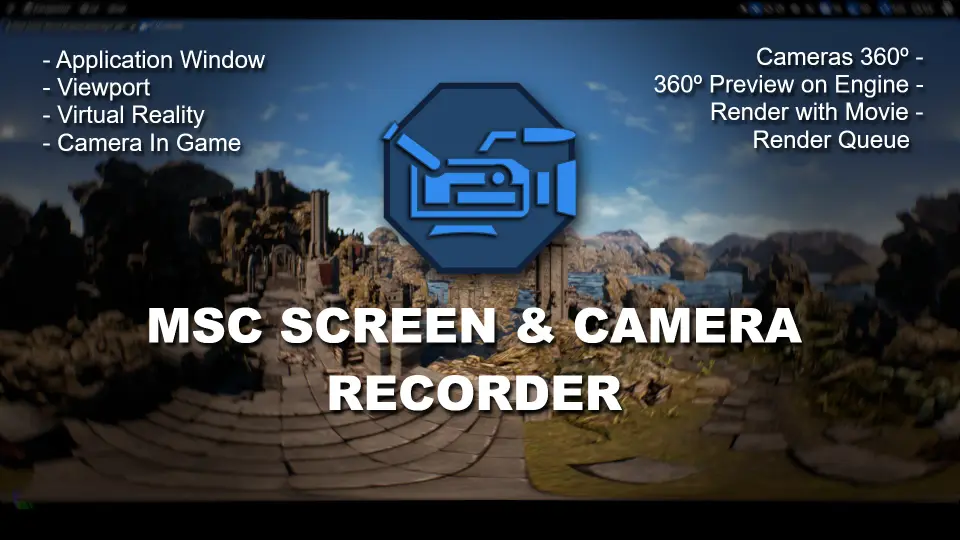
The MSC Screen & Camera Recorder is a versatile tool for capturing high-quality video content within Unreal Engine. It supports standard screen recording, VR perspectives, and immersive 360-degree renders.
The MSC Screen & Camera Recorder provides a comprehensive solution for capturing high-quality video directly from your Unreal Engine application. This plugin simplifies the process of recording gameplay and application footage. Consequently, developers can focus on creating content rather than worrying about external capture software.
By integrating this system, you can record the screen of your application during runtime. This feature is essential for creating trailers, tutorials, or marketing materials. Moreover, the plugin ensures that the recording process remains seamless within the engine environment.
Flexible Camera Perspectives and Viewpoints
One of the standout features of the MSC Screen & Camera Recorder is its ability to capture video from multiple cameras. During the game, you can switch between different points of view from the player. This flexibility allows for dynamic storytelling and more engaging video content.
Beyond that, the developer designed the system to handle various perspectives simultaneously. You are not limited to a single viewpoint. Therefore, you can showcase your project from the best possible angles to highlight specific gameplay mechanics or environments.
Immersive VR and 360-Degree Rendering
The MSC Screen & Camera Recorder is fully equipped to handle modern, immersive formats. It allows users to record the vision in virtual reality (VR) with ease. As a result, developers can share the unique experience of their VR projects with a wider audience.
In addition to standard VR recording, the plugin can render videos in 360 degrees. This capability is perfect for creating immersive cinematic experiences. Specifically, it provides the tools necessary to produce content that allows viewers to look in every direction.
Capture full application screen video.
Record from multiple in-game camera perspectives.
Support for Virtual Reality (VR) vision recording.
Render high-quality 360-degree videos.
Full access to all features via Blueprint nodes.
User-Friendly Blueprint Integration
Accessibility is a core component of the MSC Screen & Camera Recorder. The creator has made all nodes available in Blueprint. This means that even those without extensive coding knowledge can implement advanced recording features. However, the system remains powerful enough for complex professional workflows.
Because the system uses standard nodes, it integrates naturally into existing project logic. You can trigger recordings or switch camera views based on specific in-game events. Consequently, the plugin offers a high degree of automation and control over the capture process.
Best Fit
The MSC Screen & Camera Recorder is a robust tool for any Unreal Engine developer. It bridges the gap between gameplay and video production by offering versatile recording options. Whether you need standard screen captures, VR footage, or 360-degree renders, this plugin provides the necessary functionality. Finally, its full Blueprint support ensures that these powerful features are accessible to the entire development team.
 Engine Tools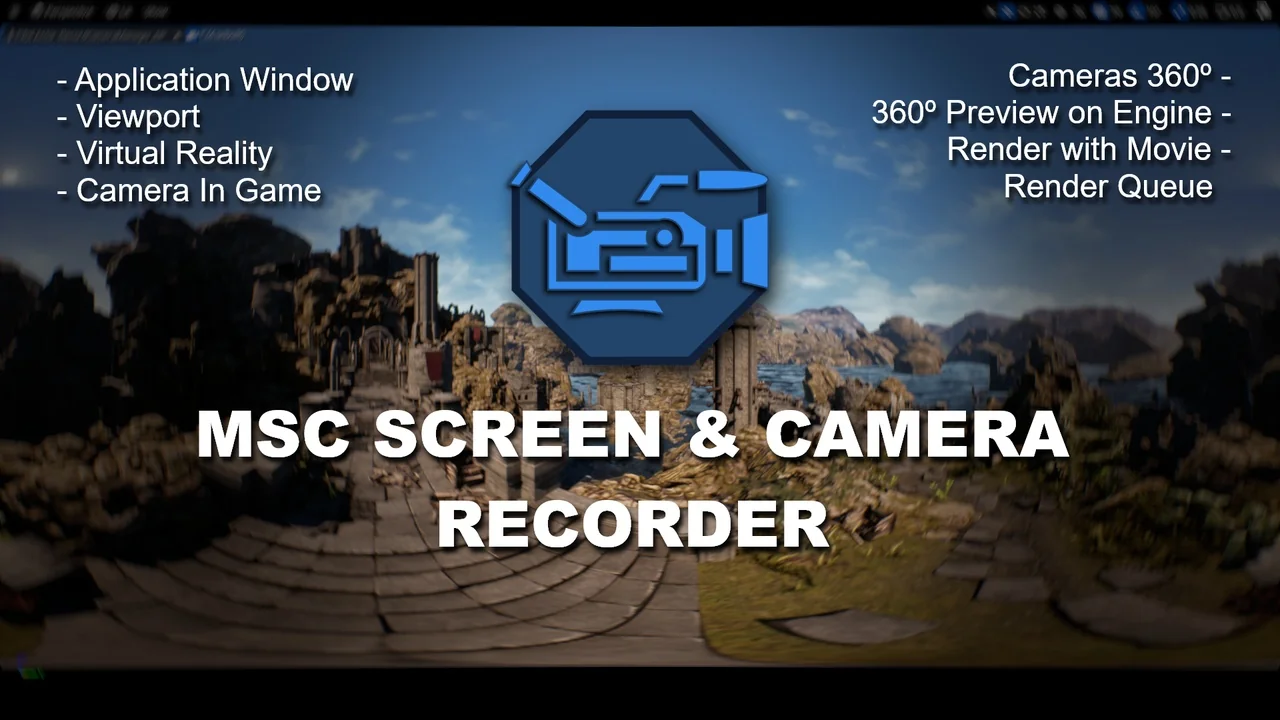
 Engine Tools
 Engine Tools
 Engine Tools