"efaa631e936fd3ee"{"id":"1002249","slug":"ultimate-rts-camera","title":"Ultimate RTS Camera","category":"Gameplay Features","engine":"5.0+","assetVersion":"","engineVersion":"Engine Version: 5.0+","tag":"Gameplay Features","accent":"blue","visual":"mech","summary":"A full-featured, replicated Unreal Engine camera system for RTS games, offering multi-input detection, touch gestures, and smooth interpolation.","platform":"Unreal Engine","publishedAt":"2026-10-29T16:09:33.483Z","updatedAt":"2026-10-29T16:09:33.483Z","sourceNotes":[],"fileContents":[],"compatibility":["Unreal Engine","Engine Version: 5.0+"],"featuredImage":{"alt":"Ultimate RTS Camera","src":"/wp-content/uploads/published/2026/10/e6d34a5d4257-5f52a74f-0679-4069-bf8f-61bec6fabc19-ab7177cb89.webp"},"hasDownloadLink":true,"downloads":0,"terms":[{"taxonomy":"category","slug":"gameplay-features","name":"Gameplay Features"}],"galleryImages":[{"src":"/wp-content/uploads/published/2026/10/e480a737d7d8-d228d774-8bc8-4aee-9ef1-6fb189fb3627-8aa2cb5954.webp","alt":"Ultimate RTS Camera"},{"src":"/wp-content/uploads/published/2026/10/67de102bdf6d-3a0b0abb-6f60-43c8-9f37-63cdf9f28a65-f344513ae6.webp","alt":"Ultimate RTS Camera"},{"src":"/wp-content/uploads/published/2026/10/f68a5fe0f1b8-f1d5d877-f952-4a75-9fe2-406fff16b310-1d970606fc.webp","alt":"Ultimate RTS Camera"}],"accessPanel":{"kind":"resource","title":"Download this resource","eyebrow":"Free Download","message":"Log in or create a free account to start your download.","fileName":"Content.7z","safetyNote":"Resources are manually reviewed before listing to improve quality and reduce obvious risks.","actionLabel":"Download Free","resourceType":"Resource archive"},"contentHtml":"\u003ch2\u003eCharacter-Stemmed Viewpoints and Smooth Camera Movement\u003c/h2\u003e\n\u003cp\u003eReal-time strategy games rely heavily on how players navigate and observe tactical environments. Ultimate RTS Camera approaches this requirement by structuring the entire camera apparatus from a character base. Placing the viewpoint within a character hierarchy provides foundational benefits for traversal, coordinate tracking, and world interactions. The core mechanical focus centers on smooth, clean movements, avoiding jarring screen snaps or harsh directional cuts. Whether panning across open terrain or repositioning between clusters of units, the system applies interpolations across every motion pass to maintain steady visual pacing.\u003c/p\u003e\n\u003cp\u003eTo keep the player view unobstructed when navigating near terrain shifts or scene geometry, the package incorporates a custom camera interpenetration system. Obstacles that would typically clip through the viewport or break player orientation are handled through this dedicated interpenetration logic. Developers working on expansive battlefield maps or compact base-building zones can rely on this layer to protect sightlines during aggressive vertical or horizontal pans.\u003c/p\u003e \u003ch2\u003eRotation Mechanics: Free, Fixed, and Incremental Rotates\u003c/h2\u003e\n\u003cp\u003ePlayer control over viewing angles requires flexibility depending on the style of game being built. Ultimate RTS Camera ships with three distinct rotation methods to cover different game-feel demands:\u003c/p\u003e\n\u003cul\u003e \u003cli\u003e\u003cstrong\u003eFree rotate:\u003c/strong\u003e Delivers unrestricted directional control, allowing continuous manual rotation around the focal center for cinematic sweeps or fine visual adjustments.\u003c/li\u003e \u003cli\u003e\u003cstrong\u003eFixed rotate:\u003c/strong\u003e Constrains the viewing angle to designated perspective setups, locking the camera into defined framing choices suited to classic isometric or strict tactical orientations.\u003c/li\u003e \u003cli\u003e\u003cstrong\u003eIncremental rotates:\u003c/strong\u003e Steps the camera viewpoint through predetermined rotational increments, letting players snap their view by exact angular intervals.\u003c/li\u003e\n\u003c/ul\u003e\n\u003cp\u003eThese rotation modes give developers direct control over gameplay pacing. A project featuring rigid grid placements might lean heavily on incremental 90-degree rotations, while a hybrid tactical simulation might provide free rotation to inspect surrounding elevation. Alongside rotation choices, the package includes a predefined sphere trace that returns contextual spatial information directly from the scene, eliminating the need to build environment-query traces from scratch.\u003c/p\u003e \u003ch2\u003eTarget Tracking with Follow-Cam and Actor Jump Systems\u003c/h2\u003e\n\u003cp\u003eNavigating large tactical spaces demands tools that quickly shift focus across distant points of interest. Ultimate RTS Camera features a built-in Jump to Actor mechanism, allowing the viewport to travel directly to targeted game entities. This capability includes an integrated follow-cam mode, keeping the camera tethered to moving units or convoys as they cross the map.\u003c/p\u003e\n\u003cp\u003eTriggering these focus shifts can be executed either through a simple function call or via a Blueprint interface, keeping gameplay communication decoupled. To handle high-intensity moments where critical sequences or user inputs collide, movements can be configured as either locked or interruptible. When configured as interruptible, direct player input immediately reclaims control from a jump or transition. When set to locked, the camera completes its assigned trajectory or focus shift before handing control back to the player, which is particularly useful during critical contextual moments or directed camera shifts.\u003c/p\u003e \u003ch2\u003eMultiplatform Input: Gamepad, Keyboard, and Mobile Touch Gestures\u003c/h2\u003e\n\u003cp\u003eControl schemes often shift depending on the target deployment platform. Ultimate RTS Camera incorporates dynamic detection between keyboard and gamepad controls, actively identifying the active hardware and providing full functional support for both options. Players can switch seamlessly from traditional mouse-and-keyboard setups to dual-stick gamepad navigation without manual reconfiguration.\u003c/p\u003e\n\u003cp\u003eThe system also comes ready for mobile deployments. It includes native mobile gesture controls for on-screen interactions:\u003c/p\u003e\n\u003cul\u003e \u003cli\u003e\u003cstrong\u003eDrag:\u003c/strong\u003e Pans the camera across the landscape smoothly.\u003c/li\u003e \u003cli\u003e\u003cstrong\u003ePinch and zoom:\u003c/strong\u003e Manages elevation and field-of-view scaling dynamically under touch input.\u003c/li\u003e \u003cli\u003e\u003cstrong\u003eTwo-finger rotate:\u003c/strong\u003e Enables direct rotational alignment without requiring dedicated on-screen interface buttons.\u003c/li\u003e\n\u003c/ul\u003e\n\u003cp\u003eIntegration with engine input pipelines adapts across engine generations. Under Unreal Engine 5.0, the system updates to accommodate the Enhanced Input Plugin. By Unreal Engine 5.2, EnhancedInput operates as the default configuration, enabling developers to import the package and immediately load the playable demo level with zero prerequisite setup. For teams maintaining projects on Unreal Engine 4, the package provides direct pathways for merging Input Mappings alongside dedicated overview guidance.\u003c/p\u003e \u003ch2\u003eReplication and Blueprint Architecture for RTS Game Frameworks\u003c/h2\u003e\n\u003cp\u003eMultiplayer synchronization is an essential requirement for competitive strategy titles. Ultimate RTS Camera is fully replicated over the network, ensuring that positional states, player views, and movement updates operate predictably within networked environments. Because the core system is built directly around a character asset, replication behaviors leverage engine-native networking patterns.\u003c/p\u003e\n\u003cp\u003eThe project’s Blueprint graphs feature fully commented logic and organized variables. This structured organization makes it straightforward to inspect specific gameplay mechanics, extend existing behaviors, or subclass the main actor to append custom gameplay rules. The design is modular, offering numerous options to tweak parameters such as pan speed, interpolation damping, and rotation sensitivities.\u003c/p\u003e\n\u003cp\u003eDevelopers pairing tactical views with hex-based board logic will also find ready compatibility with Hex Grids V11.0. This allows the camera framework to sit on top of hexagonal layout structures without conflicting spatial queries. Teams building real-time strategy games, turn-based tactics titles, or top-down management setups across PC, console, or mobile platforms gain a verified, pre-networked foundation ready for rapid gameplay implementation.\u003c/p\u003e\n\n\u003ch2\u003eExplore Similar Assets\u003c/h2\u003e\n\u003cul\u003e\n\u003cli\u003e\u003ca href=\"https://3dcghub.com/ultimate-gameplay-camera/\" title=\"Ultimate Gameplay Camera\"\u003eUltimate Gameplay Camera\u003c/a\u003e\u003c/li\u003e\n\u003cli\u003e\u003ca href=\"https://3dcghub.com/customizable-bodycam-component/\" title=\"Customizable Bodycam Component\"\u003eCustomizable Bodycam Component\u003c/a\u003e\u003c/li\u003e\n\u003cli\u003e\u003ca href=\"https://3dcghub.com/ultimate-hit-reaction-system/\" title=\"Ultimate Hit Reaction System\"\u003eUltimate Hit Reaction System\u003c/a\u003e\u003c/li\u003e\n\u003cli\u003e\u003ca href=\"https://3dcghub.com/ultimate-horse-system-horse-horse-riding-horse-system-mount-rideable-horse/\" title=\"Ultimate Horse System (Horse, Horse Riding, Horse System, Mount, Rideable Horse)\"\u003eUltimate Horse System (Horse, Horse Riding, Horse System, Mount, Rideable Horse)\u003c/a\u003e\u003c/li\u003e\n\u003cli\u003e\u003ca href=\"https://3dcghub.com/orbit-camera/\" title=\"Orbit Camera\"\u003eOrbit Camera\u003c/a\u003e\u003c/li\u003e\n\u003c/ul\u003e","contentTextLength":6345,"navigation":{"current":36,"total":4209,"previous":{"id":"1002250","slug":"underground-tunnels","title":"Underground Tunnels","category":"Industrial","platform":"Unreal Engine","updatedAt":"2026-10-29T16:10:29.226Z"},"next":{"id":"1002248","slug":"ultimate-master-shader","title":"Ultimate Master Shader","category":"Nature \u0026 Terrain","platform":"Unreal Engine","updatedAt":"2026-10-29T16:06:20.588Z"}},"relatedResources":[{"id":"1002252","slug":"useful-rts-camera","title":"Useful RTS Camera","category":"Gameplay Features","engine":"5.0+","assetVersion":"","engineVersion":"Engine Version: 5.0+","tag":"Gameplay Features","accent":"blue","visual":"mech","summary":"Implement top-down navigation with Useful RTS Camera, featuring 5-step zoom, rect select framing, edge scroll widgets, and UE 5.1+ Enhanced Input replication.","platform":"Unreal Engine","publishedAt":"2026-10-29T16:12:08.826Z","updatedAt":"2026-10-29T16:12:08.826Z","sourceNotes":[],"fileContents":[],"compatibility":["Unreal Engine","Engine Version: 5.0+"],"featuredImage":{"alt":"Useful RTS Camera","src":"/wp-content/uploads/published/2026/10/f65a0a101e30-df5f12e9-09f8-4970-84b7-7696cf611d2d-cbca3916d1.webp"},"hasDownloadLink":true,"downloads":0},{"id":"15108","slug":"ultimate-gameplay-camera","title":"Ultimate Gameplay Camera","category":"Gameplay Features","engine":"5.3 - 5.5","assetVersion":"Engine version: 5.3 - 5.5","engineVersion":"Asset Version:1.3","tag":"Gameplay Features","accent":"blue","visual":"audio","summary":"The Ultimate Gameplay Camera provides a professional-grade, dynamic third-person camera system for Unreal Engine. It features smooth movement, multiplayer replication, and extensive customization options without requiring C++ knowledge.","platform":"Unreal Engine","publishedAt":"2026-03-12T07:52:43.000Z","updatedAt":"2026-04-19T15:45:35.000Z","sourceNotes":[],"fileContents":[],"compatibility":["Unreal Engine","Engine version: 5.3 - 5.5","Asset Version: 1.3"],"featuredImage":{"alt":"Ultimate Gameplay Camera","src":"https://3dcghub.com/wp-content/uploads/2026/03/89e2406f-10ab-4f8a-97aa-fa74ad5bc513.webp"},"hasDownloadLink":true,"downloads":2},{"id":"1000048","slug":"customizable-bodycam-component","title":"Customizable Bodycam Component","category":"Gameplay Features","engine":"5.1+","assetVersion":"","engineVersion":"Engine Version: 5.1+","tag":"Gameplay Features","accent":"blue","visual":"mech","summary":"A Blueprint-driven camera component designed to deliver photorealistic, character-mirrored motion, exposed material parameters, and customizable VHS effects.","platform":"Unreal Engine","publishedAt":"2026-05-22T11:03:34.875Z","updatedAt":"2026-10-24T07:39:32.861Z","sourceNotes":[],"fileContents":[],"compatibility":["Unreal Engine","Engine Version: 5.1+"],"featuredImage":{"alt":"Customizable Bodycam Component","src":"/wp-content/uploads/published/2026/05/a8f60f9cccc0-8a5f4ac1-11c7-49f2-9fb6-a21c09403ba4-65699f7637.webp"},"hasDownloadLink":true,"downloads":5}]}
Gameplay Features
Ultimate RTS Camera
A full-featured, replicated Unreal Engine camera system for RTS games, offering multi-input detection, touch gestures, and smooth interpolation.
Character-Stemmed Viewpoints and Smooth Camera Movement
Real-time strategy games rely heavily on how players navigate and observe tactical environments. Ultimate RTS Camera approaches this requirement by structuring the entire camera apparatus from a character base. Placing the viewpoint within a character hierarchy provides foundational benefits for traversal, coordinate tracking, and world interactions. The core mechanical focus centers on smooth, clean movements, avoiding jarring screen snaps or harsh directional cuts. Whether panning across open terrain or repositioning between clusters of units, the system applies interpolations across every motion pass to maintain steady visual pacing.
To keep the player view unobstructed when navigating near terrain shifts or scene geometry, the package incorporates a custom camera interpenetration system. Obstacles that would typically clip through the viewport or break player orientation are handled through this dedicated interpenetration logic. Developers working on expansive battlefield maps or compact base-building zones can rely on this layer to protect sightlines during aggressive vertical or horizontal pans.
Rotation Mechanics: Free, Fixed, and Incremental Rotates
Player control over viewing angles requires flexibility depending on the style of game being built. Ultimate RTS Camera ships with three distinct rotation methods to cover different game-feel demands:
Free rotate: Delivers unrestricted directional control, allowing continuous manual rotation around the focal center for cinematic sweeps or fine visual adjustments.
Fixed rotate: Constrains the viewing angle to designated perspective setups, locking the camera into defined framing choices suited to classic isometric or strict tactical orientations.
Incremental rotates: Steps the camera viewpoint through predetermined rotational increments, letting players snap their view by exact angular intervals.
These rotation modes give developers direct control over gameplay pacing. A project featuring rigid grid placements might lean heavily on incremental 90-degree rotations, while a hybrid tactical simulation might provide free rotation to inspect surrounding elevation. Alongside rotation choices, the package includes a predefined sphere trace that returns contextual spatial information directly from the scene, eliminating the need to build environment-query traces from scratch.
Target Tracking with Follow-Cam and Actor Jump Systems
Navigating large tactical spaces demands tools that quickly shift focus across distant points of interest. Ultimate RTS Camera features a built-in Jump to Actor mechanism, allowing the viewport to travel directly to targeted game entities. This capability includes an integrated follow-cam mode, keeping the camera tethered to moving units or convoys as they cross the map.
Triggering these focus shifts can be executed either through a simple function call or via a Blueprint interface, keeping gameplay communication decoupled. To handle high-intensity moments where critical sequences or user inputs collide, movements can be configured as either locked or interruptible. When configured as interruptible, direct player input immediately reclaims control from a jump or transition. When set to locked, the camera completes its assigned trajectory or focus shift before handing control back to the player, which is particularly useful during critical contextual moments or directed camera shifts.
Multiplatform Input: Gamepad, Keyboard, and Mobile Touch Gestures
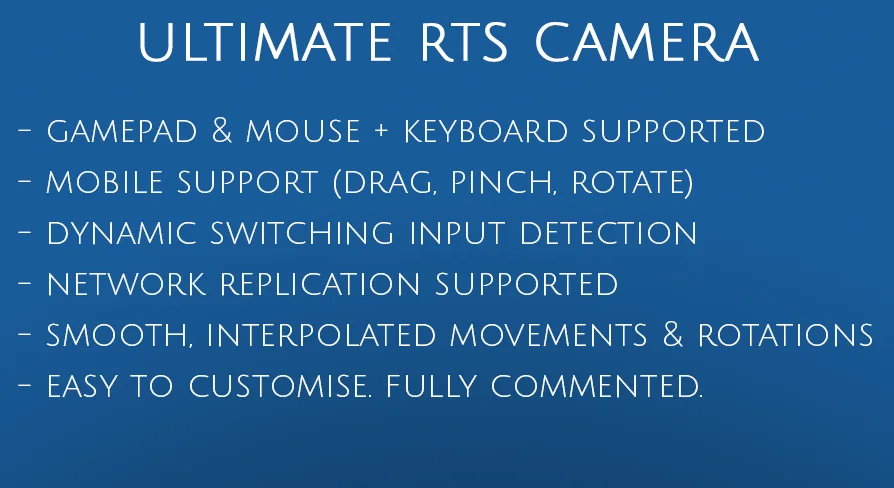
Control schemes often shift depending on the target deployment platform. Ultimate RTS Camera incorporates dynamic detection between keyboard and gamepad controls, actively identifying the active hardware and providing full functional support for both options. Players can switch seamlessly from traditional mouse-and-keyboard setups to dual-stick gamepad navigation without manual reconfiguration.
The system also comes ready for mobile deployments. It includes native mobile gesture controls for on-screen interactions:
Drag: Pans the camera across the landscape smoothly.
Pinch and zoom: Manages elevation and field-of-view scaling dynamically under touch input.
Two-finger rotate: Enables direct rotational alignment without requiring dedicated on-screen interface buttons.
Integration with engine input pipelines adapts across engine generations. Under Unreal Engine 5.0, the system updates to accommodate the Enhanced Input Plugin. By Unreal Engine 5.2, EnhancedInput operates as the default configuration, enabling developers to import the package and immediately load the playable demo level with zero prerequisite setup. For teams maintaining projects on Unreal Engine 4, the package provides direct pathways for merging Input Mappings alongside dedicated overview guidance.
Replication and Blueprint Architecture for RTS Game Frameworks
Multiplayer synchronization is an essential requirement for competitive strategy titles. Ultimate RTS Camera is fully replicated over the network, ensuring that positional states, player views, and movement updates operate predictably within networked environments. Because the core system is built directly around a character asset, replication behaviors leverage engine-native networking patterns.
The project’s Blueprint graphs feature fully commented logic and organized variables. This structured organization makes it straightforward to inspect specific gameplay mechanics, extend existing behaviors, or subclass the main actor to append custom gameplay rules. The design is modular, offering numerous options to tweak parameters such as pan speed, interpolation damping, and rotation sensitivities.
Developers pairing tactical views with hex-based board logic will also find ready compatibility with Hex Grids V11.0. This allows the camera framework to sit on top of hexagonal layout structures without conflicting spatial queries. Teams building real-time strategy games, turn-based tactics titles, or top-down management setups across PC, console, or mobile platforms gain a verified, pre-networked foundation ready for rapid gameplay implementation.
 Gameplay Features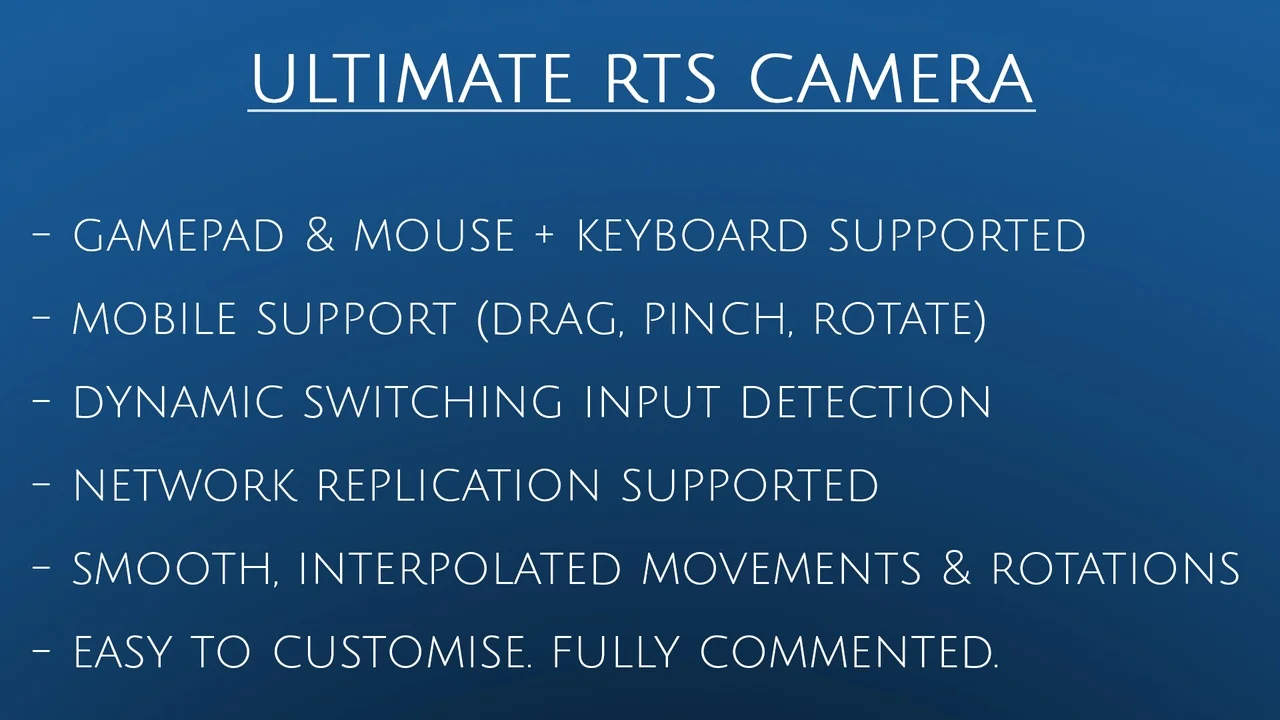
 Gameplay Features
 Gameplay Features
 Gameplay Features