"7066dd76da796369"{"id":"1000741","slug":"real-time-automotive-rendering-1001","title":"Real-Time Automotive Rendering 1001","category":"Unreal Engine","engine":"File Content: video + English subtitles","assetVersion":"Video Language: English","engineVersion":"File Content: video + English subtitles","tag":"Unreal Engine","accent":"blue","visual":"mech","summary":"A beginner-friendly Unreal Engine course covering automotive cinematic creation: asset prep in Maya, shader setup, exterior and studio lighting, and camera rend","platform":"Unreal Engine","publishedAt":"2026-07-27T11:52:00.768Z","updatedAt":"2026-07-27T11:52:00.768Z","sourceNotes":[],"fileContents":[],"compatibility":["Unreal Engine","Video Language: English","File Content: video + English subtitles"],"featuredImage":{"alt":"Real-Time Automotive Rendering 1001","src":"/wp-content/uploads/published/2026/07/e10d685964d4-rtat1001-0002-porsche-shot-chateu-1-0005-2048x811-da382017e6.webp"},"hasDownloadLink":true,"downloads":1,"terms":[{"taxonomy":"category","slug":"tutoriallibrary-unrealengine","name":"Unreal Engine"}],"galleryImages":[{"src":"/wp-content/uploads/published/2026/07/3f38fa3100a3-rtat1001-v001-r001-0003-layer-1-2048x794-6110157d31.webp","alt":"Real-Time Automotive Rendering 1001"},{"src":"/wp-content/uploads/published/2026/07/80dd29ec825a-rtat1001-images-0000-porsche-shot-chateu-greenoli-7ac876653c.webp","alt":"Real-Time Automotive Rendering 1001"},{"src":"/wp-content/uploads/published/2026/07/b1d2b0c78ab9-clement-feuillet-03-1536x864-ecdf03056c.webp","alt":"Real-Time Automotive Rendering 1001"}],"accessPanel":{"kind":"video-resource","title":"Download this video resource","eyebrow":"Free Download","message":"Log in or create a free account to start your download.","fileName":"Real-Time Automotive Rendering 1001.7z","safetyNote":"Resources are manually reviewed before listing to improve quality and reduce obvious risks.","actionLabel":"Download Free","resourceType":"Video download"},"contentHtml":"\u003cp\u003eProjects set in ruined cities, abandoned facilities, or plague-ridden villages share a recurring requirement: characters caught in the final stages of life, reanimated corpses mid-lurch, and bodies reacting to unseen trauma. \u003cem\u003eMorbid Motions | Animations and Poses\u003c/em\u003e addresses those scene types directly, assembling a collection of motion data driven by dying, dead, and undead states. Every piece is built for the Unreal Engine 5 Manny Skeleton, which means it drops into Unreal Engine 5 projects using the default mannequin rig without retargeting overhead.\u003c/p\u003e\n\n\u003ch2\u003eMorbid Motions: Animations and Poses in Context\u003c/h2\u003e\n\u003cp\u003eThe package is a merged release. Volumes 1 and 2 of the previous Morbid Motions releases have been combined into a single asset pack, giving developers one consolidated set rather than two separate collections to manage. A September 2024 update was applied to the pack, bringing it to its current combined state.\u003c/p\u003e\n\n\u003cp\u003eUsers looking for additional horror material are directed toward a related release titled \u003cem\u003ePunishment Animations\u003c/em\u003e, which expands the catalog of horror-themed motion content available from the same creator.\u003c/p\u003e\n\n\u003ch2\u003eAnimation and Pose Breakdown\u003c/h2\u003e\n\u003cp\u003eThe pack provides 57 animations alongside 25 poses. Animations supply motion-driven sequences for real-time playback, while poses function as held static states. The distinction matters: a developer staging a battlefield aftermath scene needs both the act of a character collapsing and the resulting still figure lying in terrain debris.\u003c/p\u003e\n\n\u003ch3\u003eWorking with the Unreal Engine 5 Manny Skeleton\u003c/h3\u003e\n\u003cp\u003eFull compatibility with the Unreal Engine 5 Manny Skeleton governs the entire pack. Unreal Engine 5's Manny rig serves as the standard male mannequin skeleton within the engine's animation toolset. Content built for this rig integrates with default retargeting pipelines and Animation Blueprints, letting teams apply the clips to any character sharing Manny's skeletal structure.\u003c/p\u003e\n\n\u003ch2\u003eMotion Themes: Zombie, Undead, Dying, and Dead\u003c/h2\u003e\n\u003cp\u003eThe tag set attached to the resource centers on distinct horror states: \u003cem\u003eZombie\u003c/em\u003e, \u003cem\u003eUndead\u003c/em\u003e, \u003cem\u003eDying\u003c/em\u003e, \u003cem\u003eDead\u003c/em\u003e, and \u003cem\u003eApocalyptic\u003c/em\u003e. Supplementary tags including \u003cem\u003eMannequin\u003c/em\u003e, \u003cem\u003eAnimated\u003c/em\u003e, and \u003cem\u003eHorror\u003c/em\u003e reinforce the pack's function as prebuilt horror motion data.\u003c/p\u003e\n\n\u003cp\u003e\u003cem\u003eZombie\u003c/em\u003e and \u003cem\u003eUndead\u003c/em\u003e tags point to reanimated locomotion and idles. Characters in these states move with destabilized weight, asymmetrical posture, and irregular timing. \u003cem\u003eDying\u003c/em\u003e animations capture the transition between living motion and stillness, covering falls, collapses, and final reactions. \u003cem\u003eDead\u003c/em\u003e and \u003cem\u003eApocalyptic\u003c/em\u003e tags suggest the resulting static states and broader wasteland environments these motions support.\u003c/p\u003e\n\n\u003cp\u003eA scene director assembling gameplay footage for a survival project can sequence a character from a walking idle into a dying animation, then cut to a static dead pose for the game-over or environmental storytelling beat. The pose library supplies the reusable end frames without manual keyframe polishing.\u003c/p\u003e\n\n\u003ch2\u003eApocalyptic and Horror Scene Integration\u003c/h2\u003e\n\u003cp\u003eHorror production pipelines depend on motion libraries that communicate distress and unnatural reanimation. The presence of \u003cem\u003eDying\u003c/em\u003e, \u003cem\u003eDead\u003c/em\u003e, and \u003cem\u003eZombie\u003c/em\u003e tags across one collection covers multiple staging needs within a single sequence. A horde attack sequence benefits from the undead animations, while a scripted death or injury event draws on the dying set. For narrative trailers, the poses function as establishing framing devices—corpses slumped against walls, figures frozen mid-collapse in corridors, or bodies scattered across open ground.\u003c/p\u003e\n\n\u003cp\u003eThe \u003cem\u003eApocalyptic\u003c/em\u003e tag links the pack to broader post-collapse storytelling. Wasteland ambushes, quarantine zone aftermaths, and outbreak origin sites all require background characters exhibiting signs of infection, death, or transformation. The motion themes in this collection supply each phase: the dying human, the reanimated corpse, and the still body left behind.\u003c/p\u003e\n\n\u003ch2\u003eWho Benefits from This Motion Set\u003c/h2\u003e\n\u003cp\u003eDevelopers building Unreal Engine 5 horror or apocalyptic games with Manny-based characters gain the most from this pack. Survival horror projects needing varied death reactions, zombie titles requiring shambling ambient motion, and cinematic trailer teams staging brief kills or aftermath shots all find direct use for the 57 animations and 25 poses. Solo developers and small studios without dedicated animators can populate scenes with state-appropriate character motion without producing bespoke clips. Teams already maintaining Manny-rigged character libraries can incorporate the content into existing Animation Blueprints and retargeting setups, reducing technical integration overhead.\u003c/p\u003e\n\n\u003ch2\u003eMore From The Same Workflow\u003c/h2\u003e\n\u003cul\u003e\n\u003cli\u003e\u003ca href=\"https://3dcghub.com/niagara-beginners-to-advanced-in-unreal-engine-5/\" title=\"Niagara Beginners to advanced in Unreal Engine 5\"\u003eNiagara Beginners to advanced in Unreal Engine 5\u003c/a\u003e\u003c/li\u003e\n\u003cli\u003e\u003ca href=\"https://3dcghub.com/unreal-cinematic-mastery-from-beginner-to-cinematic-creator/\" title=\"Unreal Cinematic Mastery –From Beginner to Cinematic Creator\"\u003eUnreal Cinematic Mastery –From Beginner to Cinematic Creator\u003c/a\u003e\u003c/li\u003e\n\u003cli\u003e\u003ca href=\"https://3dcghub.com/unreal-engine-5-create-a-top-down-2d-survivors-style-game/\" title=\"Unreal Engine 5: Create a top-down 2D survivors style game\"\u003eUnreal Engine 5: Create a top-down 2D survivors style game\u003c/a\u003e\u003c/li\u003e\n\u003cli\u003e\u003ca href=\"https://3dcghub.com/unreal-engine-5-realistic-automotive-rendering-masterclass/\" title=\"Unreal Engine 5: Realistic Automotive Rendering Masterclass\"\u003eUnreal Engine 5: Realistic Automotive Rendering Masterclass\u003c/a\u003e\u003c/li\u003e\n\u003cli\u003e\u003ca href=\"https://3dcghub.com/embergen-volumetric-unreal-engine-5/\" title=\"EmberGen Volumetric \u0026amp; Unreal Engine 5\"\u003eEmberGen Volumetric \u0026amp; Unreal Engine 5\u003c/a\u003e\u003c/li\u003e\n\u003c/ul\u003e","contentTextLength":4910,"navigation":{"current":1423,"total":4016,"previous":{"id":"1000742","slug":"create-a-first-person-shooter-fps-game-in-unreal-engine-5","title":"Create a First Person Shooter (FPS) Game in Unreal Engine 5","category":"Unreal Engine","platform":"Unreal Engine","updatedAt":"2026-07-27T11:57:43.213Z"},"next":{"id":"1000740","slug":"modular-warehouse-warehouse-industrial-warehouse-hangar-factory-warehouse","title":"Modular Warehouse (Warehouse, Industrial Warehouse, Hangar, Factory, Warehouse)","category":"Industrial","platform":"Unity","updatedAt":"2026-07-27T08:45:52.949Z"}},"relatedResources":[{"id":"24593","slug":"niagara-beginners-to-advanced-in-unreal-engine-5","title":"Niagara Beginners to advanced in Unreal Engine 5","category":"Unreal Engine","engine":"Video language: English","assetVersion":"Video language: English","engineVersion":"File content: video + supporting files + English subtitles","tag":"Unreal Engine","accent":"blue","visual":"luts","summary":"This Unreal Engine 5 course starts Niagara from scratch and moves into real-time VFX through practical effect builds. It covers stylized fire, smoke, explosions, portals, energy balls, fluids, and other game-focused visuals, along with mesh, material, and n...","platform":"Unreal Engine","publishedAt":"2026-04-15T14:14:53.000Z","updatedAt":"2026-04-20T06:12:42.000Z","sourceNotes":[],"fileContents":[],"compatibility":["Unreal Engine","Video language: English","File content: video + supporting files + English subtitles"],"featuredImage":{"alt":"Niagara Beginners to advanced in Unreal Engine 5","src":"https://3dcghub.com/wp-content/uploads/2026/04/93c917ee0bfb_3869562_576d_17.webp"},"hasDownloadLink":true,"downloads":0},{"id":"1000751","slug":"unreal-engine-5-motion-design","title":"Unreal Engine 5 : Motion Design","category":"Unreal Engine","engine":"File Content: video + English subtitles","assetVersion":"Video Language: English","engineVersion":"File Content: video + English subtitles","tag":"Unreal Engine","accent":"blue","visual":"mech","summary":"A 5.5-hour course covering real-time motion graphics in Unreal Engine 5.4, including cloner tools, splines, typography, and logo animation for beginners.","platform":"Unreal Engine","publishedAt":"2026-07-27T14:03:08.078Z","updatedAt":"2026-07-27T14:03:08.078Z","sourceNotes":[],"fileContents":[],"compatibility":["Unreal Engine","Video Language: English","File Content: video + English subtitles"],"featuredImage":{"alt":"Unreal Engine 5 : Motion Design","src":"/wp-content/uploads/published/2026/07/8686c1689baf-5885848-9034-4-aa0051a79b.webp"},"hasDownloadLink":true,"downloads":2},{"id":"1000821","slug":"unreal-engine-5-rts-game-real-time-strategy","title":"Unreal Engine 5: RTS game (Real Time Strategy)","category":"Unreal Engine","engine":"File Content: video + English subtitles","assetVersion":"Video Language: English","engineVersion":"File Content: video + English subtitles","tag":"Unreal Engine","accent":"blue","visual":"mech","summary":"Build a mini RTS resource game in Unreal Engine 5 with AI workers, building placement, dynamic UI, data tables, and Blueprint-based modular logic.","platform":"Unreal Engine","publishedAt":"2026-07-31T11:47:18.818Z","updatedAt":"2026-07-31T11:47:18.818Z","sourceNotes":[],"fileContents":[],"compatibility":["Unreal Engine","Video Language: English","File Content: video + English subtitles"],"featuredImage":{"alt":"Unreal Engine 5: RTS game (Real Time Strategy)","src":"/wp-content/uploads/published/2026/07/d1c092bc176f-6329257-fc2a-4-02eb1c7c32.webp"},"hasDownloadLink":true,"downloads":1}]}
Unreal Engine
Real-Time Automotive Rendering 1001
A beginner-friendly Unreal Engine course covering automotive cinematic creation: asset prep in Maya, shader setup, exterior and studio lighting, and camera rend
Category:Unreal EnginePlatform: Unreal EngineVideo Language: EnglishFile Content: video + English subtitlesPublished: Jul 27, 2026
Unreal Engine
Resource overview
Projects set in ruined cities, abandoned facilities, or plague-ridden villages share a recurring requirement: characters caught in the final stages of life, reanimated corpses mid-lurch, and bodies reacting to unseen trauma. Morbid Motions | Animations and Poses addresses those scene types directly, assembling a collection of motion data driven by dying, dead, and undead states. Every piece is built for the Unreal Engine 5 Manny Skeleton, which means it drops into Unreal Engine 5 projects using the default mannequin rig without retargeting overhead.
Morbid Motions: Animations and Poses in Context
The package is a merged release. Volumes 1 and 2 of the previous Morbid Motions releases have been combined into a single asset pack, giving developers one consolidated set rather than two separate collections to manage. A September 2024 update was applied to the pack, bringing it to its current combined state.
Users looking for additional horror material are directed toward a related release titled Punishment Animations, which expands the catalog of horror-themed motion content available from the same creator.
Animation and Pose Breakdown
The pack provides 57 animations alongside 25 poses. Animations supply motion-driven sequences for real-time playback, while poses function as held static states. The distinction matters: a developer staging a battlefield aftermath scene needs both the act of a character collapsing and the resulting still figure lying in terrain debris.
Working with the Unreal Engine 5 Manny Skeleton
Full compatibility with the Unreal Engine 5 Manny Skeleton governs the entire pack. Unreal Engine 5's Manny rig serves as the standard male mannequin skeleton within the engine's animation toolset. Content built for this rig integrates with default retargeting pipelines and Animation Blueprints, letting teams apply the clips to any character sharing Manny's skeletal structure.
Motion Themes: Zombie, Undead, Dying, and Dead
The tag set attached to the resource centers on distinct horror states: Zombie, Undead, Dying, Dead, and Apocalyptic. Supplementary tags including Mannequin, Animated, and Horror reinforce the pack's function as prebuilt horror motion data.
Zombie and Undead tags point to reanimated locomotion and idles. Characters in these states move with destabilized weight, asymmetrical posture, and irregular timing. Dying animations capture the transition between living motion and stillness, covering falls, collapses, and final reactions. Dead and Apocalyptic tags suggest the resulting static states and broader wasteland environments these motions support.
A scene director assembling gameplay footage for a survival project can sequence a character from a walking idle into a dying animation, then cut to a static dead pose for the game-over or environmental storytelling beat. The pose library supplies the reusable end frames without manual keyframe polishing.
Apocalyptic and Horror Scene Integration
Horror production pipelines depend on motion libraries that communicate distress and unnatural reanimation. The presence of Dying, Dead, and Zombie tags across one collection covers multiple staging needs within a single sequence. A horde attack sequence benefits from the undead animations, while a scripted death or injury event draws on the dying set. For narrative trailers, the poses function as establishing framing devices—corpses slumped against walls, figures frozen mid-collapse in corridors, or bodies scattered across open ground.
The Apocalyptic tag links the pack to broader post-collapse storytelling. Wasteland ambushes, quarantine zone aftermaths, and outbreak origin sites all require background characters exhibiting signs of infection, death, or transformation. The motion themes in this collection supply each phase: the dying human, the reanimated corpse, and the still body left behind.
Who Benefits from This Motion Set
Developers building Unreal Engine 5 horror or apocalyptic games with Manny-based characters gain the most from this pack. Survival horror projects needing varied death reactions, zombie titles requiring shambling ambient motion, and cinematic trailer teams staging brief kills or aftermath shots all find direct use for the 57 animations and 25 poses. Solo developers and small studios without dedicated animators can populate scenes with state-appropriate character motion without producing bespoke clips. Teams already maintaining Manny-rigged character libraries can incorporate the content into existing Animation Blueprints and retargeting setups, reducing technical integration overhead.
 Unreal Engine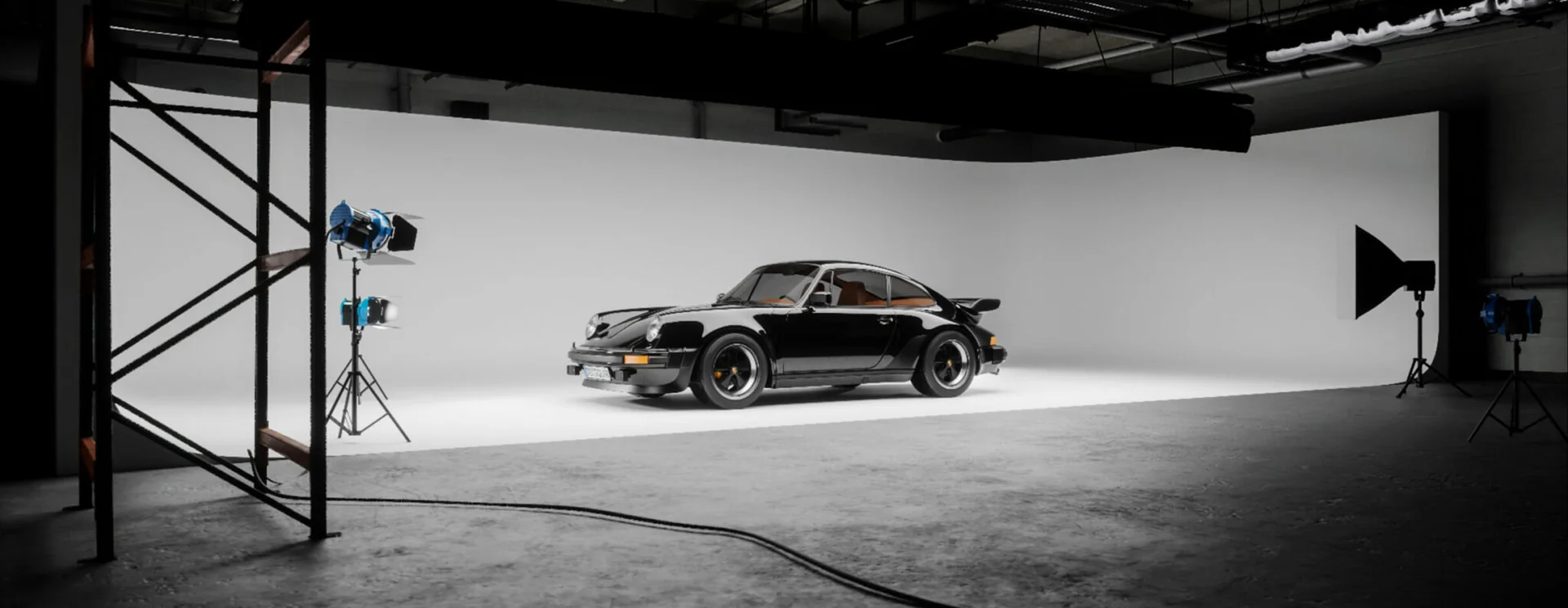
 Unreal Engine
 Unreal Engine
 Unreal Engine